What Is Capacity Planning? 2026 Guide + Best Practices + Tools

Capacity planning matches the work you have committed to against the people available to deliver it. Making these plans accurate, realistic and bulletproof is the tricky part that most companies get wrong.
This guide shows you how to plan your team’s capacity and resources in 2026: the capacity planning process, the best strategies, how to implement the best practices, how to solve the common challenges, and what tools to use.
Key Takeaways
- Capacity planning matches the work you have committed to against the team’s real availability to deliver it.
- The process runs in a loop: measure current capacity, forecast demand, find the gaps, then adjust.
- Lead, lag, and match are the three core strategies, each suited to a different tolerance for risk and cost.
- In a service business, capacity decisions are profit decisions, since idle time and over-servicing both eat directly into margin.
Free Capacity Planning Template
Download our template to schedule time for billable vs non-billable tasks, track workloads, and get insights into utilization with preset formulas.

What Is Capacity Planning?
Capacity planning is the process of matching the work your business has committed to against the people and time available to deliver it.
In a professional services firm, capacity planning mostly means answering one question: do we have the right people, with the right skills, free at the right time?
The point is to spot a shortfall or a surplus early enough to act.
Capacity Planning vs Resource Planning
Capacity planning and resource planning are often used interchangeably, but they answer different questions:
- Capacity planning asks whether you have enough people and hours to take on the work at all.
- Resource planning asks who specifically does what, and when.
The first sets the ceiling; the second decides how you work within it.
| Capacity Planning | Resource Planning | |
|---|---|---|
| Question it answers | Do we have enough people and hours to deliver the work? | Who works on which task, and when? |
| Scope | Whole team, department, or firm | Individual people and specific tasks |
| Time Horizon | Weeks to quarters ahead | Days to weeks |
| Altitude | Strategic: decide what work to take and when to hire | Tactical: assign and schedule the work you have committed to |
| Typical owner | Ops lead, delivery director | Project manager, team lead |
In practice the two run together.
For the tactical side in depth, our step-by-step guide to planning resources picks up where this leaves off. Strong project management depends on this: without capacity planning above it, the project schedule is built on hope.
Good resource capacity planning connects both, and project management software that ties them together keeps the high-level call and the day-to-day plan from contradicting each other.
What Are the Types of Capacity Planning?
The main types of capacity planning are workforce, resource, and production capacity planning, split by what they measure and how far ahead they look.
Most professional services firms lean on workforce and resource capacity planning, while production planning belongs to manufacturing.
It also helps to sort capacity planning by horizon: strategic (years), tactical (months), and operational (days to weeks), since demand forecasting gets harder further out.
For the multi-year view, we cover how to plan several years ahead separately.
| Type | What it does | When it’s used | Industries | Key considerations |
|---|---|---|---|---|
| Workforce capacity planning | Checks whether you have enough people with the right skills to meet demand | Ahead of new projects, hiring rounds, or growth targets | Agencies, consultancies, software, professional services | Skills and seniority mix of your human resources, not just headcount; billable vs non-billable split |
| Resource capacity planning | Weighs all delivery inputs together: people, budget, tools, and equipment | When projects depend on shared or limited resources | Agencies, IT services, architecture, engineering | Shared resource capacity creates bottlenecks; a single expert can cap output |
| Production capacity planning | Measures effective capacity against customer demand | For physical output and throughput targets | Manufacturing, operations, retail | Machine and material limits; closer to capacity management than resource capacity planning |
| Strategic (long-term) | Aligns capacity with multi-year business goals | Annual and multi-year planning | All | Depends on demand forecasts that get less certain further out |
| Tactical (medium-term) | Bridges strategy and daily work over months | Quarterly resourcing and hiring decisions | All | Where most agency capacity reviews actually happen |
| Operational (short-term) | Resolves this week’s and this month’s resource conflicts | Live scheduling and reallocation | All | Reactive by design; only as good as your current booking data |
Most service teams blend the first two types across all three horizons. Technical teams have their own wrinkle, covered in a capacity guide built for IT teams.
Why Is Capacity Planning Important? (+ Benefits)
Capacity planning is important because without it you commit to work on assumptions instead of numbers, and the assumptions are usually wrong. Someone eyeballs the team, says “we can fit it in,” and books a project against a mental picture weeks out of date.
The people they counted on are already booked, and nobody notices until delivery slips.
Benefit 1: It Protects Margins and Utilization
For a service firm the cost of that guessing is direct. Overbook your team, and you burn out your best people and blow deadlines. Underbook, and you pay human resources to sit on an idle bench while utilization drops.
Assume wrong on which senior person is free, and the work goes to someone at the wrong cost rate, so the project margin falls. Real capacity data replaces the assumption with a decision you can defend.
Benefit 2: It Makes Hiring a Plan, Not a Panic
Capacity planning also changes how you staff. When you can see demand building against current availability, hiring becomes a scheduled move you make before the crunch, not a scramble once the team is already underwater.
You bring team members on in time to ramp them, avoiding a bench you do not yet need.
Benefit 3: It Sharpens Forecasts and Growth
Zoom out and the effect compounds across the business.
When you know your true capacity, revenue forecasts hold because they track real customer demand and work you can actually deliver, and running an agency day to day gets easier because delivery dates are set against real availability.
What Does the Capacity Planning Process Look Like? (Step-by-Step Guide)
For professional services teams, the capacity planning process runs in four steps: measure current capacity, forecast demand, compare the two to find gaps, then adjust and repeat. Each step feeds the next, and the loop never really stops.
Here is what each step involves in practice.
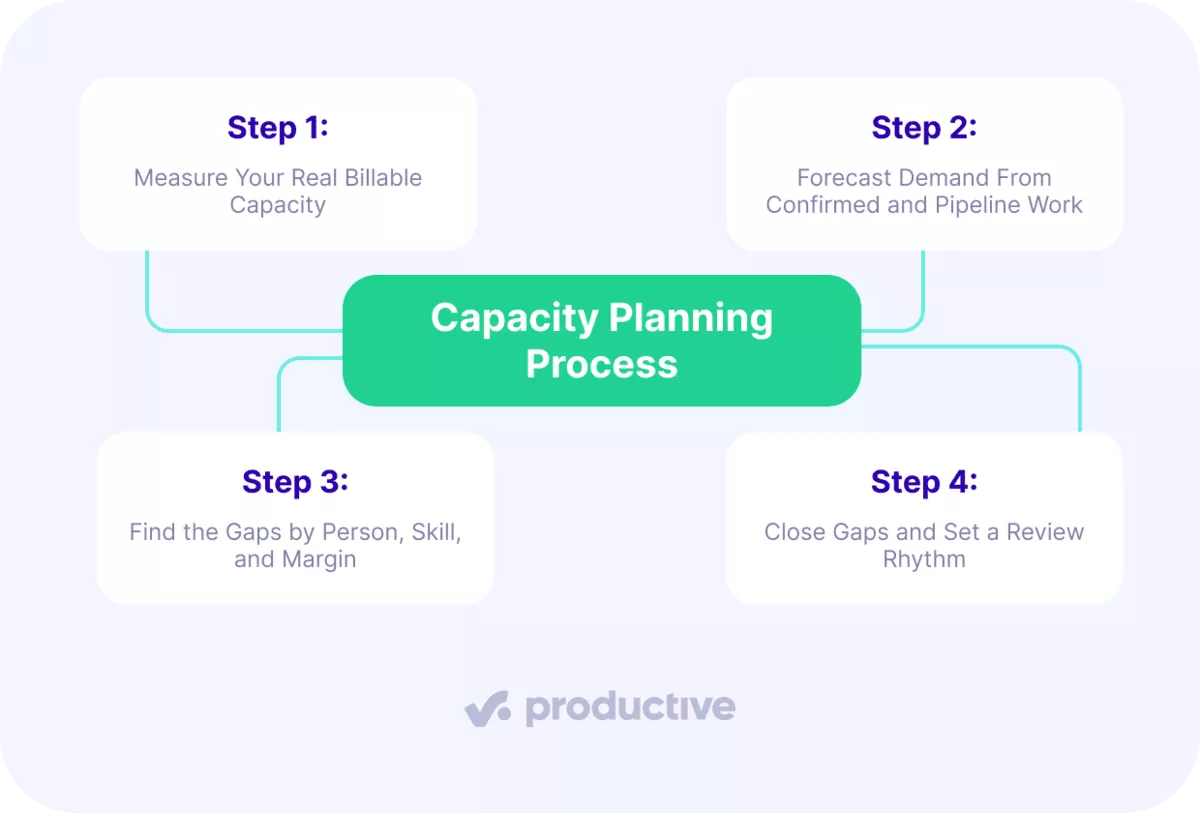
Step 1: Measure Your Real Billable Capacity
Capacity planning starts with an honest count of billable hours, so convert headcount into billable time, then discount it to reality. A 40-hour week is not 40 billable hours.
Most agencies target around 80% billable utilization for delivery staff, which assumes time lost to admin, internal work, and sales support.
Build the baseline per person and role, since a senior strategist and a junior designer sell at different rates. What remains is your effective capacity: the hours your team members can realistically bill.
Effective capacity, not headcount, is what you plan against.
Then check your baseline against what people actually deliver. A common trap is booking someone at 85% while real output sits at 60%, because timesheets go unfilled.
Plan against tracked hours, not intended ones, or your capacity picture inflates.
Step 2: Forecast Demand From Confirmed and Pipeline Work
Split demand into two buckets: signed work and pipeline. For signed projects, break each budget into the roles, hours, and delivery weeks it needs, so project demands map to specific people, not a vague team total.
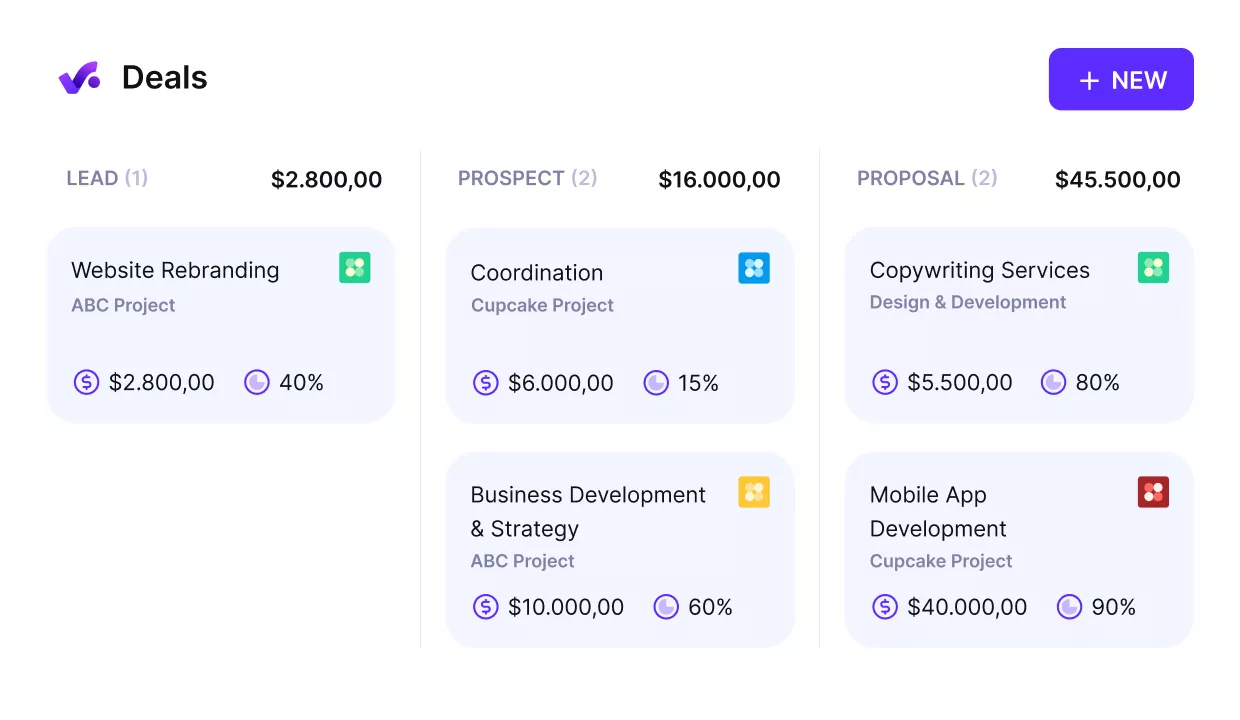
Track your pipeline and plan capacity ahead.
For pipeline deals, resource them tentatively and weight by stage: a deal at 80% probability shows up differently than one at 30%. Demand forecasting separates a real plan from a wish.
It turns vague project demands into a staffing picture you can act on.
Keeping tentative work visible but flagged is the point. It lets you see the wave of customer demand coming without committing people to work that may not close. When a deal is won, the tentative booking becomes firm demand.
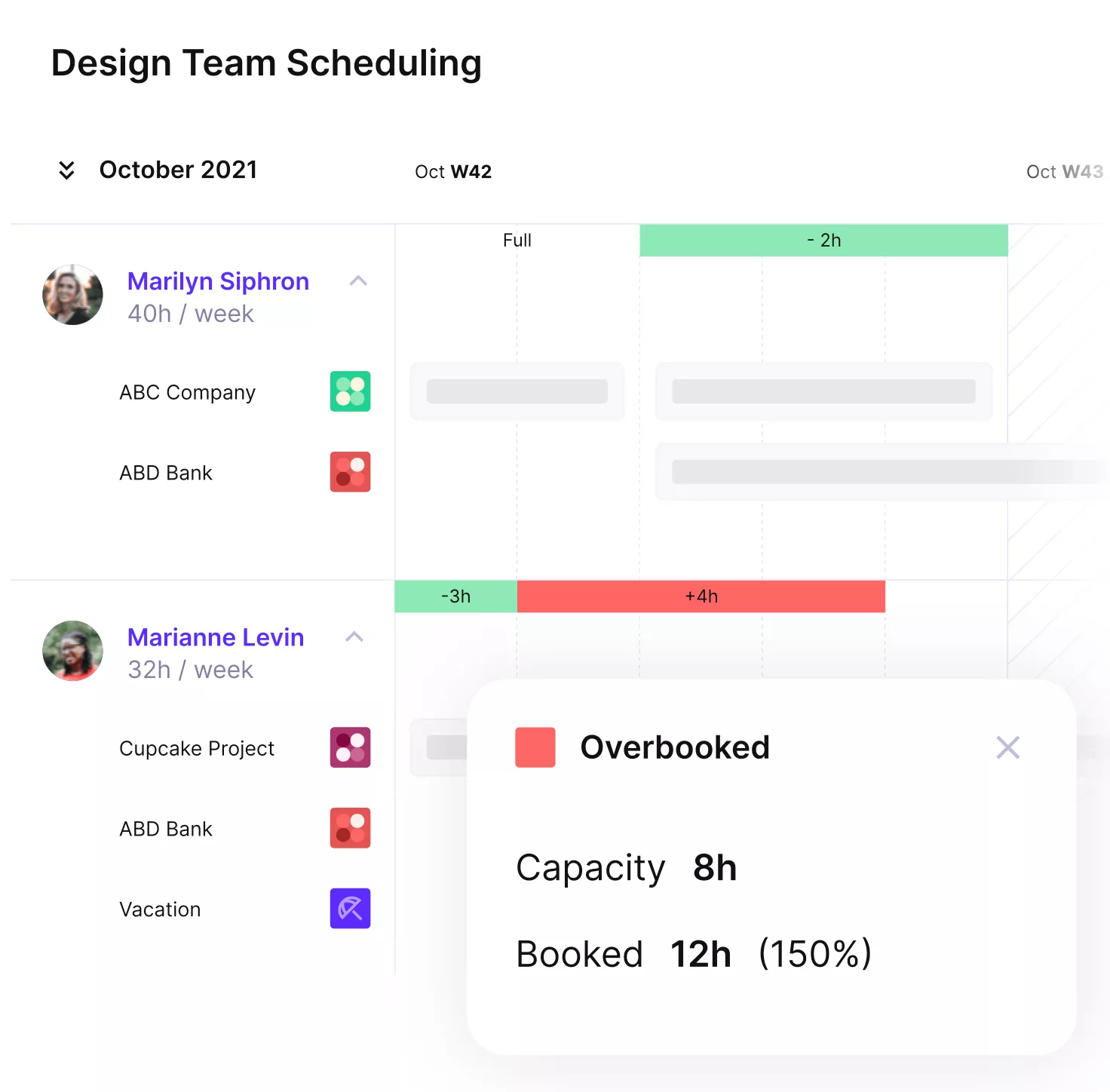
Get realistic updates on your team’s actual capacity.
Step 3: Find the Gaps by Person, Skill, and Margin
Compare supply against demand at three levels.
First, per person: check team availability to see who is booked past their sustainable rate and who is sitting on the bench.

Plan your resources and match available skills with the work ahead.
Second, per skill: resource shortages in one senior role can stall three projects while generalists sit idle. Third, per margin: run the cost rates and confirm the resource allocation you are about to schedule still hits its target profit.
That third level is what most teams skip.
A project can be fully staffed and still lose money if senior people do work a junior could deliver. Modeling allocations against cost rates before you commit tells you the profit impact, not just availability.
This is where capacity planning turns a schedule into a financial decision, leaning on the metrics behind profitable work.
Step 4: Close Gaps and Set a Review Rhythm
Act on the gaps with the lever that fits. Rebalance work to someone with room, move a delivery date, shift the resource allocation to a lower-cost mix, bring in a freelancer for a peak, or decline work that would push the team underwater.
A recurring skills gap signals you should hire, not patch.
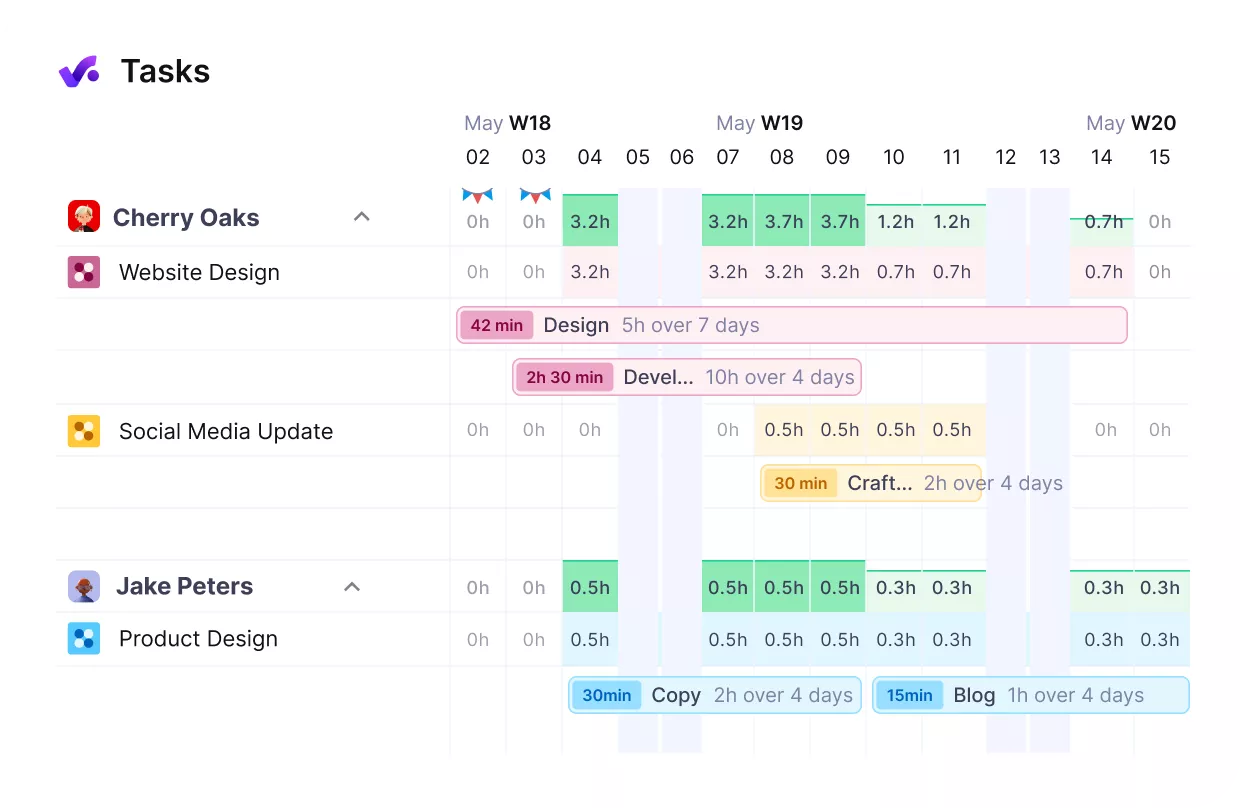
Get real-time updates on your team’s workloads and prevent idle hours or overbooking.
Then make the review a habit, not an event. Capacity planning works best when an ops lead or capacity planner runs a weekly resourcing check with team leads for tactical moves, and a quarterly review for hiring calls.
Capacity drifts the moment you stop looking, so the cadence is the practice.
Real-Life Example of Planning Capacity
The digital agency Infinum, a team of more than 350 people, runs its planning with Productive. In the customer story, their head of operations describes their resource planning process for a 350-person agency.
See your team’s real capacity in one place
If bookings, time, and budgets live in separate tools, Productive brings them together so you spot overbooking before it burns people out.

What Are the Best Capacity Planning Strategies You Can Use?
The main capacity planning strategies are lead, lag, and match. Each one takes a different view on when to add people relative to demand, and the right capacity strategy depends on how much risk and idle cost your firm can absorb.
Your choice also shapes resource utilization: too aggressive and you carry a bench, too cautious and you burn people out. Two blended approaches, adjustment and hybrid, combine these when demand is hard to predict.
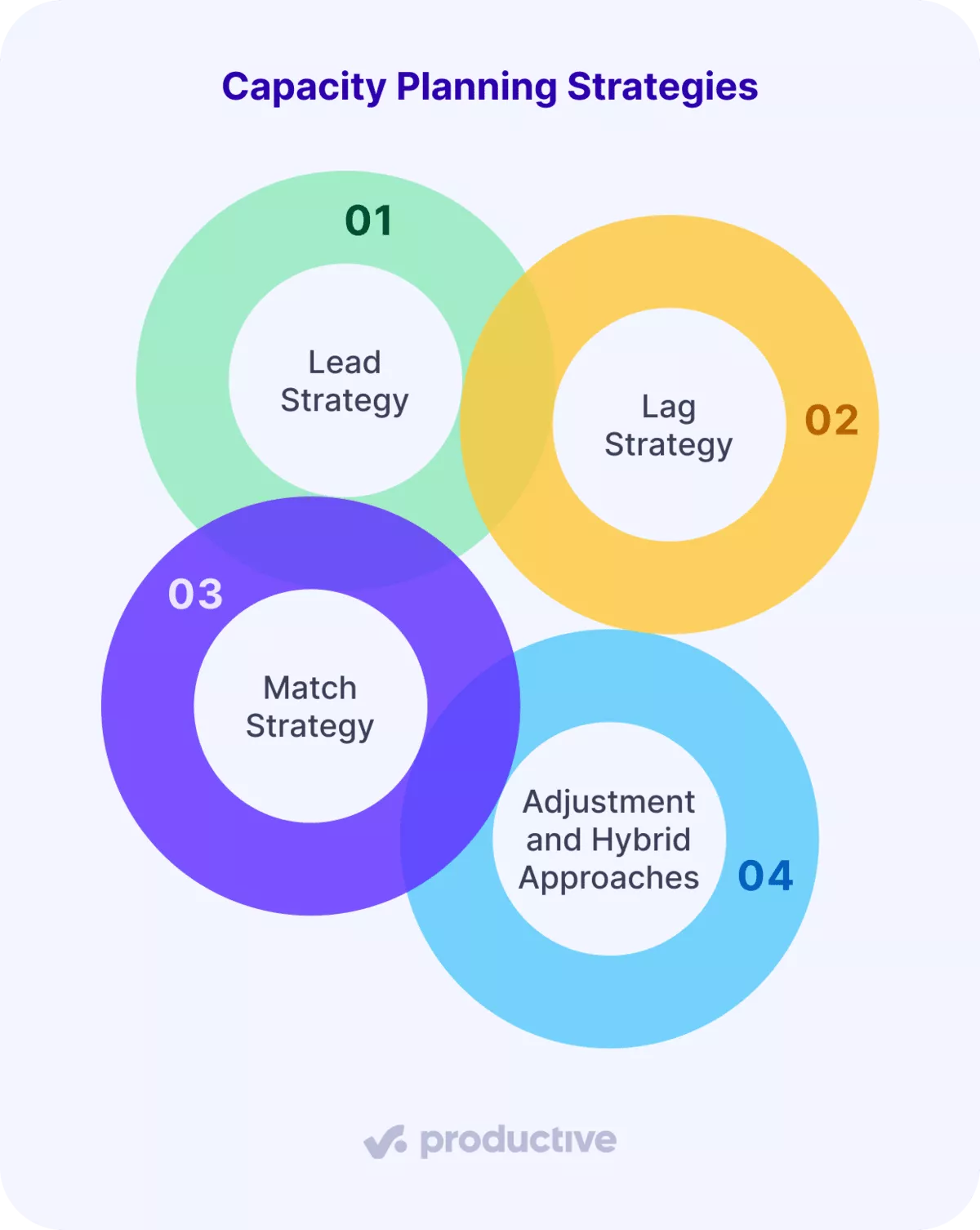
1. Lead Strategy
A lead strategy means you hire ahead of signed work, betting on a forecast of market trends. An agency expecting a busy Q4 brings on two developers in Q3, so they are billable when the contracts land.
You never turn away work for lack of hands. The risk is cost: if half that pipeline slips, you pay two salaries against a bench and resource utilization drops until demand catches up.
Lead works best when your pipeline is reliable and missing a deal costs more than a few idle weeks.
2. Lag Strategy
A lag strategy flips that. You commit resources only once work is signed, so you never carry idle staff. A consultancy that staffs each engagement after signing is running a lag strategy.
It protects cash and margin, which is why cautious firms default to it. The cost lands on delivery: when three deals close in one week, you stretch the team past 85% and risk burnout, or push start dates.
This approach suits stable, predictable customer demand where surges are rare.
3. Match Strategy
A match strategy adds capacity in small increments as demand firms up, so supply tracks demand without big bets. When tentative bookings for a role cross a threshold, you add one person or freelancer, then reassess.
It avoids both the idle bench of a lead strategy and the delivery crunch of a lag strategy, with less overhead than an adjustment strategy. The tradeoff is effort: it works only if you review resourcing on a tight cadence and trust your booking data.
4. Adjustment and Hybrid Approaches
Most agencies do not run one strategy cleanly. An adjustment strategy keeps freelancers on call to absorb peaks without permanent cost, fitting firms facing shifting market trends and seasonal swings.
A hybrid approach applies different capacity planning strategies across the business at once: a lead strategy on roles you are confident you will need, lag on expensive specialists, a match strategy in between.
The gain is flexibility. The cost is that it only holds together if one system shows supply, demand, and pipeline together.
What Are the Best Practices for Planning Team Capacity?
The best practices for planning team capacity are working below full utilization, using rolling forecasts, keeping one source of data, and reviewing on a set cadence.
Together they keep your plan realistic and current instead of a document nobody trusts.
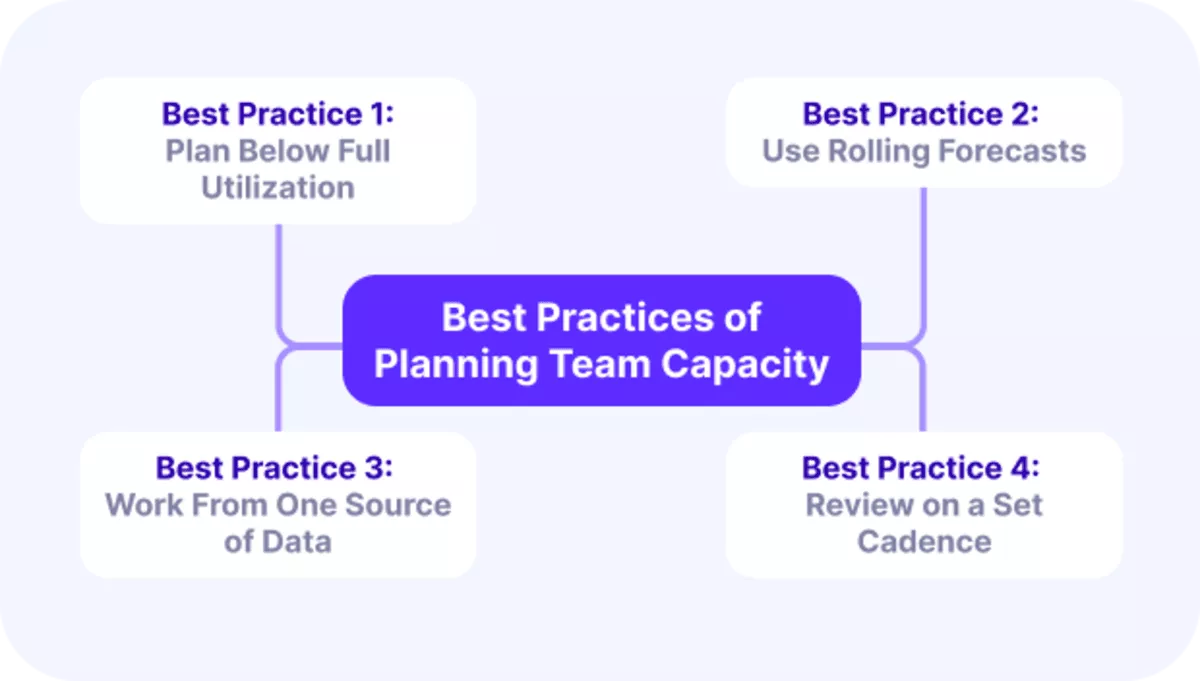
Here is how to apply each one.
Best Practice 1: Plan Below Full Utilization
Book your team to roughly 80% of available hours, not 100%. That buffer absorbs sick days, urgent client requests, and the small overruns every project carries.
Firms that plan to full capacity have no slack, so any surprise turns into overtime or a missed date. This matters most for busy client-facing teams.
In Productive, you can set utilization targets and see who is tracking above or below them in real time.

Set utilization targets and get real-time utilization reports.
Best Practice 2: Use Rolling Forecasts
Replace the static annual plan with a forecast you update every month or quarter. Demand in a service business shifts as deals close and projects slip, so a plan built once in January is wrong by March.
Rolling forecasts keep your capacity picture tied to what is actually happening. Productive lets you forecast project budget burn and future utilization as new work is scheduled.
Best Practice 3: Work From One Source of Data
Keep resource capacity data, time tracking, and budgets in one system, not scattered spreadsheets. When capacity data lives in three tools, the numbers never agree and no one trusts the plan.
A single source means everyone sees the same availability, and capacity planning runs on numbers the team trusts.
Productive combines scheduling, time tracking, and budgeting on one platform, so the plan and the actuals stay connected.
Best Practice 4: Review on a Set Cadence
Put a recurring capacity review on the calendar: weekly for tactical shifts, quarterly for hiring calls. Capacity planning is a loop, not a one-off, and skipping reviews is how overbooking creeps back in.
This is where capacity planning turns into ongoing capacity management, and standardizing the capacity reports this review relies on keeps them consistent. Ops and delivery leads should own this rhythm.
Productive reporting gives you the live utilization and scheduling data these reviews depend on.
What Are the Common Challenges of Planning Capacity?
The biggest challenges in planning capacity are overbooking your people, losing margin to scope creep, tracking utilization you cannot trust, and hiring too late.
Each one shows up quietly, then hits delivery and profit at the same time, which is exactly why capacity planning fails most often in execution rather than in the plan itself.
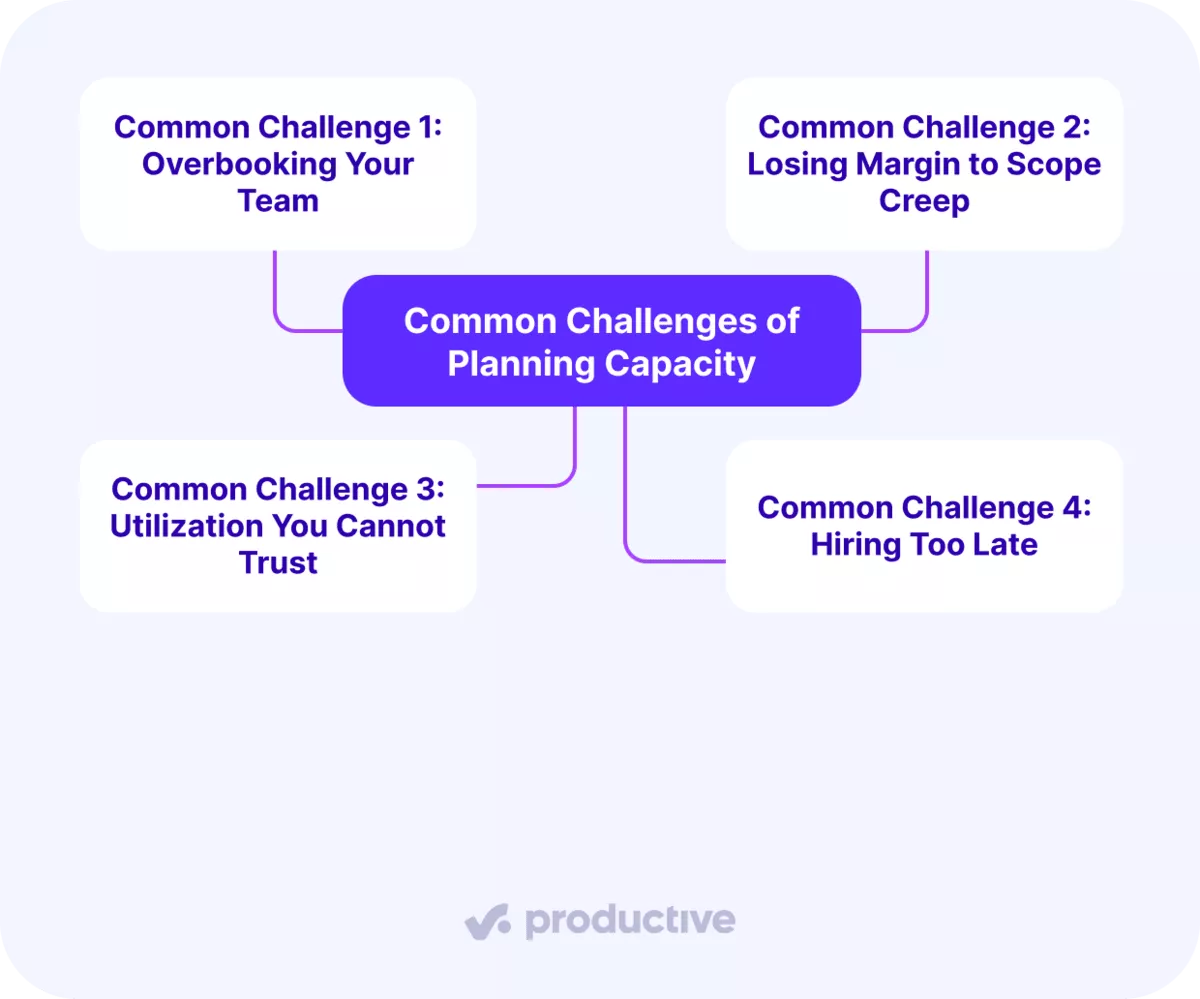
Here is how they manifest and how to get ahead of them.
Common Challenge 1: Overbooking Your Team
Overbooking happens when the same team members get scheduled across too many projects at once. It is easy to do when bookings live in separate places, and the result is burnout, slipped deadlines, and rushed work.
The fix is capacity planning built on a single view of resource allocation: who is booked, on what, and when.
Productive shows scheduled versus available hours per person, so you catch team members booked past capacity before work starts.
Common Challenge 2: Losing Margin to Scope Creep
Scope creep is when a fixed-price project keeps absorbing extra rounds and small favors nobody budgeted. Each feels harmless, but they burn hours against a fixed fee, so a job quoted at a 20% margin slides toward zero.
The damage stays invisible until the project closes and finance asks why it lost money. The fix is watching budget burn while the work is live: when a project has spent 70% of its hours at 40% of deliverables, you renegotiate scope before the margin is gone.
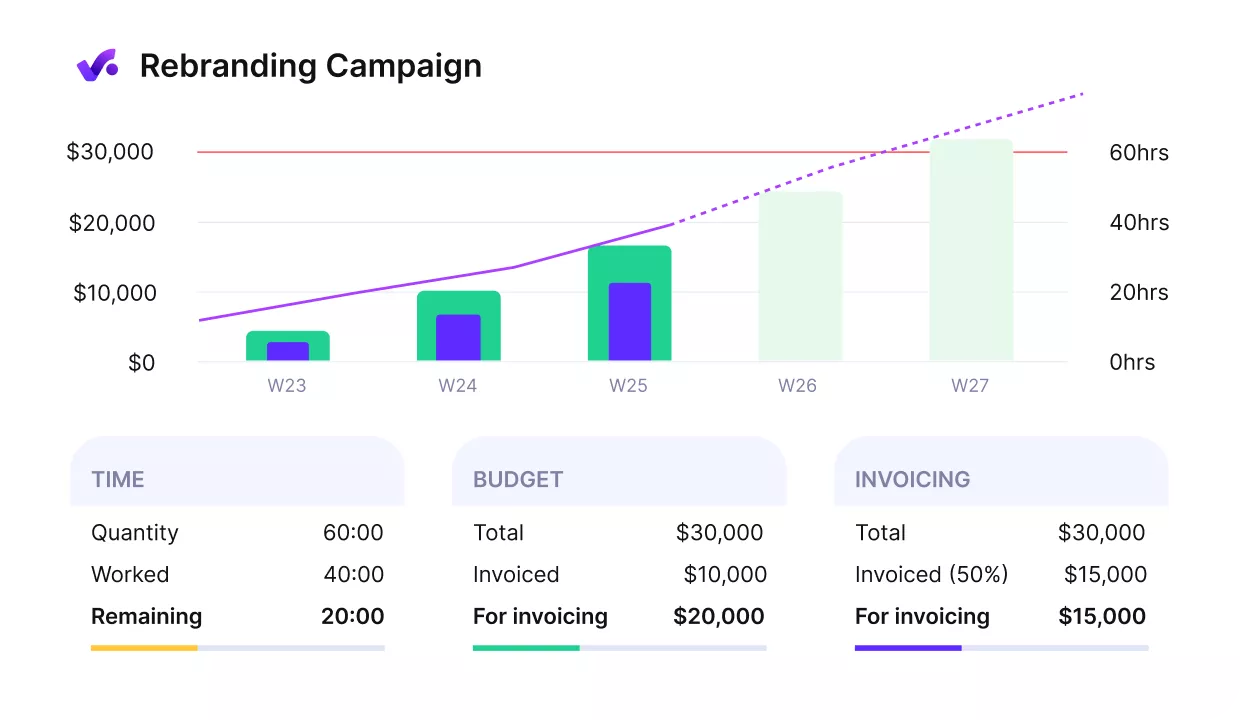
Get early warnings of budget overruns.
Productive tracks hours and cost against each budget in real time, so you catch a job eating its margin in time to act.
Common Challenge 3: Utilization You Cannot Trust
Many firms report on utilization but do not trust their own numbers, often because time is double-counted or logged inconsistently. Bad utilization data leads to bad capacity planning calls, since you are planning against a picture that is not real.
Clean, consistent tracking is the only cure. Productive ties time entries to projects and rates, giving you utilization figures you can actually plan from.
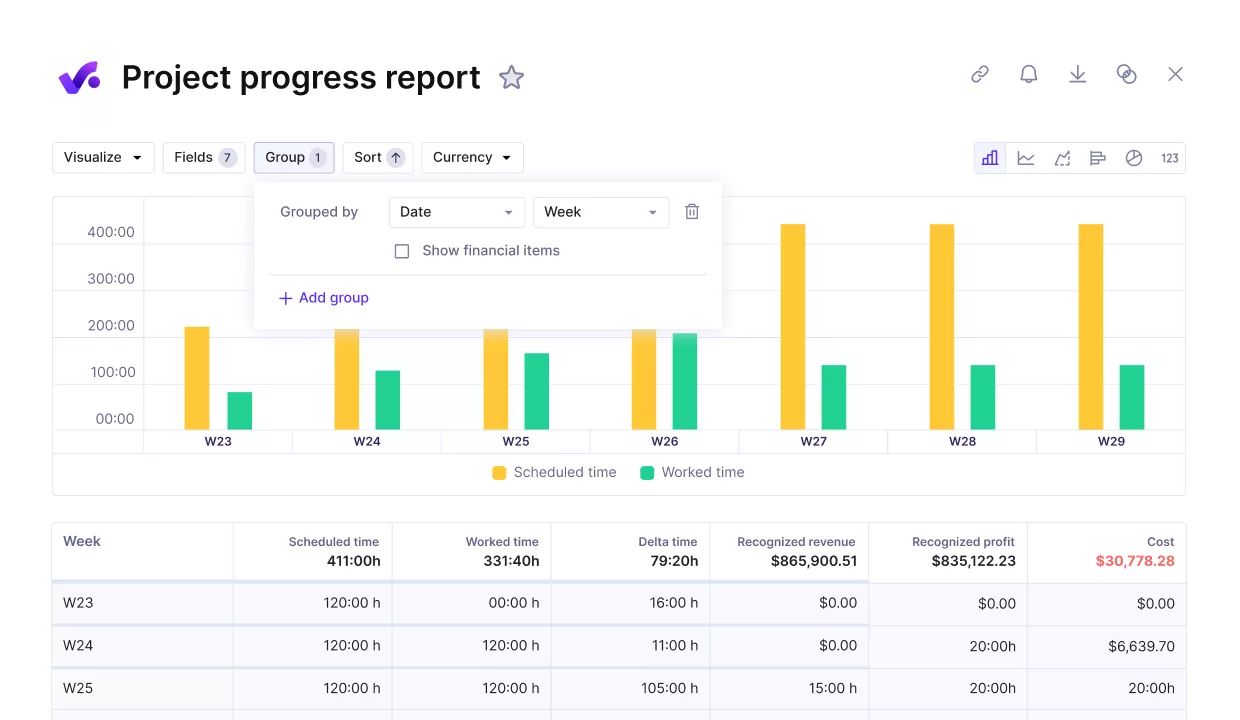
Measure the project progress against key performance metrics.
Common Challenge 4: Hiring Too Late
Hiring too late is the lag trap: you wait for demand to arrive, then spend weeks recruiting while your team drowns. By the time the new hire is productive, the peak has passed or the client has left.
Forecasting turns hiring into a planned move rather than a panic.
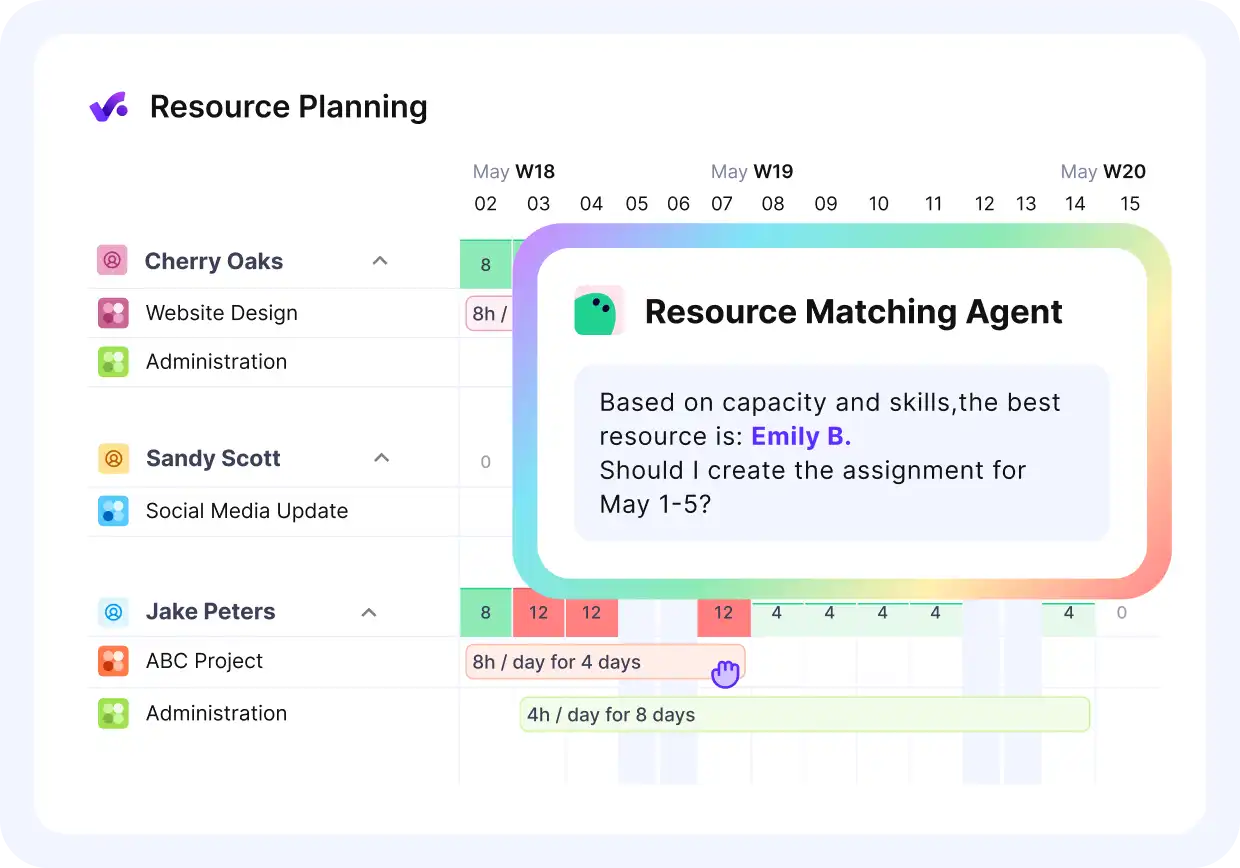
Use Productive’s agents to match your resources with the required skills to complete a project.
Productive lets you model upcoming demand against current capacity, so you can see the shortfall coming and start hiring on time.
What Are the Best Tools for Planning Team Capacity?
Capacity planning tools fall into four types: spreadsheets, standalone resource schedulers, forecasting tools, and all-in-one platforms.
The right capacity planning software depends on how complex your work is and how tightly you need capacity tied to budgets and billing.
Most agencies outgrow the first two faster than they expect. If forecasting is your main gap, compare tools built to model future demand before choosing one capacity planning software.
Here is what each type solves, who it fits, where it falls short, and who should skip it.
| Tool type | Problem it solves | Best for | Where it falls short | Who should skip it |
|---|---|---|---|---|
| All-in-one platforms | Capacity, time, budgets, and billing in one connected system | Agencies and professional service firms where capacity decisions are also profit decisions | Carries features a tiny team may not touch yet, and asks you to move off scattered tools | Very small teams with simple needs and no billing to track |
| Spreadsheets | A free, flexible way to start planning capacity | Freelancers and teams of 2 to 5 with a handful of projects and stable demand | Breaks down the moment people are shared across projects; no live data, no alerts, and constant manual rework | Any firm sharing people across projects, where the file is out of date by the afternoon |
| Standalone resource schedulers | Visual booking of who is on what, and when | Small teams whose only real problem is seeing availability and avoiding clashes | Ignores budgets and rates, so it shows who is busy but never whether the work makes money | Agencies that need capacity tied to profitability |
| Forecasting tools | Projecting future demand and utilization from trends | Ops leads who want to model demand scenarios on top of an existing system | Only as good as the data feeding it; disconnected from live projects, the forecasts drift from reality | Teams looking for one tool rather than another layer to maintain |
Final Thoughts: Why Should You Centralize Your Capacity Plans?
Capacity planning is not a scheduling chore. It is how a service business protects its margin and grows without breaking its people.
The right capacity planning strategies make that repeatable. When you see supply, demand, and budget together, the hard calls about hiring, workload, and which projects to take get easier.
That is the case for an all-in-one tool over a stack of disconnected apps. When resourcing, time, and budgets live together, your plan and your actuals never drift apart.
To see what that looks like for your company, book a demo and we will walk through it with your numbers.
Connect With Agency Peers
Access agency-related Slack channels, exchange business insights, and join in on members-only live sessions.
