Top 9 Accelo Alternatives in 2026: Pros, Cons, Switch Plan

The best Accelo alternatives are Productive, Avaza, Flowlu, Kantata, Teamwork, BigTime, ClickUp, monday and SuiteDash. We ranked them by how much client work each covers, because leaving
Accelo means rebuilding retainers, schedules and quotes.
You get key features, who each tool is for, review-based pros and cons, and clear skip signals. Then use the comparison table, the map of what you lose and the switching checklist to decide.
What Is the Best Accelo Alternative in 2026?
The best alternatives to Accelo in 2026 are Productive, Avaza, Flowlu, Kantata, Teamwork, BigTime, ClickUp, monday and SuiteDash.
They range from all-in-one tools like Accelo to project management platforms that leave billing elsewhere. The higher an Accelo alternative ranks, the more of Accelo’s scheduling, budgets, retainers and CRM it covers natively.
Our Shortlist by Best Fit
Comparison Table: What Each Tool Covers
| Tool | Who should choose | Resource planning | Budgets and profitability | Retainers | CRM and quotes | Free plan or trial |
|---|---|---|---|---|---|---|
| Productive | Agencies that want one system from quote to invoice | Native, bookings and capacity | Native, live budget tracking | Native, recurring budgets | Native pipeline and signed proposals | 14-day free trial |
| Avaza | Small teams wanting account-based pricing | Native, scheduling module | Native, budget vs cost | Native, retainer subscriptions | Estimates, no deal pipeline | Free plan |
| Flowlu | Small agencies wanting a pipeline and invoices cheaply | Workload view | Native, project budgets | Recurring invoices only | Native pipeline and estimates | Free plan |
| Kantata | Large firms staffing by skill and margin | Native, capacity and availability | Native, project accounting | Native, retainer billing | Via Salesforce or HubSpot | Demo on request |
| Teamwork | Client-services agencies running retainers | Native, workload and capacity | Native budgets | Native, retainer budgets | Native quotes, pipeline via HubSpot or Salesforce | Free plabn |
| BigTime | Firms that bill hourly and need exact invoices | Native, Premier plan | Native, Premier plan | Recurring invoices only | Via integration, quotes module | Free Trial |
| ClickUp | Teams wanting flexible project management, billing elsewhere | Workload view | Built from templates | Client time tags only | Pipeline templates only | Free Forever plan |
| monday | Teams building workflows on boards | Workload view | Built from formula columns | None documented | Separate product | Free plan, 2 seats |
| SuiteDash | Small firms wanting branded client logins | None documented | None documented | Recurring invoices only | Native, with estimates | 14-day free trial |
How We Chose These Tools
We read each tool’s product pages, help docs and pricing pages in October 2026. We took pros and cons from dated G2 and Capterra reviews.
We included only tools that handle at least three parts of Accelo’s client work natively. Those parts are a deal pipeline or quotes, projects, timesheets, invoices and scheduling. We list Productive first because it’s our product.
We ordered the other eight by how many of the table’s four capability columns they cover natively. That puts the closest Accelo competitors at the top. We broke ties alphabetically.
1. Productive – Best for Companies Running Sales, Scheduling, Budgets and Billing Together
Productive is agency software that combines sales and project management into one platform for projects, people and budgets. Bookings and time tracking both feed the same budgets, so spend, schedule and margin come from one record.
Replace Accelo with Productive
Plan Mixed Teams’ Weeks in One Schedule
Some of your people spend the week on one project, and others split it across many short tasks. If you check Accelo one booking at a time, a double-booking surfaces only when a deadline slips.
Productive’s resource planning lets you book people across every project by hours per day, percentage or total hours. Tentative bookings hold time for deals not yet won without counting against anyone’s capacity. Placeholders let you book a role before you hire for it.

Manage all resources in real-time.
The planner shows every person’s bookings across projects, so resource allocation happens in one place. Describe what a project needs, and AI agents suggest people whose skills and availability fit.
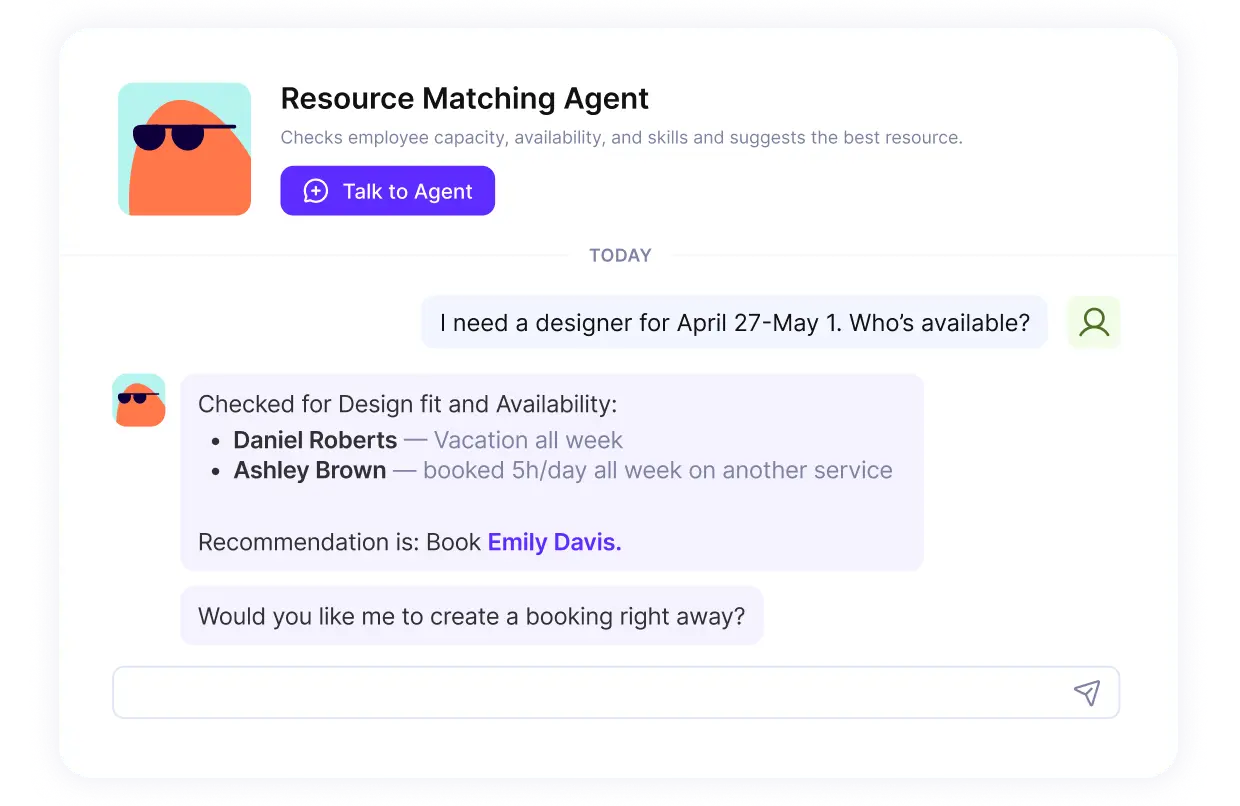
Ask the AI agent in plain language who has the time and skill to take on a project.
Track Retainer and Fixed-Fee Budgets While the Work Happens
If your marketing agency bills retainer work monthly, you may see a budget overrun only at month close. By then the extra hours are spent, and you either absorb them or bill an overage nobody agreed to.
Each budget lists its services with price and logged hours, so you see budget burn updated from tracked time. For retainers, recurring budgets open a fresh budget each week, month or quarter.
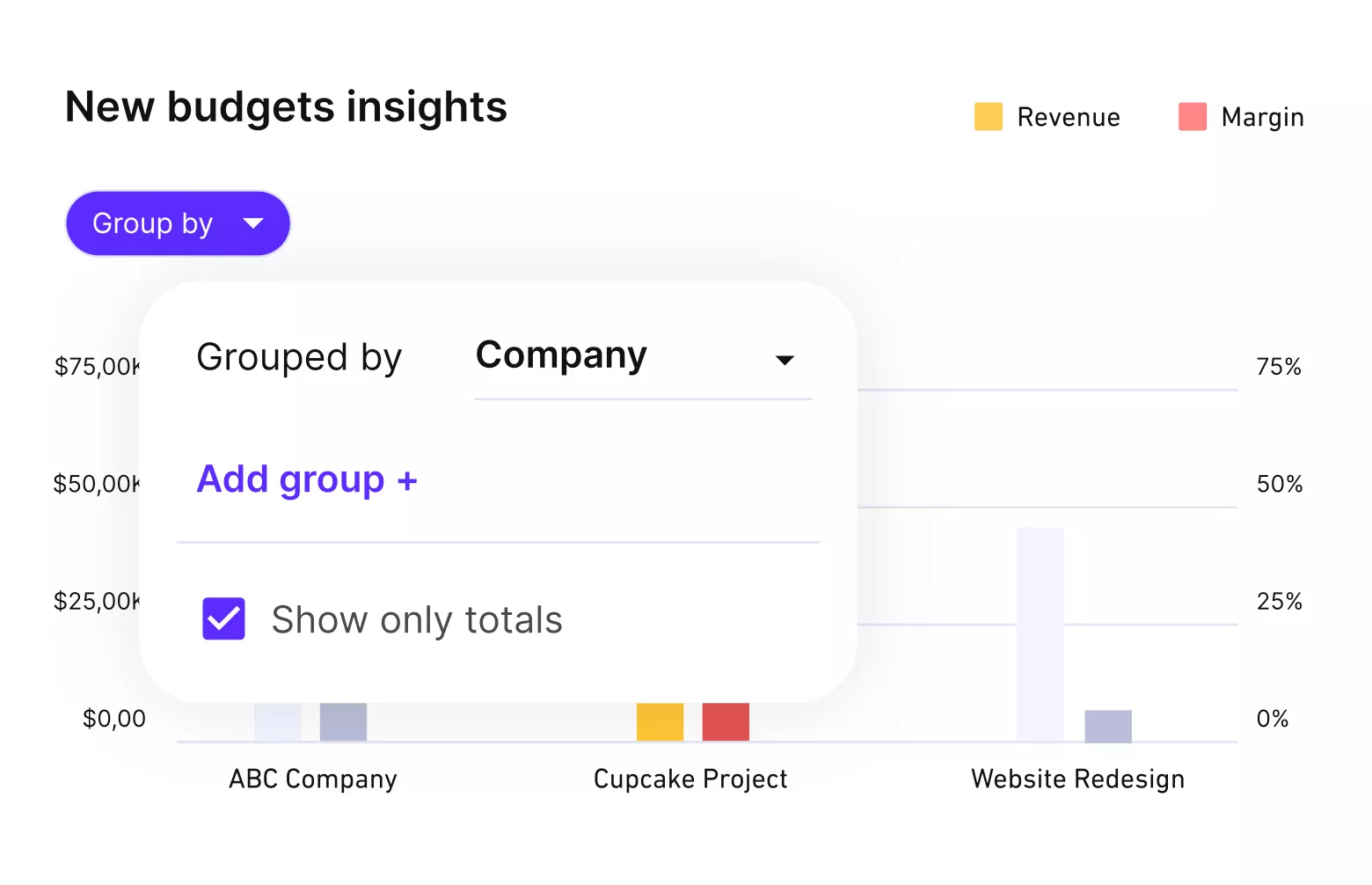
Move and update recurring budgets automatically from the tracked time.
Scheduled bookings forecast each budget’s spend, so you see an overrun before the month closes. Predefined reporting covers profitability by client and billable utilization by person.
Productive’s AI agents also flag incomplete timesheets, missing invoice details and budgets at risk.
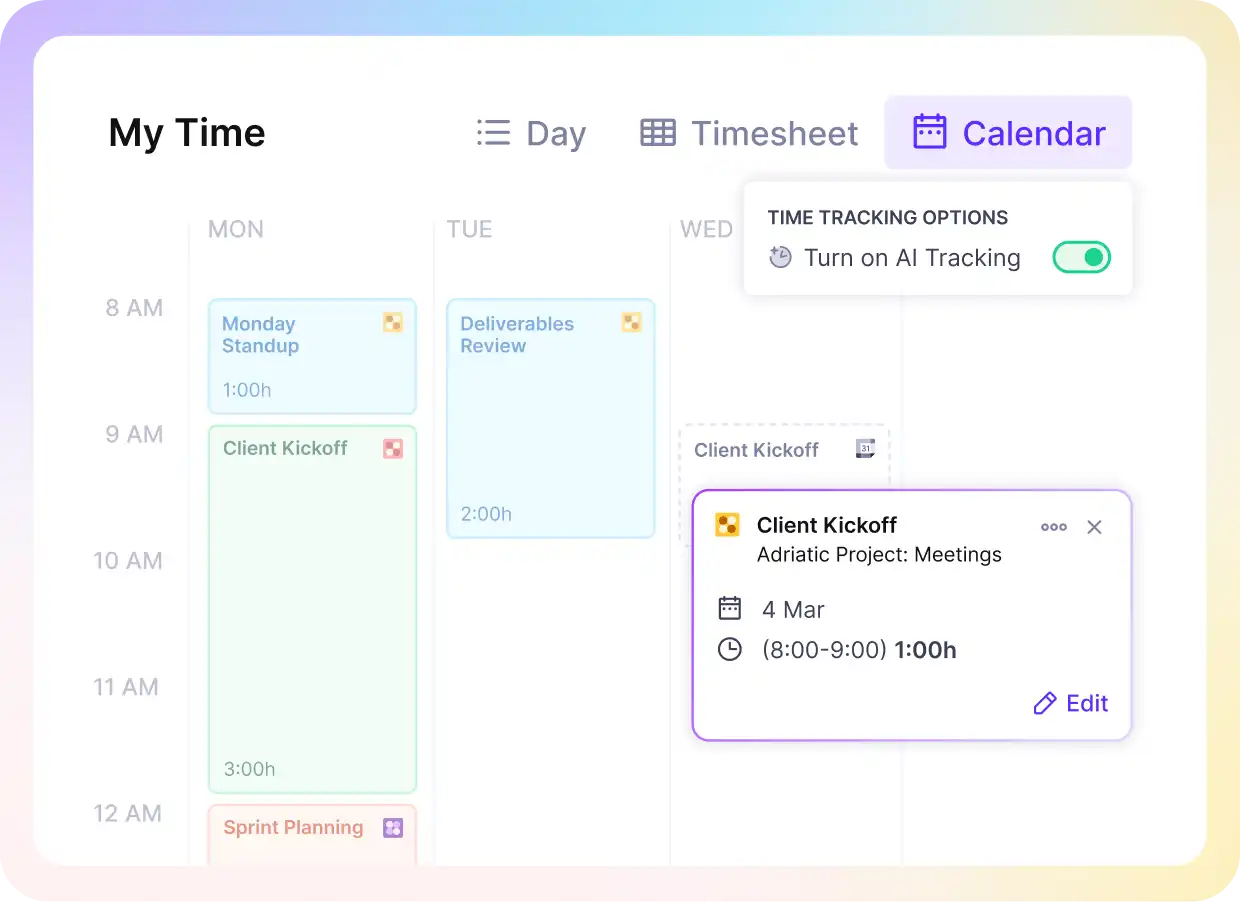
Convert calendar entries into timesheets or use automatic time trackers.
Run Sales, Quotes and Delivery in One Place
If Accelo ran your sales pipeline, a tool built only for project management pushes deals into a separate CRM. Then every quote is retyped as a budget, and the hours you sold stop matching the hours you plan.
Deals move through pipeline stages you name, and rate cards fill in each service’s price. Your client signs the proposal from a link, and the won deal becomes the project’s budget.
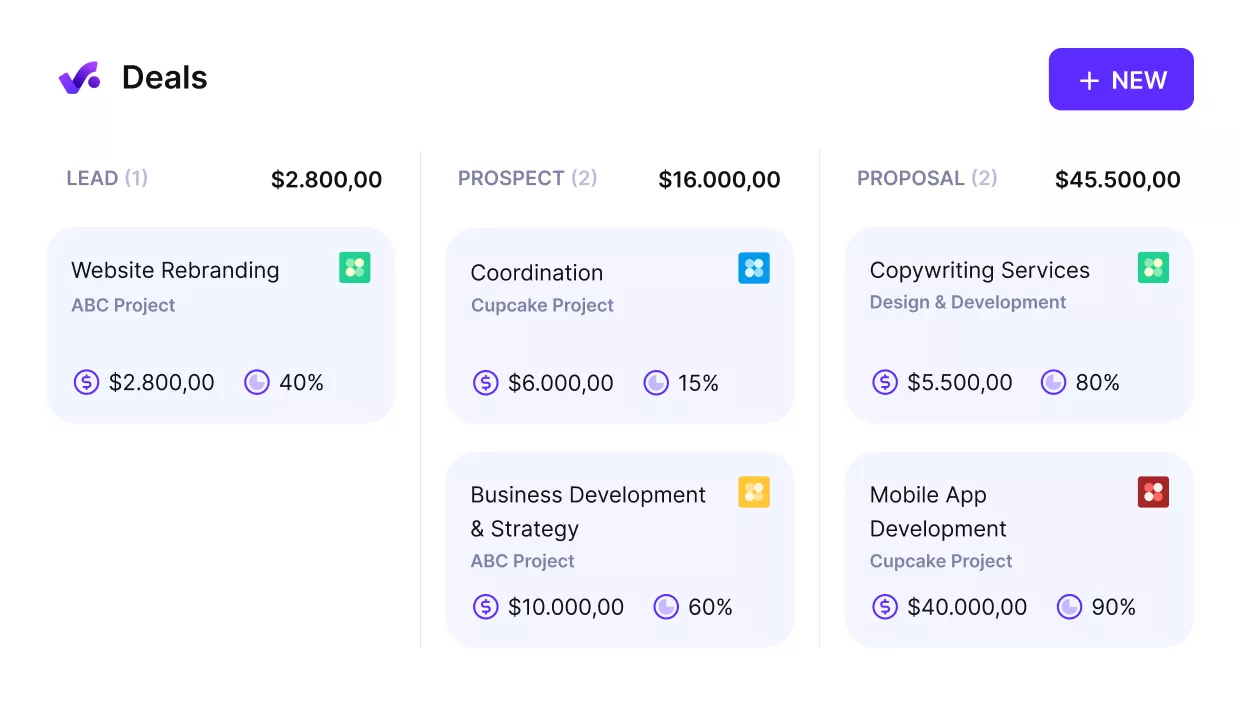
Convert won deals into started projects with budgets and timelines.
That keeps deals, quotes and delivery connected, so the hours you priced are the hours your team books. If you keep HubSpot as your CRM, deals sync into Productive when they reach a stage you map.
Our previous system was Accelo, and it was massive. You could do everything under the sun, but you had to do it in a certain way. What’s good about Productive is that it’s powerful, but it doesn’t force you to do things in a certain way.
Roberto Ciarleglio and Ben Edge, co-founders of Contra Agency. Read how Contra Agency uses Productive.
Pricing
- Plans start with the Essential plan at $10 per user per month, which includes essential features such as budgeting, project & task management, docs, time tracking, expense management, reporting, and time off management.
- The Professional plan includes custom fields, recurring budgets, advanced reports, billable time approvals, and much more for $25 per user per month.
- The Ultimate plan has everything that the Essential plan and Professional plan offer, along with the HubSpot integration, advanced forecasting, advanced custom fields, overhead calculations, and more. Book a demo or reach out to our team for the monthly price per user.
Productive offers a 14-day free trial, so you can check out if it’s the right option for you, commitment-free.
Run Retainers, Schedules and Invoices From One System
Productive connects deals, bookings, budgets and invoices, so the work you ran in Accelo stays in one place.

2. Avaza – Best for Small Teams That Want Projects, Time and Billing Priced by Account
Avaza is a cloud-based platform for small service teams that covers project management, timesheets, quotes and billing. You pay for the account and add people by role, and approved timesheets become invoice lines.
Key Features
- Resource scheduling
- Timesheets and expense tracking
- Quotes and estimates
- Invoicing with retainer subscriptions

SOurce: avaza
Pros
- Estimates turn into projects and invoices. You quote, convert the estimate into a project, bill from it and record the payment without retyping.
- You can see which hours are still unbilled. Time logged after an invoice went out shows as uninvoiced, so late entries don’t slip past billing.
- Setup can go one piece at a time. You add projects, people and rates as you go instead of migrating everything on day one.
- Help comes from real people within minutes. Fast live chat answers matter when you rebuild rates and retainers in a new management tool.
Cons
- Outlook calendars don’t sync. You re-enter Outlook meetings in Avaza’s schedule by hand, or someone misses one.
- Custom reports beyond the built-in set take extra work. Some views mean scripts against the API or configuring a report by hand to see the numbers you need.
- Bookings don’t connect to task dependencies. When a task slips, you move the related bookings yourself.
- Estimates stay basic next to a full proposal. You can’t build a phased proposal with a cover letter, so formal pitches still need a separate document.
Who Should Choose Avaza?
Avaza suits a small marketing agency or consultancy that wants time, quotes and billing in one place. Skip it if deals and delivery must share one tool, since Accelo’s pipeline would need a second app.
3. Flowlu – Best for Small Agencies Wanting a Pipeline, Projects and Invoices at Low Cost
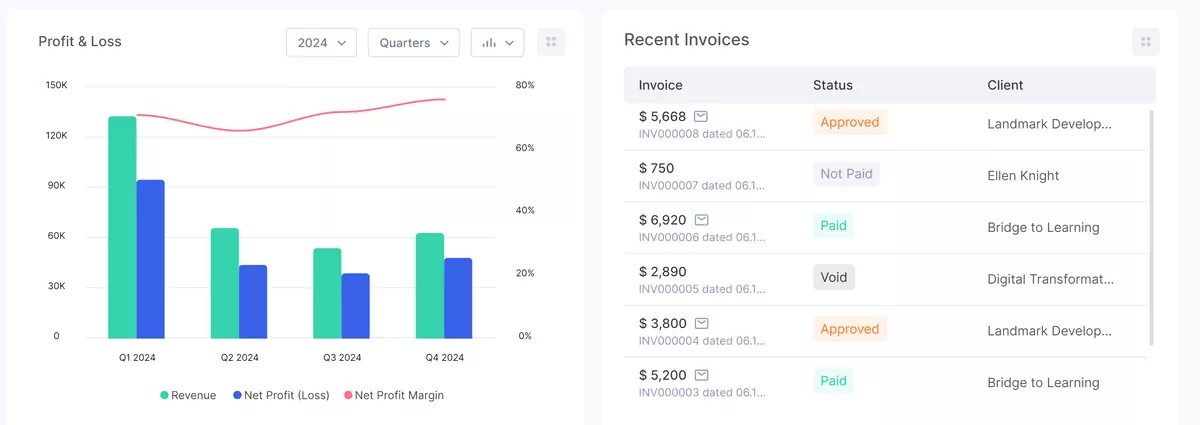
Flowlu is a business management tool for small companies that combines CRM pipelines, project management and invoices. Automations run at each pipeline and project stage, so moving a card can trigger the next step.
Key Features
- Sales funnel with custom pipeline stages
- Projects with Gantt and Kanban views
- Estimates, invoices and online payments
- Client management with linked records
SOurce: flowlu
Pros
- Won deals open as projects with their history attached. Delivery reads the negotiated scope and notes on the same record before planning starts.
- One workspace replaces several separate apps. Pipeline, projects, finance and team chat share one login and one calendar.
- The feature list runs deep for the price. Small teams get CRM features, projects and billing without paying extra per module.
- Many projects stay easy to track at once. Boards and filters keep several projects readable without extra setup.
Cons
- Permissions can’t hide single fields. Delivery either sees a deal’s pricing or loses the deal context entirely.
- Importing old data takes cleanup. CSV imports need prep work first, which matters when you move years of Accelo records.
- The mobile app shows less than the web app. Some record details only open on desktop, so checks on the go fall short.
- Notifications are hard to tune. Busy projects produce frequent alerts, and you get few controls over which ones each person sees.
Who Should Choose Flowlu?
Flowlu fits a small marketing agency that wants Accelo’s sales and delivery halves in one low-cost tool. Skip it if your retainers need hour budgets that reset each month, because Flowlu only repeats the invoice.
4. Kantata – Best for Mid-Market and Enterprise Firms Staffing Large Portfolios by Skill and Margin
Kantata is a professional services automation platform that runs project management, staffing and finances for mid-market and enterprise firms. Project plans, resource demand and financials share one data model, so a staffing change updates forecast revenue and margin.
Key Features
- Resource management with skills matching
- Scenario planning across resource plans
- Resource allocation recommendations
- Project accounting and revenue recognition

SOurce: kantata
Pros
- Resourcing, time and finances stay linked. You check demand, availability, time and margin without exporting from separate management software.
- Margins update as the work happens. Profitability per project shows during delivery instead of in a month-end report.
- Reports can stand in for status meetings. Capacity and progress reports go straight to other teams, so fewer check-ins are needed.
- Staffing matches skills, availability and cost. When several projects want the same people, you pick from best-fit matches instead of guessing.
Cons
- Someone has to own the configuration. Reporting logic, fields and integrations need an admin, or data quality drifts across projects.
- New staff need real training. Plan formal onboarding, because occasional staff find it hard to learn alone.
- Setting up a project takes many steps. Large accounts with many projects feel the extra clicks most.
- Big schedules load slowly. Heavy scheduling timelines can lag as you scroll, which slows weekly staffing reviews.
Who Should Choose Kantata?
Firms of 50 or more people with large, multi-team portfolios should choose Kantata for utilization and margin control. If Accelo must go within a month, look elsewhere: Kantata cites six to eight weeks for mid-size rollouts.
5. Teamwork – Best for Client-Services Agencies Running Delivery and Retainers in One Tool
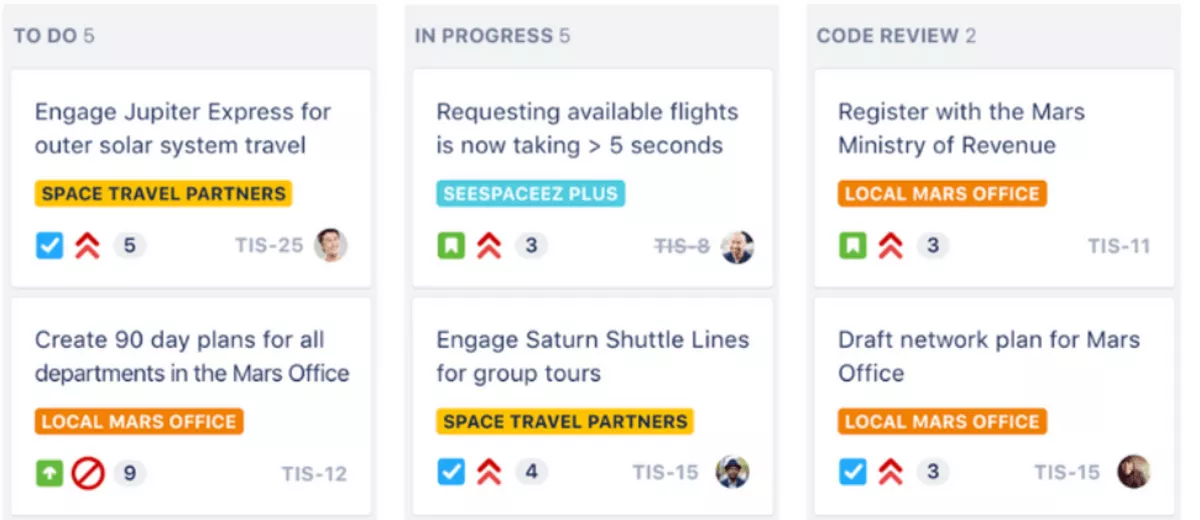
Teamwork is a project management platform built for agencies and client services teams. Logged time draws down project budgets, including retainers that renew each period, and those logs build invoices.
Key Features
- Task management with Gantt charts
- Retainer budgets with carryover between periods
- Workload planner for resource management
- Intake forms for project requests
SOurce: teamwork
Pros
- Projects, budgets and client records share one workspace. As in Accelo, each client’s projects, budgets and history open from one client view.
- The workload view shows who can absorb a date change. When a client moves a deadline, you see spare capacity before you reshuffle anyone.
- Budget trouble shows up early. Threshold alerts flag a budget before it runs over, so the client conversation happens sooner.
- Permissions reach down to single projects. Client management settings decide what each client and team member can see on every project.
Cons
- Time entry adds small frictions. Timers need toggling for each quick task, and submitted timesheets stay locked until an approver reopens them.
- Finding a specific task can take a while. Search misses some keywords, and moving between personal work, projects and the inbox adds clicks.
- Sprint tools are thin for dev teams. Estimates run in hours, and backlog and story tracking trail dedicated agile tools.
- Large proof files upload slowly. Creative reviews stall while big files load, which slows sign-off on design work.
Who Should Choose Teamwork?
Choose Teamwork if your marketing agency runs on retainers and keeps delivery and billing for clients together. Skip it if your developers plan in sprints and story points, because Teamwork estimates work in hours.
6. BigTime – Best for Accounting, Consulting and Engineering Firms Billing by the Hour
BigTime is time and billing software for professional service businesses, built around timesheets, expenses and client invoices. Tracked time and expenses become invoices at each client’s rates, and the same data feeds financial reporting per project.
Key Features
- Time tracking and expense management
- Billing area where each client views and pays invoices
- Staffing by skills and demand
- Profitability and utilization forecasting add-on

SOurce: bigtime
Pros
- Hours reconcile as the work happens. Staff check their own entries against reports during the month, so corrections don’t pile up at close.
- Billable time doesn’t slip through. Time logs by project, client and task, and reminders prompt staff to submit timesheets on schedule.
- Time entry fits how each person works. Staff fill in a weekly grid, type hours in directly, or run a timer.
- Custom reports come together quickly. Finance teams build reports around their own questions without much extra setup.
Cons
- The interface looks dated. The dashboard gets little use, and the overall design trails newer tools.
- Receipt uploads are clunky. You can’t confirm an upload worked before you submit the expense.
- Reports don’t total figures on screen. Summing one person’s billed hours on a project means doing the math elsewhere.
- Project tools feel less intuitive than billing. If Accelo ran your task planning, expect BigTime’s project side to take longer to learn.
Who Should Choose BigTime?
BigTime is the pick for accounting, consulting and engineering firms where billing accuracy decides the purchase. Skip it if task-level project management drives your week, because you would likely keep a second planning tool.
7. ClickUp – Best for Teams That Want Flexible Project Management and Bill Elsewhere
ClickUp is a task management platform where tasks show as lists, boards or timelines, with docs alongside. Tasks belong to spaces, folders and lists, and its AI features summarize task comments into project updates.
Key Features
- Views including Gantt charts, boards and lists
- Docs connected to tasks
- Custom fields for any task data
- Time tracking with billable flags

SOurce: clickup
Pros
- Each team can view the same work its own way. One team plans on a board while another works from a list, and the hierarchy bends to either.
- You track whatever data your business runs on. Extra task fields hold site output, deal stages or anything else you define.
- Automations take over repetitive admin. Status changes, assignments and reminders run on rules instead of someone’s memory.
- Dashboards pull metrics across projects. Leaders see completion rates and targets without asking each team for an update.
Cons
- The flexibility slows the first build. With so many ways to structure work, teams often rebuild their setup before it fits.
- Subtasks lose visibility. Work nested under a parent task is easy to miss when you scan what is done.
- Advanced features cost more. Complex automations, resource tools and the AI assistant need higher tiers or add-ons.
- Some built-in tools feel unfinished. Tables inside docs and the whiteboard are harder to use than the core task views.
Who Should Choose ClickUp?
Teams that found Accelo’s project management rigid will get the most from ClickUp, as long as billing runs elsewhere. Skip it if invoices must come straight from tracked time, because ClickUp hands billing to a connected app.
8. monday – Best for Teams Building Their Own Workflows on Boards Across Departments
monday is a work management platform built on customizable boards that each team shapes to its own process. Each board holds items, columns and automations you configure, and you add time tracking or workload views as needed.
Key Features
- Customizable boards with custom fields as columns
- Workload view across team members
- Timer column that logs hours per item
- Automations built from triggers and actions

SOurce: monday
Pros
- One platform covers very different departments. Teams run leads, contracts and project management on boards shaped for each job.
- Non-technical staff adopt it quickly. Teams new to task management tools pick up the boards andstart updating work quickly.
- Templates give each new board a head start. You adjust a ready-made layout instead of building columns from a blank page.
- Integrations connect the rest of your stack. Teams link Slack, Google Workspace and spreadsheets, and updates sync across them.
Cons
- Detailed reports need extra setup. Reporting flexibility trails specialist tools, so deeper views often need workarounds or exports.
- Cross-board automations get complicated. Workflow management that spans several boards needs careful linking before it runs reliably.
- Boards clutter without discipline. Without an agreed structure, a workspace grows hard to navigate as boards multiply.
- Seats come in fixed bundles. Small teams can end up paying for seats nobody uses.
Who Should Choose monday?
Pick monday if your departments want flexible boards and you can move Accelo’s billing to a separate tool. Skip it if budgets must update from logged time without setup, because monday budgets are formula columns you build.
9. SuiteDash – Best for Small Service Businesses Wanting Branded Client Logins at One Flat Price
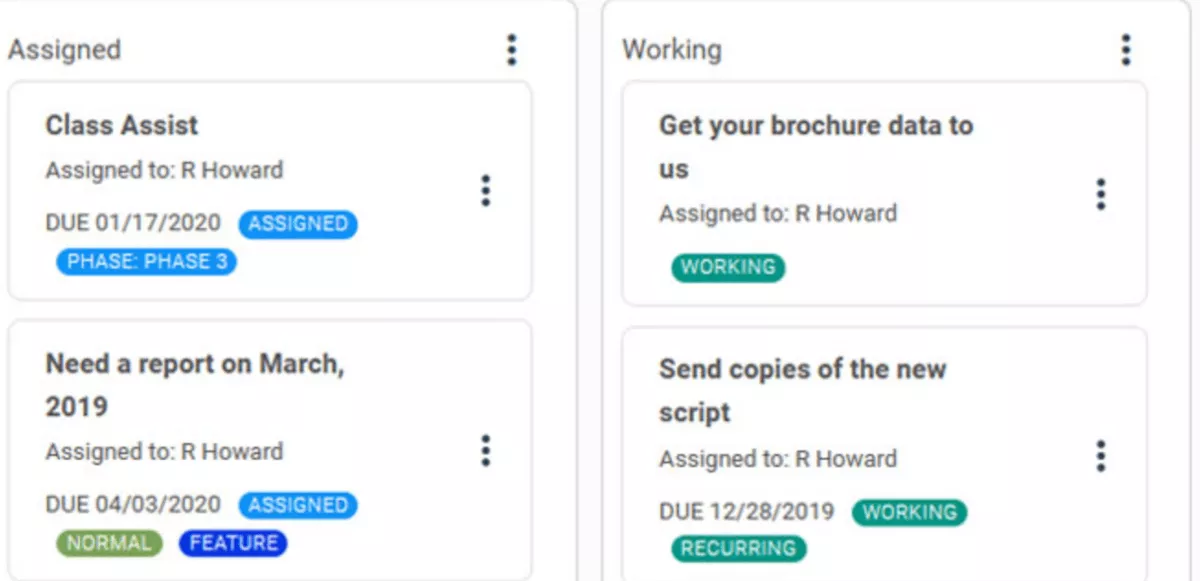
SuiteDash is an all-in-one business platform for service companies that combines CRM, projects, billing and branded client access. Clients log in under your brand to see projects and invoices, and one flat price covers the whole team.
Key Features
- White-label branding for domain, login and emails
- Client management with deals and estimates
- Project management with tasks and time logs
- Billing with subscriptions and recurring payments
SOurce: suitedash
Pros
- Your brand frames every login. Messages, files, invoices and projects appear under your logo and colors.
- Team growth doesn’t raise the price. Adding staff costs nothing extra, which suits a small firm watching its costs.
- One account keeps different audiences apart. You can run two businesses or client groups in one account without their data crossing.
- Recurring billing runs in the same system. Subscription payments for different customer types run from one place.
Cons
- The portal is a framework, not a finished product. You design roles, pages and automations yourself before it feels ready.
- Billing works in one currency. Firms that quote or bill in other currencies can’t use those tools for that work.
- Ticketing stands apart from the rest. If Accelo tickets ran your support work, expect SuiteDash tickets to skip its automations.
- Automations hit a ceiling. Complex multi-step rules and the Zapier connection run out of room for heavier needs.
Who Should Choose SuiteDash?
SuiteDash is built for small service businesses that want a branded client space at one flat price. Skip it if you schedule people across projects, because SuiteDash documents no way to plan team capacity.
What Do You Lose When You Leave Accelo?
Leaving Accelo risks seven modules: retainer rules, tickets, quote-to-project conversion, scheduling behavior, time capture, forward planning and client access.
Accelo bought Forecast in 2025 but runs it separately, so check which product powers your predictive scheduling. Retainer rules deserve the closest check, because how retainer agreements work at your agency sets rollover, renewals and billing.
| Module | Accelo | Productive | Avaza | Flowlu | Kantata | Teamwork | BigTime | ClickUp | monday | SuiteDash |
|---|---|---|---|---|---|---|---|---|---|---|
| Retainer management | Native, renewals and rollover | Native, recurring budgets | Native, retainer subscriptions | Partial, recurring invoices | Native, retainer billing | Native, retainer budgets | Partial, recurring invoices | Missing, time tags only | Missing | Partial, recurring invoices |
| Ticket management | Native, client support with SLAs | Partial, forms and emails become tasks | Partial, emails become tasks | Partial, portal requests become tasks | Missing | Partial, separate Desk product | Missing | Missing | Partial, separate help desk product | Native, support tickets |
| Quote to project | Native, one-click conversion | Native, won deal becomes budget | Native, estimate converts | Native, won deal converts | Partial, via Salesforce or HubSpot | Native, quote converts on top plan | Native, quote converts | Missing | Partial, in separate monday CRM product | Native, accepted proposal converts |
| Unfinished scheduled work | Committed time reschedules after a set number of days | Bookings follow task dates you change | Not documented | Not documented | Not documented | Not documented | Not documented | Not documented | Not documented | Not documented |
| Time capture | Native time tracking, plus email and meeting capture | Native | Native | Native | Native | Native | Native | Native | Native | Native |
| Forward capacity view | Native, dynamic scheduling | Native | Native | Partial, workload view | Native | Native | Native | Partial, workload view | Partial, workload view | Missing |
| Client access | Native, unlimited client logins | Native | Native | Native | Native | Native | Partial, billing area only | Partial, guest access | Partial, guests on shared boards | Native, branded |
Checked October 21, 2026, against each vendor’s own documentation. “Missing” and “Not documented” mean we found no documented feature.
When Should You Leave Accelo, and When Should You Stay?
Leave Accelo when your team works around it, and stay when its specialist modules run your week. Check each condition against your own account today.
Switch If Your Team Works Around the Tool
Each sign means your team already does part of the job outside the tool.
- Your team plans resourcing in a spreadsheet next to Accelo, not inside it.
- Sales or leadership rebuild reports outside Accelo because exports lack the fields they need.
- In your marketing agency, the scheduler opens each booking to see one person’s day.
- Your Accelo quote for your exact seat count doesn’t fit the budget.
If your conditions point beyond this list, start with our wider list of PSA tools.
Stay If Tickets and Retainer Rules Run Your Week
Stay when tickets and retainer rules run work you would have to rebuild elsewhere.
- Your ticket management works to SLAs, and you bill that support time alongside retainers.
- Your retainer rules bill correctly every month without manual fixes.
- Your team relies on time captured automatically from email and calendar.
- You recently set up dynamic scheduling, and your forward plan now runs there.
If most of these hold, keep Accelo and revisit the question at renewal.
How to Choose an Accelo Alternative
Test an alternative to Accelo on used modules, real invoices, a real week, side spreadsheets, exact seats and trials. If you need more than these nine tools cover, compare a broader list of agency platforms.
Step 1: List the Modules You Used in the Last 90 Days
Pull 90 days of activity for each Accelo module: quotes sent, retainer periods closed, tickets logged and timesheets approved. Every module that stays becomes a row you test in the next steps.
- Pass: The module shows activity in the last 90 days, so it stays on your must-have list.
- Fail: The module shows zero activity, so it drops off the list.
Step 2: Bring Three Real Invoices to Every Demo
Bring one retainer invoice, one fixed-fee or phased invoice and one hourly invoice. Match each invoice to the billing models agencies use so none goes untested.
- Pass: The tool rebuilds all three from tracked time or a budget. It also shows retainer hours used against hours committed mid-period.
- Fail: Any invoice needs a spreadsheet, or the tool can’t show what happens to unused retainer hours.
Step 3: Rebuild Last Week’s Schedule for Your Two Most Different Roles
Rebuild last week for two opposite roles: a marketing agency designer and a paid media specialist. The designer is booked all week on one project, while the specialist juggles 30-minute tasks. Before you start, decide what booked work that didn’t get done should do.
- Pass: One view shows both full weeks, their resource allocation and the hours each has left.
- Fail: You need two views to see both people, or unfinished work doesn’t behave the way you decided.
Step 4: Recreate the Spreadsheet Your Team Keeps on the Side
Name the spreadsheet your sales or leadership team keeps outside Accelo today. Then rebuild it in the tool.
- Pass: The tool produces the same view natively and exports it to CSV or Excel.
- Fail: The only output is a timesheet export, since raw time tracking rows still need the spreadsheet.
Step 5: Get a Written Quote for Your Exact Seat Mix
Get a written quote for your exact seat mix: full seats, view-only seats, client logins and freelancers. List operations staff who only approve time as their own line.
- Pass: Every must-have from Step One has a written price for that exact mix.
- Fail: Any must-have is on a tier with no written price.
Step 6: Load Two Client Teams on Day One of the Trial
Load two real client teams on the first day of the trial, not a sample project. If the trial runs 14 days, decide go or no-go by day 10, using Steps Two to Four. That leaves time to set up the Accelo alternative you pick before your renewal.
- Pass: Both teams run a full week in the tool, and Steps Two to Four pass on real data.
- Fail: You reach day 10 without a decision, or either team goes back to its old workflow.
How to Switch From Accelo?
Switch in seven moves: dates, exports, mapping, billing rules, imports, cutover and one parallel billing cycle. Move live work, not history, and keep a full archive for everything you leave behind.
Step 1: Set Your Cutover Date and Your Cancel-By Date
Set the cutover date and the cancel-by date before anyone touches data. The cutover is the day work moves, and the cancel-by date is your last day to give notice.
Owner: Whoever signed the Accelo contract.
- Find the renewal date and notice period in your signed agreement, not on a pricing page.
- Set the cutover on the first day of a billing period, so no month splits across two systems.
- Leave at least one full billing cycle between cutover and the cancel-by date.
Example: If your contract renews on 1 March with 30 days’ notice, you must cancel by 30 January. Cut over on 1 December, run December in parallel, and cancel in mid-January.
Done when: Both dates are in a shared calendar, with the cutover owner named on each.
Step 2: Export Everything, Then Export What You Will Import
Export everything as one full archive, then export the data you will import as separate CSV files.
Owner: An Accelo admin.
- Run the full data export from the admin Imports and Exports area. Download it as soon as the email arrives, because the download link is temporary.
- Export each list you plan to move as CSV: companies and contacts, open sales and active projects with budgets. Do the same for active retainers with current-period usage, open tickets and unbilled time.
- Add a timesheet export for the current period, plus the reports finance keeps for year-end.
- Check email history before you rely on it, because contact-level exports skip email chains logged against projects.
Done when: Every file is opened, and each row count matches the total shown on screen.
Step 3: Map Every Record Type Before You Import
Decide what each record becomes in the new tool, and what stays in the archive.
Owner: Your delivery lead, with finance signing off.
| Record type | Becomes | Bring over |
|---|---|---|
| Companies and contacts | Clients and contacts | Active companies and their contacts |
| Open sales | Deals | Open deals only |
| Projects | Projects with budgets | Active projects, with budget used to date |
| Retainers | Recurring budgets | Active retainers, with this period’s balance and rollover |
| Tickets | A help desk or a task list | Open tickets only |
| Timesheets | Time entries | Unbilled time from the current period |
| Invoices | Your accounting system | Nothing, because they already sync there |
Done when: A one-page mapping sheet has a decision for every record type, and finance has approved it.
Step 4: Rebuild Rates, Retainer Rules and Templates First
Set up the rules that produce invoices before any client data arrives.
Owner: Finance, or whoever owns billing setup.
- Recreate billing rates, retainer periods, rollover rules, project templates and custom fields.
- Log test time against one retainer client and build their last invoice from it.
Done when: The test invoice matches the real one to the cent.
Step 5: Import in Dependency Order and Check Totals
Import records that others depend on first, and check each batch before the next.
Owner: The person who built the mapping sheet.
- Import companies and contacts first, then projects and budgets, then open deals. Finish with retainers and their opening balances, open tickets and unbilled time.
- After each batch, compare row counts and money totals with the CSV it came from.
- Fix mismatches and re-import that batch before you move on.
Done when: Budget used and unbilled value match the old system on every active project.
Step 6: Switch Time Tracking on Day One of a Billing Period
Move time tracking on the cutover morning, after the previous period is closed.
Owner: The person who approves timesheets.
- Approve and bill the previous period’s time in the old system before cutover.
- Set up timers or calendar sync in the new tool first if your team relied on automatic email capture.
- If you are still choosing how people log time, compare the tools agencies use to log hours.
Done when: No billing period has time split across two systems.
Step 7: Run One Billing Cycle in Parallel, Then Cancel
Bill the first period from the new tool while the old one still holds your rates for comparison.
Owner: Finance.
- Build the period’s invoices in the new tool, and compare each total with what the old rates produce.
- Disconnect the old accounting sync before you connect the new one, so no invoice posts twice.
- Send clients their new login details before the first invoice goes out.
Done when: The first invoice is sent and paid before your cancel-by date. The archive is saved in a shared drive.
Final Thoughts: The Module You Lose Matters More Than the Features You Gain
The module you lose decides a switch more than any feature you gain, because your invoices depend on it. This week, ask finance which module they would refuse to lose, and test that one first in every demo.
If you want quotes, scheduling, budgets and billing in one Accelo alternative, try Productive with one retainer client. Its 14-day trial covers Steps Two to Four on real data. If you’d like a curated intro with our experts, book a short demo.
Try Our Free Agency
Valuation Calculator
Productive links every booking and timesheet to a budget, so billing runs on the data your team schedules with.