Capacity Model: What It Is and How to Build One in 2026

A capacity model is a role-by-week check of whether your team has the hours for sold and expected work. It shows you whether to take a deal, when it can start, and whether to hire or use contractors.
We’ve included its inputs, five build steps, four scenarios and the decision rules it should trigger. We also show how lead, lag, match and hybrid become settings of those rules.
Key Takeaways
- A capacity model shows when each role runs short. It sets available hours against sold and pipeline work, role by role and week by week.
- Supply, demand and people movement drive every number. Support-role ratios and a list of owned assumptions fill in what no single document records.
- Scenarios show which role breaks first. Rerun the gap with the pipeline weighted, every deal won, or a senior person gone.
- Make the hiring call when a shortfall first appears. Hiring and ramp-up take weeks, so a contractor covers the gap until the new person is productive.
Free Capacity Planning Template
Download our template to schedule time for billable vs non-billable tasks, track workloads, and get insights into utilization with preset formulas.

What Is a Capacity Model?
A capacity model is the math that compares a team’s available hours with its booked and expected work. It works by role and by week, giving every role a weekly gap between supply and demand.
A positive gap means spare team capacity, and a negative gap means the team is short.
Some teams call it a capacity planning model.
| Term | Question it answers | What it produces |
|---|---|---|
| Capacity model | Can this team absorb the work, and where does it run short? | A gap for every role in every week |
| Capacity planning | What do you decide from that view? | Hires, start dates and work you decline |
| Resource allocation | Which named person does which work? | Bookings for named people |
It is a calculation, not a plan. A plan records your intentions, and the calculation rechecks whether they still fit each time an input changes. Deciding what to do about each gap is capacity planning, a separate process with its own steps.
What Goes Into the Model?
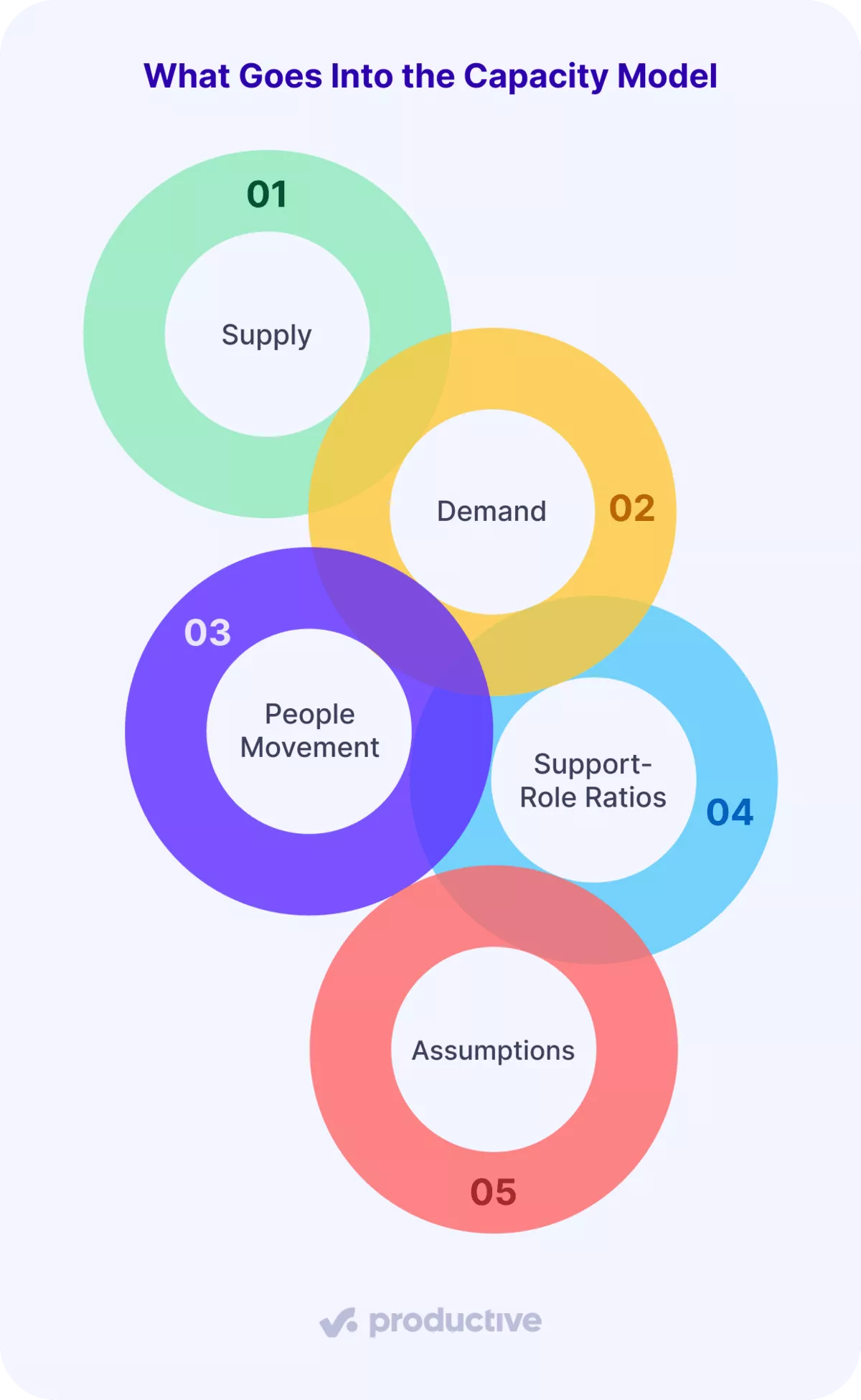
The inputs that go into a capacity model are supply, demand, people movement, support-role ratios and assumptions.
Each one comes from your own data, documentation or procedures.
1. Supply
Supply is the hours each role can work in a week: contracted hours minus leave and public holidays. That figure is called available hours, and the utilization rate divides by the same number.
It comes from two documents: employment contracts for weekly hours, and the leave calendar for booked leave and holidays.
Internal meetings and admin are non-billable time, but they stay in supply and get booked as demand. Some teams use effective capacity instead, which is supply with internal time already removed.
If you use that number and still book internal time as demand, the model counts those hours twice. The result is a shortfall that does not exist.
2. Demand
A proposal goes out today for work that starts in four weeks. Its hours count as demand before anyone signs. Demand is confirmed bookings plus weighted pipeline: each deal’s estimated hours multiplied by its win probability.
Win probability is the chance, in percent, that the deal closes.
Record demand per role, with internal hours included. The bookings come from your schedule, and the pipeline comes from your CRM. Count every deal source, including meetings booked by an outsourced SDR team.
A team total hides the role that is short, because spare development hours cannot cover a design shortfall.
3. People Movement
A model that never changes headcount shows a gap only after a resignation, when hiring is already late. People movement covers planned hires and their start weeks, leavers and their last weeks, and new-hire ramp. The dates come from signed offers, resignation letters and notice periods held by HR.
Ramp time is the weeks a new hire needs to get up to speed. During those weeks, only a share of their hours counts as supply.
Each agency sets that share from its own past hires. A new hire counted at full hours from week one puts hours on the plan nobody can deliver yet.
4. Support-Role Ratios
Project management hours rarely appear in client bookings, yet they grow with every delivery hour sold. The support-role ratio is project management hours per delivery client hour.
To find yours, divide last quarter’s project management hours by last quarter’s delivery client hours from your timesheets. Account management and quality review work the same way.
Use your own ratio, since it depends on how your agency runs projects. Skip the ratio, and a won deal adds delivery hours while the project management gap stays invisible. Delivery leads then absorb the coordination in unplanned hours, and those hours come out of the project margin.
5. Assumptions
Name an owner for every number in the capacity model that no document supplies. Keep those numbers in one assumptions list, each with a value, an owner and a review date:
- Each deal’s win probability
- The ramp share for new hires
- Support-role ratios
- Internal hours per person
- Hiring lead time
- Contractor lead time
When nobody can see the assumptions, the first missed forecast ends trust in the model. People then go back to planning from memory.
Manage team capacity with Productive
How Do You Build a Capacity Model?
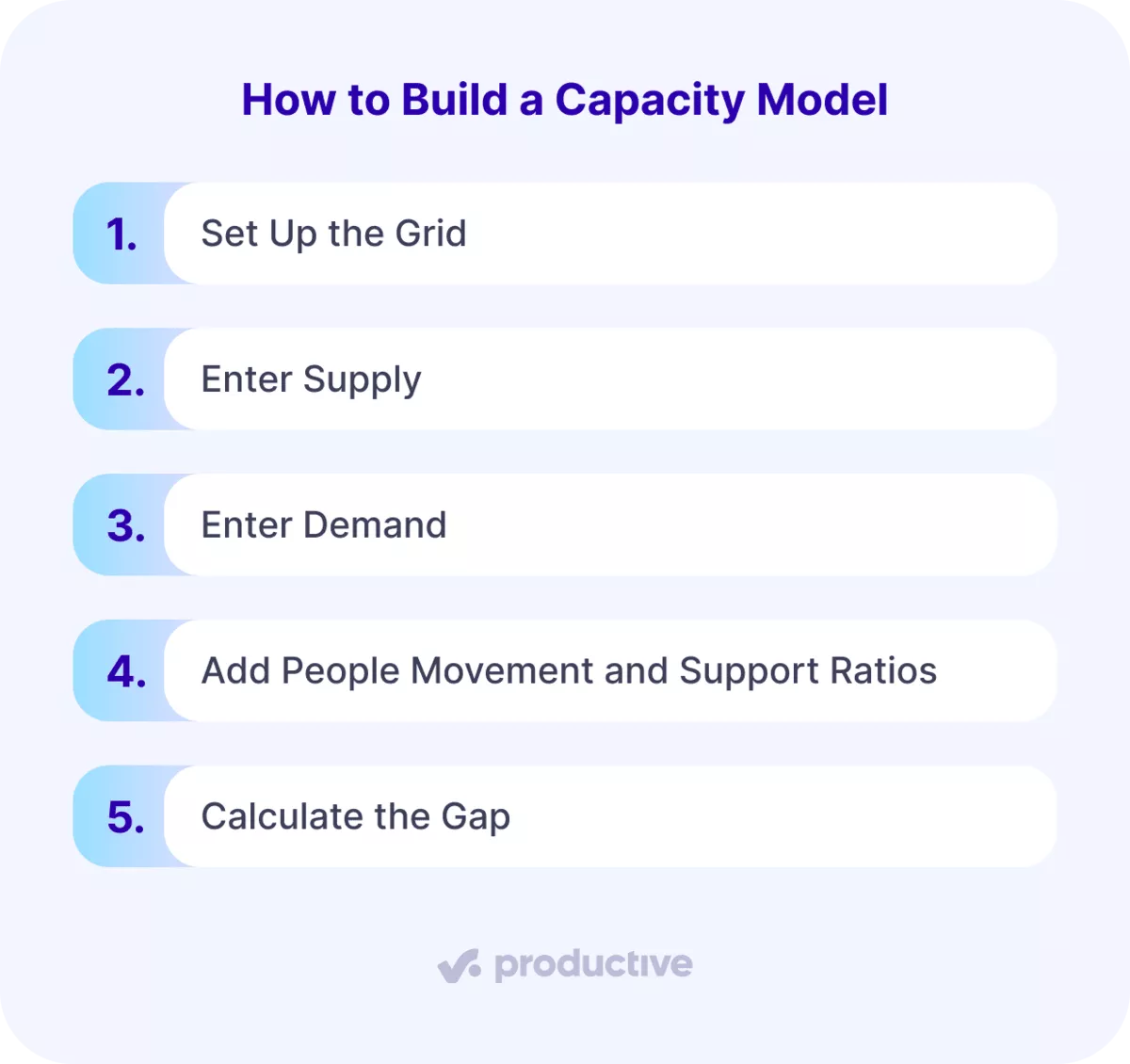
You build a capacity model in five steps: grid, supply, demand, movement and ratios, then the gap. The steps run in this order because each one feeds the next.
Step 1: Set Up the Grid
Model capacity by role, with one row per role and one column per week across a 12-week time horizon. Stack three blocks under each other: supply, demand and gap. Take the role list from your HR or payroll system, and include every person in the resource pool.
Keep the model at role level; planning hours for named people happens in a per-person schedule. The step passes when every person maps to one role and the role totals match the team total.
Example: 4 designers, 5 developers and 2 project managers make 11 people in week 1.
Step 3: Enter Demand
Enter confirmed bookings and internal hours for each role and week. Then add each open deal from your CRM at its estimated hours times its win probability. The step passes when every open deal carries role-level hours and a probability.
A deal without a probability stays out until sales gives it one.
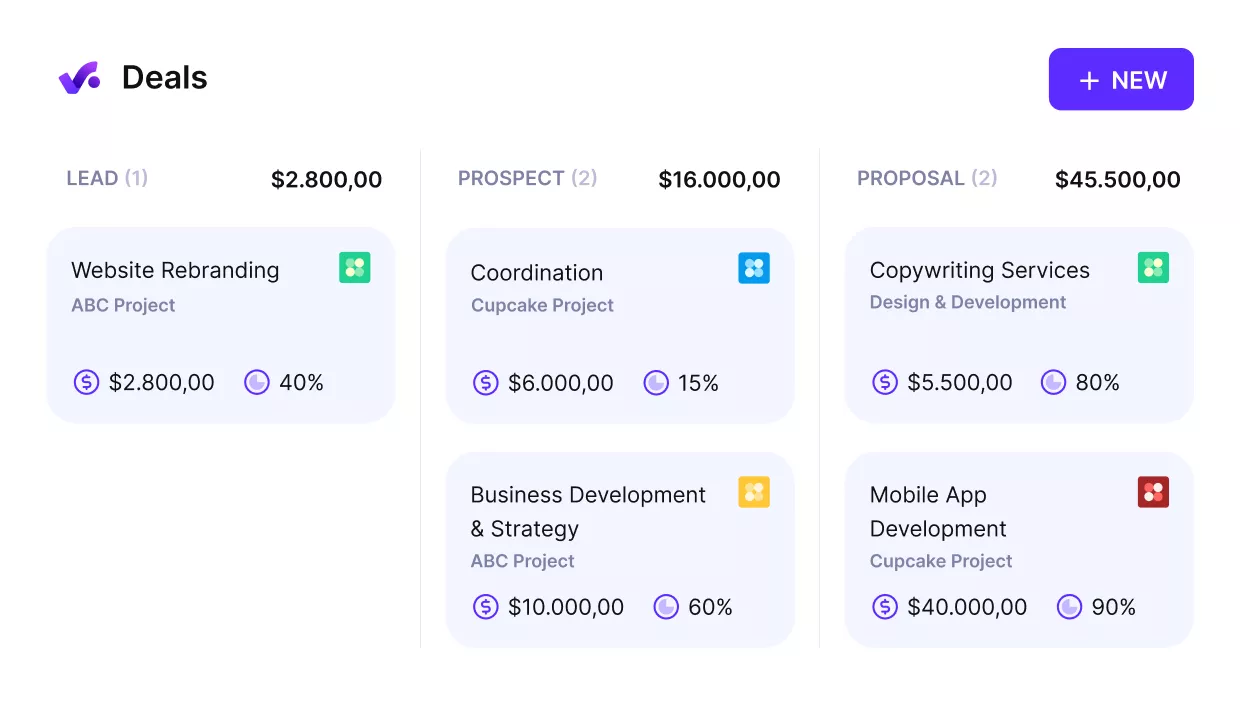
Connect your upcoming work with your resourcing.
Example: Deal A (50% likely) runs weeks 4 to 11 at 60 design and 40 development hours a week. Deal B (25% likely) runs weeks 6 to 12 at 20 design and 80 development hours a week.
Each person also books 4 internal hours a week. In week 7, the two deals add 20 weighted development hours each.
You can book pipeline work as tentative in Productive’s Resource Planner. The Include tentative option lets you choose whether that work counts in capacity calculations.
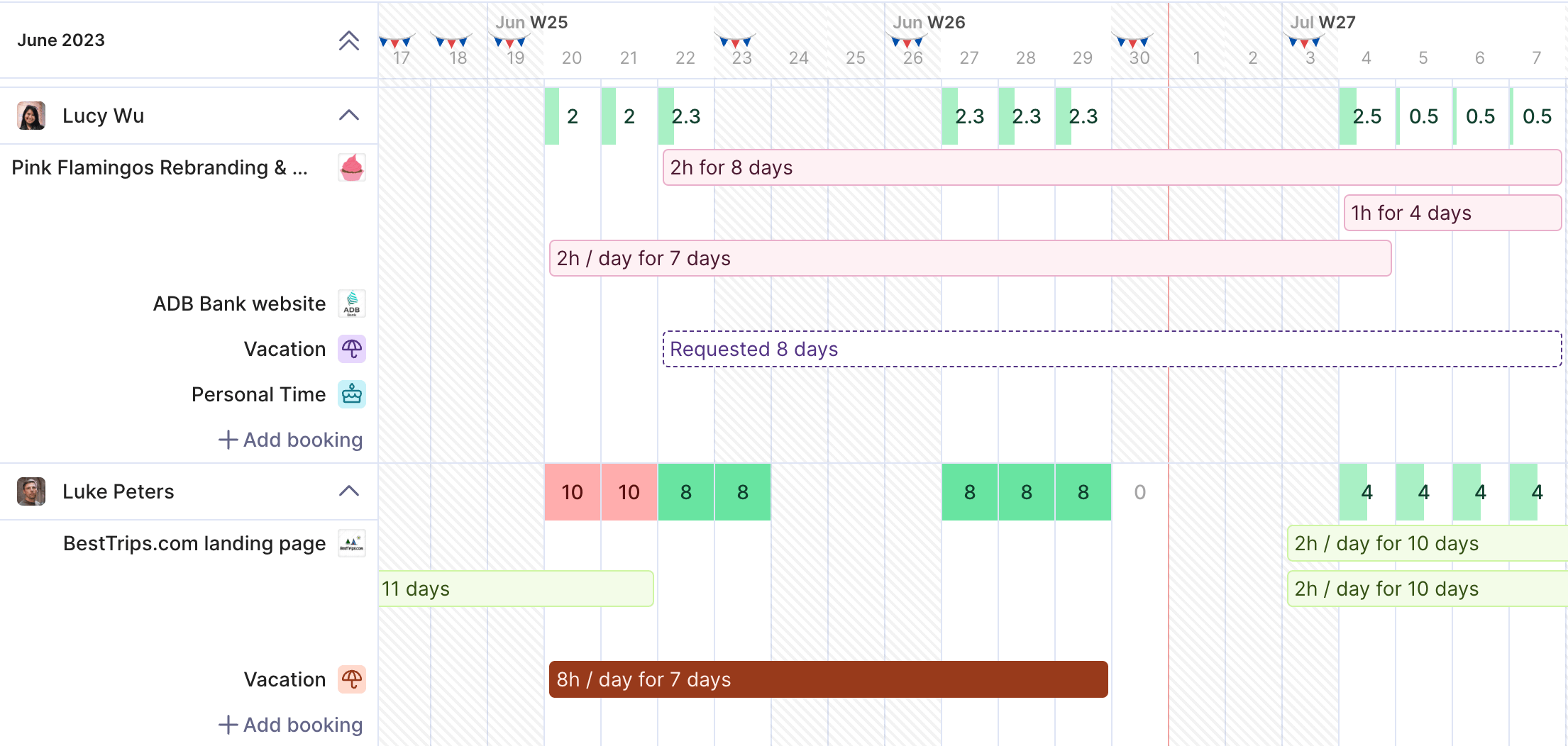
Book upcoming pipeline work and schedule ahead.
Step 4: Add People Movement and Support Ratios
Remove each leaver from supply after their last working week. Add each planned hire from their start week, counted at the ramp share. Then multiply delivery client hours by your support-role ratio to get project management demand.
Use HR’s offer and resignation dates, and last quarter’s timesheets for the ratio. The step passes when each role’s people count in the model matches the HR plan every week.
Example: development drops from 5 to 4 people after week 6, and design rises to 5 from week 9. The new designer counts at 50% in weeks 9 and 10 and 75% in weeks 11 and 12. The example’s ratio is 0.15, so every 100 delivery client hours add 15 project management hours.
In Productive, a placeholder is a planning-only person with a working capacity and an expected cost. Book it in the Resource Planner like any team member, so a planned hire carries bookings before joining.
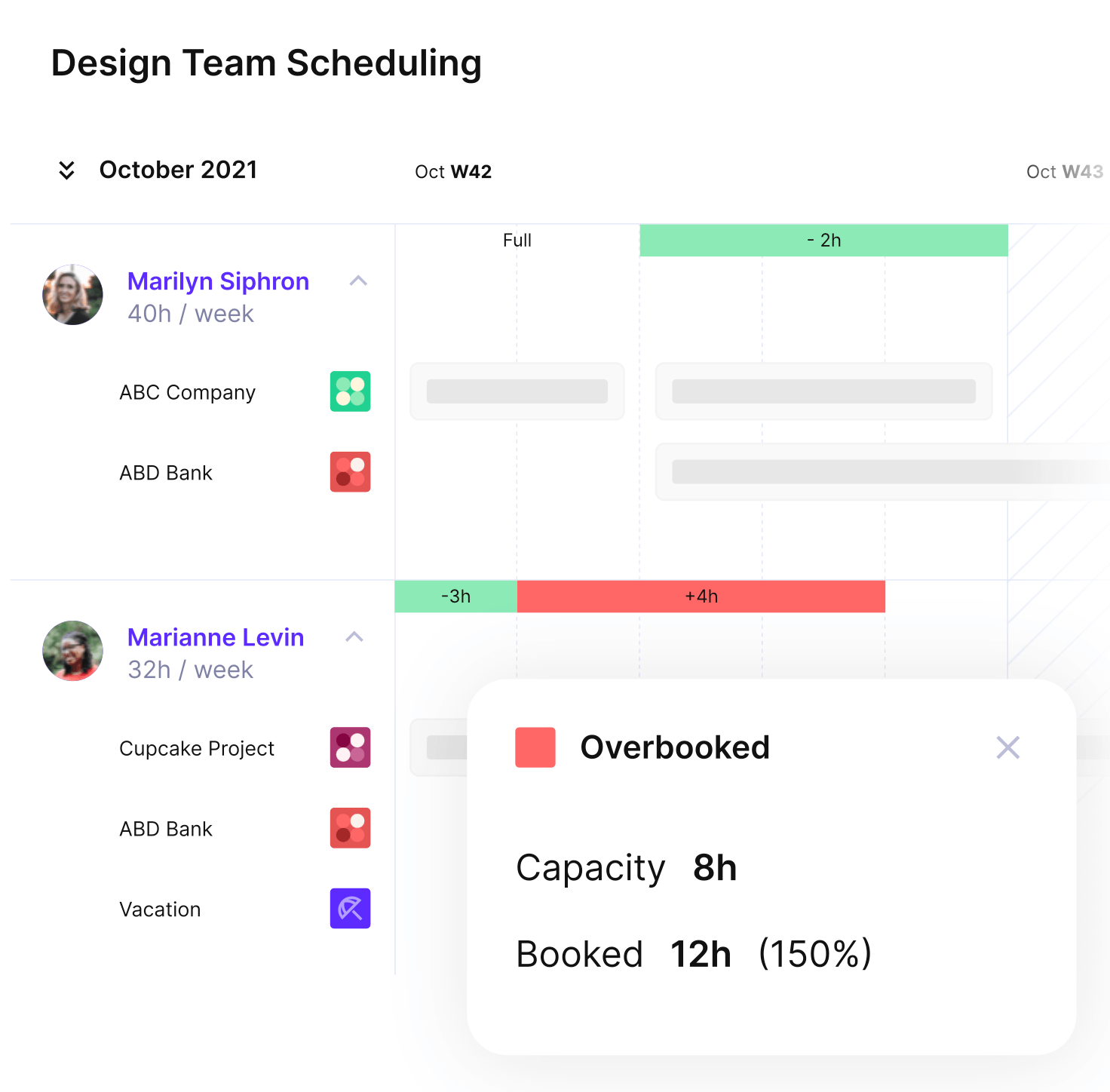
Schedule people in advance and connect that data with your resourcing.
Step 5: Calculate the Gap
Subtract demand from supply for every role and week, and flag every negative cell. For the formulas behind each cell, see how capacity gap and utilization are calculated. The step passes when you can name the first week and role where the capacity model shows a shortfall.
Example: with both deals weighted, design’s first shortfall is 27 hours, in week 4.
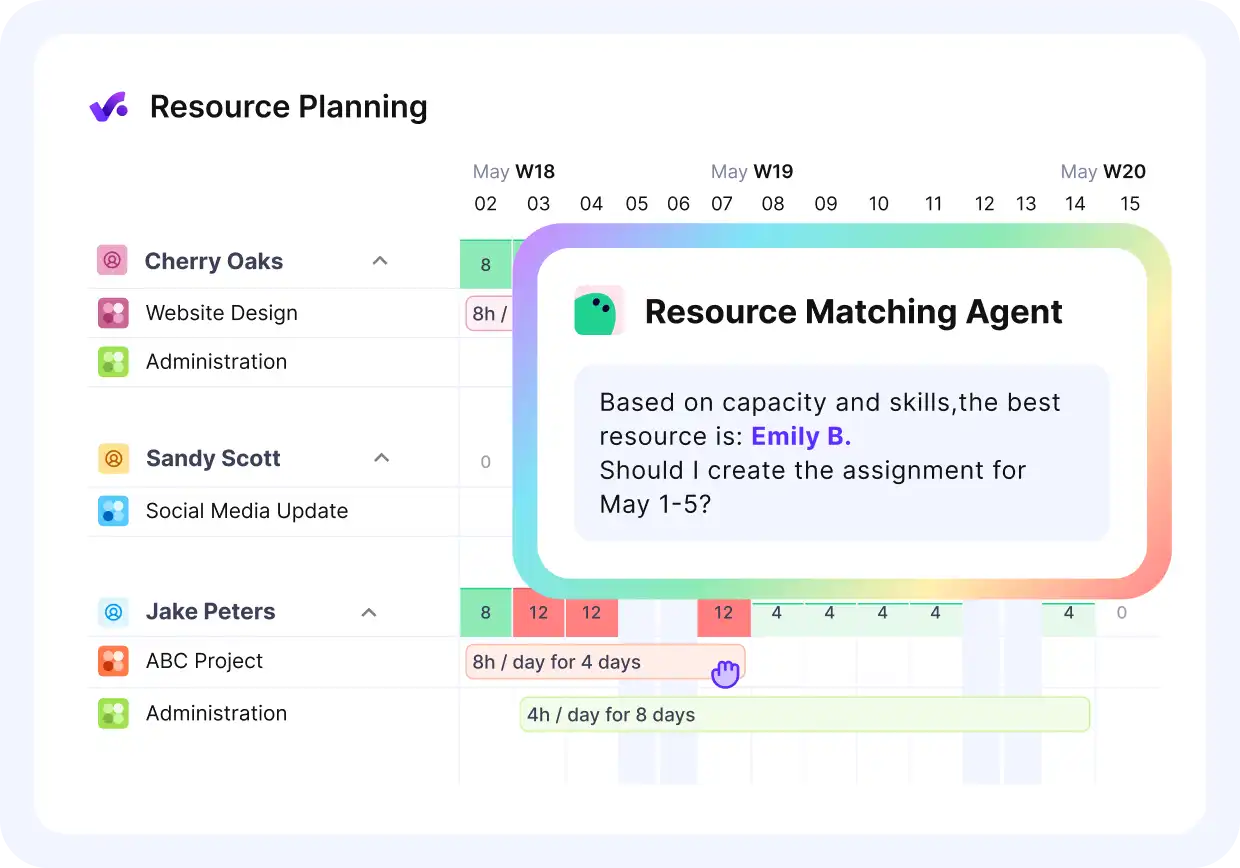
Ask Productive’s AI to match the required skills with available team members.
Worked Example: One Team Over 12 Weeks
This capacity model example is the assembled sheet for the illustrative team, with both deals at their win probability.
| Week | Design gap | Development gap | Project management gap |
|---|---|---|---|
| 1 | 24 | 12 | 30 |
| 2 | 16 | 20 | 30 |
| 3 | 24 | 9 | 22.8 |
| 4 | -27 | 10 | 23.2 |
| 5 | -11 | 2 | 23.2 |
| 6 | -16 | 0 | 13 |
| 7 | -19 | -36 | 21.8 |
| 8 | -11 | -39 | 22.5 |
| 9 | 7 | -31 | 24 |
| 10 | 25 | -34 | 18.2 |
| 11 | 45 | -26 | 27.8 |
| 12 | 77 | -6 | 36.8 |
Design is short in weeks 4 to 8, 84 hours in total. It recovers in week 9, when the new designer starts.
Development is short from week 7, after the leaver goes, and is still 6 hours short in week 12. Project management never goes short in this capacity model.
How Do You Run Scenarios on the Model?
You run scenarios on a capacity model by changing one input at a time and reading the new gap. Run four: base (confirmed work only), weighted pipeline, all deals won, and one senior person leaving. Scenario planning works on the model because every scenario shares one grid, so only the changed input moves.
| Scenario | What changes | First short week and role | Largest weekly shortfall |
|---|---|---|---|
| Base | Confirmed work only, no pipeline | None | None |
| Weighted pipeline | Both deals at their win probability | Week 4, design | 39 development hours, week 8 |
| All deals won | Both deals at full size | Week 4, design and development | Week 4, design and development |
| One senior developer leaves | Weighted pipeline, plus a second developer leaving after week 8 | Week 4, design | 70 development hours, week 10 |
Design breaks first in every scenario with pipeline, tying with development only if every deal wins. Deal A’s design hours start in week 4, five weeks before the new designer arrives. Development stays short the longest, through week 12 in every scenario with pipeline.
If every deal wins, development runs short from week 4 through week 12. It is also the only scenario where project management goes short: weeks 6 and 10, under 6 hours each. If a second developer leaves after week 8, the development shortfall reaches 70 hours in week 10.
Which Decision Rules Should the Model Trigger?
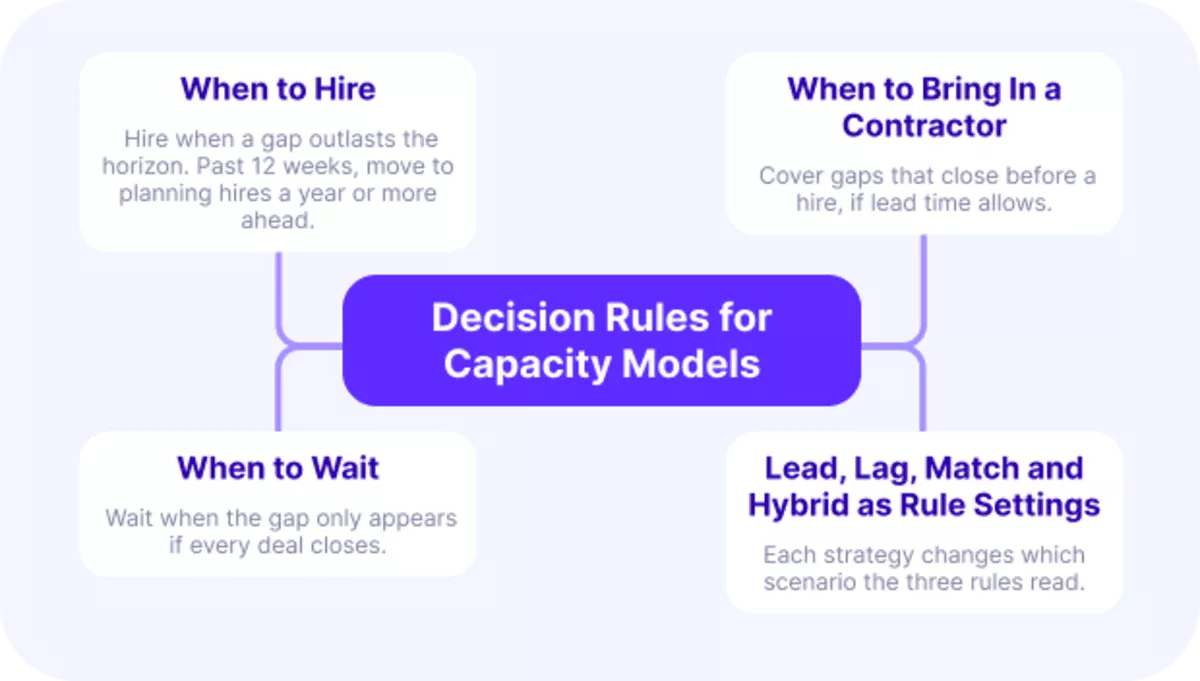
The decision rules your capacity model should trigger are hire, bring in a contractor, and wait. Apply each rule by comparing the weighted gap with two lead times: hiring lead time and contractor lead time.
The example assumes 8 weeks to hire and 4 more to ramp up. A contractor takes 2 weeks to bring in, and today is the start of week 1.
1. When to Hire
Hire when a role’s weighted gap is still negative at the end of the horizon. A gap that outlasts the horizon will usually outlast a contractor too. In the example, development’s gap opens in week 7 and has not closed by week 12.
A hire approved today starts in week 9 and is fully productive from week 13. The decision is due now, six weeks before the gap opens, with a contractor covering weeks 7 to 12. Put the hire in the hiring plan now. If you wait until the gap reaches confirmed work, the existing team absorbs it until burnout sets in.
A second leaver pushes the gap to nearly two developers’ weekly hours, so cost a second hire too. For needs past the 12-week horizon, move to planning hires a year or more ahead.
2. When to Bring In a Contractor
A contractor adds capacity for a gap that closes before a hire could arrive. Bring one in when the weighted gap closes inside the horizon. The first short week must also be further away than the contractor lead time.
Design qualifies: its five short weeks end when the planned designer joins in week 9. Week 4 is three weeks away, past the 2-week contractor lead time. Book contractor hours for those five weeks only, entered as supply so the sheet shows the gap closed.
A permanent hire for a five-week gap would leave excess capacity and idle time from week 9 onward.
3. When to Wait
Some gaps appear only when the whole pipeline closes at full size. Wait when a role goes short in that scenario alone. Recheck the model whenever a deal changes stage.
Project management fits this rule: its two short weeks come to about 6 hours in total. A gap that small is absorbed in a normal week without overtime.
4. Lead, Lag, Match and Hybrid as Rule Settings
Lead, lag, match and hybrid are settings of these three rules, not four separate methods. Each setting changes which scenario the rules read.
- A lead strategy fires the rules on the weighted pipeline scenario.
- A lag strategy fires them only on the base scenario of confirmed work.
- A match strategy reaches for a contractor first and hires only when the gap outlasts the horizon.
- A hybrid strategy sets each role differently, for example lead for development and lag for project management.
The same capacity model then shows different hiring dates under each one.
Final Thoughts
A capacity model is only as current as its least current input, and scattered tools leave one input stale. In an all-in-one tool like Productive, bookings, leave, pipeline and tracked time feed the same metrics.
Ask its AI Assistant for utilization by team, and it builds that report from those connected records. If you want your gap built on connected numbers, see how Productive does it.
Run Your Capacity Model in Productive
Keep bookings, leave, pipeline and planned hires in one place, so your capacity model runs on current numbers.

FAQ
What Is Capacity Modeling?
Capacity modeling is the ongoing work of building a capacity model, updating its inputs and rerunning its scenarios.
What Tools Can You Use to Model Capacity?
You can create a capacity model in a spreadsheet, starting from our free capacity template. Its rows run by person and day, so regroup them by role and week. Resource planning software takes over once bookings, leave and pipeline change every week across separate systems.
How Often Should You Update Capacity Inputs?
Update capacity inputs weekly, starting with bookings and leave. Rerun your capacity models the day a deal moves stage or someone resigns.
Connect With Agency Peers
Access agency-related Slack channels, exchange business insights, and join in on members-only live sessions.
