Agency Workflow Guide – Types, Process & Best Practices

An agency workflow is the order client projects move in, from first brief to final invoice.
Without a repeatable structure, every job runs differently, and some finish late and over budget.
This guide covers the three types of agency workflows and a seven-step process with an owner per step. You also get a website redesign worked through all seven steps, plus the practices that fix the common challenges.
Key Takeaways
- A workflow is one part of how agency operations are structured, setting the order work moves in and who owns each step.
- Workflow management is the separate job of changing that sequence when work stalls.
- Every step needs one named owner and one output the next step can start from.
- A workflow only holds if you compare it against actual hours on closed projects.
What Is an Agency Workflow?
An agency workflow is the fixed sequence of steps a client project moves through, from signature to close. It names which step comes first, who holds the work, and what must exist before the next.
What separates it from general project management is that the people are shared. The same designers and developers work across several accounts at once.
Every step consumes hours a budget has to cover. A general workflow ends when the work ships. This one ends when you know whether the job made money.
It covers the steps and the handovers, not how each task gets done. Which tool a designer opens belongs to the wider set of processes an agency runs.
How Is This Different From Workflow Management?
The workflow is the sequence. Workflow management is the job of watching where work stalls, then changing the order, the owner, or the handover. Without workflow management, the sequence drifts until nobody follows it.
What Are the Types of Agency Workflows?
The types of agency workflows fall into three groups: by process, by timeline, and by occurrence. These are not three options to choose between. A monthly SEO retainer is all three at once: automated, parallel, and process-based.
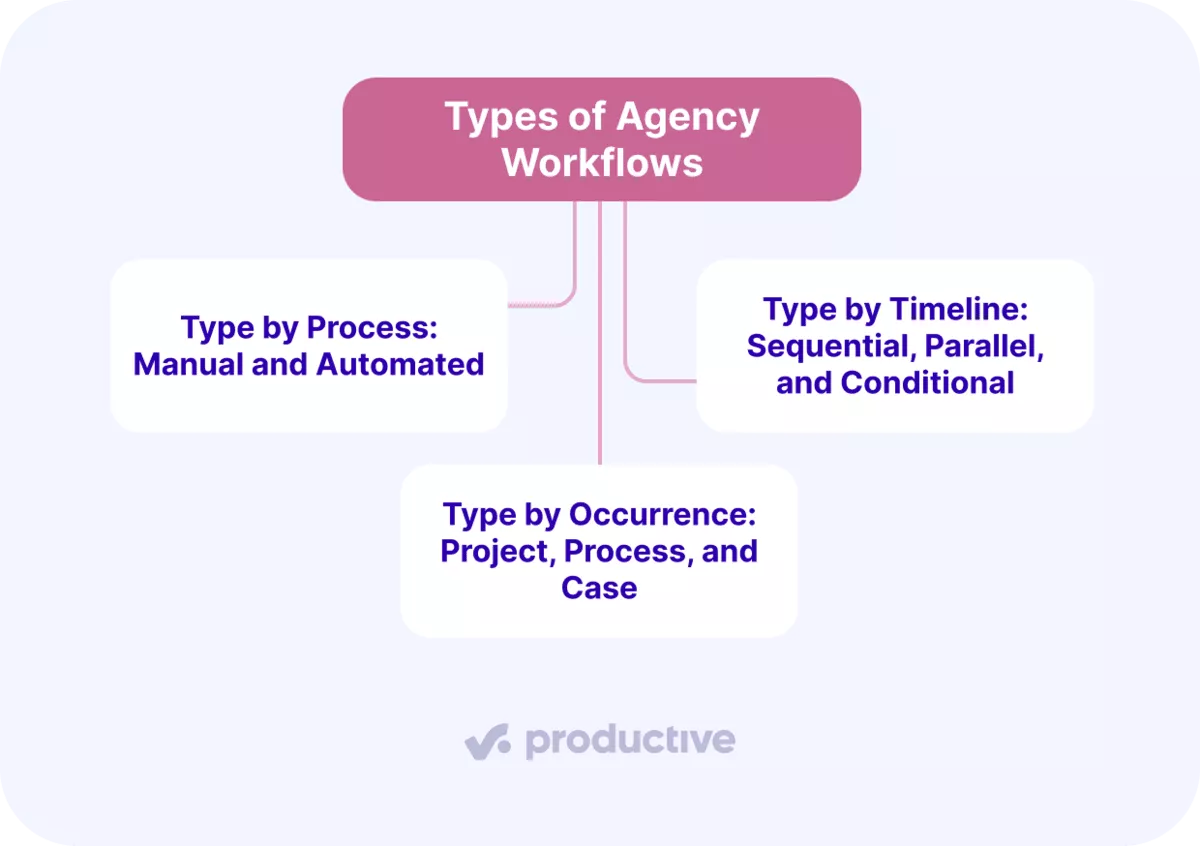
1. Type by Process: Manual and Automated
Most start out manual. A person moves work to the next step, usually by telling someone it is ready. In an automated workflow, a rule does it instead.
Invoicing shows the cost. Someone opens the timesheets, pulls billable hours, applies the rates, and types it into an invoice.
Automation builds that draft from approved time entries. Automating a broken sequence only gives you the same result faster, so fix the order and the owners first.
In Productive, Automations move a task to the next status when a condition you set is met.
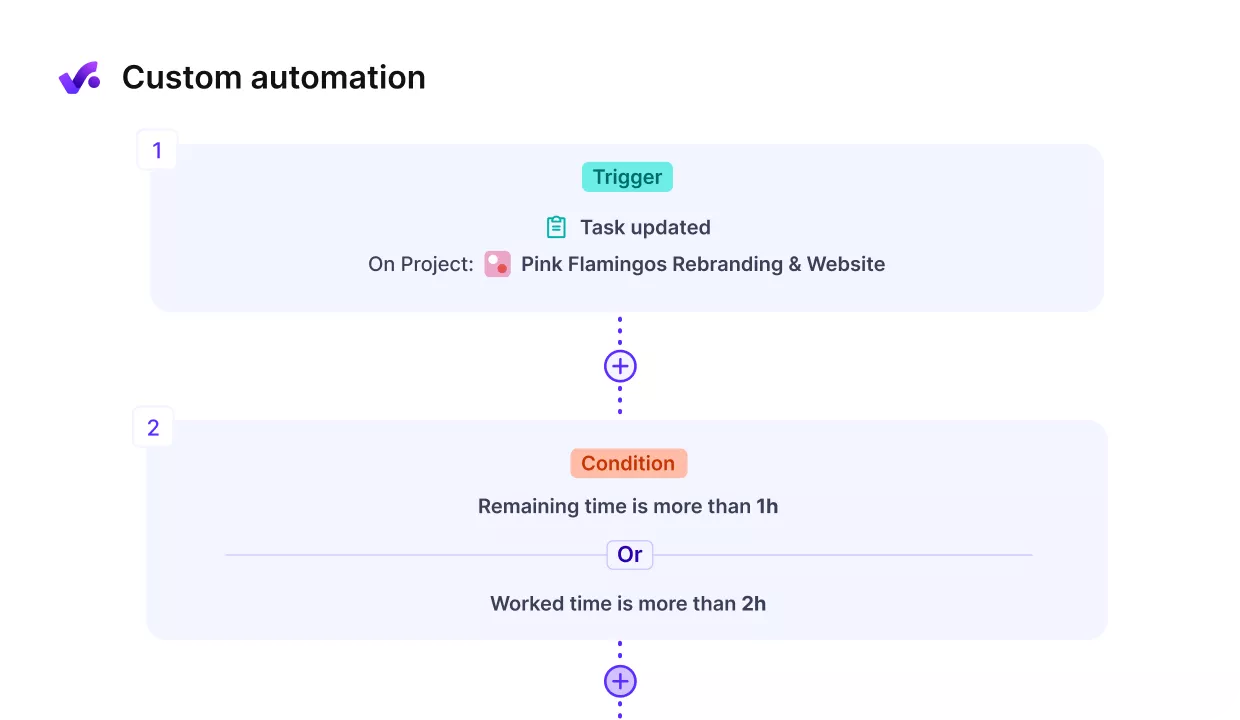
Easily Set up no-code workflow animations in Productive.
2. Type by Timeline: Sequential, Parallel, and Conditional
- Sequential means the next task cannot start until the previous one is finished.
- Parallel means two people work from the same brief without waiting.
- Conditional means someone outside the team decides what happens next, usually the client.
A website build uses all three:
- Design is signed off before development, so that part is sequential.
- Copywriting runs alongside design, so that part is parallel.
- Client approval decides whether the build moves on, so that point is conditional.
Decide by dependency rather than speed. If the next task needs another task’s output, the two are sequential.
Agencies borrowing from agile methodology run more parallel work, which raises the team collaboration a creative team absorbs.
3. Type by Occurrence: Project, Process, and Case
A project workflow covers work with a start and an end, like a rebrand.
A process workflow repeats on a cycle. A monthly content marketing retainer is one, with content creation running to a fixed content calendar.
A case workflow covers one-offs that never arrive the same way twice.
Creative agencies run all three. An advertising workflow for a campaign launch is project-based, while a digital marketing workflow for monthly reporting is process-based.
Build a project workflow once per type and reuse it. Automate a process workflow, because the same steps run monthly. Leave case work alone, since a template on a one-off costs more than it saves.
Book your workflow against capacity that actually exists
See what is left of a person’s week after you book them, across every project running through the workflow.

What Does the Agency Workflow Process Look Like, Step by Step?
The agency workflow process has seven steps: kickoff and brief, estimate and approved scope, resource booking, production, review and approval, delivery, and close and review.
A step is finished when it has produced something the next step can start from. Those outputs are the handoffs. If a step produces nothing usable, the work carries on anyway. The gap shows up later as an overrun or an extra revision round.
| Step | Owner | Output that starts the next step | What breaks if you skip it |
|---|---|---|---|
| 1. Kickoff and brief | Account or delivery lead | A brief listing deliverables, the client contact, and the decision maker | The estimate gets built from a conversation nobody wrote down |
| 2. Estimate and approved scope | Whoever is accountable for the margin | An approved estimate with hours by role and a written scope boundary | Later arguments about extra work have nothing to point at |
| 3. Resource booking | Resource or delivery manager | Named people booked into specific weeks | Work starts against people already committed elsewhere |
| 4. Production | Project manager | Deliverables, plus hours logged against the budget | The overrun surfaces at invoicing instead of in week three |
| 5. Review and approval | Someone who did not make the work | Written approval, or a numbered list of revisions | The client becomes your quality assurance and you pay for the round |
| 6. Delivery | Project manager | Files and access transferred, invoice raised against what was approved | Support requests arrive for months with nothing to bill them against |
| 7. Close and review | Whoever owns the client relationship | Hours sold against hours spent, and a margin figure | The same project gets underpriced again next quarter |
Each step below names its owner, its output, and the specific failure it prevents.
Step 1: Kickoff and Brief
The output is a brief. It lists every deliverable, the client contact who sends feedback, and the person who can approve work. Those are often two different people, and collecting feedback from the wrong one costs you a round.
Creative briefs go further and cover tone and audience. This one covers scope, dates, and project milestones, because the estimate is built from it.
This is also where client onboarding happens. Agree how often you meet, which channel decisions get made in, and who attends. Agencies with repeatable onboarding processes settle what client onboarding should cover in one call.
In Productive, the AI Notetaker turns the kickoff call into tasks.
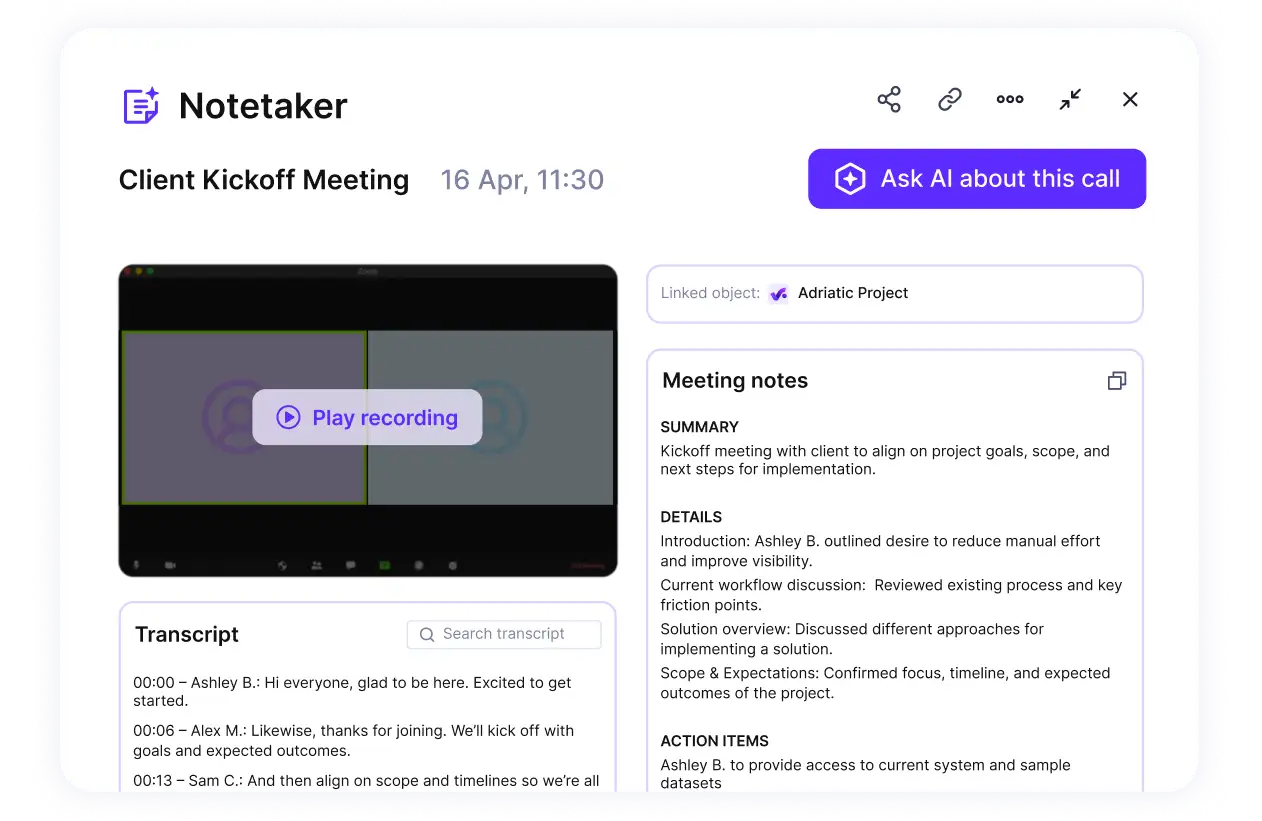
Use Productive’s AI notetaker to turn conversations into briefs.
Step 2: Estimate and Scope Sign-Off
The estimate belongs to whoever will be accountable for the margin. When the salesperson writes it, the hours tend to match the budget the client mentioned.
Price from what comparable past work cost. Take the closest job you have closed, use its hours by role, then adjust for the differences. Market research gets its own line, because it rarely scales with the build.
There are estimating techniques that use past project data for when nothing comparable exists.
The output is an approved estimate: hours by role, a price, and a written project scope. Fix the number of revision rounds here. Add a line of risk management naming what could change and who pays.
The project scope also states what you are not doing. That is what you point to when a client asks for extra. Sign-off means the client agreed to that in writing.
Step 3: Resource Booking
Now you put real names and real dates against the hours you sold.
Start with how much time each person actually has. Take contracted hours, then subtract holiday, sick leave, internal meetings, and anything else you cannot bill.
What is left is what you can book.
Resource planning that skips this runs short, because resource allocation on contracted hours books time people do not have.
Task assignment should follow team skills rather than who is free. With distributed teams, check the people you book share enough working hours to hand work over. Book the reviewer too.
In Productive, you book people to the work and see how much capacity is left. Our guide to resource planning across several projects at once covers the multi-client version.

Get real-time overview of your actual availability.
Step 4: Production
The work gets made, and the hours get logged against the budget while they are spent.
Production is the only step where the budget moves, so it needs a weekly reporting cadence. Compare budget burn against how much of the scope is finished.
Burn at sixty percent against work at forty gives you two weeks to act.
Team collaboration peaks here, and so does the time nobody logs. Reading project progress while work is running is easier when timesheets are current.
In Productive, AI Time Tracking turns calendar entries into time entries.
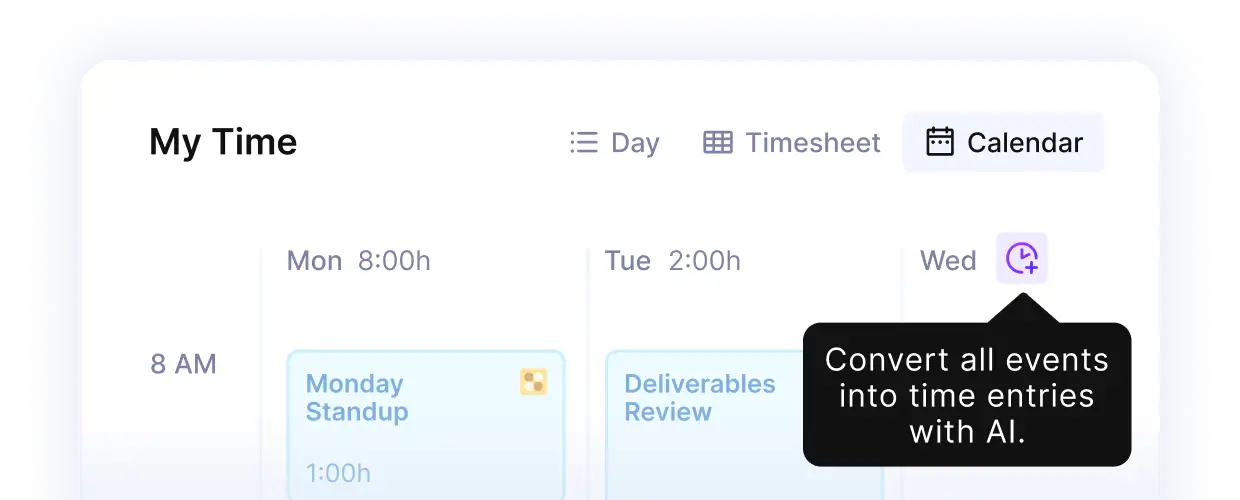
Track time with Productive’s AI.
Step 5: Review and Approval
Someone who did not make the work checks it before the client sees it. They catch the wrong version, the missing page, the number that contradicts the brief.
Two numbers from step two govern this step. Review and approvals depend on how many revision cycles the price covers, and the client’s response time. Open-ended client feedback is a pricing decision you made without noticing.
Review and approvals end in written approval or a numbered list of changes. A yes on a call does not count, because nobody can find it two months later. If approvals keep stalling, software built around approval steps makes the wait visible to both sides.
Step 6: Delivery
Delivery means handing over the working files, the access credentials, and the documentation. Record the date and what was in the handover.
Raise the invoice against what the client actually approved. If the scope changed mid-project and was agreed in writing, the invoice reflects that.
Approve any outstanding time entries before you invoice. Time approved after the invoice has gone out almost never gets billed.
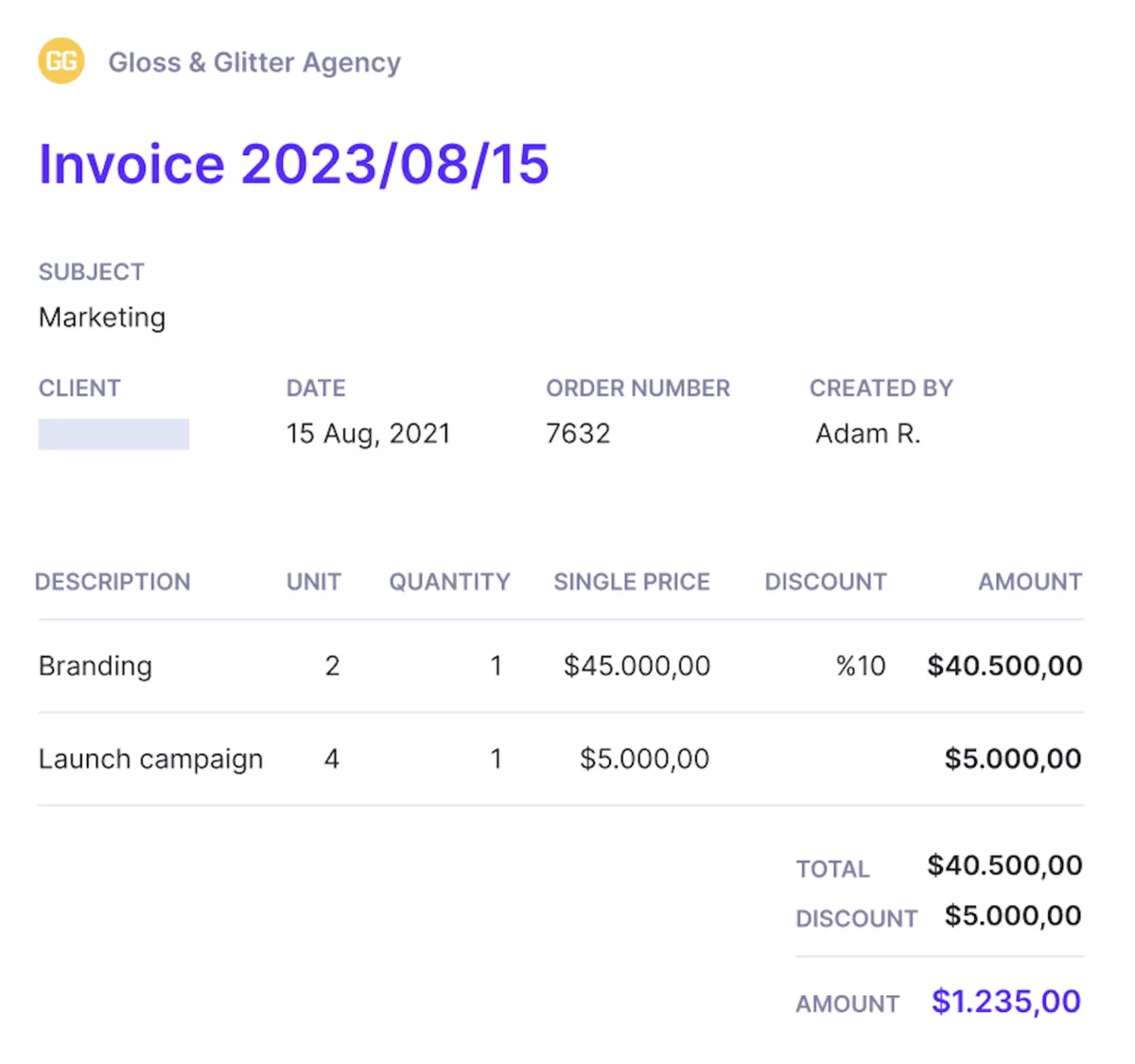
Send invoices from the same platform you track work.
Step 7: Close and Review
Compare what you sold against what you spent: hours sold, hours logged, the price, and the cost. The gap between the last two is your margin.
Then check resource utilization for the people who worked on it. If three ran at ninety percent for six weeks, it only worked because nobody took leave.
Record the result against the project type, not only the client. The next person estimating a website redesign should see what the last three cost. Our guide to how agencies run projects from estimate to close covers the wider review.
Agency Workflow Example: A Website Redesign From Kickoff to Close
Here is one job through all seven steps. A 25-person digital agency runs a fixed-fee website redesign over six weeks.
- Kickoff and brief. The marketing manager sends feedback and her director approves it. Both names go in the brief, with fourteen page templates and a launch date.
- Estimate and approved scope. Their last two redesigns came in at 210 and 240 hours. This one has more templates, so they price 260 across design, copy, and build. The scope names fourteen templates, two revision rounds, and no ongoing content production.
- Resource booking. Two designers and a developer start in week one, with creative production running in parallel. A senior designer is booked four hours a week to review.
- Production. In week three, burn is at 48 percent and the templates are 40 percent finished. Two move to the developer a week early.
- Review and approval. Round one comes back with 22 changes, round two with nine more plus a request for two extra templates. Those fall outside the fourteen in the scope, so they get quoted as a separate 30-hour job. Review and approvals stop at the two rounds the price covered.
- Delivery. Files, hosting access, and a template guide go over. Outstanding time is approved, then the invoice goes out for the fee plus the 30 approved hours.
- Close and review. Actual spend is 271 hours against 260 sold. The eleven-hour gap sits entirely in copy, so the next redesign of this size gets thirty more copy hours.
Four things made it work, and none happened during the work:
- The revision count was a number in the estimate before it became a conversation in week five.
- The extra templates were quotable because the scope named fourteen.
- The overrun was visible in week three, when there was still time to move work.
- The eleven-hour gap changed the next estimate instead of disappearing.
The same digital agency process fits a rebrand or a product launch. A digital marketing agency would swap templates for channels and keep the same gates.
What Are the Biggest Agency Workflow Challenges?
The biggest agency workflow challenges are double entry, invisible status, inconsistent process, stalled approvals, and over-servicing found too late. All five happen at the handover between steps.
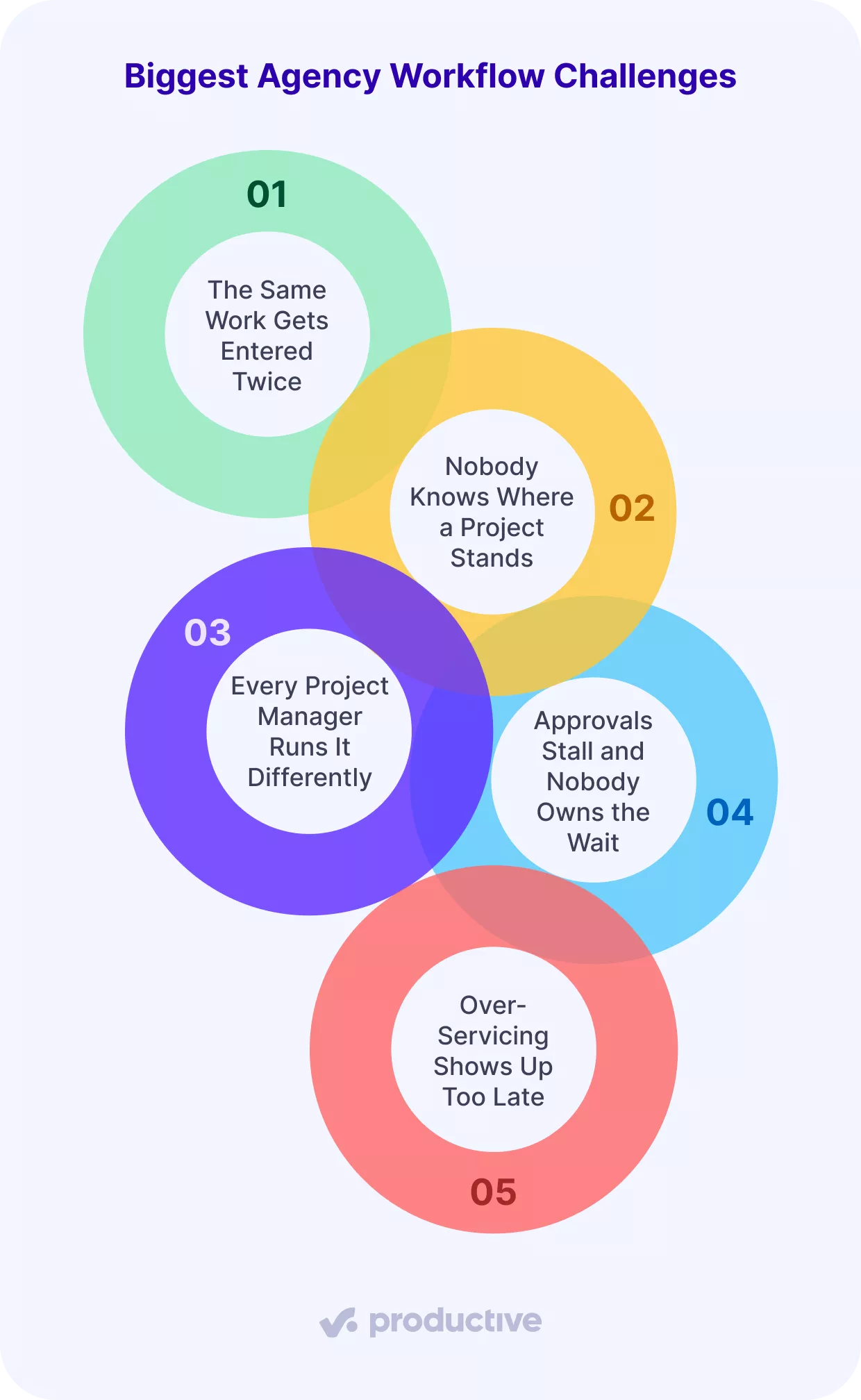
Challenge 1: The Same Work Gets Entered Twice
Tasks are in one tool, time in another, expenses in a third, and somebody re-keys between them. The cost is not the typing. It is that two systems disagree about the same week. Tracking time and billable expenses is the internal problem agencies rank first in a 2026 survey of 494 agencies.
In Productive, tasks, time, expenses, and invoices are in one place.
Challenge 2: Nobody Knows Where a Project Stands
However, with the variety of options available, finding the best fit for your agency can be tricky.
The status exists, but only in someone’s head, so getting it takes a message and a wait. Clients notice the delay before you do, and client satisfaction drops on work that is running fine.
Here are some top features and criteria to consider:

…it takes the accounting department about 15 days after the month ends before we get a picture of how we really did that month.
In Productive, AI features post a scheduled summary to Slack.
Challenge 3: Every Project Manager Runs It Differently
Weekly updates go out in personal templates and steps get named differently every time. No two jobs can be compared, so performance tracking produces numbers nobody trusts.
In Productive, templates carry the same steps and fields into every new engagement.
Challenge 4: Approvals Stall and Nobody Owns the Wait
Work waits on a client or an internal approval, while the booked people stay booked. Measure these bottlenecks by counting the days between sending work out and hearing back.
In Productive, task status and client access make the wait visible to both sides.
Challenge 5: Over-Servicing Shows Up Too Late
The hours were tracked, but nobody compared them to the budget until the job closed. By then you either absorb the loss or reopen the price.

We ended up terminating contracts with two of our oldest clients after only a few months of using Productive. We thought that we were at least at zero with them, but it turned out that we were losing money.
Checking budget burn weekly makes that a decision you take in week three. Our guide to where project profit actually goes covers what to do next.
In Productive, budget alerts fire at a threshold you set.

Productive gives you early warnings of budget overruns.
What Are the Best Practices for Running Agency Workflows?
The best practices for running agency workflows are: one written version, one named owner per step, a gate where money changes, a fixed update format, no steps without outputs, and a quarterly review. Structured workflows that skip any of these stop being followed.
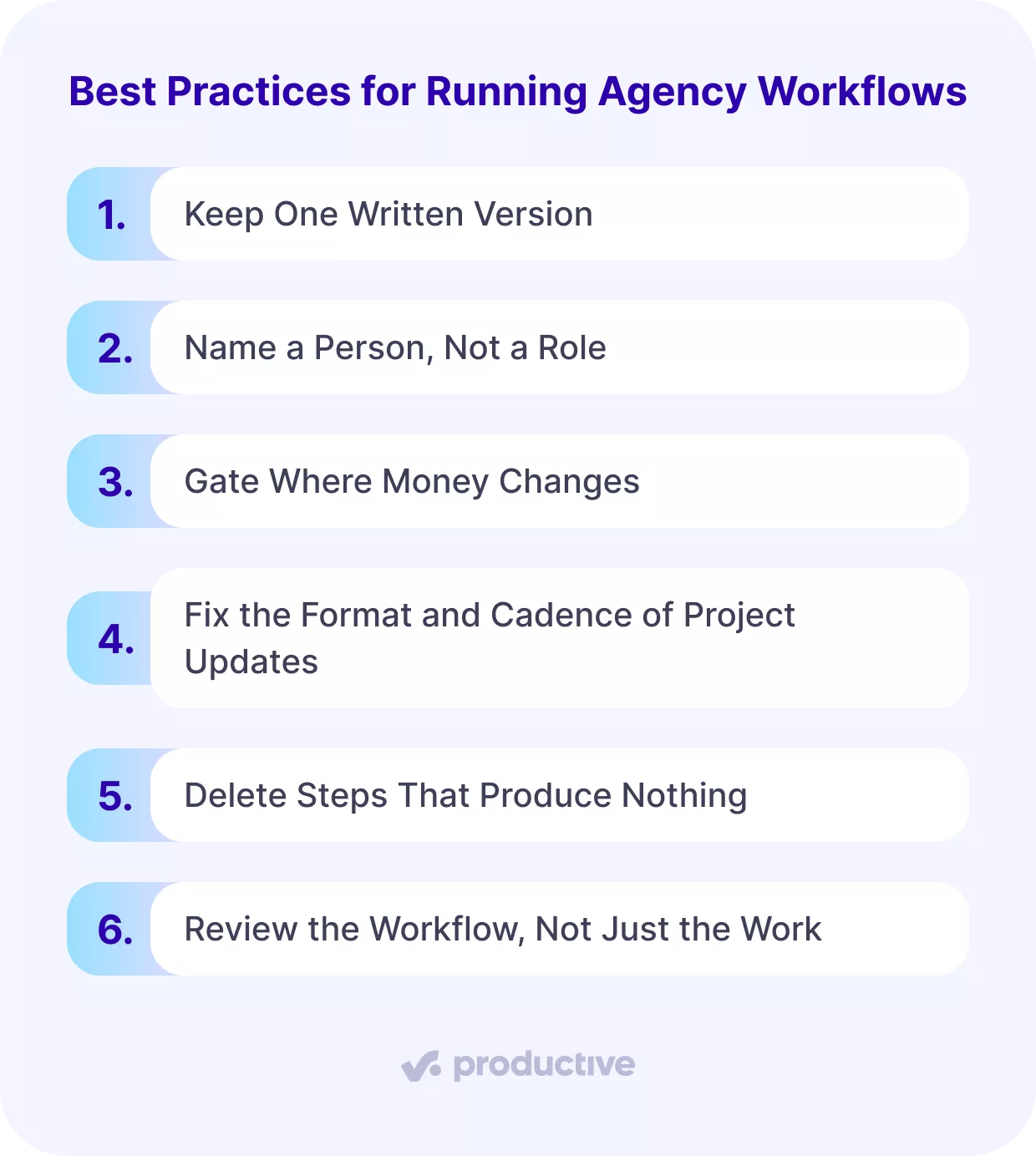
Best Practice 1: Keep One Written Version
Pick one place for the workflow and one person who can change it. Two documents mean two workflows, and people follow whichever they opened last. Keep it in the tool where the work already happens.
Our comparison of agency management software covers the options.
Best Practice 2: Name a Person, Not a Role
Roles are not owners. When three people share the title of delivery manager, nobody chases the stalled step. Write a name against each step. A RACI matrix does the same job once you pass about twenty people.
Best Practice 3: Gate Where Money Changes
A gate stops work until someone approves. A checkpoint records progress and lets work continue. Gate the estimate and any scope change, because both alter what you get paid. Treating every checkpoint as a gate creates bottlenecks.
Best Practice 4: Fix the Format and Cadence of Project Updates
Decide what an update contains and when it goes out, then use the same fields every time. A communication protocol that changes per client gives you nothing to compare. Agree the communication protocol at kickoff, and name where client feedback gets recorded.
In Productive, scheduled reports go out on a set cadence without anyone assembling them.
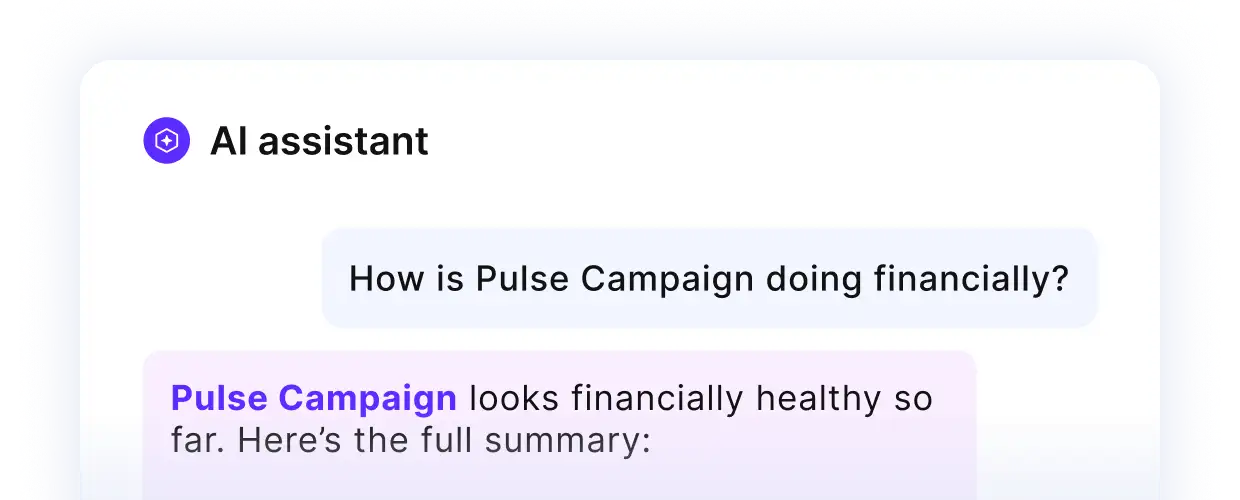
Ask Productive’s AI assistant for project updates in plain English.
Best Practice 5: Delete Steps That Produce Nothing
Every step should hand something to the next one. If you cannot name what a step produces, merge it into the step before. Workflow optimization usually means removing two steps rather than adding a tool.
Best Practice 6: Review the Workflow, Not Just the Work
Once a quarter, compare estimated hours to actual across closed projects, step by step. The step with the widest gap is the one to change. Workflow optimization only works on that evidence.
In Productive, reporting compares estimated against actual hours across closed projects.
What Should You Look For in Agency Workflow Software?
Agency workflow software needs four things, and each one maps to a step in the process. Most tools do two of them well and leave the rest to spreadsheets.
- One record for hours sold and hours spent. Step four only works when the budget and the timesheets are the same record. With the estimate in a spreadsheet, the number you check is always a week old.
- Booking that shows what is left. Step three needs remaining capacity after a booking, not proof the booking exists. Workflow automation software that only moves tasks between columns will not tell you that.
- An approval state both sides can see. Step five stalls when the approval workflow is an email thread. Few collaborative platforms show the client what is waiting, and the ones that do remove most of the chasing.
- Estimated against actual, by role. Step seven needs closed work compared to its estimate without an export. A Gantt chart shows what was planned, not what the plan cost.
Any project management software vendor will claim all four. These questions tell you which mean it.
| What to look for | The step it serves | What to ask the vendor |
|---|---|---|
| Hours sold and hours spent in one record | Step four | Show me budget burn on a live job, without an export |
| Booking that shows remaining capacity | Step three | Show me what is left of this person’s week after I book them |
| An approval state both sides can see | Step five | Show me everything waiting on a client right now |
| Estimated against actual, by role | Step seven | Show me the last ten closed jobs against their estimates |
A wider comparison of project management software covers tools built for other buyers. Our list of agency workflow tools goes deeper on each one.
In Productive, all four sit in one system, which removes the re-entry between steps.
Final Thoughts: How to Make Agency Workflows More Effective
Agency workflows get more effective when every step produces a number: hours booked, hours spent, revision rounds, and margin at close. Those numbers usually sit in four different tools, so the average agency sees the picture a week late.
Running them in one system lets you fix a job while it is still running. If you want to see what that looks like, book a Productive demo.
Frequently Asked Questions
How Is an Agency’s Workflow Different From a Project Workflow?
An agency runs several client jobs through the same people, so every step carries a cost to recover.
When Should You Use a Sequential Workflow Instead of a Parallel One?
Use sequential when the next task needs the previous output, and parallel when both start from the same brief.
How Do You Stop Client Feedback From Slowing Delivery?
Fix the number of revision rounds and the client’s response time in the estimate, then count both at review.
How Does a Workflow Prevent Scope Creep?
A written scope names what you are not delivering, so extra requests get quoted rather than absorbed.
How Do You Know Whether Your Workflow Is Working?
Compare estimated to actual hours on your last ten closed projects, and see which step produced the gap.
Connect With Agency Peers
Access agency-related Slack channels, exchange business insights, and join in on members-only live sessions.
