What Is Project Resource Management? Complete (2026) Guide

Project resource management is how you plan, schedule, and track the people, time, and budget behind every project. Done well, it tells you who is free, who is overloaded, and which projects you can actually take on.
This guide covers the complete resource management process, step by step, the key techniques and roles involved, best practices (and how to implement them).
You’ll also learn how to solve common challenges and what tools to use for managing your resources.
Key Takeaways
- Project resource management is how you plan, schedule, and track the people, time, and budget behind a project, then adjust as the work changes.
- The core resources are people, time, and finances. Service businesses have to measure these closely, since capacity and budget burn are easy to lose sight of.
- Resource management follows a repeatable process: analyze needs, plan and allocate, monitor usage, and reallocate when priorities shift.
- The recurring challenges are taking on too many projects, overvaluing billable hours, and poor visibility across teams.
What Is Project Resource Management?
Project resource management is the practice of planning, scheduling, and tracking the people, time, and budget a project needs, then adjusting those resources as the work changes.
Project management tracks task progress. Resource management makes sure the people assigned to those tasks are used well: the right person on the right work, with gaps covered before they stall delivery.
A term adjacent to resource management is capacity planning. It usually refers to a broader process of gauging an agency’s capacity to take on more projects and initiatives, which our guide to planning agency capacity covers in depth.
What Are the Key Components of Project Resource Management?
The key components of project resource management are resource planning, resource acquisition, resource allocation, resource scheduling, and resource monitoring.
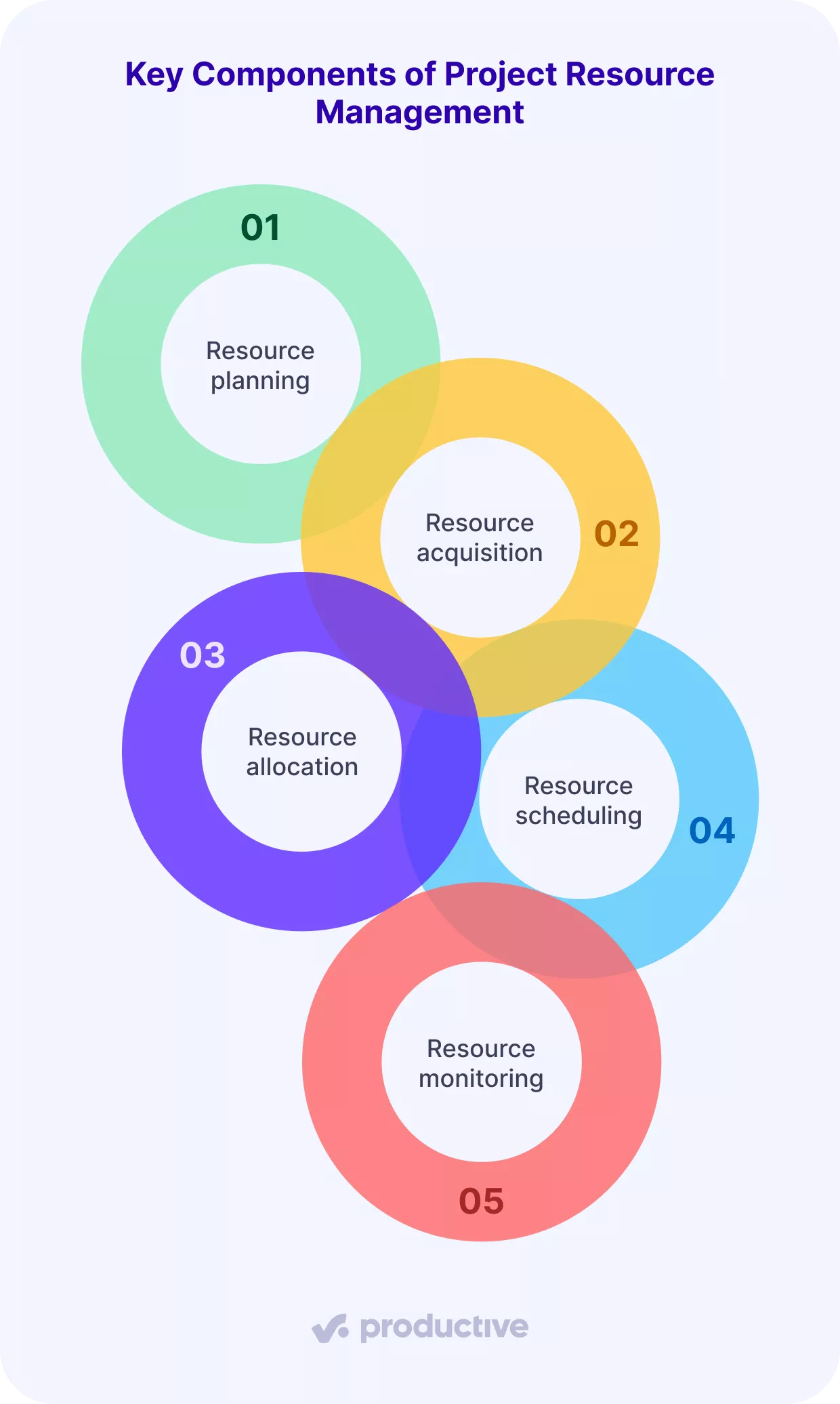
- Resource planning: Working out what the project needs before it starts. You map deliverables to roles, seniority, and hours, so you know the demand in real numbers rather than guesswork. Our guide to building a resource management plan walks through the full document.
- Resource acquisition: Securing the people or skills the plan calls for. This means assigning internal staff, or bringing in contractors and new hires when the plan shows a gap you cannot cover.
- Resource allocation: Assigning specific people to specific tasks across the project lifecycle. The goal is to put team members with the right skill on the right work, without burying senior staff in tasks a junior could handle.
- Resource scheduling: Booking those assignments across the timeline. You spread hours week by week so no one is overloaded on Monday and idle by Thursday.
- Resource monitoring: Tracking usage as the work happens. You compare logged time to booked time and adjust before a small overrun becomes a blown budget. Financial resources get watched here too, so project costs and resource costs stay on track through the project lifecycle.
What Are the Main Types of Project Resources?
The main types of project resources you manage are people, time, and finances.
In service businesses, resource management leans on these more than on physical assets, and they are harder to measure, since you are tracking capacity and budget rather than machines or raw materials.
- People: Your team members are the biggest asset and the hardest to manage. Managing human resources well means putting the right team members on the right tasks. A team leader watches human resources for workload health and development.
- Time: How your team spends its hours. Good time management balances billable client work against essential non-billable work, and that balance decides much of your profitability.
- Finances: The budget behind the work. Managing it means keeping project costs and resource costs aligned with strategy, and watching project costs against budgets and margins in real time.
We talk more about the topic in our recently updated financial management guide for projects.
Why Is Project Resource Management Important?
Project resource management is important because it prevents three costly problems: overloading your team, blowing project budgets, and taking on work you cannot staff. Handled well, it leads to steadier delivery and healthier margins.
Resource management is also one of the hardest parts of running projects to get right.
Wellington’s 2026 State of Project Management Report ranks it among the three most difficult project processes for organizations to embed.
Done properly, it helps agencies address the following challenges:
- Resource cost optimization. Good resource management keeps resources working efficiently, so projects avoid waste and overcommitment. That means a full view of your human resources, less idle time, and resource costs kept in check when you are planning resources across multiple projects.
- Scope creep. Scope creep, the unplanned expansion of project scope, is a common problem in project management. Resource management does not prevent it outright, but it supports better project management. Clear visibility of resource capacity lets project managers push back with data instead of guesses.
- Inefficient workflows. Resource management reduces downtime and bottlenecks. By monitoring and adjusting resource allocation as conditions change, resource management keeps people working on the right things instead of waiting on blocked work.
The through-line is simple: strong resource management protects both the work and the people doing it.
Optimize your project resource management with Productive
What Are the Essential Tools for Managing Resources?
The essential tools for managing resources fall into two types: specialized tools that handle one resource well, and all-in-one platforms that connect projects, resources, and finances in one system.
Project resource management tools range from simple schedulers to full platforms, so the right fit depends on how you work.
- Specialized solutions: Tools that focus on a single agency resource, such as time tracking, software project management, or project accounting. Simpler and often cheaper, but they leave your data in separate places.
- All-in-one tools: Platforms that combine project, resource, and financial management, so bookings, time, and budgets share one source of truth. Many also include Gantt charts for mapping tasks against the timeline.
Smaller agencies often start with specialized tools for the lower cost and simpler setup.
As you grow, the gaps between disconnected tools cost more than they save. Good resource management tools cut the number of systems you maintain and keep data consistent across every client engagement.
We wrote a top 10 comparison of the best resource management platforms. Look it up before you decide.

We used to have a project management tool, a time tracking tool, a support tool, a way we handled opportunities and sales-driven processes. Those were all separate tools that we had, and it wasn’t good. It also meant that all that data was being lost every time we switched between tools, or we had to find a way to normalize the data between them. And now, the fact that it’s all in one, it’s really a game changer.
How to Choose the Best Tool for Managing Resources?
Pick your resource management software by matching it to how you work, not by feature count. Four questions narrow the field fast.
- What do you need to see in one place? If bookings, time tracking, and budgets need to talk to each other, an all-in-one platform saves you from stitching data together by hand. If you only need one job done well, a specialized tool is enough.
- How many people are you scheduling? A five-person studio can plan in a spreadsheet. Past 15 to 20 people, manual resource scheduling breaks down and you need real capacity views.
- Do you bill by time? If utilization and billable hours drive your margins, choose a tool that tracks logged time against bookings, not just task status.
- Will it grow with you? Check that the tool handles forecasting, Gantt charts, and multiple projects, so you are not switching systems again in a year.
Shortlist two or three resource management software options against these answers, starting with a roundup of project management software with resource planning, then run a real project through a free trial before committing.
Improve your resource management game with Productive
Get the most out of your team and resources with one tool for scheduling, utilization, and financial forecasting.

How to Manage Project Resources? (Step-by-Step Guide)
You should manage project resources in five steps, from scoping what a project needs to reallocating people when priorities change.
Below is a detailed resource management step-by-step process.
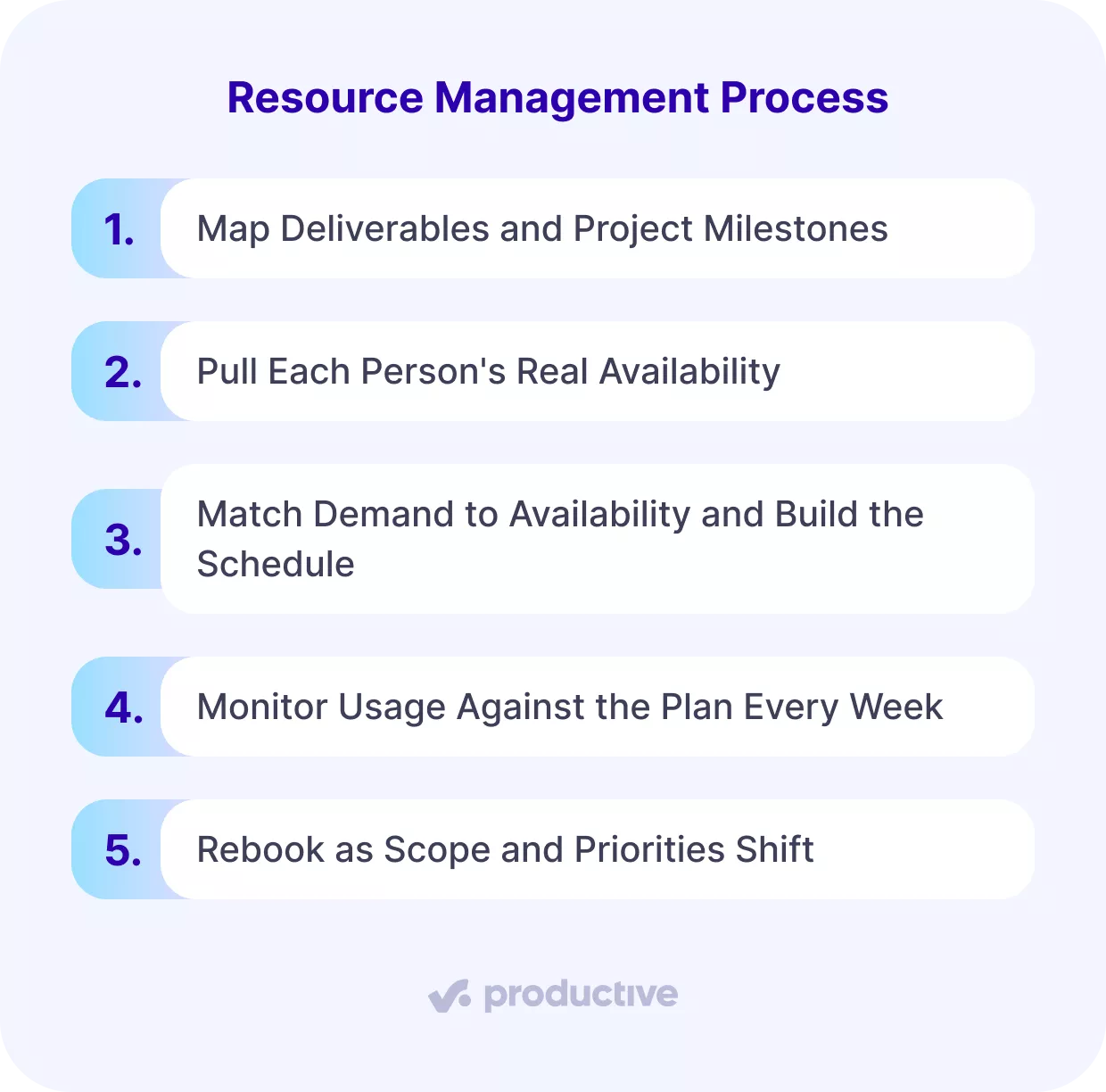
Step 1: Map Deliverables and Project Milestones
Start by turning the project into a list of tasks, then attach a resource estimate to each one.
Open your project scope and list every deliverable and its project milestones. Split each deliverable into tasks small enough to assign to one person. For each task, write down three things:
- The role needed (designer, developer, strategist)
- The seniority level
- Hours estimate
A rebrand, for example, might need 40 hours of senior design and 60 hours of mid-level production. Add these up per role and you have your project demands in hours, not a vague “we need designers.”
This becomes the basis of your resource management plan and the first draft of your project schedule. For a worked example, see our step-by-step resource planning walkthrough.
Step 2: Pull Each Person’s Real Availability
Next, work out how many hours each person actually has, not how many they are contracted for.
Take each person’s weekly capacity, then subtract approved time off, existing project bookings, and a fixed non-billable allowance (say 20% for internal work).
A designer contracted for 40 hours a week, with 8 hours already booked and a day of leave, has 24 hours free that week.
Do this for all the team members the project touches. The result is a true picture of resource availability across the team, which is the number most companies overestimate.
Step 3: Match Demand to Availability and Build the Schedule
Now assign the work, comparing the hours you need against the hours you have.
- Assign each task to team members whose free hours and skills line up, then book those hours against the project week by week to build the resource schedule inside your resource management plan.
- When demand outstrips availability, you have three moves: shift the timeline, add a placeholder for a contractor or new hire, or reassign work to team members with room.
- Watch the resource loading per person and keep anyone from crossing 100% booked in a single week, since that is where quality and morale start to slip.
Any weeks where demand exceeds supply are resource gaps to close before work starts.
In Productive: Book hours by day, percentage, or total, and use placeholders and tentative bookings for roles you have not filled yet.

We’ve always known, on a monthly basis, how we’re doing as a company. But knowing on a per project level, in real time—we never really had that visibility. You guys do a good job of providing that. If you look at it on a yearly basis, it does give us the ability to look, per client and per project where do we really stand.
Step 4: Monitor Usage Against the Plan Every Week
Once work starts, resource monitoring becomes a weekly habit for project managers, not an end-of-project review.
Each week, compare logged time against booked time. This resource tracking flags two things through the week: any task tracking more than 20% past its estimate, and anyone whose resource utilization sits above 100% or below 60% booked.
The first keeps project costs and budget burn in check early, the second catches poor resource utilization: overload and idle time.
Comparing resource utilization rates across roles shows who is stretched. Healthy resource utilization rates differ by role, so read them per category.
If the number looks off, our breakdown of resource utilization rates shows healthy ranges by role. Watch for resource bottlenecks too, where one person’s delay stalls everyone downstream. Week two is far cheaper to fix than delivery week.
In Productive: Compare scheduled hours against logged time as work progresses, and view utilization per person or team to spot overload.
Step 5: Rebook as Scope and Priorities Shift
Finally, treat the schedule as a living plan and adjust it the moment things change.
When a task overruns or a new project lands, adjust the schedule rather than absorbing the overrun quietly. You have a few levers: resource levelling (delaying non-critical tasks to protect people from overload), workload redistribution (moving tasks to teammates with capacity), or renegotiating the deadline.
A tight change management process means updating the resource schedule the same week a change happens, not at month-end, so your capacity view stays accurate across the whole project lifecycle.
What Are the Key Techniques for Managing Project Resources?
Key resource management techniques include gap analysis, resource allocation, resource leveling, resource smoothing, and forecasting. Each one solves a different problem, so it helps to know when to reach for which.
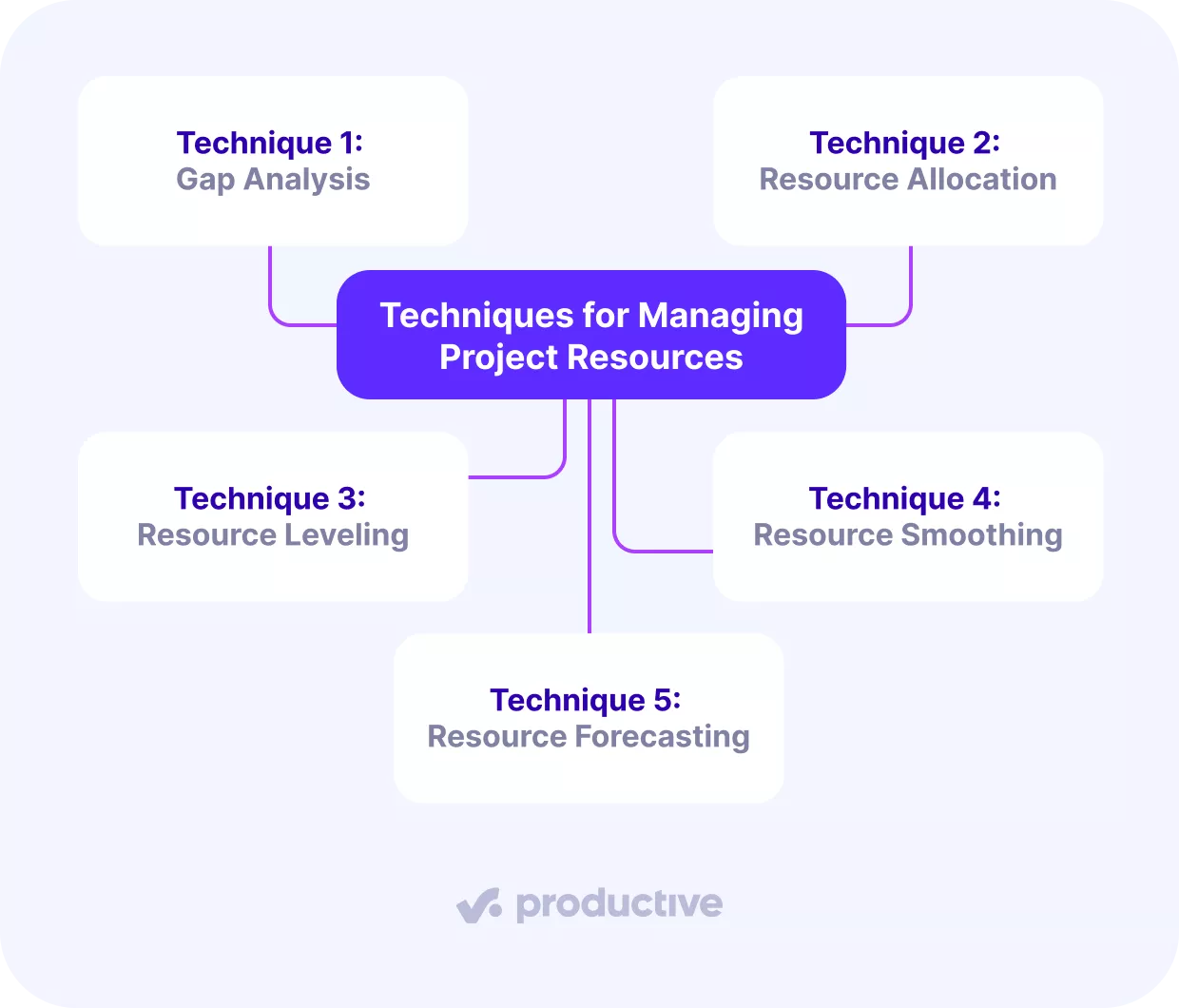
Technique 1: Gap Analysis
Gap analysis compares the resources a project needs against the resources you actually have. Project managers use it at the start of a project, before committing to a deadline. It surfaces the shortfall early, when you still have time to hire, subcontract, or renegotiate scope.
To run it, list required hours per role from your project plan, subtract available hours per role from your team, and treat any negative number as a gap to close before kickoff.
Technique 2: Resource Allocation
Resource allocation is the act of assigning specific people to specific tasks. Use it once scope is set and you know who is free. Done well, it keeps the right skills on the right work and stops senior people from getting buried in tasks a junior could handle.
Implement it by matching each task to a person whose skill and free hours fit, then booking those hours so the commitment is visible to everyone, not held in one manager’s head.
Technique 3: Resource Leveling
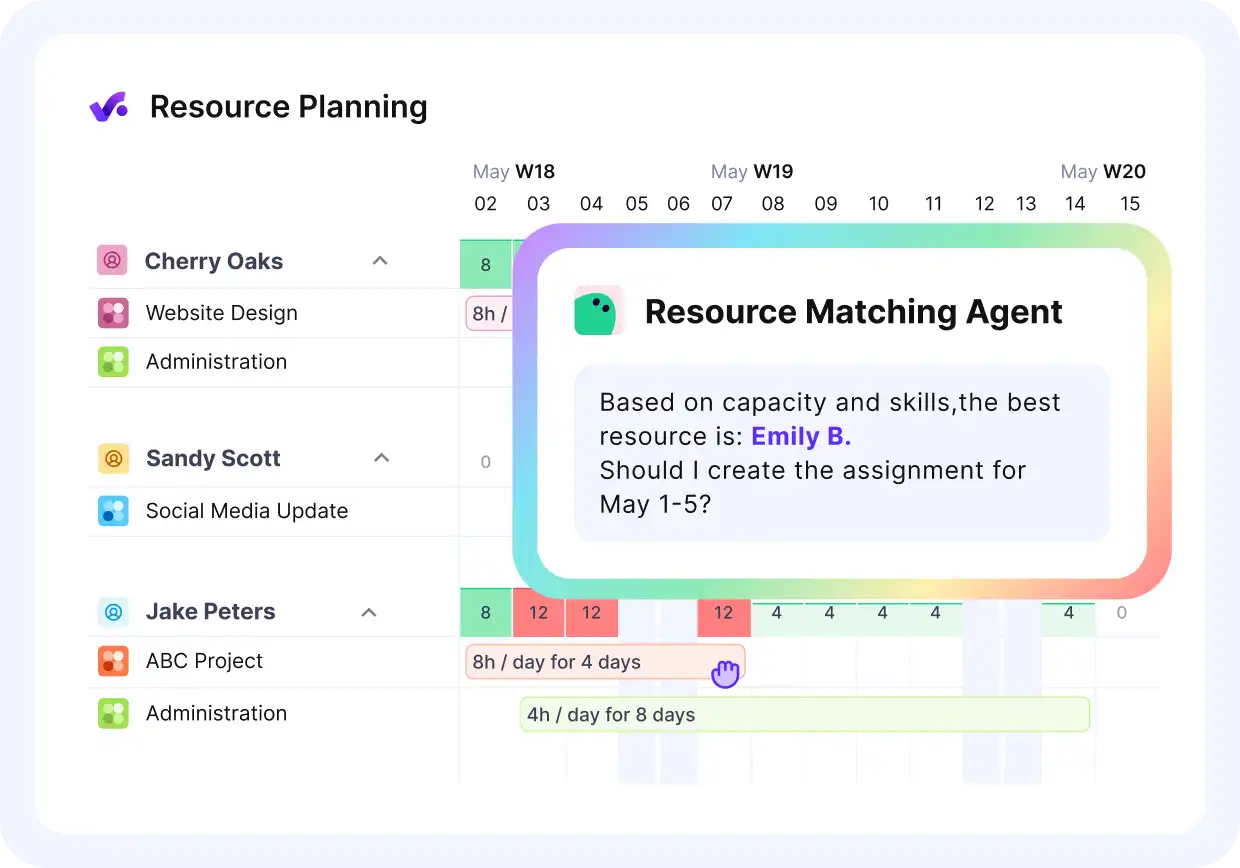
Ask Productive’s AI to match your team members based on skill and available capacity.
Resource leveling adjusts the project schedule when resource demand exceeds capacity. Use it when resource loading pushes someone past 100% booked and no extra hands are available. High resource loading is the trigger.
It protects people from overload by moving deadlines rather than piling on hours, which keeps resource loading sustainable and prevents burnout.
To apply it, push non-critical tasks later until each person’s weekly load drops to a sustainable level. Resource levelling accepts a longer timeline as the tradeoff.
Technique 4: Resource Smoothing
Project managers use resource smoothing to balance the workload without moving the final deadline. Use it when the end date is fixed but the path to it is lumpy, with heavy weeks and light ones.
It evens out the peaks so your team is not slammed one week and idle the next. Implement it by shifting flexible tasks within the existing slack in the schedule, keeping the deadline intact while spreading the hours more evenly.
Technique 5: Resource Forecasting
Resource forecasting predicts what you will need before the work is confirmed. Use it for long-range resource capacity planning and hiring decisions, weeks or months ahead.
Good capacity planning tells you whether an incoming project is staffable across your project portfolio, or whether you need to recruit, so a signed deal does not become a scramble.
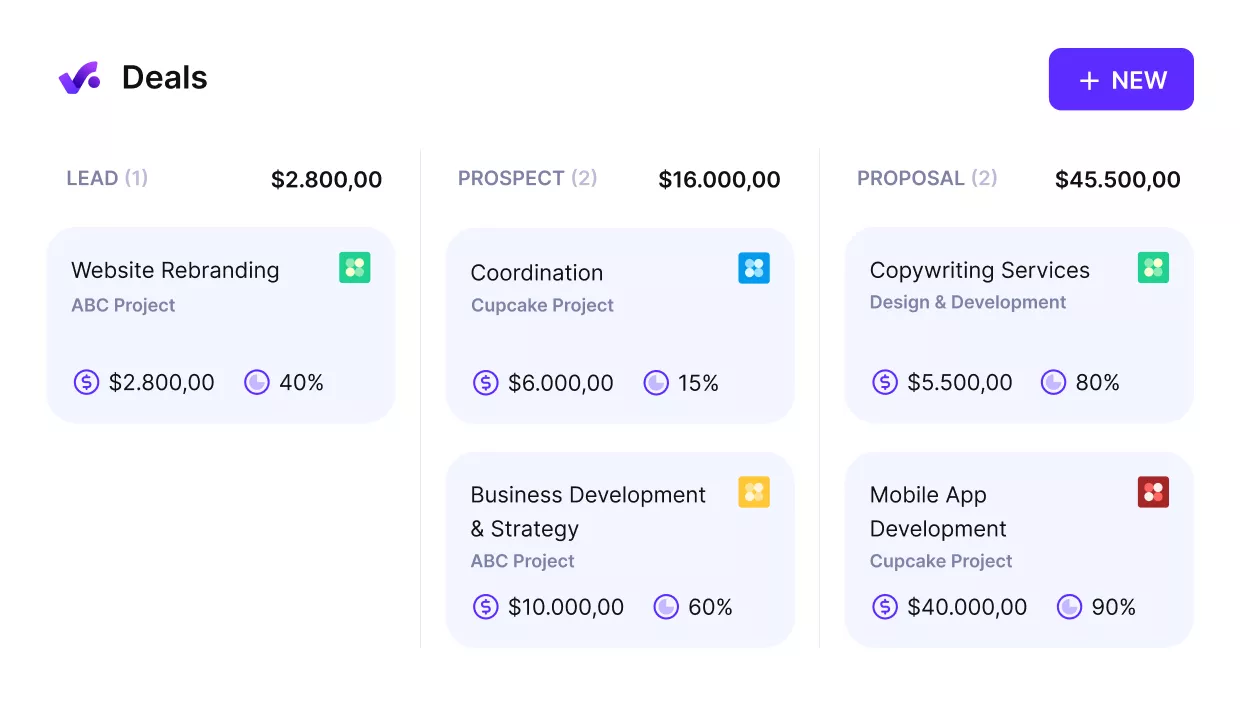
Align your capacity with projected demand from your deal pipeline.
Tie it to your project planning so future demand is visible early in the project lifecycle, then model your likely projects against current capacity and watch where demand crosses your available hours.
Who Manages Project Resources: The Project Manager or a Resource Manager?
It depends on your size. In smaller agencies, project managers usually handle resource management alongside delivery, working with team leads and clients to keep the resource management plan aligned with the project.
In a larger agency or enterprise, the two roles often split. Project managers focus on hitting goals for a specific project, while a dedicated resource manager handles allocation and utilization across many projects at once.
Both rely on the same capacity data, so project managers and the resource manager need one shared view rather than separate spreadsheets.
What Are the Best Practices for Managing Project Resources?
The best practices for managing project resources are planning capacity before you commit, booking by role and seniority, protecting non-billable time, reviewing utilization weekly, and planning for unwon work.
Each is a resource management habit project managers repeat on every project, and together they keep agency work profitable and your team out of overload.
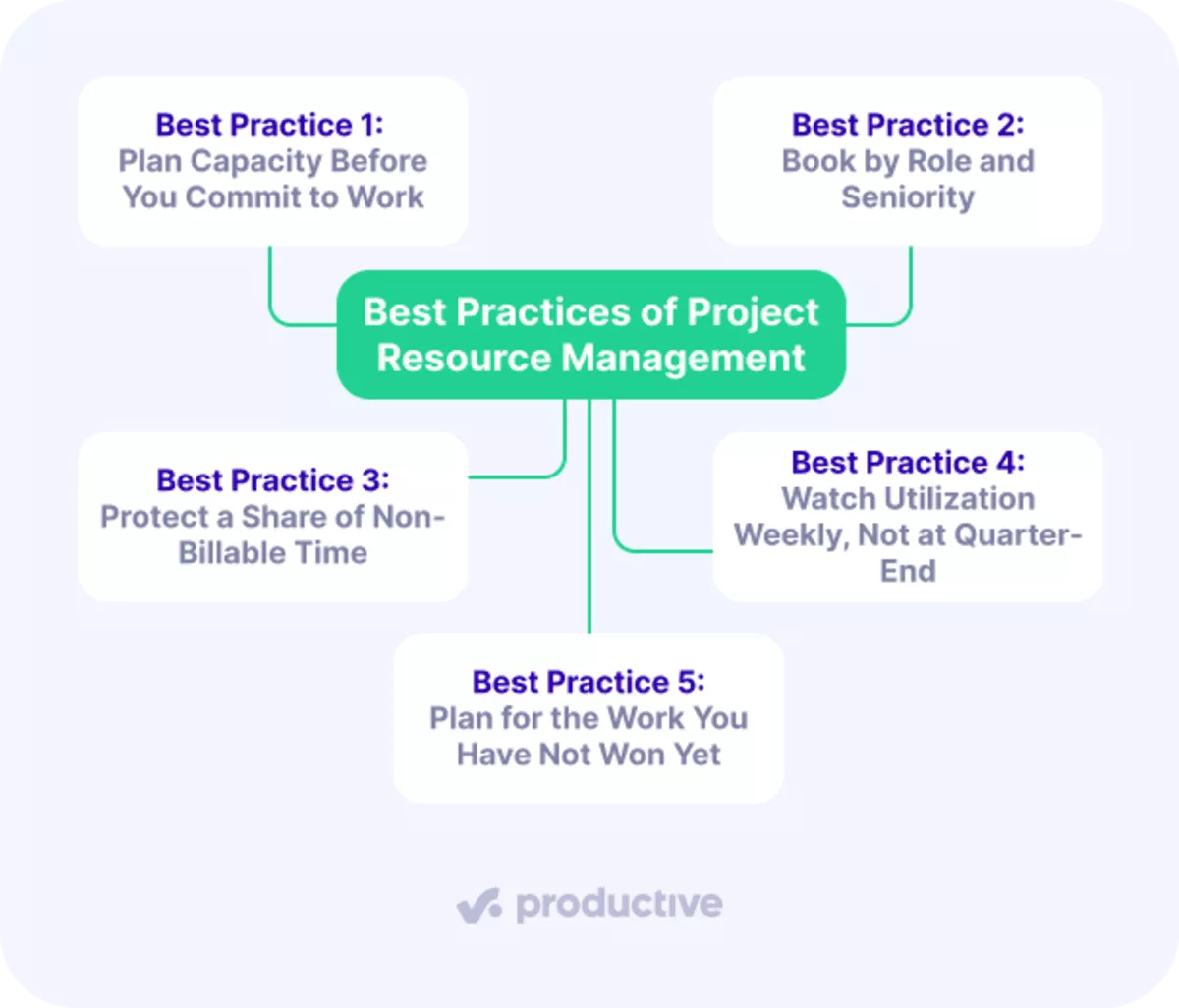
Best Practice 1: Plan Capacity Before You Commit to Work
Build your resource plan only after checking your team’s real availability, not before. Look past headcount to who is genuinely free. Look at existing bookings, approved time off, and non-billable commitments, not just headcount. Saying yes to work you cannot staff is how deadlines slip and margins erode.
In Productive: Compare current and future team capacity to see whether you can take on more work before you commit.

Schedule team members in advance and avoid overbooking.
Best Practice 2: Book by Role and Seniority
Project managers match tasks to the right team members by level. Senior time is expensive, so reserve it for work that needs it and push routine delivery to mid and junior staff. Grouping people by skill and seniority shows you where you are thin before a project exposes it, a core habit in running projects inside an agency.
In Productive: Group resources by team, skill, or seniority to see real capacity per category, not just per person.
Best Practice 3: Protect a Share of Non-Billable Time
Project managers block time for pitching, research, and skill-building instead of treating it as leftover. High billable utilization looks healthy until the pipeline dries up because no one had time to sell. Aim for a target range per role rather than maximizing every hour.
In Productive: You can track billable and non-billable hours separately, and view utilization per role to keep the balance visible.
Best Practice 4: Watch Utilization Weekly, Not at Quarter-End
Resource tracking every week is the habit that makes this work. Review logged time against booked time. Tracking resource utilization this often means overbooked people and underbooked people both surface early, when they are cheaper to fix.
Tracking resource utilization rates weekly catches the drift a quarterly report only confirms.
In Productive: Track team utilization to manage billable hours and spot revenue gaps in advance.

Manage billable hours and spot over/under utilized tEam members.
Best Practice 5: Plan for the Work You Have Not Won Yet
Pencil in likely projects before they close, so a signed deal does not blow up a schedule built only around confirmed work. Planning against your pipeline and wider project portfolio turns resourcing from reactive to forward-looking.
In Productive: Use placeholders and tentative bookings to plan unconfirmed projects and future hiring without touching confirmed hours.

Book your staff in advance for the work ahead.
What Are the Main Challenges of Managing Resources?
The main challenges of managing resources are taking on too many projects, overvaluing billable hours, and poor visibility across teams. Here is what each one looks like and how to fix it.
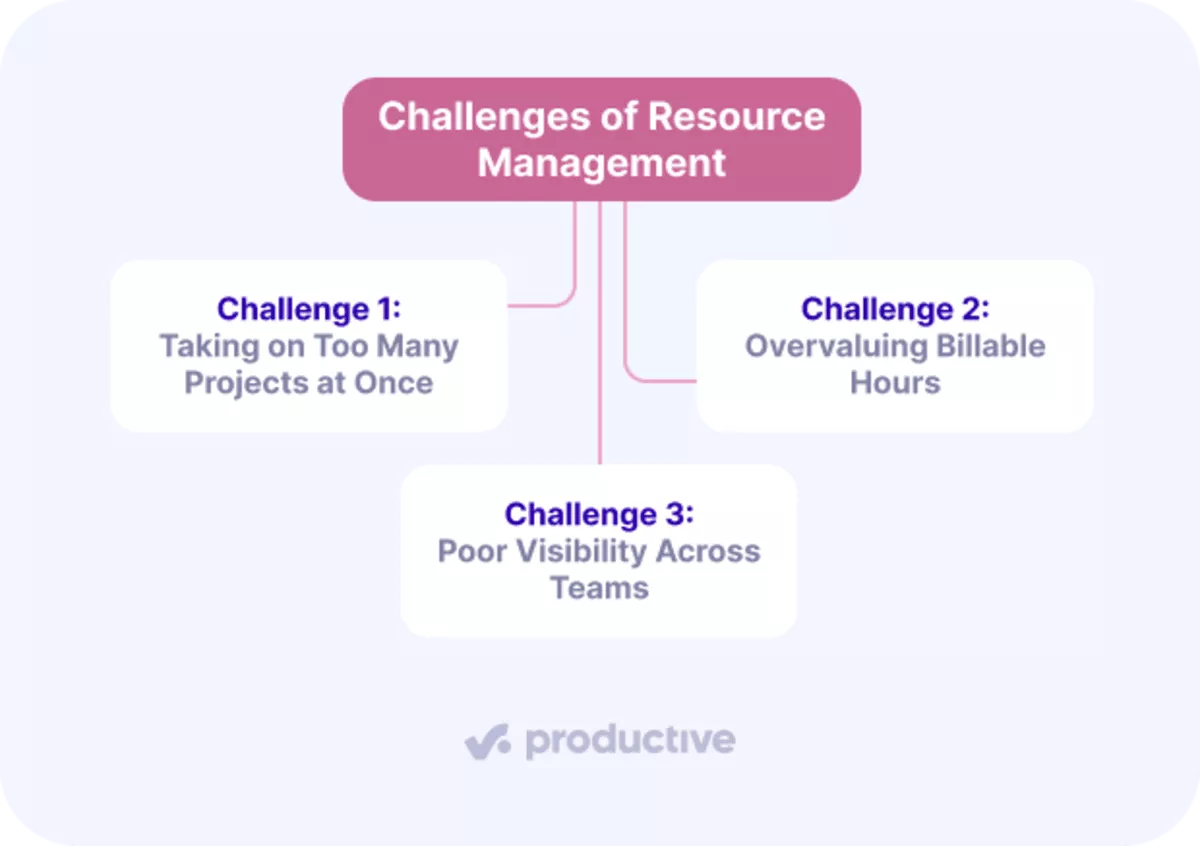
Challenge 1: Taking on Too Many Projects at Once
Agencies overcommit when project managers cannot see their real capacity, so they say yes and hope it works out. The fix is forecasting: check whether your team can absorb a project before you sign it.
This is where project portfolio management matters: judging total load across every project at once.
For example, if a team’s scheduled-to-available ratio hits 110% for next quarter, you need 10% more capacity than you have. That is your signal to hire, subcontract, or push a start date, before the overload turns into missed deadlines.
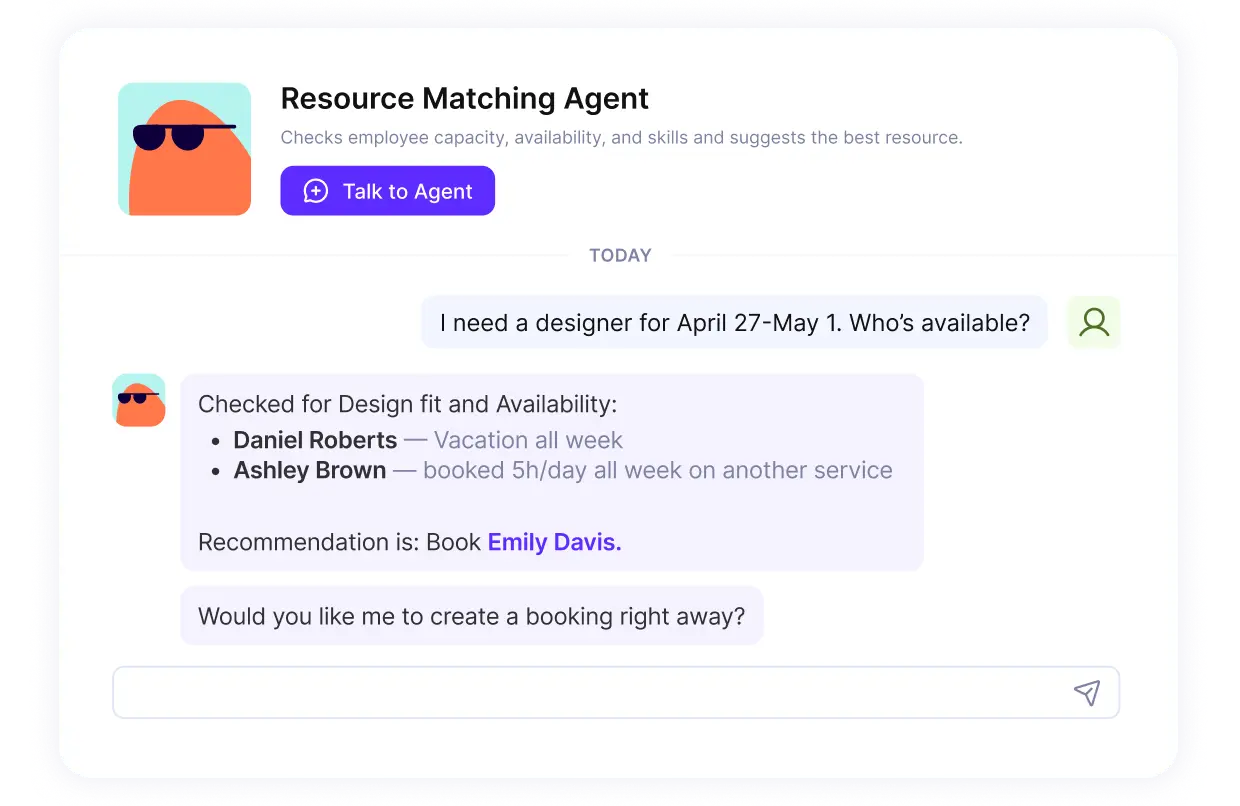
Use Productive’s resource matching agents to find out who’s available and for how many hours.
Challenge 2: Overvaluing Billable Hours
Chasing maximum billable utilization backfires when it crowds out essential non-billable work: pitching, research, and skill-building.
Skip those and the pipeline dries up or the team falls behind on skills.
The fix is a target range per role, not 100% billable. Protect a set share of non-billable time so business development and growth keep happening while client work gets done.
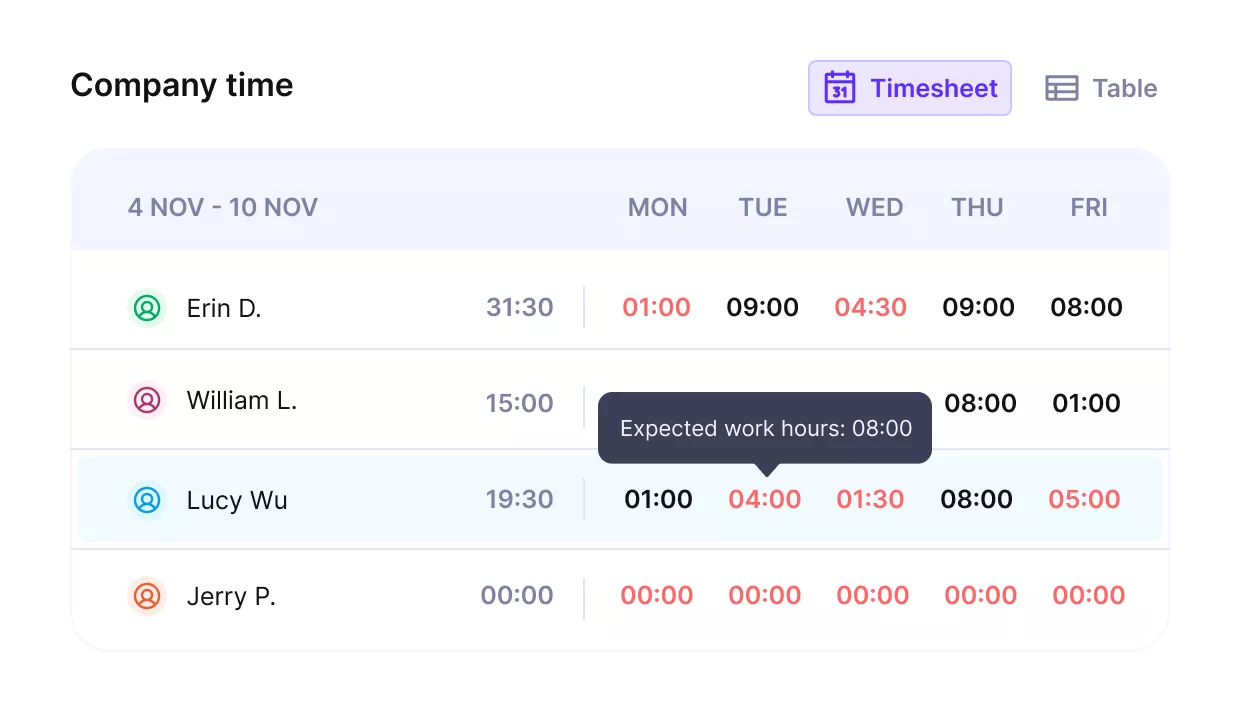
Set up targeted billable hours per role or employee.
Challenge 3: Poor Visibility Across Teams
When teams and tools are disconnected, team members end up with overlapping bookings, resource conflicts, and clients left in the dark, which feeds scope creep and missed deadlines.
Poor workload management shows up here first, with one team swamped while another has room.
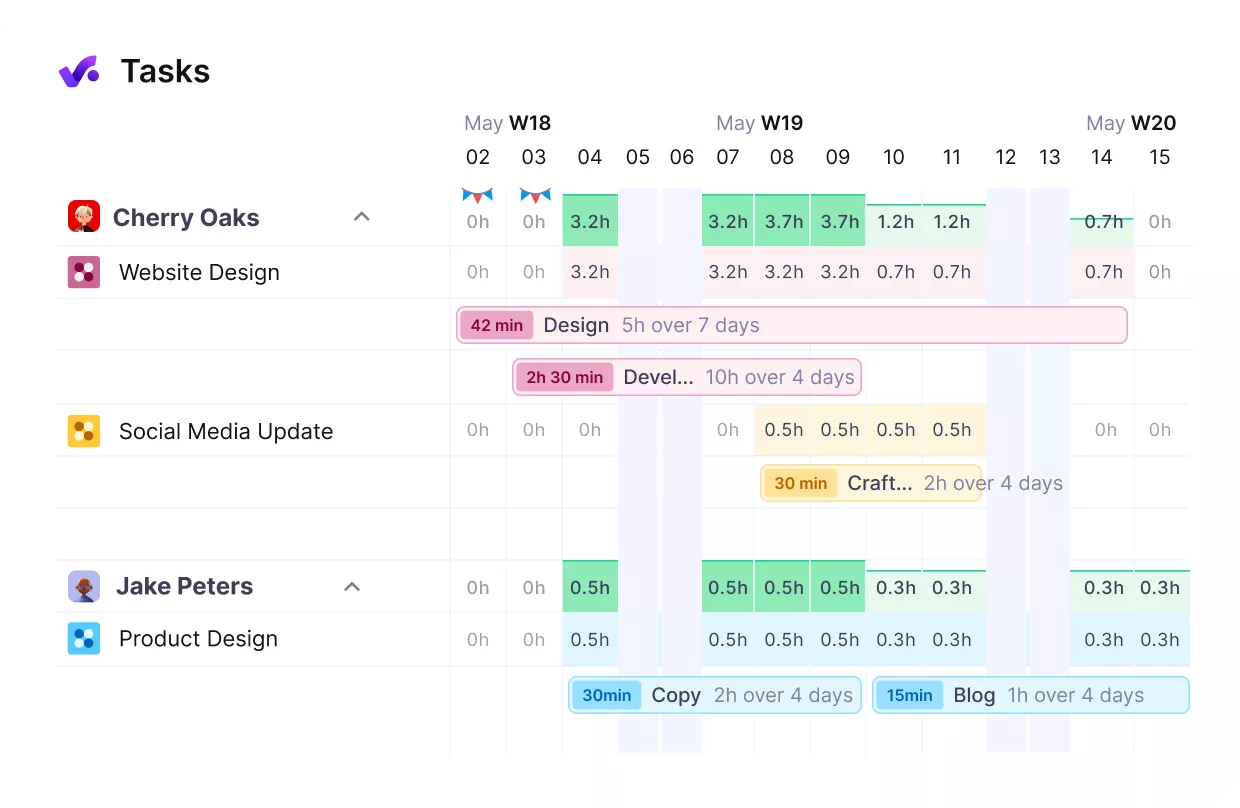
Connect your team’s workloads with other project performance indicators, and get updates in real-time.
The fix is resource management software that acts as a single source of truth for bookings, time, and budgets, updated in real time. When everyone sees the same plan, conflicts surface early and clients can be shown live progress instead of surprises.
Closing Thoughts: Resources Should Be Managed With Systems
When resource management goes wrong, the instinct is to blame people: someone overpromised, someone lost track. Usually the real problem is the system. When bookings, time off, budgets, and utilization sit in separate places, no one sees the full picture, so the same mistakes repeat.
The fix is to give project managers a way to make capacity visible and keep the plan current: scope work in hours, book against real availability, review usage weekly, and rebook when things change.
If you want that whole loop in one place, from resource planning to utilization to budgets, book a demo with Productive.
Connect With Agency Peers
Access agency-related Slack channels, exchange business insights, and join in on members-only live sessions.
