Billable vs Non-Billable Hours: Differences & How to Track

Your team can be fully booked without being fully billable. Billable vs non-billable hours is the split between time you can invoice and time your firm absorbs.
This guide covers the difference between the two, examples of each, and three steps for tracking them. It also covers how to keep that data reliable, a realistic utilization target, and four ways to increase billable work.
Key Takeaways
- Billable hours go on the client’s invoice, non-billable hours come out of your own margin: misclassify one, and it distorts your utilization, effective rate, and profitability.
- Client-facing work is billable, and internal work is not; your contract determines the rest. Post-launch support, extra revisions, and onboarding time are only billed if you agreed to them upfront.
- Tracking billable hours takes three steps: log the hours, decide how much to bill, and compare the result to a target. Log against a service rather than a project name, or the data cannot tell you what went wrong.
- You get more billable hours by removing what wastes them, not by working the team harder: unbillable admin, an underpriced rate, absorbed scope changes, and time lost searching for context.
What Is the Difference Between Billable and Non-Billable Hours?
The difference between billable and non-billable hours is who pays for them. It helps to see the two side by side.
Billable vs non-billable hours at a glance
| Billable hours | Non-billable hours | |
|---|---|---|
| Who pays | The client, against an agreed budget | Your firm, out of its own margin |
| What the time does | Progresses a client deliverable | Keeps the business running |
| Revenue it generates | Billed at your agreed rate | None |
| Typical tasks | Design, development, client meetings, client-requested revisions | Internal meetings, training, proposals, timesheets |
| Effect on utilization | Raises the ratio | Lowers the ratio |
Both kinds of hours are worked by the same people on the same day. The only difference is whether the hour is invoiced to the client or absorbed by your firm.
In professional services, the non-billable meaning covers the second group. It is the work the firm cannot function without: skill-building, administration, internal meetings, and business development.
Classify an hour incorrectly and three numbers change with it: utilization, effective rate, and project margin. The ratio between the two is also what sets your billability metric, which shows how much of your team’s total time generates client revenue.
Which column a task belongs in can be less obvious than one would think.
Which Hours Are Billable and Which Are Non-Billable?
Client delivery work is billable, and internal work is non-billable. Below are billable hour examples, non-billable hour examples, and hours that depend on scope. The lists below are common cases rather than a complete set. Your own contracts decide the borderline cases.
We’ll take a closer look at each.
Billable Hour Examples
Billable work in professional agencies is anything that progresses a client deliverable, for example:
- Work that progresses client projects, including design, development, writing, analysis, etc
- Time spent in client meetings to address project progress and feedback
- Revisions and changes made to project deliverables based on client feedback
- Traveling that’s related to the client project or on-site work
What counts varies by industry. For consulting agencies, billable hours usually include research, since in-depth client knowledge is key to delivering consulting services.
At another firm, the same task can be non-billable. Research and learning technology in software development is often non-billable work, because it’s an investment into the agency’s capabilities and belongs to the prospecting phase.
Non-Billable Hour Examples
Non-billable activities are the ones that keep the firm running without appearing on an invoice, for example:
- Internal meetings that are not connected to client project progress
- Attending workshops, courses, or any other form of professional development
- Activities related to acquiring new clients, such as networking events or proposal writing
- Time spent managing administrative tasks, such as creating timesheets
- Changes and revisions made on project deliverables due to avoidable errors
Note the last one. As a rule, rework caused by your own error is non-billable, while rework the client asked for is billable.
Your contract can override that rule in either direction. A fixed fee with two revision rounds included makes the first two non-billable, regardless of who asked for them, and a time-and-materials agreement can make every hour billable regardless of cause.
Hours That Depend on Scope
Borderline hours are determined by the statement of work, which is why the same task can be billable on one project and absorbed on the next.
In a software development project, post-project support is one such case. If a client requests additional design work after launch, you need a prior agreement on what falls inside the fixed scope and what gets billed as extra.
The same question applies to revisions, discovery calls, and onboarding time. Settle it upfront, and both sides know what to expect on the invoice.
Agreed rules only help if you also record what actually happened.
How Do You Track Billable and Non-Billable Hours?
You track billable and non-billable hours in three steps: log time against a service inside a budget, decide how much of the logged time to bill, then report the gap against a utilization target. This is our own way of breaking the process down, and other teams may split the same work differently.
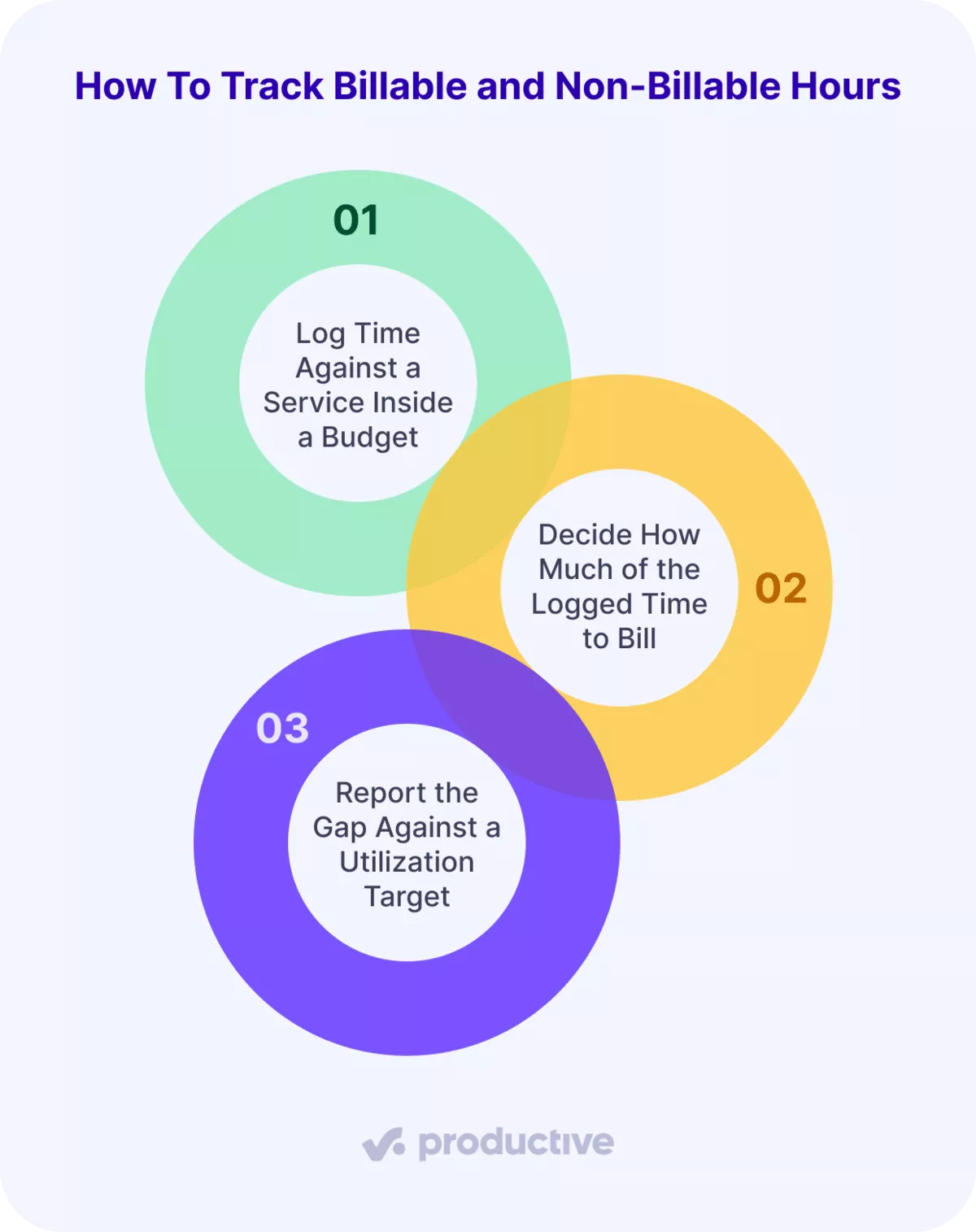
Step 1: Log Time Against a Service Inside a Budget
Attach every hour to a specific service on a specific budget, not to a project name. In a billable hours tracker, the service list is already there, so tracking of work hours stays accurate and efficient.
Service-level logging is what lets you compare an estimate to an actual later. A day booked to “Website redesign” tells you nothing. A day booked to “Front-end development” on that budget tells you whether your development estimate was right.
Without granular time tracking, teams learn they exceeded the budgeted hours only after delivery, if at all. That is how over-servicing goes unnoticed until the margin is gone. Delivery cost, staff rates, and role day rates never land against project revenue. True margin stays invisible and per-client profitability becomes a guess.
Step 2: Decide How Much of the Logged Time to Bill
Put a reviewer between the timesheet and the invoice, because how much of an hour is billable is a management call, not a data entry field.
The reviewer reads the note and checks the hours against what was scoped. Disputed time gets settled here, at the point it is cheapest to settle, instead of at the invoice. Timesheet creation and client invoicing then run off the same approved hours, so nobody retypes anything.
Step 3: Report the Gap Against a Utilization Target
Compare billed hours to what that person was expected to bill, so the number means something. Without a target, the utilization figure means nothing on its own. With one, the gap tells you whether to change pricing, resourcing, or scope.
Real-time reporting is what shows you that gap while you can still act on it. Shared with the client, the same view gives you client transparency a spreadsheet cannot match.
With Productive’s Time Tracking, people track time against services inside a budget, and you can choose to bill a portion of the time logged.
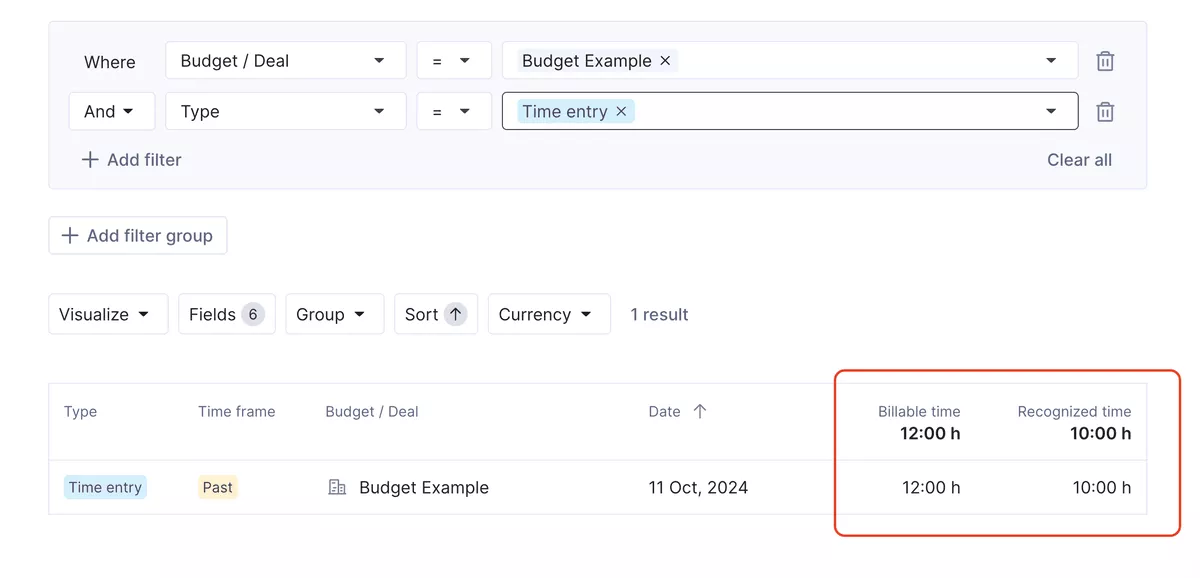
Choose which hours to bill in Productive.
You can then set a utilization target per employee and report the gap between the target and what they actually billed.

In the past, we were planning month-by-month; now we’re doing 90-day rolling forecasts on utilization to have way better utilization and, at the end of the day, better billability and also more ease for the team.

Read how DotControl increased their forecasted utilization with Productive.
Next, we will look at how actually to get reliable data.
How Do You Get Reliable Billable Hours Data?
You get reliable billable hours data by fostering a healthy mindset about time entry, defining best practices for logging hours, and checking the data regularly. This is our own recommendation rather than a definitive list.
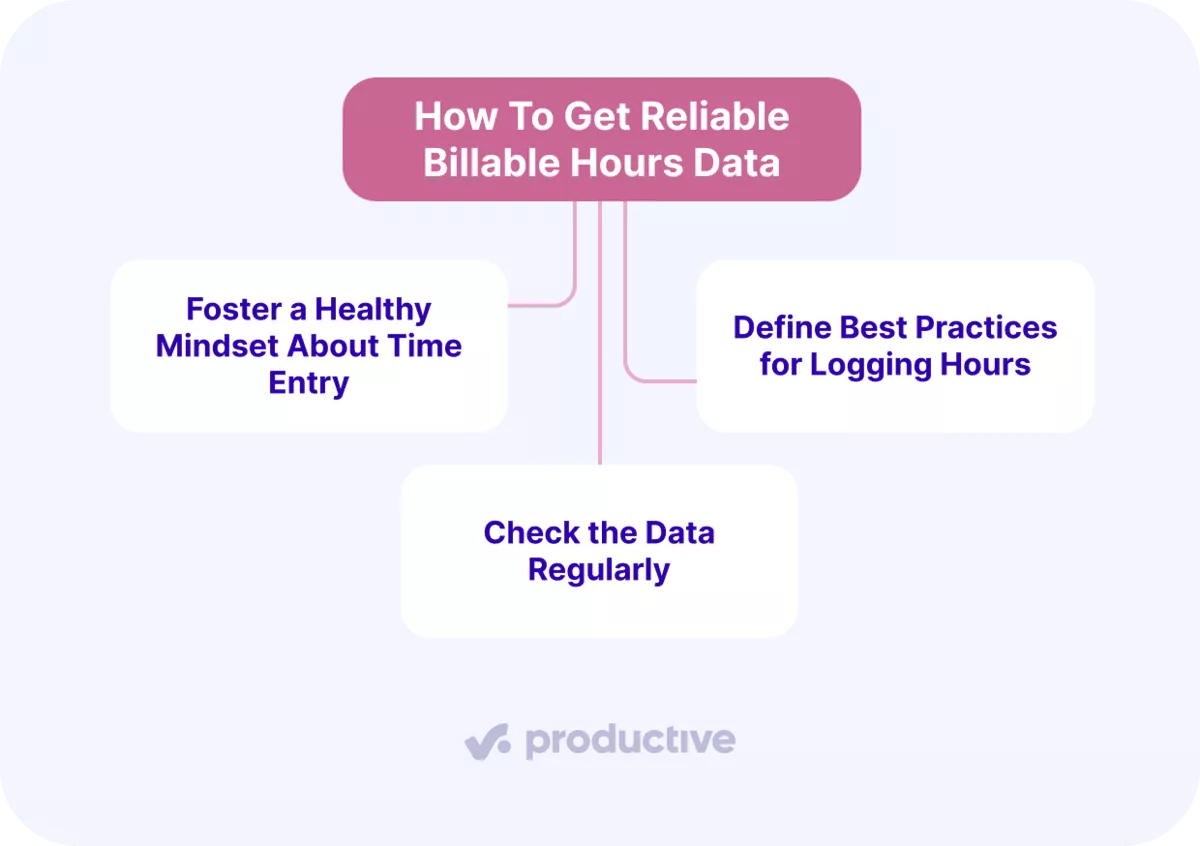
We’ll take a closer look at each.
Foster a Healthy Mindset About Time Entry
Treat time entry as a reporting duty rather than a performance test, because aggressive billable targets can push people toward burnout.
In our own conversations with agencies, a less visible problem comes up far more often. People simply stop filling in timesheets, and your utilization figure drops for reasons that have nothing to do with how busy anyone was. Approach hours management as a sustainable practice, and employees are more likely to keep up with it.
Define Best Practices for Logging Hours
Write down which service each kind of work gets logged against, and require a detailed note on every entry.
A problematic way to do it is asking people to choose the right service or budget from a long list. That is not a designer’s job, and it is a reliable source of bad data. Uniform data comes from removing the guesswork, not from chasing people at month-end.
Part of that is deciding whether hours get logged by hand or captured automatically. Our guide to tracking billable hours compares both approaches and which suits which kind of firm.
Check the Data Regularly
Read the numbers while people can still remember the week they logged. An error nobody catches becomes the baseline for your next estimate.
That only happens if reading the numbers takes little effort. A report nobody has to build is a report that actually gets read, and if producing a utilization report is a task in itself, it happens at month-end or not at all.
With Productive’s Reporting, you can ask AI to build the report by describing what you want in plain language, including utilization by team or person.
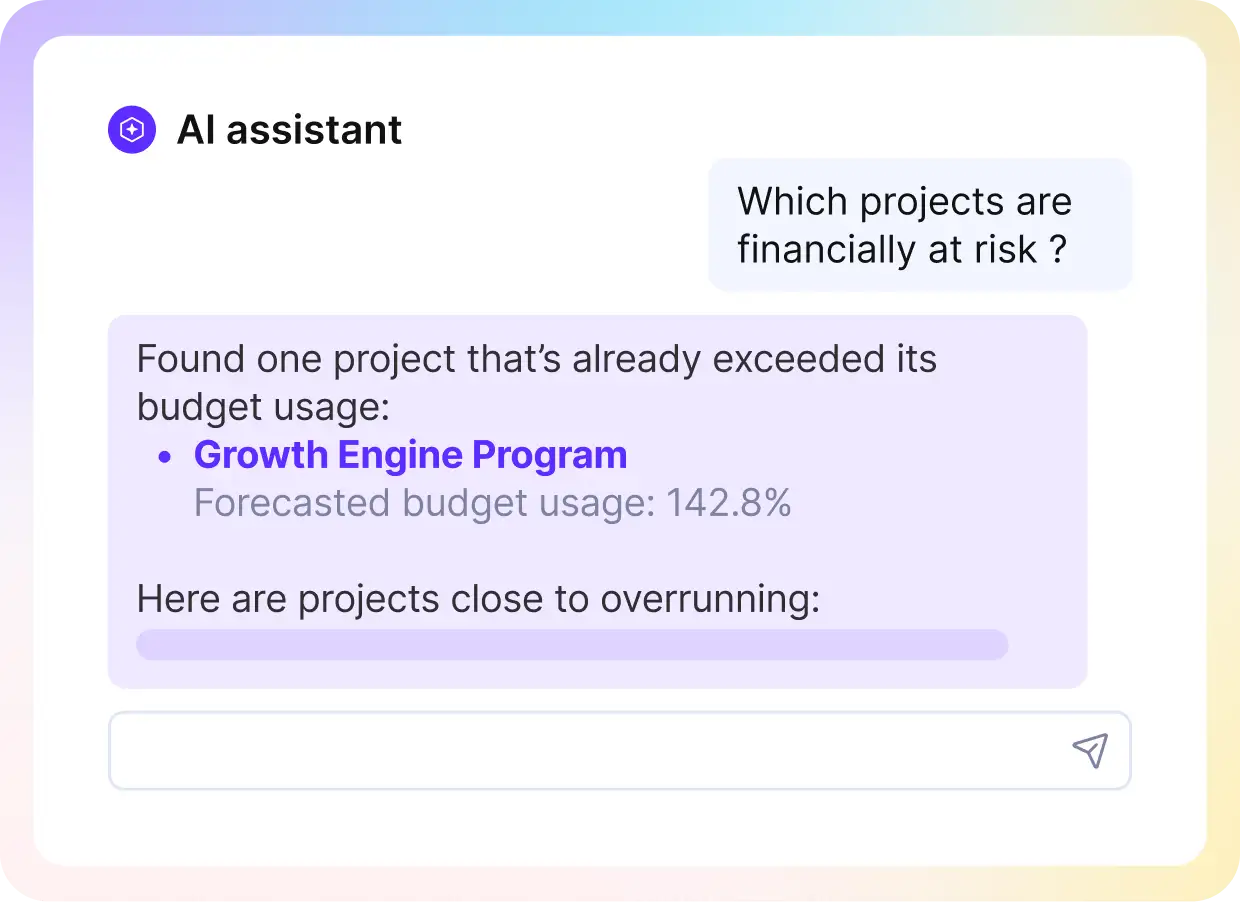
Ask AI to pull up data in Productive.
Reporting pulls from Budgets, Resources, Projects, and Deals simultaneously and gives you a full answer, not a dataset you need to interpret.
If you are exploring tool options, we compared twelve reporting tools and what each one is built for.
Once the data is trustworthy, the number it produces needs something to be measured against.
What Is a Realistic Billable Utilization Target?
A realistic billable utilization target is one you set per person, not one you borrow from a benchmark. In a press release distributed by EIN Presswire, SPI Research reported that “Billable utilization declined to 66.4%, the lowest level recorded in SPI Research’s 19-year history,” based on a survey of 509 organizations in 2025.
Set the target from the job, not from the firm average. Agency roles do not all carry the same amount of sellable time. A role that delivers all week can carry a high target. A role that owes two days a week to pitching, reviews, or line management cannot. Its ceiling is 60% before anyone has done anything wrong.
So a strategy director and a social creative should not be measured against the same number. Whether project management is billable on your budgets changes the PM’s target too. Compare each person to their own target. A firm-wide average hides the roles that are under and over at the same time.
Next, let’s explore practical ways to increase billable hours.
How Do You Increase Billable Hours Without Sacrificing Quality?
You increase billable hours in four ways: automate repetitive admin, set a fair hourly rate, plan scope clearly, and keep communication in one place. This is our own list, and it is neither ranked nor exhaustive. We’ll take a closer look at each.
Automate Repetitive Admin
Hand the recurring work to software, because admin done by hand is time you cannot bill.
Task automation, client invoicing, and scheduled reporting can all run without anyone operating them manually. So can time entry.
AI time tracking in Productive reads a connected Google or Outlook calendar and turns the day’s events into time entries.
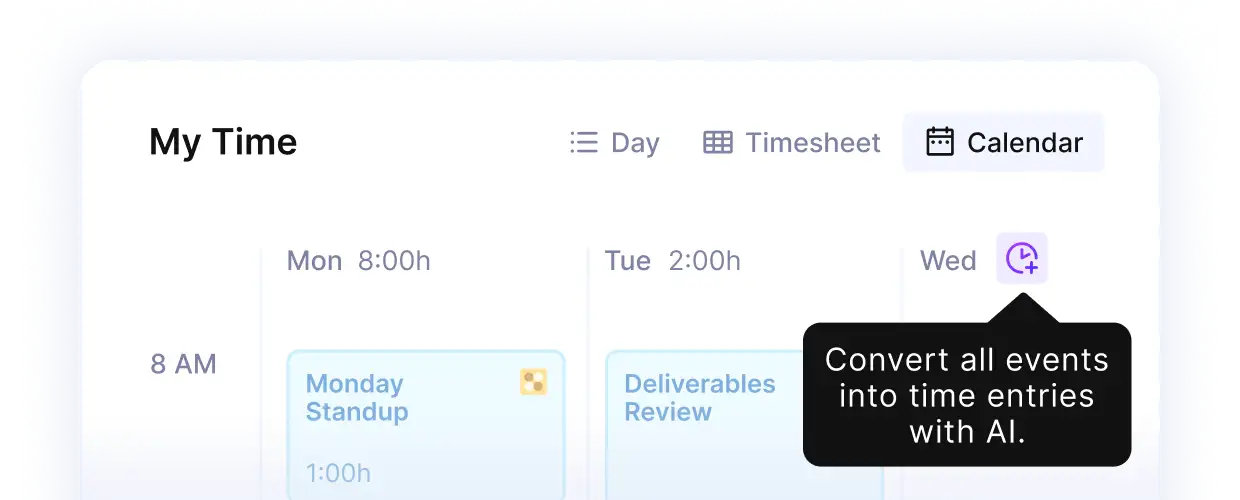
Go from Calendar events to timesheet-ready entries in one click in Productive.
You confirm the day in one click, and every entry stays editable afterward, so duration, note, and service are still yours to correct before anyone decides what gets billed.
Let AI fill in your time entries in Productive.
Set a Fair Hourly Rate
Price at a rate that covers your overhead, because a rate set low to win the work can cost you more in unbillable fixes than it earned.
Poor delivery creates additional non-billable work for iterations, plus the impact on your brand image. Your rate also has to cover who actually does the work, since putting a senior employee on a task a junior could execute pushes your cost per hour delivered up.
Plan Scope Clearly
Define your project requirements and scope at the outset, so scope creep becomes something you re-quote rather than absorb.
Project planning will not prevent change, so implement measures for change management too. Before you agree to a reallocation, check what it does to budget burn and profit margins, not just to the schedule.
Keep Communication in a Single Platform
Keep project decisions in the same place as the work, because time spent searching for context is non-billable time.
Regular communication resolves misunderstandings before they turn into rework. Handling all task updates in task comments keeps the history in one place instead of split across inboxes.
Keep Hours, Budgets, and Margin in One Place
Managing billable and non-billable hours is how you keep control of your resources without cutting the quality of the work. The goal is a balance, not a maximum. Holding that balance means seeing the hours, the budget, and the margin at the same time.
Productive is all-in-one PSA software that keeps time tracking, budgets, and profitability in the same platform. Hours are logged against a service and you decide how much of them to bill. The budget and the margin update as you go.
Book a demo with Productive to see your own utilization and margin in one view.
Track Hours and Margin in the Same Platform
Productive links time tracking, budgets, and utilization targets so that you can see utilization per person, per client, and per project, without three tools and a reconciliation.
