What Is Billability? Formula, Types and Benchmarks

Billability is the share of your team’s paid hours that reaches a client invoice.
Most firms report the number without agreeing on what counts, so it moves for reasons nobody can name. Settle what counts as billable and the same number will tell you which accounts are quietly losing margin.
We cover the three types, both formulas, ranges by role, why the number falls, and how to lift it.
Key Features
- Billability is the share of total hours that can be invoiced. It caps agency profitability at a fixed headcount.
- It splits three ways, by role, by task, and by individual. A firm-wide average hides which of the three is broken.
- Billability measures the plan and utilization measures the logged hours, so the two answer different questions.
- Firms set ranges by role, not one company target. A figure over the range usually means unpriced overtime.

What Is Billability?
Billability is the metric professional services firms use to see how much payroll capacity becomes invoiceable work. It’s the percentage of working hours your employees spend on client-facing tasks vs their total hours tracked.
Agencies, consultancies, and other service organizations track it most closely, because what they sell is people’s time.
- Chargeable hours cover anything logged against a live engagement code.
- Discovery workshops, client calls, production, QA, and the revision rounds the scope allows for all qualify.
- Non-billable hours cover internal meetings, timesheet and invoice admin, professional development, and unpaid pitch or RFP work.
The practical test is whether the hour could appear on a client invoice. That holds even when the engagement is priced as a fixed fee.
Logged client time and total hours worked are rarely the same number. The gap between billable hours and actual hours is where gross margin quietly disappears.
A content writer works 40 hours in a week, 32 on a client deliverable and eight in internal training. Their billability for that week is 80% (32 divided by 40), even though they worked a full 40 hours.
What Counts as Billable Work?
Billable work is whatever your contract lets you invoice. That makes it a scope question before it is a timesheet question. Apply one test to any hour. Could it appear on the client’s invoice under the scope of work you signed?
These four activities cause most of the arguments:
- Travel to a client site is billable when the agreement names it and non-billable when it stays silent.
- Rework the client requested is billable inside the revision rounds the scope allows. Past those, it is a change order.
- Rework caused by your own error is non-billable under most service agreements. Research is billable when it solves a problem on a live project. It is non-billable when it builds a skill you keep.
- Internal tasks such as standups and admin tasks such as timesheet entry stay outside the numerator.
Administrative work of this kind belongs with the rest of your non-billable hours. Our guide to balancing billable and non-billable hours covers the grey areas.
Set the rule once per service on the budget rather than per person per timesheet. Leave it to whoever fills in the timesheet and the same hour gets booked two different ways.
What Are the Three Types of Billability?
The three types of billability are by role, by task, and by individual. A single company-wide average tells you the number moved, not which of the three moved it. Each takes a different fix.
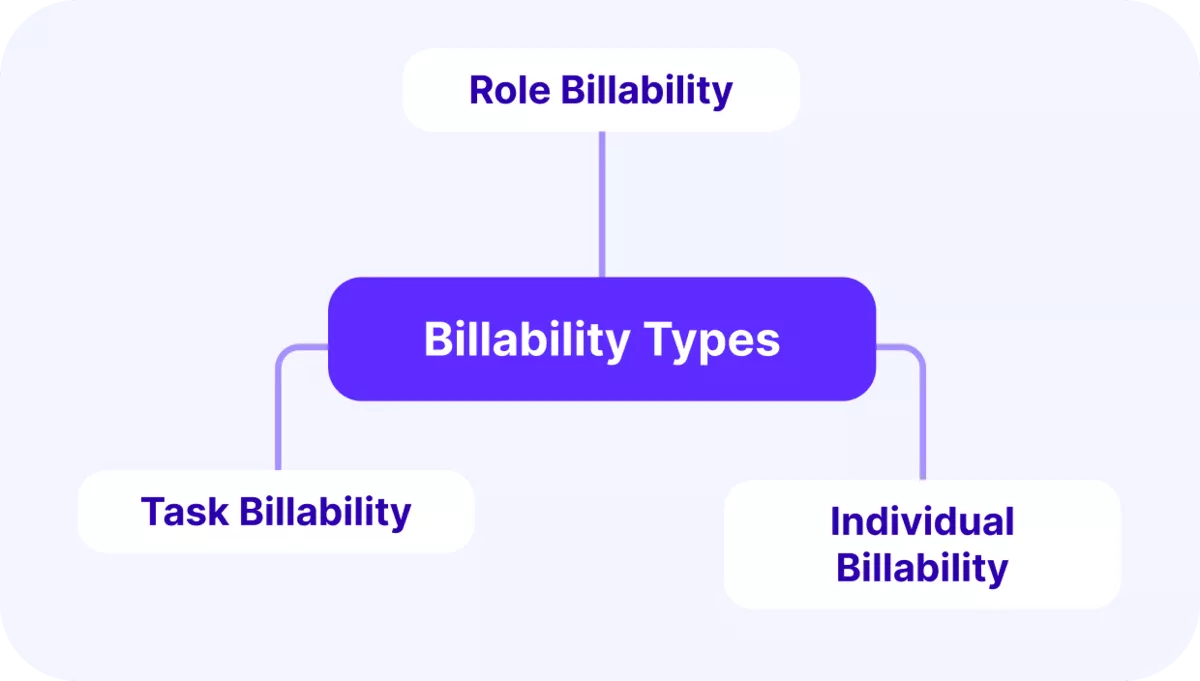
Type 1: Role Billability
Role billability asks which seats exist to be sold at all. Developers, designers, and consultants carry client-facing activities by definition, while finance, people ops, and internal IT carry none.
An agency of 30 with 18 in client-facing seats has a ceiling near 60%. No scheduling discipline lifts it.
Type 2: Task Billability
Task billability divides one person’s week by the activity filling it. A 90-minute client workshop bills in full. The 30 minutes on internal email and the hour assembling an invoice do not, though both are necessary.
The firmer your list of which activities fall where, the fewer disputes reach invoicing.
Type 3: Individual Billability
Individual billability is where two people in the same role stop matching. A developer on a flagship retainer can run at 90% while a colleague between assignments sits at 55%. The difference is usually the pipeline, not the person.
Read the low number as a staffing signal, and check what they were booked on before calling it performance.
How Do You Calculate Billability?
You calculate billability by dividing billable hours by total hours and stating the result as a percentage. Billable means the client has agreed to pay for that hour. Which hours you put into the sum decides which metric you get, so the formulas stay separate.
Billability (%) = (Planned Billable Hours ÷ Planned Capacity) × 100
Billable Utilization (%) = (Logged Billable Hours ÷ Total Hours Worked) × 100
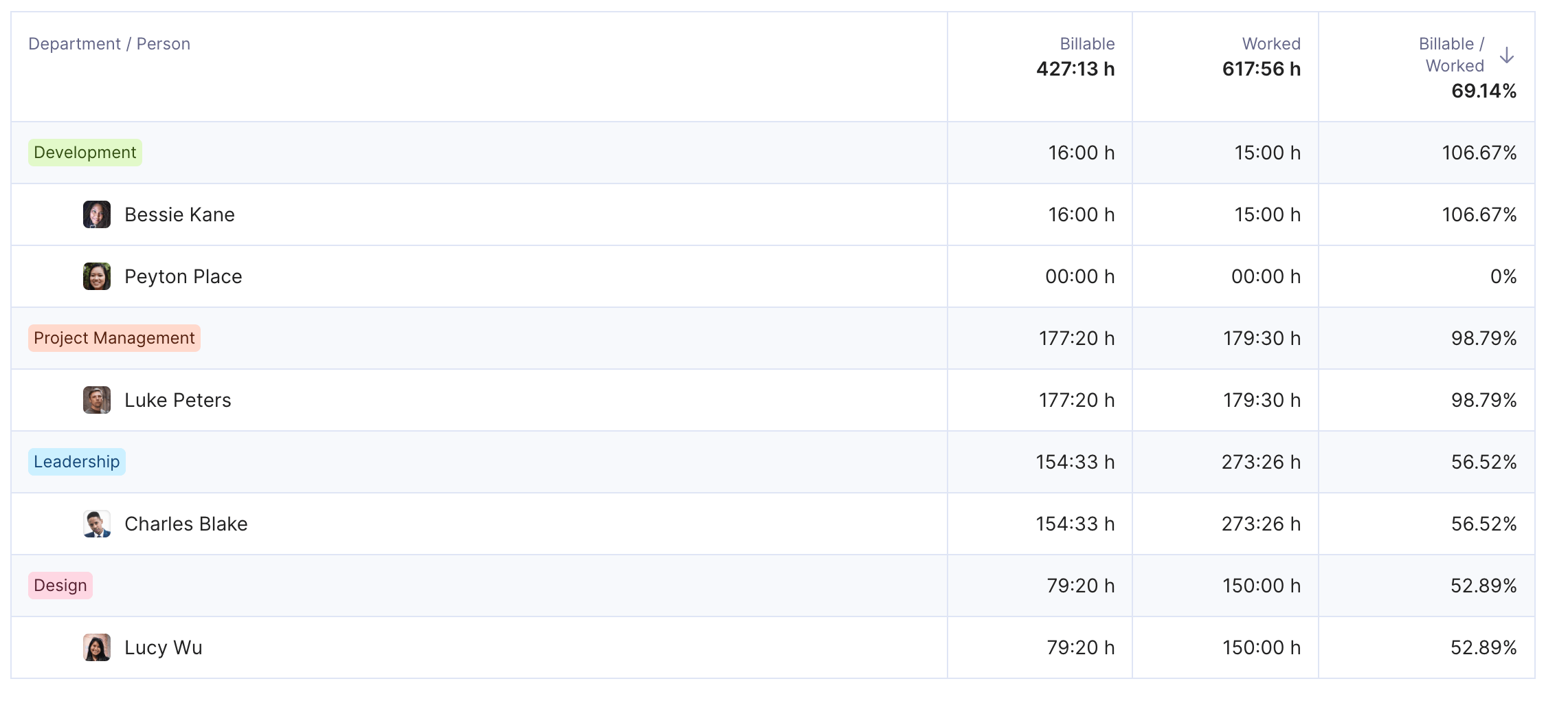
Time tracked in Productive lands on a service that already carries a billable or non-billable type
A UX designer has 40 hours of capacity next week, and 34 are booked to client projects. Their billability is (34 ÷ 40) × 100 = 85%. Two sessions slip, so they log 30 instead. That puts billable utilization at (30 ÷ 40) × 100 = 75%.
The ten point gap is what to chase. It separates work you never sold from work you sold and never delivered. Repeat both per person, per role, per department, and per project for project billability.
A department average of 78% can hide one developer at 95% and another at 55%.
- Keep time tracking daily in one time tracking software, so the denominator is real hours, not a recollection.
- Flag billable and non-billable at the service level in the budget, so logged hours inherit the classification.
- Calculate weekly per person and monthly per role, then compare each figure against the target for that role.
- Compare logged hours against hours booked in Resource Planning. A low percentage comes from idle capacity or from work that was never logged.
- Check write-offs before invoicing. Approved hours that never reach an invoice still count as billable. The percentage stays high while billed hours and revenue drop.
Tips for Optimizing Billable Hours
The industry standard for billability ranges from 70% to 90%, though this can vary significantly depending on your industry, business specifics, and employee roles.
If you’re looking to boost your company’s billable rates, here are some things you can focus on:
- Set billable hours targets, make sure they are realistic and achievable, and communicate these expectations clearly to employees
- Look into reducing non-billable hours by automating repetitive parts of your workflows (for ex., collecting data for reporting and invoicing)
- Make sure you’re monitoring progress so you can compare different projects and workflows and figure out which one works the best for your agency
- Consider implementing resource management software to help you track your data, employee availability, and other key considerations; according to The Wow Company, this can boost your billability by almost 10%
Manage Your Billable Time With Productive
Switch from multiple tools and spreadsheets to an all-in-one solution for your resourcing and project financial management.

Why Does Billability Matter?
Billability matters because it caps what your firm earns from the headcount you already pay for. Only revenue-generating activities reach an invoice. Rates set the price of an hour and billability sets how many you sell.
Together they form the agency’s revenue stream and your average profit per hour.
A quarter spent at 60% instead of 75% lands in the next quarter’s invoices. By the time that revenue leakage reaches the report, the work is delivered. Repricing is no longer an option.
The same figure, read next to project performance, decides your next hire. A discipline running over target for months is out of capacity, and staffing levels have to move. Waiting for a missed deadline to confirm it costs you the lead time to recruit.

That’s a key thing that we get out of the reports that really feeds into our utilization and resourcing. If we know we’re doing 30% on internal projects, then we know we’ve got the capacity to take on more client work.
It also reads as a workload signal. A person held near the top of the range for months is usually absorbing unpriced overtime. That pattern predicts attrition before anyone resigns.
What Is a Good Billability Rate?
A good billability rate sits between 70% and 90% for client-facing roles. It runs lower for anyone whose job includes running the business. These are ranges professional services firms commonly work to, not a published standard.
Treat them as a starting point and calibrate against your own history.
Delivery roles with no management load sit at the top of that band. Delivery leads who also run a team land nearer 50% to 70%. A quarter of their week goes to work nobody can invoice. Senior leadership runs lower again.
Internal functions carry no target at all. Their capacity still belongs in your utilization rate, one of several capacity planning metrics worth tracking.
Comparing your figure to anyone else’s is harder than it looks, because the denominator decides the answer. Net capacity means contracted hours minus holiday, leave, and training. Two identical firms can report ten points apart on that choice alone.
Fix your own denominator before you benchmark agency performance against anyone else’s.
A figure over the band is worth checking rather than celebrating. Sustained readings in the nineties usually mean overtime nobody priced, and that surfaces later as turnover.
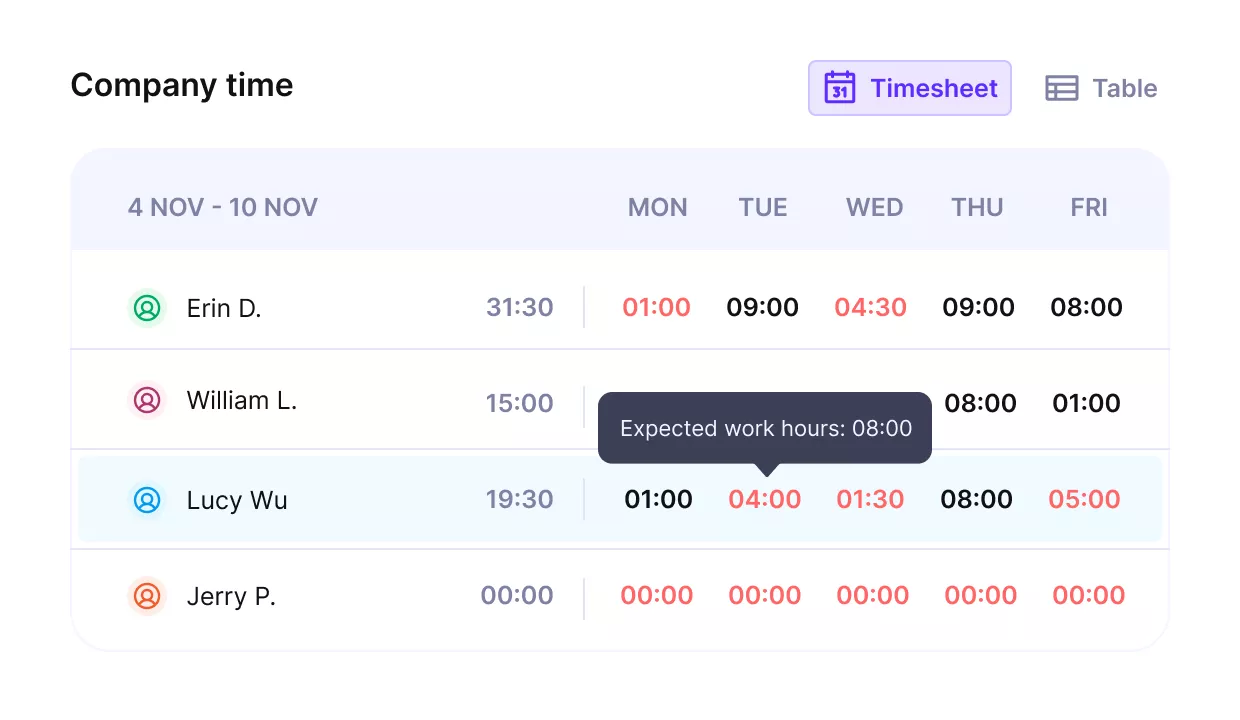
Track billable and non billable time and get utilizaiton reports.
Billability vs Billable Utilization
Billability and billable utilization differ by timing. Billability is the billable rate you plan, while billable utilization is the billable share of the hours actually logged. Plenty of firms use the two words interchangeably.
Check which one a number refers to before acting on it.
| Billability | Billable utilization | |
|---|---|---|
| What it measures | Billable rate planned for a person or role over a period | Billable share of the hours actually tracked |
| Formula | Planned billable hours / planned capacity | Billable hours / total hours worked |
| What it tells you | Whether the plan can hit margin before work starts | Whether delivery matched the plan |
| What you do with it | Set targets, price the engagement, book people | Reprice, rebalance bookings, tighten scope control |
For example, an employee’s billability can be set to 70% for Q1. A workshop lands in the same quarter and brings their utilization down to 65%. That five point gap is only visible if hours are tracked.
Fixed fee work often looks healthy until the invoice goes out.
Why Does Billability Drop?
Billability drops for five reasons: bench time, absorbed scope creep, context switching, admin overhead, and unlogged hours. Each one leaves a different trace in project performance, so read the trace before picking a fix.
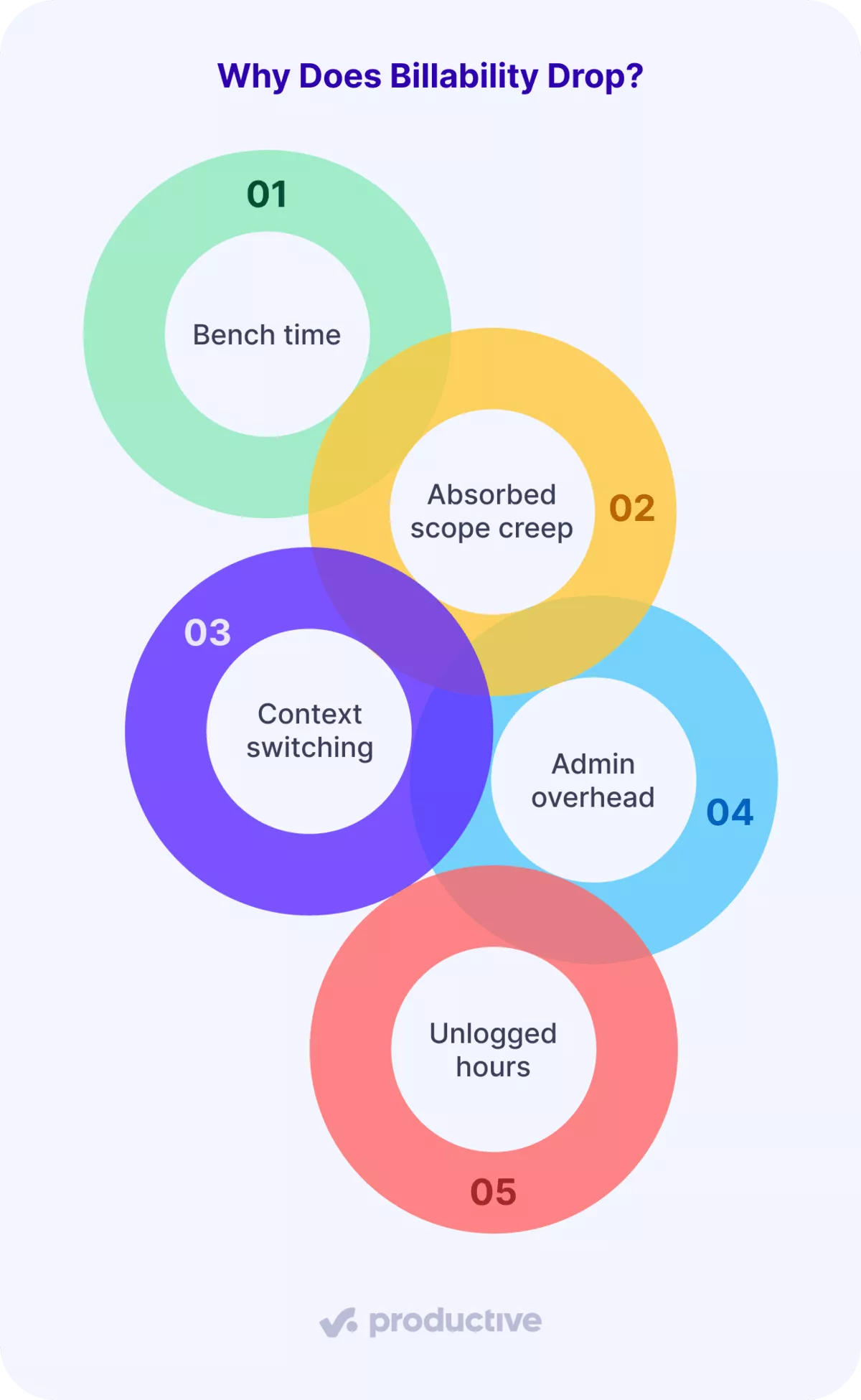
Here’s how each reason affects your billable finance:
- Bench time. Someone closes a project before the next one opens. The figure falls in one or two people rather than across the team. The dip sits between assignments, not inside them.
- Absorbed scope creep. The client asks for one more round and nobody raises a change order. Hours keep landing on a project whose budget already closed, which is revenue leakage in its plainest form.
- Context switching. Split a developer across four projects and the handover belongs to none of them. Context switching shows up as a figure falling while everyone reports being busy. That is what separates it from a demand problem.
- Admin overhead. Reporting, chasing timesheets, and preparing invoices grow quietly, and those internal tasks and administrative duties land in non-billable hours. A whole discipline slips together here rather than one person drifting, so check the team average first.
- Unlogged hours. The work happened and nobody put it into the time-tracking software. Compare booked against logged hours in Resource Planning. A gap that reappears every Friday is a tracking habit, not a capacity problem.
How Do You Improve Billability?
You improve billability by changing what people are booked on, not by raising the target and waiting. Move hours toward revenue-generating work and the figure follows.
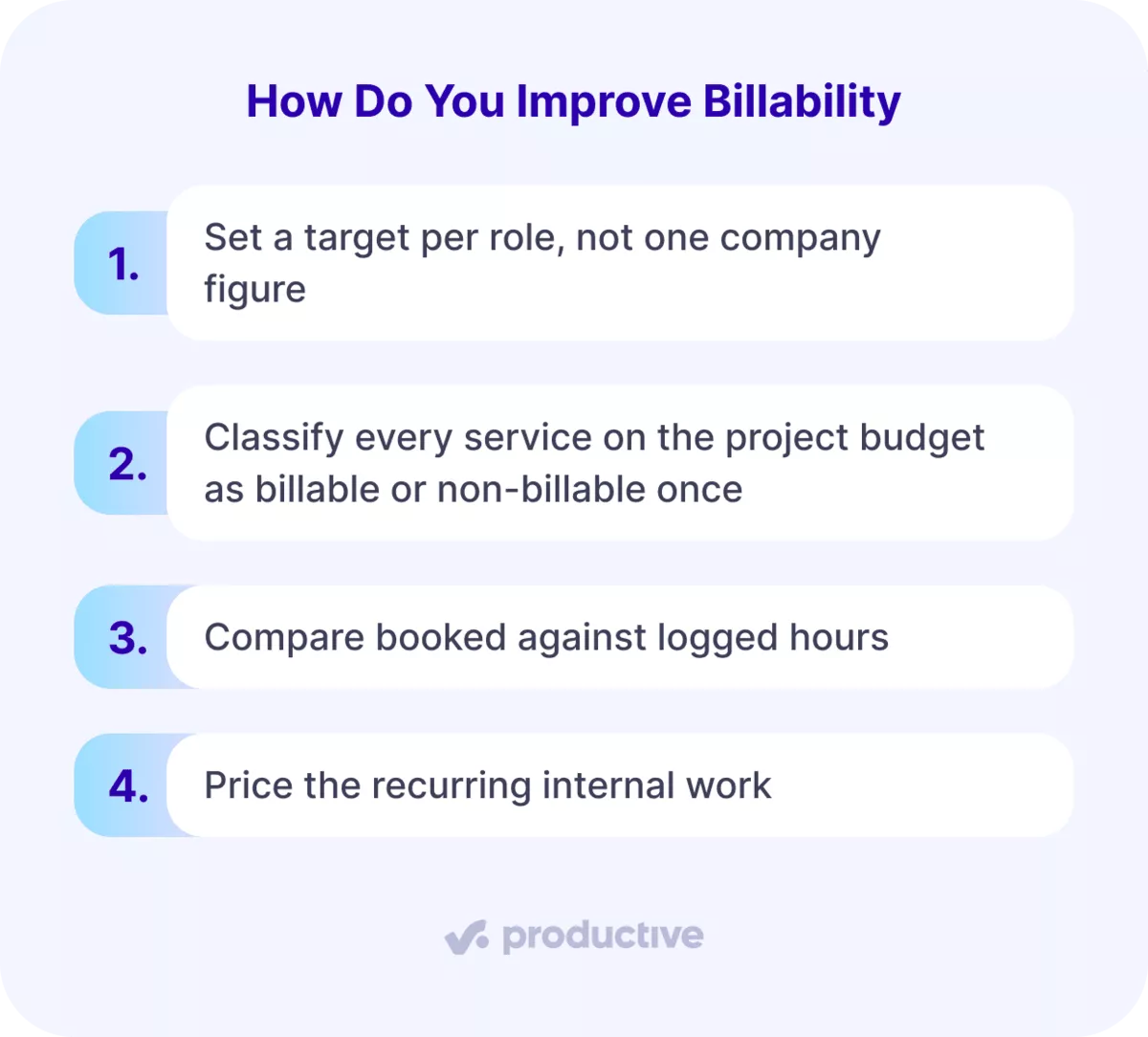
Here’s are our top five tips for instant billable rate improvements:
- Set a target per role, not one company figure. Hold it a full quarter, because a month cannot tell a staffing problem from a seasonal dip.
- Classify every service on the project budget as billable or non-billable once. Logged hours then inherit the flag rather than depending on who entered them. In Productive that flag sits on the service itself. It works when two people logging the same activity classify it identically.
- Compare booked against logged hours (in your time-tracking software) every Friday, while the week can still be corrected. Our billable hours tracking guide covers the methods. A gap over five hours per person points at tracking rather than at your pipeline.
- Price the recurring internal work your time-tracking software shows in every timesheet, or stop doing it. Anything consuming more than half a day per person per week belongs in the rate card.
The resource management software worth comparing keeps availability, logged time, and rates in one record. That turns the Friday comparison into a five-minute job. A resource management platform earns its place at the point those three stop living in separate files.
Frequently Asked Questions
What Does Billable Mean?
Billable means an hour can be charged to a client under the scope you agreed. If the contract does not cover it, the hour is non-billable however necessary it was.
What Is Billable Utilization?
Billable utilization is the billable share of the hours your team actually logged, measured after the fact. Our billable utilization guide covers how to track and lift it.
Is 100% Billability Possible?
No, 100% billability is not reachable, and targeting it costs more than it returns. Every firm needs hours for hiring, training, and reporting, and squeezing those to zero produces write-offs and resignations.
Does Non-Billable Time Mean Wasted Time?
No, non-billable time is not wasted time. Pitching, onboarding, and team development all feed future engagements. The useful question is whether the share is deliberate, not whether it is low.
How Often Should You Measure Billability?
Measure billability weekly per person and monthly per role. Weekly catches a tracking gap while the week is fixable, and monthly smooths the noise into a trend.
Manage Your Billable Time With Productive
If you’re looking for resource management software to handle billable time tracking you should shortlist Productive. It’s all-in-one project management software for service businesses that tracks your profit margin, and forecasts resource utilization rates.
It can also:
- Handle employee availability, time off, and allocation
- Log client time from booking suggestions and report billable utilization by person
- Build project budgets with Productive’s budgeting tools and handle client billing from logged hours
- Track estimates, automate workflows, and run financial forecasting
Final Thoughts
Billability is a reading of how your firm is staffed and scoped. It moves when you change who gets booked on what, or what the contract lets you charge. A higher target changes neither.
The rest is where your data sits. Bookings in one tool, timesheets in another, rates in a third, and every figure becomes a reconciliation. All-in-one resource management software keeps the three on one record, so billability reads the same for everyone.
Book a demo to see how Productive tracks utilization in real time.
Connect With Agency Peers
Access agency-related Slack channels, exchange business insights, and join in on members-only live sessions.
