Top 10 Agency Software Tools (Paid & Free) + How to Choose

Agency software covers six jobs: winning work, planning it, tracking time, making deliverables, billing clients, and reporting back. Most agencies run several at once, which is what makes choosing hard.
We cover ten tools, each with four pros, four cons from user reviews, and who should not buy it.
You also get a comparison table, selection steps with pass or fail conditions, and a migration checklist for your agency.
What Is the Best Agency Management Software in 2026?
The best agency management software in 2026 is Productive, the only tool here doing several of these jobs. The other nine are specialist agency software solutions, each strong at one job.
The 10 Best Agency Software Tools at a Glance
Agency Software Compared Side by Side
| Tool | Category | Best for | Connects to accounting | Who should skip it | Free tier |
|---|---|---|---|---|---|
| Productive | All-in-one agency management | Running several of these jobs in one system | Native, QuickBooks and Xero | You need one narrow job covered and nothing else | No, trial only |
| HubSpot | Client management software | New business before it becomes a project | Native, free Xero sync | You track too few live opportunities to need a pipeline | Yes, seats capped |
| Float | Resource scheduling | Scheduling people across overlapping client work | Native, QuickBooks | You want tasks, workflows and permissions in the same tool | No, trial only |
| Toggl Track | Time tracking | Hours captured beside a tool you already keep | Native, QuickBooks on paid plans | You need time off and attendance in one place | Yes, up to five people |
| QuickBooks Online | Accounting | The ledger your accountant files from | It is the accounting system | You want margin on a single project as your daily view | Yes, single user |
| AgencyAnalytics | Client reporting | Monthly reports across paid and organic channels | No, marketing sources only | You win logos faster than you grow reporting budget | No, trial only |
| Sprout Social | Social media management | Publishing and replies across separate brand accounts | No | You run a handful of accounts and little else | No, trial only |
| Figma | Design production | Files a client signs off and a developer builds | No | Your deliverables are film, print or copy | Yes, three design files |
| Notion | Documentation and task management | Writing down how your agency actually works | No, via an automation tool | You need the process enforced, not recorded | Yes |
| Zapier | Automation | Moving records between products that do not connect | It is how the others connect | You need data across the moment it changes | Yes, tasks capped |
How We Chose This Agency Software
We included agency software that is still sold as a standalone product and checked each one against its vendor documentation.
Pros and cons come from named reviewers on G2, one reviewer per point, each carrying a date. Six of the ten have a free plan, not just a trial, so your agency can test first.
1. Productive – Best All-in-One Agency Software
Productive is an agency management platform that holds projects, schedules, time, budgets and invoices in one system.
Manage your agency with Productive
See Margin on a Project While the Work Is Still Running
You learn a project lost money after the month closes and the invoice has gone out. Productive updates project profitability with every tracked hour.

STAY IN SYNC WITH YOUR AGENCY’S FINANCIALS
Overhead spreads across every budget, so the figure counts rent and non-billable time. Forecasting in the budgeting and profitability features flags an overrun before the budget runs out.
Staff the Next Project Without Rebuilding a Spreadsheet
A deal is close to signing and nobody in the agency can say who would deliver it. The resource planner shows each person’s bookings, availability and capacity.
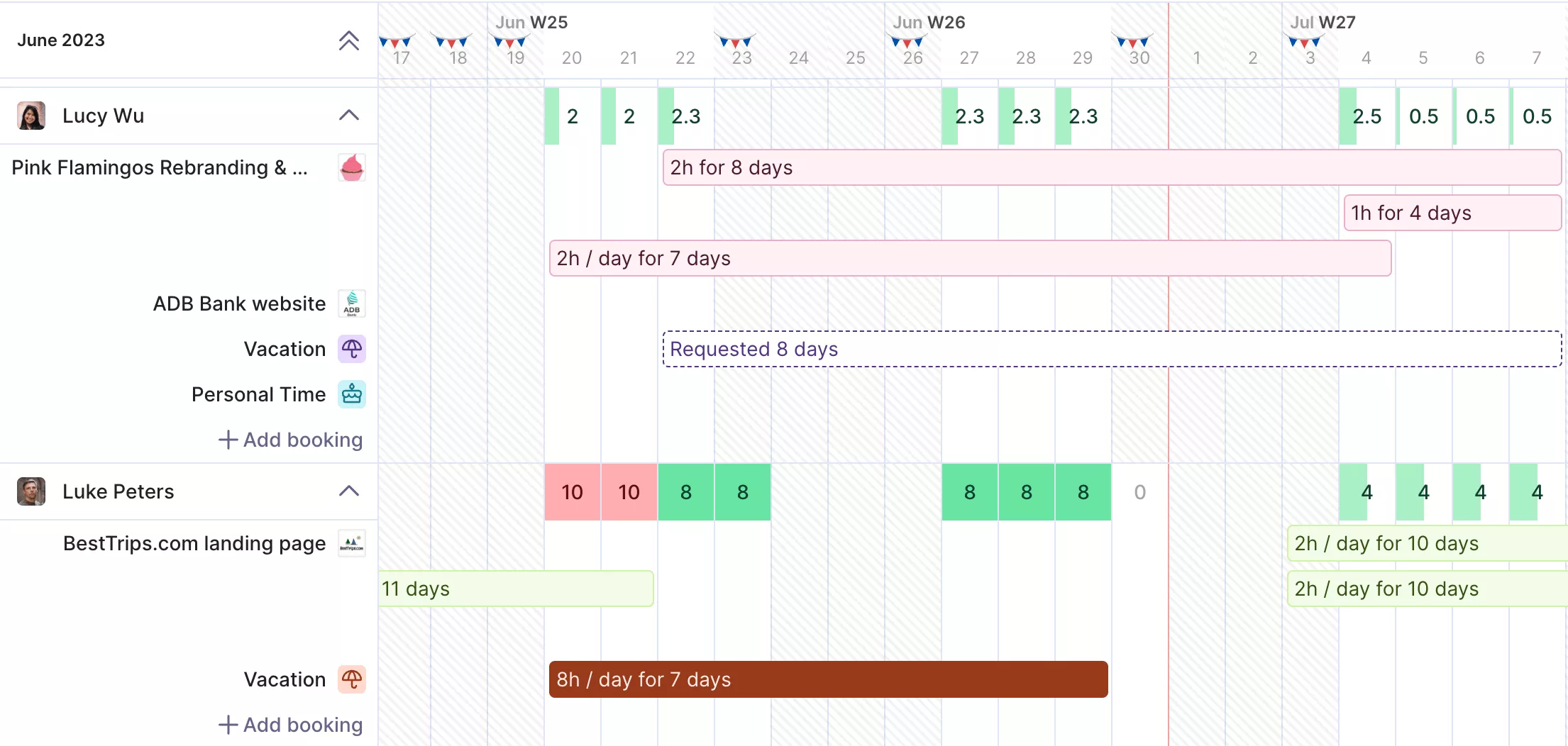
Add placeholders and tenative bookings for upcoming projects in your pipeline.
Placeholders stand in for people you have not hired, carrying an expected cost. The resource planning and team availability view turns a hiring guess into a scheduling question.
Scenario building compares two staffing plans before you commit, and long-term utilization planning uses the same bookings.
Get Time Entries Finance Can Raise an Invoice From
Your agency logs hours in one place and finance rebuilds them somewhere else to bill. Time tracking runs on timers, manual logging or calendar-based suggestions, and every entry lands against a budget.
Approvals decide which hours are billable. The path from logging hours to drafting invoices stays tied to one budget. Invoicing syncs to QuickBooks or Xero, and retainer management runs on the same budgets as fixed fee work.
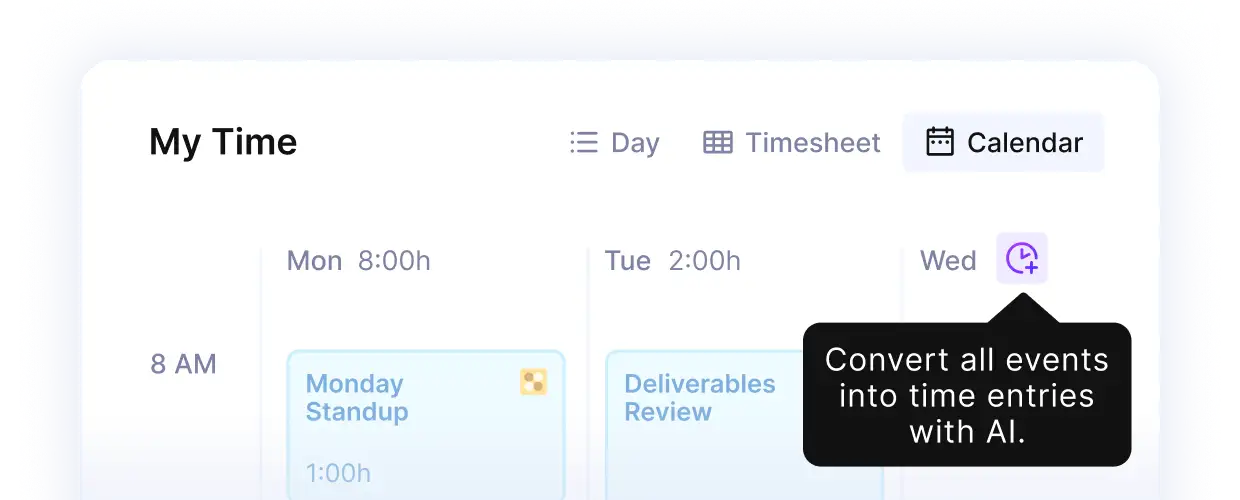
Productive’s AI time tracking converts calendar entries and tasks into time entries.
Know Which Clients Are Worth Keeping
Some clients feel busy and profitable, and the two are not the same thing. Productive reports margin by client, pulling cost rates, tracked time and expenses into one figure.
You can ask for that figure in plain language. The AI reporting that interprets your data answers in sentences, not a spreadsheet.
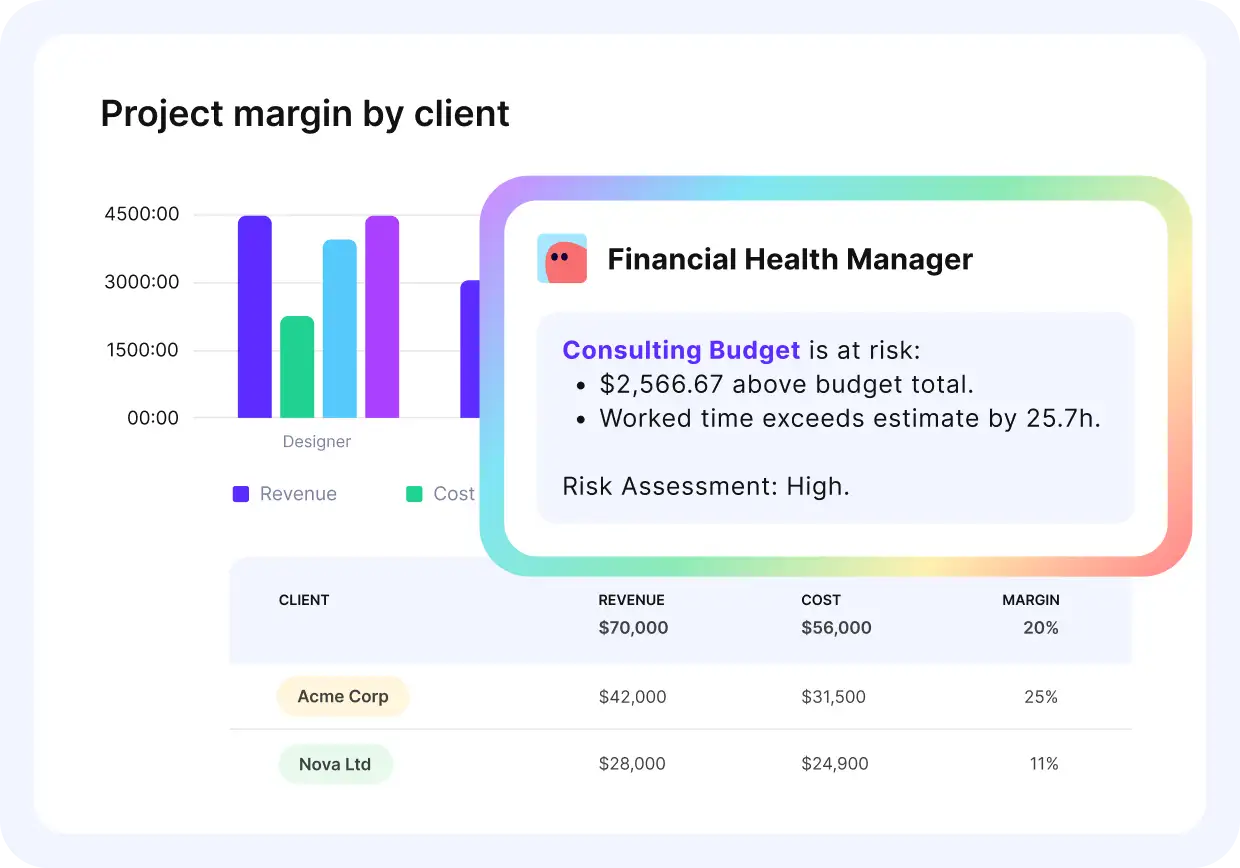
Get instant finance reports from plain language questions.
Agency operations, project management and resource management feed the same records, so the answer covers the whole agency. Every agency software decision then starts from a number.
Pricing
- Plans start with the Essential plan at $10 per user per month, which includes essential features such as budgeting, project & task management, docs, time tracking, expense management, reporting, and time off management.
- The Professional plan includes custom fields, recurring budgets, advanced reports, billable time approvals, and much more for $25 per user per month.
- The Ultimate plan has everything that the Essential plan and Professional plan offer, along with the HubSpot integration, advanced forecasting, advanced custom fields, overhead calculations, and more. Book a demo or reach out to our team for the monthly price per user.
Productive offers a 14-day free trial, so you can see the tool for yourself before trying it out.
Know which projects are losing money before they close
Productive recalculates margin as hours land, across every live project. Proposals, bookings, time and invoices all feed the same number.

2. HubSpot – Best for Managing New Business Before It Becomes a Project
HubSpot is client management software, meaning it holds every deal you are chasing and every conversation behind it. Emails, calls and meetings log themselves against the contact, so the pipeline updates as you work it.
Other CRM options for agencies include fifteen alternatives, several with a free tier.
Key Features
- Contact management and deal records
- Email tracking with open notifications
- Meeting scheduling links
- Sequences for automated follow-up
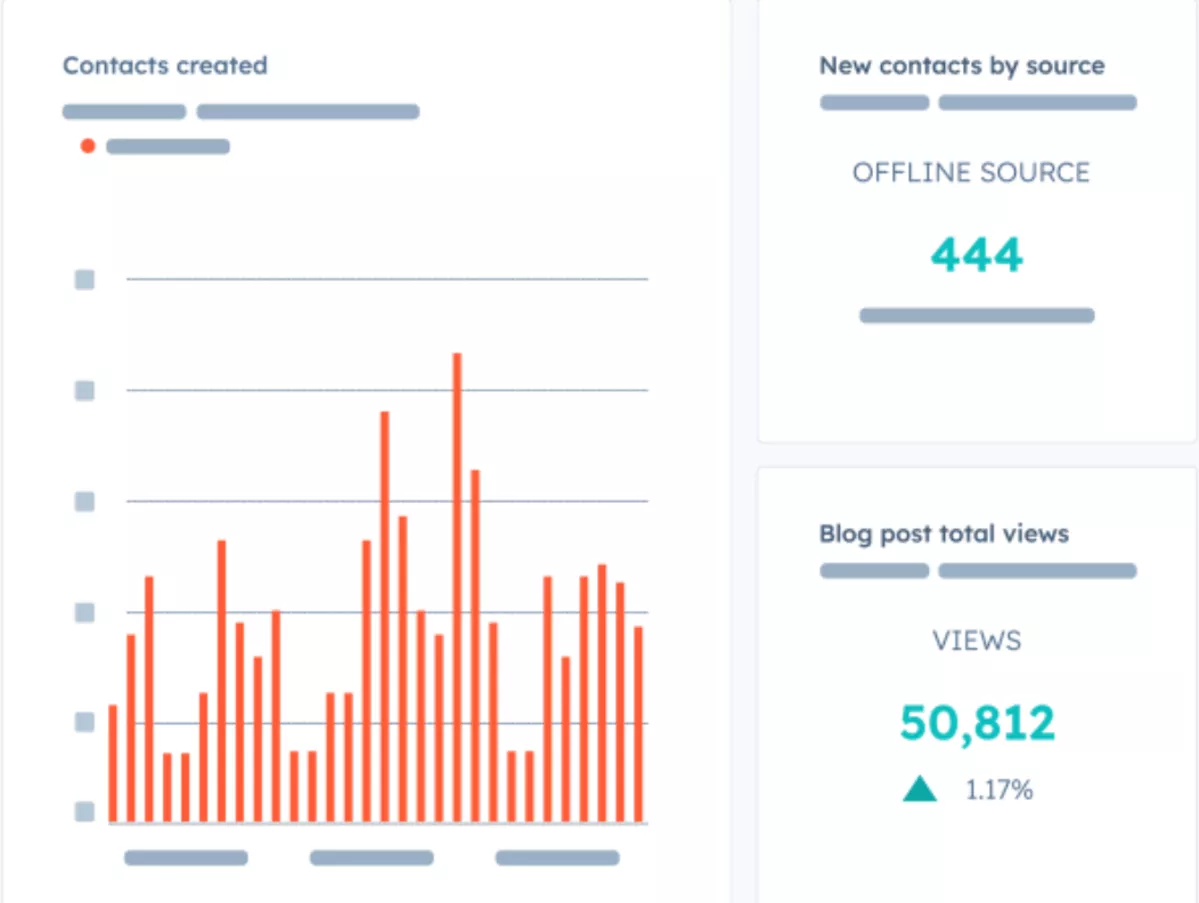
SOurce: hubspot
Pros
- You can see when a prospect opened your email. That tells you when a follow-up will land instead of guessing at a gap.
- A booking link turns an enquiry into a deal record. Nobody re-keys the meeting into the pipeline afterwards.
- You can add and remove fields yourself. Changing what you track does not need an implementation partner.
- Two seats on the free plan cover a small new-business team. That is enough when one or two people own client communication and customer service.
Cons
- Seats are the cost lever, not features. The main package includes only a few, and each extra one is expensive.
- The same email thread sits on both the company and the contact. You check two records to be sure you have the whole history.
- A running sequence cannot be edited. Fixing a typo means pausing it and rebuilding the steps.
- People fall back to a spreadsheet. Building a dashboard good enough to replace one usually takes someone technical.
Who Should Skip HubSpot?
Skip HubSpot if your agency tracks too few live opportunities at once to need a pipeline tool. You pay for pipeline reporting on a pipeline that already fits on one page.
3. Float – Best for Scheduling People Across Overlapping Client Work
Float schedules people, which means it shows who is booked on what and for how many hours each day. Each booking takes hours out of that person’s week, so the schedule always shows who has time left.
Key Features
- Resource scheduling by person or project
- Capacity and time off management
- Placeholders for unfilled roles
- Cost and bill rates
SOurce: float
Pros
- Filters narrow the schedule by department, role, project and client. An agency running many clients at once can look at one of them without the noise.
- The timeline shows over-booking and under-booking at a glance. Capacity planning problems surface before the week starts rather than during it.
- Bookings, placeholders and estimates all move by dragging. Resource scheduling takes pointing and clicking rather than rebuilding a sheet.
- Schedule changes reach the team live. Resource management stops being a daily email and becomes something people check.
Cons
- Rates cannot carry a client discount. Budget figures come out wrong for any work you have discounted.
- What you can do depends on which view you are in. Tabs look alike, so people hunt for the one that allows the action they want.
- Client-facing reporting needs work outside the tool. Showing a client project progress in the format they expect takes manual export and editing.
- A booking can be deleted with no record of who removed it. You see that the project allocation changed but not who changed it.
Who Should Skip Float?
Skip Float if your agency wants tasks, workflows and permissions in the same tool as the schedule. Your schedule and the work itself then stay in two different places.
4. Toggl Track – Best for Adding Time Tracking Without a Full Platform
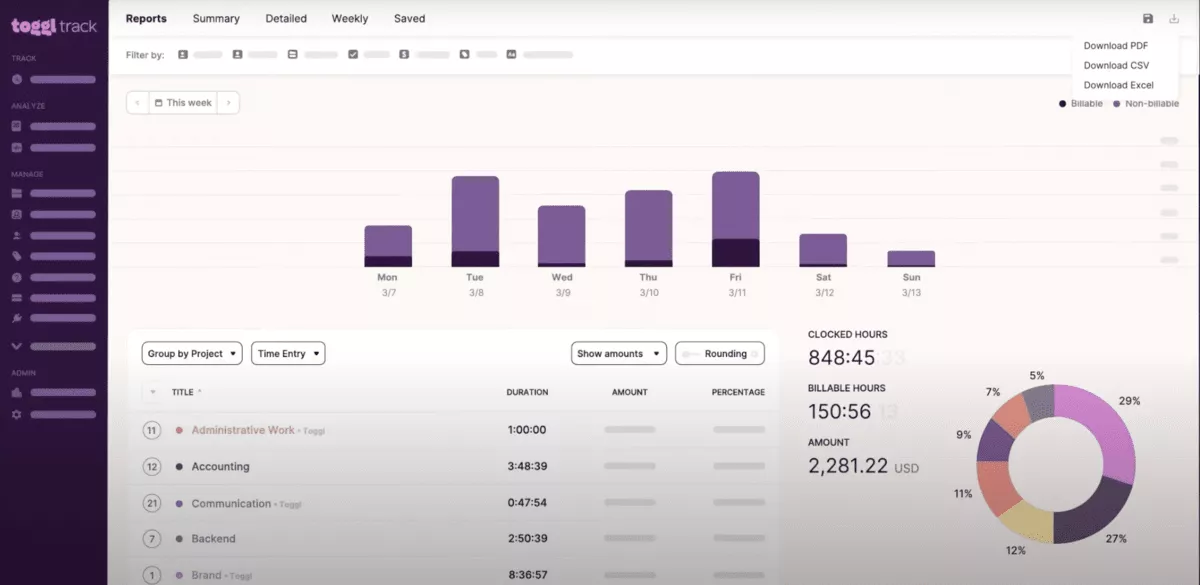
Toggl Track records hours, which means each person logs what they worked on and for how long. A timer runs in the browser or the desktop app, and every entry attaches to a client and a project.
Key Features
- One-click timer on web and desktop
- Estimated versus actual time
- Customizable hourly rates
- Billable and non-billable hours
SOurce: toggl track
Pros
- Reports show team bandwidth and project profit. An agency gets both numbers without building a spreadsheet on top of its time entries.
- You can see how many of a client’s retained hours are left. Checking mid-month tells you whether to slow down or invoice for more.
- A new starter can begin time recording on day one. Setup takes minutes and needs nobody to run a training session.
- Filtered reports compare actual time against the estimate you agreed. That turns the next quote into something based on what the work really took.
Cons
- The numbers are only as good as the habit. Entries added days later drift from what actually happened, and nothing in the tool prevents it.
- Time tracking does not reach your accounting system on the entry plan. Getting hours into the ledger means exporting them or paying to upgrade.
- Report filters stay basic until you upgrade. Time management questions that need a custom breakdown push you to a paid tier.
- A forgotten entry often lands on the wrong day. You have to watch the date and the AM or PM setting every time you backfill.
Who Should Skip Toggl Track?
Skip Toggl Track if your agency also runs time off and attendance through the hours system. You then keep absence in a spreadsheet next to the time tracking, which is what you were replacing.
5. QuickBooks Online – Best for the Books Your Accountant Files From
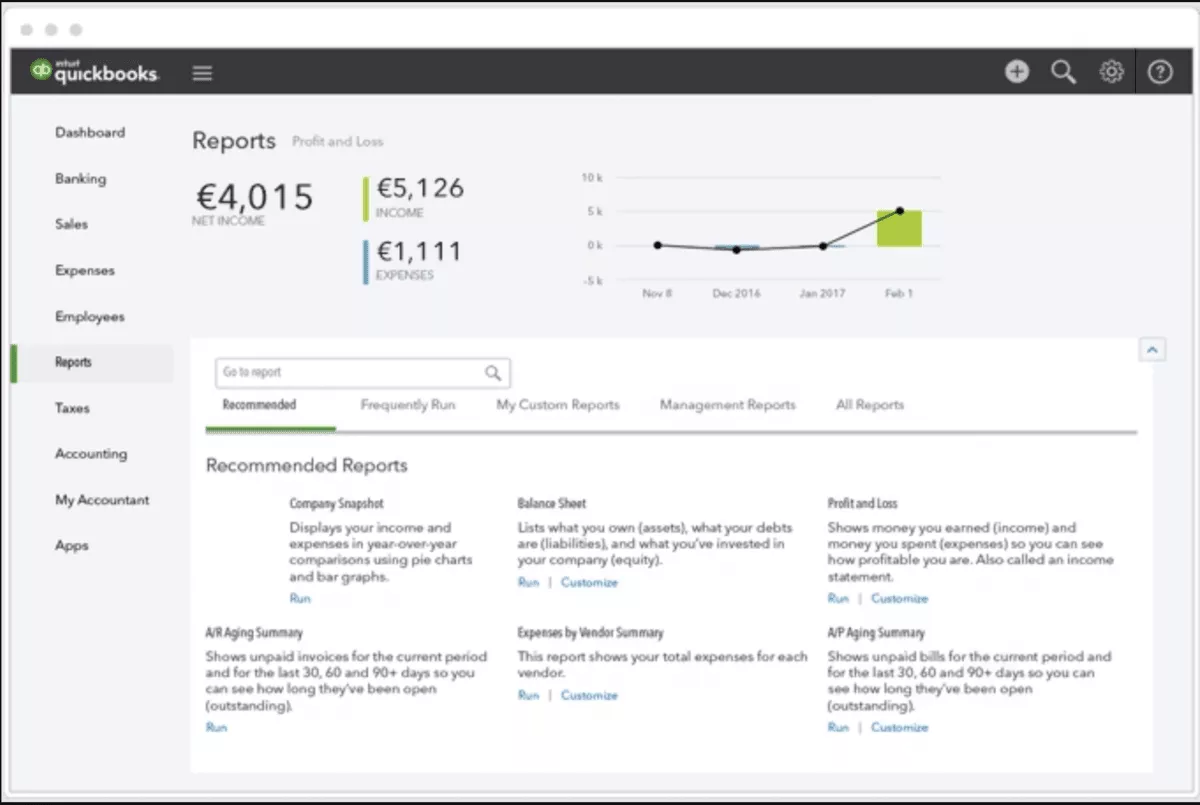
QuickBooks Online is accounting software, which means it holds the ledger your accountant files your returns from. Bank transactions arrive automatically and get matched to invoices and bills, so the books stay current.
Accounting software for ad agencies covers six other options, including project accounting tools.
Key Features
- Automatic bank feeds and reconciliation
- Invoicing and payment tracking
- Expense tracking with receipt capture
- Profit and loss reporting
SOurce: quickbooks online
Pros
- Your accountant works in the same file at the same time as you. Nobody emails a backup and waits to get it back.
- Bank feeds reconcile against your invoicing automatically. The month-end close stops being a week of matching entries by hand.
- Receipts and documents attach to the transaction itself. The annual audit stops involving a filing cabinet and a scanner.
- Someone who is not an accountant can run it day to day. Training a new office manager takes hours rather than weeks.
Cons
- Price rises land after your data is already inside. Moving the ledger somewhere else costs more than absorbing the increase.
- Connecting it to another tool often needs a third-party bridge. An agency wiring it to a time tracking tool or a project system usually pays for middleware.
- An invoice covering more than one category is hard to split. Working out what a single client actually cost means exporting and rebuilding it.
- The budget column in management reports can go stale. You delete and reload the report to be sure the figures are current.
Who Should Skip QuickBooks Online?
Skip QuickBooks Online if project margin is the number your agency checks every morning. The ledger balances and you still cannot say which client paid for itself.
6. AgencyAnalytics – Best for Monthly Client Reports Across Marketing Channels
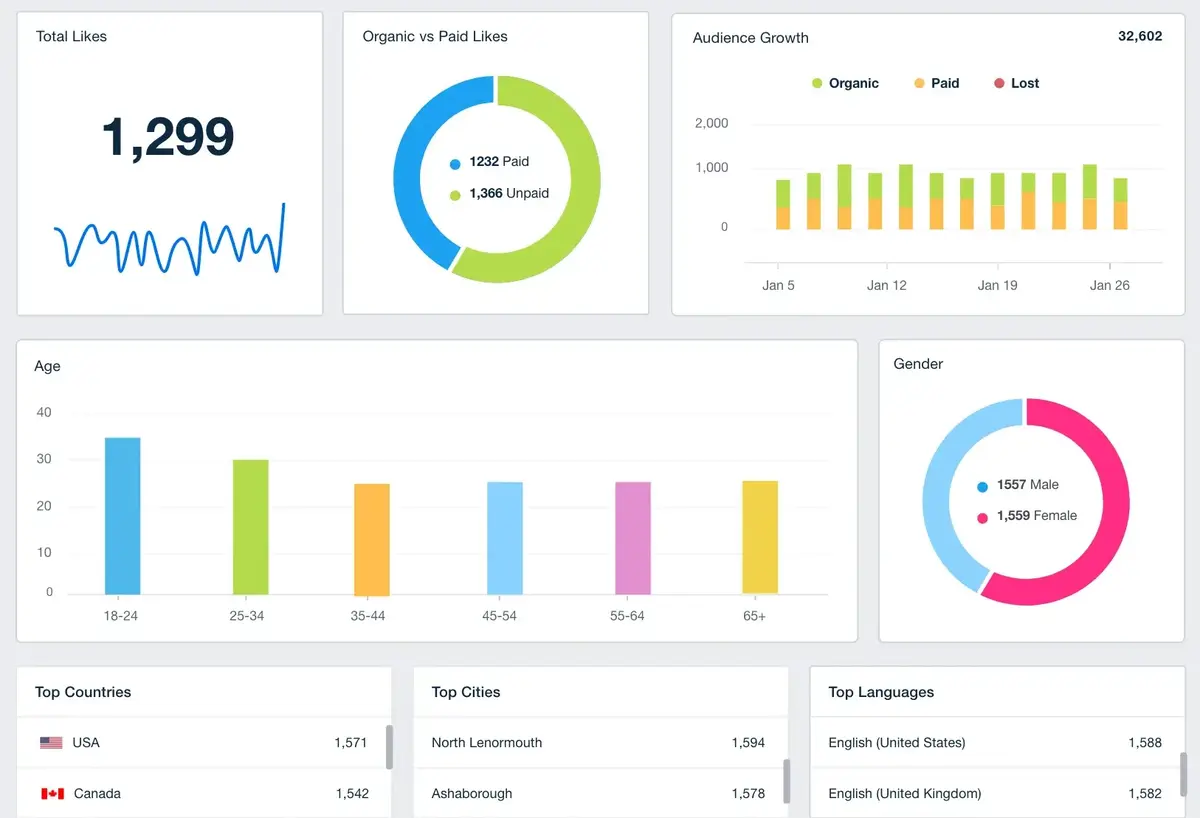
AgencyAnalytics builds client reports, which means it pulls figures from advertising and search tools into one document. You connect each client’s accounts once, then the report rebuilds itself every month without anyone touching it.
Key Features
- Integrations across marketing channels
- White-label client dashboards
- Scheduled automated reports
- Rank tracking and site audits
SOurce: AgencyAnalytics
Pros
- Report templates duplicate for each new client. Onboarding a logo means copying a layout rather than building one.
- You can add a mark-up without showing the client your cost. Each client dashboard carries its own agency fee where you need it.
- One dashboard rolls up every client alongside the per-client ones. You see the whole agency’s numbers without opening ten reports.
- A monthly client report takes under half an hour. The same pack used to take most of a working day to assemble.
Cons
- Changing one widget invalidates the link you already sent. Clients end up chasing which of three emailed links is the current one.
- An offboarded client can still occupy a paid slot. Leaving them on your account is sometimes easier than the alternative.
- The figures do not always match the client’s own platform. Explaining why your reporting software and their dashboard disagree is a call you will have.
- Budget pacing is weak and metric alerts do not email you. You still check pacing by hand in the middle of the month.
Who Should Skip AgencyAnalytics?
Skip AgencyAnalytics if your client list is growing faster than your reporting budget. Every new logo adds to the reporting software bill before it adds to the margin.
7. Sprout Social – Best for Publishing on Behalf of Many Brands
Sprout Social is a social media management platform that schedules posts and collects replies for accounts you do not own. One post goes out to every network at once, and every reply comes back into a single inbox.
Key Features
- Publishing across major social networks
- Smart Inbox for messages and comments
- Social listening and trend monitoring
- Post approval workflows

SOurce: sprout social
Pros
- One person can schedule for dozens of client accounts. Monthly performance reports download per client without rebuilding anything.
- You stop logging in and out of client accounts. Every brand you post for sits behind one login instead of a password list.
- Comments and messages from every client land in one inbox. You answer them in a batch rather than checking each platform in turn.
- Social listening runs in the same place as publishing. An ad agency can spot a client mention and answer it without opening another tool.
Cons
- Client accounts drop their connection and need reauthorising. For some networks this happened weekly, which means checking before you trust the schedule.
- An oversized file fails to publish and tells you late. You can find out after the slot has already passed.
- Separate teams on separate client accounts gets awkward. A marketing agency with distinct pods and permissions hits this limit quickly.
- The inbox cannot be filtered by who replied. Reviewing one person’s client replies means scrolling rather than filtering.
Who Should Skip Sprout Social?
Skip Sprout Social if social media management for a handful of brand accounts is the whole job. You buy publishing and social listening depth that nobody on the team has time to use.
8. Figma – Best for Design Files Clients and Developers Both Review
Figma is a design tool that runs in a browser rather than on a machine. The client reviewing it and the developer building it open the same file as the designer, from a link.
Key Features
- Browser-based design files
- Dev Mode for measurements and code
- Auto layout and components
- Comments pinned to the design

SOurce: figma
Pros
- Clients review in a browser with nothing to install. Comments land on the exact frame instead of arriving as a numbered list in an email.
- One file carries the work from wireframe to handoff. The frame holding a grey box on Monday holds the finished screen and its specs later.
- A new designer is productive the same day. Onboarding a freelancer for one project takes a login rather than a setup session.
- Editors can be added for a project and removed after. A creative agency can add a copywriter or strategist as an editor and remove them later.
Cons
- A client can click into a paid editor seat by accident. Watch the billing page or an agency gets a surprise line on the invoice.
- Branching gets clunky past a simple review cycle. Testing a layout change without risking the main file is harder than it sounds.
- Vector drawing is weaker than a dedicated illustration tool. Copying a vector into another design app means exporting it first.
- A weak connection stops the work. There is no offline mode worth relying on, so a bad day of wifi is a lost afternoon.
Who Should Skip Figma?
Skip Figma if what you hand over is film, print or copy rather than screens. You own a design tool the delivery team never opens.
9. Notion – Best for Documenting How Your Agency Runs
Notion holds documents and databases together, which means process notes, client wikis and task lists share one search. You write a page the way you would write a document, which is where documenting your agency processes begins.
Key Features
- Pages, databases and task management
- Teamspaces for separating client work
- Document management and file sharing
- Guest access without a full seat

SOurce: notion
Pros
- Brand assets, sprints and client wikis go in one hub. The agency stops hunting across drives for the deck a client signed off.
- Guests can be given one area without a full seat. A freelancer or a client sees what concerns them and nothing else.
- A process gets a named owner and a review date. Work stops depending on one person remembering how it was done last time.
- Reading and writing a page needs no training. Anyone who can use a document can contribute on their first day.
Cons
- People hold back because they fear breaking the structure. Adoption needs chasing rather than happening on its own.
- Overlapping systems grow and nobody knows where a thing belongs. Project management pages, client pages and process pages start duplicating each other.
- Search gets worse as the workspace grows. Finding one note in a large workspace takes longer than it should.
- Building the databases needs someone technical. Relations, formulas and permissions are not obvious to the person who will use them.
Who Should Skip Notion?
Skip Notion if nobody will follow a process just because it is documented. The written process and the real one drift apart within a quarter.
10. Zapier – Best for Connecting Tools With No Native Integration
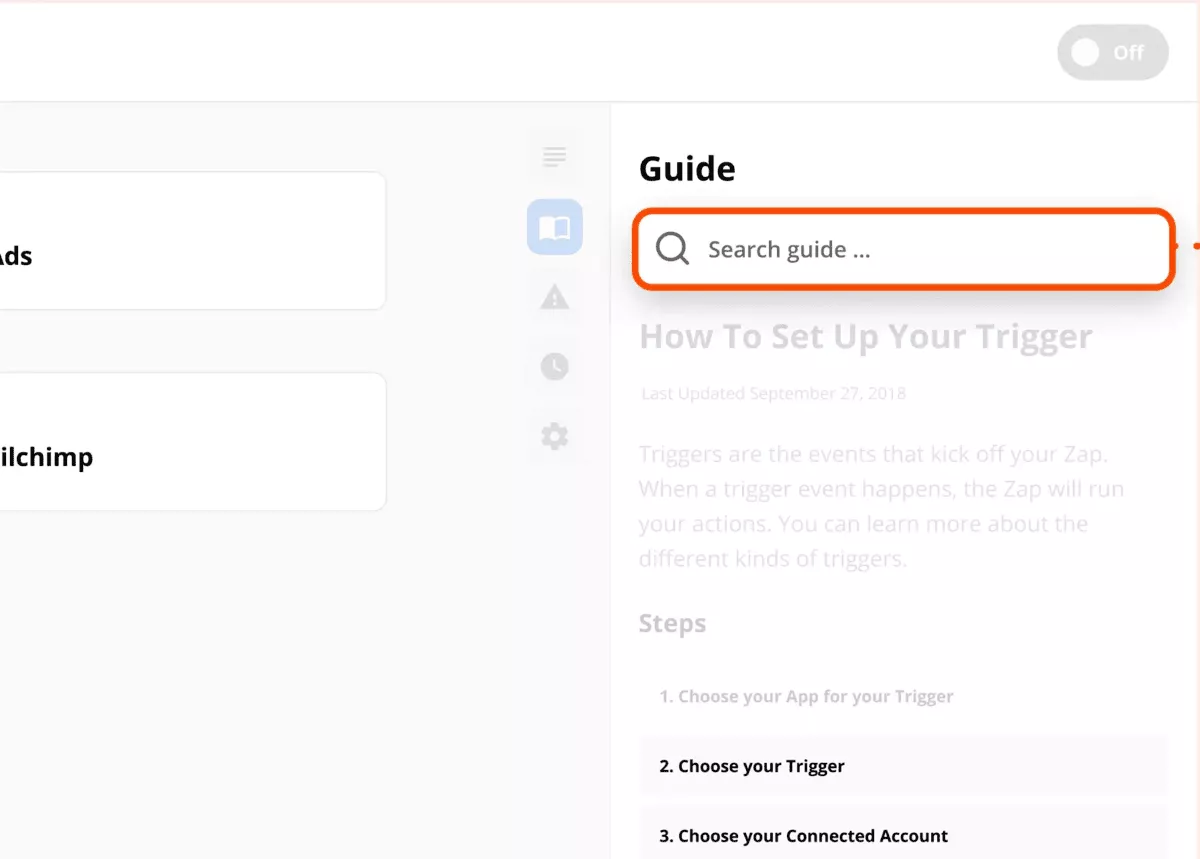
Zapier connects separate tools, which means a record created in one product can create a matching record in another. You pick a trigger in one app and an action in the other, and nobody retypes anything again.
Key Features
- Connections across thousands of apps
- Multi-step workflow automation
- Filters and formatting between steps
- Copilot builds a Zap from a description
SOurce: Zapier
Pros
- It ties a CRM to an accounting system without code. An agency can link the two without anyone writing code or learning an API.
- What you build for yourself works for a client. The same connection runs on their stack once you point it at their accounts.
- A working connection duplicates for the next campaign. The agency repeats the same workflow automation for the next client in minutes.
- You can prove it works before paying for it. Building the thing first and showing it to whoever holds the budget is a short conversation.
Cons
- Nobody remembers why a connection fired. Months later a client receives a message nobody can explain, and tracing it takes real time.
- A connection breaks when the other product changes. You find out by digging through settings rather than by being told.
- Some of the apps you most need are marked premium. The connector your finance system uses may sit outside the plan you are on.
- The assistant sometimes builds a connection that does not work. It insists it is nearly there and leaves you something half-wired.
Who Should Skip Zapier?
Skip Zapier where records have to cross the moment they change, in volume. The data arrives correct and fifteen minutes after you needed it.
What Are the Most Important Features of an Agency Management System?
An agency management system needs a budget hours land against, a cost rate, a schedule, and a client report. Generic project management tools carry the schedule and the tasks but not the rates behind them.
Agency management software closes this gap and shows you how work impacts finances.
| Feature | The problem it removes | Who needs it most | Tools here that have it |
|---|---|---|---|
| A budget every hour lands against | You learn a project overran after it shipped | Anyone billing hourly or on retainer | Toggl Track, Productive |
| Cost rate separate from billing rate | You know what a project earned, not what it cost | Agencies with senior and junior day rates | Float, Productive |
| Capacity and availability | Work gets promised before anyone checks who is free | Agencies where seniors span several clients | Float, Productive |
| Client-facing reporting | Monthly reporting takes a day per client | Agencies on monthly retainers | AgencyAnalytics, Productive |
| Invoicing drawn from tracked hours | Finance rebuilds the hours by hand to bill | Agencies billing time and materials | Toggl Track, Productive, QuickBooks Online |
| A record of a client before the project | Work arrives with no warning for the schedule | Agencies where the people delivering also sell | HubSpot, Productive |
| Connections between the tools | The same figure gets typed into two systems | Agencies running specialists rather than one platform | Zapier, Productive |
Which of these you need depends on what you sell, not on how many project management features a tool lists. An agency running retained social media management and email marketing needs reporting software before it needs resource management. One delivering build projects needs capacity and rates first, which is what resource management software does.
Time tracking feeds both, because every other number is calculated from it. Most agency software covers two or three of these and leaves the rest to another tool.
How to Choose Software for Agencies? (Step by Step Process)
You should choose software for your agency by measuring the gap between hours worked and hours billed. Then rebuild last month’s invoice, client report and resourcing plan inside every tool you trial. Choosing software for agencies is a test you run, using documents you already have.
Step 1: Measure the Gap You Are Buying Against
Open the last three months of timesheets and the invoices raised against them. Work out the difference between hours worked and hours billed on each project.
Pass: the gap is above ten percent, which is enough leakage for a tool to pay for itself.
Fail: the gap is under five percent, so stop here because the agency software is not what failed.
Step 2: List the Three Outputs You Produce Every Month
Name last month’s client invoice, last month’s client report and last week’s resourcing plan. Write down the fields each one needs and where those fields come from today.
Pass: one tool produces all three without a second system beside it.
Fail: a project management tool covers two, so drop it or budget for the tool that covers the third.
Step 3: Rebuild Those Outputs Inside the Trial
Load one real client’s last full month into the trial, including the time tracking, the rates and the expenses. Produce the same three outputs and compare them line by line against the originals.
Pass: each output takes under an hour and matches the original line for line.
Fail: any output needs a support ticket to finish, so drop the tool before the data goes in.
Step 4: Test the Link to Your Accounting System
Raise one invoice in the trial and send it to whatever holds your ledger. Check that the client, the amount and the tax code arrive without anyone retyping them.
Pass: all three fields arrive untouched and the invoice appears in the ledger.
Fail: one field gets retyped every invoice, so drop the tool unless you accept that cost monthly.
Step 5: Count Who Has to Log In
Split your staff list into people who will enter data and people who only need to read it. Check what each group costs to add.
Pass: people who only read get access without a paid seat.
Fail: agency software charges a full seat for a reader, so drop it if most of your list only reads.
A marketing agency running digital marketing software for clients will weight the accounting test differently from one running build projects. Either way, agency management and project management both come out of the same five documents rather than a demo.
How to Implement Your Agency Tech Stack?
You can implement your agency tech stack by ranking the handoffs by how much retyping each one costs. Wire the most expensive one first, then move a single client across before anyone else. Every point where data has to cross either connects on its own or gets typed twice.
| Handoff | What has to cross | Native connection | What gets retyped without it |
|---|---|---|---|
| New business to resourcing | Signed scope, dates, the roles needed | Float connects to HubSpot | The booking, rebuilt from the proposal by hand |
| Resourcing to time tracking | Who is booked on what, and for how many hours | Toggl Track connects to project management tools, not to Float | The project and task list, recreated in the timer |
| Hours to invoicing | Approved hours, rates, the client they belong to | Toggl Track connects to QuickBooks on paid plans only | Every invoice line, from a timesheet export |
| Delivery to client reporting | Spend and results by channel | AgencyAnalytics connects to ad platforms and HubSpot | Delivery hours, which it does not collect at all |
| Design to documentation | The approved file and its current version | Figma connects to Notion | The link, pasted again every time a version changes |
| Any pair with no native link | Whatever the two products both hold | Zapier bridges most of them | Nothing, but the record arrives on a polling cycle |
An agency running email marketing campaigns has a seventh handoff to check. Sends, opens and clicks have to reach the client report, and AgencyAnalytics connects to email marketing platforms.
Implementation Checklist
- Rank the handoffs by retyping cost. Time the re-entry at each one for a week. Done when every handoff has minutes against it.
- Map the fields before you sync anything. Write which field in one tool becomes which field in the other. Done when every line on your invoice has a named source.
- Wire the most expensive handoff first. Use the native connection where one exists and the bridge where it does not. Done when a record arrives complete and nobody corrects it.
- Set cost and billing rates before anyone logs time. Enter a rate per person or per role. Done when a test entry returns the margin you expect.
- Import a single client first. Load their last full month of hours, rates and expenses. Done when the invoice, report and schedule match last month’s originals.
- Raise one live invoice through the accounting connection. Confirm the ledger shows the same customer, total and tax treatment. Done when nothing needs correcting by hand.
- Name the day the old system stops. Tell everyone the spreadsheet becomes read-only then, and keep it readable for one quarter. Done when no new entries appear after that date.
The order matters more than the tool you picked. An agency management software rollout that starts with the biggest retyping cost pays back before the second handoff is wired. Wiring the rest in order is what makes running agency operations end to end possible.
Agency Software FAQ
What Software Do Agencies Use?
A typical agency runs a spreadsheet, an accounting package, a project tool and a timer, bought at different times. The software agencies use is rarely bought as a set, so the gaps appear between the tools.
Can One Tool Replace the Whole Stack?
Partly. Agency management software covers projects, time, budgets and invoicing, and most agencies keep a design tool beside it. CRM systems are the common exception, because new business often stays where the salesperson already works.
How Do You Handle Retainers and Fixed-Fee Projects?
Both run on budgets, one recurring and one drawn down once. The figure to watch is the same either way, which is hours booked against the value agreed. Project management tools usually track the hours and not the value.
What Happens to Non-Billable and Internal Time?
It gets logged like anything else, against an internal project rather than a client. Agency software that only tracks billable time will understate what delivery actually costs. Client management software, email marketing tools and social platforms rarely track time at all.
Final Thoughts on Choosing Agency Tools
A tool only helps if someone opens it and acts on what it says. An agency that checks project margin every week can act before the project closes.
A longer list of agency tools runs from client acquisition through to delivery. If you want hours, schedules, margin and the complete agency lifecycle in one place, book a demo with Productive.
Connect With Agency Peers
Access agency-related Slack channels, exchange business insights, and join in on members-only live sessions.
