How to Measure Team Performance: 6 Steps and 2 KPI Formulas

Team performance is how well a team delivers client work as a group, not person by person. When it slips, your deadlines move, budgets overrun, and overload stays hidden until a client notices.
You’ll get a six-step review cycle, three remote rituals, and a fix for unowned work, misaligned goals, and overload. Start with the two formulas in Step One, which run on records you already keep: timesheets and budgets.
Key Takeaways
- Avoid social loafing by naming one owner for every deliverable, so work can’t fall between people.
- Track performance with simple metrics that connect objectives to project management progress, so leaders see results beyond effort.
- Run a quarterly capacity and health review to catch overload, underused people, and falling morale before delivery slips.
- Keep hybrid teams aligned with async daily updates and agreed response times, which replace office hallway updates.
What Is Team Performance?
Team performance is the combined output and health of a team as it works toward objectives. Output is what the client sees: deliverables, milestones hit on their date, and hours used against the budget.
Health is what keeps that output repeatable: balanced workloads, steady morale, and people who stay.
Employee performance can look strong while the project fails, because the handoffs between people break.
For example, one designer finishing early means little if the rest of the team cannot launch on time. Healthy team dynamics close that gap by pairing clear project objectives with shared responsibility for the result.
A high-performing team hits its milestones without anyone working late to rescue them. That balance separates high-performance teams from teams that peak for one launch and then burn out.
So judge team effectiveness on both sides: project outcomes and the strain behind them.
Why Performance Matters for Delivery and Retention
Performance matters because a team can finish every task on time and still lose the account. The loss starts at the handoffs. On project-based teams, hours spent fixing a missed brief replace billable hours spent delivering client work. The client sees the delay and the invoice, so delivery success is judged on team performance as a whole.
Retention is the second cost. Overload tends to concentrate on the same few people, so one resignation takes the client contact and delivery knowledge. Across the organization, the people left behind absorb that work, and the overload spreads.
Leaders who track workload next to delivery can rebalance before anyone resigns. So workload balance and team collaboration belong in the same weekly review as budgets and deadlines.
What Factors Make Effective Teams?
The factors that make effective teams are clear objectives, defined roles, a working culture, and steady leadership. High-performing teams are built on these four, and leaders can check each one on a live project.
- Clear objectives: each project has one written client outcome that everyone on the team can state. That shared outcome gives the team clarity of purpose when individual goals collide.
- Defined roles: every deliverable has one named owner, agreed at kickoff. Check it by asking each person to list their deliverables; any item named twice or never is a gap.
- Working culture: company culture shows in everyday communication, such as raising blockers the day they appear. Mutual trust and clear conflict management mean disagreements get settled openly in the weekly review.
- Steady leadership: the lead owns the cadence of weekly reviews, a retro after each milestone, and quarterly capacity checks. Team leadership skills show in how fast blockers get cleared, which shapes the organizational culture.
Run all four checks at kickoff and again at the first weekly review, while gaps are cheap to fix. Team development across the organization means running the same checks on every project. Then team success stops depending on who happens to be staffed.
What Challenges Hold Teams Back?
The three challenges that hold capable teams back are unowned work, misaligned goals, and overload. Each is a structural or behavioral pattern, not a skills gap. That is why hiring stronger people does not fix them; the pattern catches the new hire too.
You reduce each risk by naming the pitfall, setting one preventive step, and making an owner accountable.
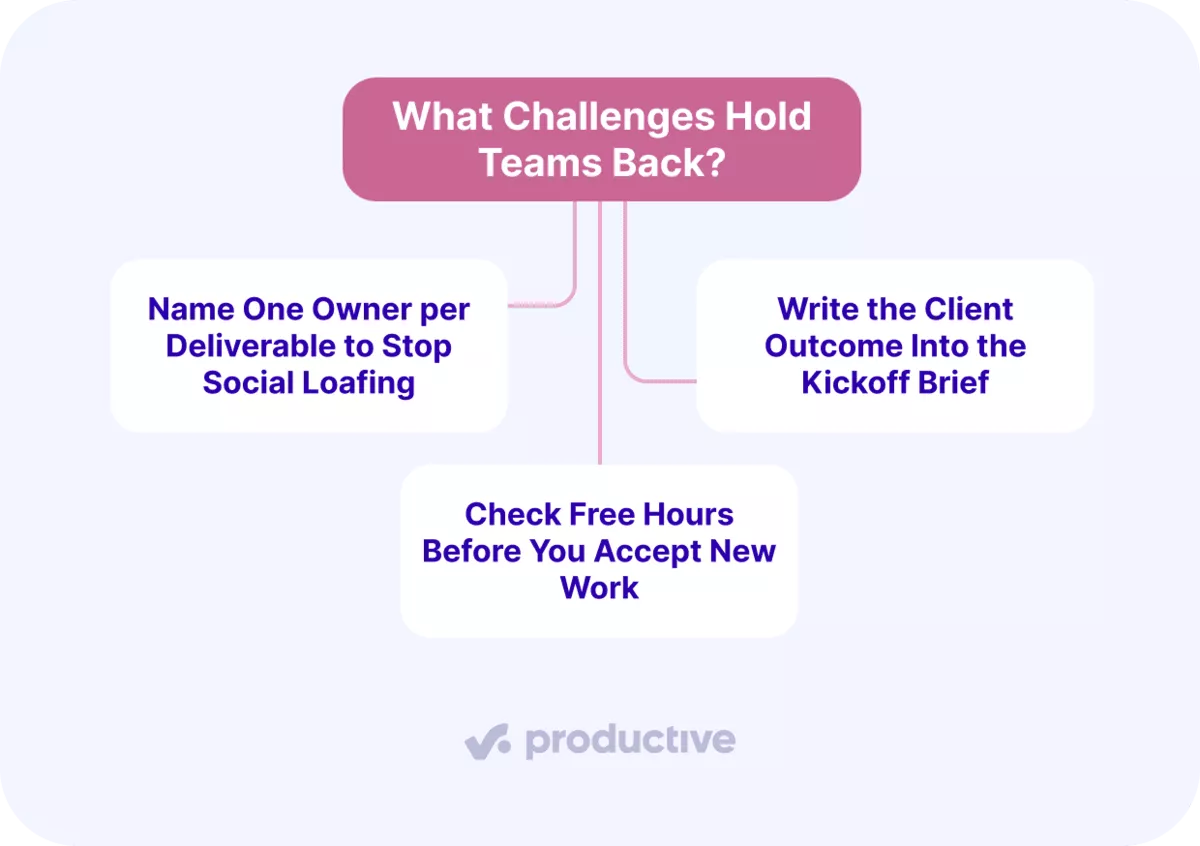
Name One Owner per Deliverable to Stop Social Loafing
Social loafing is the drop in effort when people work in a group and assume someone else will cover. In agencies, it starts with requests sent by Slack, email, or a shared sheet and owned by nobody.
A website build staffed as one shared pool of hours, with no owner per page, fails the same way.
Prevent it by keeping small teams, making every task visible, and naming one owner per deliverable on the board. Loafing grows with headcount, so small teams hold up better: each person’s share stays visible and easy to trace.
Move every request from chat into a task, so the communication about it is recorded in the task’s comments. Then scan the board each Monday for tasks with no assignee; the count should be zero.

Break up work into smaller dependent tasks.
Write the Client Outcome Into the Kickoff Brief
Misaligned goals start when nobody writes down what the client is paying for. Then objectives and key results (OKRs: a goal plus the results that prove it) stay vague or conflict.
For example, the account lead promises the client one outcome while the delivery team plans for another.
The gap widens with cross-functional teams, where account, design, and development each read the brief through their own goals. At kickoff, write the client outcome into the project brief, and have both leads sign it. Read it back to the team before work starts.
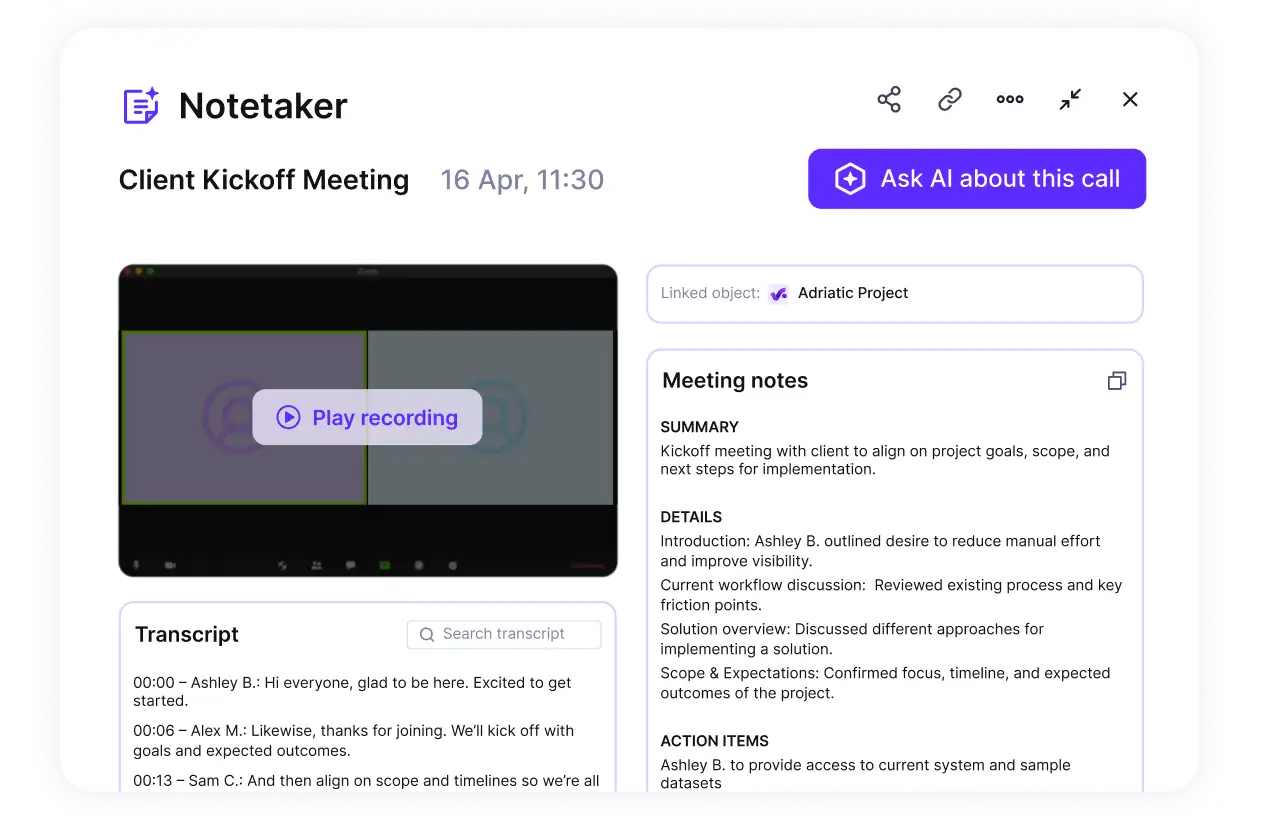
Use the AI notetaker and convert call transcripts to tasks with deadlines and descriptions.
That signed brief works as the team charter for the project: one outcome, named owners, and who approves changes. When requests drift, which is the early sign of scope creep, check each one against the signed outcome.
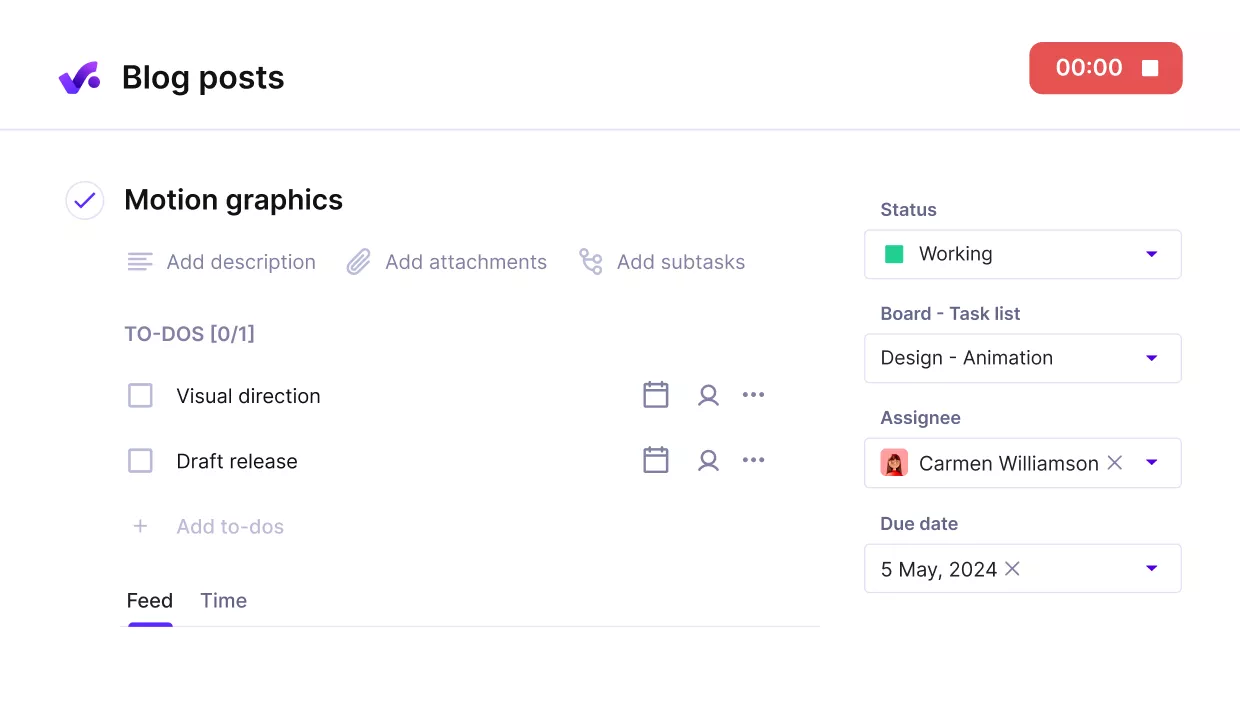
Add objectives as tasks and milestones with clear owners and descriptions.
Check Free Hours Before You Accept New Work
Overload builds when new work is accepted before anyone checks who has free hours. Then nobody can say who can take a job this week, so it goes to whoever answers first. Teams that manage team workloads week to week catch this before the job is promised.
Overworked people burn out, idle teammates lose interest, and team motivation drops on both sides.
Before you say yes, compare each person’s booked hours with their capacity for the weeks the work is scheduled. Assign by actual availability, and the yes or no becomes a resource allocation decision with numbers behind it.
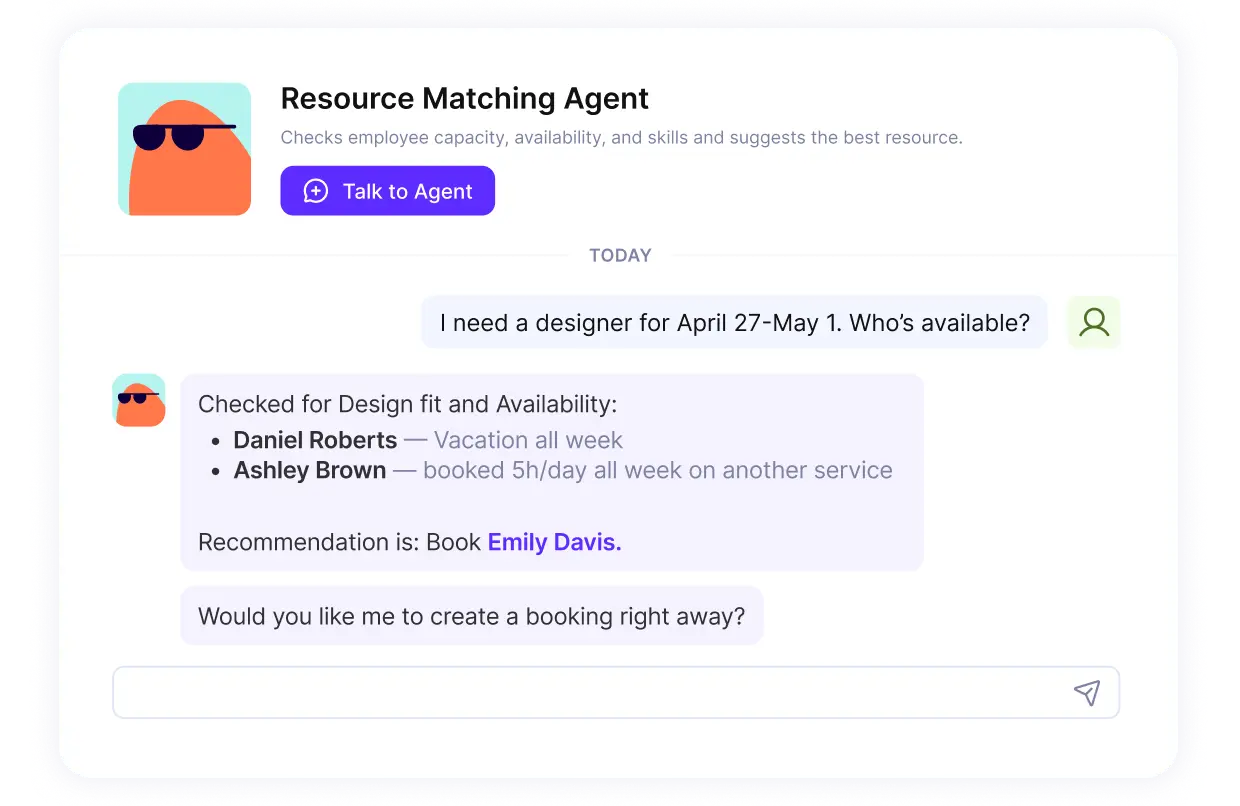
Ask the AI assistant in plain language who can take on a project.
Capacity planning tools show booked and free hours side by side for every person. In Productive, capacity indicators in the resource planner show overbooked people in red.
Hover over one to see that person’s capacity, booked hours, and the projects or deals behind them. That answers what a red/green view alone cannot: is someone overloaded on one project or across three?
Use the resource planner to check bookings against each person’s capacity before you confirm new work. Inside a budget or deal, Scenario Builder lets you test bookings without changing live budget or deal data.

Prevent overbooking and idle hours with Productive.
How Do You Measure and Improve Team Results?
Measuring and improving team results takes six steps: set targets, assign owners, review weekly, run retrospectives, check capacity, recalibrate. Every step starts from documents you already have: contracts, budgets, and timesheets.
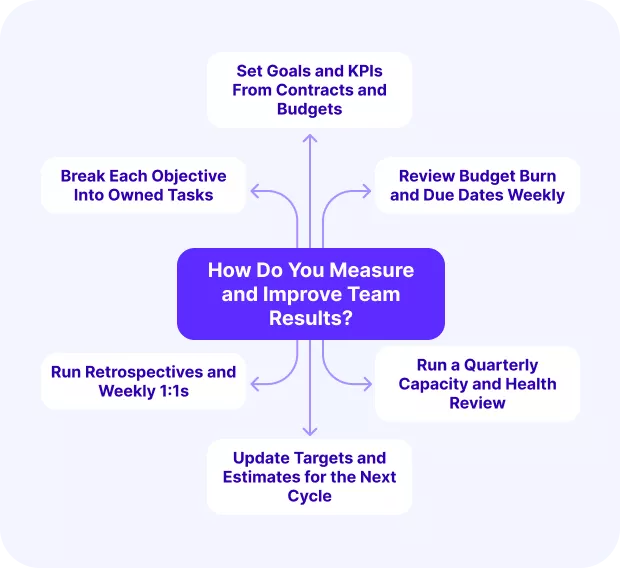
If budgets and timesheets are kept in separate tools, project management software for teams can bring them together. That way you measure team performance from the same records you invoice from.
Run your weekly team review from live data in Productive
Step 1: Set Goals and KPIs From Contracts and Budgets
Start from your client contracts and project budgets. Write a short list of SMART goals (specific, measurable, achievable, relevant, time-bound), each tied to delivery, budget, or capacity.
Give every goal one of your KPIs (key performance indicators), with its formula, data source, and owner.
Begin with two team performance metrics, one for budget and one for delivery.
Budget used (%) = logged hours ÷ budgeted hours × 100
Example: 320 logged hours on a 400-hour budget is 80% used, the point where Step Three flags it. A rising figure tells you to cut scope or reprice before the project overruns.
On-time milestone rate (%) = milestones hit on their date ÷ milestones due × 100
Example: 9 of 12 milestones hit on their date is a 75% on-time rate. A falling rate tells you to re-plan dependencies.
On-time milestone rate is milestones hit on their date divided by milestones due.
A falling rate tells you to re-plan dependencies. Write one line on what success means, for example, every milestone on time and inside budget.
In Productive, write each goal in a project Doc and track it through task completion, time, and budget usage. A project dashboard shows budget usage as a percentage per project.
If you need more than two KPIs, start from this list of other project management metrics.
- Owner: project lead
- Done when: the project lead can read each KPI without asking anyone

Get a real-time overview of project progress against key metrics.
Step 2: Break Each Objective Into Owned Tasks
Pull every scattered list into one shared task system, so work across people and projects is visible. It replaces task lists in one tool and a resource forecast in a manual spreadsheet. Task management starts there: nobody can own work they cannot see.
Split your goals into tasks, each with one owner, a due date, and an hour estimate. Then compare each person’s total planned hours with their weekly available hours.
On bigger projects, group tasks under each deliverable first; that hierarchy is a work breakdown structure.
- Owner: delivery manager
- Done when: no task lacks an owner, and nobody’s planned hours exceed their available hours
Step 3: Review Budget Burn and Due Dates Weekly
Hold one review a week with the KPI list, task list, and timesheets. Build a snapshot of logged versus budgeted hours per project, the core check in project budget management. Add tasks done versus tasks due.
Flag any project past 80% of budgeted hours, an example threshold you set once. Flag any task past its due date, too. Without logged time, a budget overrun stays hidden until invoicing. Time goes missing when people fall out of the logging habit and rebuild hours from memory afterward.
In Productive, a budget usage automation sends an email or Slack message once a budget passes your threshold. Set a budget usage alert at 80%, and the weekly review starts from alerts instead of a manual check. Real-time dashboards show the same figure between reviews.
- Owner: team lead
- Done when: every flagged item has an owner and a next action

Productive gives you an early warning of budget overruns.
Step 4: Run Retrospectives and Weekly 1:1s
A retrospective is a short session where the team reviews a finished milestone and agrees what to change. Bring the week’s flagged items and notes from past project post-mortems. Record what worked, what slipped, and one or two changes, each with an owner.
Retros only surface real problems when people have psychological safety (they can name a mistake without blame). You create it by asking what made a slip possible instead of who caused it. The retro then works as collaborative problem-solving for the next milestone.
Between retros, hold a 15-minute weekly 1:1 with each person on workload, blockers, and support needed. These coaching conversations give continuous feedback and catch workload problems before they become delivery risks.
- Owner: team lead
- Done when: each retro change is a task on the team board, with an owner

Document retro reviews, risks, milestone summaries and share them with the stakeowners.
Step 5: Run a Quarterly Capacity and Health Review
Once a quarter, compare each person’s estimated hours with their actual logged hours. List who is overloaded and who is underused against their available hours. Overload damages morale and quality. Underuse wastes paid capacity; comparing worked hours with available hours is how resource utilization is measured.
Then ask one question per overrun: in which phase did the estimate go wrong? That answer is what Step Six corrects. In Productive, the project delivery status widget compares estimates, worked time, and completion per project.
Log morale signals from 1:1s next to that workload data. A two-question pulse survey asks how sustainable each person’s workload is and how they feel about it. Together they give leaders a team assessment of team morale; keep it separate from any performance evaluation of individuals. If scores drop, redistribute tasks or add support.
- Owner: people lead
- Done when: every overloaded person has a rebalanced assignment
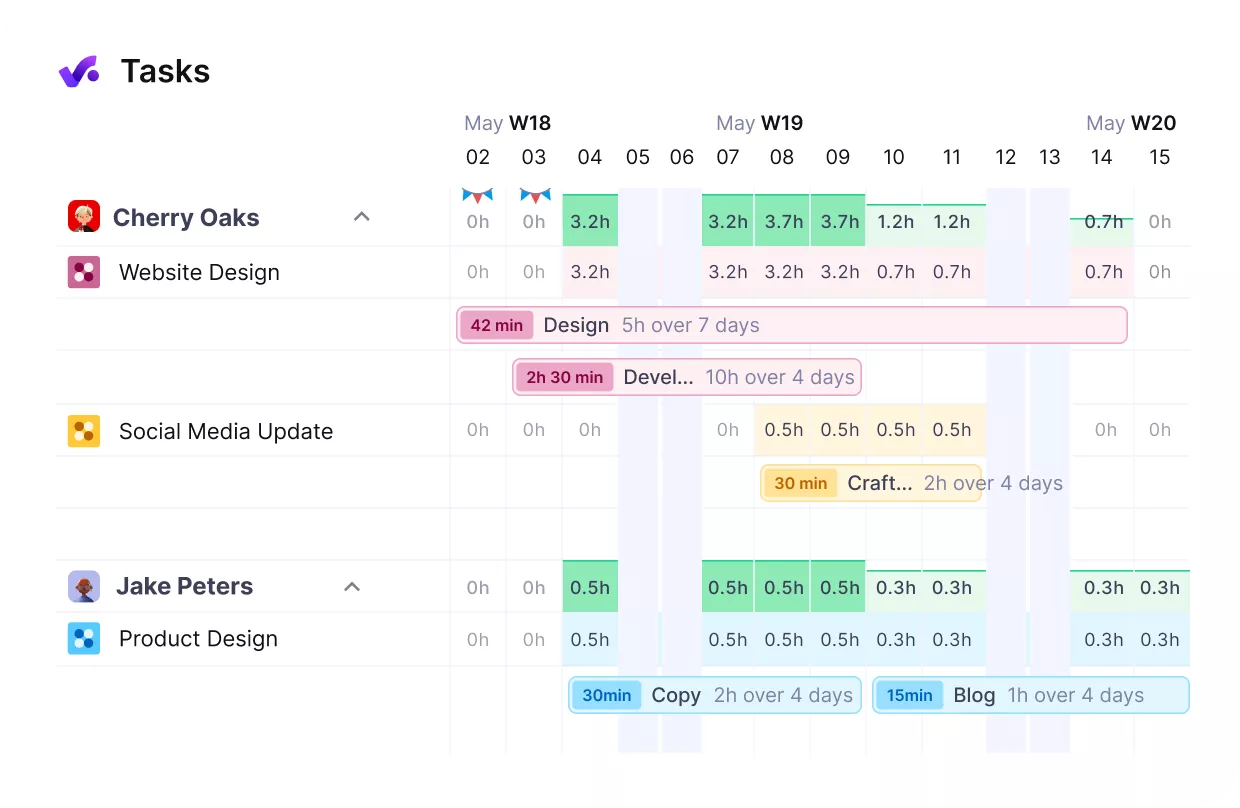
Track your resources and plan your team’s workloads in Productive.
Step 6: Update Targets and Estimates for the Next Cycle
Bring the retro notes, overload list, and latest KPI snapshot into one planning session. Revise the goals and KPIs, adjust estimates for the phases that ran over, and rebalance assignments.
Put every action on the team board with an owner and a due date.Then save the revised project as a template.
In Productive, a project template carries the corrected tasks, subtasks, descriptions, assignees, and task dependencies into the next project. The budget comes from a budget template that stores your default services and rates.
These corrections close the feedback loops: they become Step One of the next cycle.
- Owner: project lead
- Done when: the revised goals and estimates are in place for the next cycle

Track retrospectives and sprints on a Kanban board in Productive.
How Do You Track Output and Engagement in Remote and Hybrid Teams?
You track output in remote teams by comparing completed tasks with their due dates in a shared task list. You track communication by checking response times against an agreed channel and timeframe. You track engagement by watching attendance and participation in scheduled check-ins, since silence there signals disengagement before delivery slips.
Remote teams lose the informal updates that happen in offices, so those updates need a fixed form. Three rituals replace them, and the numbers are examples to adjust once and then keep:
- Async daily update: by 10:00 local time, each person posts progress and blockers on the project. It keeps work visible without adding long meetings
- Communication norms: assign each message type to one of your communication channels, with a response time. For example, chat gets an answer the same working day and email within 24 hours. Without that, messages get split across communication channels and requests go unanswered.
- Monthly team check-in: leaders run a 30-minute call on workload, morale, and how the rituals are working. Share wins from the month there too, so effort that happened off-camera gets seen.
Our communication plan guide shows how to set these norms for a whole project.Remote work removes casual office chats, so mutual trust has to be built on purpose.
Run the three rituals without skipping, and employee engagement stays visible in attendance and updates. Engaged teams post updates on time; a missed update two days running is worth a direct message.
For more on running distributed teams, our remote team management guide goes deeper on team collaboration.
Start Small, Stay Consistent, and Build From There
Start with the weekly review in Step Three: within a week, it surfaces unowned tasks, budget burn, and overload. Add the next cadence only when the first runs without reminders; that keeps small changes consistent. Keeping goals, tasks, time, and budgets in one tool removes the weekly copy-paste between spreadsheets. Productive is one such project management platform, and its dashboards update your success metrics while the team works.
Book a demo if you want to see this cycle run through Productive’s budgets, bookings, and dashboards.
Grab Your Weekly Team Review From Live Data.
Budget usage, bookings against capacity, and task progress update in one platform, so the review starts from real numbers.
