Top 5 Meisterplan Alternatives (Paid & Free) – 2026 Review

A lot of Meisterplan alternatives look similar on the surface, but solve very different planning problems once you get into portfolio decisions, capacity planning, and day-to-day execution.
As a result, finding a true replacement can get super messy and super hard.
To cut through the noise of vendor pages and software glossaries, we’ve written this decision guide to review the strongest replacements with key features, user-based pros and cons, best-fit guidance, a buyer-first comparison table, and a practical migration checklist.
The goal is to help you narrow the field faster and switch with fewer surprises.
What Are the Best Meisterplan Alternatives in 2026?
The best Meisterplan alternatives in 2026 are Productive, Planview Portfolios, OnePlan, Runn, and ClickUp amongst other project management software to compare. Each one takes a different approach to resource planning, portfolio management, or broader project portfolio coordination, so the right fit depends on what you are actually trying to replace.
A Shortlist of the Best Meisterplan Replacements
A Comparison Table of Top Meisterplan Alternatives (What Buyers Want to Know)
| Tool | Best for | Choose if | Skip if | Free version? |
|---|---|---|---|---|
| Productive | All-in-one planning and project management | You want planning, delivery, budgeting, profitability, and billing in one system | You need a portfolio-only layer for an enterprise PMO | No |
| Planview Portfolios | Enterprise PMOs | You need deep governance, portfolio finance, and executive reporting | You want something lighter and faster to roll out | No |
| OnePlan | Strategic portfolio planning | You want scenario planning and strong Microsoft ecosystem fit | You want a simple setup with minimal configuration | No |
| Runn | Lighter resource planning | You want cleaner scheduling, forecasting, and capacity visibility | You need deep portfolio governance or enterprise reporting | No |
| ClickUp | Broader work management | You want flexible work management with a free version | You need a closer Meisterplan-style planning replacement | Yes |
How We Chose These Tools?
We chose these tools based on how closely they match the planning, portfolio, and resource management work teams that this category usually needs to replace. That matters more than whether a vendor simply shows up in broad roundups of top Project Portfolio Management Software.
That meant focusing on category fit first, then checking vendor positioning, core workflows, and reviewing evidence from sources like G2, Capterra, Gartner, and TrustRadius.
We also kept the shortlist tight on purpose. Instead of mixing in every popular project management software option, we prioritized tools that either compete more directly in this category or solve a closely related planning problem in a lighter or broader way.
1. Productive – Best for All-in-One Planning and Management
Productive is the best Meisterplan replacement when you need one tool to handle the work before and after planning. It is mainly a planning layer. Productive also covers scheduling, project work, budgeting, profitability, and invoicing, so the same system can be used to plan work, run it, track it, and bill it.
Try the best Meisterplan replacement
Replace the Planning Layer and the Tools Below It
The biggest gap in Meisterplan’s setup is not visibility at the top. It is everything that happens after that visibility. Teams end up planning capacity in one place, running projects in another, logging time somewhere else, and then reconciling the numbers by hand.
Productive closes that stack gap. Productive’s resource planning tools sit alongside sales, budgets, scheduling, project work, time tracking, invoice creation, and resource allocation in the same system, so work does not need to be handed off across multiple tools once a plan is approved.
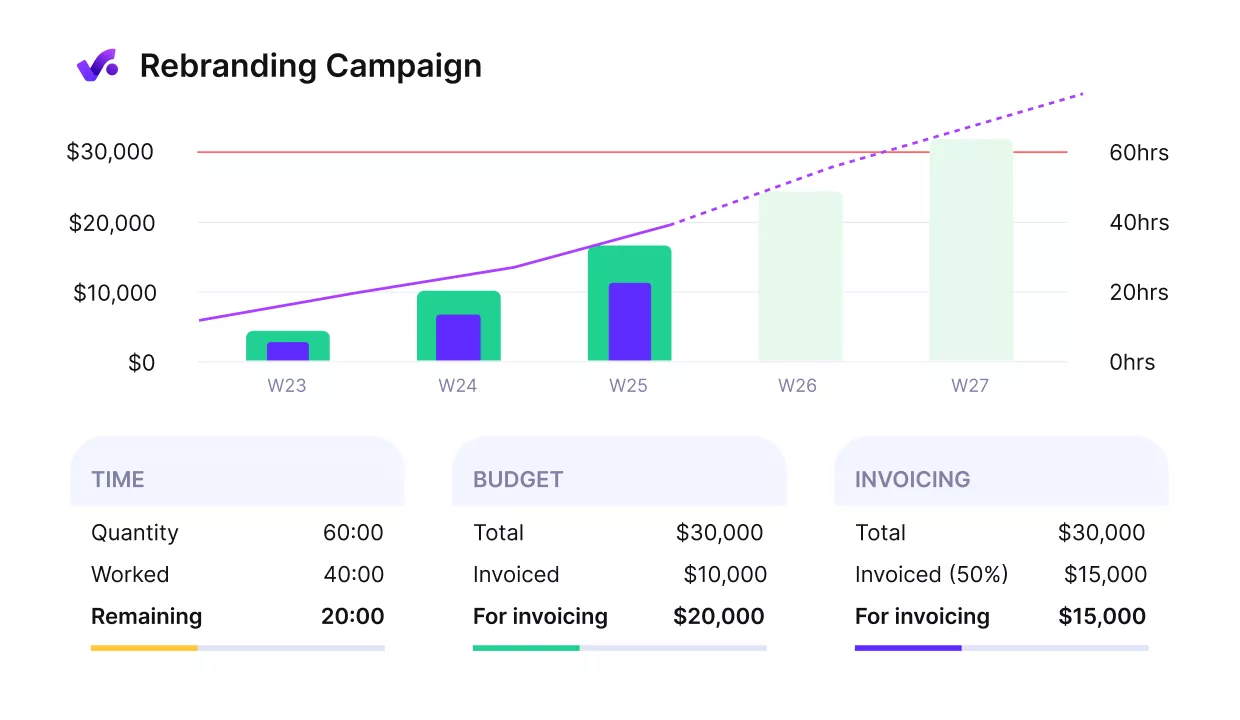
Break up projects into subtasks with dependencies.
Connect Planned Work to Actual Time and Margin
A portfolio tool can show how work should be staffed. That is not the same as showing what happened after the work started. Productive is stronger here because time tracking, budgets, expenses, bill rates, and cost rates are connected much more directly.
That makes it easier to compare planned staffing with actual tracked time and see whether a project is still commercially healthy. For agencies and professional services teams, that is usually the more important replacement question.
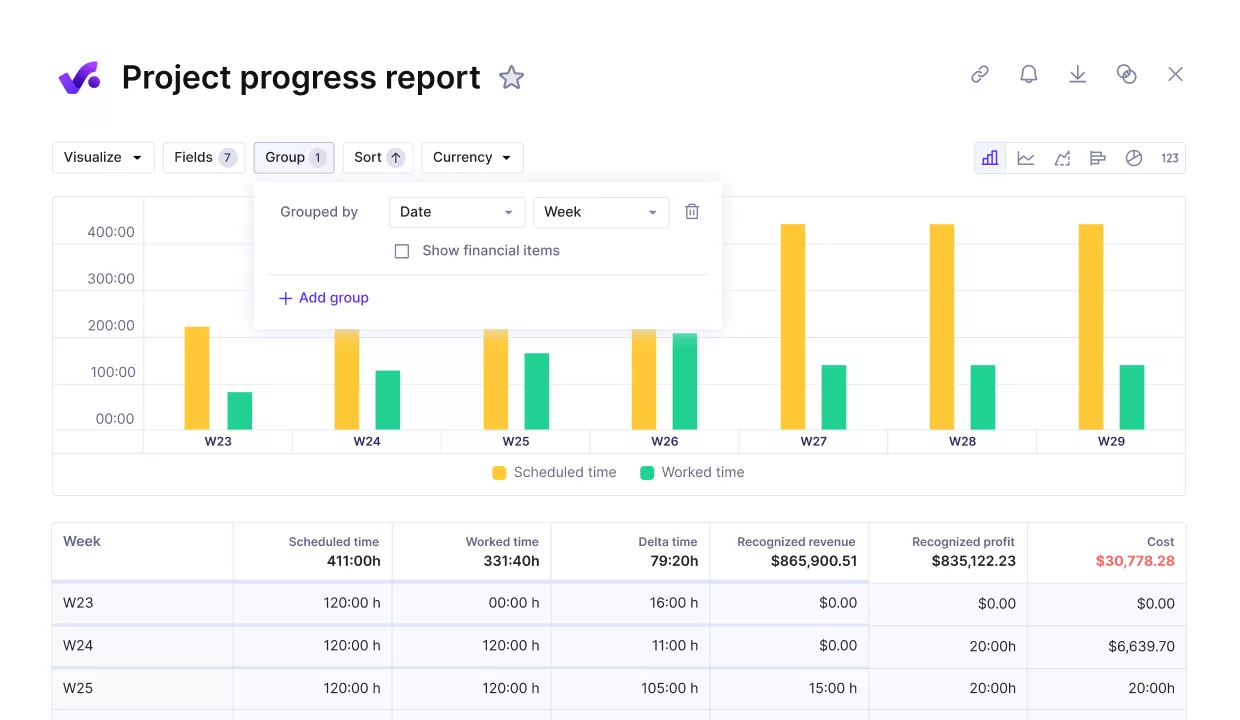
Compare the project progress with budgets, timelines or any other performance metrics.
Plan Sales Pipeline and Delivery in the Same Workflow
Another weak spot in a split stack is that sales and delivery usually live in different systems. Productive Sales brings those workflows closer together, so teams can manage deals, turn won work into budgets, and plan upcoming work without re-entering the same information across separate tools.
This matters when teams need a clearer link between incoming work, resource demand, team capacity, and confirmed delivery. Instead of forecasting demand in one place and staffing it in another, the same system supports both sides of the decision.
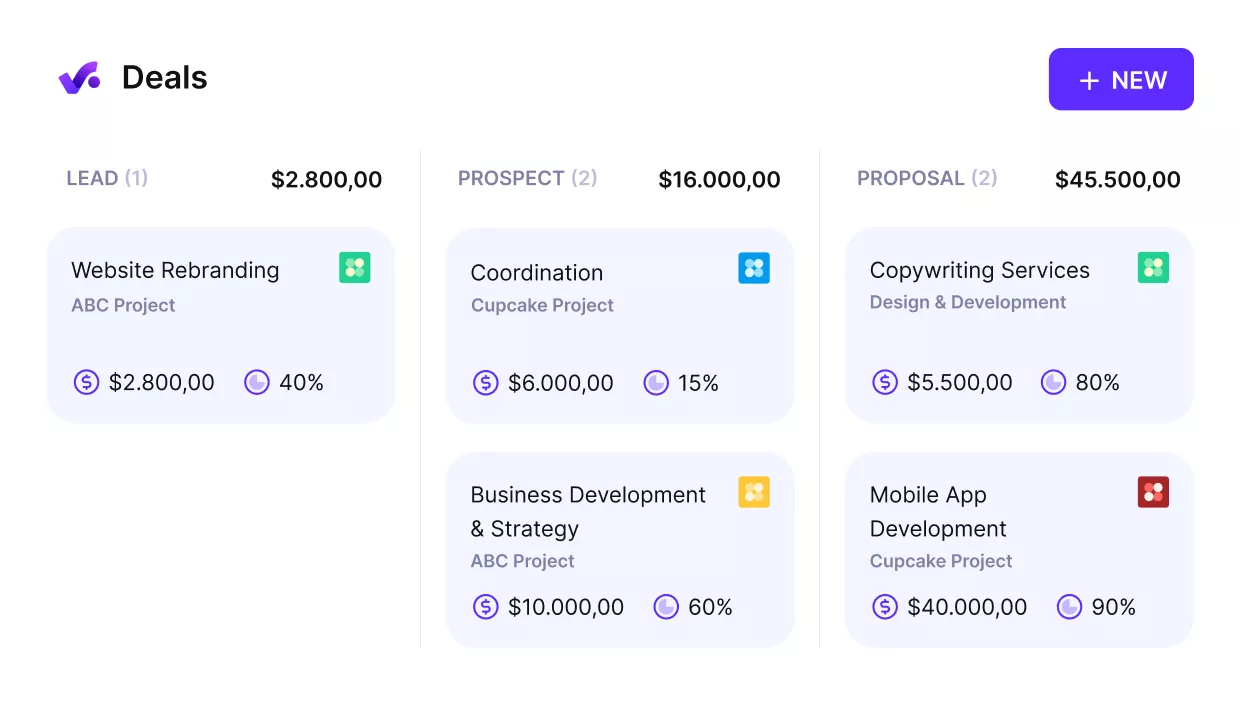
Connect your upcoming or potential projects in the pipeline with you team’s availability.
Run Reporting, Profitability, and Billing From the Same Data
A portfolio planning tool can help teams understand what is planned. Productive is a better replacement when the team also needs to understand what is billable, what is profitable, and where budget health is changing as work moves forward.
Because planning, tracked time, project budgets, and billing are connected, teams do not need to rebuild the commercial picture from exports every time they need an answer.
Productive’s Reporting helps make that commercial picture easier to read, which is what makes it a stronger all-in-one replacement for services teams that want one operating system instead of one more planning layer.
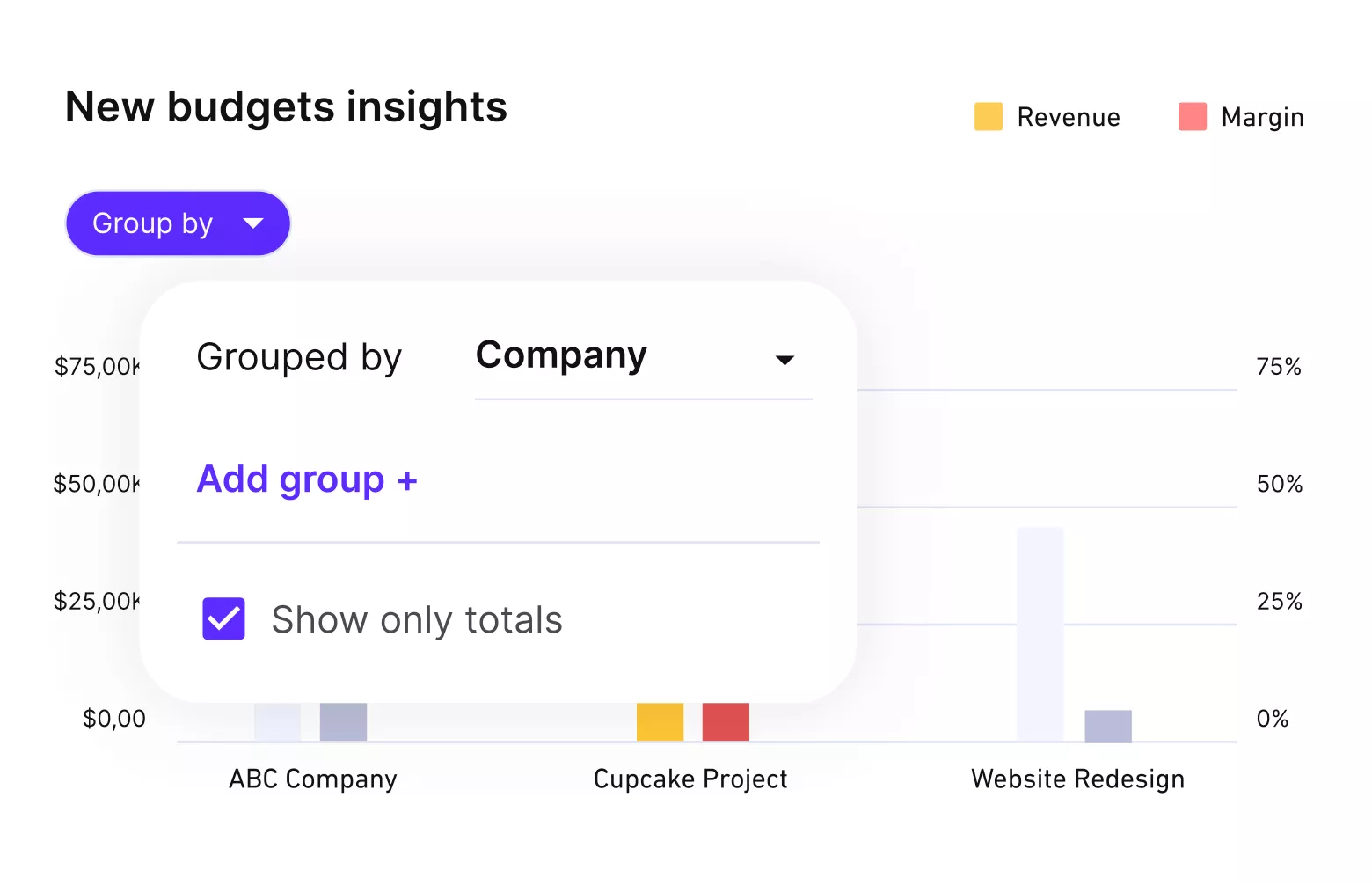
Get real time profitability reports.
Pricing
- Plans start with the Essential plan at $10 per user per month, which includes essential features such as budgeting, project & task management, docs, time tracking, expense management, reporting, and time off management.
- The Professional plan includes custom fields, recurring budgets, advanced reports, billable time approvals, and much more for $25 per user per month.
- The Ultimate plan has everything that the Essential plan and Professional plan offer, along with the HubSpot integration, advanced forecasting, advanced custom fields, overhead calculations, and more. Book a demo or reach out to our team for the monthly price per user.
Productive has a free 14-day free trial, so you can try out what the tool can offer to your professional services firm.
Looking for a Better Meisterplan Replacement? Try Productive.
Productive is built for teams that need more than portfolio planning alone. Replace Meisterplan with a platform that also connects delivery, profitability, resource planning, and billing.

2. Planview Portfolios – Best for Enterprise PMOs
Planview Portfolios is built for organizations that need enterprise-grade project portfolio management, not just lighter project tracking. It fits teams that want deeper portfolio oversight, stronger portfolio financial management, and broader control over strategy, funding, demand, and staffing in one system.
If that is the core evaluation lens, it also helps to compare other resource management software options built for complex planning needs.
Key Features
- Investment prioritization with what-if scenario planning
- Capacity forecasts tied to people, money, and demand
- Financial planning with budgeting, forecasting, and cost tracking
- Analytics and reporting with embedded Microsoft Power BI
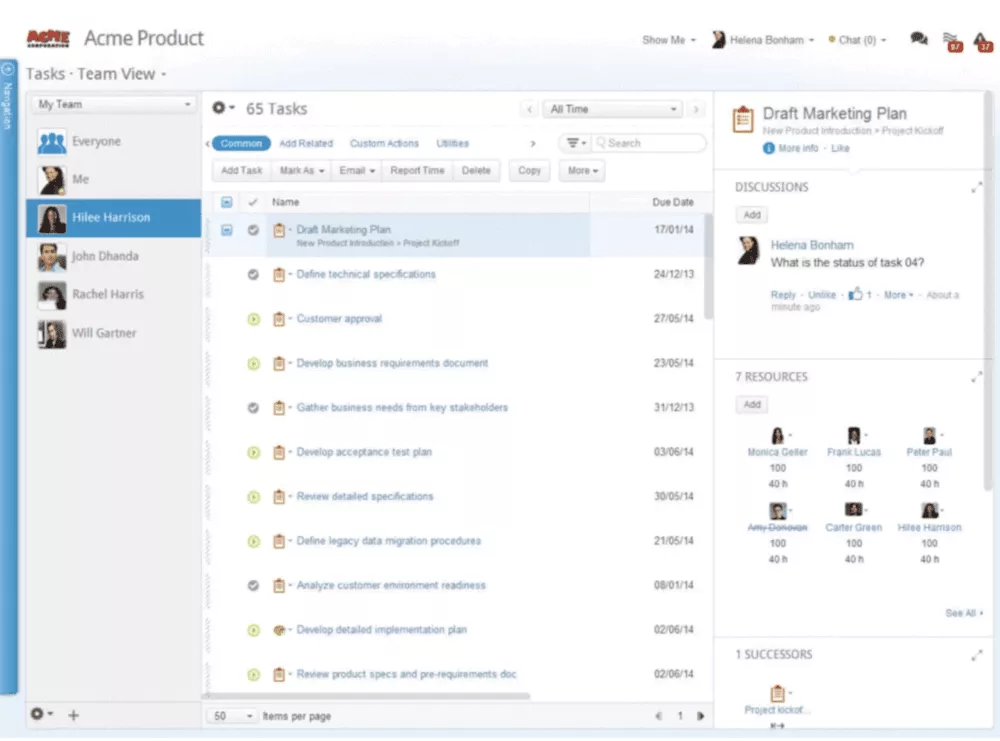
SOurce: Plainview Portfolios
Pros
- Strong coverage across portfolio, project, and resource planning in one platform
- Flexible approval workflows and lifecycle controls for complex governance setups
- Reporting is a real strength, especially for enterprise visibility and executive rollups
- Useful for teams that need strategy-to-delivery tracking instead of disconnected planning tools
Cons
- The user interface feels dated compared to newer planning tools
- Admin-side flexibility still has limits in some areas
- Enterprise rollout depends heavily on executive backing and process discipline
- Smaller teams may find the platform heavier than they need
Final Verdict
Skip Planview Portfolios if your team wants a tool you can stand up quickly without PMO process design and admin overhead. It is a stronger choice when governance, portfolio finance, and executive reporting matter enough to justify a heavier rollout.
3. OnePlan – Best for Strategic Portfolio Planning
OnePlan makes sense for PMOs that want strategic portfolio planning tied more closely to execution data, resourcing, and financial oversight. It is a strong option for teams that need what-if modeling, broader Microsoft connectivity, and a more configurable system for managing a project portfolio across different delivery methods.
Key Features
- What-if modeling for portfolio tradeoff analysis
- Resourcing with capacity, demand, and role-based views
- Financial planning with budgets, forecasts, and actuals
- Integrations with Microsoft Project, Planner, Azure DevOps, Jira, and Smartsheet
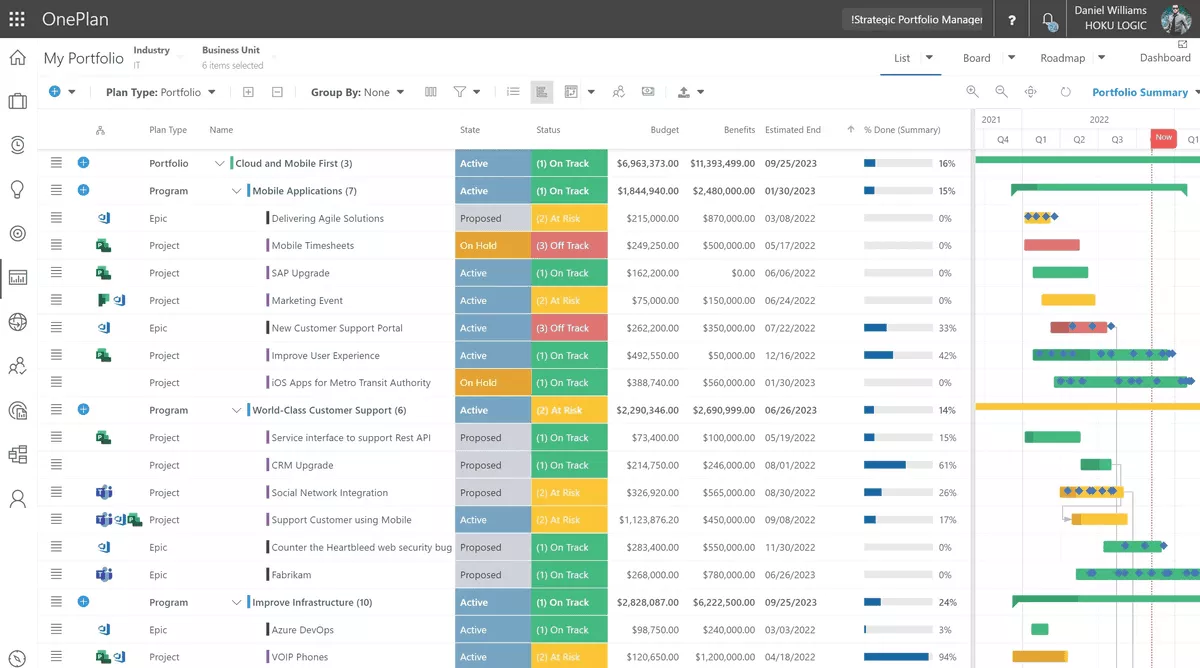
SOurce: Oneplan
Pros
- Strong integration across Microsoft tools and other delivery systems
- Useful staffing visibility and portfolio oversight across teams and priorities
- Flexible enough to support different PMO structures and reporting needs
- Strong reporting, dashboards, and rolled-up portfolio views
Cons
- Resource and financial rollups still need improvement in some views
- Some finance visibility depends too heavily on reporting workarounds
- Small usability issues still show up in day-to-day workflows
- Some teams may still need extra integration work for missing workflow pieces
Final Verdict
OnePlan is the wrong pick for teams that want a simple replacement with minimal configuration. It works better for PMOs that will actually use what-if modeling, Microsoft-connected reporting, and custom portfolio workflows instead of just basic project tracking.
4. Runn – Best for Lighter Resource Planning
Runn covers this planning job more honestly than most lightweight tools do. It is a better fit for teams that want clearer staffing, capacity forecasts, and scheduling without moving into a heavier enterprise platform, especially compared with broader work tools that are closer to resource schedulers than full portfolio systems.
Key Features
- Real-time scheduling with workload and availability views
- Capacity forecasts across teams, roles, and projects
- Project forecasting with utilization, revenue, and margin visibility
- API and integrations for syncing with other tools
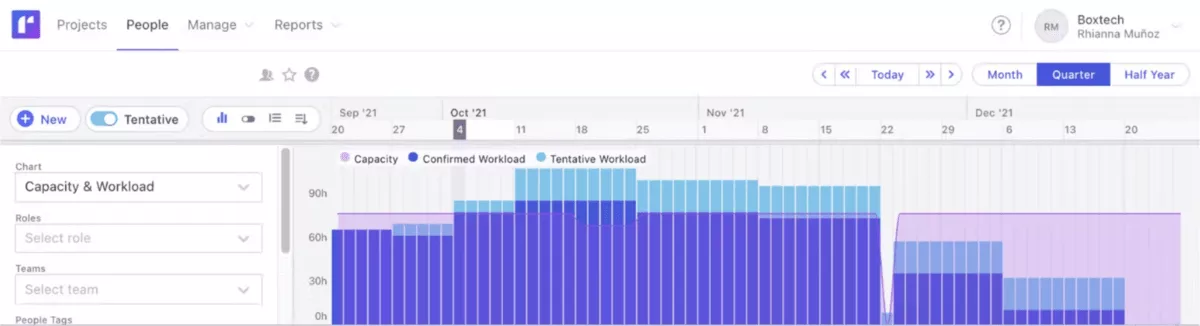
SOurce: runn
Pros
- Easy to use for day-to-day planning and scheduling
- Gives teams a clear view of people, projects, and future availability
- Strong for forecasting billings, utilization, and project profitability
- Support is consistently responsive, and the product keeps improving
Cons
- Reporting and permissions still feel limited in some setups
- Exporting data and working with spreadsheets can be frustrating
- Some teams still need extra integration work to fit Runn into their stack
- It is lighter than enterprise portfolio tools, which means some teams will hit feature limits
Final Verdict
Do not choose Runn if you need portfolio governance, deep workflow controls, or enterprise reporting. Choose it when the real job is cleaner, resource planning and forecasting, not a full PMO platform.
5. ClickUp – Best for Broader Work Management
ClickUp helps with broader work management and project planning. It offers rich dashboards, workload visibility, and a free version, even if that means giving up some strategic portfolio depth.
In case you’re already considering it, check out our guide to ClickUp alternatives.
Key Features
- Workload view for team capacity and scheduling
- Dashboards for project performance, tracked time, and workload visibility
- Multiple project views, including Timeline, Gantt, List, and Board
- Docs, Automations, and Custom Fields for broader workflow management
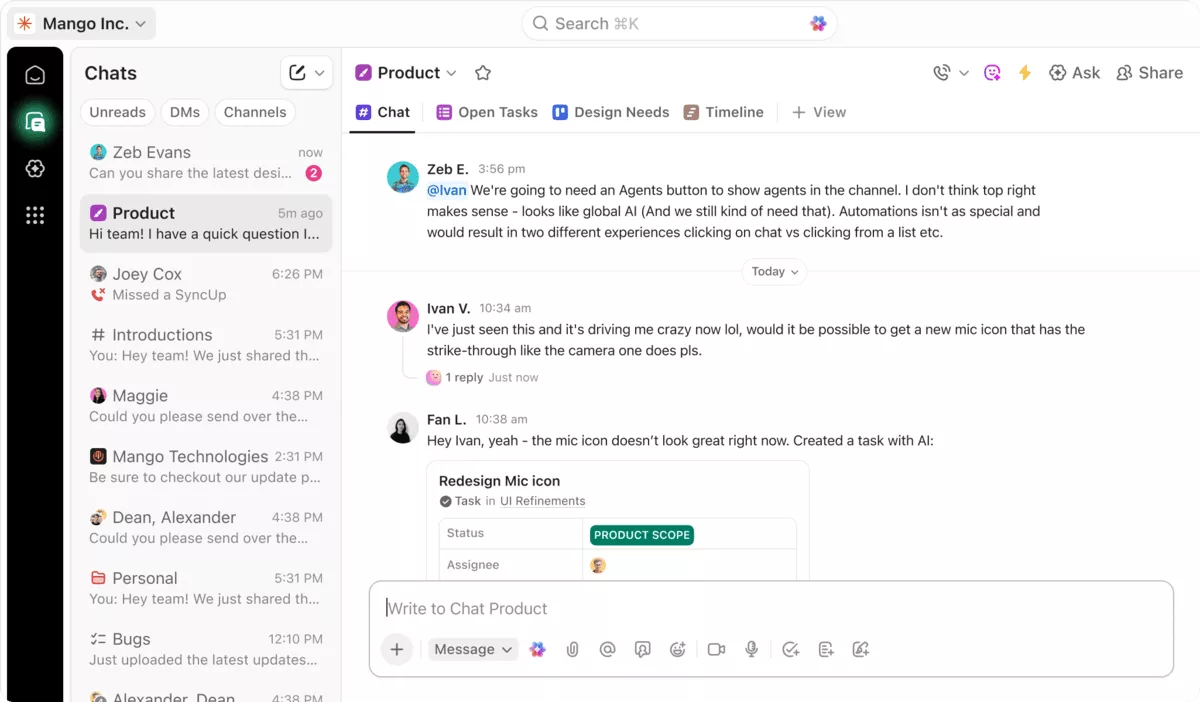
SOurce: clickup
Pros
- Highly flexible structure for teams with complex workflows
- Strong all-in-one setup that reduces tool switching
- Helpful Timeline and List views for replacing spreadsheet-based tracking
- Easy for teams to organize work and understand workload in one place
Cons
- Onboarding is harder than it should be for teams rolling it out across functions
- The learning curve can feel daunting for new users
- Some timeline edits still require too much manual work
- Early setup mistakes are easy when teams miss templates and system guidance
Final Verdict
ClickUp is a weak Meisterplan replacement if your team needs serious portfolio governance, strategic prioritization, or PMO-level planning discipline. It is a better option when the real goal is to replace Meisterplan with a broader work management system that is easier to buy into and easier to scale across day-to-day execution.
Why Teams Look for Meisterplan Alternatives?
Teams look for Meisterplan alternatives because they may need stronger day-to-day execution, easier reporting exports, broader workflow coverage, or a planning tool that better matches how their team actually allocates people and priorities.
That usually becomes obvious when the current setup handles capacity planning well enough for leadership, but leaves delivery teams, project managers, or operations leads doing too much manual work around it.
- Some teams like the planning model but still need broader day-to-day execution support. That usually pushes them toward tools that combine project delivery, reporting, and resource management in one place instead of keeping portfolio planning separate.
- The product is strongest when portfolio prioritization and mid- to long-range capacity planning are the main jobs. If a team needs heavier operational workflows, approvals, or execution detail, Meisterplan can start to feel too narrow for the rest of the stack.
- Review themes on G2 show that ease of use is a strength, but the same review set also highlights export issues as a recurring downside. That is a real switch trigger for teams that need cleaner spreadsheet handoffs or more flexible downstream reporting.
- The tool is built around portfolio and capacity decisions, so it is not the best fit for every team structure. Buyers with shifting planning needs often end up reassessing whether they need a lean portfolio tool, a lighter scheduler, or a broader replacement that covers more of the workflow. Comparing other project portfolio management software options can make that choice clearer.
- User experience can also shape the decision in a different way. A team may not be leaving because the tool is bad at planning, but because they want a tool that matches how their planners, delivery leads, and operations people actually work across systems every week.
How to Choose the Best Meisterplan Replacement for Your Team? (Step By Step Process)
You should choose the best Meisterplan replacement for your team by running a structured evaluation that starts with the planning job you need to replace, then tests each shortlist tool against real workflows, real constraints, and real migration risk.
The goal is not to find the tool with the longest feature list. It is to find the one that fits your business needs, supports your project portfolio process, and handles planning resources across multiple projects in a way your team will actually use.
Step 1: Define What You Are Actually Replacing
Start by writing down the exact job the current tool handles for your team today. Be specific. Are you replacing portfolio management, scenario planning, resource management, capacity forecasting, project intake, or a broader planning layer that sits above delivery tools?
If you skip this step, you will end up comparing products that solve different problems, and the evaluation will drift into generic feature shopping.
A simple way to do this is to list the three decisions your team uses the current tool to make every week. That might be deciding which work gets staffed first, checking whether new demand fits available capacity, or reviewing whether a project portfolio still matches company priorities.
If the tool you choose cannot support those same decisions with less friction, it is not a real replacement, no matter how polished the demo looks.
Step 2: List the Workflows You Cannot Afford to Break
Next, document the workflows that have to survive the switch. Write them out in plain language, not software terms.
For example: assigning people to projects, updating staffing plans when priorities change, reviewing delivery timelines, checking forecasted capacity, managing resource allocation, sharing reports with leadership, or moving approved work into delivery.
This will keep the team focused on operational reality instead of getting distracted by features that look good in a comparison table.
Then add the failure point for each workflow. Ask what breaks today, what still depends on spreadsheets, and what would create real disruption if the new tool handled it badly. This is where you separate nice-to-have features from requirements.
A tool may look strong on paper, but if staffing changes are clumsy or weekly planning reviews take longer, it will create more work instead of removing it.
Step 3: Compare the Shortlist Against Real Team Usage
Do not evaluate the shortlist through polished demos alone. Test each tool against one real planning cycle, one real reporting need, and one real change scenario.
Ask project managers, operations leads, and planners to walk through the same tasks they already do now. That includes updating priorities, moving capacity, changing timelines, and checking what happens to reports when assumptions change.
This is also the right place to run a features comparison and an integrations comparison, but keep both grounded in actual use. Check whether the features and functionalities that matter most are easy to reach, easy to understand, and usable without extra admin effort.
Then test whether the integrations your team depends on are native, reliable, and good enough to remove manual updates rather than just technically existing on a vendor page. The best replacement usually wins on user experience during real work, not on the size of its feature set.
Step 4: Check Migration Risk Before You Commit
Before you choose a tool, check how hard it will be to move your setup without breaking trust in the data.
Look at what needs to be migrated, what logic has to be rebuilt, how many workflows will need to change, and whether the new management software can support your project management office or delivery team without a long stabilization period.
A tool that looks like the best fit can still be the wrong choice if the rollout risk is too high.
The easiest way to do this is to score each finalist on four things: data migration effort, workflow rebuild effort, reporting rebuild effort, and rollout complexity. If one tool needs months of setup before teams can trust the output, that is a real selection cost and it should be treated the same way you treat pricing or functionality.
This step forces the team to choose a tool that works not only in theory, but also in implementation.
How to Migrate From Meisterplan?
You should migrate from Meisterplan by treating the switch as a staged planning project, not as a simple data export.
The safest migrations start by locking down what your team actually uses Meisterplan for today, then rebuilding that logic in the new tool before anyone relies on it for project planning, resource demand decisions, or resource supply visibility.
If the move also changes how teams hand off between planning and delivery, it helps to map the core agency workflows you want the new setup to support.
Migration Checklist
- Define the job the current tool handles today. Write down the planning decisions the tool supports every week. That might include project portfolio reviews, what-if modeling, staffing decisions, or capacity forecasting. If you do not define this first, the migration will drift into feature setup instead of workflow replacement.
- Audit the data you actually need to move. List the portfolios, projects, roles, people, allocations, financial fields, scenario assumptions, and reporting inputs that teams still use. Do not migrate stale fields just because they exist in the system.
- Separate data from planning logic. Export the raw records, but also document how the team uses them. That includes prioritization rules, staffing assumptions, confidence levels, role mappings, and any manual logic leadership uses during planning meetings.
- Map what must be rebuilt in the new tool. Decide which views, dashboards, workflows, and approval steps need to exist on day one. Then mark what can wait until after rollout. This keeps the first launch usable instead of being overloaded.
- Validate roles, capacity, and availability assumptions. Before you trust any new plan, check whether role structures, team availability, working time assumptions, and placeholders still match reality. This is where planning data often goes wrong after migration.
- Test one real planning cycle before full rollout. Run one live planning review in the new tool using current demand, current team availability, and one likely change scenario. Do not rely on sandbox confidence alone.
- Rebuild and verify reporting outputs. Check whether the reports for leadership, finance, and delivery teams still tell the same story after migration. If the new tool changes the logic behind the numbers, you need to catch that before rollout.
- Pilot with a smaller group first. Start with one team, one department, or one planning unit before moving everyone over. A smaller pilot gives you time to fix workflow gaps without damaging trust in the new system.
- Set a cutover date and freeze overlapping updates. Once the pilot works, choose a clear switchover point and stop updating both systems in parallel longer than necessary. Parallel planning sounds safe, but it usually creates conflicting data and confusion.
- Review the first month closely. Treat the first few planning cycles as part of the migration, not as business as usual. Watch for broken assumptions, reporting mismatches, or adoption issues and fix them quickly before they become the new normal.
Final Thoughts: Are These Alternatives Worth the Switch?
Yes, these Meisterplan alternatives can be worth the switch when your team has outgrown what Meisterplan does best or needs a different shape of planning system.
If your team still wants a dedicated planning layer, tools like Planview Portfolios, OnePlan, and Runn each cover a different version of that job. If the bigger issue is that portfolio planning now needs to connect more tightly to execution, operations, and financial control, an all-in-one option like Productive is often the more practical replacement.
If you want to see how Productive handles planning, delivery, and financial visibility in one system, book a short 30-min demo.
Connect With Agency Peers
Access agency-related Slack channels, exchange business insights, and join in on members-only live sessions.
