DevOps Project Management: Roles, 5 Steps, Metrics & Tools

DevOps project management is how you run software projects when developers and operations share one backlog and release plan. Making that switch changes what the project manager owns at each stage of a release.
Below, you get a lifecycle table of PM decisions, the three leads, a five-step rollout, and adoption fixes. By the end, you’ll know which handoff to fix before your next release.
Key Takeaways
- Operations plans with development from the first sprint, so deployment problems surface before the code is finished.
- The project manager, development lead, and operations lead split ownership of the plan, the build, and the deployment.
- Start by mapping your last release’s handoffs, then move both teams onto one board and automate the longest wait.
- Give developers and operations one shared target, such as change fail rate, so neither team blocks the other.
What Is DevOps Project Management?
DevOps project management is planning, tracking, and releasing software so development and operations teams deliver from one backlog. DevOps joins software development (Dev) and IT operations (Ops) into one team with shared release goals.
Project management adds the plan, the budget, and the client updates around that team.
The approach borrows short cycles and constant feedback from the Agile values and principles. The difference is reach: Agile shapes how you build, and DevOps extends the same loop to deployment and operations.
As the project manager, you own a different decision at each stage of the DevOps lifecycle:
| Stage | What Happens | What You Own as PM |
|---|---|---|
| Plan | The team ranks backlog items for the next cycle | Sprint scope, estimates, and the target release date |
| Build | Developers write code and merge it into a shared branch | Blockers and any scope change mid-sprint |
| Test | Automated tests run on every merge | Whether a failed test moves the release date |
| Release | The pipeline deploys the tested build to production | The release window, confirmed with operations and the client |
| Operate | Operations keeps the software running in production | Incident updates to the client and stakeholders |
| Monitor | The team tracks errors, response times, and uptime | Turning monitoring findings into backlog items for the next plan |
DevOps vs. Traditional Project Management
Unlike traditional project management, DevOps brings operations into planning, releases in small batches, and ranks changes in the backlog.
In the Waterfall project management model, operations receives the build at handoff, after development and testing close. Server limits or missing environments surface then, when the release date is already fixed.
In DevOps, operations plans deployment tasks at sprint planning, so those problems surface before the code is finished.
Example: a client portal needs a new database server. Under Waterfall, operations learns this at handoff and the launch slips. Under DevOps, the server request is a backlog card in the first sprint.
| Aspect | Traditional Project Management | DevOps Project Management |
|---|---|---|
| Team setup | Separate dev and ops teams, with a handoff at the end | One team working from a shared backlog |
| Releases | One large release per phase | Small releases once tests pass |
| Testing | A test phase after development ends | Automated tests on every code merge |
| Operations | Receives the build at handoff | Plans deployment tasks from sprint planning |
| Change requests | Formal change control and a new baseline | A backlog card ranked for the next sprint |
| PM focus | Phase gates and the baseline schedule | Blockers, release readiness, and budget burn |
Who Takes the Lead in DevOps Project Management?
The DevOps project manager takes the lead and shares it with a development lead and an operations lead. Each lead owns one part of the release, decides some things alone, and hands work to the other two.
DevOps Project Manager
The project manager decides what ships next and owns the budgeted hours behind each release. Ranked backlog items go to the development lead, and release dates go to the operations lead. When logged time passes the budget, the PM and client agree to cut scope or extend the estimate.
In Productive, you can track budget burn on each release, with automated warnings before an overrun. Before accepting a change request, the PM checks who has open capacity next sprint.
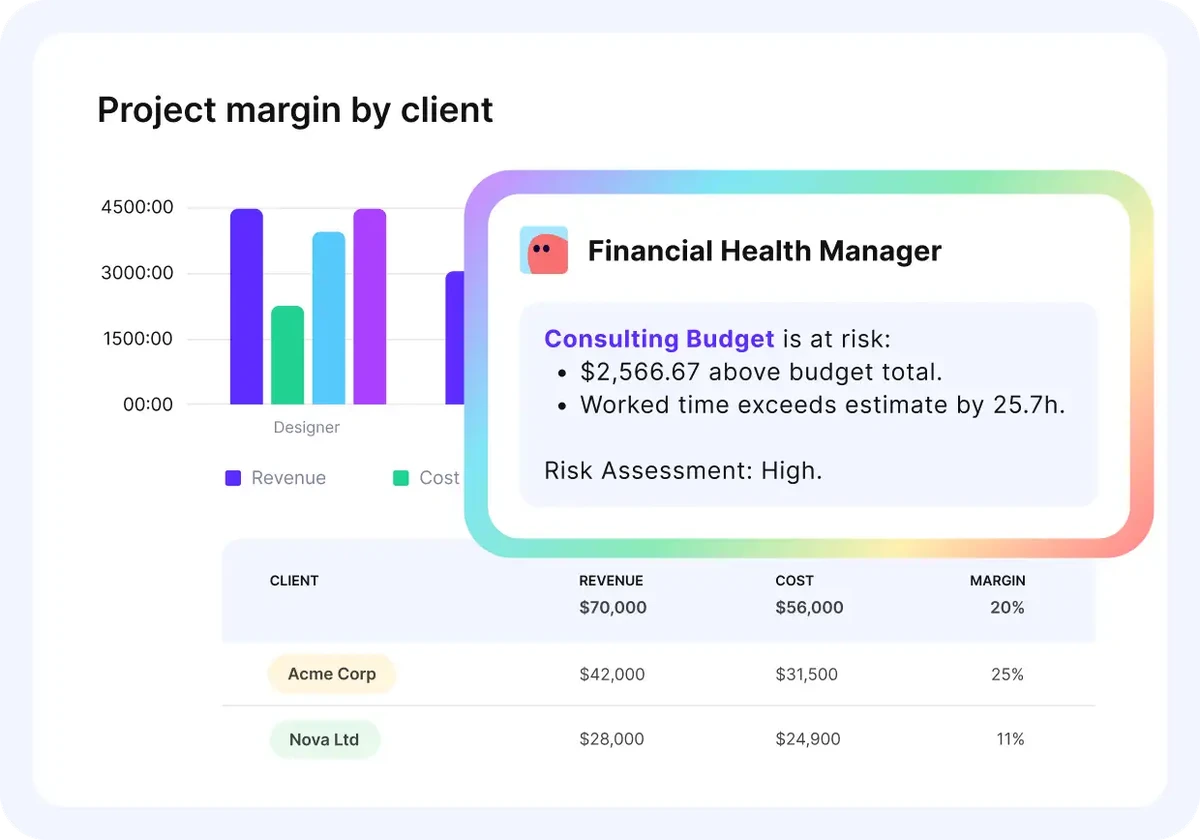
Productive’s financial assistant flags budget overruns.
Development Lead
The development lead owns code review and the automated tests that gate each build. They decide when a feature is ready to deploy and pass tested changes to operations. A failed test sends the item back to the backlog with a note. If an item looks bigger than estimated, they warn the PM before the sprint starts.
Operations Lead
When a release raises error rates, the operations lead rolls back first and opens a fix task for developers. They own environments, the deployment pipeline, and post-release monitoring, and set each deployment window. Incident reports and recovery times go to the other two leads. If a release date moves, they rebook test environments and on-call cover.
What Skills Does a DevOps Project Manager Need?
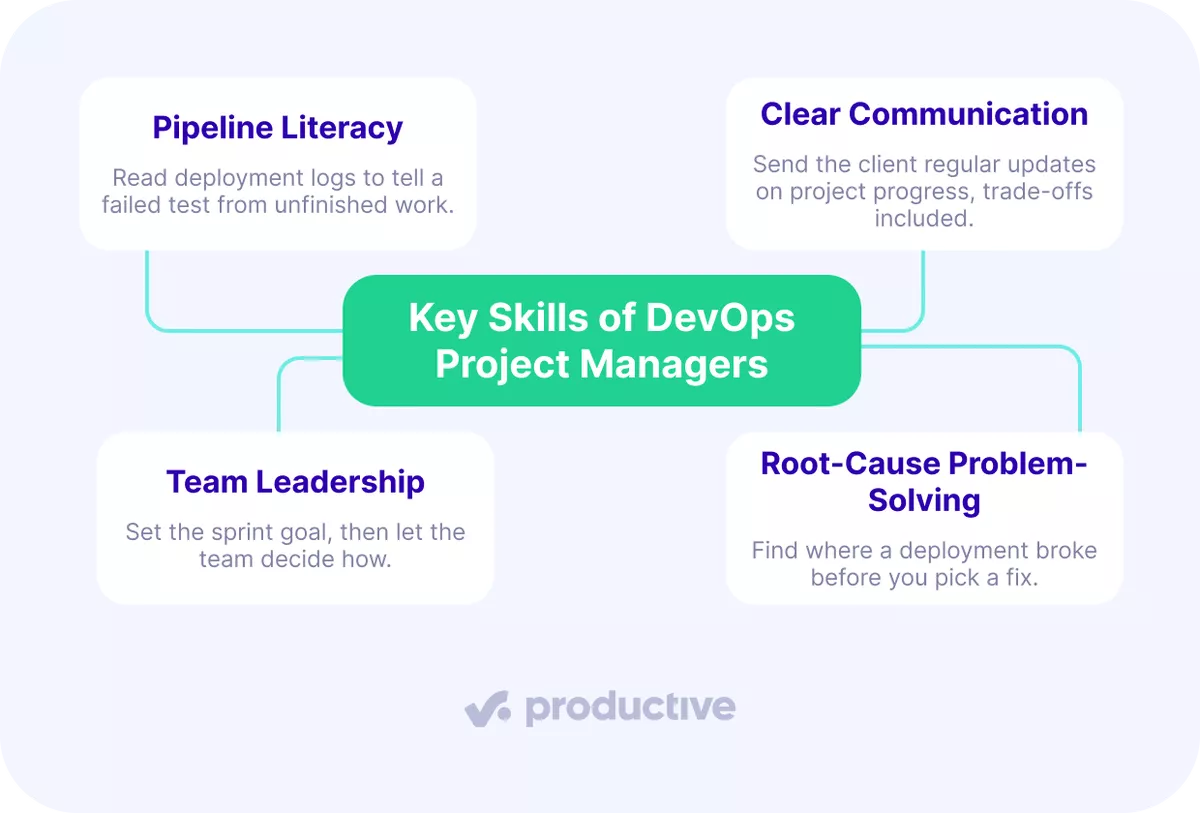
A DevOps project manager needs pipeline literacy, clear communication, team leadership, and root-cause problem-solving. Pipeline literacy tells you if a release is ready, and the other three turn that into decisions.
Pipeline Literacy
Pipeline literacy means reading the pipeline without writing production code. From version control, continuous integration (CI), and deployment logs, you can tell a failed test from an unfinished task.
You also read Prometheus or Grafana dashboards and know which cloud platform runs each deployment.
Clear Communication
Clear communication means sending the client regular updates on project progress, scope changes, and blockers. A mid-sprint scope change then reaches the client with its trade-off attached. Inside the team, developers and operations raise release questions in one shared channel.
Team Leadership
Team leadership means setting the sprint goal and letting developers and operations choose how to reach it. Close each retrospective with one agreed change, its owner, and the sprint where you check it.
Root-Cause Problem-Solving
Root-cause problem-solving means finding where a broken deployment failed before choosing a fix. Start from the monitoring data, then pick the fix you can ship safely. Share the cause and fix with the team and client, and log both for the retrospective.
What Are the Best Practices for Running DevOps Projects?
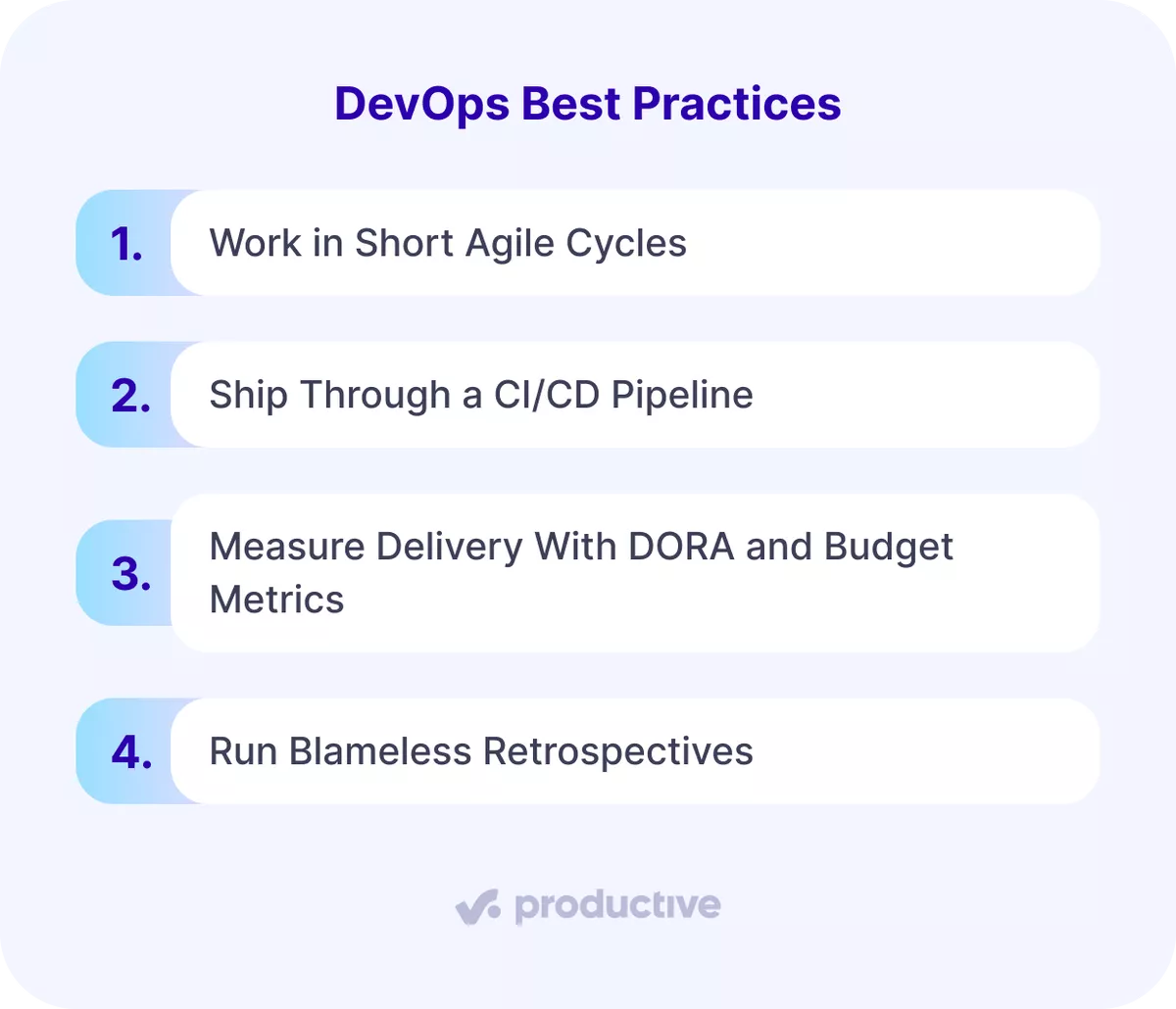
The best practices for DevOps projects are short Agile cycles, CI/CD pipelines, DORA and budget metrics, and blameless retrospectives. Each one shortens the time between a problem appearing and someone acting on it.
Work in Short Agile Cycles
Work in one- or two-week sprints, so a change request waits at most one sprint. If sprints are new to your team, start with how Agile project management works.
Example: a client’s mid-sprint request for a new export format waits in the backlog until the next sprint planning.
Ship Through a CI/CD Pipeline
A CI/CD pipeline moves code to production through automated checks. CI runs tests on every merge, and continuous delivery (CD) keeps each passing build ready to deploy. For you as PM, a failed build blocks the release card, so you read readiness off the pipeline.
Measure Delivery With DORA and Budget Metrics
DORA metrics measure how fast your team ships and how often deployments fail:
- Change lead time: how long a committed change takes to reach production.
- Deployment frequency: how often you deploy.
- Failed deployment recovery time: how long recovery from a failed deployment takes.
- Change fail rate: the share of deployments that need immediate intervention.
- Deployment rework rate: the share of unplanned deployments caused by production incidents.
A team can deploy daily and still overspend the release budget. Track hours against budget too, plus other project metrics beyond delivery speed.
Run Blameless Retrospectives
A blameless retrospective reviews the process that failed and names no culprit. Hold one after every sprint and every production incident, starting from the root-cause log.
Example: nobody checked staging before a failed release, so the team adds a staging check to the release checklist.
How Do You Implement DevOps Step by Step?
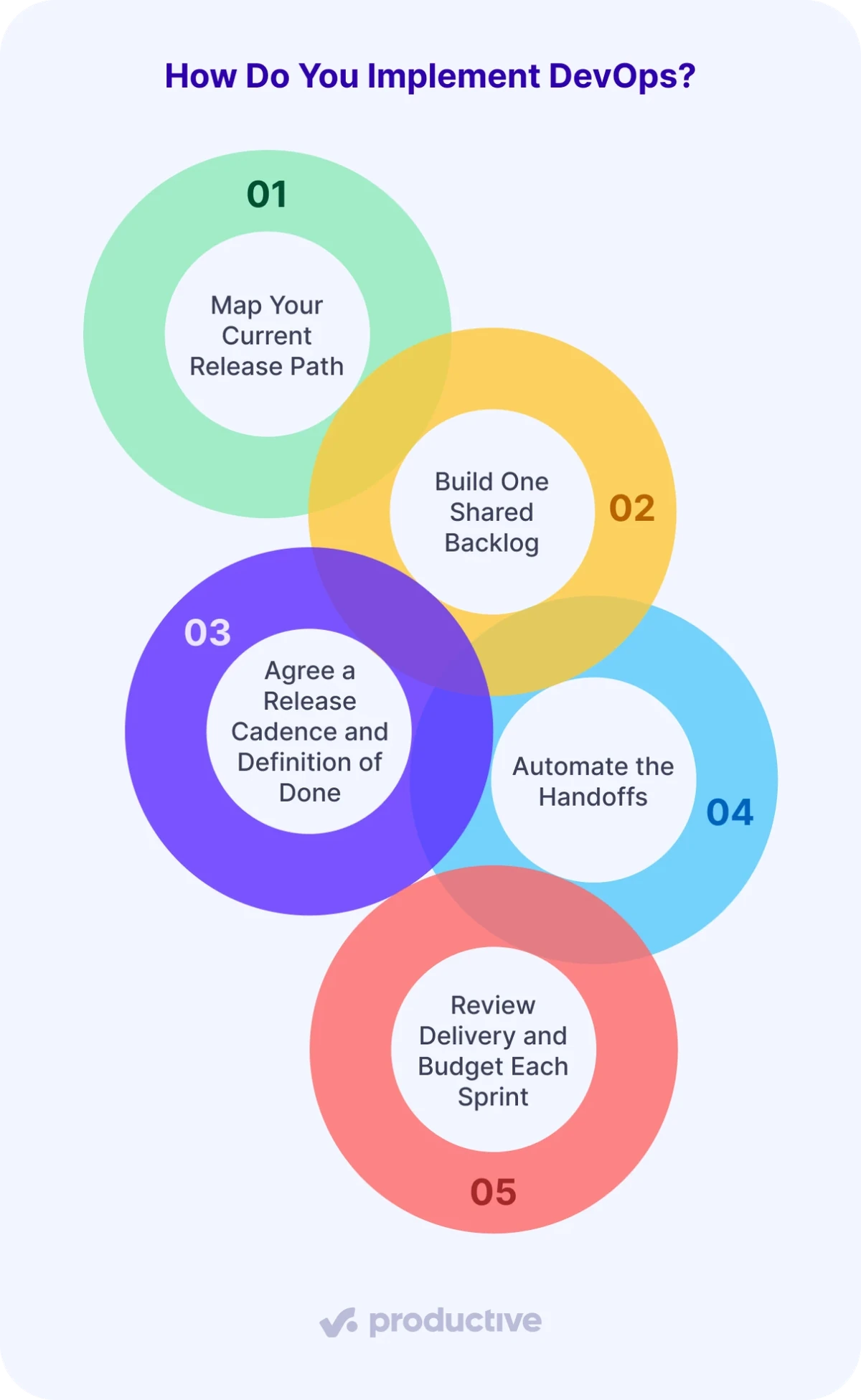
To implement DevOps, map your release path, share one backlog, set a cadence, automate handoffs, and review each sprint. Run them in order on one project, because Step Four automates the handoffs that Step One maps.
Step 1: Map Your Current Release Path
Open the tickets and deployment log from your last release. List every handoff between development and operations, with the days each one waited. You’re done when a one-page release map shows each handoff, its owner, and its wait time.
Step 2: Build One Shared Backlog
Move every open task from both teams onto one shared board for dev and ops. Use five columns: Backlog, In Progress, Code Review, Ready to Deploy, and Deployed. Link each deployment task to the feature it ships.
In Productive, make those columns custom workflow statuses and drag tasks between them. You’re done when every deployment task is on the board with an owner.
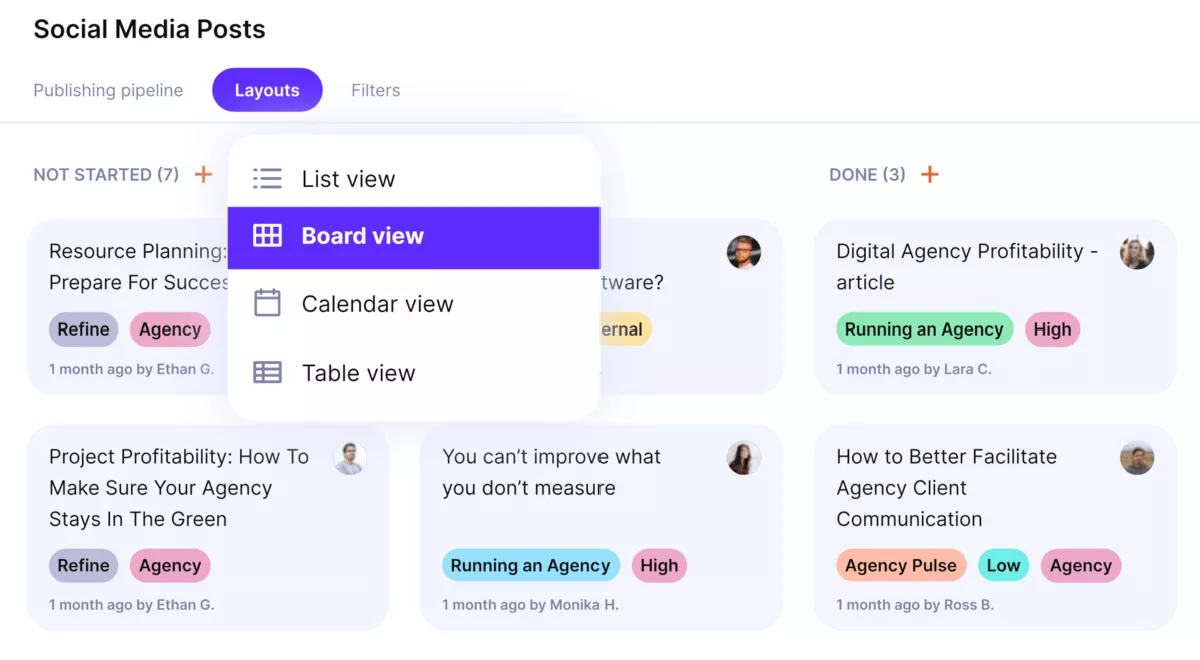
Manage sprints in Productive’s board view.
Step 3: Agree a Release Cadence and Definition of Done
Pick a sprint length, such as two weeks, and a fixed release day. Write a definition of done (the checklist a task must pass to count as finished) that operations also signs. Example: tests pass, the build runs on staging, and a monitoring alert covers the feature. You’re done when both leads sign the one-page definition.
Step 4: Automate the Handoffs
Automate the handoffs on your release map, starting with the longest wait. In Productive, you can automate task handoffs and Slack alerts. When a task’s status changes to Ready to Deploy, the automation assigns the ops lead and posts in Slack.
You’re done when no handoff depends on someone remembering to send a message.
Step 5: Review Delivery and Budget Each Sprint
At each sprint’s end, compare the DORA figures with the previous sprint and hours logged against hours budgeted. Send the summary to the client contact, flagging any mid-sprint card outside the agreed scope.
You’re done when every out-of-scope card has a decision: bill it, cut it, or move it.
What Are the Common Challenges of Adopting DevOps?
Common DevOps adoption challenges are conflicting goals, tools before process, legacy approvals, skill gaps, and mid-sprint scope changes. Each one comes with a fix:
- Conflicting goals: developers are measured on shipped features and operations on uptime, so each team blocks the other. Give both one shared target, such as change fail rate.
- Tools before process: a pipeline bought without changing who owns the release only automates the old handoff. Run Steps One and Two before you buy anything.
- Legacy approvals: a weekly change board turns small releases back into large ones. Pre-approve low-risk change types and send only high-risk releases to the board.
- Skill gaps: a PM who can’t read the pipeline relays status instead of managing it. Pair the PM with the development lead for one sprint of pipeline reviews.
- Mid-sprint scope changes: to stop scope creep mid-sprint, every new request becomes a backlog card for the next sprint. The exception is a client who agrees to drop committed work.
Which Tools Do DevOps Project Managers Use?
DevOps project managers use a work management platform, an issue tracker, a CI/CD server, and a team chat tool. To weigh more options, compare Agile project management tools side by side.
1. Productive
Productive is an agency and professional services platform where you plan releases, budgets, and people together.
Tasks move across boards by workflow status, and budgets send automated warnings before an overrun. Jira and Slack connect natively, and over 1000 apps connect through Zapier.
Globaldatanet, an AWS cloud-native development agency, uses Productive to see time and budgets on projects with several roles. Read how a cloud development agency gained visibility.
2. Jira
Jira is Atlassian’s work tracking tool for software teams, with Scrum and Kanban boards. Its reports include sprint burndown, velocity, and deployment frequency. If your developers already plan in Jira, Productive connects to it natively.
3. Azure Boards
Azure Boards is Microsoft’s web-based service for planning and tracking work across the development lifecycle. It offers Kanban boards, sprint backlogs, and work items such as features, user stories, bugs, and tasks.
Example: a client portal epic splits into features, each feature into user stories, and each story into tasks. You can also link GitHub commits and pull requests to work items.
4. GitLab
GitLab is a DevSecOps platform that combines source code management, CI/CD pipelines, and issue boards. Its issue boards support Kanban and Scrum, and each Scrum team can run its own board.
5. CI/CD and Chat Tools
CI/CD servers such as Jenkins run your tests and deployments as automated pipelines. Team chat in Slack or Microsoft Teams carries release questions between developers and operations.
Why Use an All-in-One Tool for DevOps Project Management?
Use an all-in-one tool for DevOps project management, because the plan, hours, and budget then update together. When tasks, hours, and budgets are split across three apps, you reconcile them by hand before each client update. An overrun then shows up at the next reconciliation, not when the hours are logged.
In one tool, every logged hour counts against the budget as it happens. Productive also warns you before a budget overruns and connects to Jira and Slack, so developers keep their tools. If you track releases, hours, and budgets in separate tools, book a demo to see them together in Productive.
Connect With Agency Peers
Access agency-related Slack channels, exchange business insights, and join in on members-only live sessions.
