Top 5 Teamleader Alternatives (2026) Review + Migration Checklist

If you’re looking for Teamleader alternatives, the good news is that the search is over.
This guide compares five Teamleader substitutes that replace more than one slice of the workflow. We’ll keep it simple with key features, pros, and cons pulled from real user reviews, so you can spot the tradeoffs fast.
You also get a step-by-step way to choose, plus a free migration checklist you can copy and paste, including a couple of free alternatives.
What Are the Best Alternatives to Teamleader in 2026
The best Teamleader alternatives in 2026 are Productive, HubSpot CRM, Teamwork, FreshBooks, and Bonsai. The shortlist gives you quick picks, and the buyer table shows what each tool actually replaces, so you can choose with confidence.
Shortlist: The Best Substitutes (Free Plan Options Included)
Teamleader Competitors Comparison Table (Buyer Comparison for Free Alternatives)
This Teamleader comparison is a buyer-focused features comparison. It shows what each option replaces, plus whether there is a free version or a free trial.
| Tool | Choose this tool if… | Skip tool if… | Best for… | Free plan or trial | Replaces |
|---|---|---|---|---|---|
| Productive | You want one system to connect delivery, resourcing, and budgets | You only need a lightweight CRM or invoicing app | All-in-one operations for agencies and service teams | 14-day trial | Sales pipeline, projects, time, resourcing, budgets, billing |
| HubSpot CRM | Your priority is contacts, deal stages, and a clean pipeline | You need delivery, time, and invoicing in the same place | CRM and sales pipeline management | Free plan | CRM, pipeline |
| Teamwork | You run client projects and need structured task tracking | You want CRM and invoicing to live in the same tool | Project execution and team coordination | Free plan (up to 5 users) | Projects, tasks, time |
| FreshBooks | You mainly want better invoicing, expenses, and payments | You need deep project management beyond basic tracking | Billing and expense tracking | 30-day trial | Billing, expenses, time |
| Bonsai | You want proposals, contracts, and billing in one simple flow | You manage complex projects or a larger sales team | Small service teams and freelancers | 7-day trial | Proposals, contracts, billing, time |
How We Chose These Tools?
We chose these tools by watching real workflow walkthroughs on YouTube, then validating the tradeoffs through recent review patterns on G2 and Capterra. We also used Reddit to sanity check how teams actually use these tools day to day, including what breaks during setup and reporting.
We did not build this list from sponsored directory placements. We reviewed a range of “alternatives” roundups and directories, but we only kept picks that show consistent strengths and clear tradeoffs in real user reviews.
Our main filter was coverage. Every tool here replaces more than one slice of the Teamleader workflow, and at least one option includes a free plan. We also removed tools that keep showing up in broad lists but do not match the CRM, plus delivery plus billing use case.
1. Productive – Best for All-in-One Company Operations
Productive is the only true all-in-one option in this list for agencies and professional services teams. It fits best once Teamleader starts to feel stretched, like when you have more projects running at once, more people to coordinate, and tighter pressure to catch budget burn during delivery.
Try the best all-in-one Teamleader Replacement
Project Delivery with Dependencies and Budget Context
Teamleader can handle simple task tracking, but delivery gets harder when you need phases, dependencies, and a timeline you can trust. Productive supports timelines and task dependencies, so when dates move, you can adjust the plan without rebuilding it.
Budgets sit close to the work, which helps project leads connect progress to budget consumption instead of checking it in a separate place.
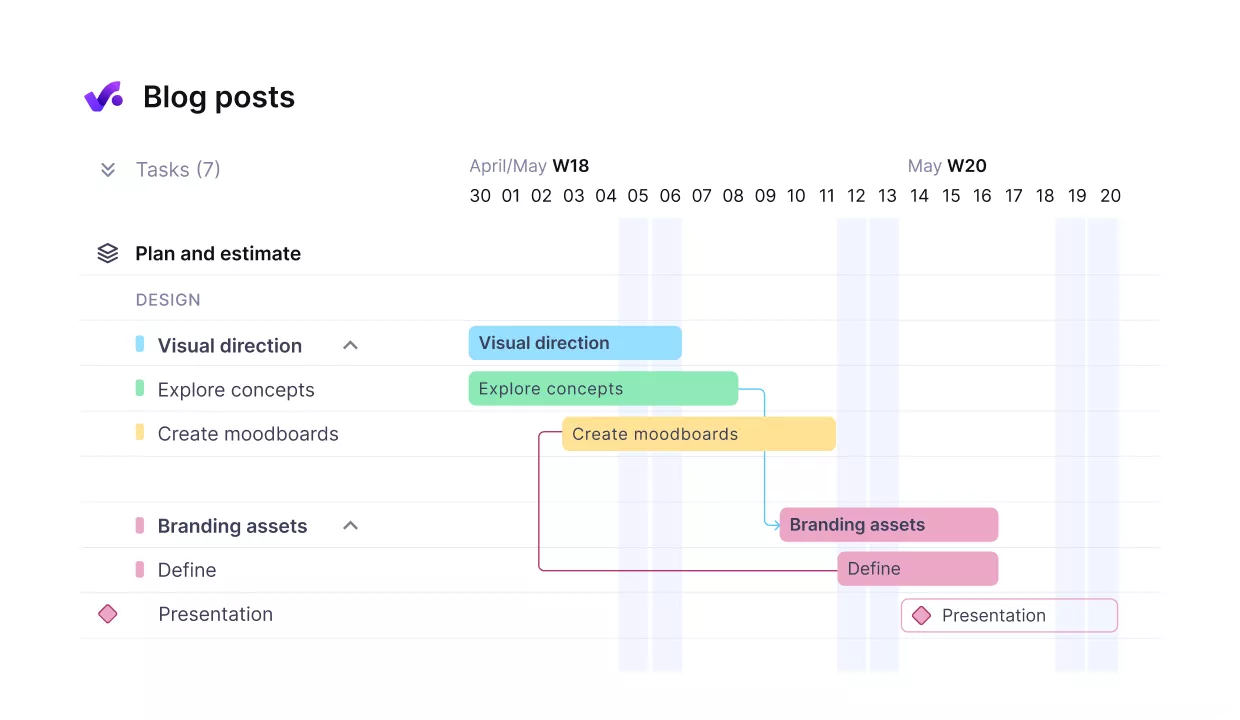
Easily break up complex tasks into milestones and dependent subtasks.
Time Tracking That Surfaces Budget Burn During Delivery
In Teamleader, time often ends up treated as an invoicing input. In Productive, time tracking rolls time entries into budgets as the work happens, so you can see used vs remaining while you still have options. Budget alerts help you spot risk early, so you can change scope, staffing, or expectations before an overrun becomes a write-off.
If you need tighter control, Productive also supports time approvals, so a budget owner can review entries before they become official for client-facing work.
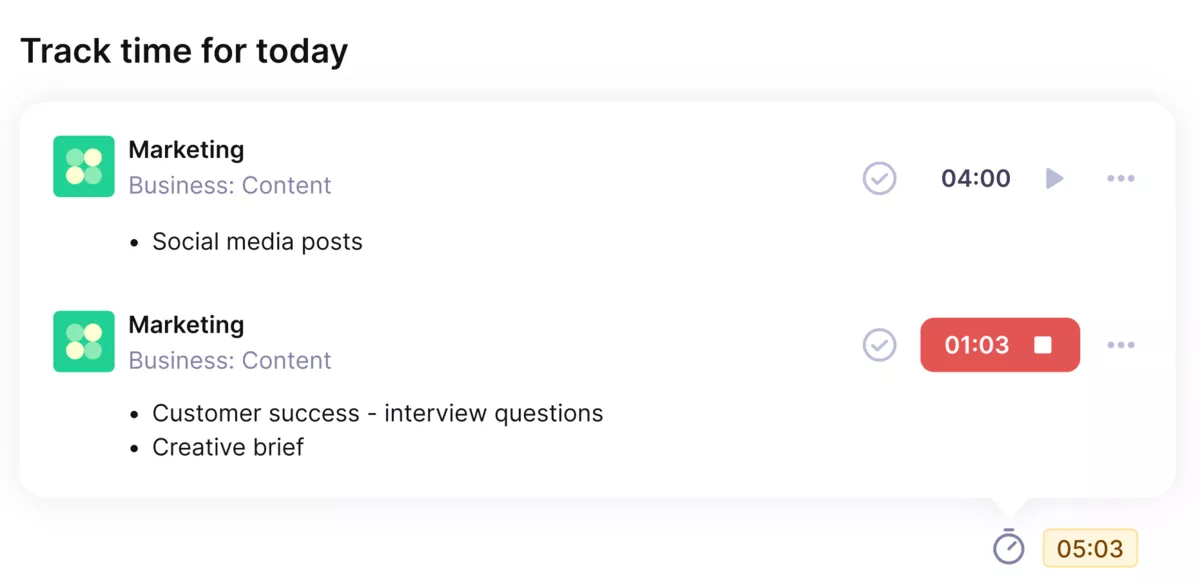
Get accurate time sheets with Productive’s automatic time trackers.
Resource Planning and Capacity Planning
This is where growing teams usually hit the ceiling. Assigning tasks is not the same as seeing team-wide capacity. Productive includes a Resource Planner that shows availability and overbooking across weeks and months, and it supports tentative bookings when work is likely but not fully confirmed.
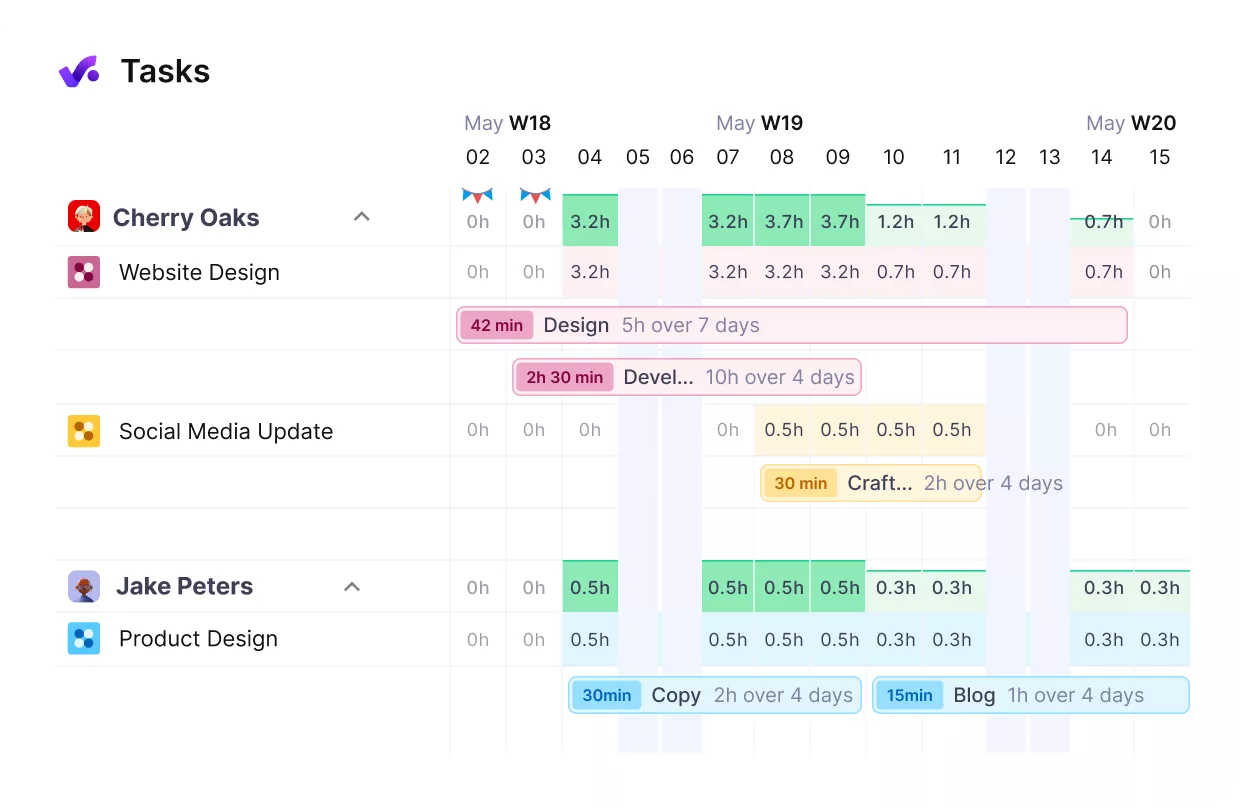
Plan your team’s workload, and avoid overbooking or idle hours.
Sales to Delivery Handoff That Keeps the Scope Intact
Teamleader does have a CRM, but teams still lose context at handoff when the project plan and budget need to be rebuilt. Productive keeps deals and projects in the same system, so the delivery team can start from the scope and budget structure instead of re-entering it. That reduces the “telephone game” between sales and delivery.
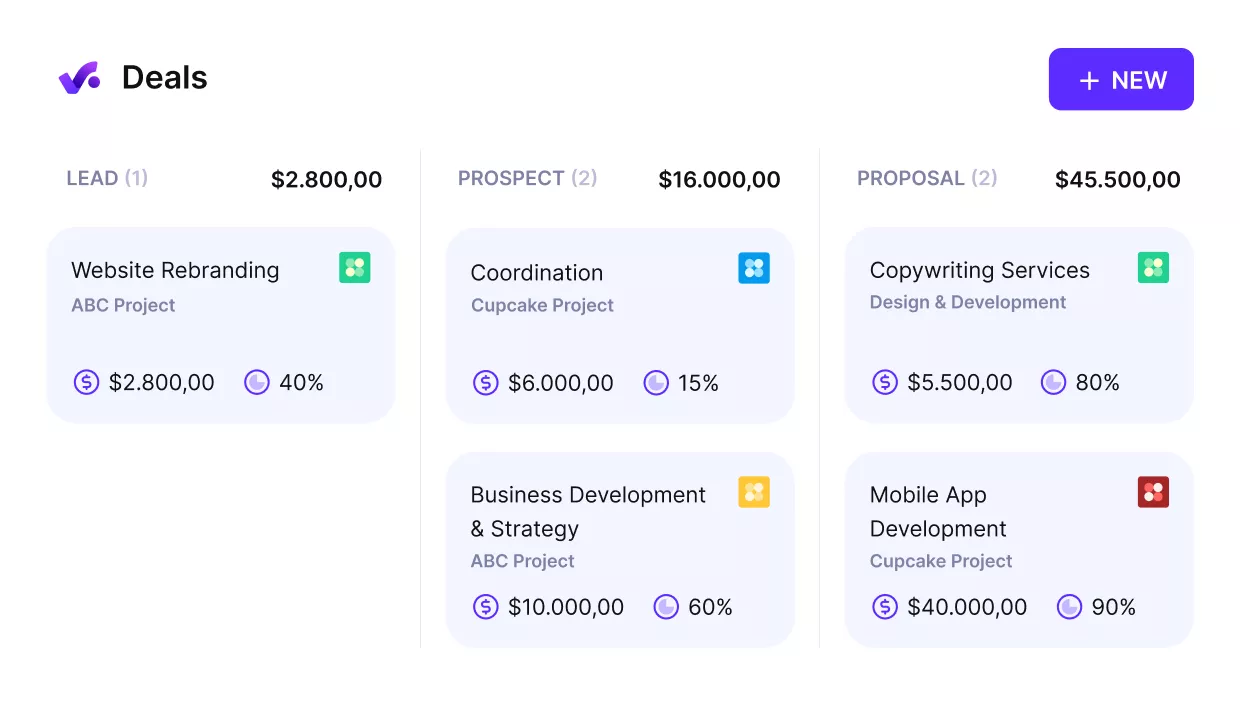
Turn won deals into started projects.
Billing and Reporting That Stays Connected to Operations
Teamleader can tell you what has been invoiced and what is paid. Productive goes further by tying billing and reporting back to budgeting and delivery data.
You can create invoices from the work you delivered and report on budgets, time, and profitability, which reduces spreadsheet work and makes it easier to spot issues before the month’s end.
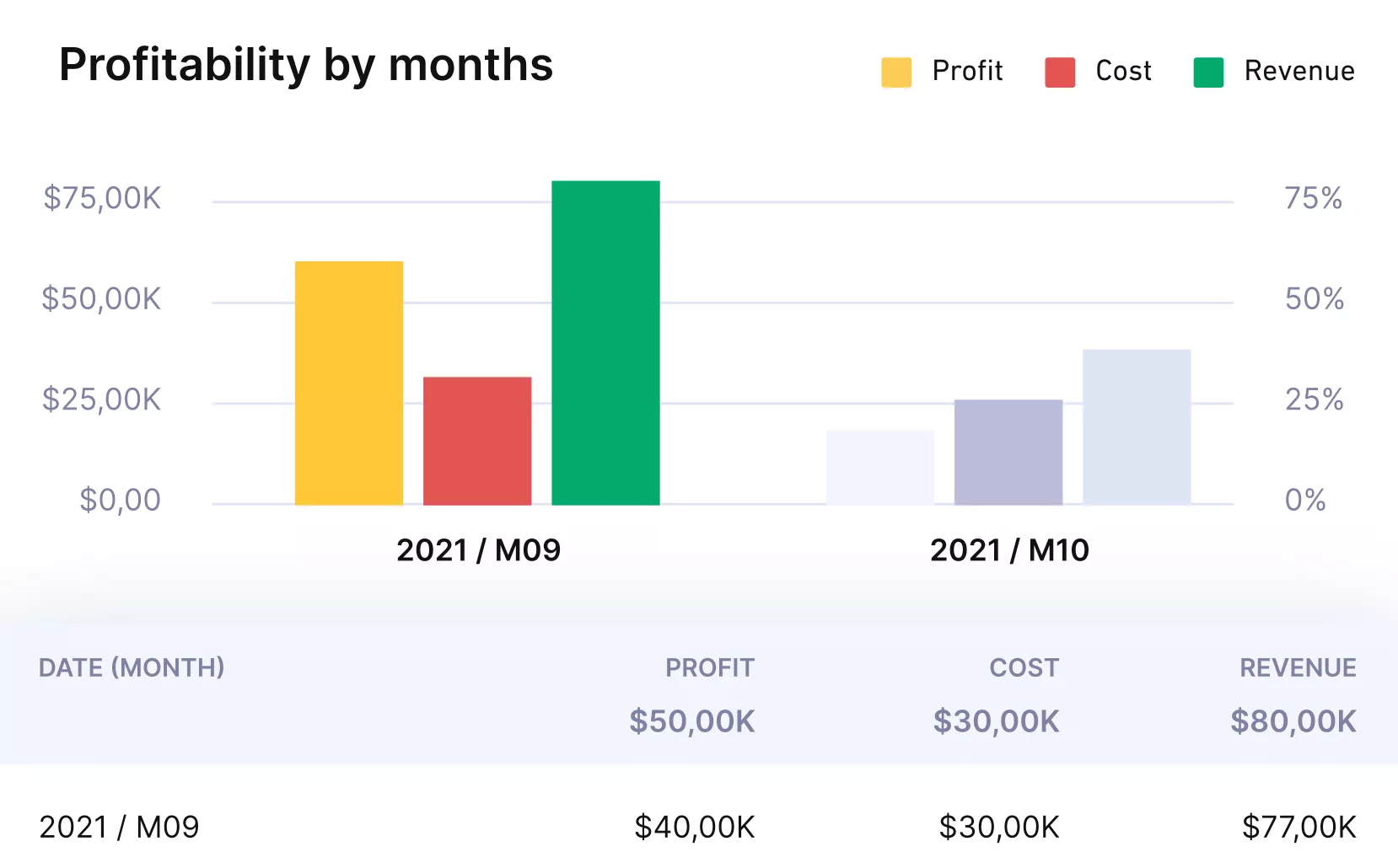
Get real time profitability reports on budgets, projects and clients.
Pricing
- Plans start with the Essential plan at $10 per user per month, which includes essential features such as budgeting, project & task management, docs, time tracking, expense management, reporting, and time off management.
- The Professional plan includes custom fields, recurring budgets, advanced reports, billable time approvals, and much more for $25 per user per month.
- The Ultimate plan has everything that the Essential plan and Professional plan offer, along with the HubSpot integration, advanced forecasting, advanced custom fields, overhead calculations, and more. Book a demo or reach out to our team for the monthly price per user.
Productive offers a 14-day free trial, so you can see what it can do for your project’s financial health.
Move Beyond Teamleader Without Adding More Tools
If you need more than CRM plus basic projects, Productive is the all-in-one option on this list that ties delivery, utilization, and profitability into one system.

2. HubSpot CRM – Best for a Free CRM-First Replacement
If Teamleader feels too broad, HubSpot is a strong CRM-first alternative for managing contacts and deal stages in one place. It is not a substitute for Teamleader’s project delivery, time tracking, or invoicing, so plan on pairing it with other tools.
If you want a broader view of organizing client work, here is our client management guide.
Key Features
- Contact and company records with activity history
- Visual sales pipeline with custom deal stages
- Lead capture forms and basic lead management
- Handoff basics through tasks, notes, and email tracking
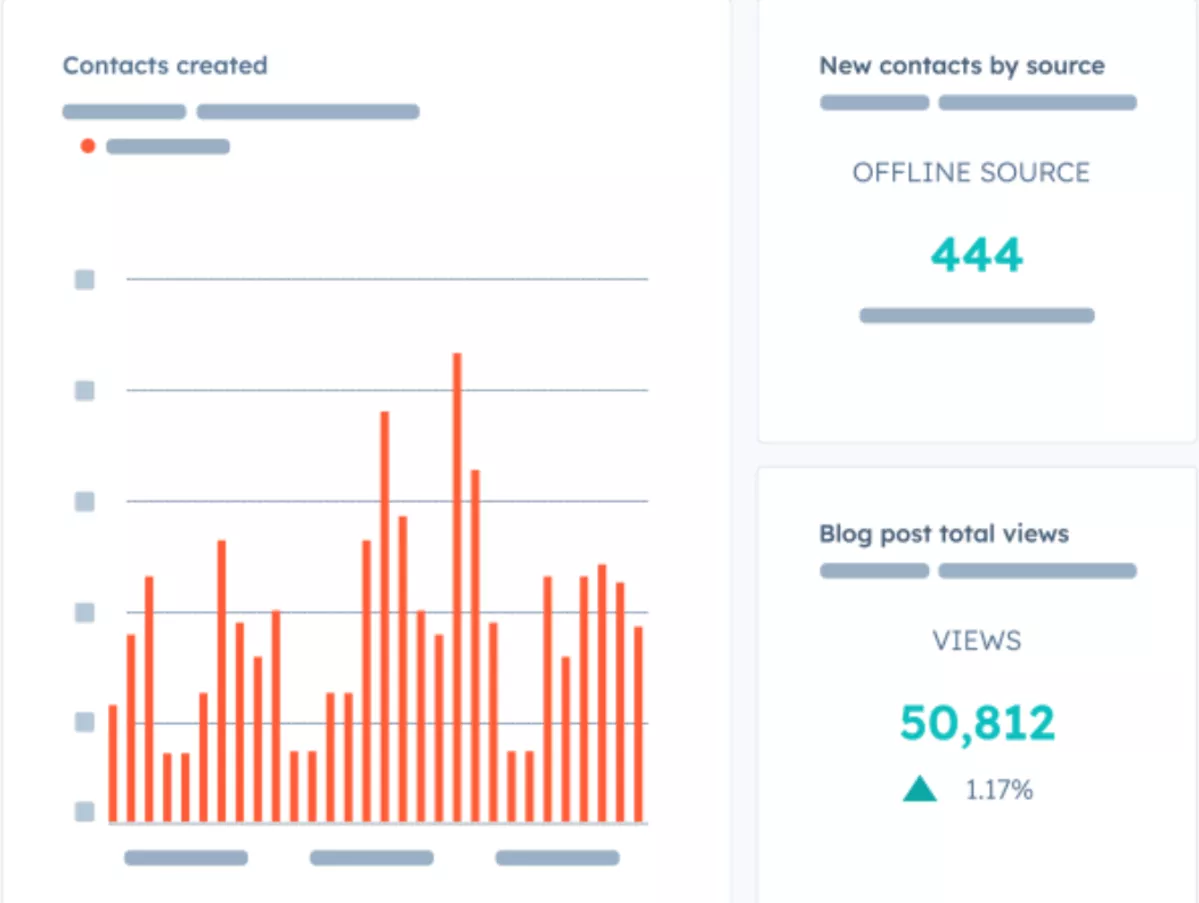
SOurce: hubspotcrm
Pros
- Clean interface that makes contact management and deal tracking easy to keep up with
- Flexible customization for pipelines, properties, and views
- Big ecosystem of integrations and add-ons as you grow
- Free version covers the basics well for small teams
Cons
- Costs can rise quickly once you need paid hubs, automation, or advanced features
- Email handling and inbox logic can feel awkward once you connect multiple deals or tickets
- Bulk edits and spreadsheet-like cleanup can be slower than expected
- Some setup choices can be hard to undo later, so you need to plan your data model early
Final Verdict
Choose HubSpot if your Teamleader pain is sales tracking, not delivery. If you are trying to replace CRM, projects, time, and invoicing in one move, HubSpot will not be enough on its own, and that is the dealbreaker.
3. Teamwork – Best for Client Project Delivery with a Free Option
When your main problem with Teamleader is day to day delivery, Teamwork is a project management software built for client work, with the structure to keep tasks, owners, and deadlines visible. It will not replace Teamleader as a CRM or an end-to-end invoicing tool, so it fits best when you already have those covered elsewhere.
If you want to compare more delivery tools, see our roundup of Teamwork alternatives.
Key Features
- Task lists, boards, and timelines for client projects
- Time tracking on tasks and projects
- Client access and collaboration on selected work
- Workload and capacity planning for scheduling
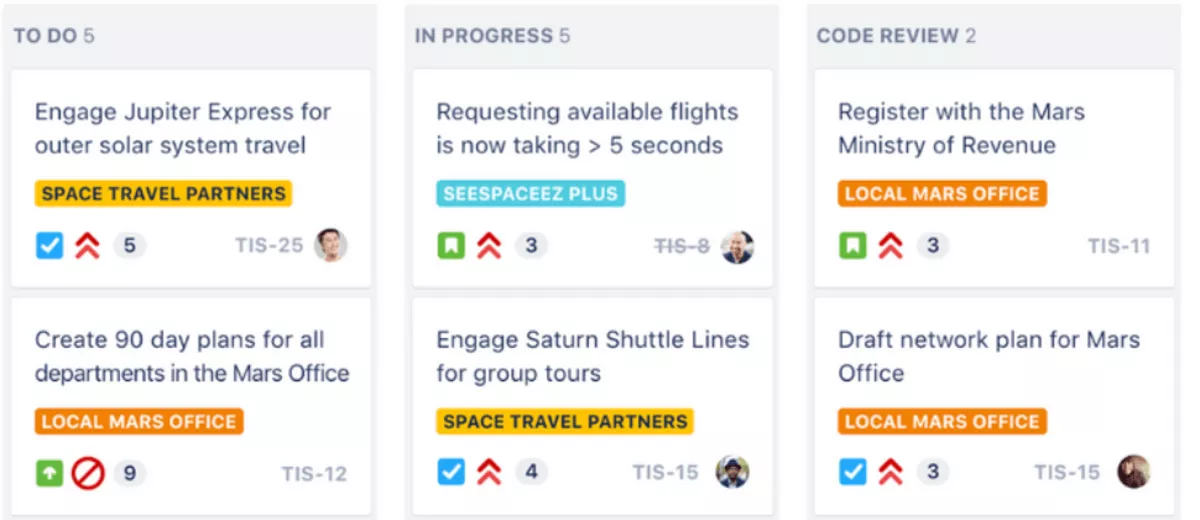
SOurce: teamwork
Pros
- Strong task structure for recurring client delivery, with clear owners and due dates
- Time tracking is easy to tie back to specific projects and tasks
- Useful views and templates for teams running similar projects every week
- Reminders and notifications help keep deadlines from slipping
Cons
- Navigation can feel cluttered on larger workspaces, especially for new users
- Reporting can feel limited if you need highly custom, client-ready dashboards
- Some useful settings are harder to find, which adds admin time during setup
- The learning curve goes up once you add more views, permissions, and templates
Final Verdict
Teamwork is a smart pick when delivery discipline is the priority, and you want fewer projects to slip through the cracks. If your goal is a single system that covers sales, delivery, and billing, you will end up stitching tools together, which is why some teams should pass.
4. FreshBooks – Best for Invoicing Plus Time and Expenses
FreshBooks is a billing-first alternative that helps service teams send invoices, track expenses, and get paid without a lot of accounting overhead. It is not a full project delivery tool or a CRM replacement, so it works best when you already manage projects and sales somewhere else.
Key Features
- Invoicing with recurring invoices and payment reminders
- Time tracking for billable work
- Expense tracking with receipts
- Online payments and client-facing invoices
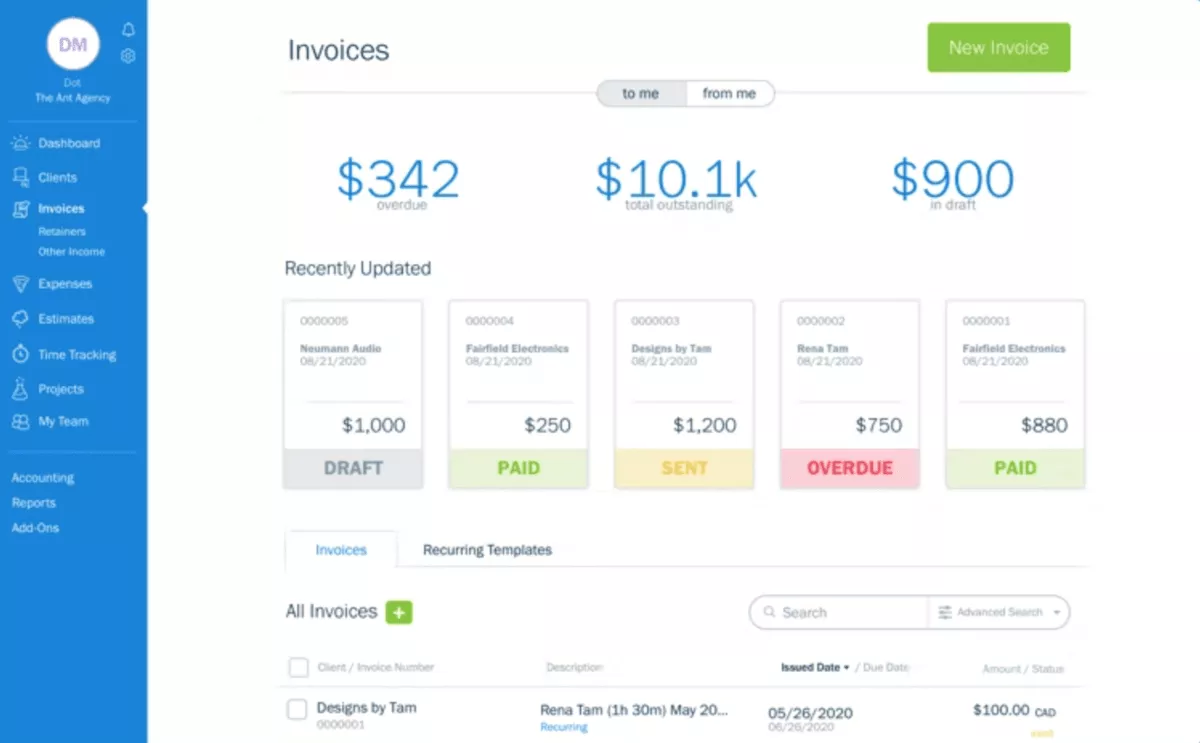
SOurce: freshbooks
Pros
- Creating and editing invoices is quick, even when you are juggling many clients
- The dashboard makes it easy to see what is paid, overdue, and still in draft
- Time and expenses are straightforward to attach to client billing
- Support is often described as responsive when something breaks
Cons
- Reporting can feel too light if you need deeper financial analysis
- Invoice and dashboard customization can feel limited for branded, client-ready outputs
- The price can feel steep as you add more people or need higher-tier features
- Some users mention glitches, like crashes or invoice date issues
Final Verdict
FreshBooks is a strong pick if you mainly want smoother billing, and you do not mind using a separate tool for projects. If you need deep reporting or a single system that covers CRM, delivery, and invoicing, this is the wrong fit.
5. Bonsai – Best for Proposals, Contracts, and Billing for Small Teams
Bonsai is a good fit when you want to send proposals, lock in contracts, and bill clients in one simple flow, without building a heavy system. It is not built for deeper CRM processes or complex project delivery across a larger team, so it works best for freelancers and small service teams.
If you want more options in the same category, here is our guide to the best Bonsai alternatives.
Key Features
- Proposals and templates you can reuse
- Contracts with e-signature support
- Invoicing and online payments
- Basic project tracking and time tracking
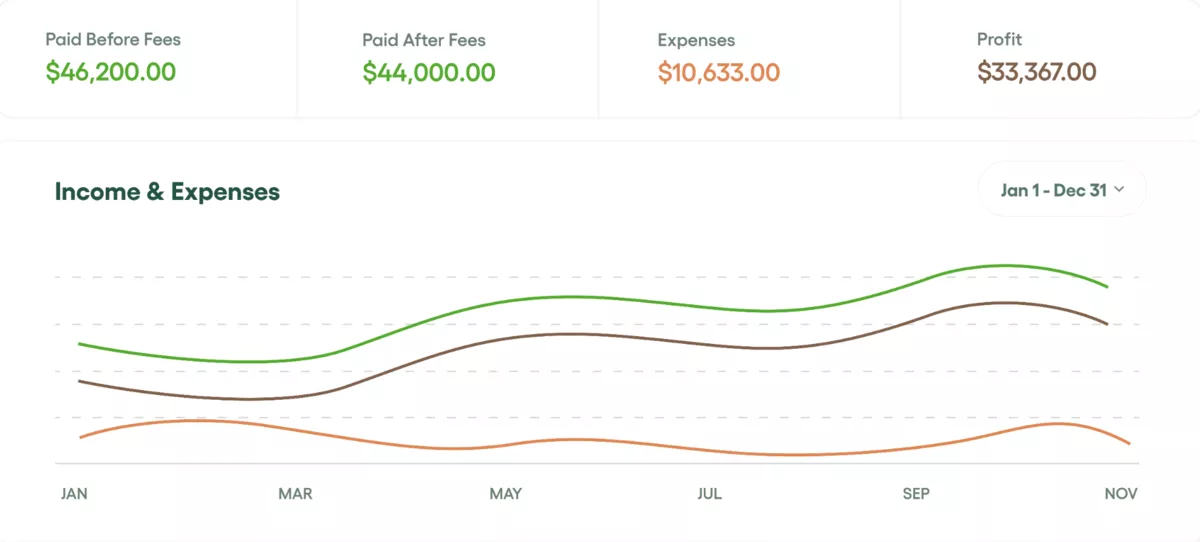
SOurce: bonsai
Pros
- Easy to get started if your core needs are proposals, contracts, and invoices
- One place to manage client paperwork and billing without a lot of setup
- Helpful for small agencies that want an agency-friendly workflow in a single tool
- Customer support is often described as responsive and knowledgeable
Cons
- Can feel like it stops fitting once you grow and need more depth across workflows
- Price increases and add-ons can feel hard to justify for the feature depth
- Bugs and reliability issues show up in longer-term use
- Some parts of the client portal and white labeling feel limited
Final Verdict
Bonsai is not the right pick, because you need a stronger CRM software or more structured project delivery. It shines when your work is a proposal-to-contract-to-invoice flow, and you want that flow to feel lightweight.
Why Do Teams Switch from Teamleader?
Teams look for Teamleader alternatives because of higher pricing, limited customization, and occasional slowness or complexity once a team grows past the basics.
Here are the pain points that tend to push teams to look elsewhere:
- Pricing feels high for smaller teams, especially once you add more users
- You hit limits when you need more customization in fields, workflows, or views
- The app can feel laggy at times, which becomes frustrating during busy days
- New users can find the setup and navigation harder than expected
- These issues are often the trigger for teams to compare alternatives that fit their workflow better
If capacity planning is part of the problem, see our resource capacity planning guide for a simple way to think about workload and availability.
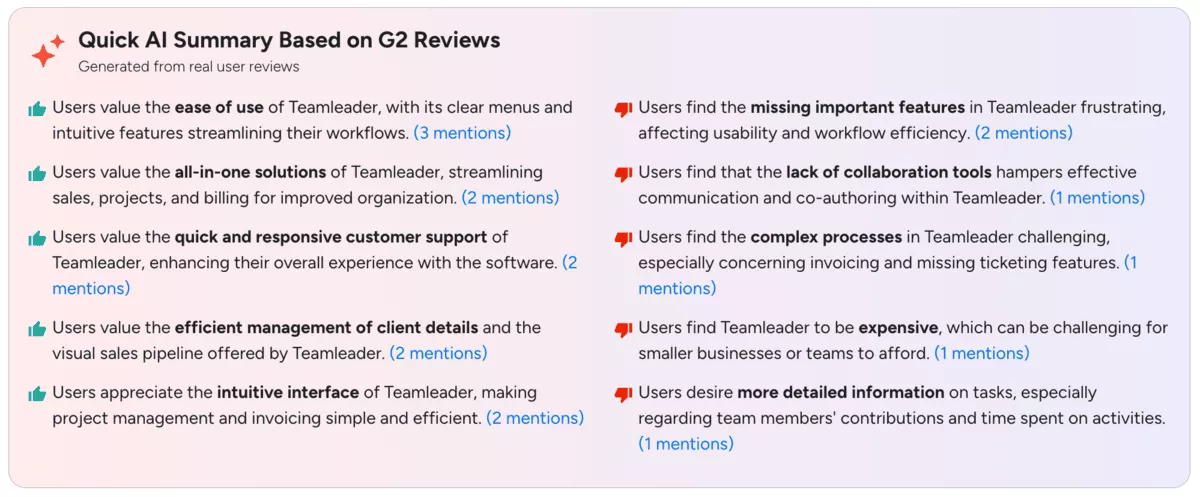
Teamleader G2 review
How to Choose a Teamleader Alternative? (Step-by-Step Process)
You should choose a Teamleader alternative by mapping what you use today, naming your dealbreakers, deciding whether you need an all-in-one replacement or a slice replacement, then running a small test that includes reporting and handoffs.
The goal is to end up with a clear list of must-have features, dealbreakers, and workflow requirements you can test against each option. Then you move on to how each Teamleader alternative handles those needs.
If CRM is a big part of your workflow, this CRM guide for agencies can help you define what matters before you test tools.
Step 1: Map What You Use in Teamleader Today
Write down the parts of Teamleader you actually rely on: CRM and deal stages, project tasks, time tracking, invoicing, and basic reporting. Pull 2 to 3 real examples from the last month (one simple client, one messy client, one recurring invoice).
This keeps you from choosing software solutions that look good on a demo but break on your real work.
Step 2: Call Out the Pain and Define Your Dealbreakers
List what is pushing you to switch, and make it specific. For example: “we cannot get the reports we need,” “billing takes too long,” or “our team hates time entry.”
Then write 3 dealbreakers that must be true in your next tool, like “must support recurring billing,” “must show workload by week,” or “must keep pipeline clean without admin work.”
Step 3: Decide What Kind of Replacement You Need
Pick one path before you start testing. If you need one system to cover sales, delivery, and billing, start with the all-in-one option in this list.
If you only need to replace one slice (CRM, project delivery, or invoicing), choose the tool that is strongest for that slice and plan the minimum integrations you will keep.
Step 4: Run a Small, Realistic Test Before You Commit
Create one sample client project with tasks, a time entry, and an invoice. Add one teammate, set basic permissions, and try the day-to-day actions you do every week. Then check the outputs that matter: can you see what is overdue, what is billable, and what is happening this week without exporting to spreadsheets.
Step 5: Pressure-Test Reporting and Handoffs
Before you buy, ask: can sales hand off to delivery cleanly, and can delivery hand off to billing without re-entry. If reporting is a key reason you are leaving Teamleader, build one client-ready report in the trial and confirm it is repeatable.
If billing is a big part of what you want to fix, use this practical guide to project billing as a checklist for what to validate.
Free Teamleader Migration Checklist
Copy and paste this checklist into a doc and assign owners. Keep the first migration small and controlled.
1. Prep
- List what you are migrating: contacts, deals, projects, tasks, time entries, invoices, and files
- Decide what you will not migrate (old closed deals, archived projects, outdated contacts)
- Choose your cutover date and who will approve the final switch
- Create a shared glossary for key fields (client name rules, deal stage names, service names)
2. Export and Cleanup
- Export contacts and deals, then remove duplicates and fix missing emails
- Export projects and tasks, and decide what stays active vs archived
- Export time and invoices for reference, even if you do not import them
- Standardize names and formats (dates, currency, client IDs) so imports do not fail
3. Mapping and Setup
- Map Teamleader fields to the new tool’s fields (company, contact, deal stage, project, service)
- Recreate your minimum pipeline stages and project templates
- Set roles and permissions for sales, delivery, and finance
- Configure invoicing basics if the new tool handles billing (tax, payment terms, invoice numbering)
4. Pilot
- Import a small set first (one team, 5 to 10 clients)
- Run one full week in the new tool: create tasks, log time, and send at least one invoice
- Collect issues in one place and fix the process before importing more
5. Cutover
- Freeze edits in Teamleader on cutover day (no new deals, no new time entries)
- Run the final import and spot check totals (contacts count, open deals, active projects)
- Communicate the new workflow and where to log time, update tasks, and send invoices
- Keep Teamleader read-only for a short period, so you can reference old invoices and time
Closing Thoughts: Does it Make Sense to Switch?
If you use Teamleader for more than one thing, like sales handoff, project delivery, time, and billing, you will get the cleanest setup by choosing one all-in-one tool that keeps those parts connected. If you only need to fix one slice, like CRM or invoicing, pick the specialist tool and keep the rest of your stack simple.
If you want an all-in-one replacement, start with Productive and see if it matches your workflow. Book a demo and bring one real project, one invoice, and one reporting question so you can validate it fast.
Connect With Agency Peers
Access agency-related Slack channels, exchange business insights, and join in on members-only live sessions.
