Risk Management in Project Management: 5 Steps + Examples

Risk management in project management means spotting what could go wrong and deciding in advance how you’ll respond. This guide shows how to do that on client projects, where one late approval can stall two teams.
You get a five-step risk management process and a 1-5 scale that turns impact into hours and money. You also get a completed risk register for a client project and the warning signs for shared teams. The method below starts with what risk management for projects covers.
Key Takeaways
- Write every risk as cause, event and effect, so you can score it and give it an owner.
- Score probability and impact from 1 to 5, then turn impact into hours and money.
- Hold contingency equal to the expected cost of the risks you choose to accept.
- Client delays and informal scope changes are the risks services teams most often leave unowned.
- On shared teams, watch budgets and shared resources across projects, because one slip spreads to other clients.
What Is Project Risk Management?
Project risk management is the process of finding, scoring and responding to events that could hurt your project objectives. It’s a proactive approach: you act before they happen, while a fix still costs little.
A risk event in project management is something that might happen. An issue is something that already has. A risk becomes an issue when its trigger fires.
Use one sentence per risk: “Because of [cause], [event] may happen, costing [hours, budget or dates].” For example, because the client’s marketing director signs off every design, feedback may arrive late. That would push launch by a week and add about 20 hours of rework.
In PMI’s Pulse of the Profession 2026, 81% of project professionals say projects have become more complex. Nearly one third (31%) of complex projects fail to achieve the full scope of their intended benefits.
Complex projects carry more potential risks, so treat risk management as an ongoing process.
Catch Project Risks Before They Reach Your Budget
Productive alerts budget owners when hours near the estimate and shows who is overbooked across every client project.

What Are the Main Types of Project Risks?
The main types of project risks are scope, schedule, budget, resource, client-side, technical and external risks. Most risks in a project fit these types, and each has an early signal.
| Risk type | Example on a client project | Early signal |
|---|---|---|
| Scope | Agency: the client asks for two extra landing pages after sign-off | A request arrives that isn’t in the statement of work |
| Schedule | IT services: a third-party API isn’t ready for integration testing in week 4 | The test environment misses its agreed date |
| Budget | Consultancy: discovery is priced at 120 hours, then the client keeps adding interviewees | Hours used run ahead of work completed |
| Resource | Agency: the only senior designer is booked on two launches in the same week | That person shows over capacity in the schedule |
| Client-side | Consultancy: no one is named as decision-maker, so recommendations wait for a steering committee | Feedback arrives after the agreed window |
| Technical | IT services: legacy client data doesn’t map to the new CRM fields | The first test migration fails |
| External | Agency: a platform policy change blocks a planned ad format | A vendor or platform notice |
Client-side risks are the ones services teams most often leave without an owner, because the client causes them. They include late approvals, slow feedback, unclear decision-makers and change requests made in passing. Unlogged change requests are also how scope creep starts on client projects.
Other lists use broader groups, such as technical risks, schedule risks and operational risks. This list splits operational risks into resource and client-side risks, where services teams feel them most.
How to Manage Project Risks: The Risk Management Process in 5 Steps
To manage project risks, you identify them, assess them, prioritize them, plan a response and monitor them. That is the full project risk management process, and each step fills a part of your register. Start with identification, because you can’t score a risk nobody has written down.
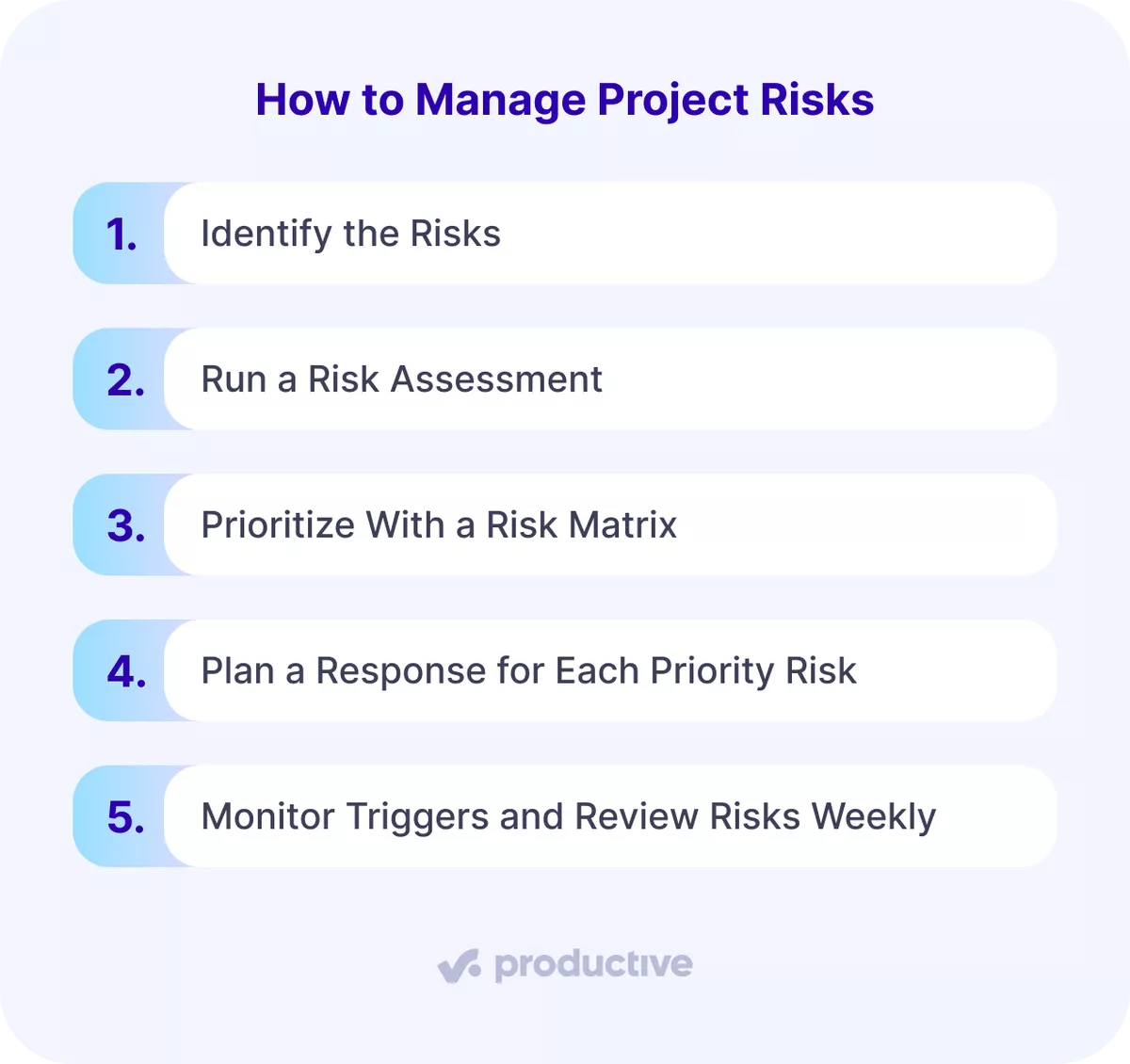
1. Identify the Risks
Hold a 30-minute team brainstorming session in week 1 with the project manager, account lead and a senior specialist.
Pull risks from four sources, then add any other techniques for identifying project risks your team uses:
- The kickoff call: which client stakeholders approve what, and by when.
- Time reports from your last two similar projects: which phases ran over, and by how many hours.
- The statement of work: every assumption and exclusion.
- The project schedule: who else needs the same people and resources during those dates.
Write each project risk as cause, event and effect, and log it with a named owner that day. If you can’t write a risk that way, it isn’t specific enough to manage yet.
2. Run a Risk Assessment
For risk assessment, score each risk twice from 1 to 5, once for probability and once for impact.
| Score | Probability | Impact on a mid-size client project |
|---|---|---|
| 1 | 10% | Under 8 hours |
| 2 | 30% | 8 to 20 hours |
| 3 | 50% | 20 to 40 hours |
| 4 | 70% | 40 to 80 hours |
| 5 | 90% | Over 80 hours or a missed contractual date |
Resize the impact bands for bigger or smaller projects. Have two people score each risk on their own. If their scores differ by more than a point, talk it through before you log it.
This scoring is qualitative risk analysis. Adding hours and money turns it into quantitative risk analysis.
Expected cost = probability × hours of impact × blended hourly rate.
A 50% scope risk with 60 hours of impact at $110 an hour has an expected cost of $3,300. This figure is also called expected monetary value, and it puts a number on each risk’s potential impact.
3. Prioritize With a Risk Matrix
Plot each risk on a probability-impact matrix. Multiply the two scores for a risk score from 1 to 25, then act by band:
- 15 or more: the owner acts this week.
- 8 to 14: plan a response and watch the trigger.
- 7 or less: log it and check it in the weekly review.
When two risks share a score, rank the higher expected cost first. Write these bands into your risk management plan so every project scores the same way.
4. Plan a Response for Each Priority Risk
Every priority risk gets a response from five risk management strategies: avoid, reduce, transfer, accept or escalate.
- Avoid: drop a feature that depends on an API that won’t be ready in time.
- Reduce: add approval deadlines and a named decision-maker to the statement of work.
- Transfer: make the client’s hosting provider contractually responsible for uptime during launch.
- Accept: hold contingency hours for minor rework instead of trying to prevent it.
- Escalate: take an approval that’s past its deadline to the client’s project sponsor.
Effective risk mitigation needs each response logged as an action with an owner and a due date. For every accepted risk, hold a contingency reserve equal to its expected cost.
5. Monitor Triggers and Review Risks Weekly
Set risk triggers (signs a risk is becoming an issue) and name a risk owner to watch them.
Hold a 15-minute risk review inside your weekly status meeting. Close risks whose window has passed, rescore the ones that changed and add new ones. When a trigger fires, move the risk to the issue log with an owner and a due date. That weekly loop keeps the risk management process running across the project lifecycle.
In Productive, you can store the risk management plan and register in a project Doc. Project members can see it. Track each response as a task with a due date. The assignee gets a notification 24 hours before it’s due.
What Does a Completed Risk Register Look Like?
A completed risk register lists every risk with its probability, impact in hours, expected cost, owner, trigger and response.
Example: a 12-week website redesign at a 30-person agency, fixed fee, blended rate $110 an hour.
| Risk | Probability | Impact | Score | Impact (hours) | Expected cost | Owner | Trigger | Response |
|---|---|---|---|---|---|---|---|---|
| Client approvals land late | 4 (70%) | 4 | 16 | 40 | $3,080 | Account manager | Feedback over 3 business days late | Reduce: approval deadlines; escalate after two misses |
| Client asks for extra page templates mid-build | 3 (50%) | 4 | 12 | 60 | $3,300 | Project manager | A request outside the agreed scope | Reduce: priced change request before work starts |
| Senior designer double-booked in weeks 6 and 7 | 3 (50%) | 3 | 9 | 24 | $1,320 | Resource manager | Designer over capacity in those weeks | Avoid: book a second designer tentatively now |
| CRM integration fails its first test | 2 (30%) | 3 | 6 | 30 | $990 | Tech lead | Week 4 integration test fails | Reduce: test in week 2; accept the rest |
The four risks add up to 79 hours of expected cost, or $8,690. That’s the contingency to hold in the budget. Read it as the price of the risks you accept, not a forecast.
Copy the column headers into your own project doc and delete the example rows. For the setup itself, follow how to set up a risk register.
How Do You Manage Risk Across Several Client Projects at Once?
Risk management across several client projects means watching the people, budgets and other resources they share. A slip on one project becomes a capacity risk for every project on the same team.
Example: two senior designers cover eight active client projects. One client approves late, which pushes design work into week 7. Both designers were already booked on another client’s launch that week. The second project now carries a risk it didn’t create. That’s why you plan capacity across client projects together.
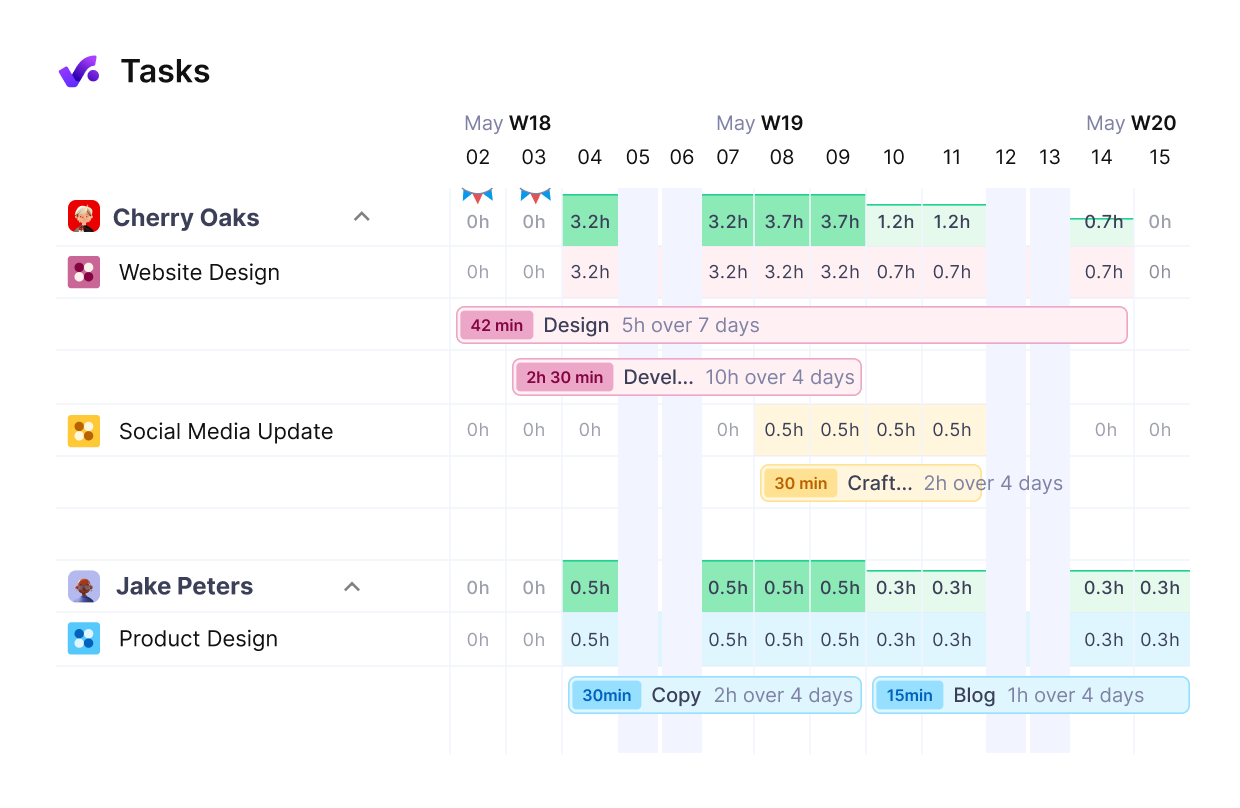
Get a real-time overview of your actual team capacity and forecast possible overbookings.
Watch these five early warning signs of potential issues and tune the thresholds to your projects. The first assumes you track your project burn rate weekly:
- Budget used runs more than 10 points ahead of work completed (project manager, weekly).
- Billable hours pass 75% of the estimate (budget owner, alert).
- A shared person is over capacity in the next four weeks (resource manager, weekly).
- Tasks on the critical path are overdue by more than two days (project manager).
- Client feedback arrives after the agreed window (account lead).
A budget’s Time warning in Productive alerts the owner when billable hours reach a set share of the estimate. Automations can send an email or Slack message when a budget’s percentage used passes a threshold.
In the Resource Planner, capacity indicators turn red when someone is booked over capacity. They can include tentative bookings too.
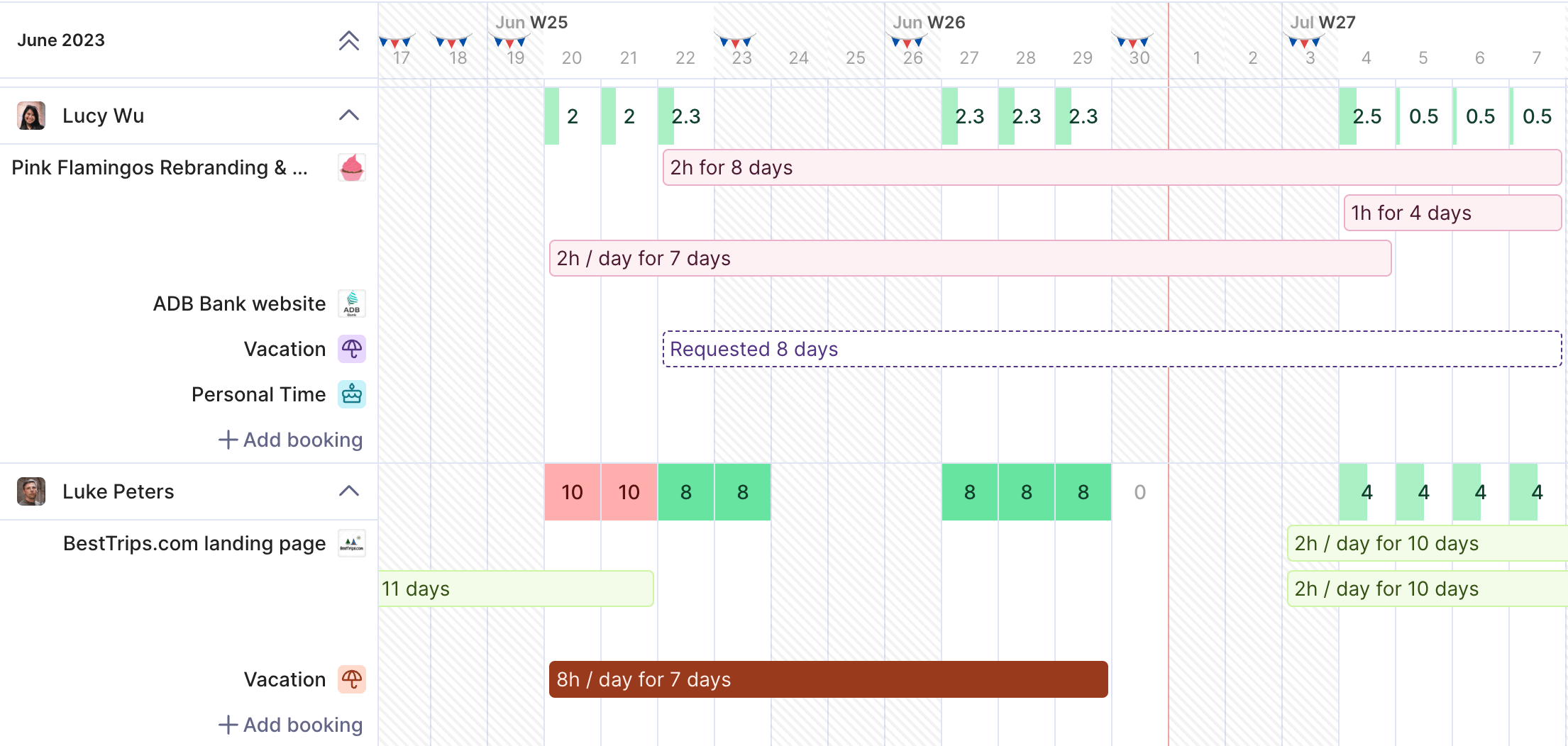
Book people against actual demand.
Productive’s AI Assistant and agents can run some of these risk management checks for you. On any plan, you can ask the AI Assistant who on the design team has capacity next week.
You can save a weekly project health check as a Skill. It lists unassigned tasks due this week, services over estimate by more than 10% and people above 80% utilization.
You can also set up an AI agent that watches your budgets. When spending crosses a threshold you set, it comments and tags the budget owner and project manager.
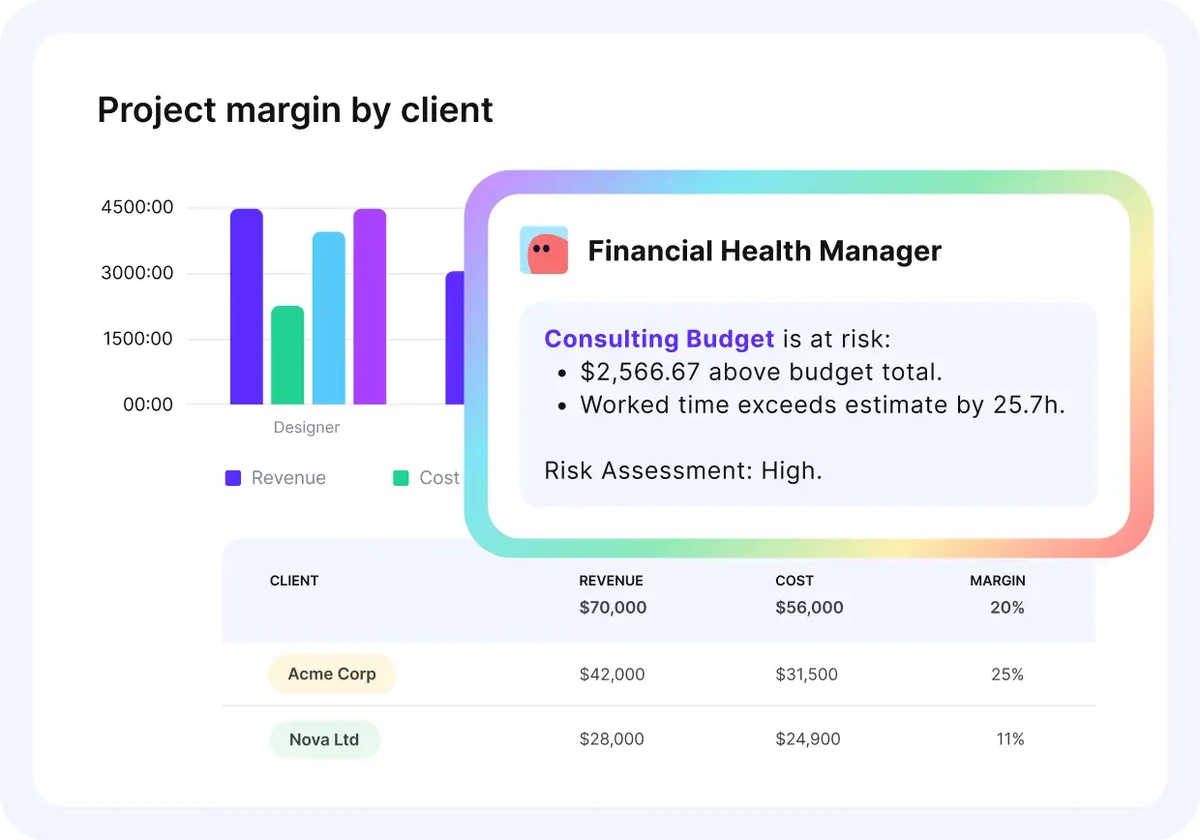
An AI agent in Productive can flag a budget that runs over its total or estimate.
What Are the Common Challenges of Project Risk Management?
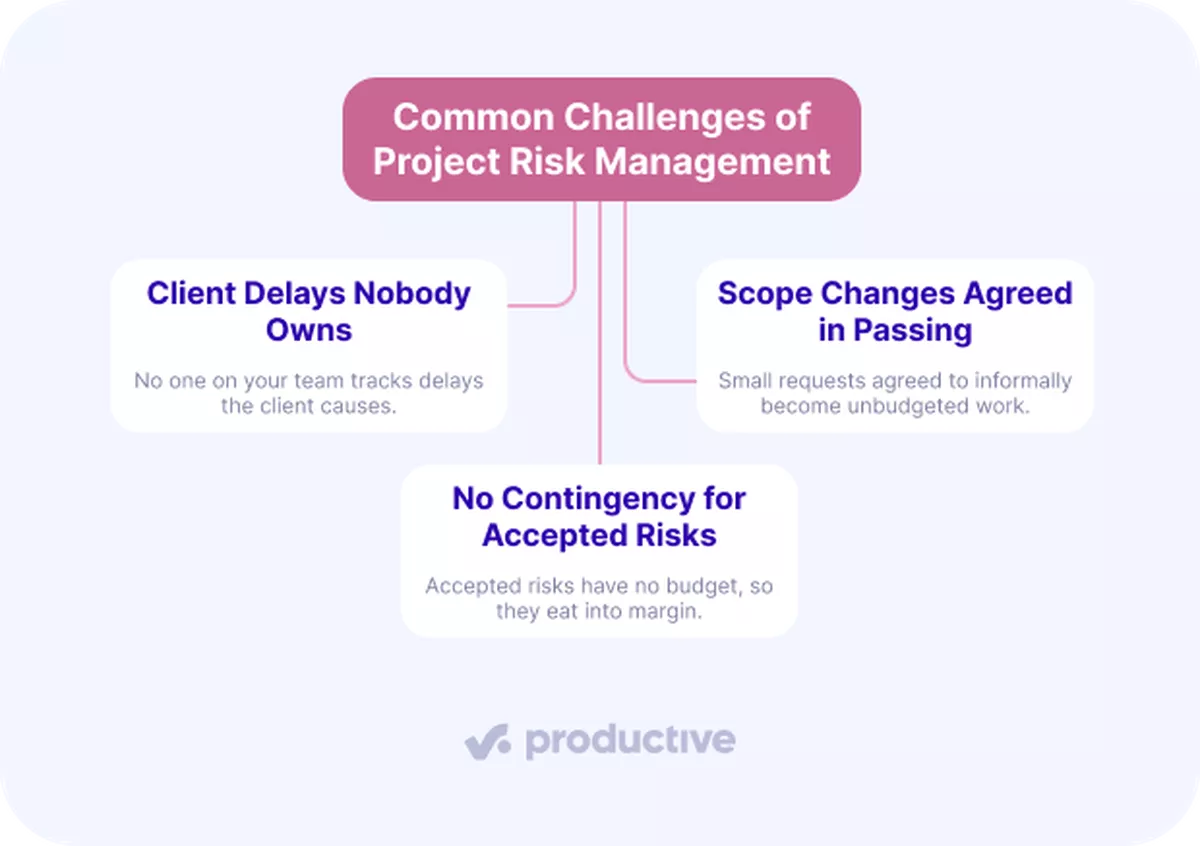
The common challenges of managing project risks are unowned client delays, informal scope changes and missing contingency. Each needs a fix in how you contract or price the work, not only in the register.
Client Delays Nobody Owns
The client causes the delay, so nobody on your side tracks it. It shows up as feedback rounds that slip a few days at a time, so no delay feels urgent. By launch, the schedule is weeks behind, and restarting paused work eats hours the fixed fee never priced.
Example: a consultancy’s recommendations wait three weeks because the client never named who decides.
How to solve it: name one client decision-maker in the statement of work. Give them a three-business-day feedback window and an escalation contact. Log client-caused risks with your account lead as owner.
Scope Changes Agreed in Passing
Small requests feel too small to write down. Each is a quick favor on a call or a line in an email. Together they add days of unbudgeted work, and the client still expects the original launch date.
Example: a developer agrees to an integration on a call, and 30 hours later the fixed-fee budget is gone.
How to solve it: every request outside the statement of work gets a written change request first. It shows the hours, cost and date impact before any work starts. A project scope management plan sets that rule before kickoff.
No Contingency for Accepted Risks
In risk management, accepting a risk only works if you budget for it. Under tight budget constraints, teams accept risks at kickoff, then price the project as if none will happen. When one does, the hours come straight out of margin.
Example: an agency accepts a 30% chance of a failed integration test, then the test fails. The 30 hours of rework land on a budget with no reserve.
How to solve it: add the expected cost of accepted risks as a contingency line. Put it inside the fixed fee, or keep it as an internal reserve. In the register example, that line is 79 hours. Without it, small hits add up the way cost overruns build up on fixed-fee work.
In Productive: The Scenario Builder lets you draft versions of a budget before you commit. Compare profit, margin and resource needs with and without the contingency hours, then apply the version you choose.
What Tools Support Risk Management on Client Projects?
Risk management tools in project management come down to a shared risk register, a scoring matrix and connected software. When you compare project management software options, check that your project risk management software covers five things:
- A shared register with owners: each risk has a named person watching it, so nothing waits to be noticed.
- Likelihood and impact scoring: the team agrees on which risks come first, instead of reacting to the loudest request.
- Budget burn and time alerts: you hear about an overrun while there’s still budget left to fix it.
- A capacity view across projects: you see double-booked people and resources weeks before a clash delays two clients.
- Task tracking and dependency mapping: each response becomes a dated task with an owner.
Productive is a project management tool without a dedicated risk register. It shows many risks where they start: in time, budgets and resources. Teams keep the register in a project Doc and track each response as a task.
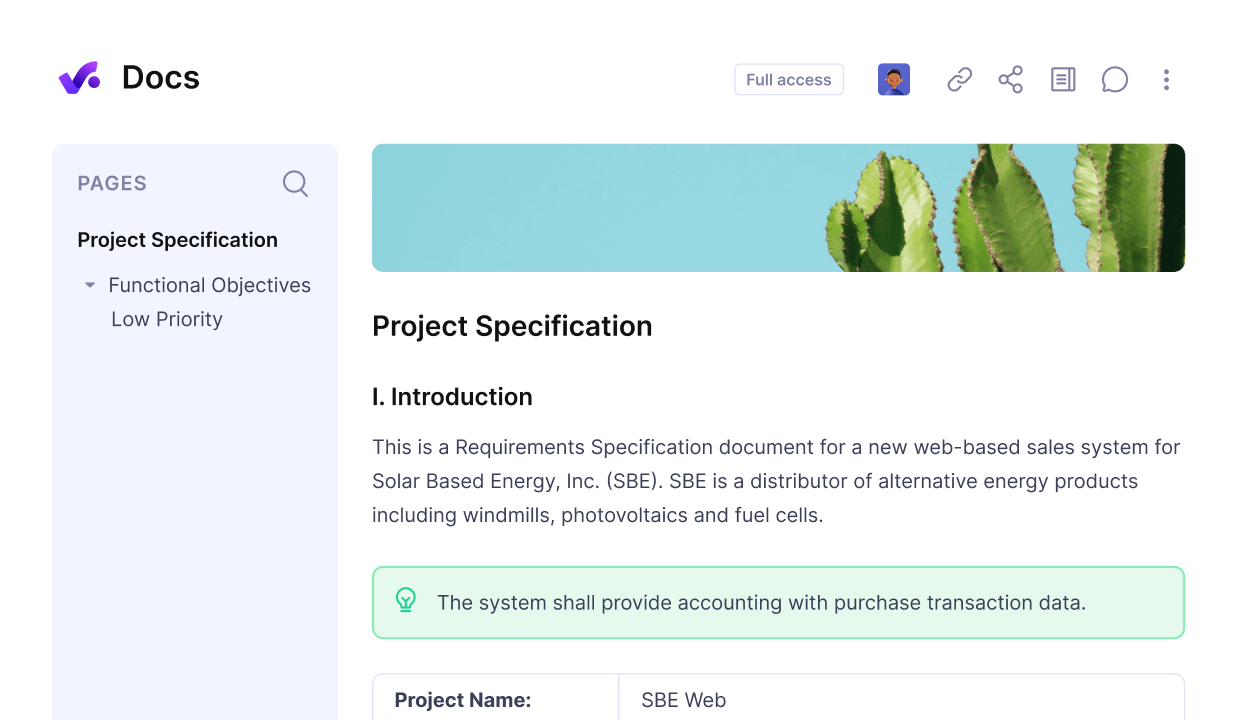
Keep the risk register in the project doc.
Each budget shows what is used and what remains as hours are logged. Forecasting charts compare booked time with the budget, so you can see when burn will pass the total. The Time warning and the capacity indicators in the Resource Planner flag overruns and overbooking early.
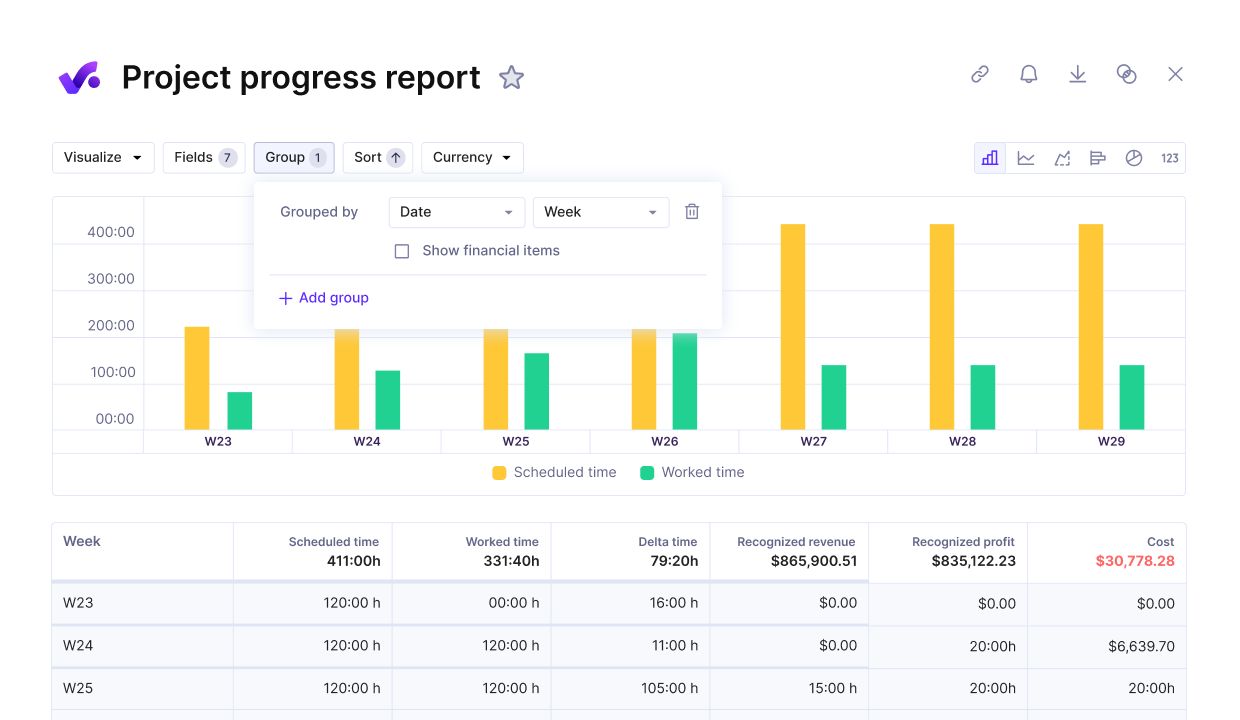
Use Productive to get real-time reports on project progress and remaining budgets.
Frequently Asked Questions
What Are Positive and Negative Risks in Project Management?
Positive risks in project management (opportunities) would save time or budget, while negative risks (potential threats) would cost them. For example, a client who approves designs early could free a designer for a week. Opportunity management uses four responses: exploit, enhance, share and accept. Handling positive project risks follows the same steps.
What Should a Risk Management Plan Include?
A risk management plan names your scoring scales, register owner, review cadence, escalation threshold and contingency rule. The escalation threshold is your risk tolerance (how much exposure you accept before leadership steps in). For example, any risk above 40 expected hours goes to leadership.
Final Takeaway
Effective project risk management comes down to pricing what could go wrong, then checking weekly whether it is. Those checks rely on time, budget and schedule data, which arrives late when it’s split across tools.
An all-in-one project management tool like Productive keeps the data together, so warning signs appear early. To see how budget alerts and capacity views flag risks across client projects, book a demo.
Manage Project Risks With Budgets and Schedules in One Place
Keep your risk register in a project Doc while budget warnings and capacity indicators flag trouble early.
