Top 7 Time Tracking Software for Consultants (2026) + Prices

The best time tracking software for consultants are Productive, BigTime, Harvest, Bonsai, Timing, Hubstaff, and Time Doctor. We compared invoicing from tracked hours, supported billing models, and whether each tool monitors your screen.
Each tool gets key features, review-based pros and cons, pricing, its G2 rating, and who should skip it. Use the comparison table, three-step test, and FAQ to shortlist two tools to try on a real invoice.
What’s the Best Time Tracking Software for Consultants in 2026?
In 2026, the best time tracking software for consultants is Productive (for firms that run budgets and invoicing together). Of the rest, Timing records your apps privately, while Hubstaff and Time Doctor add screenshots a manager reviews.
Jump to a tool:
At a Glance Comparison for Consultants (Prices and Ratings Checked in November 2026)
| Tool | What it records | Billing models | Timesheet approvals | Invoice handoff | Price | G2 rating (out of 5) |
|---|---|---|---|---|---|---|
| Productive | Hours you log or time | Hourly, fixed fee, retainers | Professional plan | QuickBooks Online, Xero (Professional) | $12/user/mo ($10 yearly); approvals $29 ($25) | 4.6 (99 reviews) |
| BigTime | Hours you log or time | Hourly, fixed fee, retainers | All plans | QuickBooks | From $20/user/mo | 4.4 (1,823 reviews) |
| Harvest | Hours you log or time | Hourly, fixed fee | Enterprise plan | QuickBooks Online, Xero (Teams) | Free for 1 seat; $11/seat/mo ($9 yearly); approvals $17.50 ($14) | 4.3 (846 reviews) |
| Bonsai | Hours you log or time | Hourly, retainers | Locking only (Elite) | QuickBooks Online, Xero (Premium) | $25/user/mo ($19 yearly) | 4.3 (101 reviews) |
| Timing | Apps, sites, and documents, visible only to you | Exports reports for invoicing | Admin time review (Connect) | GrandTotal (Connect) | €10/mo (€8 yearly); billing status €13 (€10) | 4.6 (5 reviews) |
| Hubstaff | Screenshots, apps, URLs, and activity levels | Hourly, recurring fixed price | Yes, plan not listed | Email to clients | $7/seat/mo ($4.99 yearly) | 4.4 (2,342 reviews) |
| Time Doctor | Screenshots, apps, URLs, and activity levels | Not listed | Manual time only (Standard) | Not listed | $8/user/mo ($6.67 yearly) | 4.4 (499 reviews) |
How We Chose These Tools
We looked for consulting time tracking software that turns logged hours into an invoice, with or without activity monitoring. In November 2026, we read each vendor’s product, pricing, and help pages, plus recent G2 and Capterra reviews.
Productive is first because it’s our product, and its section still names its cons. Larger professional services teams should start with our professional services time tracking list.
1. Productive – Best for Consulting Firms That Bill From Budgets and Rate Cards
Productive is a professional services automation (PSA) platform that runs time tracking, budgets, and invoicing for consulting firms. Approved hours count against project budgets and become invoices at client rates, ready for QuickBooks Online or Xero.
Try Productive’s time tracking
Invoice From Approved Hours Without Retyping Them
Timesheets get approved by email, finance retypes the billable hours into accounting software, and the invoice waits.
On the Professional plan, timesheet approval makes logged time billable time only after an approver accepts it. Invoicing in Productive then bills those hours at the rates on each client’s rate card. One invoice can cover several budgets for a client, and its email can attach the time entries.
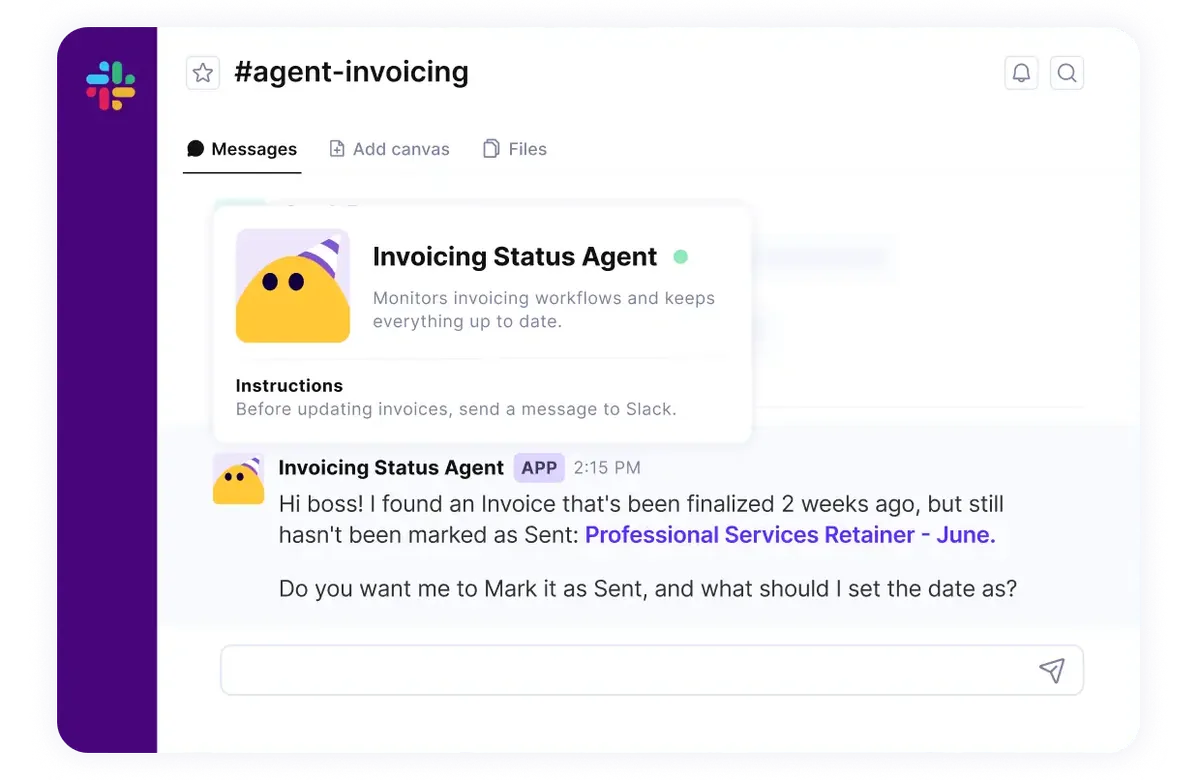
The invoicing agent asks in Slack before marking a finalized invoice as sent.
See a Fixed-Fee Engagement Running Over Before It Does
On a fixed fee, the hours are often worth more than the price before anyone notices.
Give a fixed fee an hours estimate, and Productive’s budget tracking compares logged hours against it. The forecast adds scheduled bookings. The budget owner gets an email at a share you set, such as 80%.
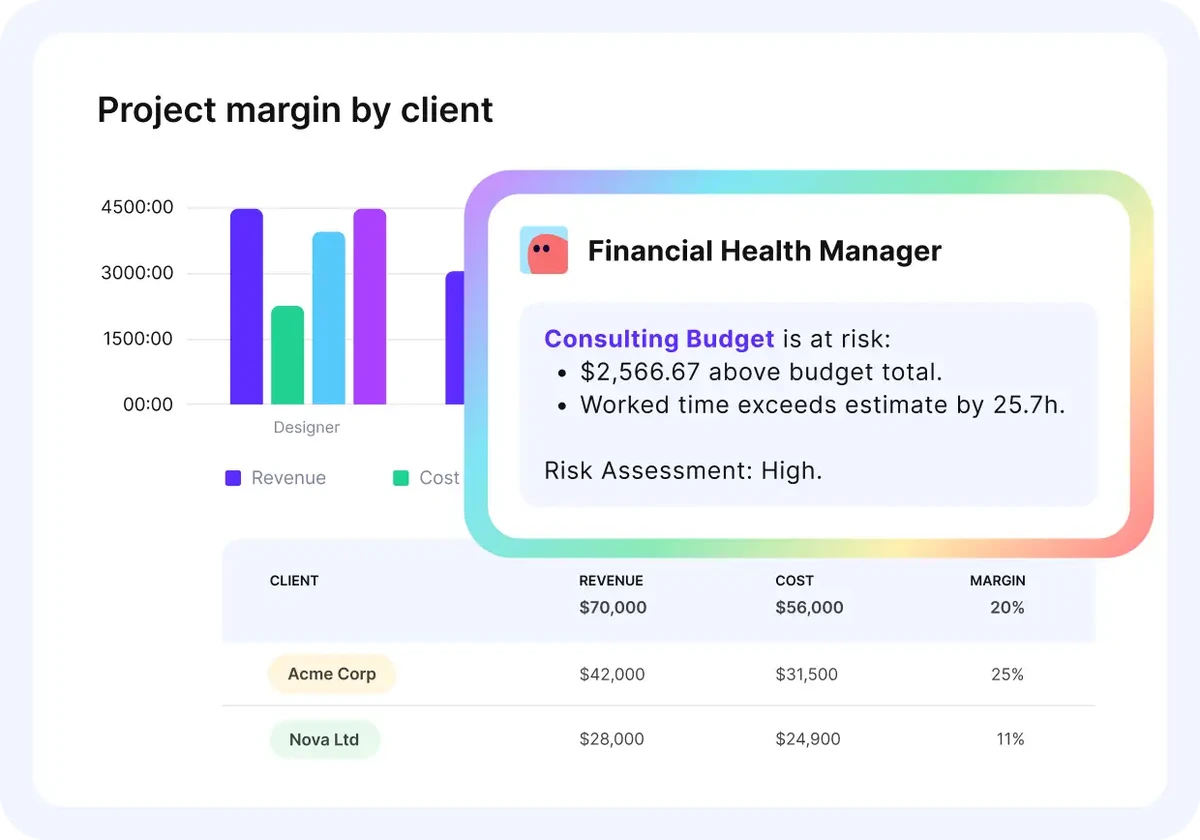
The Financial Health Manager flags a consulting budget running 25.7 hours over its estimate.
Turn Client Meetings in Your Calendar Into Time Entries
Client calls fill your calendar, then Friday’s timesheet gets rebuilt from memory, and forgotten calls go unbilled.
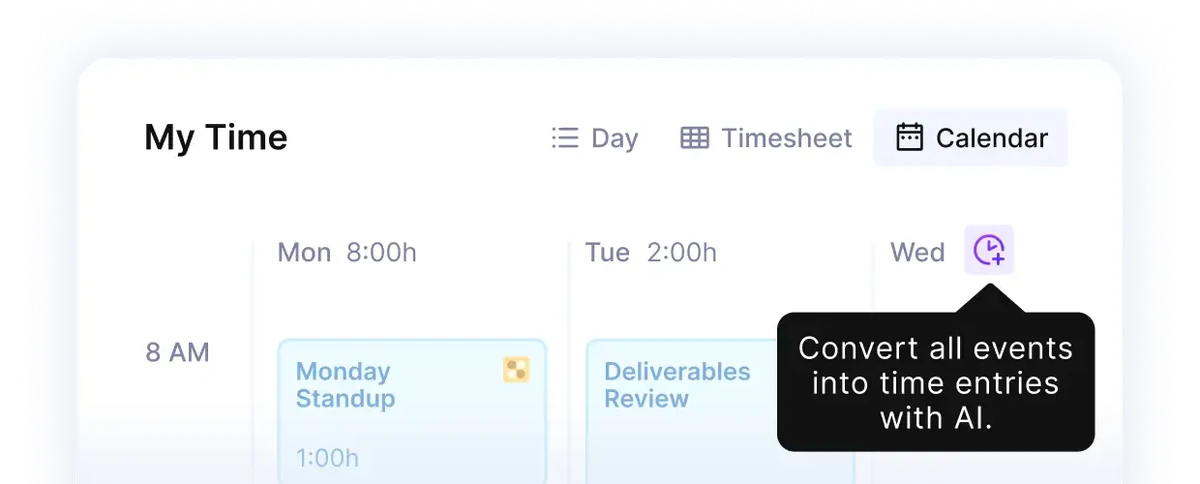
With AI tracking on, a client kickoff becomes a one-hour entry on the right project
With time tracking from your calendar and tasks, Google or Outlook calendar events appear beside your time entries. Pick the client’s budget and service, and the event becomes an entry.
AI time tracking, included on Essential, fills time entries from those events. Or start a timer from the task.
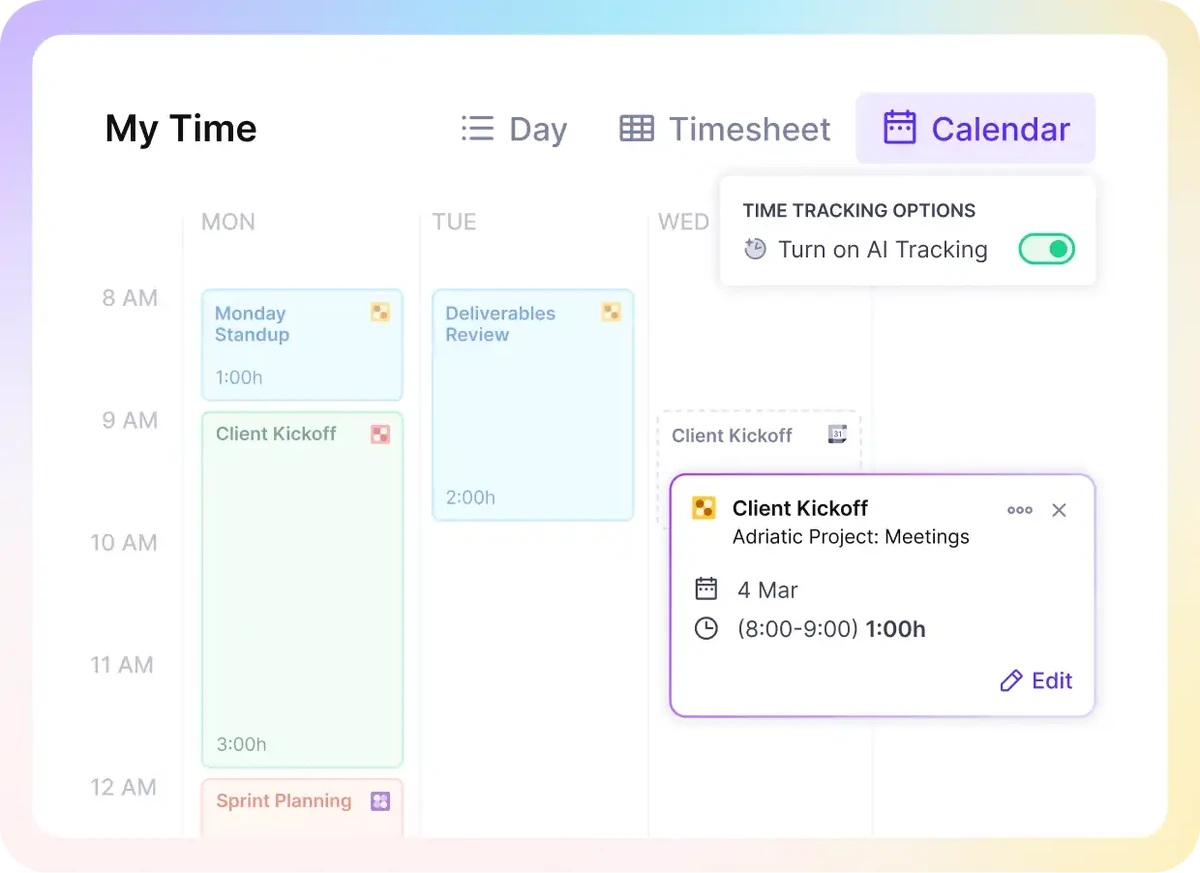
Convert a day of calendar events into time entries with AI.
Productive holds 4.6 out of 5 from 99 G2 reviews, checked November 6, 2026.
Pros
- Budgets and profitability get clearer. Several 2026 reviewers credit it with clearer client profitability.
- Support responds quickly. The support team fixes bugs fast and answers helpfully, reviewers say.
Cons
- Not built for very small teams. Productive is built for agencies and consulting firms, so a two-person practice still pays for three seats.
- Sales tools trail specialist apps. Several 2026 reviewers still keep HubSpot or Dubsado for email, contracts, or proposals.
Who Should Skip Productive?
Skip Productive if you consult alone: Bonsai or Harvest fits a one-person practice better. Productive is time tracking software for consulting firms where several people bill from budgets, rate cards, and approved hours.
Pricing
- Plans start with the Essential plan at $10 per user per month, which includes essential features such as budgeting, project & task management, docs, time tracking, expense management, reporting, and time off management.
- The Professional plan includes custom fields, recurring budgets, advanced reports, billable time approvals, and much more for $25 per user per month.
- The Ultimate plan has everything that the Essential plan and Professional plan offer, along with the HubSpot integration, advanced forecasting, advanced custom fields, overhead calculations, and more. Book a demo or reach out to our team for the monthly price per user.
You can also try out Productive with a 14-day free trial.
Bill Consulting Hours Straight From Approved Timesheets
Approved hours bill at each client’s rates, and your client gets the time entries with the invoice.

2. BigTime – Best for Firms Billing Hourly, Fixed-Fee, and Retainer Work
BigTime handles budgets, billing, and time tracking for consulting, accounting, architecture, engineering, and IT firms. Managers can approve timesheets before billing, and invoices cover fixed fees, hourly work, or retainers.
Key Features
- Invoicing that posts to QuickBooks
- Project budgeting on the Premier plan
- Custom reports on the Advanced plan
- Mobile app for time and expenses
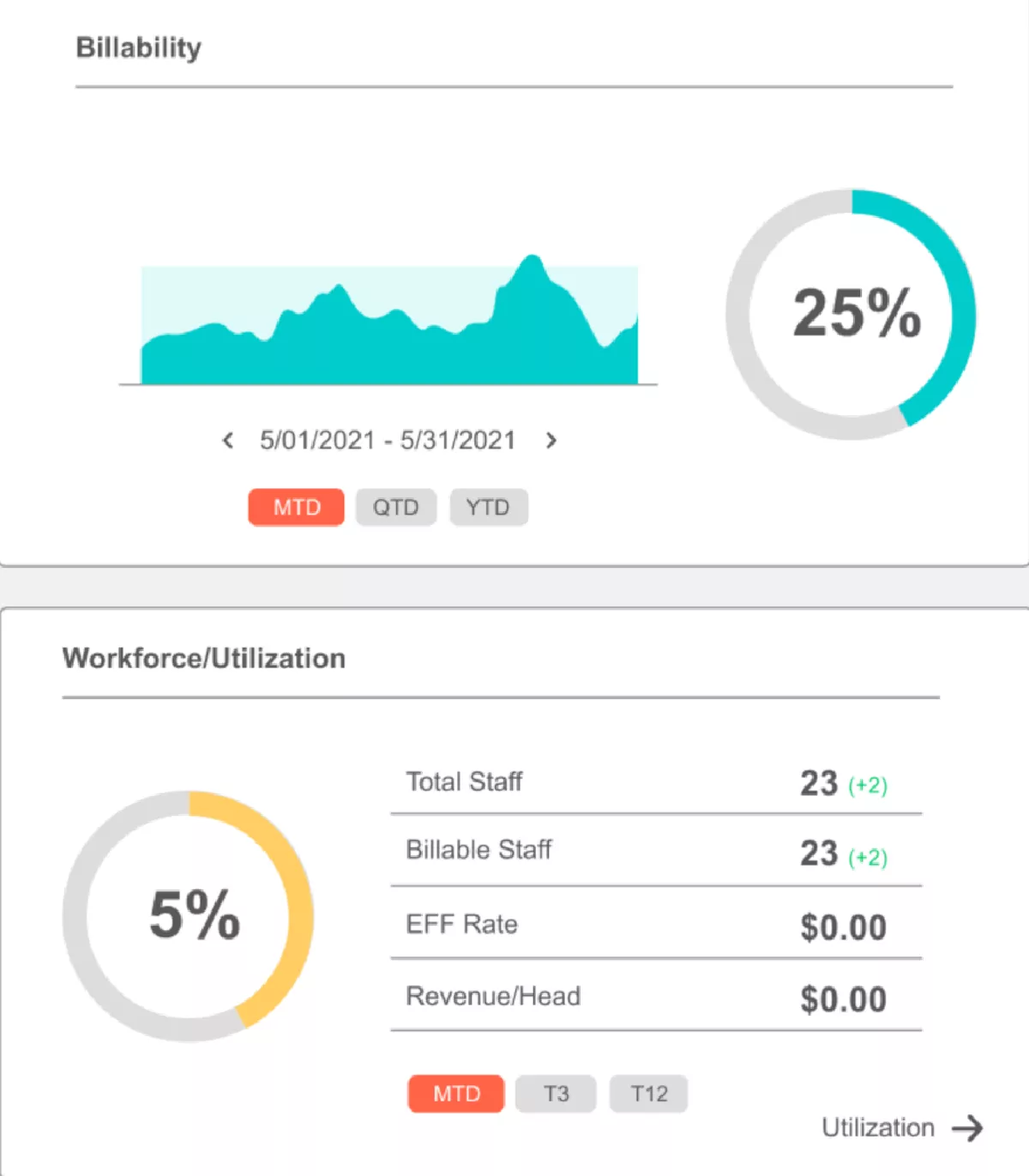
Source: BigTime
Pros
- Invoicing and approvals are easy to set up. A firm president found invoicing easy and staff approvals simple to put in place.
- Live chat answers fast. Several reviewers praise quick, helpful chat replies.
Cons
- Reports take time to learn. Custom reports confuse reviewers, and staff struggle to filter them.
- The dashboard looks dated. One reviewer says nobody on the team uses it.
Pricing and G2 Rating
Essentials starts at $20 per user per month. Project budgeting needs Premier, listed on G2 at $45 per user per month. BigTime holds 4.4 out of 5 from 1,823 G2 reviews.
Who Should Skip BigTime?
If every client pays you by the hour, skip BigTime: Harvest covers hourly billing from $9 a seat. BigTime pays off for firms that bill all three models and approve hours before invoicing.
3. Harvest – Best for Solo Consultants Who Want to Start Free
Harvest keeps timesheets and billing in one tool, and you track hours in its browser, desktop, or mobile apps. Tracked hours and expenses pull straight into a client invoice.
Key Features
- Invoicing from logged hours and expenses
- Project budgets with email alerts
- QuickBooks Online and Xero integrations on Teams
- Invoice payments through Stripe and PayPal

Source: Harvest
Pros
- Setup is quick. Reviewers found setup easy, with no training needed.
- Billing follows tracked time. One services firm called that very important.
Cons
- Reports stay basic. Reviewers call reporting clunky and exports little more than Excel dumps.
- Prices jumped in 2026. Several reviewers report 5x to 14x increases, and some left.
Pricing and G2 Rating
Free covers one seat and two projects. Teams costs $11 per seat a month, or $9 billed annually. Paid plans also bill extra projects, clients, tasks, and invoices by usage, at unpublished rates. The pricing page doesn’t say which plans include budgets.
Harvest raised prices in 2026, so read what changed in Harvest’s pricing before you pick a plan. Harvest holds 4.3 out of 5 from 846 G2 reviews.
Who Should Skip Harvest?
Approving hours pushes every Harvest seat to Enterprise at $17.50 a month, so approval-based firms should look elsewhere. For one person, its free plan is a consultant time tracker that also bills clients.
4. Bonsai – Best for Independent Consultants Who Also Send Proposals and Contracts
Bonsai puts proposals, contracts, time tracking, and invoicing in one piece of software for consultants and small firms. Accepted proposals convert into projects or invoices, a timer tracks billable and non-billable hours, and reminders chase late payments.
Key Features
- Proposals and e-signed contracts
- Invoicing for retainers and subscriptions
- Client portal for proposals and files
- QuickBooks Online and Xero integrations
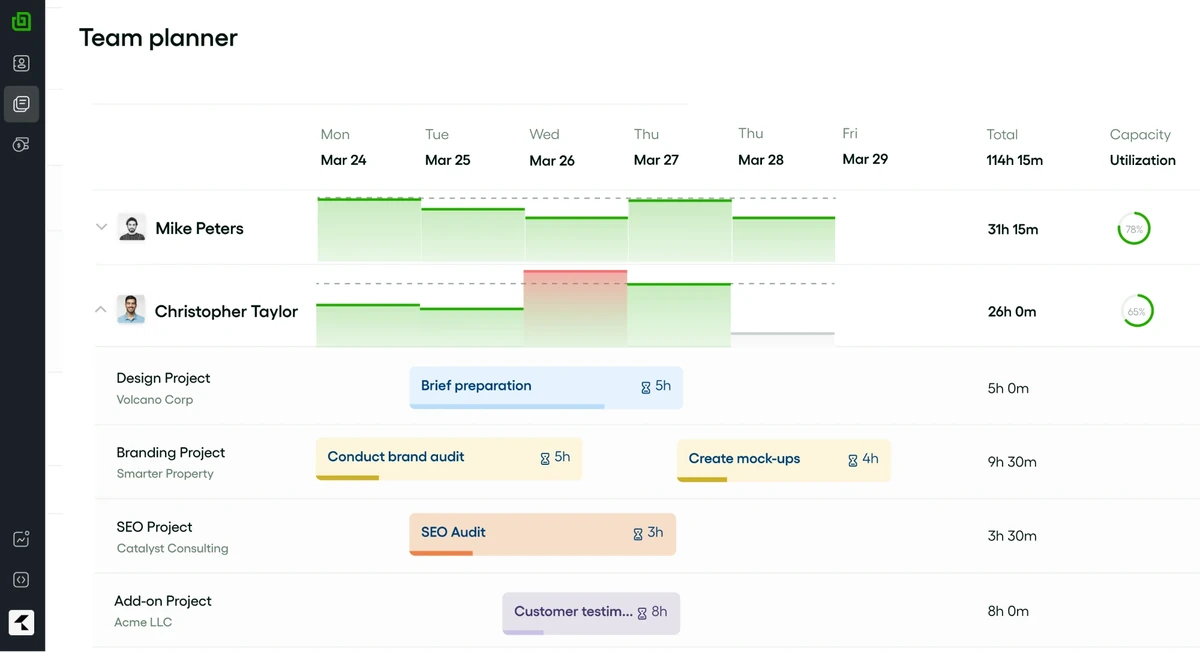
Source: Bonsai
Pros
- Proposal to payment stays in one place. Reviewers like sending proposals, contracts, and bills without switching tools.
- Reminders do the chasing. Automatic reminders mean no more pinging clients about due bills.
Cons
- Support can be slow. Reviewers report slow replies from customer support.
Pricing and G2 Rating
Proposals, contracts, and invoicing start on Essentials at $25 per user a month, or $19 billed annually. QuickBooks and Xero need Premium ($39, or $29 annually). There’s no free plan, just a 7-day trial. Bonsai holds 4.3 out of 5 from 101 G2 reviews.
Who Should Skip Bonsai?
Bonsai is a poor fit for teams that lock timesheets, since locking needs Elite at $59 per user monthly. Independent consultants who want proposals, the hours they track, and invoicing in one tool get the most from it. For a sales pipeline, compare the best CRMs for consulting firms.
5. Timing – Best for Consultants on a Mac Who Want Tracking Only They Can See
Timing is a Mac time tracker that records the apps, websites, and documents you use. Drag that activity into client projects, then export reports as PDF, XLSX, CSV, or HTML for timesheets and invoices.
Key Features
- Automatic app and website tracking
- Data kept on your Mac unless synced
- Billing status tracking on Expert
- Team time totals on Connect

Source: Timing
Pros
- Nothing to start or stop. Two 2025 reviewers say it tracks in the background without prompting.
Cons
- Integrations sit on the team plan. Zapier, the Web API, and GrandTotal invoicing come only with Connect.
Pricing and G2 Rating
Expert, the first plan with billing status, costs €13 a month, or €10 billed annually. There’s a 30-day free trial, and G2 shows 4.6 out of 5 from only five reviews.
Who Should Skip Timing?
Timing runs only on Macs, so a team with anyone on Windows ends up tracking hours in two tools. A consultant working alone on a Mac gets a private time tracking app for consultants.
6. Hubstaff – Best for Firms That Pay Contractors From Tracked Hours
Hubstaff pairs a time tracker with activity monitoring and payroll for people paid by the hour. While the timer runs, it scores keyboard and mouse input in 10-minute blocks, and recording stops with it.
Key Features
- Payroll through Wise, PayPal, or Payoneer
- Recurring fixed-price client invoicing
- Budgets from the Grow plan
- Optional screenshots and URL logs

Source: Hubstaff
Pros
- Pay runs on verified hours. Managers check tracked hours before paying people.
- Client hours are easy to show. Reviewers can show exactly what each client project took.
Cons
- Tracking can miss real work. Reviewers report idle detection pausing during reading, and lost time.
- Contractors may find it intrusive. Several reviewers say screenshots and app monitoring feel invasive.
Pricing and G2 Rating
Starter costs $7 per seat a month, or $4.99 annually, with a two-seat minimum. Payroll and unlimited screenshots need Team, at $12 a seat, or $10 annually. There’s a 14-day trial, and G2 rates it 4.4 out of 5 from 2,342 reviews.
Who Should Skip Hubstaff?
Consultants based at client sites get little from Hubstaff, because its mobile and web apps record no activity data. Firms that pay hourly contractors and want proof behind every hour they track are its best match.
7. Time Doctor – Best for Remote Teams That Require Screenshot Monitoring
Time Doctor captures what’s on screen while your team tracks time, with optional screenshots and app and website logs. Only during tracked time, it screenshots every three minutes and counts keystrokes and clicks to detect idle time.
Key Features
- Optional screenshots
- Web and app usage reports
- Idle detection
- Payroll and productivity ratings on Standard

Source: Time Doctor
Pros
- Remote work becomes visible. Managers see where remote hours and activity go.
- Timesheets stop relying on memory. Background tracking replaced manual timesheets for reviewers.
Cons
- The app can lag. Reviewers report slow loading and syncing at times.
Pricing and G2 Rating
Basic costs $8 per user a month, or $6.67 billed annually. Web and app usage and payroll need Standard, at $14 a user, or $11.67 annually. Time Doctor holds 4.4 out of 5 from 499 G2 reviews, and its trial lasts 14 days.
Who Should Skip Time Doctor?
Running payroll through HR software makes Time Doctor costly: on Basic or Standard, each integration adds $200 a month. Choose it if clients must see activity behind the hours people track; otherwise, compare alternatives to Time Doctor.
Time Tracking vs Activity Tracking: What’s the Difference for Consultants?
Consultant time tracking records the hours you spend on each client and task. Activity tracking records what happens on your screen during those hours.
- Hours you log. Productive, BigTime, Harvest, and Bonsai record only the hours you enter or run on a timer.
- Private automatic tracking. Timing records your Mac activity and shows admins only project totals.
- Employer monitoring. Hubstaff scores mouse and keyboard activity, and Time Doctor takes screenshots, only during tracked time.
Choose monitoring when a contract or contractor pay needs proof behind each hour. Work alone and forget to track? Choose private tracking. Billing from approved timesheets? Plain time tracking is enough.
Before switching monitoring on, tell your team in writing what it records and check local employment rules.

The good thing about the tool is that having everything integrated in the same platform gives us a 360 view of how the company is performing regarding resources, efficiency, profitability.
How to Choose Time Tracking Software for Your Consulting Work
Choose consultant time tracking software by how your clients pay you and what your team must approve. Add screen monitoring only if a client contract or contractor pay requires proof of activity.
The three steps below test all of this in a trial, each with a pass and a fail condition.
Step 1: Price the Plan You’d Actually Need
Write down what you can’t bill without, such as hour approvals and invoicing synced to QuickBooks or Xero. Across the tools above, approvals range from every plan to enterprise tiers only. Find each tool’s cheapest plan with all of them, then multiply by headcount and any seat minimum.
- Pass if: a year on that plan fits your budget for the whole team.
- Fail if: one must-have appears only on a plan you’d never pay for.
Step 2: Rebuild Last Month’s Messiest Invoice
Pick the invoice with the most moving parts, like a monthly fee plus extra hours at a senior rate. Enter or import the timesheets behind it, approve them, and create the invoice with your client’s time report.
- Pass if: the invoice matches the original to the cent and reaches QuickBooks or Xero with no hour retyped.
- Fail if: a line needs a spreadsheet, or the tool can’t express one of the charges.
Step 3: Have Two Consultants Log a Meeting-Heavy Week
Pick the two consultants with the most client meetings, since meeting hours are the easiest to forget. For one week, they log in the trial using the consultant time tracking app’s timer, calendar, or mobile options.
- Pass if: on Friday, the hours they track match their calendars, each on the right client and task.
- Fail if: client meetings went unlogged, or you chased anyone more than once.
Track Time for Consulting Projects With Productive
Approved hours draw down client budgets, with an email warning before a fixed fee runs out.

Frequently Asked Questions
How Do Consultants Track Billable Hours Across Several Clients?
Consultants track billable hours across several clients by setting up one project per client engagement. Good time tracking for consultants also flags non-billable hours at entry, as our billable hours guide explains.
Is There a Free Time Tracker for Consultants?
Yes, Harvest’s free plan is time tracking software for consultants with invoicing, for a single seat and two projects. A second person or a third project means Teams, at $11 per seat a month.
Should Consultants Track Time on Fixed-Fee Projects?
Yes, consultants should track time on fixed-fee projects. Logged hours show whether the fee covered the work, so you can price the next proposal from them.
What If a Client Requires Hours in Their Own Timesheet System?
Bill from your own timekeeping software for consultants, and treat the client’s system as a copy. Copy each week over on a fixed day, and check both totals match before invoicing.
Final Thoughts: Pick the Software That Bills Every Approved Hour
The best time tracking software for consultants gets every approved hour onto an invoice without retyping. Before your next billing cycle closes, run Step Two on your two shortlisted tools. If you want the hours you track, budgets, and invoices in one place, book a demo of Productive.
Catch Fixed-Fee Overruns Before Month-End.
Productive compares logged hours with each fixed fee’s estimate and emails the budget owner at your threshold.