Top 5 Streamtime Alternatives (2026) + Migration Checklist

If you’re looking for the best Streamtime alternatives, the search is over. You’re right where you need to be.
This guide covers five true replacements, compares them against your current setup, breaks down the key features, user-based pros and cons, and wraps each review with a best-fit verdict.
You’ll also get a buyer’s comparison table, practical advice for choosing between substitutes for Streamtime, and a migration checklist you can forward to your team.
What Are the Best Streamtime Alternatives in 2026?
The best Streamtime alternatives in 2026 are Productive, Function Point, Accelo, Workamajig, and Kantata. These are the top Streamtime alternatives in this guide because they go beyond basic task tracking and cover more of the planning, financial, and delivery work that teams usually need to replace.
Buyer’s Comparison Table
| Tool | Choose this tool if | Skip this tool if | Best for | Replaces Streamtime for what |
|---|---|---|---|---|
| Productive | You want one system for project delivery, resourcing, budgeting, billing, and reporting | You only need lightweight project tracking and do not want a broader operational platform | Agencies and professional service teams that want an all-in-one Streamtime replacement | Project delivery, resource planning, budgeting, billing, and reporting |
| Function Point | You run a creative or marketing agency and need stronger control over jobs, estimates, budgets, and schedules | You want a more modern interface and lighter day-to-day workflow | Creative and marketing agencies | Job management, estimating, scheduling, and budget control |
| Accelo | You need sales, service, billing, and delivery connected in one quote-to-cash workflow | You mainly want a simpler project tool with faster setup | Quote-to-cash service operations | CRM handoff, project delivery, billing, and accounting workflows |
| Workamajig | You want an agency management platform with deeper financial and operational control | You want a simpler system with less process overhead | Creative agencies that need deeper operational control | Agency operations, resource planning, accounting, and profitability tracking |
| Kantata | You need forecasting, staffing, utilization, and financial visibility across a larger services organization | Your team is small, your workflow is simple, or you do not need PSA-level depth | Larger professional services teams | Forecasting, staffing, utilization, and PSA-level financial control |
How We Chose These Tools
We chose these tools by reviewing G2, Capterra, Reddit, and other relevant sources to understand real user reviews, repeated strengths, recurring complaints, and the kinds of teams each product actually fits.
Keep in mind that this is not a padded list of recognizable software names. Every tool here is included because it’s a credible Streamtime replacement for teams that need more than basic project tracking.
1. Productive – Best for Agencies and Professional Service Teams That Want an All-in-One Replacement
Productive is the best replacement for teams that want to stop stitching together separate tools for delivery, resourcing, budgets, billing, and reporting. It makes more sense when the real problem is not one missing feature, but the operational drag that comes from managing projects, people, time, and financials in different systems.
Try the best all-in-one Streamtime replacement
Replace the Tool Stack, Not Just the Project Tool
A lot of teams do not rely on one platform alone. They also use separate tools for time tracking, resource planning, leave, and finance, which creates manual handoffs and reporting gaps.
Productive replaces that stack with one platform for project management, scheduling, budgets, billing, reporting, and time tracking, so the same data flows through the whole workflow instead of being copied from tool to tool.
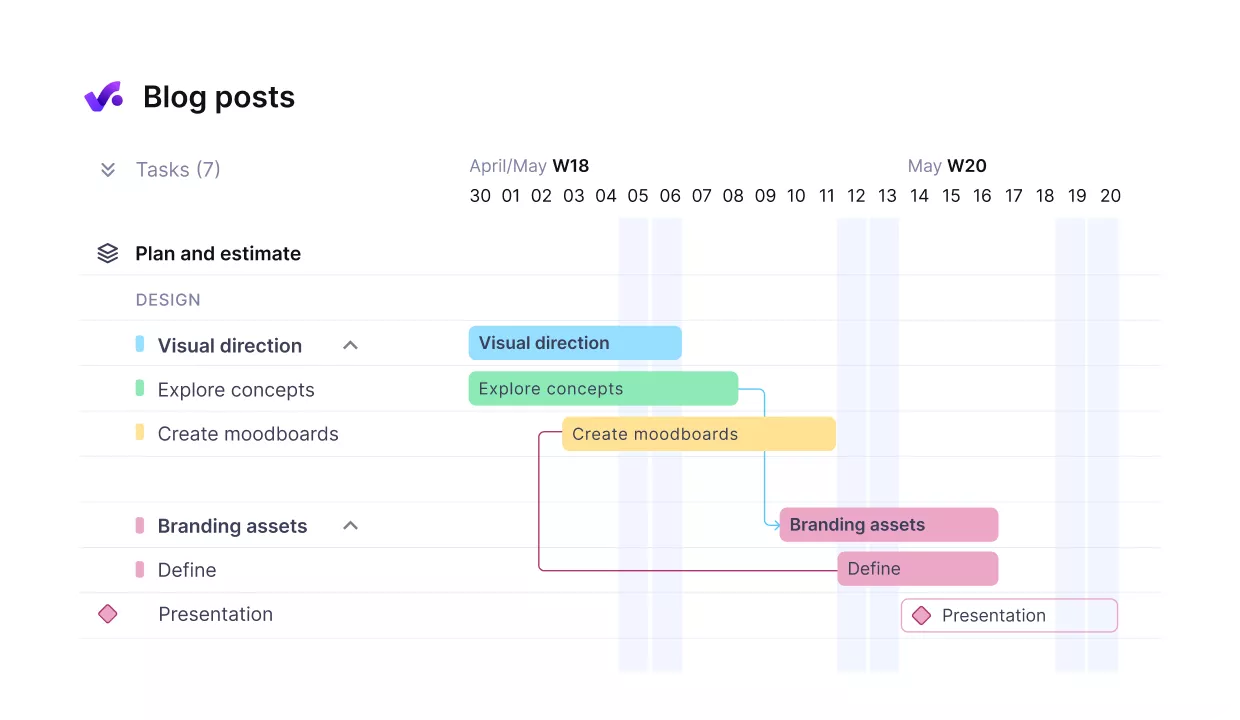
Break up projects into dependent tasks with milestones.
Run Projects in One Place Instead of Across Threads and Files
The plan can live in one system, but the rest of the project often ends up spread across email, Google Drive, exported timelines, and status updates. Productive gives teams a timeline view, milestone tracking, task dependencies, docs, and client-facing access in the same system, so the project plan, attached files, and current status stay connected.
That matters most when dates shift and the team needs one place to manage the change instead of updating tasks and sending manual updates separately.
Track Time Where the Work Actually Happens
When time entry sits outside the work itself, adoption drops and the data gets weaker. Productive’s automatic time tracking ties timesheets and execution, so people can start a timer from a task, log time directly against work, or submit timesheets without switching into a separate workflow.
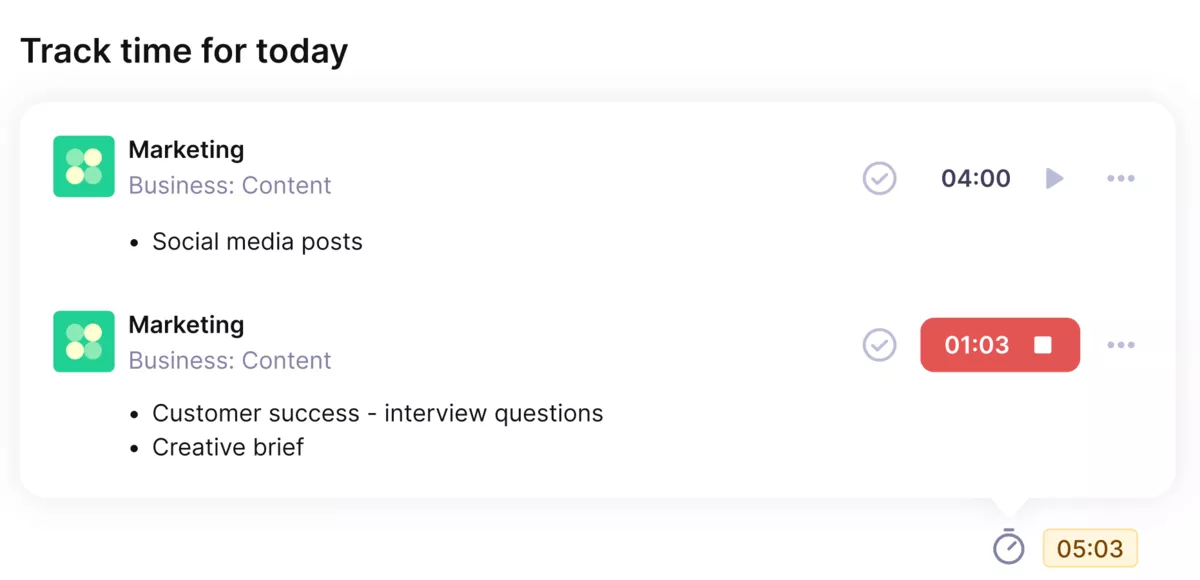
Use Productive’s automatic time trackers for accurate and smooth time tracking.
Because those hours sit inside the same budget structure, they feed straight into burn, utilization, and project reporting.
See Budgets, Profitability, and Billing Without Rebuilding the Numbers
One of the biggest differences here is how directly Productive’s budgeting connects delivery work to the financial side. Logged time and expenses flow into budgets, budget actuals, invoicing, and reporting, which gives teams a clearer view of margin and project health while work is still in progress.
For teams that are tired of rebuilding client reports or checking profitability in spreadsheets at the end of the month, that is a meaningful operational upgrade.
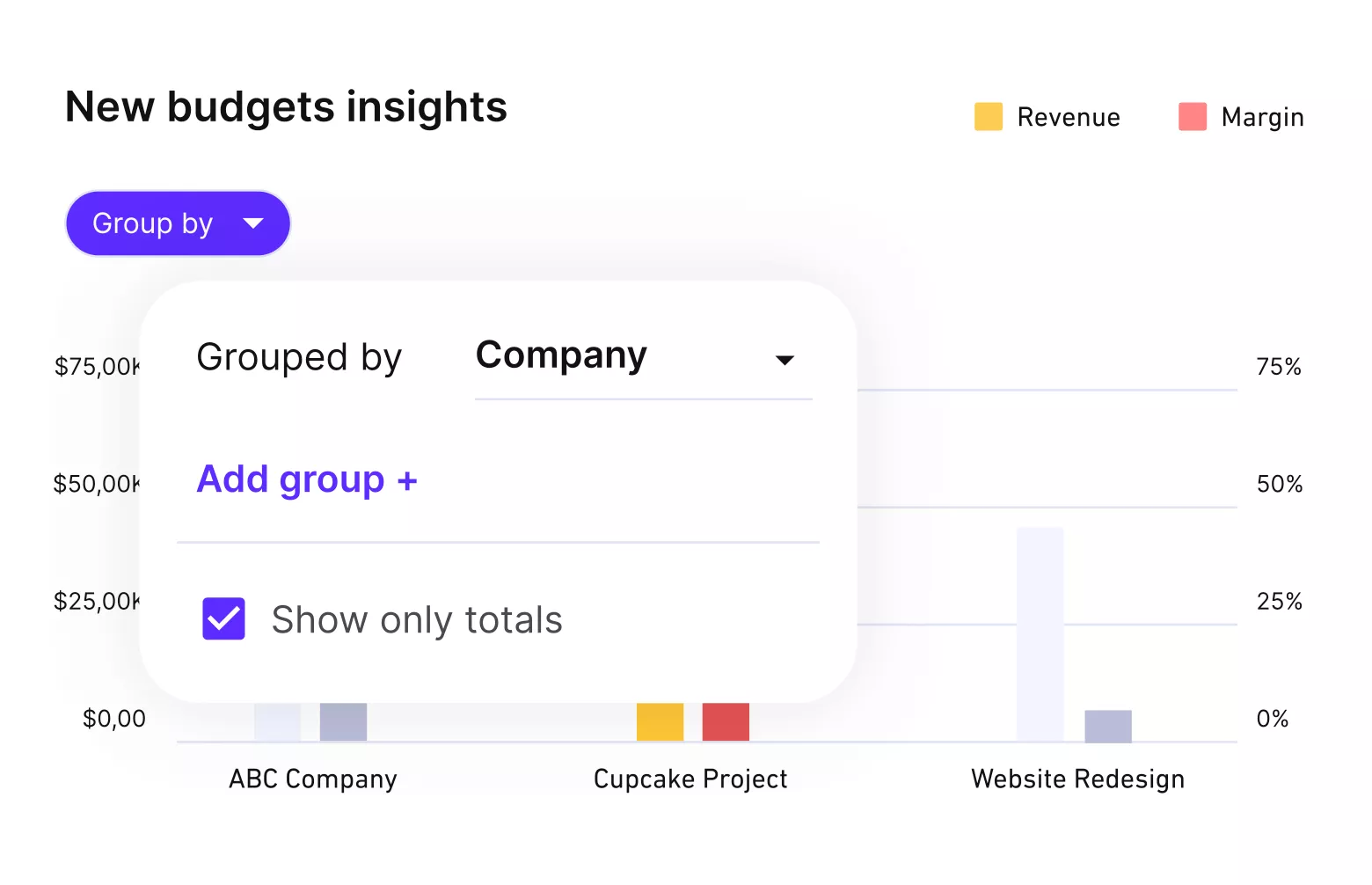
Get budgets, profitability and margin updates in real-time.
Plan Capacity With the Same System You Use To Deliver Work
Productive Resource Planning becomes much easier when bookings, budgets, and project timelines already live in the same place. Productive gives teams a live view of booked versus available hours and makes it possible to plan tentative work before it is fully confirmed.
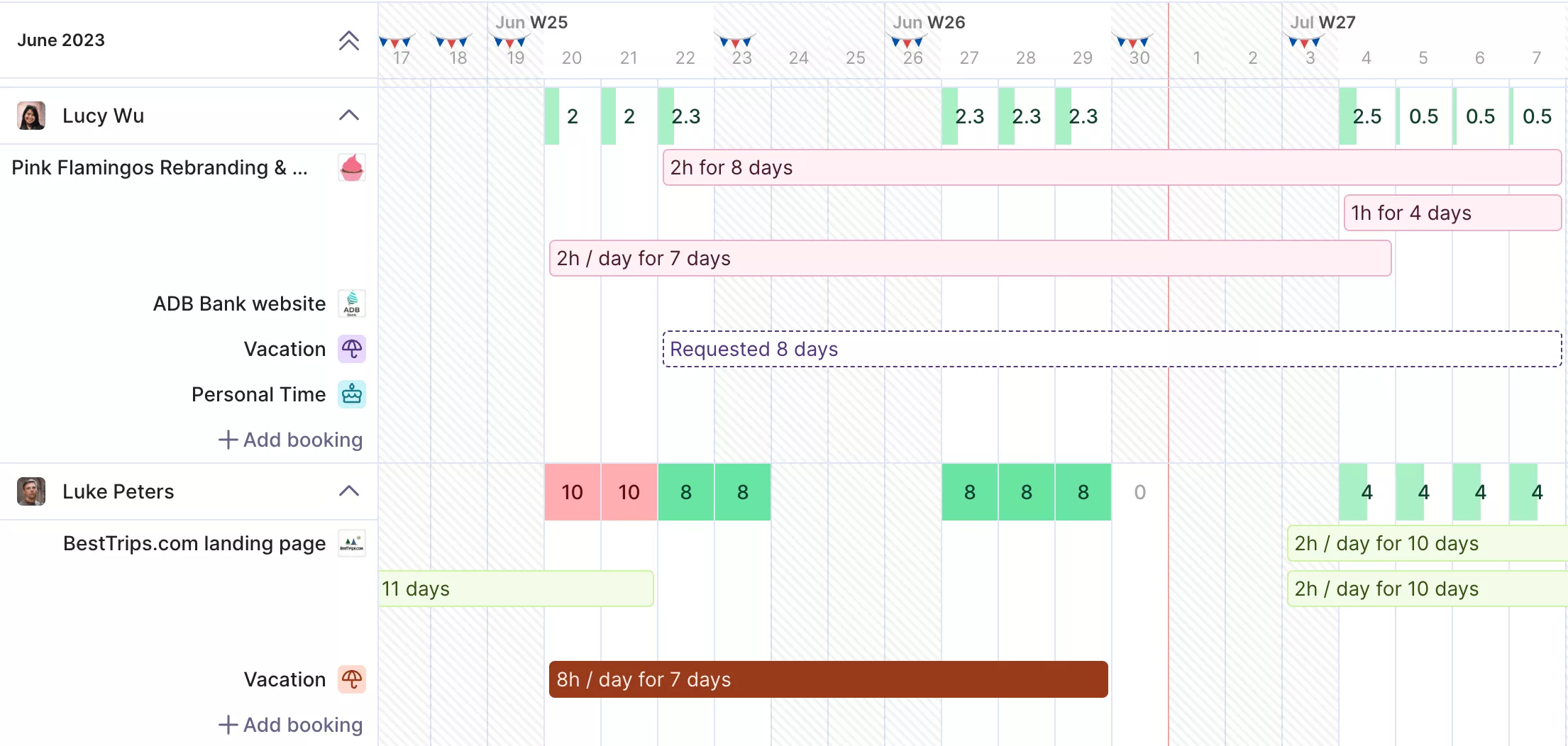
Get a real-time overview of your team’s capacity.
That makes it a better fit for companies that need to rebalance work quickly, manage overruns, or coordinate employees and contractors without relying on a second scheduling tool.
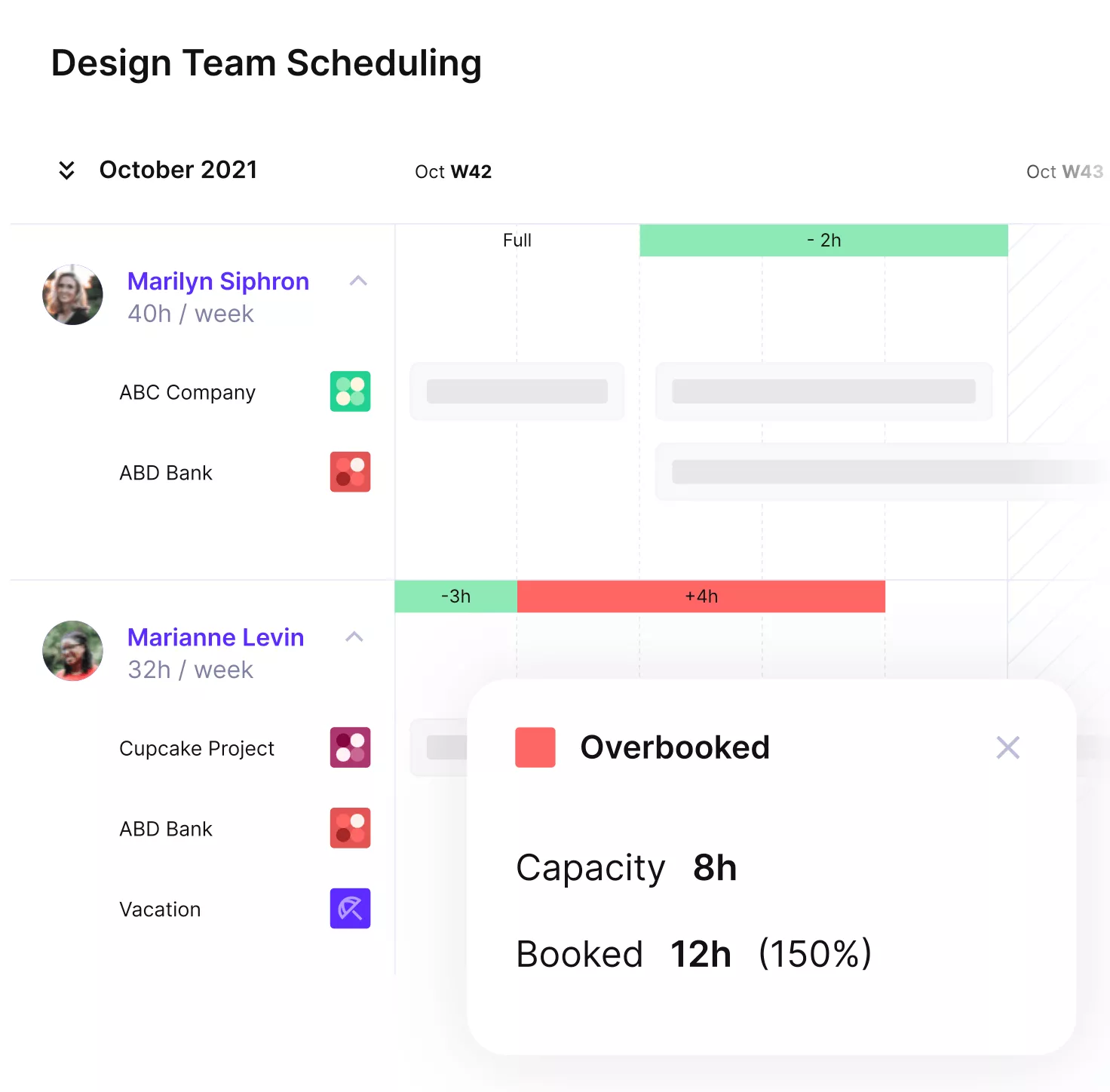
Prevent overbooking or idle hours with Productive.
Pricing
- Plans start with the Essential plan at $10 per user per month, which includes essential features such as budgeting, project & task management, docs, time tracking, expense management, reporting, and time off management.
- The Professional plan includes custom fields, recurring budgets, advanced reports, billable time approvals, and much more for $25 per user per month.
- The Ultimate plan has everything that the Essential plan and Professional plan offer, along with the HubSpot integration, advanced forecasting, advanced custom fields, overhead calculations, and more. Book a demo or reach out to our team for the monthly price per user.
Productive offers a 14-day free trial, so you can see what it can do for your project’s financial health.
Replace Streamtime with a system that covers the whole workflow
If your team has outgrown separate tools for project tracking, time, resourcing, and billing, see how Productive brings the whole operation into one place.

2. Function Point – Best for Managing Creative Project Agency Work
Function Point is a good option for creative agencies that want more structure around jobs, budgets, schedules, and project management. It looks like a better fit for teams that value operational control and connected financial workflows more than a modern interface or lighter day-to-day navigation.
Key Features
- Project and job management
- Time tracking and timesheets
- Resource planning and workload management
- Estimating, budgeting, and invoicing
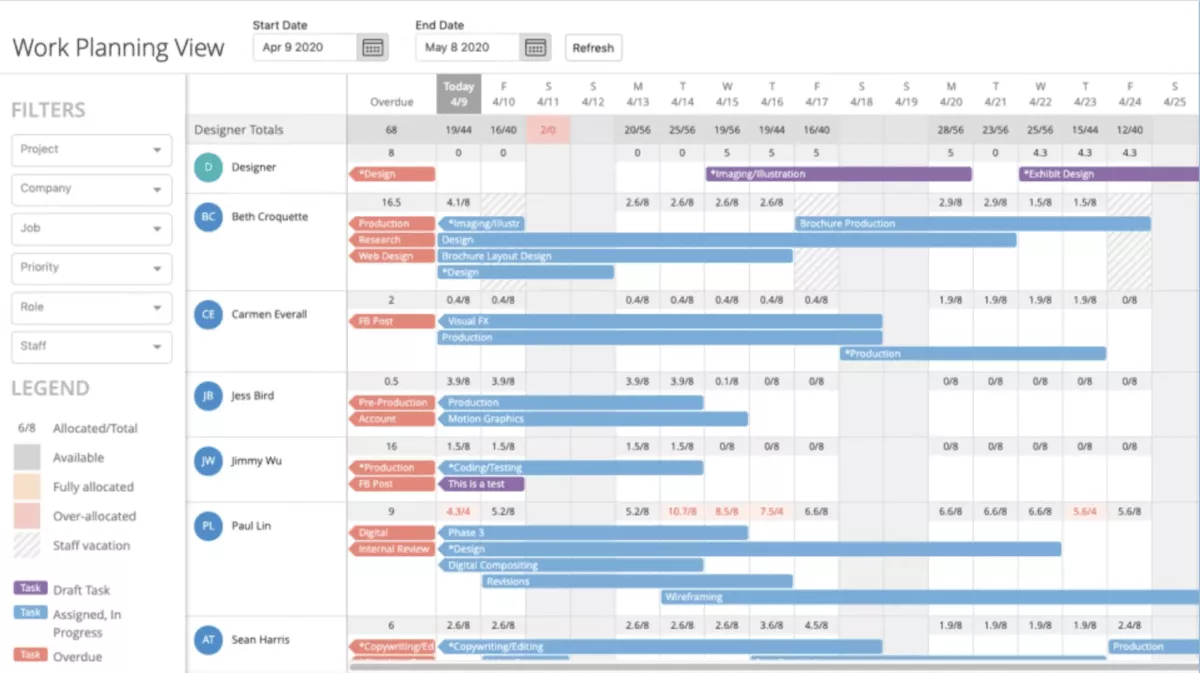
SOurce: function point
Pros
- Organizes files and tasks and makes task assignment easier for agency teams
- Makes task-number search and day-to-day task organization feel straightforward
- Connects budgets, tasks, schedules, and timesheets in a way that improves project visibility
- Strong customer support appears to be a real strength for long-term users
Cons
- Adding task or estimate details can feel cramped because the available space is limited
- The interface feels basic and can be hard to navigate
- Finding older tasks without a task number can take extra time
- Some teams may want more customization around contacts, CRM data, and client-facing visibility
Final Verdict
Skip Function Point if your team wants a lighter tool with easier navigation and smoother day-to-day collaboration. It is better suited to agencies that can tolerate a more basic interface in exchange for tighter control over jobs, budgets, and schedules.
3. Accelo – Best for Quote-to-Cash Service Operations
Teams that need sales, service, billing, and delivery to work together will get more from Accelo than from a lighter project tool. Its real strength is not just project management, but the way it links CRM, tickets, billing, and accounting integration into one quote-to-cash workflow. For a broader look at where it fits, see our Accelo alternatives guide.
Key Features
- CRM, sales, and project management in one system
- Time tracking, tickets, and task management
- Project invoicing, retainers, and billing workflows
- Reporting dashboards and Xero integration
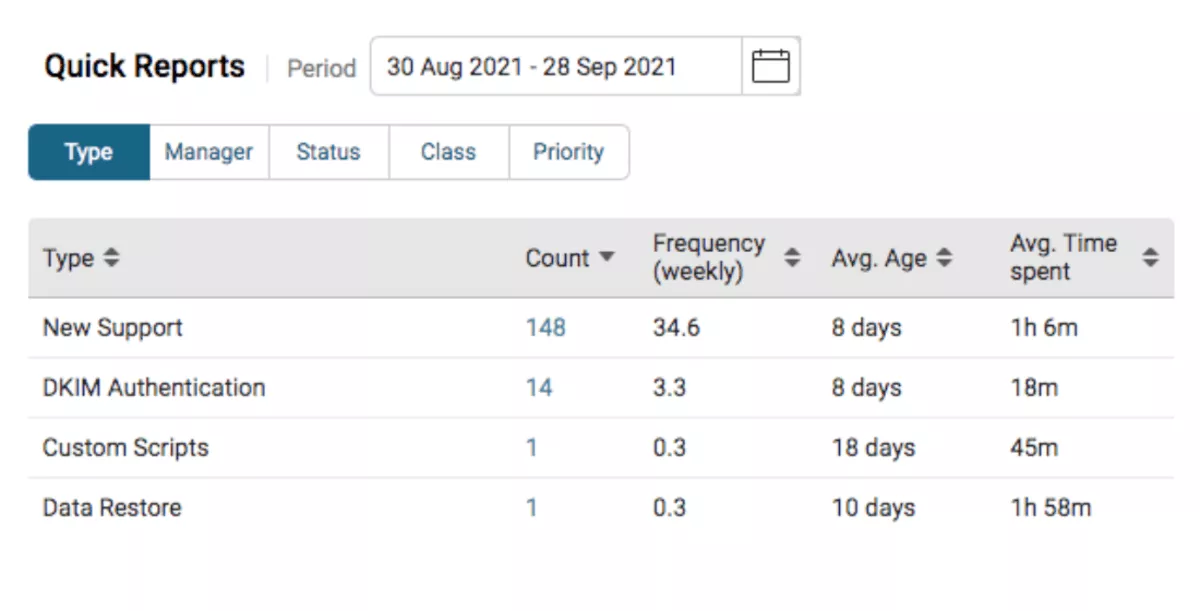
SOurce: accelo
Pros
- Brings CRM, help desk, sales, project delivery, and billing into one connected workflow
- Keeps clients, projects, tasks, and time organized in one place for better team visibility
- Invoicing and Xero integration make the financial side easier to manage
- Flexible enough to support different departments once the setup is in place
Cons
- Setup and adoption can take time, especially if your team needs triggers, automation, and process rules dialed in
- Triggers can be hard to test and mistakes can create messy workflow issues
- Filters, dashboards, and reporting still cause friction for some users
- Some teams want more customization and fewer gaps during version changes
Final Verdict
Accelo is not the right Streamtime replacement for teams that mainly want a simpler project tool with fast onboarding.
It makes more sense for service businesses that want sales, delivery, support, and billing connected in one system and are willing to spend a lot of time and resources time on setup and process design.
4. Workamajig – Best for Creative Agencies That Need Deeper Operational Control
Workamajig makes the most sense when your current setup is too light for the way your agency actually runs. It is built more like an agency management tool, so it fits teams that want projects, resource planning, finance, time sheets, and reporting tied together instead of spread across separate systems.
For a broader comparison, see our review of the best Workamajig alternatives.
Key Features
- Project and task management for creative teams
- Resource planning and scheduling
- Time tracking and timesheets
- Finance, accounting, and profitability reporting
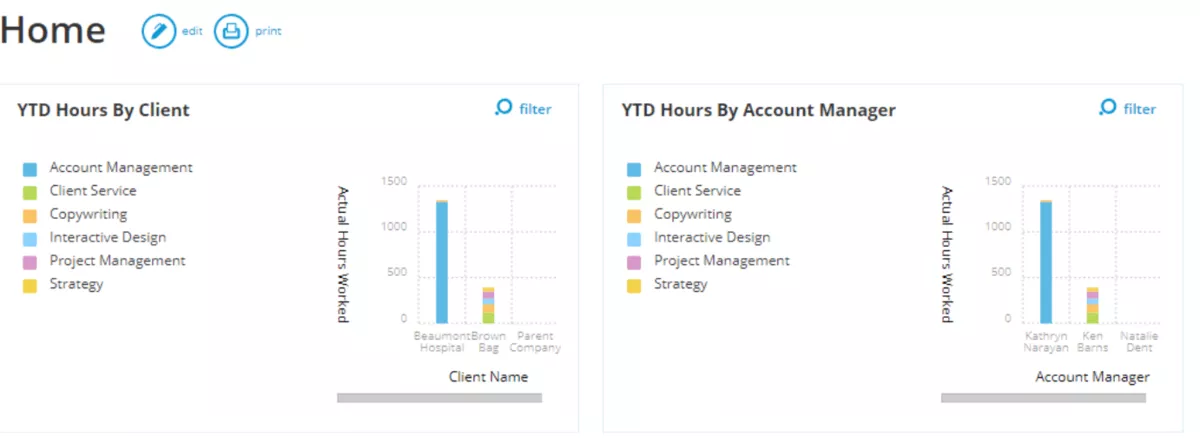
SOurce: workamajig
Pros
- Replaces separate tools for project work, time entry, sales tracking, and financial management
- Gives agencies stronger visibility into budgets, profitability, and operational KPIs
- Scheduling and workflow controls are useful for teams that need tighter delivery oversight
- Customer support and implementation help appear to be meaningful strengths for long-term users
Cons
- The platform can feel large and harder to prioritize for smaller teams
- Some parts of the interface and workflow feel dated or clunky
- Search, calendar, and mobile limitations can create friction in day-to-day use
- Teams sometimes need workarounds to match the software to their exact process
Final Verdict
Workamajig should stay off your shortlist if your team wants a simple, lightweight system with faster adoption and less process overhead. It is a better fit for agencies that are ready to commit to a heavier platform in exchange for deeper control over projects, resources, and financial operations.
5. Kantata – Best for Larger Professional Services Teams
Kantata belongs on this list for teams that need deeper control over resource planning, forecasting, and financial visibility than lighter agency tools usually provide.
Where simpler tools fit creative teams that want an easier way to run jobs, Kantata is closer to a work management software platform for larger services organizations with more complex delivery, staffing, and project management needs.
Key Features
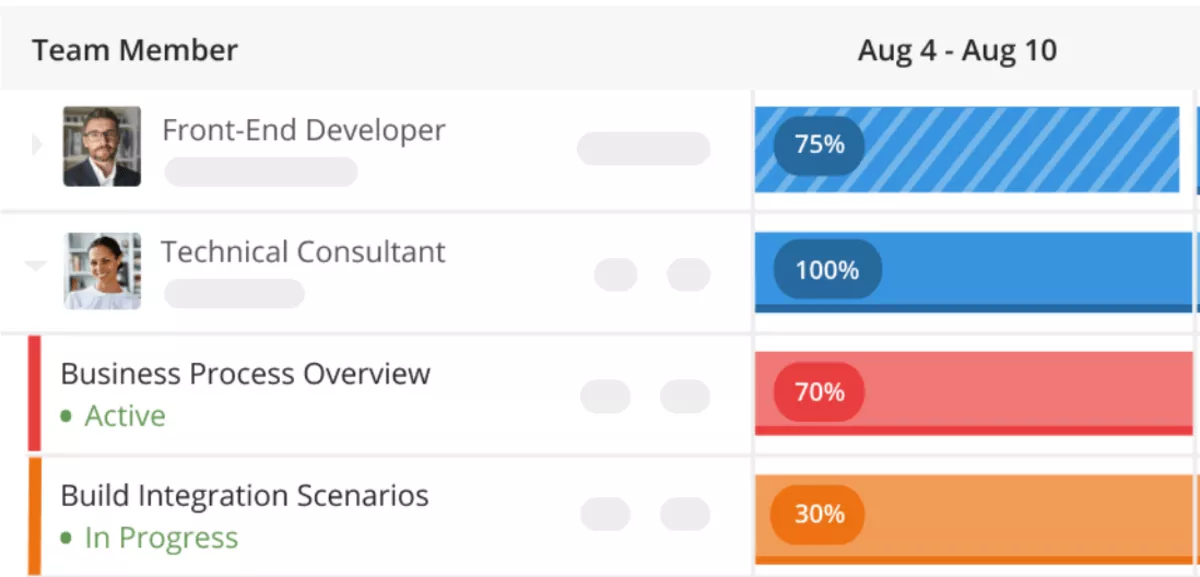
- Resource forecasting and capacity planning
- Resource allocation and scheduling
- Time and expense tracking
- Project financial and revenue forecasting
SOurce: kantata
Pros
- Gives teams stronger visibility into resource planning, utilization, and project delivery
- Connects project work, time and expense data, and financial performance in one system
- Helps service organizations monitor budgets, billing, and reporting in a more structured way
- Can improve project delivery control for teams managing larger portfolios
Cons
- Smaller teams and simple workflows may find it too heavy for what they need
- Navigation, setup, and overall adoption can take more effort than lighter tools
- Pricing and implementation effort can be a real barrier for leaner teams
- Some users report that support responses and product changes can create adjustment friction
Final Verdict
Kantata is easy to overbuy if your team mainly wants a lighter project tool for day-to-day delivery. It is a solid option when your replacement needs to cover forecasting, staffing, time, and financial control at a level that usually matters more to larger professional services teams than to smaller creative shops.
Why Do Teams Look for Streamtime Alternatives?
Teams look for alternatives when reporting is harder to use than they need, integrations do not cover the rest of their stack, or the way the product handles time tracking does not match how their team works.
Other common reasons include limited mobile use, higher software cost, and the extra manual work that appears when one project management tool covers only part of the workflow.
These are concrete operational problems, and they are usually what pushes teams to compare other options. For a broader look at what strong delivery setups need to cover, see our creative project management guide.
- Reporting can be harder to use when teams need fast answers on project progress, workload, budgets, or performance.
- Project visibility gets weaker when teams need a shareable timeline view for customer projects and still have to piece updates together outside the system.
- Integration gaps can force teams to keep other tools in the stack or move data manually.
The time-tracking model will not suit every team, especially if people want a different way to log time. - Limited mobile coverage is problematic for people that need to track work or check project details away from a laptop.
- Price is a common turn-off when the team is paying for a tool that still leaves manual work in place.
- Expense handling also becomes part of the problem when teams need clearer controls and reporting around project costs, which is why many agencies review their project expense tracking process.
How to Choose the Best Streamtime Replacement for Your Team? (Step-by-Step Process)
You should choose the best replacement for your team by comparing your real workflow needs, not by chasing the longest feature list. The right project management option should match the way your team plans work, tracks time, manages budgets, reports on delivery, and hands work off between people. For a wider look at what teams in this space evaluate, see our guide to creative agency project management software.
Step 1: Audit the Workflow Your Current Tool Handles Today
Start with one live project and trace it from brief to invoice. Write down exactly where the current tool is used: quote creation, job setup, task planning, scheduling, time entry, budget tracking, invoicing, client updates, and reporting.
Then mark the steps your team still handles outside the system in spreadsheets, email, Slack, or accounting software. That gap list is what your replacement needs to solve.
Step 2: Decide Where the Break Is Happening
Do not evaluate tools in the abstract. Decide what is actually breaking in your current setup. For some teams, the issue is resource planning. For others, it is weak reporting, disconnected financials, limited invoicing, poor mobile time entry, or too much manual handoff between delivery and finance.
Pick the two or three problems that create the most wasted time or the most risk. If you cannot name the operational break, you will end up buying another tool that creates the same problem in a different interface.
Step 3: Define the Non-Negotiables in Plain Terms
Turn the problem list into pass-fail requirements. Instead of writing vague criteria like “good reporting,” write the exact questions the tool must answer.
For example:
- Can it show budget burn against logged time?
- Can it compare estimate versus actual by project?
- Can it show who is overbooked next week?
- Can it handle retainer work and one-off work in the same account?
This is also the point where you should decide how much budget management, workflow management, resource tracking, and portfolio management you actually need. That forces you to compare real capability, not sales copy.
Step 4: Test the Financial Workflow, Not Just the Project View
Many tools look fine in a demo because task management is easy to show. A clean kanban board can also look convincing in a sales call. The harder part is what happens after work starts.
Check whether the tool can handle quotes, budget tracking, time approval, invoice prep, profitability reporting, and accounting handoff without manual cleanup.
If your team still needs to rebuild the numbers in a spreadsheet at month-end, it is not a full replacement.
Step 5: Pressure-Test Reporting With Your Actual Questions
Go into every demo with the same reporting questions and ask the vendor to show the answers live.
Use examples like:
- Which projects are at risk this week?
- Which client work is over budget?
- Which people are fully booked next month?
- Which jobs are under-scoped based on time already logged?
A replacement worth buying should answer those questions without exporting raw data for someone else to fix.
Step 6: Run a Trial With One Real Project and One Real Team
Do not run a fake test with sample data. Put one real client project, one real budget, and the people who would actually use the tool into the trial. Ask the project lead, delivery team, and finance owner to complete the same actions they do now.
Then look at what breaks: setup time, missing fields, awkward time entry, weak scheduling, a timeline view that does not help the team, a kanban board that only works for simple tasks, or reporting gaps. That tells you more in one week than a polished demo tells you in an hour.
How to Migrate from Streamtime?
The right way to migrate is to move in a fixed order: audit your current setup, clean the data, map the fields, rebuild the workflow, test with a real project, then roll the system out team by team. A lot of that work depends on having repeatable agency workflows before the new system goes live.
Treat it like an operational handoff, not a simple data export. Start by documenting how your team uses the current system now, then export only the clients, projects, budgets, tasks, time records, and billing data you still need.
Clean that data before import, map each field to the new system, and rebuild the workflow, templates, permissions, and integrations before anyone starts using it. Then pilot the setup with one real team or one real project so you can catch broken reporting, awkward time entry, or missing workflow steps early.
Once that works, roll the system out in phases and train each group on the tasks they actually perform every day.
Copy-Paste Migration Checklist
- Document your current workflow from project setup to invoice
- List the data you need to migrate and the data you can archive
- Export key data like active clients, open projects, tasks, time records, budgets, and billing data
- Remove duplicate records and close inactive projects before import
- Standardize client names, project names, and service labels
- Decide which historical data needs to stay accessible after the switch
- Map current-system fields to the matching fields in the new system
- Rebuild templates, statuses, permissions, and budget structures in the new tool
- Configure integrations with accounting, CRM, or other connected systems
- Test time entry, scheduling, reporting, and invoicing before go-live
- Run a pilot with one real team or one real client project
- Review what failed in the pilot and fix the workflow before rollout
- Train each team on the tasks they actually perform every day
- Move the rest of the business in phases instead of all at once
- Keep the old system accessible in read-only form until reporting and billing are confirmed in the new tool
Closing Thoughts – When to Make the Switch?
If the current setup no longer gives your team the visibility, financial control, or operational depth you need, it’s time to move on. Usually, the switch is less painful before those gaps turn into more manual work.
The strongest replacements bring project delivery, resourcing, time, and financial workflows into one system instead of splitting them across separate tools.
If that is what your team needs next, book a demo with Productive and see how an all-in-one replacement works in practice.
Connect With Agency Peers
Access agency-related Slack channels, exchange business insights, and join in on members-only live sessions.
