5 Project Management Process Groups Explained (2026 Guide)

Project management process groups are the five categories the Project Management Institute (PMI) uses to sort project work. You have likely seen the five in a PMBOK (Project Management Body of Knowledge) summary that never connects them.
This guide walks through each group’s output, owner, and exit condition, then separates process groups from project phases. It also maps the 10 knowledge areas to the groups and shows what the 8th edition changed.
Key Takeaways
- The five project management process groups are initiating, planning, executing, monitoring and controlling, and closing.
- Each group ends with an output: a signed project charter, approved baselines, deliverables, client acceptance, or an archived record.
- Process groups are not project phases. Every phase of a project runs its own pass through all five groups.
- In PMBOK 6 (the 6th edition), 49 processes are split across the five groups and 10 knowledge areas.
What Are Project Management Process Groups?
Project management process groups are PMI’s logical groupings of project management processes by purpose. Each group collects the processes that start, plan, perform, check, or close a project or one of its phases.
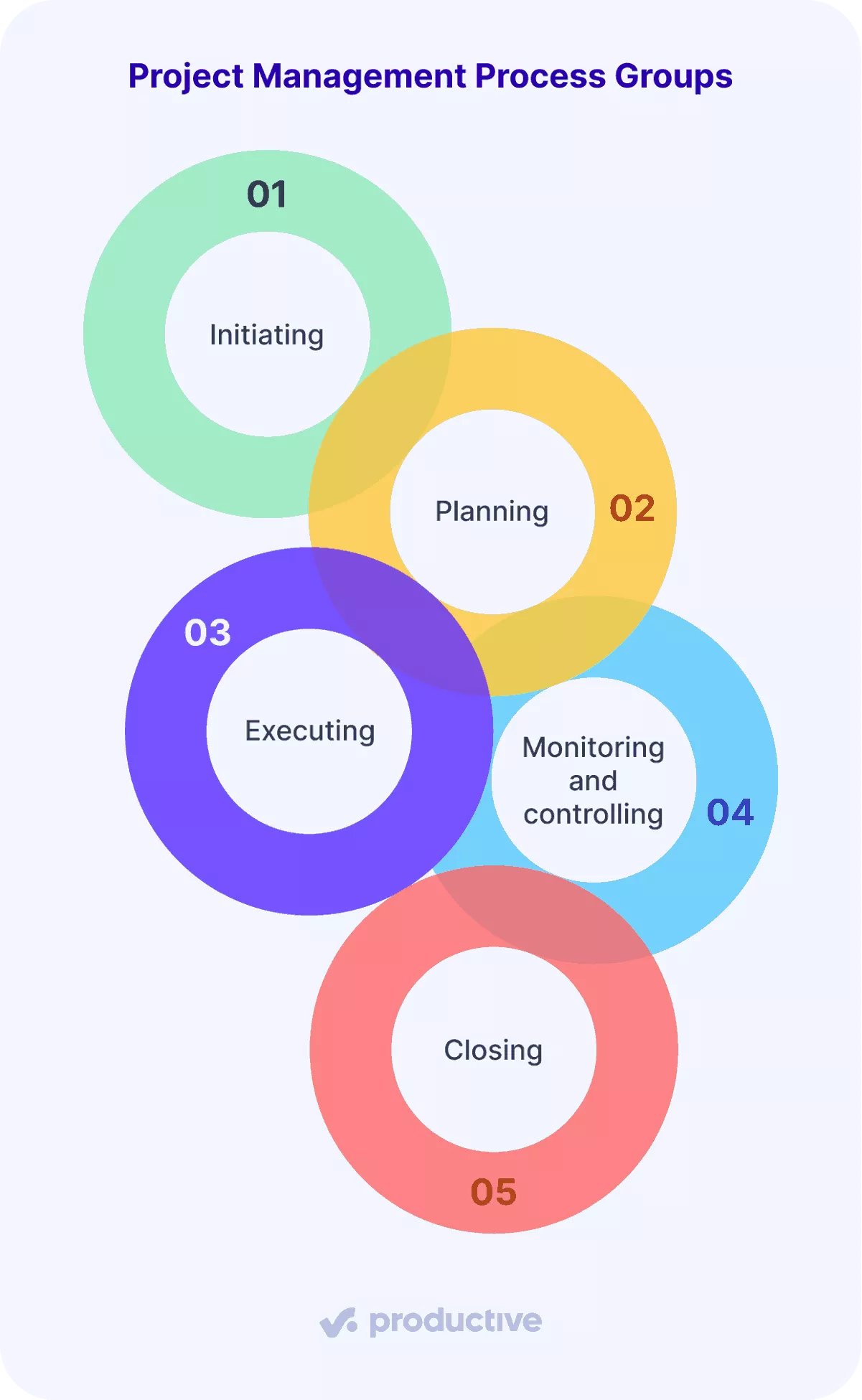
Each group has an output, an owner, and a condition that tells you it is finished:
| Group | What you produce | Who owns it | Done when |
|---|---|---|---|
| Initiating | Project charter, business case, and stakeholder register | Project manager drafts, sponsor signs | The project sponsor has signed the project charter. |
| Planning | Scope baseline, schedule, cost baseline, and risk register | Project manager | The project sponsor has approved the baselines. |
| Executing | Finished deliverables, logged hours, and approved changes in place | Delivery lead | Each deliverable has passed your internal quality check. |
| Monitoring and controlling | Weekly status reports, change decisions, and client acceptance | Project manager | It runs until closing. Each deliverable is done once the client accepts it in writing. |
| Closing | Final invoice, closed contracts, and an archived project record | Acount lead | The project is closed and no one can log more hours against it. |
What Happens During the Initiating Process Group?
During the initiating process group, you write the charter, build the stakeholder register, and test the business case. The project charter authorizes the work and lets you assign people and spend against the budget.
Initiating is finished when four documents exist and the project sponsor has signed the first one:
| Document | What you do | Who is involved | Done when |
|---|---|---|---|
| Project charter | Name the project sponsor, the objective, the budget ceiling, and what you can approve alone, on one page. | Project manager drafts, sponsor signs | The sponsor has signed it. |
| Stakeholder register | List everyone who can approve or block a deliverable, what they sign off, and how often they want updates. A stakeholder analysis lists named people, since a department cannot sign anything off. | Project manager, account lead | Every name carries an approval and an update frequency. |
| Business case | Set expected value against estimated cost. If the margin is under your firm’s minimum, say so before kickoff, not in month three. | Sponsor, finance | The margin clears your floor, or the work is declined. |
| Timeline and cost estimate | Give a start date, an end date, the main project milestones, and a cost range rather than one figure. | Project manager, delivery lead | It is labeled an estimate until planning sets the cost baseline. |
In Productive, save the project charter and stakeholder register as a reusable doc template. Apply it to a doc inside each new project, and every project member can open it.
What Happens During the Planning Process Group?
During the planning process group, you turn the charter into the scope baseline, schedule, cost baseline, and risk register. It follows initiating because you need approved project objectives and a named project sponsor before committing dates and money.
Planning is the largest group, with 24 of the 49 processes in PMBOK 6.
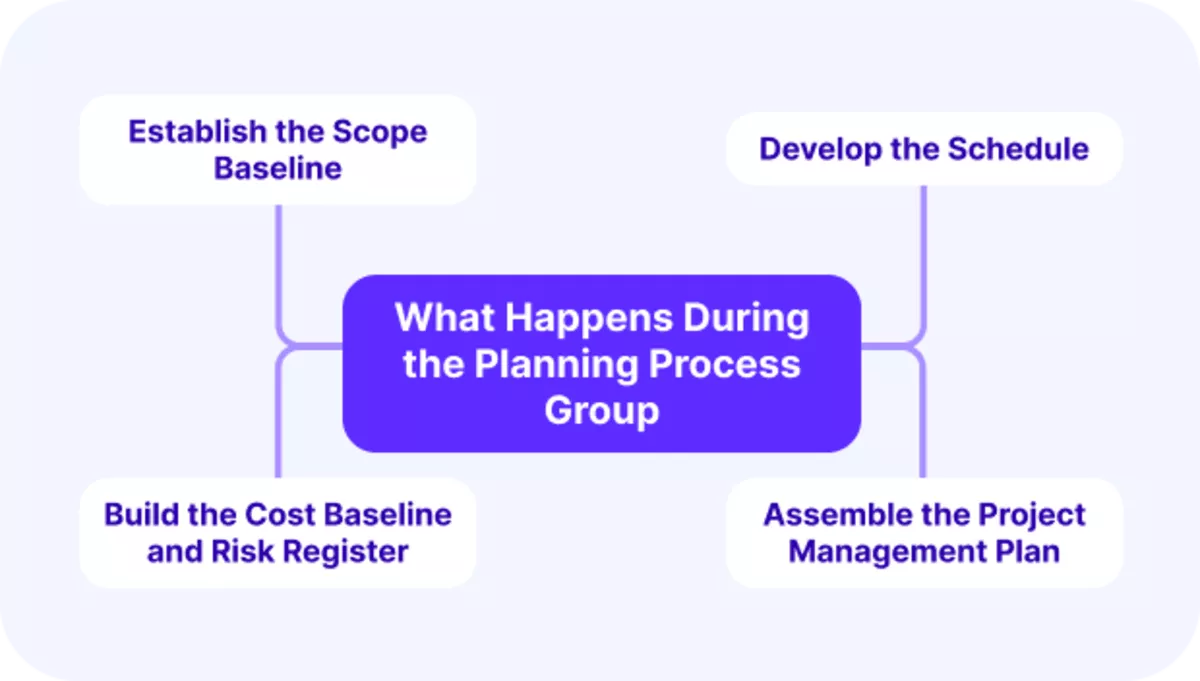
1. Establish the Scope Baseline
The project scope baseline is three documents: the scope statement, the work breakdown structure (WBS), and the WBS dictionary. The WBS comes from decomposition, one of PMBOK’s tools and techniques.
You break each deliverable into work packages small enough to estimate and assign.
2. Develop the Schedule
The schedule comes from four steps in project schedule management: define activities, sequence them, estimate durations, and build it. The finished schedule sets the project milestones your weekly updates report against.
3. Build the Cost Baseline and Risk Register
The cost baseline is the approved, time-phased budget you measure spend against. After risk analysis, the risk register lists each project risk with an owner and a planned response.
4. Assemble the Project Management Plan
The project management plan combines every planning output into one approved document. That includes the plans for quality, resources, project communications, procurement, and stakeholder engagement.
Planning is done when the project sponsor approves the baselines.
What Happens During the Executing Process Group?
During the executing process group, you assign the tasks, bring in subcontractors, run quality checks, and process approved changes.
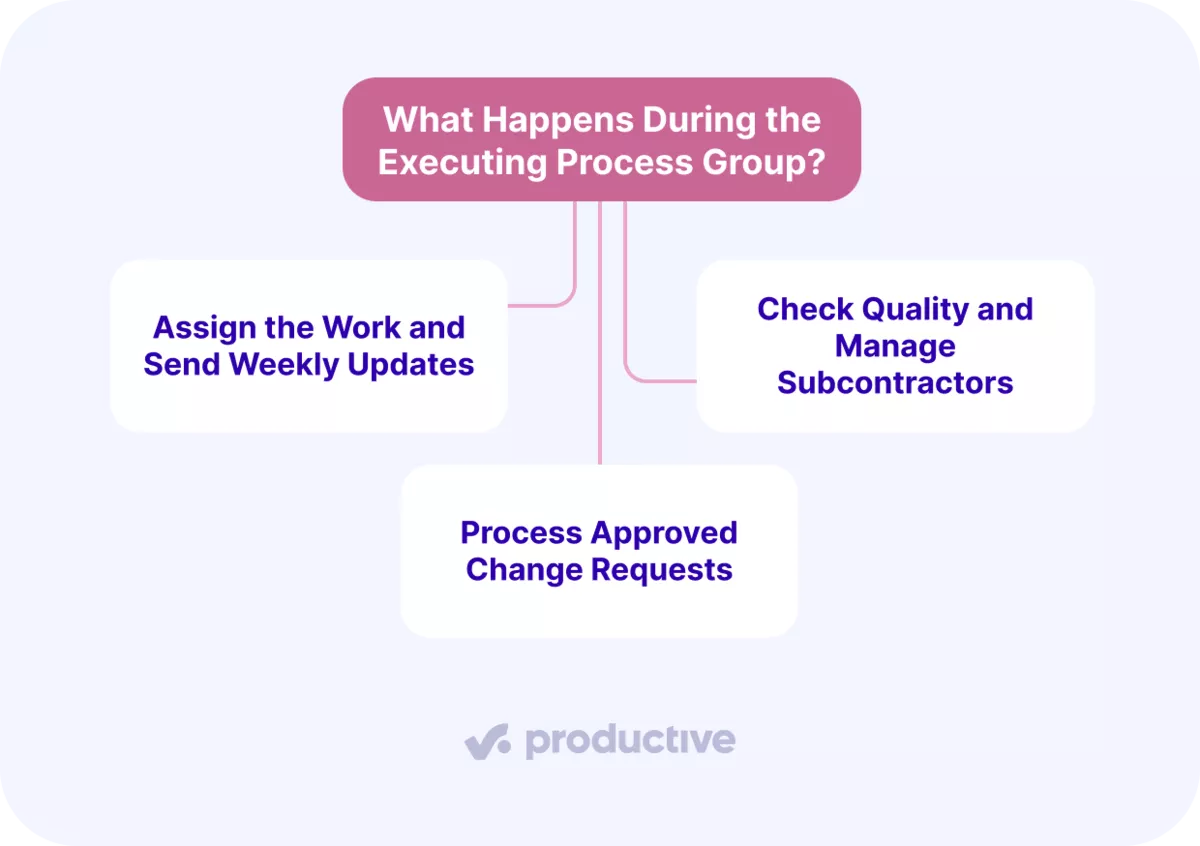
Here’s what each activity looks like:
1. Assign the Work and Send Weekly Updates
Assign work from the WBS, one owner per work package. Mark a task at risk if it has no logged hours five days after its scheduled start. Send stakeholders a fixed weekly update covering deliverables completed, spend against the cost baseline, and open risks.
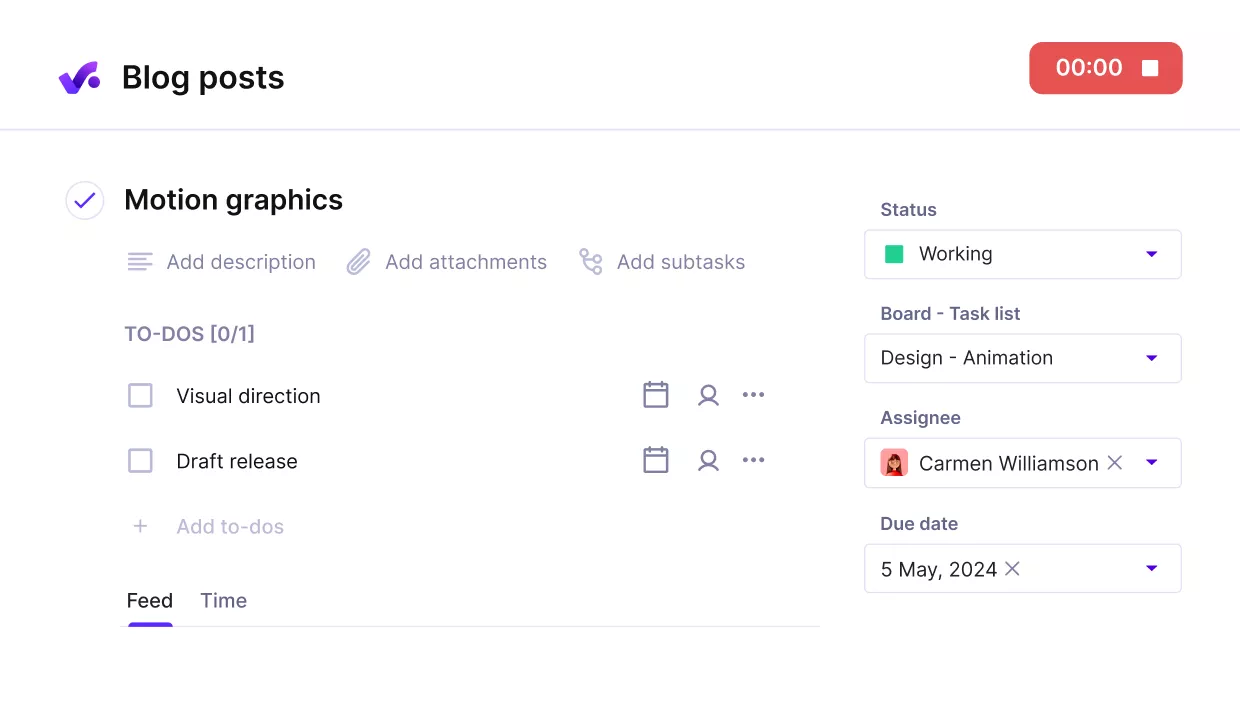
Assign tasks with clear owners and log hours to them. Add stakeholders as collaborators.
2. Check Quality and Manage Subcontractors
Check each deliverable against the quality plan before the client sees it. Sign each subcontractor’s contract before their work starts, and track their invoices against the cost baseline.
3. Process Approved Change Requests
Route every scope change through a written change request. The team starts the change only after the project sponsor signs and the schedule and budget are updated. When an approved change moves a task, Productive’s Gantt layout shifts every task waiting on it.
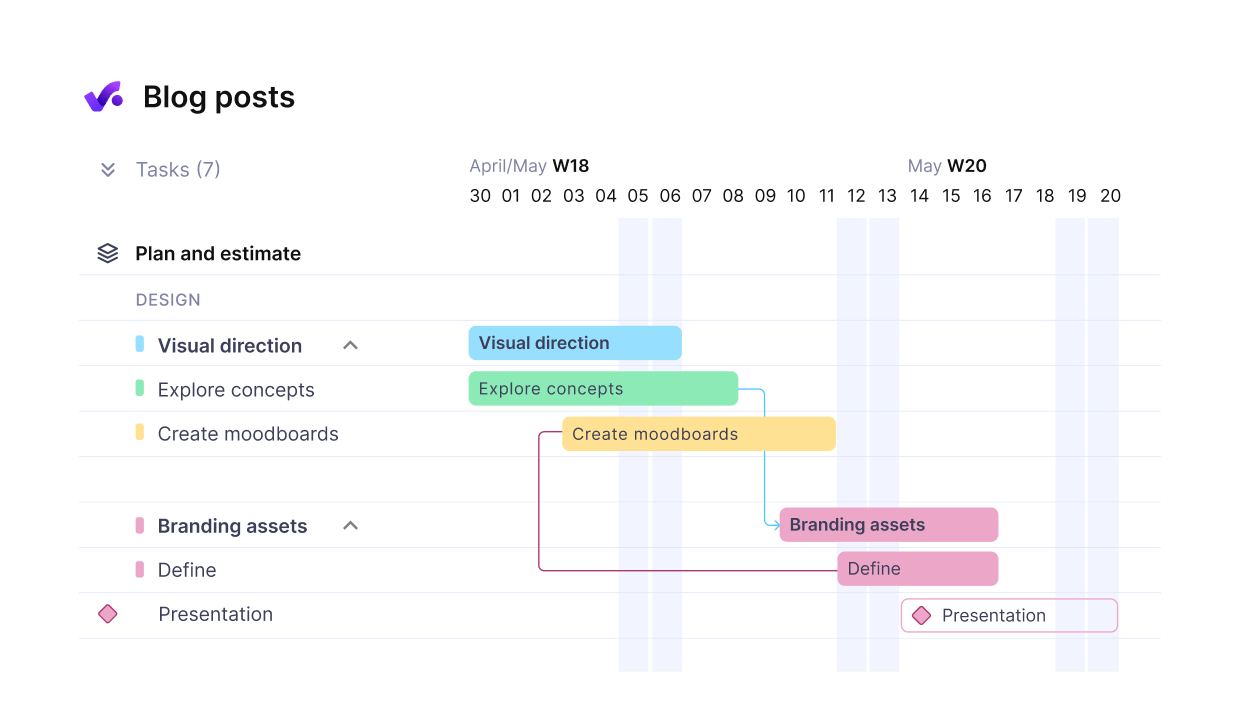
Break up projects into connected phases with milestones.
How Do You Monitor and Control a Project?
You monitor and control a project by comparing actual hours, spend, and dates against the baselines each week. Each gap then gets one response: a corrective action, a change request, or a new forecast.
Monitoring and controlling runs from kickoff to closing, alongside every other project management activity. It holds 12 processes in PMBOK 6, including Control Scope, Control Costs, Monitor Risks, and Validate Scope.
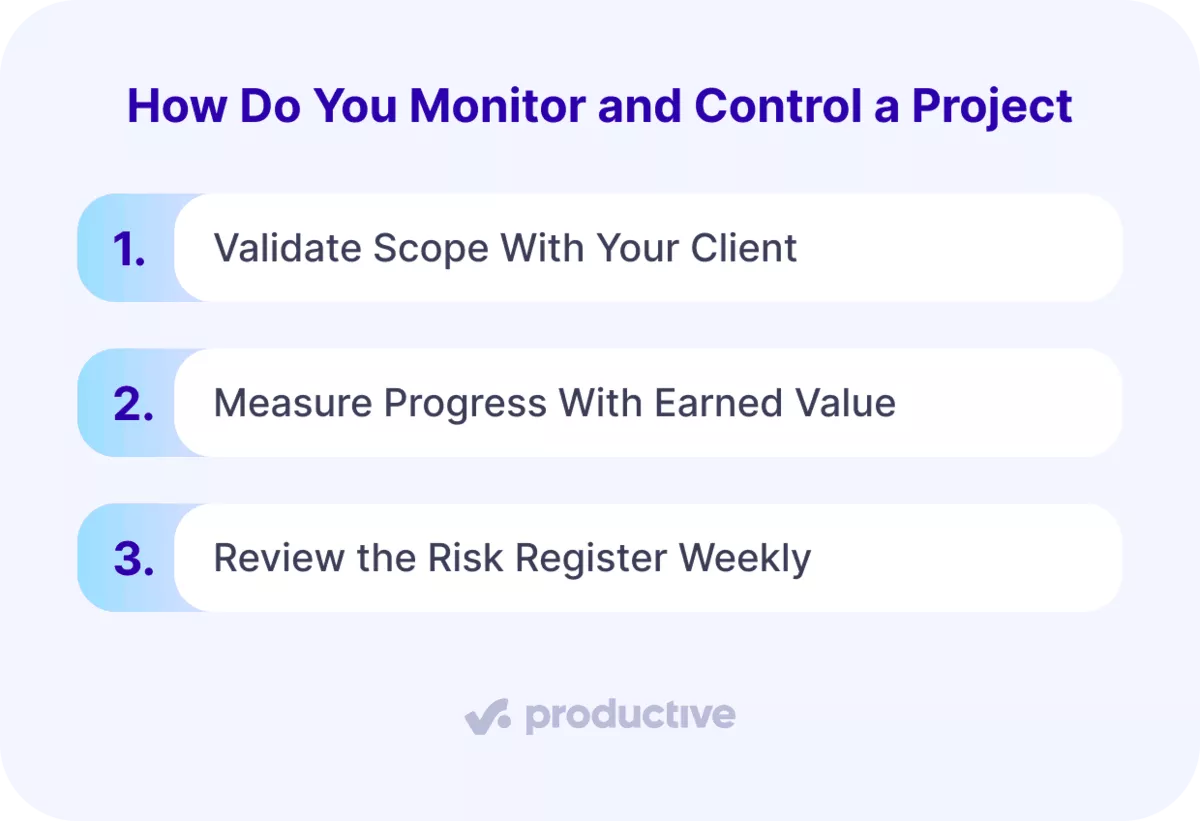
1. Validate Scope With Your Client
Validate Scope is where the client formally accepts each finished deliverable. Get written acceptance for each deliverable as it finishes. A rejection found at project end leaves no time for rework.
2. Measure Progress With Earned Value
Earned value management (EVM) puts cost and schedule progress on one scale. It compares the budgeted value of completed work with its actual cost and with the work planned by now.
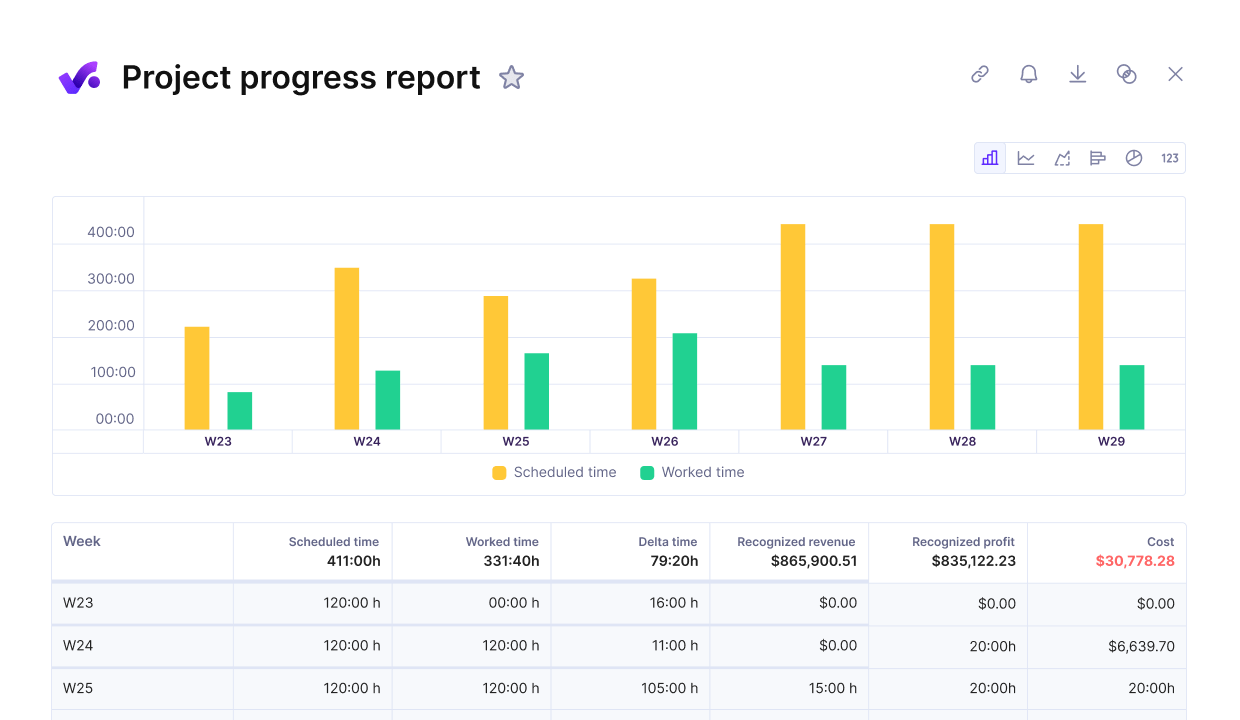
Measure project progress agains earned value.
A CPI (cost performance index) below 1.0 means you are over budget. An SPI (schedule performance index) below 1.0 means you are behind schedule. Example: work budgeted at 80 hours that took 100 logged hours gives a CPI of 0.8.
3. Review the Risk Register Weekly
Update the risk register weekly: close retired risks, add new ones, and name an owner for each. Keep it in your project management software, linked to the tasks each risk owner already works on.
What Happens During Project Closing?
During project closing, you confirm final client acceptance, close contracts, and archive one project record. Settle subcontractor claims and purchase orders, then raise the final invoice against unbilled budget.
Release remaining bookings, run a lessons learned session, and close the project so no one can log more hours. In Productive, delivering a budget locks it against further time and expense tracking. The same step can remove its future bookings.
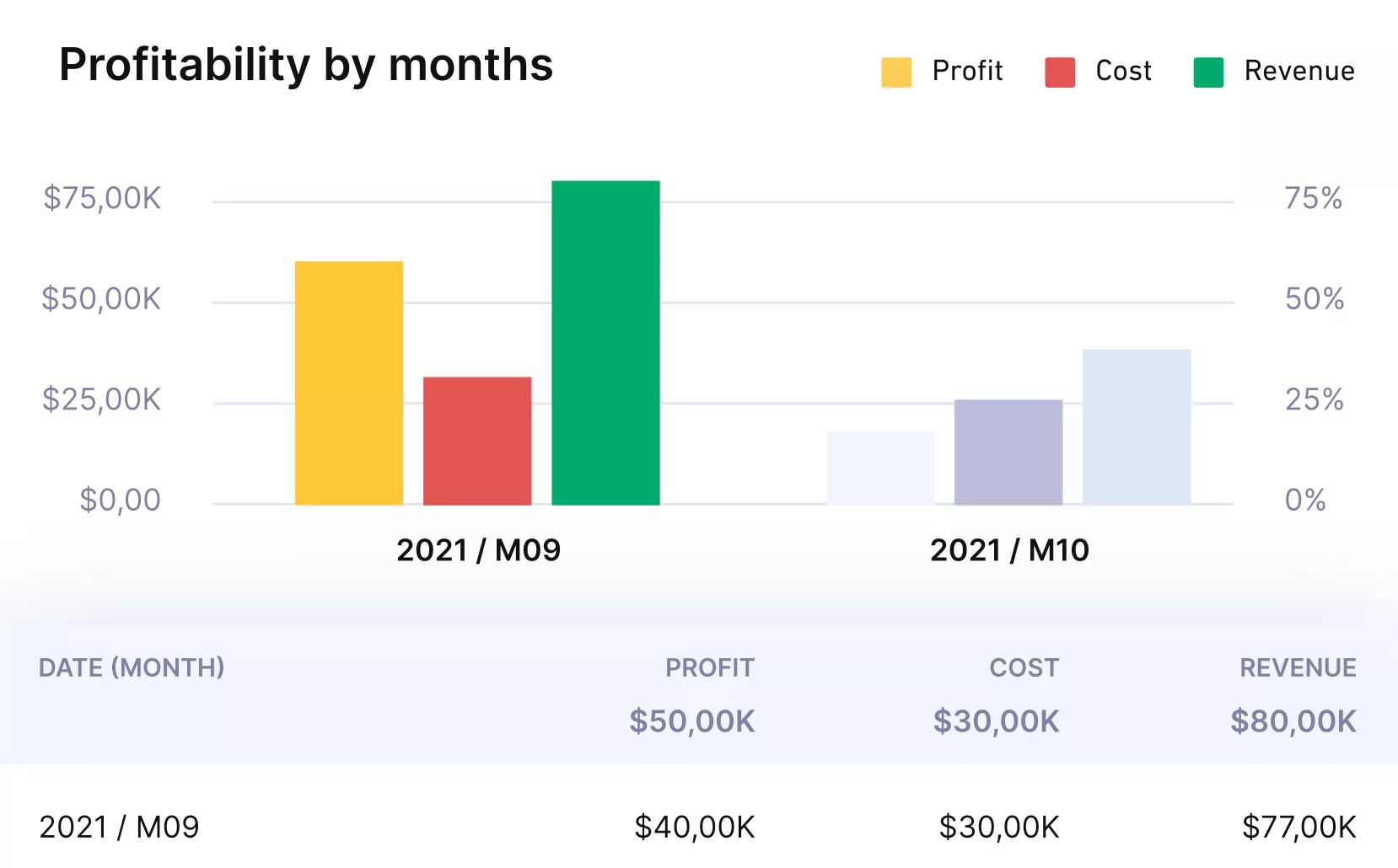
Close projects, budgets and send invoices.
How Do the Process Groups Depend on Each Other?
The process groups depend on each other because each one starts from outputs another group produced. Monitoring and controlling runs alongside all of them. Two parts of that dependency matter most: what each group hands to the next, and who owns each handover.
Those handovers are how you catch an overrun early in end-to-end project management. A project charter signed in week one sets the budget ceiling execution burns against.
A variance then shows up in the weekly status report instead of on the final invoice.
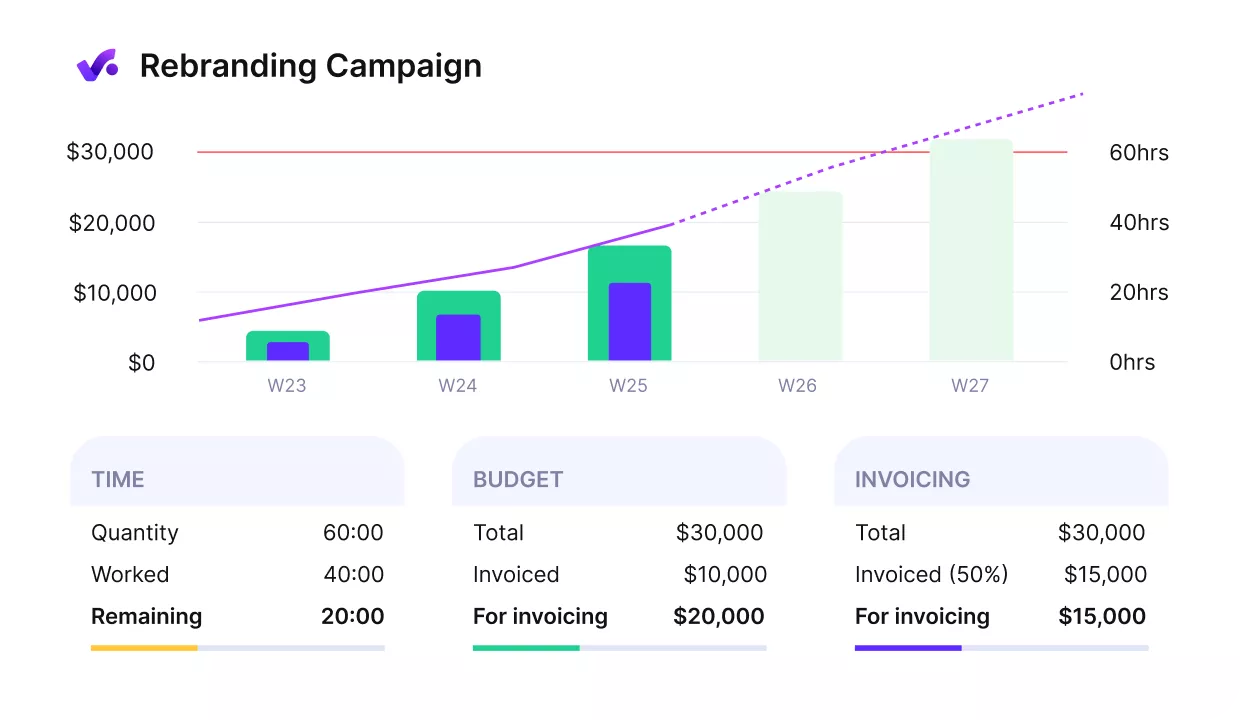
Get early warnings between your process groups.
What Each Group Hands to the Next
Initiating hands planning a signed project charter and a stakeholder register, so the scope baseline starts from approved objectives. Planning hands executing the schedule, cost baseline, and risk register the team assigns work against.
Executing hands monitoring logged hours and spend, and hands closing the accepted deliverables and any unbilled budget. Monitoring feeds corrective actions back into the plan while the work is still running.
Written handovers matter most in hybrid work management, where the next owner may not share your office.
Who Owns That Handover?
Name one person per handover in the project management plan, never a team. The project manager owns the charter into planning. The delivery lead owns the schedule into executing, and the account lead owns accepted deliverables into closing.
A handover is complete when the receiving owner confirms they have the document and no open questions. Review any open handovers in the weekly status meeting.
Run All Five Process Groups in One Platform
Productive keeps project docs, Gantt timelines, bookings, logged time, budgets, and invoices in one platform. Every handover stays in the same system, so nothing gets retyped into a spreadsheet.

Are Process Groups the Same as Project Phases?
No, process groups are not project phases. A phase is a stretch of the project life cycle, such as discovery, design, or build. Each phase runs its own pass through all five groups, so a three-phase project initiates and closes three times. PMI’s 8th edition covers phases and Focus Areas in separate sections of its project life cycle chapter.
Closing repeats at the end of every phase. PMBOK’s Close Project or Phase runs each time a stage finishes, and again when the project life cycle ends. The next phase opens with its initiating work: a short project charter, a plan, and a business case check.
Example: a website redesign runs in discovery, design, and build phases. Discovery closes with a signed research summary and a decision to fund design. Design opens with its own scope, schedule, and budget, checked against what discovery found.
Treat the groups as one pass, and you approve the budget once and check it at the end.
How Do Process Groups and Knowledge Areas Connect?
Process groups and knowledge areas connect through the individual processes. In PMBOK 6, every process belongs to one group and one of 10 project management knowledge areas.
The group tells you when to run a process; the knowledge area tells you which discipline it draws on. Each process also lists its inputs, tools and techniques, and outputs.
| Knowledge area | Groups it appears in | Processes | Example process (group) |
|---|---|---|---|
| Project Integration Management | All five | 7 | Develop Project Charter (initiating) |
| Project Scope Management | Planning, monitoring and controlling | 6 | Create WBS (planning) |
| Project Schedule Management | Planning, monitoring and controlling | 6 | Control Schedule (monitoring and controlling) |
| Project Cost Management | Planning, monitoring and controlling | 4 | Determine Budget (planning) |
| Project Quality Management | Planning, executing, monitoring and controlling | 3 | Manage Quality (executing) |
| Project Resource Management | Planning, executing, monitoring and controlling | 6 | Acquire Resources (executing) |
| Project Communications Management | Planning, executing, monitoring and controlling | 3 | Monitor Communications (monitoring and controlling) |
| Project Risk Management | Planning, executing, monitoring and controlling | 7 | Implement Risk Responses (executing) |
| Project Procurement Management | Planning, executing, monitoring and controlling | 3 | Conduct Procurements (executing) |
| Project Stakeholder Management | Initiating, planning, executing, monitoring and controlling | 4 | Identify Stakeholders (initiating) |
All 10 areas appear in planning and in monitoring and controlling. That is why those two groups hold 36 of the 49 processes.
Closing Thoughts on Project Management Process Groups
The five process groups work only as well as the handovers between them. Split the project charter, schedule, logged hours, and invoice across separate tools, and every handover becomes re-entry.
The approved budget gets retyped into a spreadsheet, and nobody can compare burn against plan without an export. If you want bookings, logged time, and invoices tied to one budget, book a demo of Productive.
Connect With Agency Peers
Access agency-related Slack channels, exchange business insights, and join in on members-only live sessions.
