Top 5 Netsuite OpenAir Alternatives (2026) + Choosing Guide

If you are replacing Oracle NetSuite OpenAir in 2026, this article is built to help you narrow the list faster and make a more confident decision.
It compares real NetSuite Open Air alternatives with clear best-fit positioning, key features, and pros and cons based on user feedback. It also helps you choose the right tool with a comparison table, practical selection step-by-step process, and a migration checklist you can use and forward to your peers.
What Are the Best NetSuite OpenAir Alternatives in 2026?
The best NetSuite OpenAir alternatives in 2026 are Productive, Kantata, BigTime, Accelo, and Certinia.
Below is a quick shortlist to help you see which one fits your replacement job before you get into the details.
Shortlist of the Best NetSuite OpenAir Replacements
A Comparison of the Best Replacement Tools
| Tool | Choose This Tool If… | Skip This Tool If… | Best For | Buyer Remarks |
|---|---|---|---|---|
| Productive | You want one system for project management software, budgeting, billing, reporting, and resource planning without enterprise overhead. | You need deep Salesforce dependence or a heavier enterprise PSA setup. | Agencies and professional services firms that want an all-in-one PSA | Strong fit for teams that want delivery and financial control in one place. |
| Kantata | You run complex services delivery and need mature resourcing, forecasting, and cross-project control. | You want a lighter tool with faster rollout and less admin effort. | Enterprise services teams that need mature resourcing and forecasting | Better fit for larger organizations with more complex staffing and planning needs. |
| BigTime | Your biggest problem is time tracking, billing, invoicing, and project accounting friction. | You need broader strategic resourcing or highly customized PSA workflows. | Firms that prioritize time tracking, billing, and project accounting | Good fit for hourly billing environments that want faster time-to-invoice workflows. |
| Accelo | You want sales, projects, billing, and workflow automation in one operational hub for a smaller team. | You expect deep enterprise PSA control or heavy customization out of the box. | Smaller service firms that want client work and operations in one system | Better for firms trying to reduce app-switching across client work. |
| Certinia | You already run much of the business in Salesforce and want PSA depth there too. | You want a simpler rollout or do not want Salesforce to shape the whole stack. | Salesforce-centric services organizations that need enterprise PSA depth | Best when Salesforce is already central to sales and delivery operations. |
How We Chose These Tools?
We chose these tools by looking at recurring user feedback, review patterns on sites like G2 and Capterra, and broader buyer discussions in places like Reddit. We also filtered for real NetSuite OpenAir replacements, not generic work management tools that only overlap on a few features.
1. Productive – Best for Agencies and Professional Services Firms That Want an All-in-One PSA
Productive is a better fit than NetSuite OpenAir for agencies and smaller professional services firms that need one system for delivery, resourcing, budgeting, advanced billing, and project financials without enterprise-level overhead.
Try the best all-in-one Netsuite Openair alternative
Get a PSA That Fits Agency Operations Without Enterprise Overhead
One of the biggest issues here is not just complexity, but fit. Netsuite is built for large professional services organizations with heavier implementation needs, deeper accounting requirements, and more admin capacity. For many teams, that means paying for scope they do not use and carrying process weight they do not need.
Productive is built for agency and services teams that want agency-specific logic already in place, including task management that sits closer to daily delivery work. It also gives teams project management and real-time resource planning in the same operating layer, which matters when day-to-day delivery and budget control need to stay connected.
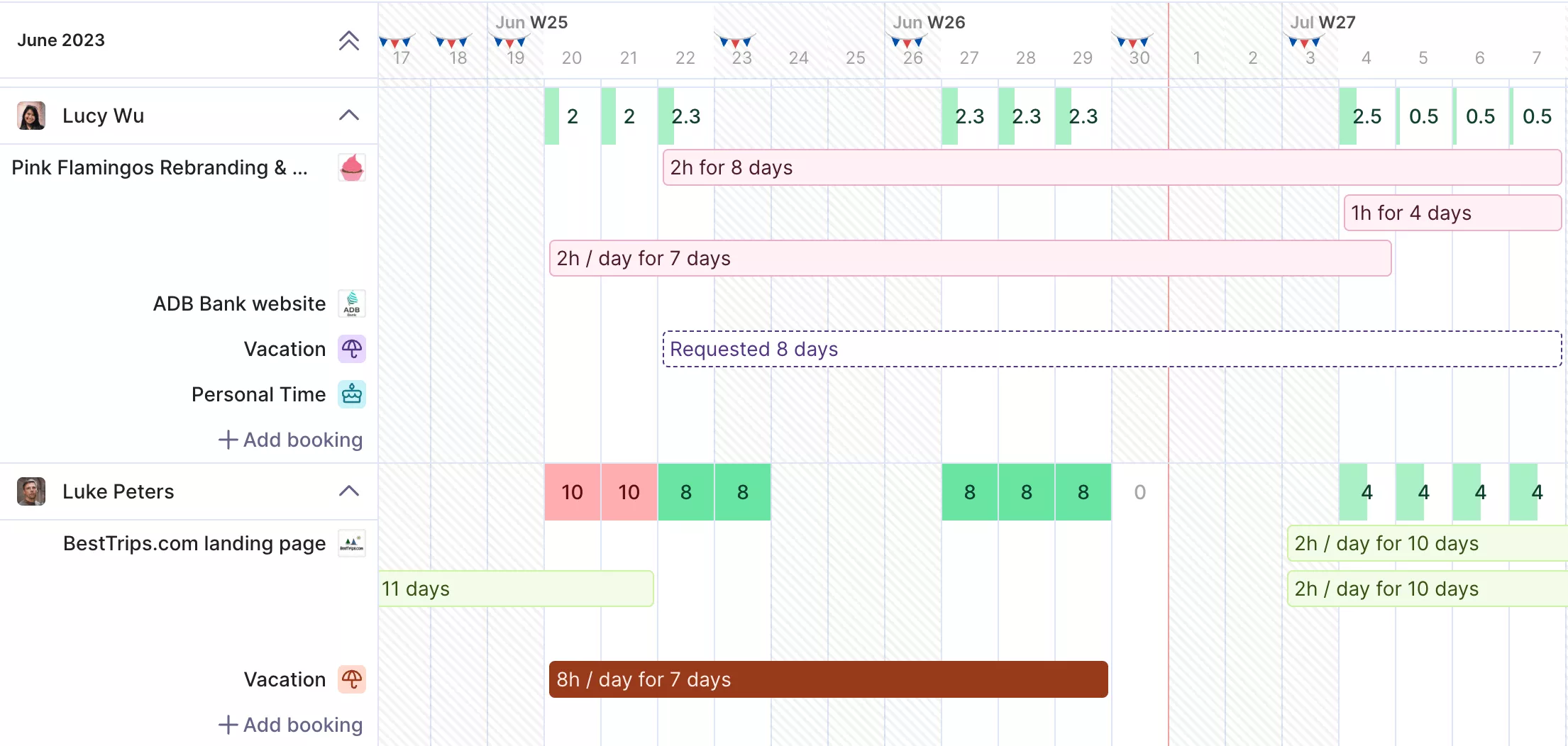
Manage your resources in real-time.
That includes the day-to-day realities of utilization, retainers, budgeting, and delivery planning. The difference isn’t in OpenAir’s lack of depth, but in how fast Productive gets teams to usable depth and with less setup.
Replace Implementation Drag With Faster, More Predictable Rollout
The Netsuite system can become expensive well beyond licensing because implementation, customization, and training add up quickly. That changes the replacement decision.
Productive takes a lighter approach. Pricing is seat-based and the onboarding model is structured around agency operations, so teams do not need the same level of implementation support or internal IT involvement to get started. And yes, our users get premium customer support. That makes the total cost easier to predict and lowers the risk of getting locked into an expensive setup before the team has seen value.
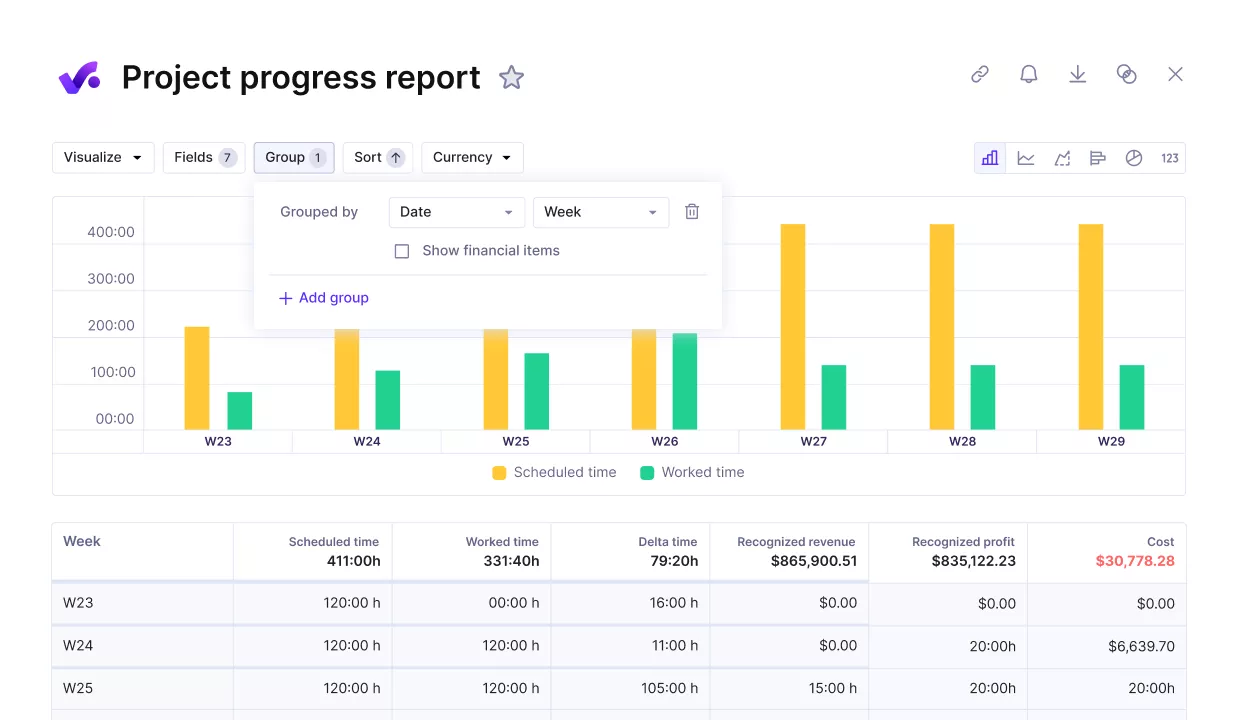
Manage your projects and finances with Productive.
Productive is designed for the people who use the system daily, including project managers, account managers, and delivery teams. That makes task management and project management easier to handle in the same place as time, budgets, and delivery updates.
That matters because cleaner adoption leads to better time data, better budget tracking, and fewer downstream billing issues. In practice, a more usable system is not just a UX win. It improves the quality of the operational and financial data the business depends on.
Turn Reporting and Resource Planning Into Daily Decision Tools
The platform does offer reporting and resourcing features, but the issue is how much work it takes to get useful outputs from them. In many cases, teams end up exporting data, rebuilding reports in spreadsheets, or planning work outside the system altogether.
Productive handles this more directly in real time. Its reporting tools for agency metrics are centered on utilization, budget burn, profitability, and billable versus non-billable work.
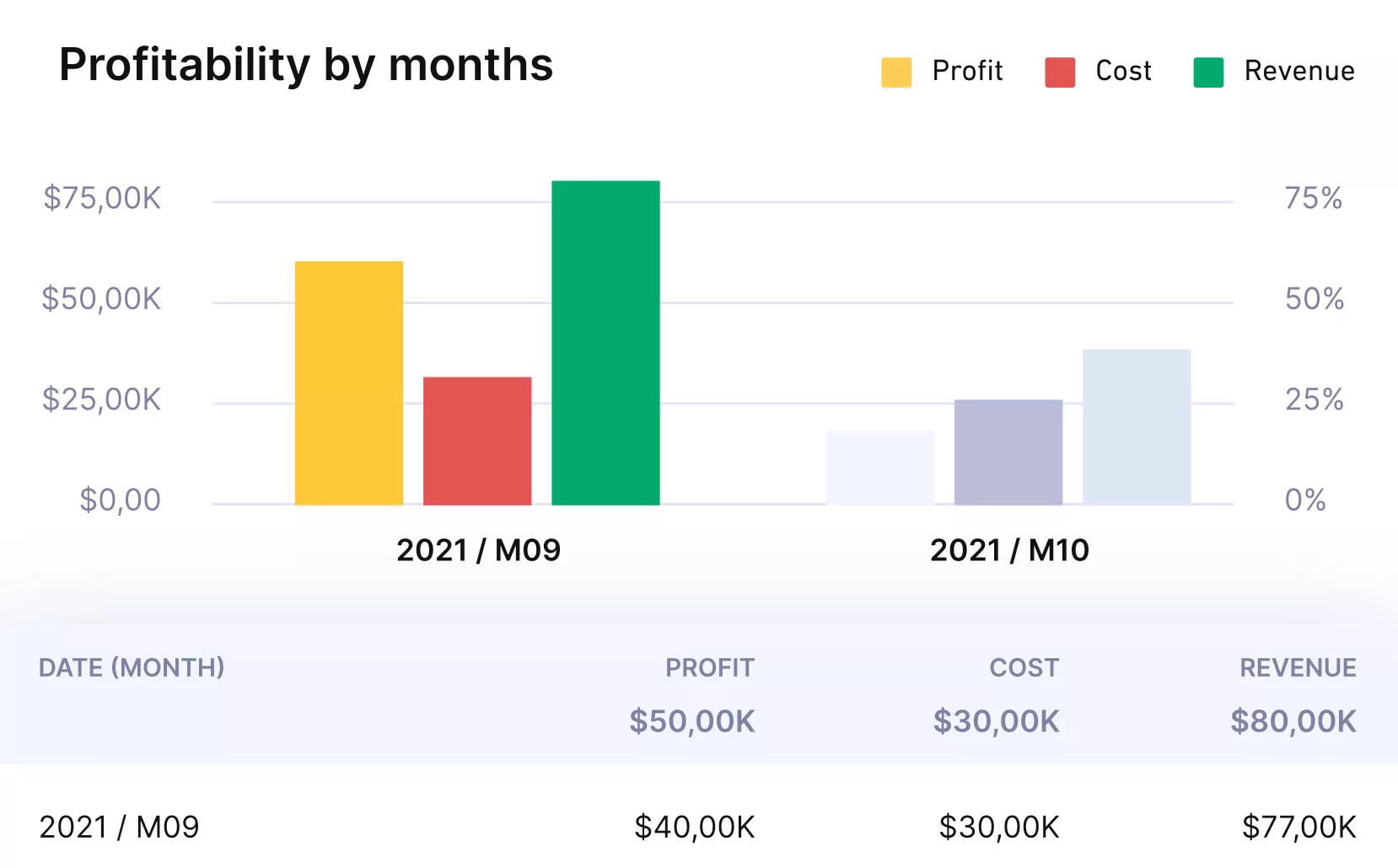
Get real-time updates on budgets, margins and profitability.
Its resource management approach is easier to use in day-to-day planning, and resource planning is built into the daily workflow instead of treated as a separate strategic layer that only operations can manage.
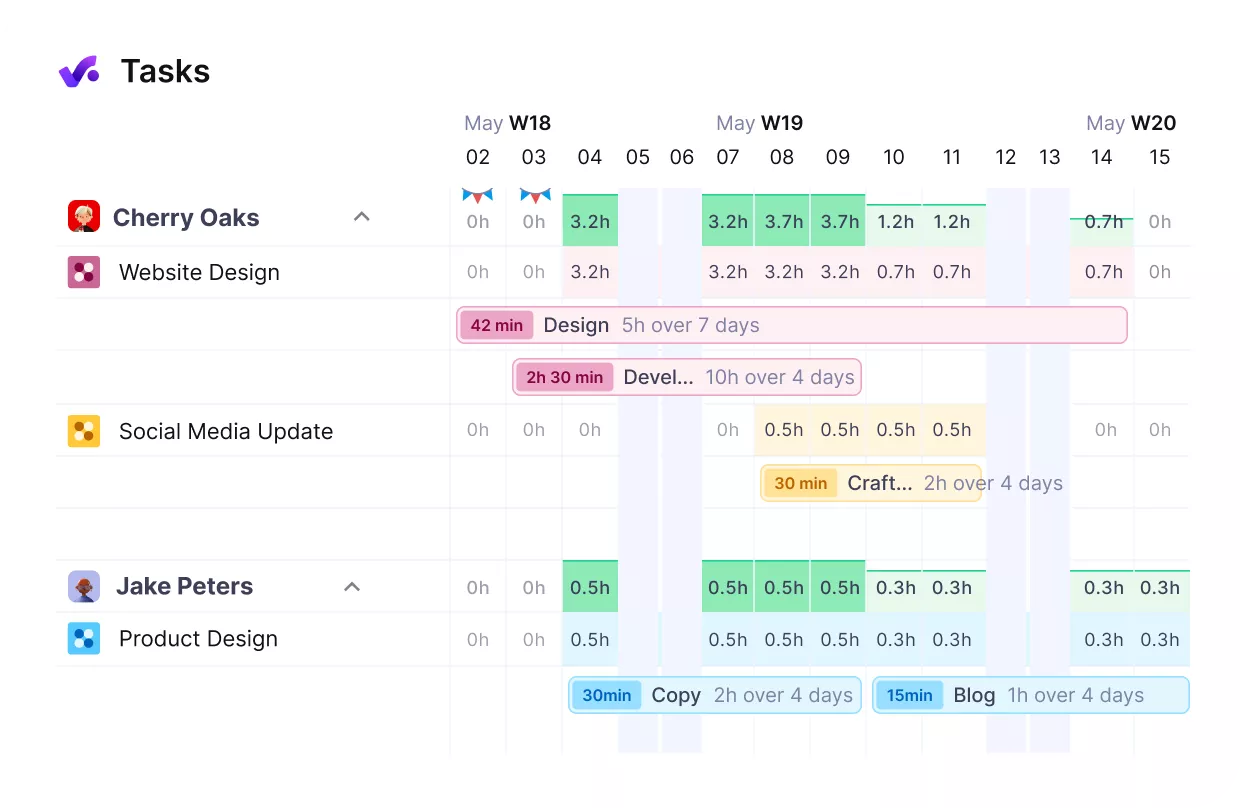
See you team’s workloads in real-time.
Keep Project Delivery and Financial Control in the Same System
OpenAir often feels finance-first, with delivery workflows and team coordination playing a secondary role. That split can hurt adoption because the people running delivery do not experience the system the same way finance does.
Productive is stronger when the goal is to keep delivery and financial control connected. Teams can manage projects, log time, track budgets, and review performance in one place, which reduces the reconciliation work that often builds up when operational and financial workflows live in different systems.
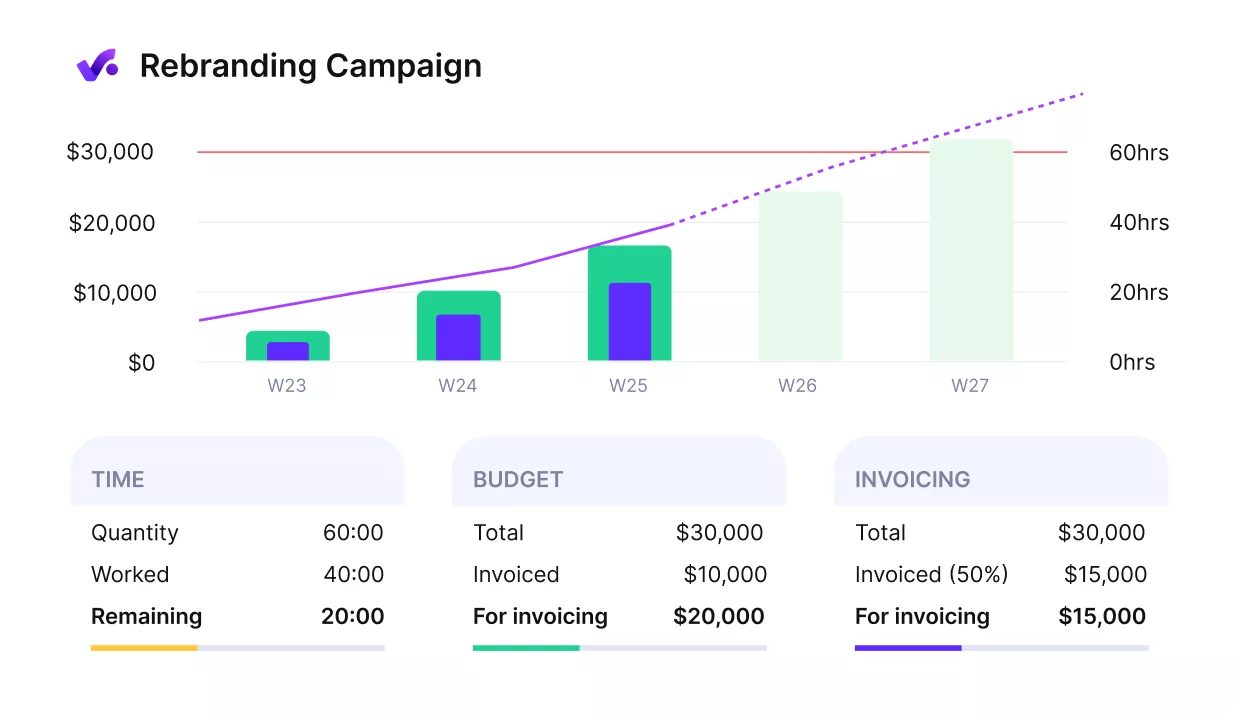
Get early warnings of budget overruns.
Pricing
- Plans start with the Essential plan at $10 per user per month, which includes essential features such as budgeting, project & task management, docs, time tracking, expense management, reporting, and time off management.
- The Professional plan includes custom fields, recurring budgets, advanced reports, billable time approvals, and much more for $25 per user per month.
- The Ultimate plan has everything that the Essential plan and Professional plan offer, along with the HubSpot integration, advanced forecasting, advanced custom fields, overhead calculations, and more. Book a demo or reach out to our team for the monthly price per user.
You can go for a free 14-day trial before you decide to check out a paid plan.
Looking for a more usable alternative to NetSuite OpenAir?
Book a Productive demo to see how agencies and professional services teams run projects and financial operations in one connected platform.

2. Kantata – Best for Enterprise Services Teams That Need Mature Resourcing
For teams that run complex services delivery across many people and projects, Kantata is usually in the conversation because of its strength in resourcing and forecasting. It fits buyers who need better staffing visibility, tighter delivery planning, and more control over cross-project work than lighter tools can offer.
Key Features
- Capacity planning and team scheduling for resource management
- Forecasting and cross-project staffing
- Time and expense tracking
- Project financial management and invoicing
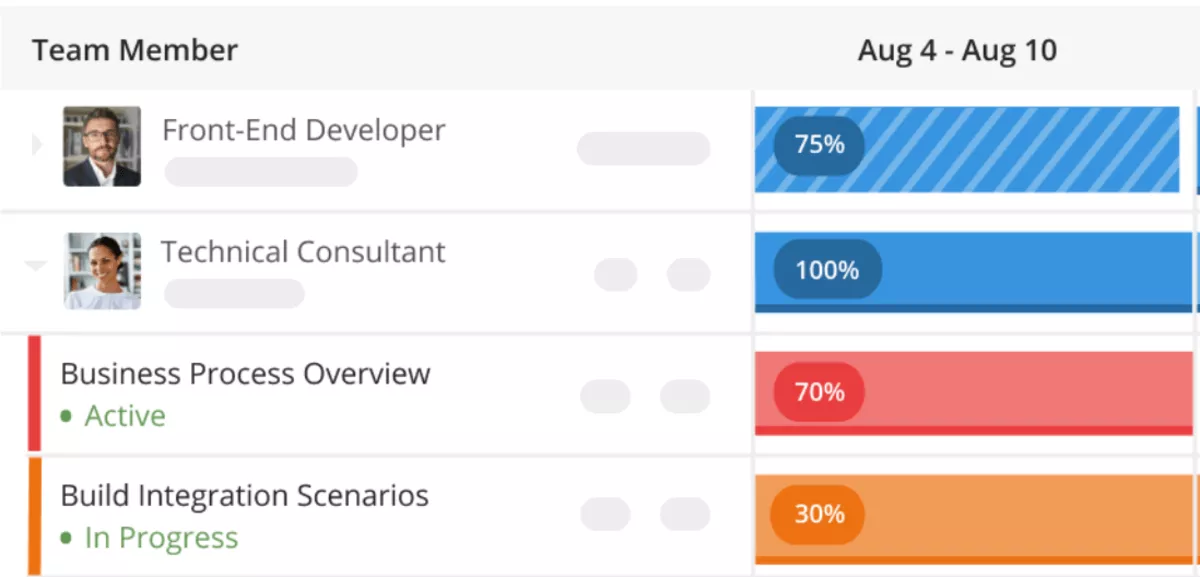
SOurce: kantata
Pros
- Connects project planning, time and expense tracking, resource allocation, and revenue forecasting in one system
- Helps teams schedule hours more accurately and improve forecasting with less manual effort
- Combines PSA workflows with client-facing collaboration around project progress, shared documents, and Collaboration Tools
- Makes task details, time tracking, and profitability easier to see in day-to-day work
Cons
- Custom reporting can be hard to build and adjust without extra help
- Template and backend flexibility can fall short when teams need custom fields or more tailored workflows
- The mobile experience is weak for users who need to work from their phone
- Time tracking can feel clunky when users need to edit entries or track more than one project at once
Final Verdict
Kantata is not the right pick for smaller teams that want a fast, lightweight replacement with minimal setup. Its biggest trade-off is that the depth that makes it strong for enterprise resourcing and forecasting also makes it harder to roll out, learn, and justify if your needs are simpler.
3. BigTime – Best for Firms That Prioritize Time Tracking, Billing, and Project Accounting
BigTime works best for hourly billing teams that want cleaner invoicing, better visibility into project health, and less manual cleanup between timesheets and finance, but it is a weaker fit for buyers who need heavier enterprise resourcing or deep customization.
Some firms do not need broader PSA depth as much as they need time, billing, and project accounting to stop slowing work down, which is why many buyers start by reviewing a more detailed breakdown of BigTime alternatives.
Key Features
- Time tracking and expense capture
- Project accounting and budgeting
- Billing and invoice preparation
- Staffing visibility and reporting
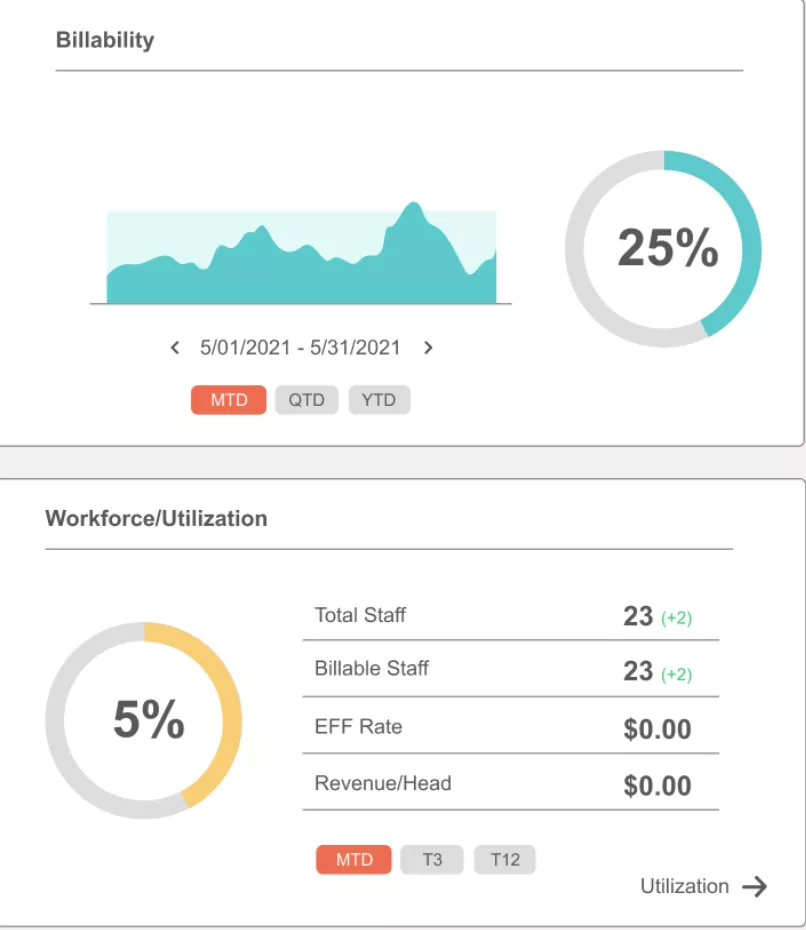
SOurce: BigTime
Pros
- Time entry is easy for employees, which makes it easier to keep billable hours accurate
- Billing and invoice prep are closely tied to tracked work, which helps teams move faster from timesheets to invoices
- Reporting gives teams a quick view of project health, budgets, and profitability
- Customer support and onboarding come up often as a strong part of the experience
Cons
- The interface and mobile access feel dated to some users
- Some teams mention a steep learning curve during setup and early adoption
- Invoice templates and naming flexibility can be limiting
- Reporting and billing management are not equally strong for every use case
Final Verdict
Skip BigTime if your top priority is advanced enterprise PSA depth or a highly tailored workflow model.
The trade-off here is straightforward: it is appealing when time, billing, and project accounting need to work better fast, but it can feel narrower if your replacement decision depends on broader strategic resourcing or heavier customization.
4. Accelo – Best for Smaller Service Firms That Want Client Work and Operations Connected
Accelo earns its place on this list because it is built around the day-to-day reality of running client work across sales, projects, time, and billing in one system, and some buyers will want a more specific look at tools that replace Accelo.
Key Features
- Client work management across sales, projects, and tickets
- Time tracking and billing in the same system
- Workflow automation for recurring admin work
- Reporting and service operations visibility
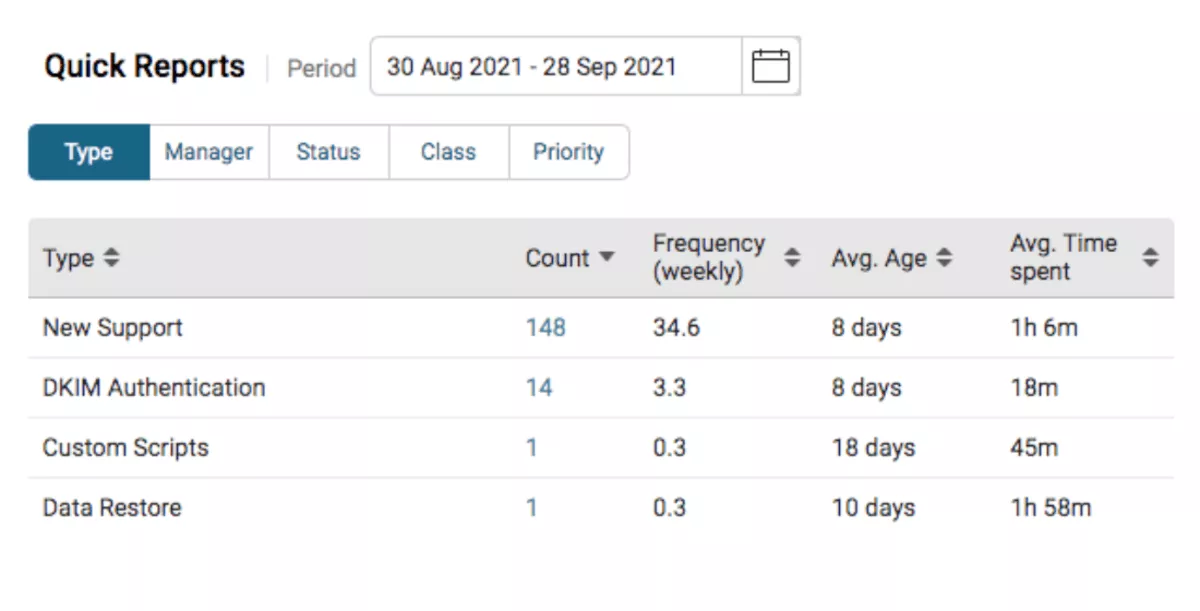
SOurce: accelo
Pros
- Brings client work, delivery workflows, billing, and time tracking together so teams rely less on separate tools
- Automation helps cut repetitive admin work and keeps work moving with less manual follow-up
- The interface is generally easy to navigate once teams are up and running
- Users often say customer support is responsive and helpful during setup and troubleshooting
Cons
- Setup and configuration can feel heavy, especially early on
- Some teams run into limits when they need deeper customization
- Parts of the product, especially mobile and some delivery tasks, feel less polished than the core workflow areas
- Reporting and visibility can require extra work to get exactly right
Final Verdict
Accelo starts to lose fit when a services firm needs deeper enterprise PSA control or expects a highly flexible system out of the box. It works best as an operational hub for smaller service teams, but the trade-off is that some of the simplicity comes with limits in customization and depth.
5. Certinia – Best for Salesforce-Centric Services Organizations That Need Enterprise PSA Depth
If your services organization already lives in Salesforce, Certinia enters the shortlist for a different reason than the other tools here: it gives you PSA depth inside the system your teams already use. Teams that do not want enterprise-level setup or Salesforce dependence may find it harder to justify.
Key Features
- Team scheduling and project delivery on Salesforce for resource management
- Time tracking and billing workflows
- Revenue forecasting and financial visibility
- Services planning across projects, people, and financials
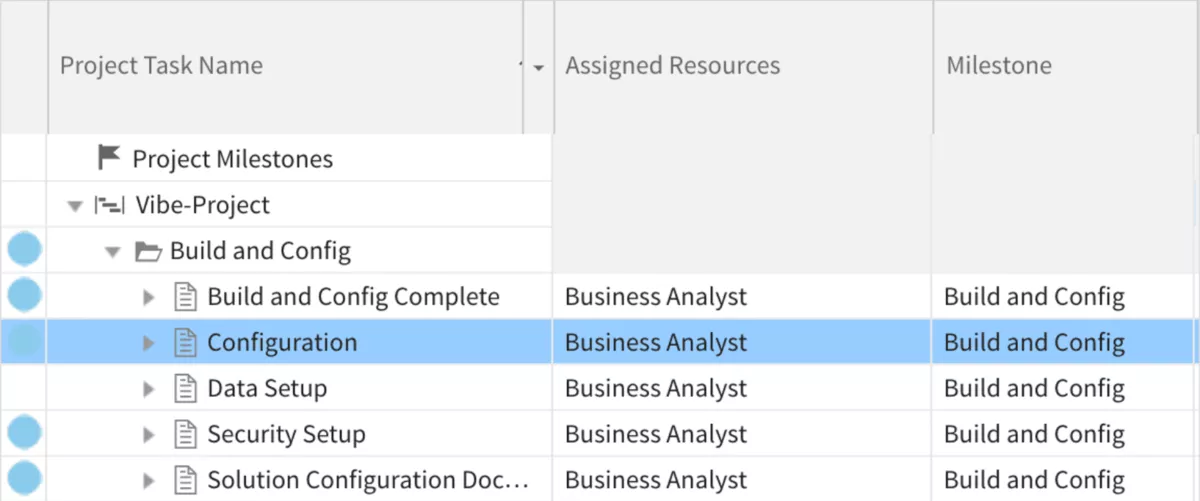
SOurce: certinia
Pros
- Keeps project delivery, staffing, and financial data in one Salesforce-native system
- Gives services organizations strong visibility into forecasting, revenue, and overall project health
- Offers deep customization for teams with more complex professional services workflows
- Works well for businesses that already rely on Salesforce across sales and delivery
Cons
- Implementation and configuration can be heavy, especially for smaller teams
- The interface can feel complex when users only need straightforward day-to-day workflows
- Teams outside the Salesforce ecosystem may face extra friction and integration overhead
- The depth is valuable for enterprise use cases, but it can feel like too much system for simpler needs
Final Verdict
Certinia is easy to rule out if your team wants a lighter replacement that can be rolled out quickly without a strong Salesforce footprint. The trade-off is clear: you get enterprise PSA depth and financial control, but you also take on more setup, more complexity, and a platform commitment that will not suit every services business.
Why Are Teams Looking for NetSuite OpenAir Replacements?
Teams are looking for NetSuite OpenAir replacements because NetSuite OpenAir can take too much effort to learn and maintain, navigation is not always easy, and teams want clearer reporting and day-to-day visibility without so much friction.
Review patterns on G2 and Capterra point to the same mix of issues: a steep ramp-up period, usability friction, and the need for better visibility into the work that drives delivery, billing, project financials, and task management.
For professional services teams, that usually turns into a practical replacement search, not just casual software browsing.
- Setup and onboarding take too much work: Users on G2 describe the initial learning curve and setup complexity as a real challenge, which matters when a team needs faster adoption across delivery, operations, and finance.
- Navigation slows down daily work: Capterra reviewers call out that the product can be difficult to navigate, which creates drag when people need to move quickly between projects, time entries, and reporting.
- Reporting is useful, but not always easy to operationalize: Some users like being able to pull timesheet and utilization reports, but the broader pattern across PSA replacements is that teams want reporting that is easier to use and easier to turn into decisions.
- The tool fits a full PSA model, but not every team wants that level of overhead: Once users learn it, some say it works well, but that is exactly why some buyers start looking at netsuite openair alternatives that can support the same project lifecycle with less effort. For many buyers, the real question is whether they still need a cloud ERP system-style approach for day-to-day services delivery.
How to Choose the Right NetSuite Replacement for Your Company (Step-by-Step Process)
You choose a NetSuite OpenAir replacement by mapping your current workflows, listing the PSA capabilities you cannot lose, checking fit for staffing, resource management, and financial visibility, and testing how each tool handles reporting, task management, advanced billing, and rollout effort.
Then narrow the shortlist based on the replacement job you actually need done, not on feature volume. A more detailed overview of PSA software options for service teams can help if you need a broader category view before making the final call.
Step 1: Rebuild your current operating model before you look at vendors
Pull one recent project and trace it from estimate to staffing, time entry, budget tracking, invoice prep, and reporting.
A useful way to frame this is through the lens of how professional services project management actually works when delivery, budgets, and team workload need to stay connected.
Then mark where people leave the system, export data, fix something in spreadsheets, chase approvals in Slack or email, or rework invoices before they go out. That shows you what you are actually replacing. It also gives you the exact workflows a new tool has to handle in a live demo.
Step 2: Turn your pain points into pass-fail test scenarios
Write five to seven pass-fail scenarios based on work your team already does.
Good examples are: reassign a project when someone goes on leave, catch a budget that is drifting before invoicing, approve time for a retainer account, compare forecasted vs actual hours by role, or split project expenses across billing types.
This is also where buyers can tell whether a tool really supports something specific like Agile project management or just presents a cleaner interface. A serious replacement should handle those scenarios cleanly.
If a vendor needs too much explanation, setup, or workaround logic in the demo, that is your answer.
Step 3: Audit reporting by asking for decision outputs, not feature tours
Ask the vendor to produce the outputs your leadership team already relies on in real time. That usually means utilization by role, margin by project, budget burn against remaining work, invoicing readiness, and forecasted delivery load for the next month or quarter.
Also ask who can build or edit those reports without admin help. If reporting depends on exports, custom work, or one power user, the problem is not solved.
Step 4: Pressure-test the messy parts of billing and finance operations
Test the awkward cases your team deals with every month, this could be something like:
- Partial approvals
- Write-offs
- Non-billable time mixed with billable work
- Project expenses that need review
- Retainers with overages
- Fixed-fee work that still needs internal burn tracking
- Advanced billing edge cases
- Invoice changes after client review
A more practical breakdown of professional services billing workflows can help teams spot where a replacement will create less finance cleanup. Then ask what happens downstream in reporting and finance.
A tool that handles only the clean version of billing will create manual cleanup somewhere else.
Step 5: Evaluate adoption risk, not just implementation scope
Ask what everyday users have to do in the tool each week, how long those tasks take, and what training they will realistically need. It also helps to review common professional services pricing models here, because pricing structure often changes what teams need from time tracking, billing, approvals, and reporting.
Then separate admin effort from team effort. A platform can be acceptable for operations and still fail if project leads, account managers, or delivery teams avoid using it because the core workflows take too many clicks or too much context switching.
The right choice is the one your team can adopt without rebuilding half its habits around the software.
How to Migrate From NetSuite OpenAir?
You should migrate from NetSuite OpenAir by auditing the workflows you use today, cleaning and mapping the data you actually need to move, validating reports and online invoices before cutover, and assigning clear owners for testing, training, and launch.
Treat the migration like an operating-model reset, not just a data transfer. The teams that get this right decide early what needs to be rebuilt in the new system, what should be left behind, and what has to be proven in a pilot before the wider rollout starts.
Migration Checklist
- Export a recent set of live projects, not just historical records, so you can test the real project lifecycle in the new tool.
- List every workflow that currently depends on OpenAir, including time entry, approvals, billing, reporting, project expenses, and budget tracking.
- Mark which data is still operationally useful and which data only needs to be archived for reference or compliance.
- Clean customer, project, task, service, and user data before import so you do not migrate old naming problems into the new system.
- Map fields one by one, especially anything tied to billing, cost management, utilization, approvals, or reporting.
- Recreate a small sample of delivery workflows and project management flows in the new tool before importing everything else.
- Validate integrations early, especially for accounting, CRM, payroll, or any workflow automation that feeds time, financial, or team data into other systems.
- Build a pilot using one real team, one live account set, and one billing cycle so you can test how the new process holds up under normal work.
- Test reporting with real stakeholder outputs, including utilization, margin, budget burn, invoice readiness, and delivery forecasts.
- Run invoice and approval edge cases before cutover, including write-offs, partial approvals, retainer overages, and project expenses that need review.
- Assign named owners for data migration, admin setup, team collaboration, finance validation, and sign-off so accountability does not get lost during rollout.
- Train end users on the exact workflows they will perform each week instead of giving everyone the same generic walkthrough.
- Freeze changes in the old system close to cutover so your final import does not drift away from what users are testing.
- Keep a rollback and support plan for the first live weeks, including who handles data issues, process questions, and billing exceptions.
- Review what still requires manual work after launch and fix those gaps before declaring the migration done.
Closing Thoughts – Should You Go for an All-In-One Solution?
If your team wants one system that can replace disconnected tools, reporting workarounds, and billing admin, an all-in-one option will usually give you a cleaner long-term fit.
You can always make workarounds or hack tools with spreadsheets, but that juice usually isn’t worth the squeeze. The tool budget you saved up will end up in extra non-billable time, so you’ll be at square one.
If you want to see what the all-in-one approach looks like, book a demo with Productive and get started today.
Connect With Agency Peers
Access agency-related Slack channels, exchange business insights, and join in on members-only live sessions.
