Top 16 CRMs for Agencies (Paid & Free) – Decision Guide 2026

With the right CRM for agencies (sometimes called agency CRM software), you can compare how leading platforms handle sales tracking, client communication, forecasting, and project handoff.
If you’re running an agency these tools are non-negotionable must-haves.
This guide gives you a clear overview of what the best CRM tools offer, along with their key features, pros, cons, and a review- based final verdict. We’ve also included choosing advice and implementation how-to’s.
By the end, you’ll know exactly which platforms fit your workflow and which ones you can skip.
What Are the Best CRMs for Agencies in 2026?
The best CRMs for agencies in 2025 include Productive, HubSpot, Apptivo, Monday.com, Insightly, Podio, Salesforce, Nimble, EngageBay, Pipedrive, Spiro, Pipeline CRM, and Sage CRM.
Our list below covers a range of options for creative, digital, and marketing agencies that are comparing tools in search of the best CRM for marketing agencies and the best agency CRM for long term growth.
Scan it to spot your best fit, each item links to a deeper section where you can compare CRM features, pros, and cons in more detail.
Best Agency CRM Comparison Table
| Tool | Best for | Project management | Resource and capacity planning | Budgeting, time tracking and invoicing | All in one agency operations |
|---|---|---|---|---|---|
| Productive | All in one client relationship and operations platform for agencies | Full projects, tasks, Kanban, Gantt and more | Built in scheduling and capacity planning | Built in budgets, time tracking and invoicing | Yes, one platform from lead to invoice |
| Agency Handy | All-in-one agency operations | Order & task management | Not a core focus | Invoicing & subscription | Supported |
| TaxDome | CRM and client management for accounting practices | Full project management and workflow automation | Team management, collaboration and AI reporting | Time tracking, billing and payments | Yes, complete practice management for tax and accounting firms |
| Close | Inside sales teams that live on calls, email and SMS | No native project management | No | No built in budgeting or invoicing | No |
| HubSpot | Sales and marketing automation | No native PM, relies on integrations | No dedicated capacity planning | No, connects to separate accounting or PSA tools | No |
| Apptivo | Budget friendly relationship management tool for smaller agencies | Built in basic project and task management | No specialized capacity planning | Invoicing and simple financial tracking | Partial, suitable for smaller teams |
| Monday.com | Sales and task management in one workspace | Strong task and project boards | Basic workload and timeline views | No native budgeting or invoicing | Partial, needs other tools for finances |
| Insightly | Combined customer relationship management and light project management | Built in project tracking | No dedicated resource planning | Limited financial features, no full budgeting | Partial, best for simple pipelines and projects |
| Podio | Highly custom workflows and databases | Can be configured for project tracking | Possible through custom apps and setups | Requires custom build or external tools | Partial, depends on how much you build |
| Salesforce | Complex, data heavy sales processes | Available through add ons or integrations | Available through add ons or partners | Handled through connected billing and ERP tools | Only with a larger Salesforce stack |
| Nimble | Relationship focused sales teams | No native project management | No | No built in budgeting or invoicing | No |
| EngageBay | Small teams that want sales plus marketing | Basic task and project style features | No dedicated capacity planning | Limited financial tools, not full project financials | Partial, focused on marketing and CRM |
| Pipedrive | Visual, pipeline driven selling | No native project management | No | No built in budgeting or invoicing | No |
| Spiro | AI assisted deal management in B2B sales | No native project management | No | No built in budgeting or invoicing | No |
| Pipeline CRM | Straightforward sales pipelines | No native project management | No | No built in budgeting or invoicing | No |
| Sage CRM | Teams already using Sage products | Relies on other Sage tools for projects | Relies on other Sage tools for capacity | Works best when paired with Sage accounting | Only as part of a broader Sage suite |
Productive is an all in one platform that combines CRM, project management, time tracking, budgeting, and invoicing for agencies of all sizes. Instead of moving deals, clients, and budgets between separate tools, your team works from a single source of truth.
Productive supports the full agency lifecycle, from first contact to final invoice. As a customer relationship platform, it helps you track sales leads through a customized funnel, manage follow ups, and keep client details in one place.

Convert won deals into assigned and tracked projects.
Once work is sold, the same data flows into project planning, financial management, and capacity planning.
Try out Productive’s agency CRM
Keep sales and delivery in one platform
Productive offers lightweight relationship management capabilities in the form of a connected Sales Pipeline that sits inside the same platform as your projects and budgets. This helps fix the disconnect between deal tracking and delivery.
You can:
- Build a visual pipeline with stages that reflect how your agency sells work
- Assign owners, set up to do lists, and log key information on each deal
- Use reasons for lost deals to understand where opportunities slip away
- Turn agreed service rates into quotes and export them as PDFs
- Mark deals as won and convert them into projects so the handoff to delivery is clear
With sales and delivery sharing the same records, your team spends less time re entering data and more time moving work forward.

That was probably the single biggest thing—reducing the amount of tools, platforms, and systems, and using just one. Having a platform that considers everybody’s salaries, the operating expenses of the whole business, and feeding that into project budgets and looking at the internal time vs. client time gives us a much more real-time and accurate view of the profitability of actual, specific projects.
Turn deals into budgets and reliable revenue
When it is time to deliver the work, Productive gives you financial management support with its project budgeting, invoicing and purchase orders features. This helps close the gap between what was sold and how the work is tracked.
You can set up budgets that match how you price projects, whether they are fixed price, hourly, retainer based, or a mix. As the team tracks time and expenses, Productive updates your budget and profit margin in real time.
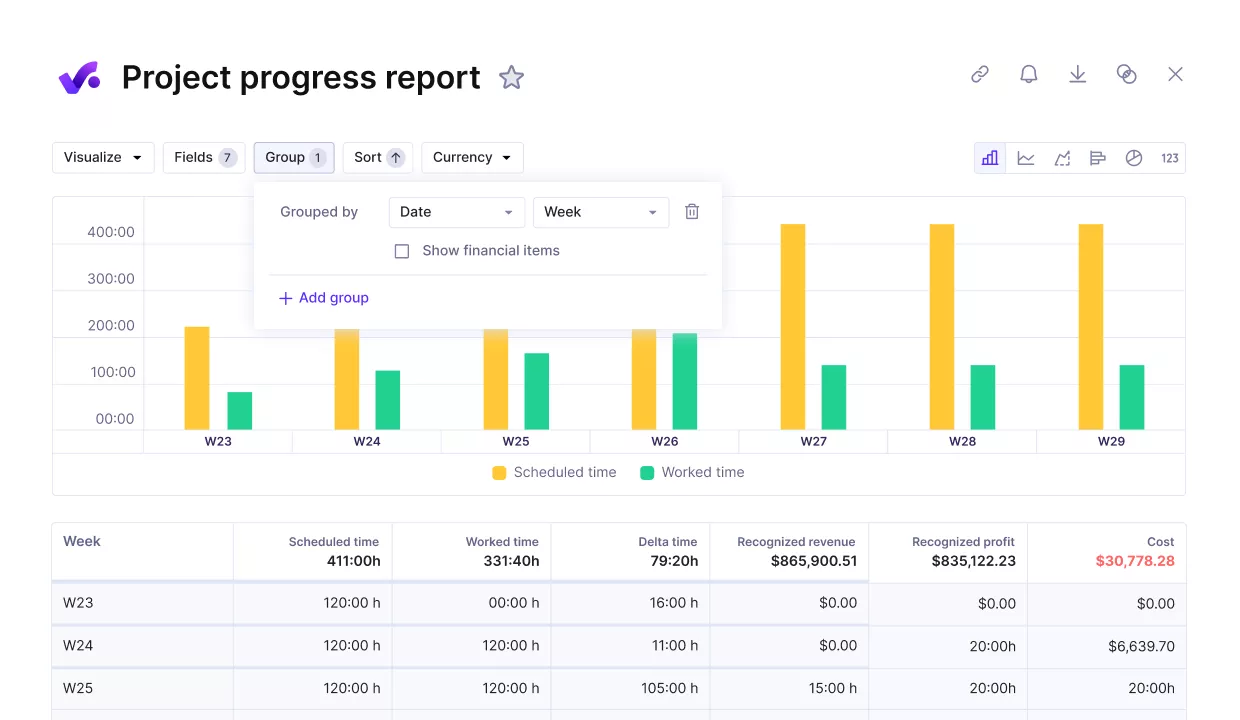
Get real time updates on your project or client profitability.
When it comes to invoicing, Productive supports branded invoices that pull in billable hours or remaining amounts from fixed price projects. You can attach timesheets and send invoices directly from the platform.
With Purchase Orders, you can track external costs alongside internal time so you see the full financial picture for each client.
Productive also integrates with popular accounting platforms like QuickBooks and Xero for your project finance accounting needs.

Send invoices to clients directly from your workplace.
Plan client work and capacity in the same place
Productive’s Project Management feature supports agencies with tools that connect day to day delivery with your sales pipeline and budgets.
You can:
- Use project views such as Kanban, Gantt, Calendar, and more to track work
- Set up alerts and notifications so important changes do not get missed
- Control access with permissions that keep sensitive information limited to the right people
- Manage tasks with comment history, to dos, milestones, and custom fields
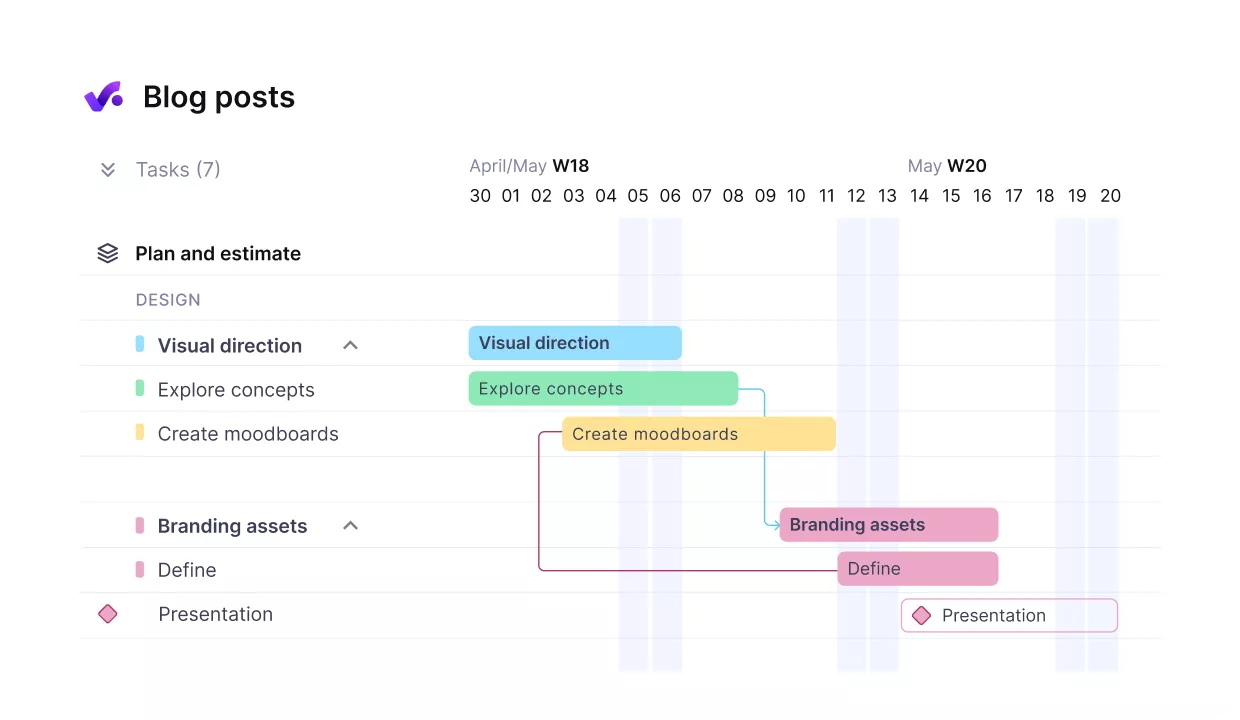
Break up projects into phases with dependent tasks and workflows.
Alongside this, Productive’s Time Tracking helps you capture billable and non billable hours in one place. Team members can track time with a timer or manual entries, and managers can review and approve hours.
Productive also includes leave management so you can define absence categories, approve time off requests, and see who is available when you plan upcoming work.
Forecast revenue and agency health in one set of reports
Productive’s Reporting feature offers a template library with agency focused reporting tools that combine data from sales, projects, time tracking, and budgeting for fast analytics and reporting.
You can organize these reports into visual dashboards and interactive reports that:

Forecast revenue or get early warnings of budget overruns.
Because deals and projects live in the same system, you can look at confirmed revenue and pipeline side by side, which makes it easier to understand your financial runway.
Additional features include Resource Planning, Docs, and Automations.
Integrations include Xero, QuickBooks, HubSpot, Breathe, Zapier, Slack, Jira, Google Calendar, and more.
Pricing
- Plans start with the Essential plan at $10 per user per month, which includes essential features such as budgeting, project & task management, docs, time tracking, expense management, reporting, and time off management.
- The Professional plan includes custom fields, recurring budgets, advanced reports, billable time approvals, and much more for $25 per user per month.
- The Ultimate plan has everything that the Essential plan and Professional plan offer, along with the HubSpot integration, advanced forecasting, advanced custom fields, overhead calculations, and more. Book a demo or reach out to our team for the monthly price per user.
Productive offers a 14-day free trial so you can decide if it’s the right CRM solution for your agency.
Use One CRM for All Agency Operations
Instead of stitching together a CRM, project tool, and spreadsheets, use Productive to follow every client from first contact to final invoice. Your pipeline, projects, budgets, time, and reports live in the same platform, so the whole team works from one source of truth.

In case you’re already comparing Productive to other options, head over to our Productive alternatives review .
2. Agency Handy – Streamlined CRM, Projects, and Billing Solution for Small Agencies
Agency Handy is a CRM platform designed to help agencies manage leads, track client progress, and more. It also centralizes communication, services, orders, invoices, and activities through a structured pipeline.
Key Features
- CRM
- Multipackage service listing
- Order and task management
- Invoicing and subscription
- Client portal
- Intake form
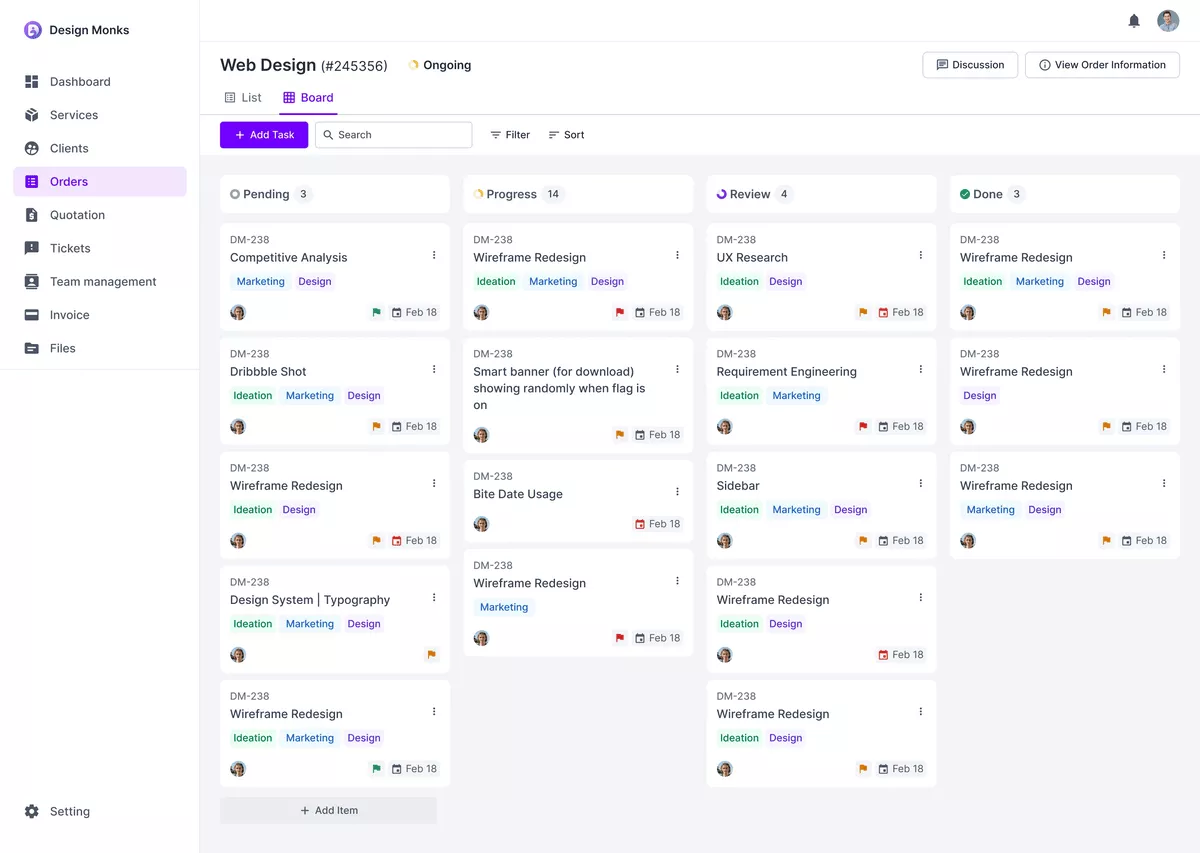
SOurce: Agency Handy
Pros
- Simplifies lead-to-client journey with clear process structure
- Improves client experience through a clean, organized portal
- Saves time by automating workflows and internal coordination
- Easy onboarding with minimal setup and learning curve
- Improves visibility across sales, projects, and client activity
Cons
- It doesn’t offer a mobile app
Final Verdict
Agency Handy is an excellent choice for small agencies seeking an all-in-one client management system. You’ll get a structured CRM, seamless onboarding and billing, and a clean client portal that keeps everything organized.
3. TaxDome – The Best CRM for Tax and Accounting Firms
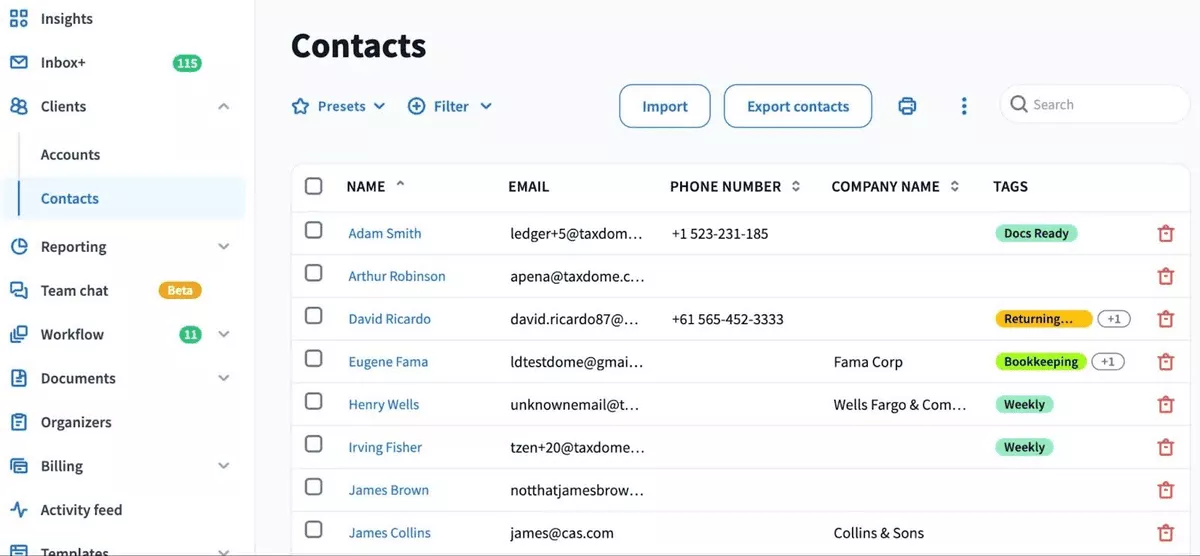
TaxDome is the complete practice management platform for tax and accounting firms. The built-in CRM gives practices unlimited contacts with end-to-end automation for managing client relationships on autopilot.
Key Features
- CRM for tax and accounting firms
- Client onboarding and intake
- Built-in time tracking, billing and payments
- Extensive client management and collaboration
- Client portal
- Top-rated client mobile apps for iOS and Android
SOurce: Taxdome
Pros
- Purpose-built CRM for tax and accounting firms
- Client portal and apps deliver effortless client experiences from start to finish
- Dedicated client onboarding and intake help firms deliver instant value
- End-to-end automation simplifies every step of the client experience
- Complete ecosystem for driving growth through client retention
Cons
- Built specifically for tax and accounting firms
Final Verdict
TaxDome is the most complete CRM solution for tax and accounting firms, and the control center for the platform’s client experience suite. Powered by class-leading automation, it minimizes the burden of client intake and management, so that teams can deliver 5-star experiences to everyone.
4. Close – A Sales – Focused CRM for Agencies
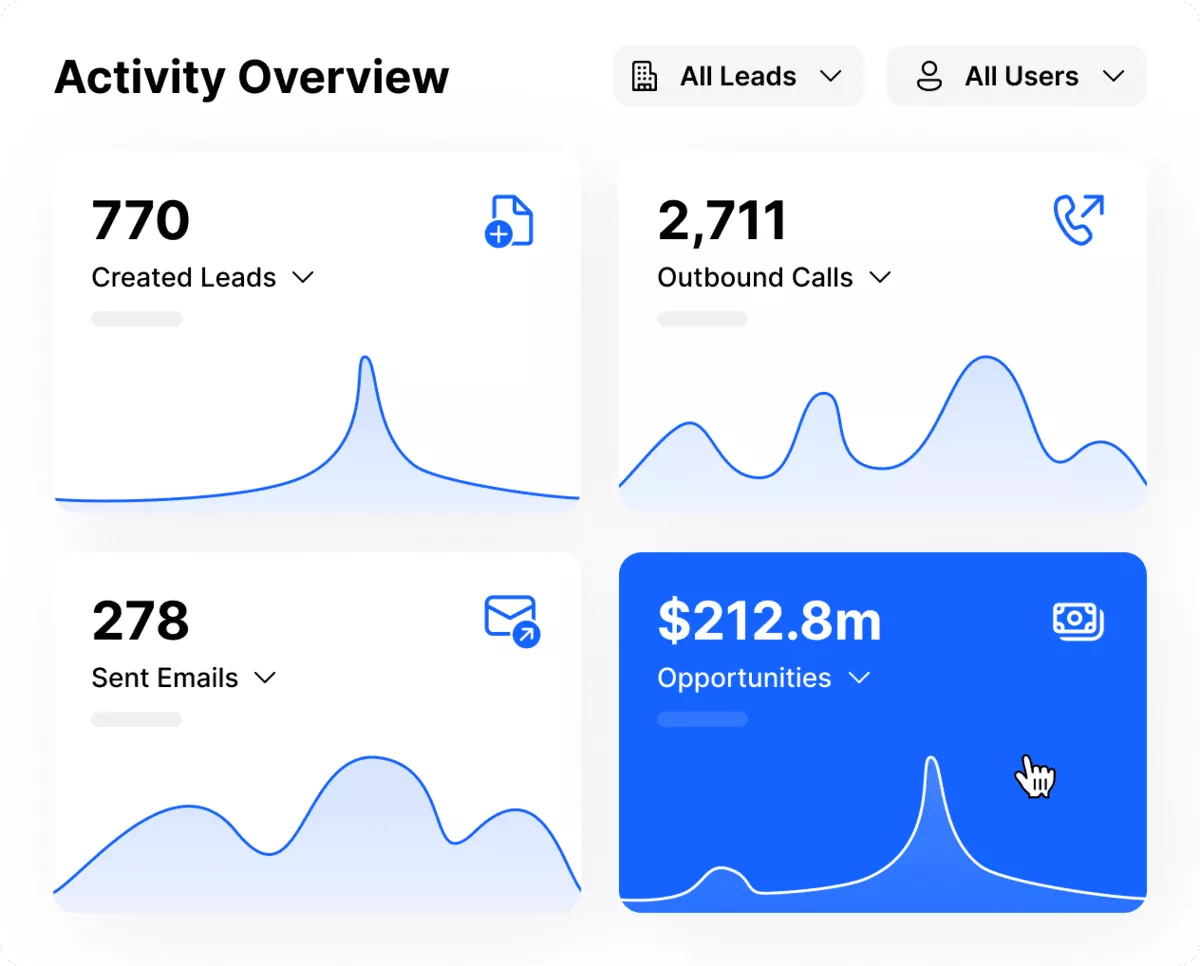
Close is a sales-focused CRM built for small and mid-sized sales teams and agencies. It brings leads, opportunities, email, calling, SMS, and sales automation into one platform, helping teams manage their sales process and client communication from one place.
Key Features
- Lead and opportunity management
- Visual sales pipelines
- Built-in calling, email, and SMS
- Sales automation and workflows
- Reporting and sales activity tracking
SOurce: close
Pros
- Combines email, calling, and SMS with CRM functionality in one platform
- Helps sales teams manage leads and follow-ups without switching between multiple tools
- Flexible pipelines that can be adapted to different sales processes
- Designed with a strong focus on sales productivity and communication
Cons
- Primarily focused on sales, so it does not provide the broader project management and agency operations features found in all-in-one agency platforms
- May be more than smaller teams need if they only require basic contact management
Final Verdict
Close is a strong option for agencies and professional services teams that want a CRM focused on sales execution and communication. Its combination of pipelines, built-in communication, and sales automation makes it particularly suitable for teams that want to manage prospecting and follow-ups in one place without adding a separate calling or messaging platform.
5. HubSpot – A Good CRM for Managing a Marketing Agency
HubSpot Sales Hub is an extensive solution for deal tracking, managing your sales funnel, and optimizing email campaigns.
Key Features
- Contact management
- Sales automation
- Analytics and forecasting
- Email marketing tools

SOurce: hubspot
Pros
- Intuitive interface that helps sales teams get up and running quickly, even with light training.
- Strong email marketing automation, including automated email sequences and simple email drip campaigns that reduce manual follow ups and admin work.
- Large integration ecosystem and a generous free tier that supports smaller teams getting started.
Cons
- Advanced features and higher usage often require expensive tiers, which can strain smaller agency budgets.
- Some users mention a learning curve when configuring more complex workflows and reports.
- Reporting and customization options can feel limited unless you upgrade to higher plans.
Final Verdict
HubSpot Sales Hub is a robust tool for customer service teams and agencies of all shapes and sizes. It has various pricing points, making it suitable for mid sized to enterprise agencies looking for robust support.
However, it can be a less than ideal software solution for agencies that want to combine CRM functionalities with generalized agency project management capabilities. For this, you may consider an agency tool with a HubSpot integration, like Productive.
We also covered HubSpot in our list of the top Accelo alternatives.
6. Apptivo – A Good CRM Tool for Smaller Agencies
Apptivo is a cloud-based customer relationship management software that supports your sales and marketing processes.
Key Features
- Task management
- Analytics dashboard
- Workflow automation
- Invoice creation

Source: Apptivo
Pros
- Affordable pricing that makes it accessible for small to mid sized agencies.
- Flexible, modular design that lets you turn specific apps on or off as you grow.
- Centralizes contacts, projects, and sales activities in one place instead of separate tools.
Cons
- Interface can feel dated compared to newer customer relationship tools, especially for first time users.
- The high level of customization can create a learning curve during setup.
- Mobile and performance limitations are mentioned in reviews, especially with larger data sets.
Final Verdict
Multiple reviews note that Apptivo can be a great customer relationship solution for smaller agencies, as it offers affordable pricing and essential features for managing opportunities.
However, some users mention that certain features, such as reporting, may lack the advanced functionalities needed to run a larger agency. You can also check out how Apptivo performs as a WorkflowMax alternative.
7. Monday.com – A CRM Solution With Task Management Capabilities
Monday Sales CRM is a software platform from Monday.com designed specifically to improve client engagement and manage deal progress.
Key Features
- Task automation
- Sales funnel customization
- Customer conversations
- Visual dashboards

source: MONDAY.COM
Pros
- Visual, intuitive interface that helps teams see sales pipeline status and deal progress at a glance.
- Ready made templates and boards that speed up implementation for smaller teams.
- Strong collaboration features that make it easier to share updates and keep everyone aligned.
Cons
- Every user requires a paid seat, which can increase costs as your agency scales.
- Some users mention limitations in reporting and formulas on dashboards.
- The wide feature set can feel overwhelming if you only need a lightweight sales tool.
Final Verdict
Monday Sales CRM is a well rated consulting client management tool. Users usually praise it for its versatility and customization options.
However, like HubSpot, reviewers note that the features might be too comprehensive for smaller to mid sized agencies. If you are looking for essential sales team management, you might consider a more lightweight alternative from this list.
8. Insightly – A CRM Platform for Agencies of All Shapes
Insightly is a CRM software solution for businesses from various industries, including consulting, healthcare, finance, manufacturing, and more.
Key Features
- Sales funnel management
- Collaboration features
- Process automation
- Advanced user permissions

source: insightly
Pros
- Combines CRM and light project management, which can smooth the handoff from sales to delivery.
- Interface is generally described as user friendly for small and growing teams.
- Good range of integrations through AppConnect, including email and popular business tools.
Cons
- The high degree of customization can feel confusing to new users during initial setup.
- Some advanced features and automations are limited unless you pay for higher tiers.
- Mobile apps and certain features are less full featured than the desktop experience.
Final Verdict
Insightly can be a good choice for users who are looking for a joint sales and project management process on a single platform.
However, some expanded capabilities for agencies are lacking compared to similar tools on the market, such as capacity resource planning or advanced utilization forecasting.
9. Podio – A Flexible CRM Database for Complex Workflows
Podio is described as a flexible, collaboration database that helps automate your processes and share information between key parties.
Key Features
- File sharing
- Team collaboration & communication
- Customizable workspace with Podio Apps
- Third-party integrations

source: podio
Pros
- Very flexible workspace builder that lets teams design custom apps and processes.
- Helps centralize data, tasks, and communication into a single shared environment.
- Works well for teams that have unique workflows that standard customer relationship tools do not support.
Cons
- Interface can feel outdated or unintuitive, especially for new or occasional users.
- Customizing layouts and apps often requires prior setup knowledge or technical help.
- Implementation and ongoing maintenance can take more time than with more structured tools.
Final Verdict
Users note Podio’s potential to create flexible and versatile workflows, but they also add that technical knowledge might be required to get the most out of the tool. This also means the implementation may take longer than with more structured software, so keep this in mind if you have time sensitive agency concerns.
Podio is also one of the top Plutio alternatives.
10. Salesforce – A Popular Solution for Agency Customer Relationship Management
Salesforce Sales Cloud is a CRM solution with customizable dashboards and robust sales pipeline management.
Key Features
- Sales performance management
- Workflow automation
- Visual dashboards
- Apps and add-ons

source: salesforce
Pros
- Extremely feature rich and customizable, with tools for complex sales processes and large teams.
- Strong reporting and forecasting that can be tailored to many different stakeholder needs.
- Large ecosystem of integrations and third party apps through the Salesforce marketplace.
Cons
- Pricing can be high, especially when you add advanced features or many users.
- Steep learning curve and significant admin effort are common concerns in user reviews.
- Interface and configuration can feel complex or overwhelming for smaller agencies.
Final Verdict
Salesforce is an advanced tool that supports client prospecting and sales analytics. Figuring out which features are included in which pricing tier can be complex, and the user interface has been described as confusing at times.
Like HubSpot or Monday Sales CRM, it might not be the best option for smaller agencies or inexperienced teams. However, although it is a challenging solution, it does provide a broad range of features for sales management.
You can also check out how Salesforce performs as an alternative to Bitrix24.
11. Nimble – An Essential Platform for Customer Relationship Tracking
Nimble is a CRM software solution focused on nurturing your relationships. You can use it for tracking relationships, however, you still need ti stitch other tools for other key operations (like sending invoices to your clients).
Key Features
- Custom web forms
- Deal management
- Sales Intelligence
- Third-party app integrations

source: nimble
Pros
- Strong focus on relationship management and social data that helps you understand contacts better.
- Integrates neatly with Google Workspace and Microsoft 365 for email and calendar work.
- Simple pricing model with a single tier that keeps the buying decision straightforward.
Cons
- Fewer advanced features than larger customer relationship platforms, especially around automation and reporting.
- Interface and design can feel slightly dated compared to more modern tools.
- May not cover every requirement for larger or highly specialized sales teams.
Final Verdict
One of Nimble’s unique features is that it offers only one pricing tier. This can be a good thing, as it streamlines the decision making process. It also means that you may be getting more functionalities than you need at a higher price than necessary.
Additionally, users enjoy most things about Nimble but underline that the user interface is slightly outdated.
12. EngageBay – A Comprehensive CRM for Advertising Agencies
EngageBay is a business operations platform that combines modules for marketing, CRM and sales, and customer service.
Key Features
- Project management
- Appointment scheduling
- Contact management
- Employee engagement features

source: engagebay
Pros
- All in one suite that combines marketing, sales, and support for smaller businesses.
- Competitive pricing, with reviewers often highlighting the value compared to larger tools.
- Users frequently praise responsive customer support and helpful onboarding.
Cons
- Interface and user experience can feel less polished than enterprise grade platforms.
- Some features, such as advanced automation or templates, are less deep than in higher end tools.
- Occasional bugs and performance issues are mentioned in user reviews.
Final Verdict
EngageBay provides a pricing tier that combines marketing and sales into one tool, making it a good pick for agencies that are looking to unify these workflows.
The modules can also be purchased separately, which is suitable for smaller teams needing a specialized solution. However, some reviewers mention that certain features are less advanced than expected.
13. Pipedrive – A Good CRM for a Digital Marketing Agency
Pipedrive is a versatile CRM solution for marketing teams and agencies of all shapes and sizes.
Key Features
- Lead management
- Marketing automation
- Sales & marketing analytics
- Third-party apps

source: pipedrive
Pros
- Very intuitive visual pipeline that makes it easy to track deals and next steps.
- Quick to implement as a first CRM, with a smooth onboarding experience.
- Strong integrations marketplace and useful reporting for tracking sales performance.
Cons
- No true free plan, which means all teams pay for access from day one.
- Focuses mainly on sales, with limited built in marketing automation compared to all in one tools.
- Some users would like deeper analytics and more advanced customization options.
Final Verdict
Users frequently praise Pipedrive as an intuitive solution for agencies. However, multiple reviews mention issues with customer support responsiveness, issue solving, and onboarding.
14. Spiro – A Specialized Solution for Optimized Deal Tracking
Spiro is a CRM software tailored to sales teams in mid-sized and enterprise companies, with a particular focus on the supply chain industry.
Key Features
- Customer database
- Content generation
- AI-powered analytics
- Automatic alerts

source: SPIRO
Pros
- AI driven recommendations that highlight which customers or deals need attention.
- Designed specifically for manufacturers and distributors, which fits that niche well.
- Users often find it easier to use and navigate than some larger enterprise customer platforms.
Cons
- Some customizations and requests do not work as expected, according to user feedback.
- Smaller integration ecosystem than major platforms like Salesforce or HubSpot.
- Pricing can feel high for teams that do not need heavy AI support in their workflows.
Final Verdict
Spiro is a complex CRM software solution that offers a wide range of features powered by AI. The pricing point is fairly high, similar to more extensive solutions like HubSpot. However, consider that Spiro provides solutions for distributors and manufacturers, and might not offer all of the capabilities necessary for daily agency operations.
15. Pipeline CRM – A Fine CRM for Digital Agency Needs
Pipeline CRM is a software solution that supports sales and marketing efforts in professional services and consulting agencies.
Key Features
- Sales forecasting
- Personalized emails
- Deal management
- User permissions

source: pipeline
Pros
- Clean, intuitive interface that keeps the focus on managing deals and pipelines.
- No contact limits, which is helpful for growing teams with large databases.
- Users often highlight responsive and supportive customer service.
Cons
- Limited third party integrations compared to larger customer platforms.
- Reporting and analytics can feel basic, with fewer customization options.
- Lacks deeper marketing automation and advanced features for complex sales setups.
Final Verdict
Pipeline can be a good relationship management solution for marketing automation and sales management when it comes to covering essential features.
However, users have stated that some advanced features are missing, such as more robust integrations or invoicing. Consultants could benefit from researching more robust software for consulting firms.
16. Sage CRM – A Decent CRM Option for Agencies
Sage CRM is a tool designed to support sales efforts from the leading provider of agency software solutions, Sage.
Key Features
- Sales forecasting
- Real-time insights
- Marketing agency software integration
- Mobile app

source: sage CRM
Pros
- Helps teams schedule tasks, appointments, and reminders in one central system.
- Offers solid customer and opportunity management, especially for existing Sage customers.
- Can streamline internal communication around renewals and follow ups.
Cons
- Interface is often described as unintuitive, with a lot of technical jargon.
- Users report slow loading times and occasional connectivity issues.
- Customization options can be limited, which makes it harder to tailor to complex needs.
Final Verdict
Though Sage CRM features useful capabilities for managing your sales process, numerous reviews mention the downsides of the tool. Users often highlight that the tool is unintuitive.
Some reviews also mention that importing data can be difficult and that costs can ramp up depending on your usage.
What Is CRM for Agencies?
Customer relationship management, or CRM software for agencies, is a software solution specifically designed to manage and support interactions with clients and potential customers, from initial lead generation through ongoing client interactions and renewals.
In practical terms, that can mean a CRM for marketing agencies, a CRM for marketing agency teams, a CRM for creative agencies, or CRM software for advertising agencies that keeps every client touchpoint in one place.
Some professional services automation examples include real time sales revenue management and automated quote creation.There are also options such as integrated project management software with CRM features.
Why Is CRM Software Important for Agencies?
CRM software is important for agencies because it centralizes client data, improves sales performance, and supports better decisions across your pipeline.
A survey by Aberdeen Research and Strategy shows that companies increasing their investment in CRM software experience more benefits than those reducing their CRM spending.
These include:
- 52 percent more proposals, quotes, or RFP responses delivered to prospects
- 32 percent higher overall team attainment of sales quota
- 24 percent more sales reps achieving individual quota
- 23 percent higher lead conversion rate 11 percent more quotes resulting in orders
This data highlights the importance of CRM software in enhancing your day to day operations. By helping you organize your client information and interactions, CRM platforms can give you a deeper understanding of client needs, support effective communication, and ensure a more consistent customer experience.
How To Choose the Right CRM Software for Your Agency
You can choose the right CRM software for your agency by matching each platform’s features to your sales process, service mix, and growth plans.
CRM software can vary depending on its comprehensiveness. Some tools focus only on CRM functionalities. Other platforms include marketing features with integrations or add ons. Finally, the most extensive type is all in one software that combines sales with multiple other functionalities.
Here are some specific features to consider when researching vendors and their solutions:
- Customization: The versatility of a tool is important for ensuring that the tool can support unique business processes. However, too much flexibility might make it confusing or impractical to use, so a healthy balance is often best.
- User Friendly Interface: Despite how experienced your sales leads or employees may be, an intuitive and user friendly approach can go a long way toward ensuring software adoption.
- Reporting and Analytics: Robust data analysis tools are critical for informed decision making, allowing agencies to understand trends, measure performance, and strategize accordingly.
- Scalability: A scalable CRM can adapt to an agency’s growing needs, ensuring that it remains a valuable asset as the business evolves and expands.
We will consider these key points in our overview of the best CRM for agencies and what a modern agency CRM should cover.
That was probably the single biggest thing—reducing the amount of tools, platforms, and systems, and using just one. Having a platform that considers everybody’s salaries, the operating expenses of the whole business, and feeding that into project budgets and looking at the internal time vs. client time gives us a much more real-time and accurate view of the profitability of actual, specific projects.
How To Implement a CRM System in Your Agency?
You can implement a CRM system in your agency by aligning stakeholders, mapping your processes, migrating clean data, and rolling it out with training and feedback.
Step 1: Align stakeholders on goals
Start by agreeing on why you are adopting a CRM and which problems you want to solve. Include leadership, account managers, sales, project managers, and operations. Capture a short list of goals, such as improving forecast accuracy, reducing manual updates, or getting a single view of each client.
Step 2: Map your current client and sales workflows
Document how you manage leads, opportunities, contracts, and ongoing client communication today. Note where handoffs happen between sales and delivery, and where data gets lost or duplicated.
This process map will guide which CRM features you need and how to configure them.
Step 3: Prepare, clean, and migrate your data
Audit your existing spreadsheets, legacy customer systems, and email lists. Remove duplicates, standardize key fields such as company names and contact roles, and decide which data you really need to bring over.
Work with your vendor or internal admin to import data into the new CRM in a structured way.
Step 4: Configure the CRM for your agency
Set up pipelines, deal stages, custom fields, and user permissions to match your mapped processes. Keep the first version simple to avoid overwhelming your team. Focus on a clear pipeline, consistent data entry rules, and basic reports that support weekly decision making.
Step 5: Pilot, train, and iterate
Run a pilot with a smaller group or a single business unit before a full rollout. Provide hands on training, short how to guides, and clear expectations about what should live in the CRM. Collect feedback, remove friction, and adjust fields, views, or automations as needed.
Step 6: Roll out agency wide and reinforce habits
Once the pilot works, extend access to the rest of the agency. Use regular check ins and team meetings to review pipeline quality and report adoption. Make it clear that the CRM is the source of truth for client and deal data, not side spreadsheets or personal notes.

I feel noticed and heard and features are constantly forthcoming that add value to what we are doing for our clients. You do not get that from a lot of companies, a constantly improving, feature rich roadmap with high visibility and eager anticipation.
For more context, head over to the Clear Launch’s CRM implementation success story.
How To Determine the ROI of Your CRM Implementation?
To determine the ROI of your CRM implementation, compare your costs to measurable gains in revenue, efficiency, and client satisfaction.
Step 1: List your CRM costs
Include subscription fees, implementation support, internal admin time, and training. Estimate these costs over a defined time frame, such as the first 12 or 24 months.
Step 2: Define tangible ROI metrics
Choose a small set of metrics you can track consistently, such as win rate, average deal size, sales cycle length, billable utilization, or time spent on reporting. Use historical data as your pre CRM baseline where possible.
Step 3: Track improvements against your baseline
After go live, compare new results to your baseline over time. For example, measure whether your win rate improved, whether your team is sending more proposals, or whether leaders spend less time preparing reports.
Convert these changes into estimated revenue gains or cost savings.
Step 4: Capture intangible benefits
Not all customer relationship benefits show up directly in revenue. Note qualitative improvements, such as better client satisfaction, fewer dropped handoffs between sales and delivery, more reliable forecasting, or higher employee engagement because admin work is easier.
These support your overall business case even if they are harder to quantify.
Step 5: Review ROI regularly and refine your setup
Schedule regular reviews, for example quarterly, to revisit your relationship management metrics and configuration. If certain reports are not used or fields are always empty, simplify. If a team is seeing strong results, document what they are doing and replicate it across the agency.
Looking at both tangible and intangible results gives you a realistic picture of whether your CRM is paying off.
Takeaway: Finding the Best Agency CRM Software
Investing in a CRM for your professional services agency can simplify operations, improve client relationships, and increase productivity while delivering a better overall customer experience. The ideal choice depends on your agency’s specific needs, size, and goals.
Evaluate your strategic objectives carefully and research essential considerations such as scalability, user friendliness, reporting capabilities, and independent Ratings G2 or Capterra reviews before deciding which tool to go with.
If you are interested in the smartest (centralized) option for sales and agency operations, book a short a demo with Productive.
FAQ
What is the best CRM for an agency owner?
The best CRM for an agency owner depends on your specific industry, agency, and even type of typical client engagement. A good all-around choice is Productive, a comprehensive tool for agencies that is designed to provide sales, project planning, financial management, capacity planning, and more, on a single platform.
What are the 3 types of CRM?
CRM solutions are often divided into three categories: operational, analytical, and collaborative. Operational CRM software helps automate tasks to streamline day-to-day operations. Analytical CRM software helps gather and analyze key agency data. Finally, collaborative CRM software focuses on centralizing information and supporting teamwork.
What is a realtor CRM?
A realtor CRM is a type of customer relationship software that helps real estate agencies manage client interactions. The essential features don’t differ much from agency CRM solutions. They include contact management, lead tracking, and workflow automation.