Top 15 Basecamp Alternatives (Paid & Free) – 2026 Guide

Basecamp alternatives start making more and more sense as soon as your team handles more clients, bigger projects, and tighter deadlines than simple lists can support.
In this decision guide, we’ll showcase the top Basecamp competitors with clear pros and cons, best use cases, and core features (based on real user reviews from Capterra and G2).
We’ll also include a mini choosing guide that comes with a migration checklist.
What Are the Best Basecamp Alternatives in 2026?
The best Basecamp alternatives in 2026 are Productive, Monday.com, Trello, Teamwork, Nifty, Jira, Zoho Projects, Podio, MeisterTask, and GoodDay. These tools keep collaboration simple while adding time tracking, resource planning, and reporting that Basecamp does not cover.
Below is our list, with the “best for” fits, and free option remarks. Each bullet is a jump link to the detailed reviews of the best Basecamp replacements.
Basecamp Alternatives and Competitors Comparison Table
Use this table to compare the top Basecamp alternatives at a glance before you shortlist tools for a deeper trial.
| Tool | Best for | Choose this Basecamp alternative if… | Free plan |
|---|---|---|---|
| 1. Productive | Agencies and professional services that want projects, time, budgets, and reporting in one place | You only need a simple shared to do list and do not plan to track time or budgets | No |
| 2. Monday.com | Cross functional teams that want visual boards, timelines, and flexible workflows across departments | You need deep built in profitability reporting or dedicated agency financial features | Yes, free plan |
| 3. Trello | Small teams that want a simple Kanban style board to replace Basecamp lists | You need built in resource planning, time tracking, or detailed reporting | Yes, free plan |
| 4. Teamwork | Client service teams that bill by the hour and need integrated time tracking and client portals | You want very lightweight software with almost no configuration or you will never invoice from the tool | Yes, free plan |
| 5. Nifty | Teams that want chat, tasks, and milestones in one place to manage client projects | You rely on advanced financial reporting or complex resource management | Yes, free plan |
| 6. Jira | Engineering and product teams that use agile practices and need detailed issue tracking | Your team is mostly non technical and does not want to manage complex configuration | Yes, free plan |
| 7. Zoho Projects | Cost sensitive teams that need dependencies, automation, and reporting without high subscription costs | You want the most polished interface or out of the box agency reports | Yes, free plan |
| 8. Podio | Teams that want to build custom project apps and workflows tailored to unique processes | You do not have someone to own building and maintaining the workspace | Yes, free plan |
| 9. MeisterTask | Small teams that want clean Kanban boards with simple automations | You need advanced reporting, resource planning, or enterprise controls | Yes, free plan |
| 10. GoodDay | Teams that want many project views, goals, and automation with strong value for money | You prefer a very minimal interface and do not want to manage many configuration options | Yes, free plan |
1. Productive – Best for All in One Project Management for Agencies and Professional Services
If your team has outgrown Basecamp’s simplicity and now juggles scattered tools, manual updates, and limited visibility into workload or budgets, Productive gives you the control Basecamp never could.
It keeps day to day task management simple while adding the resource planning, financial insight, and time tracking that service teams rely on. Productive is built for agencies, professional service teams, and consultancies that want one place for projects, people, and profits.
Instead of using Basecamp for tasks, separate apps for time tracking, spreadsheets for budgets, and a different system for invoicing, your team runs delivery, resourcing, budgets, and reporting from a single platform.
Try the best Basecamp alternative
Core project management features
- Flexible project and task views that include boards, lists, timelines, Gantt charts, and calendars so teams can plan client work in the format that suits them.
- Resource planning and workload management that show real availability, time off, and assignments across all projects, helping you plan work realistically and avoid overload.
- Integrated task management and time tracking so people log hours directly on tasks and you can compare worked time with planned hours on each project.
- Real-time budgets and profitability tracking so you see budget used, remaining hours, and margins per project without exporting data to separate spreadsheets.
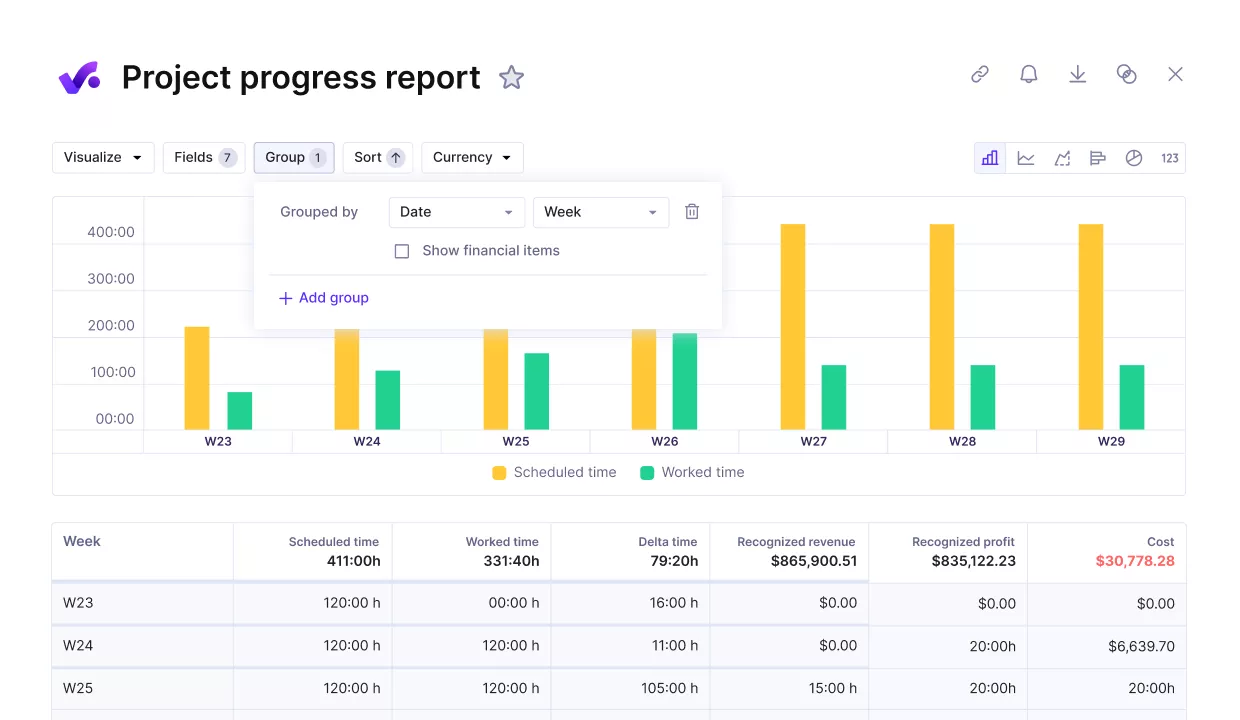
Measure project progress agains key finance and performance metrics.
Replace manual calendar updates with one shared schedule
Basecamp tasks are in lists, but actual schedules live in personal calendars. Someone ends up entering dates twice, updating events by hand, and shifting work manually when deadlines move.
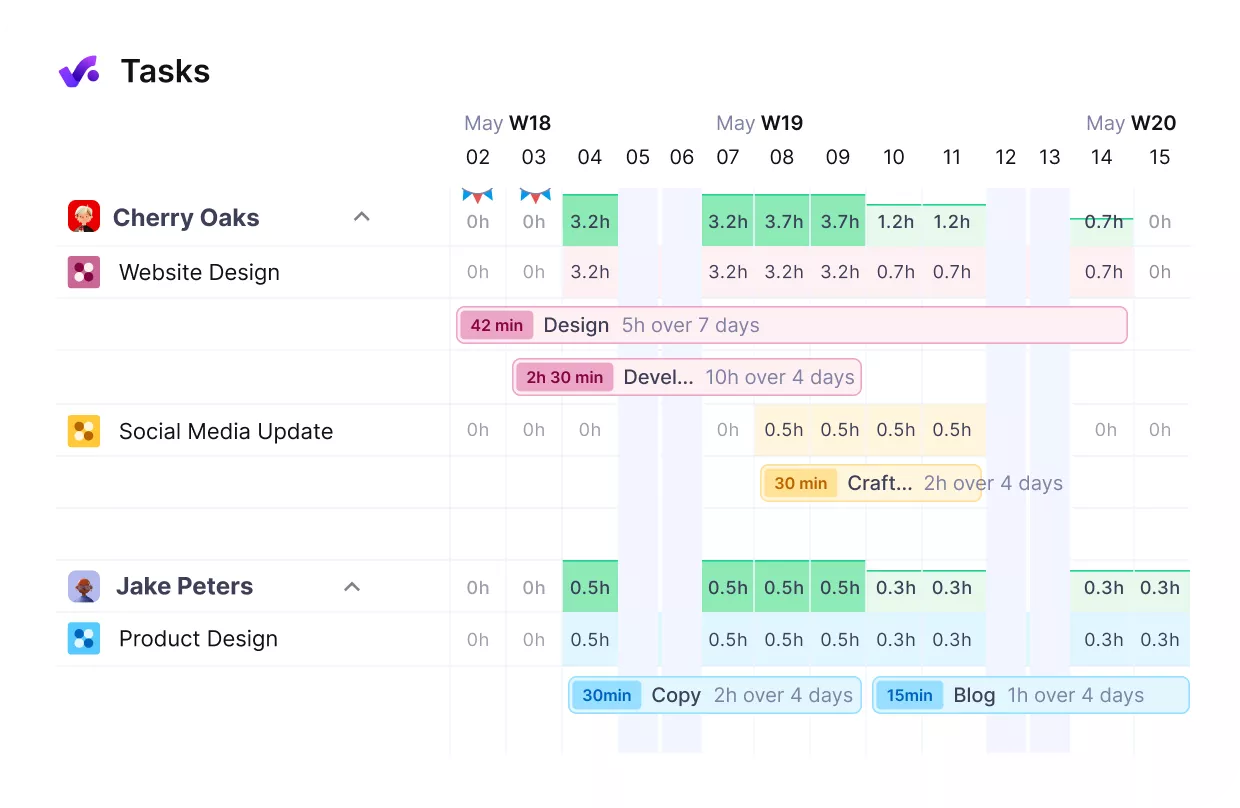
See your team’s workloads and availability in real-time.
Productive brings tasks, bookings, and schedules into one calendar view so teams plan once and see it everywhere. Project management tasks appear based on their dates, and teams can sync with Google Calendar or Outlook so events move between tools without double entry.
See team capacity before you commit to deadlines
Basecamp shows what needs to be done, but not whether the team can complete that work within the time they have. There is no clear view of who is overbooked, who has room, or how time off affects deadlines.
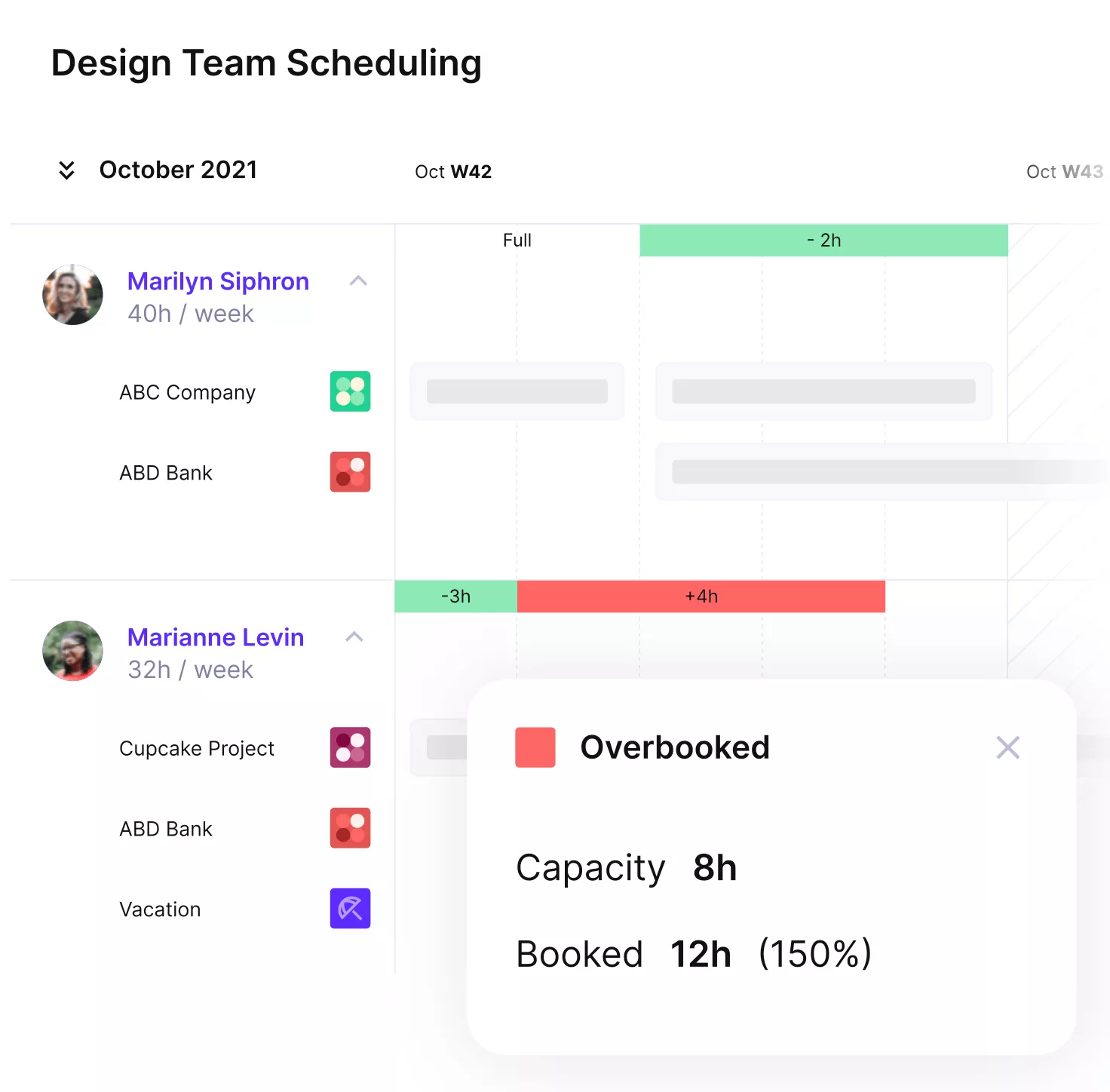
Avoid overbooking and cut down idle hours.
Productive gives you real time resource planning and scheduling, with availability, workload indicators, and capacity forecasting. Managers can spot overloaded team members, adjust staffing, and keep delivery on track while protecting margins.
Bring structure to projects with workflows and dependencies
Basecamp’s flat lists make it hard to understand how work fits together. There are no start dates, dependencies, or workflow stages, which means delays ripple through projects without visibility.
In Productive, tasks live in lists and hierarchies with custom statuses, start and due dates, and dependency mapping. When plans change, you can shift timelines, update workflows, and reschedule dependent work automatically so your project schedule stays realistic.
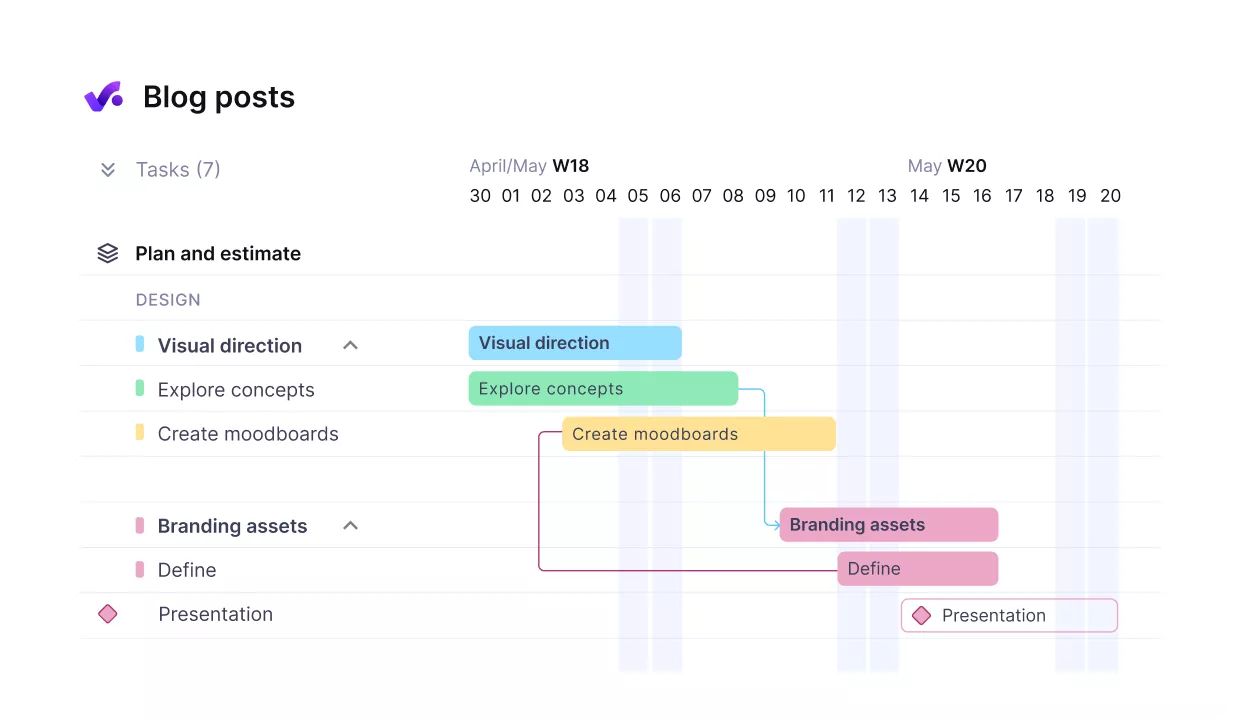
Easily structure projects with clear timelines and task dependencies.
See project budgets and profit in real-time
Basecamp does not show whether a project is on budget or over-serviced. In Productive, every project has a defined budget with planned revenue and costs, and time entries and expenses update that budget as work happens.
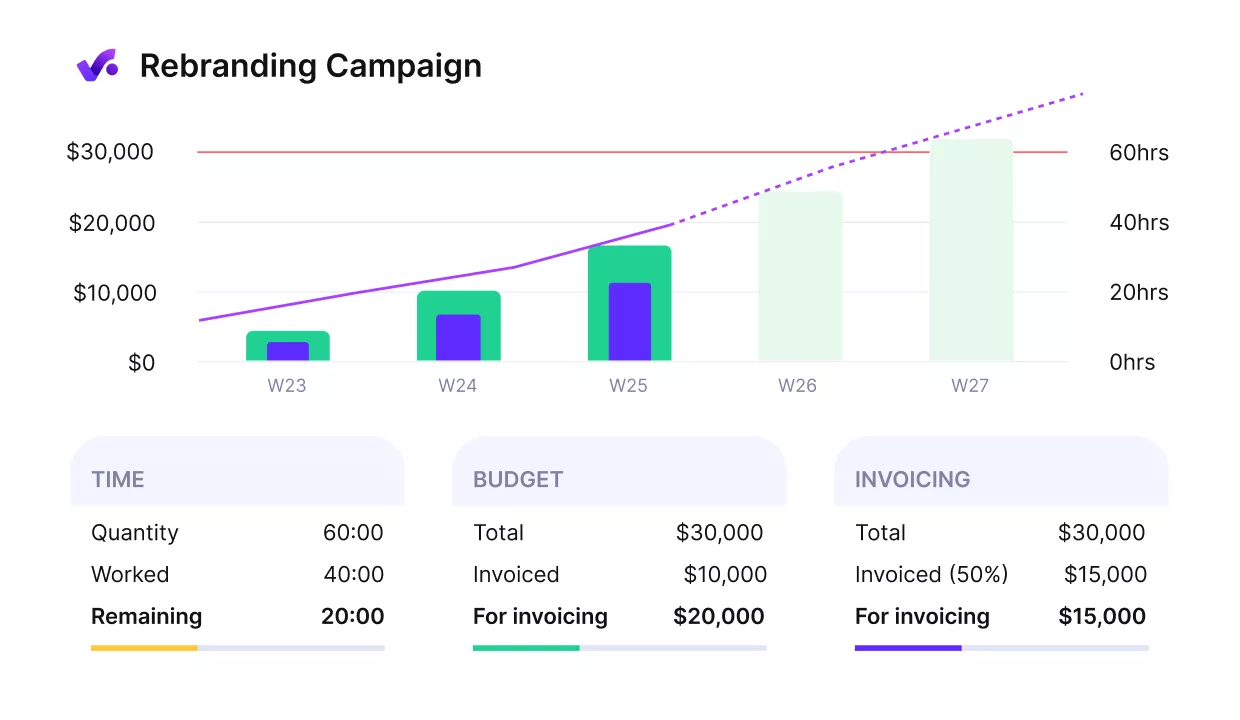
Get early alerts of budget overruns.
You can see the used budget, remaining hours, and margin per project or client, so you can adjust scope, staffing, or pricing while the work is still in progress instead of weeks later in a spreadsheet.
Pricing
- Plans start with the Essential plan at $10 per user per month, which includes essential features such as budgeting, project & task management, docs, time tracking, expense management, reporting, and time off management.
- The Professional plan includes custom fields, recurring budgets, advanced reports, billable time approvals, and much more for $25 per user per month.
- The Ultimate plan has everything that the Essential plan and Professional plan offer, along with the HubSpot integration, advanced forecasting, advanced custom fields, overhead calculations, and more. Book a demo or reach out to our team for the monthly price per user.
Productive offers a 14-day free trial, so you can see what it can do before committing to a paid plan.
See What Life After Basecamp Looks Like
Try out Productive to see how easy it is to manage tasks, track time, and follow budgets in a single tool, without juggling Basecamp, spreadsheets, and a separate tracker.

2. Monday.com – Best Alternative to Basecamp for Visually Structured Task Management Across Teams
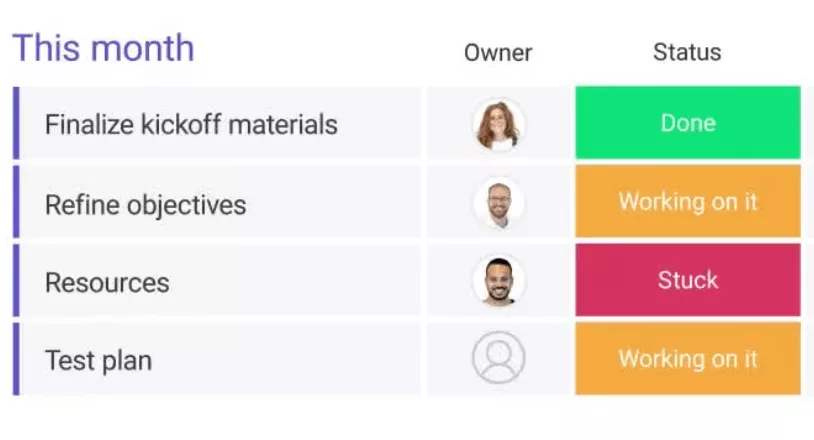
Monday.com is a work and project management platform for cross-functional teams that want clear, visual boards instead of static lists.
For agencies moving on from Basecamp, Monday.com makes sense when you need more structure, views, and automations, but you are not yet looking for deep financial features or advanced resource planning. More context and extra options are in our Monday.com alternatives guide.
Core Features
- Kanban boards, tables, timelines, calendars, and basic workload views
- Timeline and calendar scheduling
- Automation rules for status changes and notifications
- Integrations with Slack, Microsoft Teams, Google Workspace
SOurce: Monday.com
Pros
- The interface is colorful and visual, which makes it easy for teams to scan boards and understand progress at a glance.
- There are many templates for projects, marketing plans, operations workflows, and more, so new teams can start from a structure instead of a blank board.
- Boards and columns are flexible, which allows teams in different departments to adapt Monday.com to their own processes while still sharing a common platform.
- Automation rules handle routine updates and notifications, so project managers spend less time chasing status updates by hand.
Cons
- Boards and views can become cluttered as the team grows, so someone needs to maintain structure, naming, and archiving to keep things usable.
- Some useful features, such as advanced automations or certain views, only appear on higher priced plans, which can raise costs as you scale.
- Reporting and dashboards focus on status and workload, and they may feel limited if you want detailed profitability or financial views from the same tool.
- Monday.com is not built specifically for agencies, so you may still need extra tools to manage budgets, margins, and invoicing.
Final Verdict
Monday.com works well as an alternative if you want visual boards, many templates, and simple automations, and you have someone who can own the structure. Skip Monday.com if your main problems are capacity, budgets, and profitability.
Most teams still rely on extra spreadsheets or reporting tools for resource planning and profit visibility.
3. Trello – Best Basecamp Replacement for Simple Kanban-Style Task Boards
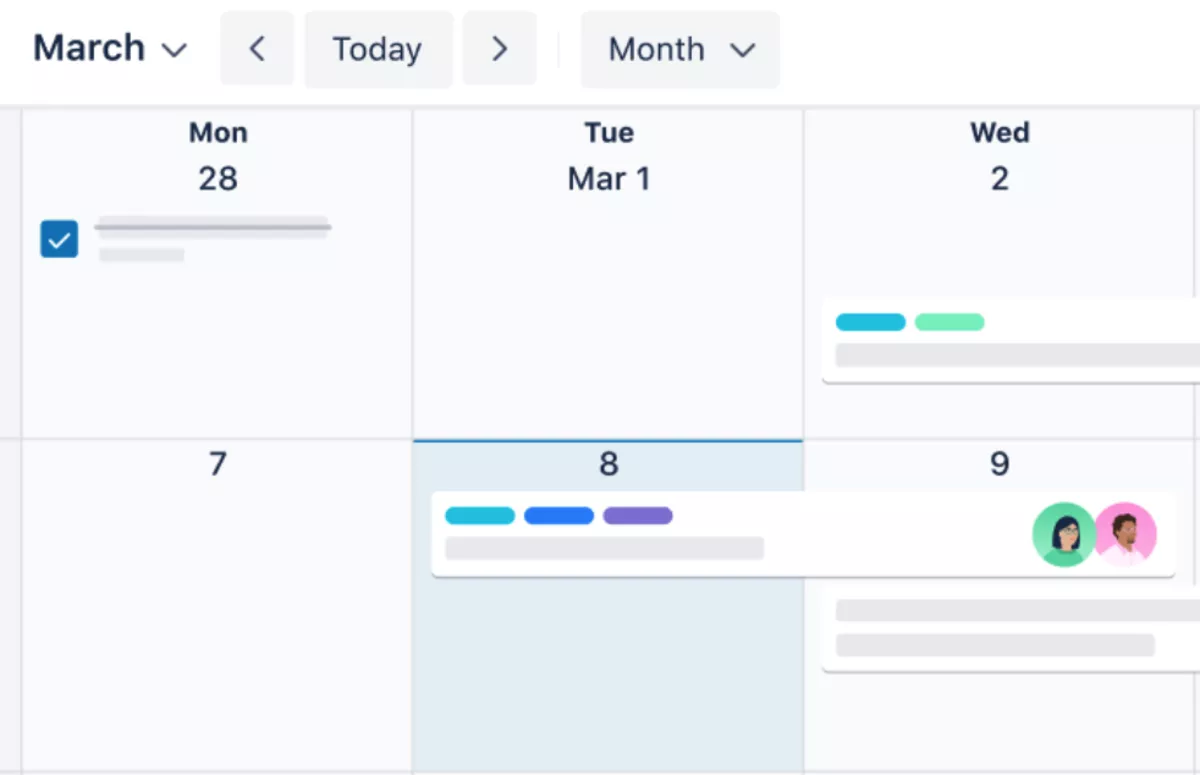
Trello is a visual task management tool built around cards on boards, which makes it easy to see what everyone is working on at a glance. It is a natural Basecamp replacement when your main problem is flat lists and you want simple, flexible boards instead.
In case you’re already considering Trello or Monday; you might want to switch over to our Trello vs Monday teardown review.
Core Features
- Boards and lists
- Cards and checklists
- Labels, due dates, and attachments
- Butler automation and power-ups
SOurce: Trello
Pros
- Trello is quick to learn, so teams can start tracking work in a single afternoon without heavy setup.
- The drag-and-drop board layout makes it easy to move work between stages and keep everyone aligned.
- The free plan covers many basic use cases, which keeps costs low for smaller teams.
- Power-ups and integrations let you connect Trello to tools such as Slack, Google Drive, and calendar apps.
Cons
- Reporting is basic, so you cannot easily see performance across many boards or clients.
- There is no built in resource planning, which makes it hard to understand workload across the whole team.
- Trello does not offer native time tracking, so you still need separate tools to log billable hours.
- As boards and power-ups multiply, maintenance and structure become important, or the system can feel messy.
Final Verdict
Trello is a good Basecamp replacement if you want simple, visual task management for small teams and straightforward work. Skip Trello if you need built in time tracking, resource planning, or profitability reporting.
You will end up bolting on extra tools and spreadsheets to cover those gaps.
4. Teamwork – Top Basecamp Competitor for Client Service Teams That Bill by the Hour
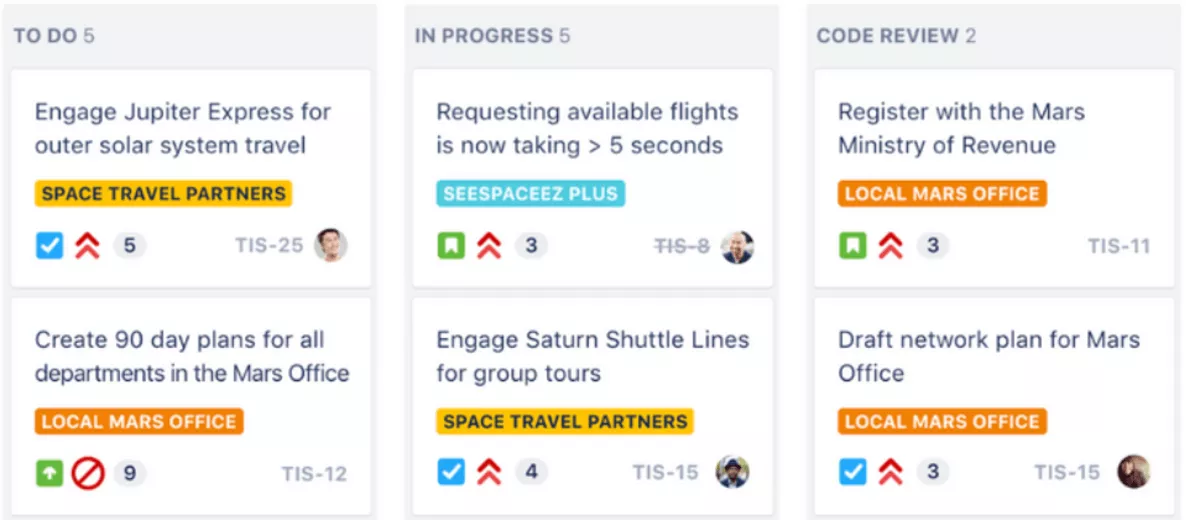
Teamwork is a project management platform built for client service businesses that bill by the hour. It brings together client projects, time tracking, and client access in a way that feels closer to an agency workflow than Basecamp.
Core Features
- Client projects and task lists with subtasks and dependencies
- Built in time tracking on tasks and projects
- Billing and invoicing features connected to logged time
- Client portals for sharing updates, files, and comments
SOurce: teamwork
Pros
- Teamwork is built with agencies and client service work in mind, so features match billable project workflows.
- Native time tracking makes it easier to capture billable hours without relying on a separate tool.
- Client portals help you share progress, files, and discussions in one place for each client.
- Integrations with tools such as Slack and Google Drive make it easier to fit Teamwork into an existing tool stack.
Cons
- The interface and setup are more complex, so onboarding new users can take longer.
- Features are split across different Teamwork products, which can feel confusing to manage at first.
- Some advanced features require higher tier plans, which increases costs as your team grows.
- Reporting is stronger, but still not a full replacement for dedicated BI or financial tools.
Final Verdict
Teamwork is a strong option if you run client projects, track billable hours, and want client portals and billing in the same place.
Skip Teamwork if you expect one tool to handle forecasting, detailed resource planning, and full financial reporting. Many teams still pair it with spreadsheets or BI tools to see the full picture.
5. Nifty – Best Project Hub for Combining Team Communication, Tasks, and Milestones
Nifty is a project hub where teams and clients share tasks, discussions, and milestones in one workspace.
It feels closer to Basecamp in spirit than heavier tools because chat, docs, and tasks live together, but it adds timelines and roadmaps for more structure.
Core Features
- Projects and roadmaps
- Task lists and Kanban-style boards
- Built in chat and discussions
- Docs and file sharing inside projects
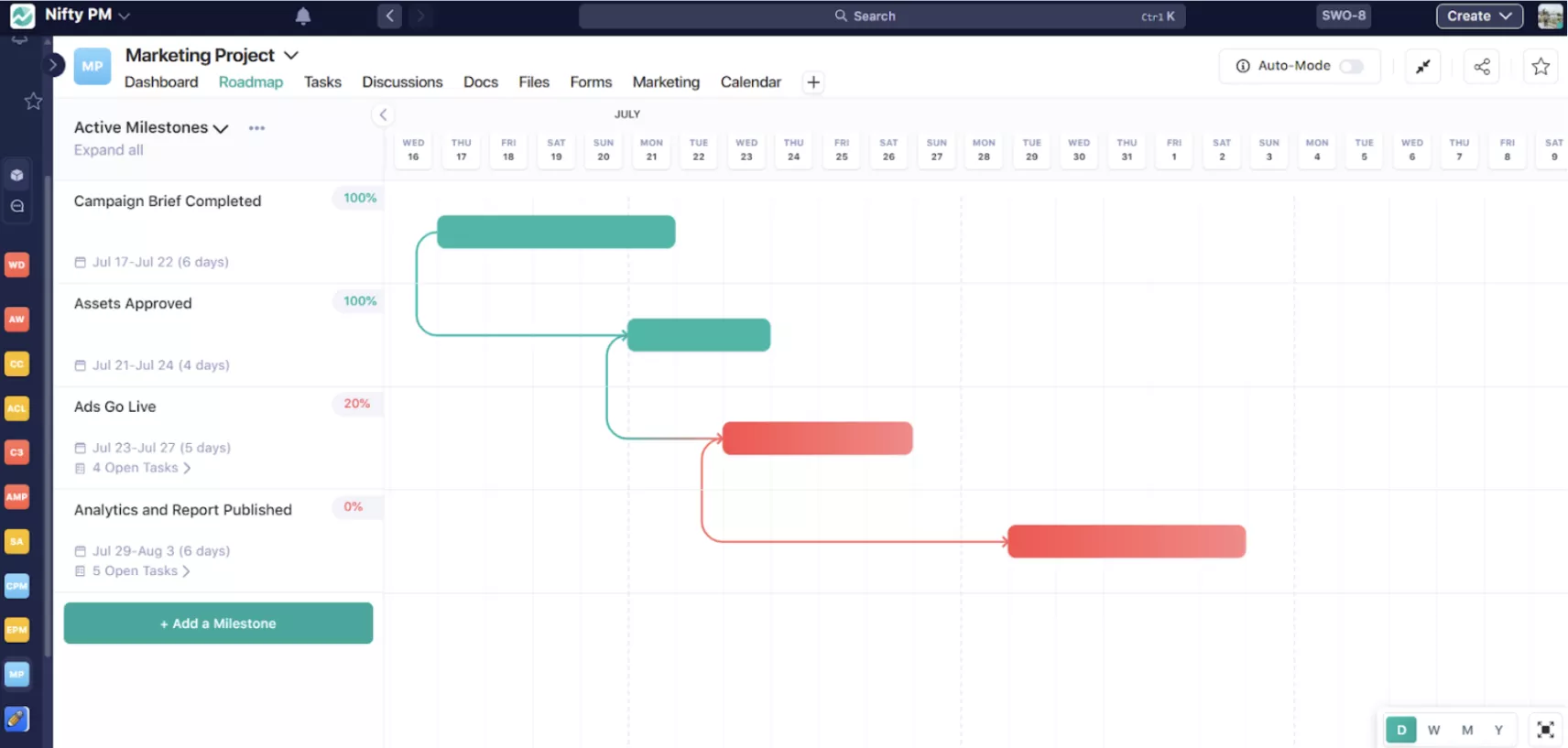
SOurce: Nifty
Pros
- Combines chat, tasks, and milestones in one place, so teams switch between fewer tools during the day.
- Makes it easy to invite clients into specific projects and share updates in context.
- Gives more structure through roadmaps and milestones while keeping the interface approachable.
- Offers a free plan, so you can trial Nifty with a real client project before committing.
Cons
- Reporting is lighter than in larger tools, so it is harder to get a clear picture across many clients and projects.
- Nifty does not provide deep financial or profitability tracking, so agencies still need other systems to monitor margins.
- Resource planning features are limited, which makes it hard to plan capacity at the portfolio level.
- Compared with bigger platforms, integrations and ecosystem options are narrower, which can limit how far you scale it.
Final Verdict
Nifty makes sense if you want chat, tasks, milestones, and files in one simple workspace, and you can live with lighter reporting. Skip Nifty if you need portfolio dashboards, capacity views, or profitability metrics.
Teams that try to run a whole agency on it usually keep other tools in place for planning and financials.
6. Jira – Best Alternative to Basecamp for Agile Development Projects
Jira is project management software built for software and product teams that follow Agile frameworks like Scrum and Kanban. It helps technical teams track bugs, features, and sprints in far more detail.
For creative or marketing agencies, Jira is often too complex, but for engineering teams it can replace Basecamp when most of your tasks are tracked as code issues rather than simple task lists.
Core Features
- Issues and tasks with custom fields and workflows
- Scrum and Kanban boards
- Backlogs and sprint planning
- Integrations with developer tools like Bitbucket and GitHub
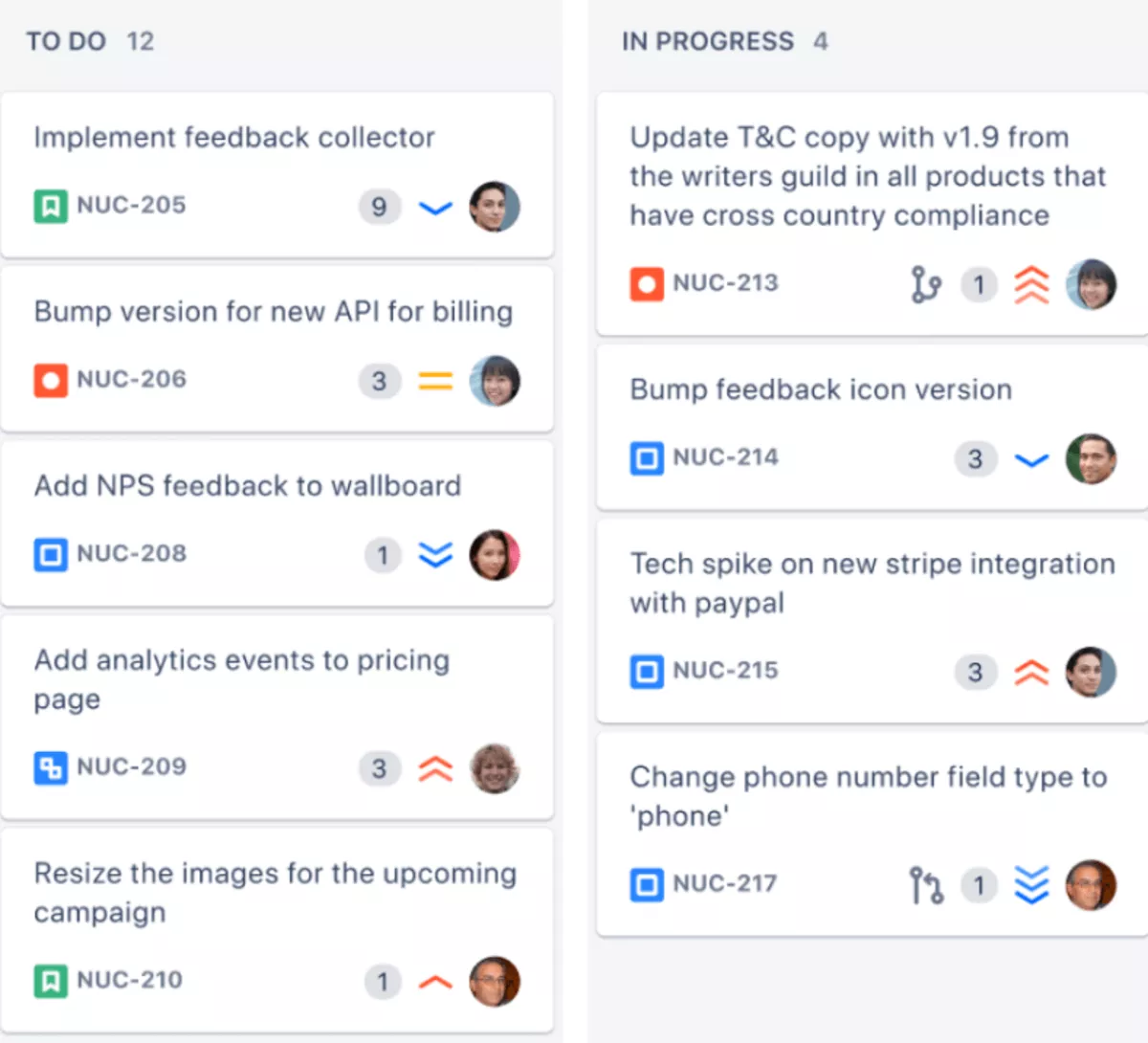
SOurce: Jira
Pros
- Strong support for agile practices with configurable Scrum and Kanban boards.
- Powerful issue tracking for bugs, features, and technical tasks.
- Highly customizable workflows, fields, and permissions for different teams.
- Wide integration ecosystem with developer tools, CI or CD systems, and documentation platforms.
Cons
- Steep learning curve for new or non-technical users.
- Configuration and administration take time and often need a dedicated owner.
- The interface can feel cluttered and slow when boards or projects grow large.
- Overkill for simple client projects or small teams that mainly need task lists and communication.
Final Verdict
Jira is a good fit if your team already runs agile ceremonies, works closely with developers, and needs deep control over technical workflows. Skip Jira if you are a creative or marketing agency that mainly manages client projects.
You will spend more time configuring the tool than delivering work and still need other systems for time, capacity, and financials.
7. Zoho Projects – Best for Budget-Friendly Structured Project Management
Zoho Projects is a budget friendly choice for teams that want more structure, but have to watch costs. It suits teams that are happy to trade some interface polish for a broad set of planning, tracking, and automation options, especially if they already use other Zoho apps.
Core Features
- Project management with task lists that have dependencies and milestones
- Built in time tracking and team collaboration
- Automation rules and workflows
- Basic reporting and dashboards
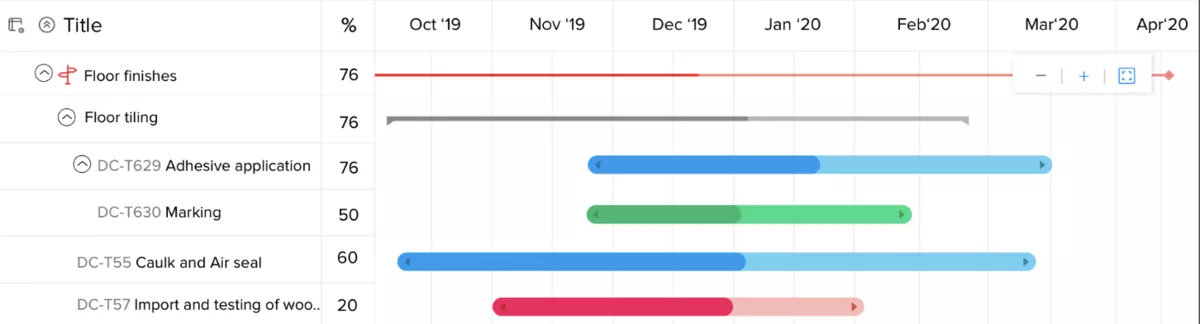
SOurce: zoho projects
Pros
- Pricing is low compared with many competitors, which helps cost sensitive teams.
- Lower tiers make it possible for smaller groups to start without a big upfront commitment.
- Connects to other Zoho products such as CRM and invoicing, which is useful if you are already in that ecosystem.
- Supports task dependencies, time tracking, and automation in one place, so you can move beyond simple to do lists.
Cons
- The interface looks dated next to newer tools and can feel busy for new users.
- Setup takes time and may require someone patient with configuration menus.
- Reporting is functional but less intuitive, so some users struggle to get the views they want.
- Support and documentation can feel uneven according to some reviews, which slows down adoption.
Final Verdict
Zoho Projects works if keeping subscription costs low is your top priority and you are willing to live with a less polished experience.
Skip it if you care more about modern design, deep financial insight, or agency-specific workflows, because you will invest time configuring it and still rely on other tools for margins and forecasting.
8. Podio – Best for Building Custom Project Apps and Workflows
Podio is a work platform where you design your own apps and data structures instead of using fixed templates. Teams with unusual processes can model their own way of working with custom fields, relationships, and workflows.
Core Features
- Custom apps and item types
- Workspaces for different teams or clients
- Workflow automation
- Integrations with email, calendars, and file storage
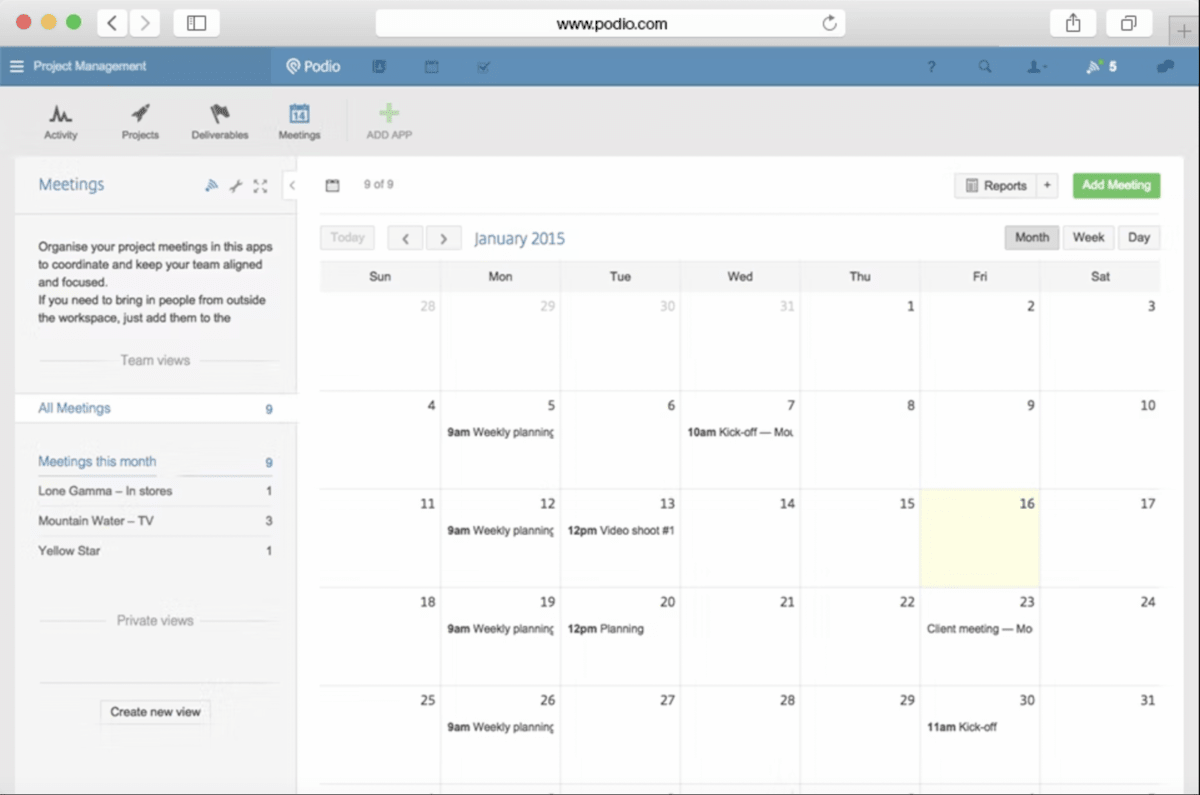
SOurce: podio
Pros
- Very flexible structure that can match unusual or complex processes.
- Lets operations minded people design systems that reflect how the team really works.
- Can bring scattered data into one place instead of spreading it across spreadsheets and forms.
- Useful for teams that want one environment to connect work, communication, and reference information.
Cons
- Someone has to own design and maintenance, or the setup quickly becomes confusing.
- There are no built in agency metrics, so you still have to build or import financial views.
- The interface feels dated and can be overwhelming for new users.
- If your needs are simple, the level of configuration can feel like overkill.
Final Verdict
Podio is a good fit if you enjoy building systems and have a dedicated owner who can design and maintain your workspace.
Skip Podio if you want ready-made agency workflows and financial reports, because youwill spend a lot of time configuring it and still depend on other tools for budgets and margins.
9. MeisterTask – Best for Simple Kanban Projects with Clean Design
MeisterTask is a lightweight work tool built around clean Kanban style boards. It gives smaller teams a simple, modern place to track tasks without a heavy learning curve.
Core Features
- Kanban boards and sections
- Tasks with checklists and due dates
- Simple automations
- Integration with MindMeister and other apps
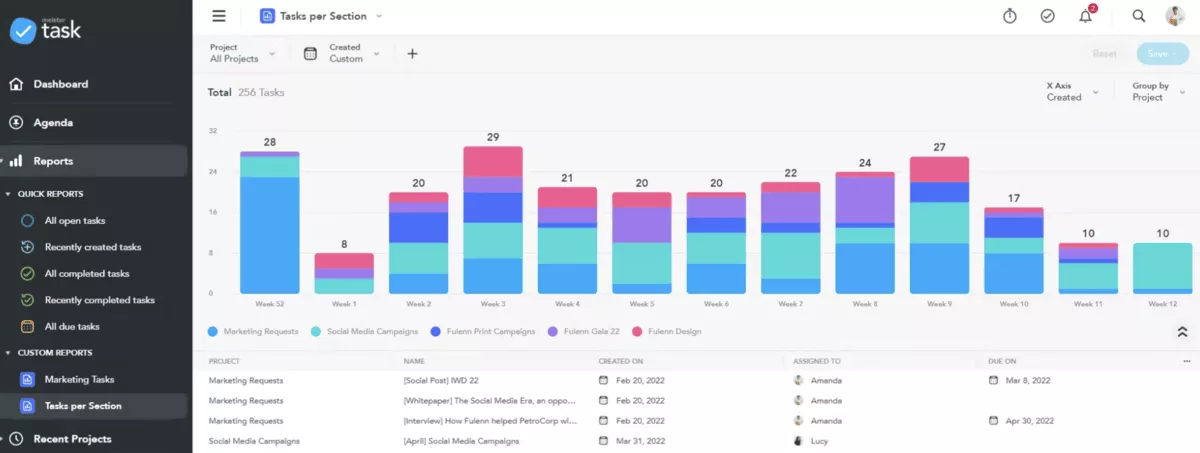
SOurce: meistertask
Pros
- The interface is clean and easy to understand, which helps new users get started quickly.
- Boards feel focused and uncluttered, which suits teams who do not want complex views.
- Simple automations handle routine steps such as moving tasks or updating statuses.
- A free version for light use lets teams try it without a budget decision.
Cons
- Reporting is limited, so you cannot easily analyse performance across many boards or clients.
- There are a few options for resource planning or workload views.
- Lacks advanced permissions and controls that larger companies sometimes need.
- You may outgrow it quickly if your work includes many parallel streams or complex dependencies.
Final Verdict
MeisterTask works well when you only need a clean Kanban board and a few automations to replace Basecamp lists. Skip MeisterTask if you manage many clients, complex staffing, or need deeper reporting, because you will hit its limits and start patching around it.
10. GoodDay – Best for Many Project Views and Workflow Automation
GoodDay is a work management tool that offers many different views and workflow options. It helps teams look at work as tasks, timelines, goals, and portfolios, which gives more structure than Basecamp without moving all the way to an enterprise platform.
Core Features
- Multiple task views, including lists, boards, and timelines
- Custom workflows and statuses
- Built in time tracking and team collaboration
- Goals and portfolio style overviews
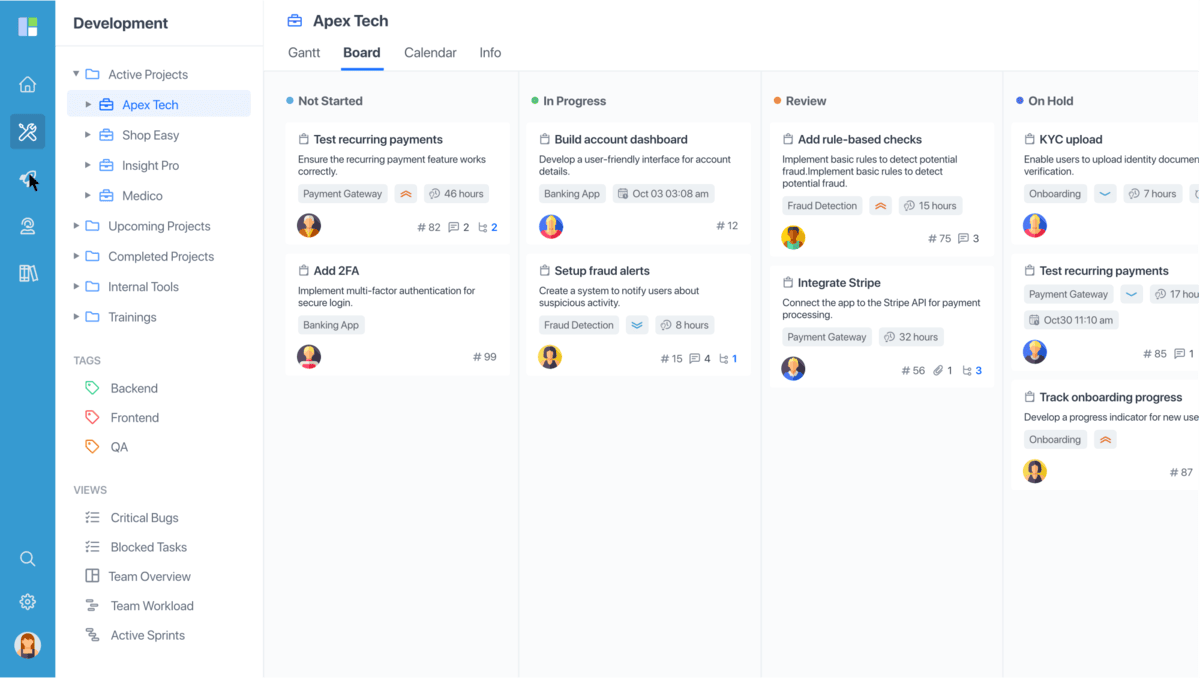
SOurce: goodday
Pros
- Offers many ways to visualise work, which helps different roles pick the view they prefer.
- Workflow configuration is flexible, so you can mirror your internal process more closely.
- Pricing is competitive, which makes it attractive for teams that need more features on a budget.
- Time tracking and goals features help you keep plans and execution in the same tool.
Cons
- The interface can feel busy, especially when many views and options are enabled.
- Some integrations and reports are not as polished as in more established tools.
- New users may find the number of options overwhelming at first.
- Support materials and documentation can lag behind new features.
Final Verdict
GoodDay makes sense if you have outgrown Basecamp and want more structure, views, and automation without paying for an enterprise suite.
Skip GoodDay if your team prefers a very minimal interface or you need mature integrations and reporting, because you may spend extra time taming the complexity.
Why Look for Basecamp Alternatives?
Teams look for Basecamp alternatives because their projects, clients, and teams outgrow what Basecamp can handle. Most agencies reach this point when they need clearer control over time, budgets, and workloads, not just shared to do lists.
- Basecamp does not include built in time tracking or project budgets, so teams fall back to spreadsheets or separate apps. That makes it harder to see how many hours go into a fixed fee project, whether you are over servicing a client, or which retainers are healthy.
- Basecamp also has no proper resource planning. You can assign to dos, but you cannot see who is at capacity, who has room next week, or how time off affects deadlines. Agencies rebuild this view in separate spreadsheets or rely on ad hoc check ins to plan staffing.
- Reporting is basic, so there is no simple way to see project status, budget health, and team utilisation in one place. Many users add extra tools for time tracking, invoicing, resourcing, and calendars, which adds friction and makes it harder to keep a single source of truth.
Don’t get us wrong, Basecamp is an amazing tool that reviewers on review sites often praise for its simplicity and communication. However, others say it falls short once work involves multiple teams, many clients, or detailed reporting needs.
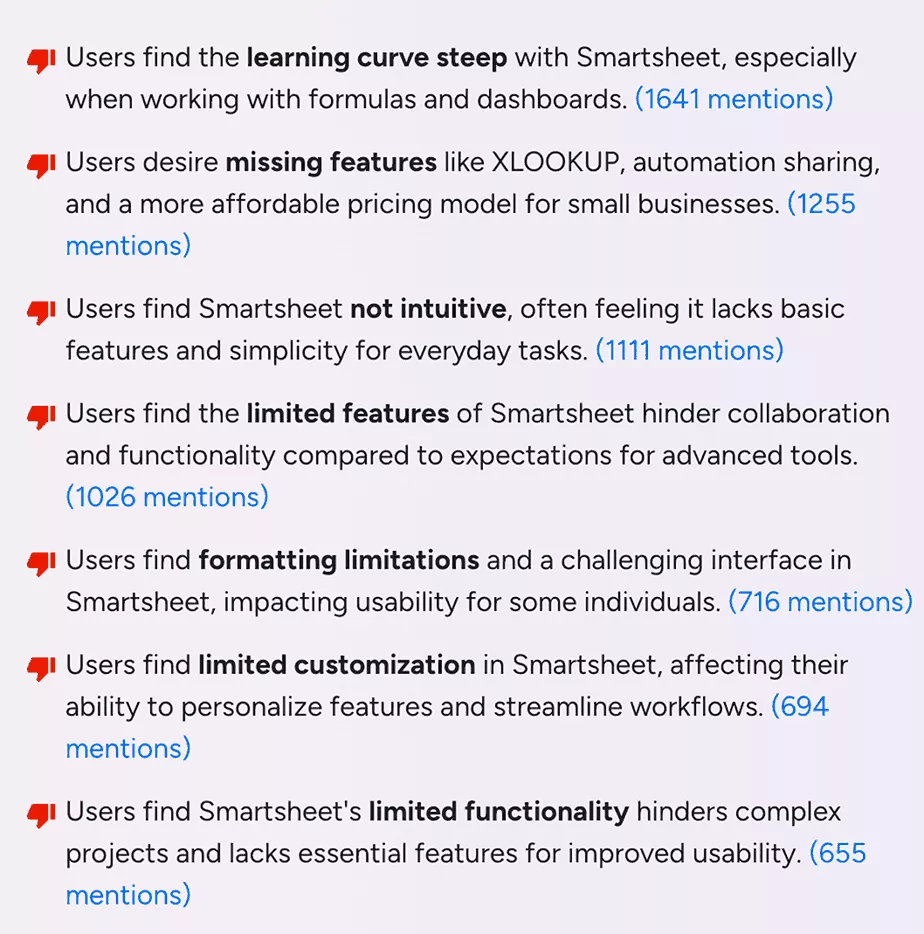
SOurce: G2 REVIEWS
How To Choose the Best Basecamp Alternative for Your Team?
The best Basecamp alternative for your team is the tool that fits your workflows, budget, and reporting needs without adding unnecessary complexity.
Instead of comparing long feature lists, use a simple process to understand how you work today and test a short list of tools with real client projects.
Project Management Software Buyer’s Guide
Download our template to guide your decision-making process with feature lists and dynamic scoring & ranking.

Step 1: Map how you use Basecamp today
Start by listing your current projects, message boards, to dos, and files. Note which parts help your team ship work smoothly and which create friction, such as missing time tracking, scattered client feedback, or confusion about who owns what.
Step 2: Define your non-negotiables
Turn your pain points into clear requirements. Decide which capabilities you must add that Basecamp does not cover well, such as native time tracking, margin visibility, capacity or project planning, better task hierarchy, or client portals.
Keep this list visible and use it as a scoring sheet for every tool you evaluate.
Step 3: Pick the type of tool you need
Choose the category of tool that best matches your needs. All-in-one agency operations platforms combine projects, time, budgets, and reporting.
General project management and collaboration tools focus on planning and communication, but often rely on other systems for financials. Lightweight Kanban tools replace Basecamp lists with visual boards, but usually stop at task tracking.
Step 4: Shortlist and test with real client work
Shortlist two or three tools and run the same client project or internal initiative in each during a trial. Ask your team to rate how easy it is to set up a project, share tasks, track time, see budget status, and report on progress.
Use these trial projects to make a final decision based on day-to-day experience rather than demos alone. Take into account customer support reviews.
Bonus: Basecamp Migration Checklist
When you are ready to switch, treat migration as a small project. To make it easier for you, we’ve prepared a practical checklist for your Basecamp migration:
- Audit active projects, message boards, and to dos, and decide what needs to move and what can be archived.
- Map Basecamp structures, such as projects and lists, to the equivalent spaces and views in your new tool.
- Set up a pilot with a small group of projects or clients to validate your new workflows.
- Document the new way of working, including how to create projects, assign work, track time, and report on status.
- Train your team and give them a simple checklist for setting up new projects in the replacement tool.
- Inform clients about the change, explain how they will access projects or portals, and set expectations for dates.
- Choose a clear cutoff date and make it read-only after that date so work does not split across systems.
What Other Tools Are Similar to Basecamp?
Other tools similar to Basecamp are Hive, Asana, Breeze, OpenProject, nTask, and many more. These did not make the main list but are still worth a quick look, and maybe a little consideration.
The table below highlights our top 5 bonus picks, along with who they suit and why some teams might pick them instead.
| Tool | Best for | Why it might beat Basecamp |
|---|---|---|
| 11. Hive | Teams that want chat, tasks, and proofing in one place | Stronger project views for creative work and more integrations |
| 12. Asana | Teams that want structured task hierarchies and timelines | Clearer task structure, dependencies, and timelines for complex projects |
| 13. Breeze | Small teams that want simple Kanban boards and light reporting | Easier to visualise workflow and progress across boards while staying minimal |
| 14. OpenProject | Teams that want a self hosted project tool with strong planning | On premise option and advanced planning tools for organizations avoiding SaaS |
| 15. nTask | Teams that need built in time tracking alongside task management | Built in time tracking and issue management without relying on extra apps |
Final Thoughts
Basecamp remains a good fit for very small teams that only need straightforward communication and light project management.
Once your agency needs visibility into time, capacity, budgets, and profitability across many clients, Basecamp becomes hard to stretch without adding more tools and manual work.
If you want one place for projects, time, budgets, and reporting, you should book a quick 30- demo with Productive.
Connect With Agency Peers
Access agency-related Slack channels, exchange business insights, and join in on members-only live sessions.
