SWOT Analysis in Project Management: Steps, Template (2026)

SWOT analysis in project management is a review of one project’s strengths, weaknesses, opportunities, and threats before delivery starts. Run it to find an overbooked developer, a missing contract clause, or late client copy before hours are spent.
You get five steps that end with named owners, a way to turn findings into strategies, and a template. Start with what a project-level SWOT covers.
Key Takeaways:
- A SWOT for a project covers one project’s scope, dates, team, and budget, not the company’s market position.
- Run the SWOT at kickoff and again when a named trigger fires, like a margin drop or new sponsor.
- Tie every item to a source: the statement of work, the resource plan, the budget forecast, or closeout notes.
- Items that score 12 or more on impact times likelihood get an owner, a due date, and a trigger.
- Log those actions as tasks in your project management tool, where the team can see each owner and date.
What Is SWOT Analysis in Project Management?
Project SWOT analysis is a review of one project’s internal strengths and weaknesses and its external opportunities and threats. You run it at kickoff and on named triggers, and it ends with an owner for every high-scoring item.
The Project Management Institute (PMI) calls opportunities positive risks and threats negative risks. Because a threat is a risk, each one you list is a ready entry for the project’s risk register.
How It Differs From a Company-Level Analysis
A company-level analysis differs from a project one in owner, scope, and time horizon. Leadership runs a company SWOT as part of strategic management, to find a competitive advantage.
A project manager (PM) runs one on a single project to test whether its scope, team, and budget hold. Store the project version with the project’s plan, bookings, and budget in your project management tool.
| Company-level | Project-level | |
|---|---|---|
| Scope | The whole business: its business models and market competition | One project’s scope, dates, team, and budget |
| Time horizon | A year or more, tied to business planning | The project’s duration, usually weeks or months |
| Inputs | Financial reports, competitive analysis, market share data, and market trends | The statement of work (SOW), resource plan, budget forecast, and closeout notes |
| Owner | The leadership team, as part of strategic planning | The delivery owner named in the SOW |
Internal and External Factors on a Project
SWOT analysis factors fall into two groups, depending on whether the team controls them. In a 2×2 SWOT matrix, internal factors fill the top row and external factors fill the bottom row.
- Strengths: what the team or its contract controls that makes delivery easier, like a reusable design system.
- Weaknesses: gaps of internal origin, like a developer booked over capacity or a missing SOW clause.
- Opportunities: external events or terms the project can use, like a vendor discount with a deadline.
- Threats: external events that can hurt scope, dates, or margin, like late client approvals.
Opportunities and threats come from the external environment: the client’s business environment, vendors, and regulators. If the team can change an item before the project closes, it is internal.
If it depends on the client, a vendor, or a regulator, it counts among the external factors.
When Should You Run a SWOT Analysis on a Project?
Run a SWOT analysis at project kickoff, before bookings are locked, and again whenever a named trigger fires. Hold the first session after the SOW is signed and before you finish project planning.
By then, the project initiation phase has produced the SOW and the project charter. Rebooking a person or amending a clause still costs nothing at this stage.
In Productive, add the SWOT session and its follow-up tasks to your kickoff project template. Project templates copy their tasks, assignees, and custom fields into every new project.

Break up the kickoff into multiple dependent tasks with clear owners.
When the project closes, copy the strengths that held and the weaknesses that caused overruns into the estimate notes. The next similar project’s SWOT then starts from items your team has already tested.
Triggers That Call for a Re-Run
Re-run the analysis after a margin drop, a big change request, a key person’s absence, or a new approver. You priced a margin at kickoff, and halfway through you need to know whether it is still there. Use these example thresholds or set your own:
- Forecast margin drops under the floor agreed at kickoff, for example five points short of plan. Re-score the weaknesses and threats tied to budget.
- An approved change request adds more than 10% to budgeted hours. Re-run the whole matrix.
- A key person is out for two weeks or more. Re-check the weaknesses tied to bookings.
- The client’s sponsor or approver changes. Re-check the threats tied to approvals and scope.
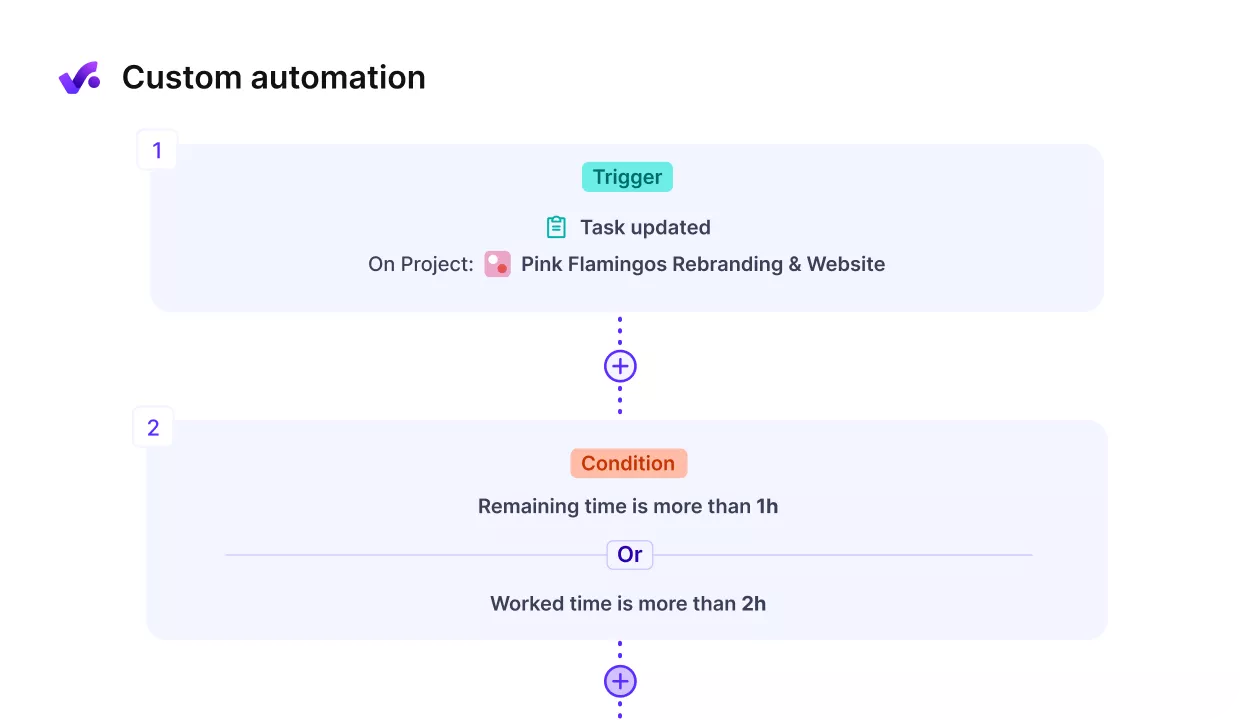
Automate the triggers with Productive’s no-code automations.
How to Do a SWOT Analysis for a Project
Run a project’s SWOT analysis by naming the decision, gathering evidence, holding a workshop, scoring items, and assigning owners.
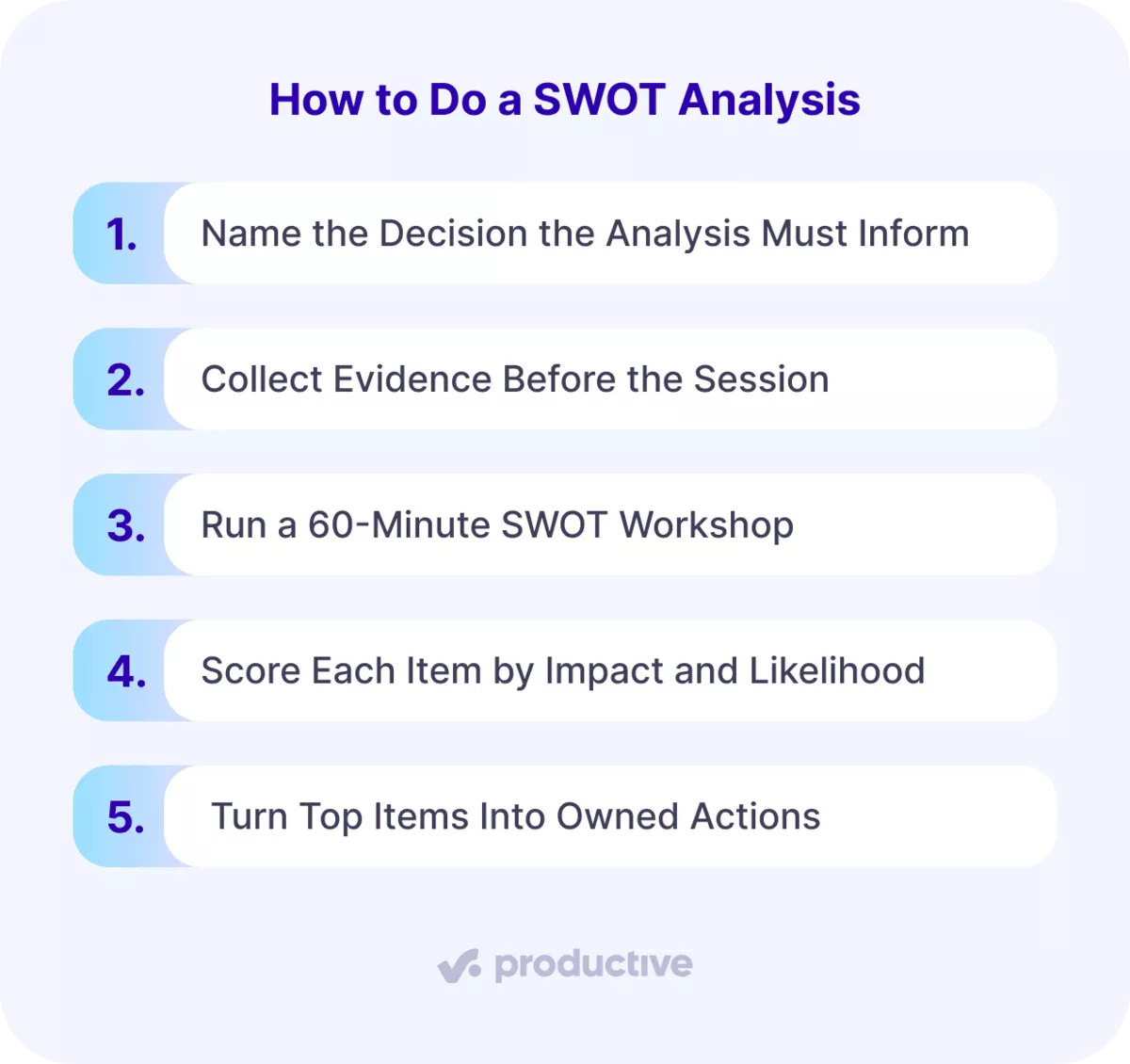
Step 1: Name the Decision the Analysis Must Inform
Name the decision the SWOT must inform before anyone lists an item. Open the signed SOW or the project brief and list the three things it fixes: scope, dates, and fee. Then write one sentence naming the decision, with the scope, the date, and the margin in it.
Example: whether to commit to 25 page templates and 180 migrated pages in 12 weeks at a 30% margin.
That sentence ties the project objectives and project goals to the agreed project scope. A SWOT analysis for project management starts from this decision sentence. If the PM cannot write it in one sentence, postpone the session until the SOW answers it.
Step 2: Collect Evidence Before the Session
Two working days before the workshop, send everyone an evidence pack with four documents:
- SOW assumptions: scope limits, approval dates, and anything the client must supply.
- Resource plan: resource allocation week by week across the project timeline.
- Budget forecast: labor costs against the fee, by month.
- Closeout notes from the last three similar projects: where past cost overruns started.
Use the pack as your risk identification input to identify risks before delivery starts. Add a short form that asks the team and the client contact for items in each quadrant.
Past timesheets show only what already happened, so include forward bookings and the forecast as well. Your team cannot protect a budget it has never seen, so everyone in the room reads the same forecast.
Any item raised without one of these sources goes into an Unverified column and cannot take a top-three slot.
In Productive: Forms collect input from the team and the client before the session.
The resource planner shows who is booked and who can take on more work. Use it to check who is booked next month. Forecasts show cost and profit margins based on scheduled work.
Step 3: Run a 60-Minute SWOT Workshop
The PM runs the SWOT workshop with the project team’s delivery leads, the account lead, and a finance partner. Add subject-matter experts for the riskiest work, such as the migration lead or a business analyst. Invite the client sponsor, one of your key stakeholders, for the last 20 minutes. Do this when the client’s management team will review the output.
Split the 60 minutes into four blocks:
- 10 minutes: everyone reads the evidence pack.
- 10 minutes: silent listing, where each person writes at least three items alone.
- 20 minutes: round-robin read-out, one quadrant at a time, one item per person per turn.
- 20 minutes: sort each item with the internal-or-external test and attach its source.
Silent listing comes before open brainstorming because writing alone first keeps the first speaker’s items from setting everyone’s list. Save open brainstorming for the round-robin, which keeps the read-out a team effort.
The session passes when every item has a quadrant and a source. Anything unsorted at minute 60 goes into the Unverified column.
In Productive: the AI Notetaker can record the session and its decisions. It links recordings and notes to the project, so the discussion and the matrix are in the same project.
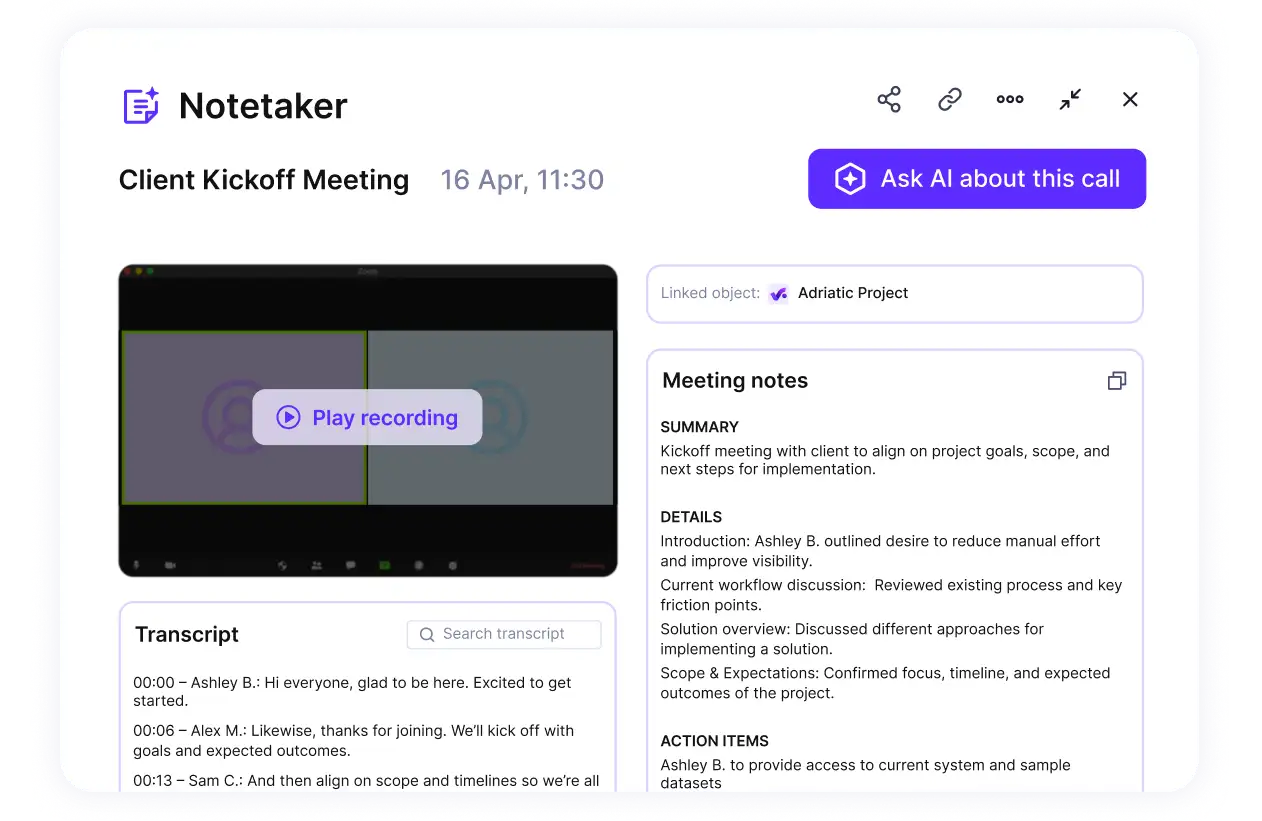
Recored your meetings and convert them into actions steps and objectives.
Step 4: Score Each Item by Impact and Likelihood
Take the sorted matrix from Step Three and score each item for impact and likelihood from 1 to 5. Multiply the two and enter the score in the scoring log from the template.
- Impact: 1 means no change to scope, dates, or margin. 5 means the project misses its launch date or margin floor.
- Likelihood: 1 means unlikely during this project. 5 means it is already happening.
Multiplying impact and likelihood is standard in qualitative risk analysis. It gives decision-making in the room one number per item. Score strengths and opportunities the same way: impact on the decision times the likelihood that the item plays out.
A threat that has not happened yet still gets a likelihood score, so it can outrank today’s problems.
Project risks and other items at 12 or more get an owner in Step Five. Treat 12 as a starting point and adjust it once you have scored a few projects. Keep at most three items per quadrant at 12 or more. If more qualify, re-score that quadrant with the finance partner.
Scoring is the part of the SWOT technique that sets the order of work. The step passes when every quadrant is ranked and no item at 12 or more lacks a source.
Step 5: Turn Top Items Into Owned Actions
Turn every item at 12 or more into an owned action before the session ends. Each one gets an owner, a due date, and a trigger. Weaknesses and threats become risk register entries with six fields: ID, description, owner, trigger, response, and review date. Move each threat into your risk register on the day of the session.
Strengths and opportunities become tasks in the plan, such as a phase-two proposal with a date. Together, these entries and tasks are the project’s action plan. Log over-servicing the same way: its trigger is the first client request outside the SOW.
Each register entry’s response field holds the risk mitigation step, plus a contingency plan if the trigger fires. Review the open entries at every weekly status meeting, which is where risk management happens on a live project.
The review also shows which risk management strategies held up and which did not. An item at 12 or more without an owner or a date reopens at the next status meeting.
In Productive: the AI Notetaker turns action items from the session into tasks with assignees. You can track threats as tasks in a Risks task list, with task custom fields for impact and likelihood.
Run Your SWOT on Current Bookings and Budgets
See who is booked and your forecast margin before the workshop, then track each threat as an owned task.

Project SWOT Analysis Example: Agency Website Redesign
This SWOT analysis example follows one project SWOT for a fictional agency, from the matrix to the owners. The agency is redesigning a client’s website in 12 weeks at a fixed fee.
The scope covers 25 page templates and 180 pages moved to a new content management system (CMS). Treat it as a SWOT project management example: copy the structure, then swap in your own items and sources.
The Filled Matrix and Its Sources
Each item in this SWOT matrix cites the document it came from.
| Helpful | Harmful | |
|---|---|---|
| Internal | Strengths. S1: three CMS migrations delivered in the last 12 months, each within 5% of estimated hours (closed-project reports). S2: design-system components from a previous build cover most of the 25 templates (estimate sheet). | Weaknesses. W1: the senior front-end developer is booked at 120% in weeks 3 to 6 (resource plan). W2: the SOW sets copy delivery for week 4 with no clause for late copy (signed SOW). |
| External | Opportunities. O1: a discounted vendor migration service imports the 180 pages if the move finishes this quarter (vendor quote). O2: the client launches a product in week 14 and will need landing pages (kickoff call notes). | Threats. T1: client copy may run late, since their content lead works two days a week (org chart, discovery notes). T2: the request for proposal (RFP) promises “additional pages as needed”, inviting requests beyond the SOW (RFP document). T3: the client’s legal team flagged an accessibility requirement that may add testing work (legal team email). |
Five of the nine items are external factors. The two late-copy items show the sorting test. The client’s lateness is a threat, and the missing SOW clause is the team’s weakness. Vendor discounts count as opportunities only when they carry a date, like O1’s quarter-end deadline. Regulatory changes such as T3’s accessibility requirement are threats because the team cannot control them.
Two threats depend on the client’s management team: the content lead’s schedule and the legal review. The project team can act on all four internal items before kickoff.
Check W1 first: a booking over 100% appears in the resource plan weeks before it causes a missed date. If your current tool cannot show that, compare capacity planning software before the next kickoff.
Scores and Owners
Eight of the nine items score 12 or more, so eight get owners.
| Item | Impact | Due date or trigger | Score | Owner | Due date or trigger |
|---|---|---|---|---|---|
| S1 migrations | 4 | 4 | 16 | Account lead | Pitch phase two at the week-8 review |
| S2 components | 3 | 4 | 12 | Design lead | Component audit in week 1 |
| W1 senior developer | 5 | 4 | 20 | PM | Move 32 hours to the second front-end developer before kickoff |
| W2 SOW clause | 4 | 3 | 12 | Account lead | SOW amendment signed before kickoff |
| O1 migration service | 3 | 4 | 12 | Back-end lead | Book the service before week 2 |
| O2 product launch | 4 | 3 | 12 | Account lead | Paired with S1 at the week-8 review |
| T1 late copy | 4 | 4 | 16 | Account lead | Trigger: copy five working days late |
| T2 extra pages | 4 | 3 | 12 | PM | Trigger: first request for a page outside the 25 templates |
| T3 accessibility | 3 | 2 | 6 | None yet | Re-score when legal confirms the requirement |
W1 has the highest score. The senior developer is booked at 48 hours a week against 40, which is 8 hours over. Over 4 weeks, that is 32 hours to move. The second front-end developer is booked at 70%, which leaves 12 hours a week.
Across weeks 3 to 6, that is 48 free hours, enough to take all 32.
W1 and T1, the highest-scoring weakness and threat, are where cost overruns would start. T2 is how unplanned pages turn into cost overruns, which is why its trigger is the first request.
How Do You Turn SWOT Findings Into Strategies?
You turn SWOT findings into strategies by pairing each internal item with an external one in a TOWS matrix. SO uses strengths to take advantage of opportunities, and WO takes advantage of opportunities to overcome weaknesses.
ST uses strengths to avoid external threats, and WT minimizes weaknesses and avoids threats. Each strategy pairs one internal item with one external item, which ties strengths and weaknesses to a named event.
Four Pairings Applied to the Redesign
Applied to the redesign, the four pairings turn the scored opportunities and threats into dated actions.
- SO (S1 + O2): pitch the week-14 landing pages as phase two at the week-8 review. Cite the three migrations delivered within 5% of estimate.
- WO (W1 + O1): book the vendor’s migration service for the 180-page import before week 2. That cuts the senior developer’s load in weeks 3 to 6, in addition to the 32 rebooked hours.
- ST (S2 + T2): price any page outside the 25 templates against the existing component library. Issue a change order before work on it starts.
- WT (W2 + T1): amend the SOW so copy is due at the end of week 4. Five working days after a missed copy date, the team builds with placeholder copy. The launch date then moves by the length of the delay.
ST and WT are the two answers to external threats, and WT goes first because it changes the contract.
SWOT Matrix Template for Projects
Copy this SWOT matrix into a project doc and replace each guidance line with items from your own project.
| Helpful | Harmful | |
|---|---|---|
| Internal | Strengths: what your team or contract controls that makes this scope easier. Cite the source: closeout report, estimate sheet, or reusable asset. | Weaknesses: internal gaps, such as people booked over 100% in any week, missing SOW clauses, or untried work. Cite the resource plan or the SOW. |
| External | Opportunities: dated outside events or terms you can use, such as vendor offers or client launches. Cite the quote, email, or call notes. | Threats: outside events that put scope, dates, or margin at risk, such as client inputs nobody owns. Cite the document. |
Fill one SWOT analysis matrix per project, so every item ties to a single SOW. An empty cell is fine: the SWOT framework does not require four lists of equal length. In Productive, keep the SWOT analysis template as a table in a project Doc.
Guiding Questions for Each Quadrant
Use these guiding questions to fill each quadrant:
- Strengths: Which parts of this scope has the team delivered before, and how close to estimate?
- Weaknesses: Who is booked over 100% in any week of the plan, and which SOW assumptions have no fallback?
- Opportunities: What is the client planning in the next two quarters that this project could support?
- Threats: Which client inputs does the plan depend on, and who on the client’s side owns each one?
Scoring and Owner Log
Log every item here after the workshop, one row per item.
| Item | Source | Impact (1 to 5) | Likelihood (1 to 5) | Score | Owner | Due date | Trigger |
|---|---|---|---|---|---|---|---|
| One specific sentence | Document and date | 1 to 5 | 1 to 5 | Impact times likelihood, calculated by hand | One named person | Date | The event that reopens it |
What Are the Most Common Mistakes With the SWOT Method?
The most common SWOT method mistakes are company-level scope, misfiled factors, unsourced items, unranked lists, and findings nobody owns.
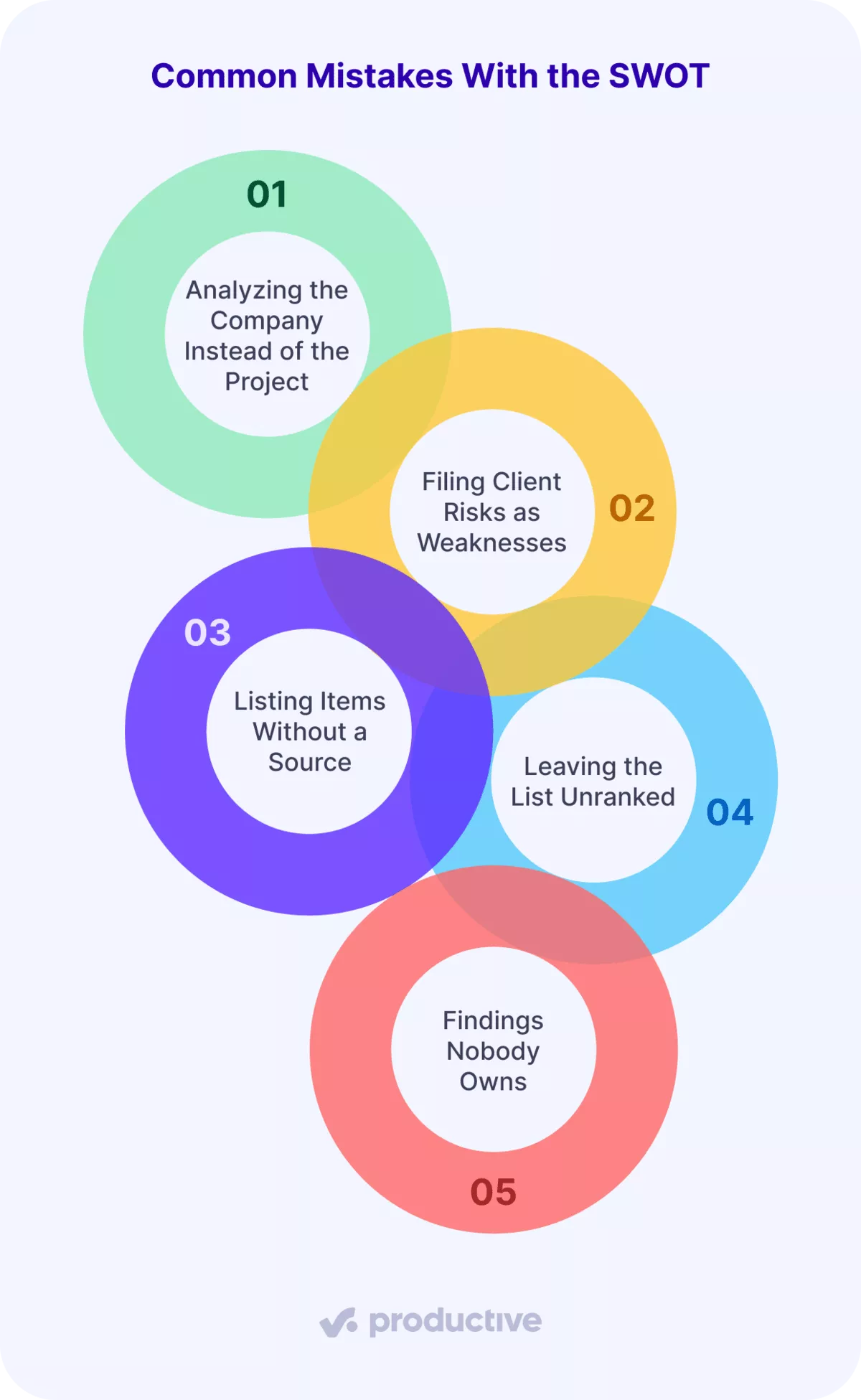
1. Analyzing the Company Instead of the Project
Items like “strong brand” or a competitive product analysis describe the company and change nothing on this project. Put the decision sentence from Step One at the top of the matrix. Delete any item that would not change that decision.
2. Filing Client Risks as Weaknesses
Filing late client copy under weaknesses hides who has to act. Apply the sorting test: the lateness belongs to the external factors. Weaknesses are internal factors, so the weakness is whatever in your SOW leaves the team exposed to it.
3. Listing Items Without a Source
Project strengths without a source, like “experienced team”, give the session nothing to check. A sourced version reads: three CMS migrations in 12 months, each within 5% of estimate (closeout reports). The source rule from Step Two applies to every cell.
4. Leaving the List Unranked
Leaving a flat list of strengths, weaknesses, and threats unranked means the team works on the easiest item first. Score every item as in Step Four, and give owners only to items at 12 or more.
5. Findings Nobody Owns
Findings nobody owns turn into cost overruns nobody planned for. This happens when the matrix is presented at kickoff and never opened again. Apply the owner, date, and trigger rule from Step Five. Then run a five-minute SWOT review at each status meeting.
What Are the Limitations of SWOT Analysis?
SWOT analysis has three limitations: it captures one moment, rests on judgment, and leaves cost and schedule unsized.
- One moment: the matrix shows conditions on the session day, and bookings, scope, and client contacts change after it. The re-run triggers keep it current.
- Judgment: scores are the team’s expert judgment, so the source column and the finance partner’s numbers check them.
- Unsized impact: no SWOT analysis framework puts a cost or a date on an item. Size each owned item in the budget forecast and the schedule.
When to Use a Risk Register, PESTEL, or a Feasibility Study
Use a different tool when the job is tracking, market context, or a go/no-go call:
- A risk register tracks each risk’s owner, trigger, and status through delivery. The SWOT finds risks, and the register follows them.
- A PESTEL analysis scans the client’s wider market before a multi-quarter program, an input to strategic planning. The shorter PEST analysis drops the environmental and legal factors.
- A feasibility study answers go or no-go before the project is approved, during initiation.
For other options, browse a wider set of project management techniques.
FAQ
How long does a SWOT take on a project?
The workshop takes 60 minutes. The PM also pulls the evidence pack beforehand, from documents the team already keeps.
Can you run a SWOT on a small project?
Yes. Cut it to a 20-minute session with the PM and one delivery lead, and score only weaknesses and threats.
Should the client see your project management SWOT?
Share the opportunities and threats tied to client inputs, such as copy dates, approvals, and scope requests. That way, the client’s owners can act on them. Keep internal weaknesses, such as staffing, inside the team.
Where does SWOT fit in the PMBOK risk process?
PMI’s PMBOK Guide lists SWOT analysis as a data analysis technique in the Identify Risks process. The scoring step matches qualitative risk analysis, and the risk register records the results.
Final Thoughts
A SWOT analysis changes the plan only when each item has a source, a score, and an owner. When bookings, budgets, and tasks are in separate tools, you rebuild the evidence pack by hand. All-in-one project management software keeps them in one system, so the evidence is current when a trigger fires.
If you want to see bookings, forecasts, and SWOT follow-up tasks together, book a Productive demo.
Keep Every SWOT Threat Owned and Tracked
Log each threat as a task with custom fields for impact and likelihood, then assign an owner.