PSA vs ERP: What’s the Difference & Which One Do You Need?

Many people are unsure what the difference is between PSA vs ERP, or which system is best suited to their business. Both often come up in the same buying conversations, but they are built to solve different problems. If you want to determine which solution aligns with your company and why, this guide will walk you through it.
In this article, we will break down the main differences between PSA and ERP, what each system actually does, and when you should choose one over the other. We will also look at how their implementation differs and whether it makes sense to use PSA and ERP together.
Key Takeaways
- PSA is used for running service-based client work, while ERP is used for managing financial and internal business operations: PSA helps teams manage projects, time, budgets, resources, and billable work, while ERP helps service firms handle budgeting, invoicing, financial reporting, and the general ledger in one system.
- Choose PSA when your business runs on client projects and billable time, and choose ERP when you need stronger financial and operational control: PSA fits project-based service delivery, while ERP fits broader internal control.
- PSA is faster to implement than ERP: PSA can usually be set up and adopted quickly by delivery teams, while ERP takes longer because it involves finance, leadership, and changes to company-wide processes.
- Using both systems makes sense only when one tool cannot support both delivery and finance properly: This usually applies when a business needs PSA for project delivery, time, and resourcing, but also needs ERP for accounting, payroll, and broader financial reporting.
What Is the Difference Between PSA vs ERP?
The difference between PSA vs ERP is that PSA is built to run client delivery in professional services organizations, while ERP systems are built to manage broader financial and operational processes across the whole company.
To make that distinction easier to scan, the table below compares PSA and ERP side-by-side.
| Comparison area | PSA | ERP |
|---|---|---|
| Primary purpose | Manage projects, people, time, budgets, billing, and client delivery | Manage company-wide finance, operations, procurement, payroll, and other core processes |
| Best fit business type | Service firms that run on client work and billable time | Businesses that need broader back-office and operational control |
| Typical users | Agency leaders, project managers, operations teams, delivery teams | Finance leaders, operations leaders, executives, department heads |
| Project management depth | Usually strong and built into daily delivery | Often lighter or secondary to broader business management |
| Resource manager | Built around staffing, utilization, and delivery capacity | Usually limited, basic, or handled in a separate tool |
| Time tracking | Core part of the workflow | Sometimes included, but usually not the center of the system |
| Billing and invoicing | Closely tied to project work, budgets, and time logged | Managed at the accounting or financial system level |
| Profitability visibility | Easier to track at project, client, and service-line level | Stronger at company, department, or entity level |
| Financial management scope | Focused on service delivery economics | Broader accounting and operational control |
| Inventory / procurement | Usually limited or not relevant | Usually much stronger and more developed |
| Reporting focus | Delivery, utilization, budgets, margins, and client work | Company-wide finance, operations, and overall business performance |
| Ideal business goal | Deliver client work profitably and keep projects under control | Standardize and control the wider business |
The easiest way to read this table is to focus on where each system adds the most value. PSA is stronger when the day-to-day challenge is managing client work, which usually means projects, people, time, budgets, and delivery progress. ERP is stronger when the bigger challenge is running the business around that work, which usually means finance, reporting, approvals, and broader internal operations.
That is why these systems can overlap in some areas without solving the same problem. PSA software helps service teams run their work, while ERP helps leadership and finance teams manage the business side more consistently.
If you also want to understand where ERP fits next to customer relationship management software, our ERP vs CRM comparison is a useful next read.
From here, the clearest next step is to look at each system on its own, starting with PSA software and what it is actually built to do.
What Is PSA Software?
PSA software, or professional services automation software, is a system designed to help service businesses manage projects, people, time, budgets, and billing in a single place.
At its core, PSA systems support professional services project management by planning, running, and tracking multiple client projects simultaneously while keeping budgets, timelines, and resources under control. PSA systems also often include project management tools such as Gantt charts and Kanban boards.
You will usually see PSA in agencies, consultancies, IT services firms, and other teams that run on client work. It is built for delivery, not for inventory or supply chain operations.
For professional services organizations, PSA systems are usually used for:
- planning and running projects
- tracking time and budgets using real-time data
- scheduling people and managing workloads
- monitoring delivery progress
- supporting billing based on the work completed
- keeping client-facing projects more organized
Once that is clear, we will look at all the benefits of using PSA.
What Are the Benefits of PSA Solutions?
The main benefits of PSA solutions are better visibility into projects and budgets, stronger resource planning, more accurate time and expense tracking, clearer profitability tracking, and fewer disconnected tools.
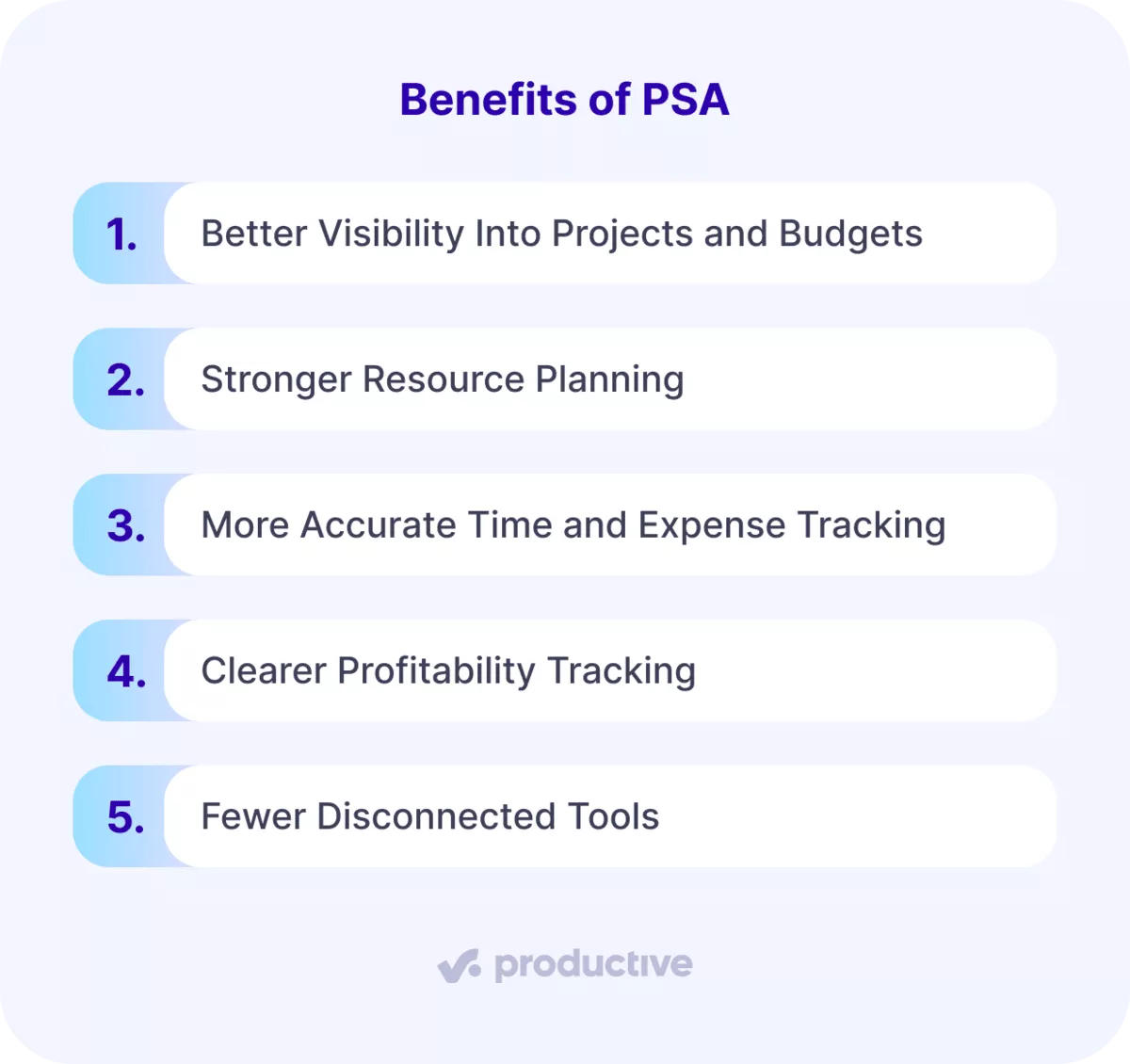
Each benefit helps a different part of the delivery run more smoothly, so it is worth looking at them one by one.
- Better visibility into projects and budgets. With professional services automation, teams can see project status, budgets, deadlines, and project costs in one place. That makes project management less reactive because you don’t have to wait for updates from three different systems.
- Stronger resource planning. PSA systems make resource scheduling easier by connecting schedules, workloads, and actual delivery needs. That gives teams a clearer view of resource allocation, management, and utilization before staffing problems turn into deadline problems.
- More accurate time and expense tracking. When expense tracking sits close to the work itself, teams are less likely to miss billable hours or lose track of what should be invoiced. That matters a lot in service businesses, where small gaps in time tracking can quietly chip away at margins.
- Clearer profitability tracking. This is one of the biggest reasons firms adopt PSA software. When project accounting is tied to time, budgets, and delivery, it becomes much easier to understand project profitability and protect profit margins while work is still in progress.
- Fewer disconnected tools. PSA reduces the need to manage projects, timesheets, invoicing, and reporting across separate systems. That means less admin work and a clearer view of delivery.
Many services firms still run on 4-7 disconnected tools and manually stitch project data together. That makes reporting slower and financial visibility harder to trust.
This is what a connected system should fix. With Productive’s Budgets, tracked time and costs flow directly into budget burn and live margin visibility.
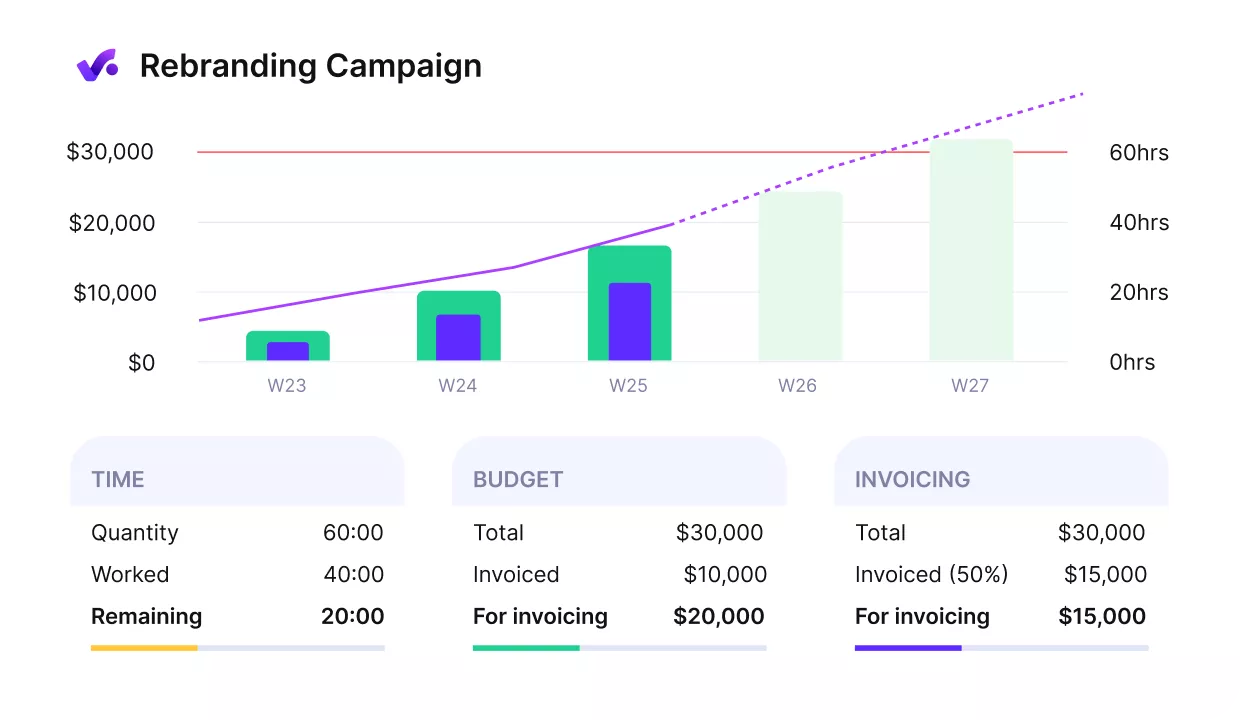
WITH PRODUCTIVE, TRACK BUDGETS AND PROFITABILITY IN REAL TIME.
The overview shows a live financial snapshot, and forecasting charts use scheduled work to show where a project is heading next. That cuts down the manual reconciliation that usually comes with disconnected systems.
Get full control of all your budgets in Productive
Now that the PSA side is clear, it is easier to look at ERP and see where it fits differently.
What Is ERP Software?
ERP (Enterprise Resource Planning) software is a system that helps a business manage its internal operations in a single platform.
In practice, ERP is the system many companies use to connect finance, reporting, approvals, and core business operations. Instead of chasing numbers across separate tools, teams can work from one shared set of financial data.
For professional services organizations, ERP systems are usually used for:
- project costing and budgeting
- resourcing and capacity planning
- invoicing and financial reporting
- tracking delivery performance
- managing the general ledger and financial management
That matters because service firms still need solid internal control, even if they do not deal with inventory or production. You still need to know whether budgets are accurate, whether invoicing matches the work delivered, and whether reporting reflects what is actually happening in the business.
A cloud-based ERP solution also makes that information easier to access across teams, which is useful when finance, ops, and leadership all need a reliable view of the same numbers.
The broader definition matters because it sets up the next question: what do you actually gain from an ERP system once it is in place?
What Are the Benefits of ERP?
The main benefits of ERP are improved visibility, stronger financial oversight, better alignment between daily work and long-term goals, more consistent workflows, and greater agility as the business gets more complex.
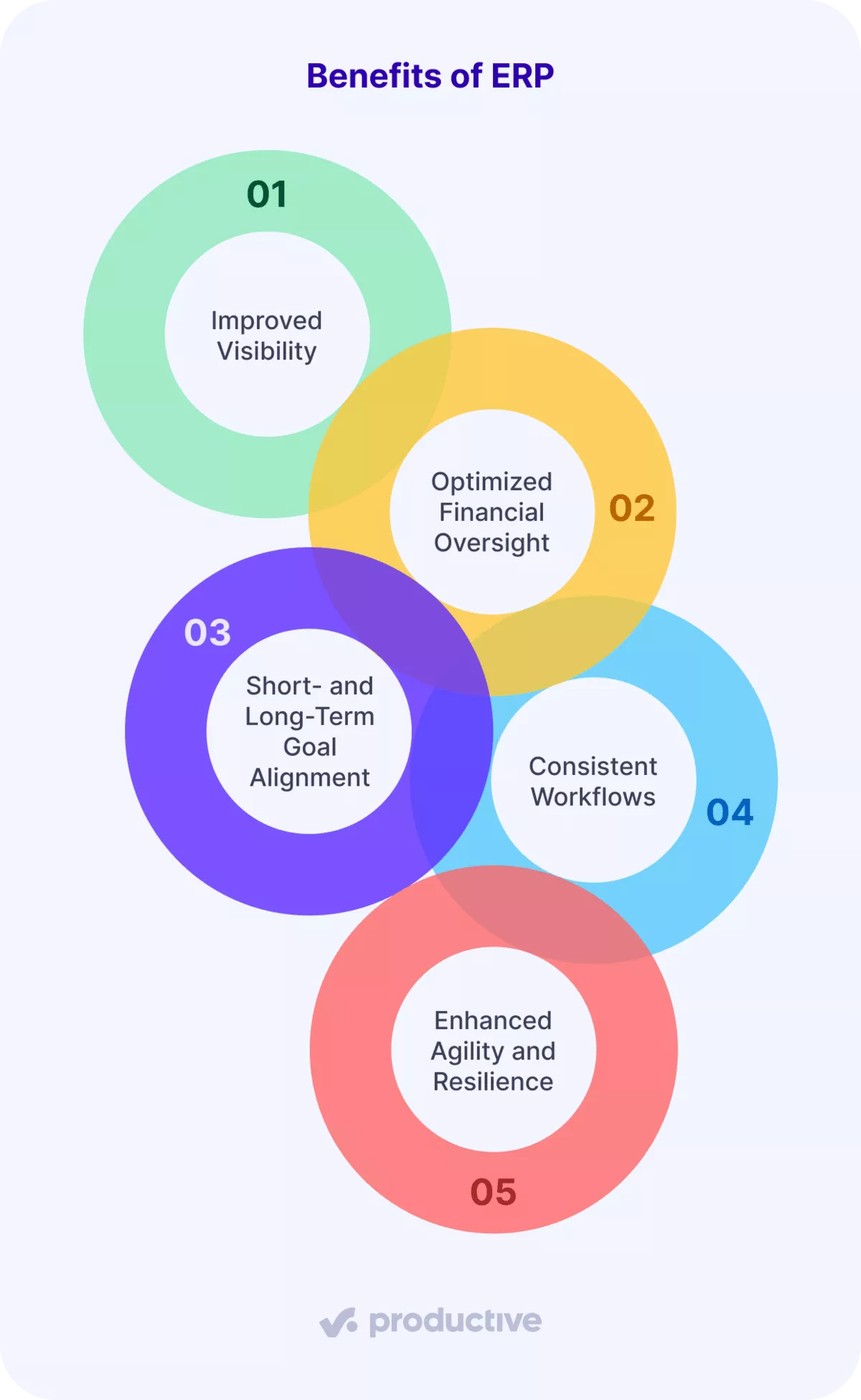
Those benefits matter in different ways, so it helps to look at them one by one.
- Improved visibility. An ERP system consolidates delivery, invoicing, reporting, and other core workflows into a single platform. ERP is often linked to finance, operations, and supply chain work. However, that same visibility also matters in service businesses because teams still need a single, reliable view of what is happening.
- Optimized financial oversight. Strong financial oversight starts with accurate data, tighter controls, and a clearer view of costs and cash flow. That helps teams spot delivery issues sooner, manage cash with more confidence, and rely less on scattered reports or patchwork analytics.
- Short- and long-term goal alignment. ERP systems connect daily work with planning and reporting, which makes it easier to track performance, support revenue forecasting, and make better decisions over time. This is one reason ERP for professional services can still be useful even without inventory-heavy operations.
- Consistent workflows. When core processes live in one system, teams follow the same steps and reduce manual handoffs. That kind of consistency supports cleaner operations, steadier customer interactions, and better customer service.
- Enhanced agility and resilience. As the business becomes more complex, cloud-based ERP systems can make it easier to adjust workflows, support operational excellence, and enable information to flow across teams with less friction. Many ERP solutions also support customer relationship management, providing leadership with a broader view of how the business is performing.
If you want a full list of the upsides, check out our guide to the benefits of enterprise resource planning.
Those are the broad strengths. From here, the more practical question is when to choose PSA vs ERP based on how your business actually runs.
When Should You Choose ERP vs PSA?
You should choose ERP when you need broader financial and operational control across the company, and choose PSA when your business runs on projects, billable time, and planning resources.
To make that decision easier, the table below shows which system usually best fits each business need.
How to Choose Between PSA and ERP
| If your business needs… | Best fit |
|---|---|
| Revenue that depends on billable hours | PSA |
| Day-to-day resource allocation and staffing visibility | PSA |
| Project-level budget and delivery control | PSA |
| Inventory or procurement management | ERP |
| Company-wide finance and operational control | ERP |
| A system built mainly for professional services work | PSA |
| A system for a more complex hybrid business | ERP |
| Faster rollout and easier adoption | PSA |
| Active capacity planning and resource utilization tracking | PSA |
| Standardization across multiple business functions | ERP |
This table simplifies the decision. If your business mainly sells projects, hours, retainers, or specialized services, PSA software usually fits the day-to-day work more naturally. If your bigger challenge is controlling finance, procurement, inventory, payroll, or cross-department operations, ERP is usually the broader fit.
This is where the gap shows up for many agencies. Resource allocation still lives in spreadsheets or in someone’s head, making it hard to answer simple questions like who is available next week or whether a project is overbooked.
Productive’s Resource Planner solves that by giving teams a visual overview, live resource utilization, skill-based filtering, and clear capacity planning.
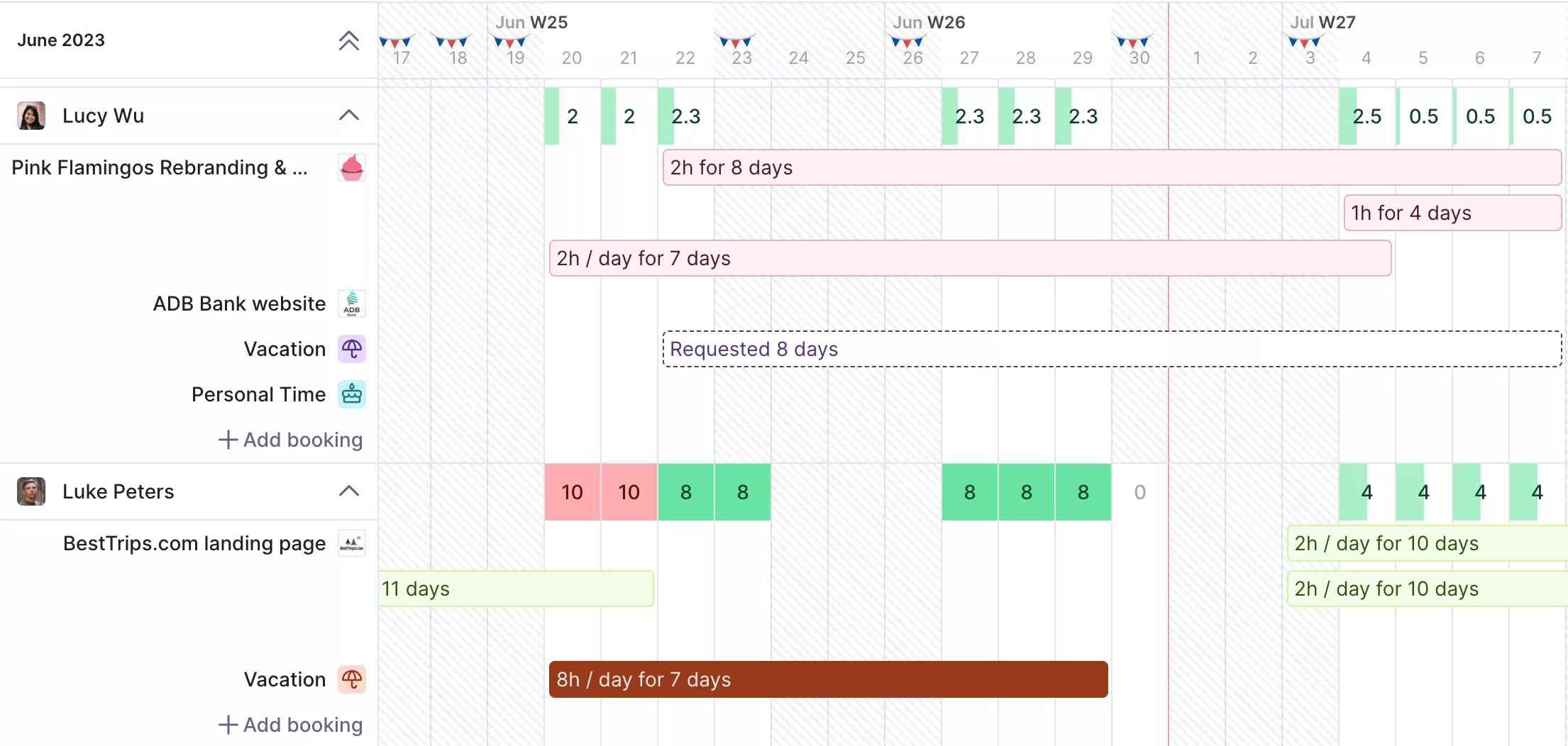
USE PRODUCTIVE TO SEE AVAILABILITY AND BOOKINGS IN ONE PLACE.
You can see who is available, what it costs, and how it affects delivery in one place.

At a glance, the resource planner provides a snapshot of allocated hours across teams, making it simple to spot and prevent resource gaps.

Read our full customer story to learn how wild gained full control using Productive.
How Does Implementation Differ Between PSA and ERP?
Implementation differs between PSA and ERP because PSA is quicker and easier to set up, while ERP takes longer and involves more teams across the business.
To make that difference easier to understand, here is a side-by-side view of what implementation typically looks like.
PSA vs ERP Implementation Differences
| Area | PSA | ERP |
|---|---|---|
| Timeline | A few weeks to a few months to go live | Several months to over a year, depending on size |
| Setup complexity | Lower, focused on project and delivery setup | Higher, includes finance, reporting, and core operations |
| Training | Smaller group, usually delivery and ops teams | Larger group across finance, ops, and leadership |
| Process changes | Limited to how projects and teams work | Affects company-wide processes and approvals |
| Integrations | Fewer, mostly project or tools for tracking time | Many, including finance, HR, and other business systems |
| Cost and effort | Lower upfront effort, faster return | Higher upfront effort, longer time to see value |
PSA is quicker to roll out because it focuses on delivery teams and project workflows. Teams can often start using a PSA solution with minimal disruption and see value early.
ERP takes longer because it affects finance, reporting, and business operations across the company. It usually requires more planning, more coordination, and clearer processes before it works well. In practice, that complexity often shows up in cost, with around 64% of ERP implementations exceeding their initial budget, according to Sci-Tech Today.
This matters because the wrong choice can slow you down before you see results. A system that is too heavy adds unnecessary complexity, while one that is too light leaves gaps in financial management and control.
Once you understand these trade-offs, the next question is whether you need both systems working together.
Should Professional Services Use PSA and ERP Together?
Professional Services should use PSA and ERP together only when neither system can adequately cover both your delivery and back-office needs on its own.
This setup is more common in larger or more complex professional services firms. It works because each system focuses on a different part of the business.
In practice, the split usually looks like this:
- PSA systems handle project management, resource management, time tracking, billing, and invoicing.
- The ERP system handles company-wide finance, payroll, procurement, and other back-office processes.
Many firms do not need both right away. If most of your work lives in projects and billable delivery, a single PSA can cover a lot of ground without adding extra complexity.
The need for both often shows up in billing and revenue recognition. Teams pull hours from time tools, cross-check them in spreadsheets, and then re-enter invoices into an ERP. The ERP can store invoices, but it does not always know what was actually delivered at the project level.
Productive addresses this by connecting billing and invoicing directly to tracked time and budgets.
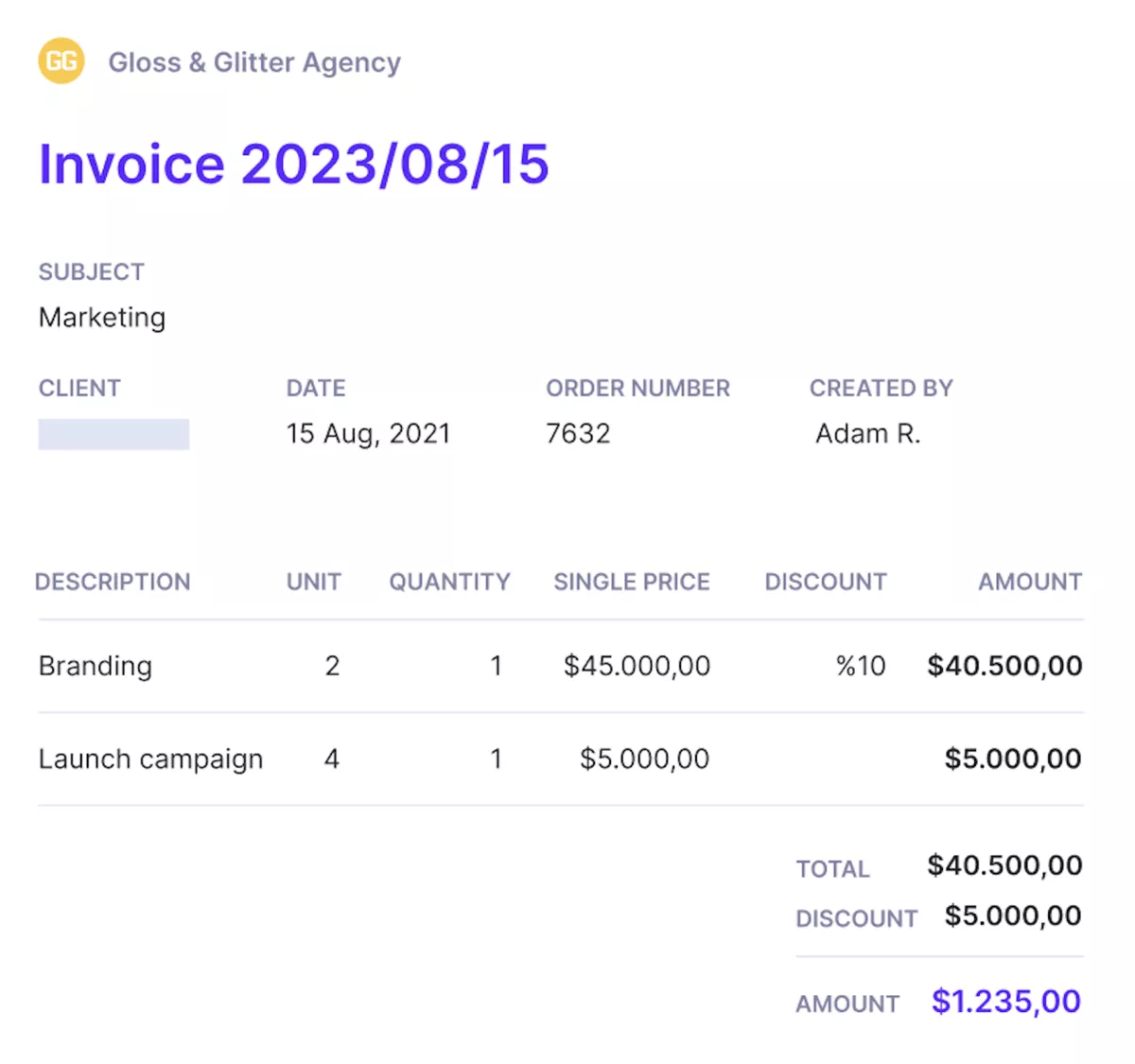
WITH PRODUCTIVE, TURN TRACKED WORK INTO INVOICES WITHOUT MANUAL STEPS.
It supports time-and-materials, fixed-fee, and retainer billing, and pushes client invoicing into accounting tools like Xero or QuickBooks without manual re-entry.
If you’re exploring PSA options as part of your setup, check out our list of the best PSA software.
Choose the System That Matches How Your Business Runs
Choosing the right system comes down to how your business actually runs. PSA and ERP support different ways of working, so the real decision is not which one is better, but which one fits how your team plans, delivers, and tracks work day to day. When the fit is right, reporting is clearer, and decisions are easier to make.
For professional services teams, that usually means relying on a PSA. Productive is built specifically for this, bringing delivery, resource planning, and financial visibility into one place so teams can understand how work impacts performance as it happens.
If you want to see how it works in practice, book a demo with Productive.
Stop Stitching Tools Together to Run Your Business
Replace spreadsheets and disconnected systems with one platform built for professional services. Productive connects delivery, time tracking, and financial data so you can see performance as work happens.
