ERP vs CRM: What’s the Difference & Which One Do You Need?

A lot of people aren’t sure what the difference is between ERP vs CRM, or which system actually makes sense for their business. Each system solves a specific headache, and both become more useful when they start working together. If you want to understand how that works, this guide will walk you through it.
In this article, we’ll break down the differences between ERP and CRM, what each system actually does, and the benefits each offers. We’ll also look at how they fit into your day-to-day workflow, how to choose between them, and what changes when the two are integrated.
Key Takeaways
- ERP and CRM differ in the parts of the business they support: ERP manages internal operations such as budgets, delivery, and reporting, while CRM manages customer-facing work such as leads, deals, and relationships.
- Each system provides its own specific benefits: ERP improves control over delivery and financial visibility, while CRM improves pipeline visibility, follow-up, and account context.
- Choose which system you need based on the problem you need to fix: use CRM for pipeline and follow-up problems, ERP for delivery and reporting problems, and both when the same data needs to support sales and operations.
- ERP and CRM integration reduces manual work and reporting gaps: when the two systems work together, teams avoid duplicate entries, ensure handoffs are protected, and report from a single, reliable set of data.
What Is the Difference Between ERP vs CRM?
The difference between ERP vs CRM is that ERP manages internal operations like finance, delivery, and reporting, while CRM manages customer-facing work like leads, deals, and account activity.
That is the clearest way to separate them at a high level. Using the comparison table below, we can examine that split more closely.
Comparison Table
| Area | ERP systems | CRM systems |
|---|---|---|
| Focus | Internal operations | Customer-facing work |
| Main users | Finance, ops, delivery teams | Sales, account, business development teams |
| Core data | Budgets, costs, resources, invoices | Leads, deals, contacts, account history |
| Main goal | Run the business well | Grow and manage the customer experience |
| Typical processes | Resourcing, budgeting, invoicing, reporting | Tracking leads, follow-up, pipeline management |
| Common reports | Profitability, utilization, revenue, cash flow | Pipeline, deal stage, win rate, account activity |
ERP focuses on enterprise performance management, or how work gets delivered, tracked, and measured across the business. CRM focuses on how work gets sold and how the customer experience is managed over time.
That is why ERP systems usually sit closer to operations and financial data, while CRM sits closer to pipeline visibility, customer interactions, and account context. This is also where PSA vs ERP comparisons usually come up, especially for service-based businesses.
Once the distinction is clear, it helps clarify what ERP is.
What Is ERP?
ERP is software that helps a business manage its internal operations in a single system. In practice, an ERP system gives you a clearer way to handle finance, delivery, reporting, and the moving parts that keep work running.
When people hear the term enterprise resource planning, they often think of factories, warehouses, and supply chain management. That is part of it, but many ERP systems also cover budgeting, invoicing, reporting, and human resources. A cloud-based ERP also makes that information easier to access across teams.
For professional services firms, ERP usually helps with work like:
- project costing and budgeting
- resourcing and capacity planning
- invoicing and financial reporting
- tracking delivery performance
You may not care much about things like inventory management, order processing, order management, or production planning. Still, you do care about whether projects are on budget, whether teams are allocated well, and whether reporting reflects reality. That is still ERP territory, just without forklifts.
If you want to explore actual tools that fit this model, take a look at our list of the best ERP software for professional services.
The broader definition matters because it sets up the next question: what do you actually gain from ERP systems once they are in place?
What Are the Benefits of ERP?
The benefits of ERP are improved visibility, optimized financial oversight, short and long-term goal alignment, workflow standardization, and enhanced agility and resilience.
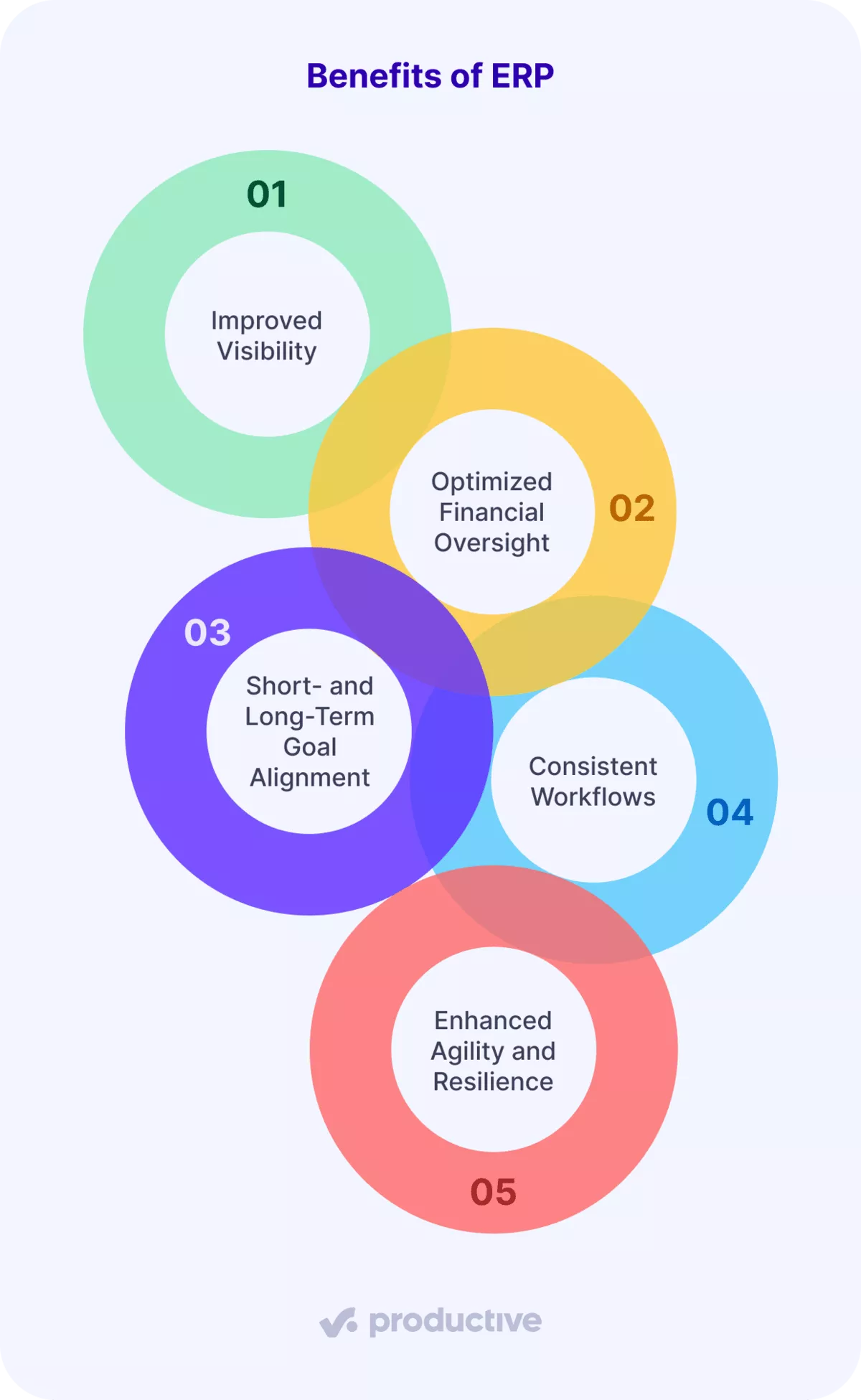
Let’s look at each one in more detail.
- Improved visibility: An ERP system consolidates delivery, human resources, invoicing, and reporting into a single place. ERP is often associated with finance, operations, and supply chain work, but the same visibility and control also matter in service businesses.
- Optimized financial oversight: Strong financial management comes from accurate data, tighter financial controls, and a clear view of cash flow and costs. You can spot delivery issues sooner, manage cash flow with more confidence, and rely less on scattered reports and patchwork analytics tools.
- Short- and long-term goal alignment: ERP connects day-to-day work with planning and reporting, enabling teams to track performance, support revenue recognition, and make better, data-driven decisions.
- Consistent workflows: When core business processes live in one system, teams follow the same steps, reduce manual handoffs, and avoid broken spreadsheets. This is especially important in supply chain management.
- Enhanced agility and resilience: As complexity grows, cloud-based ERP supports cleaner operations, more consistent workflow automation, and faster adjustments when priorities change.
A common issue is the lack of profitability visibility when using separate tools. When time, expenses, and budgets sit in different places, margin erosion shows up too late.
Productive’s Budgeting connects to time tracking and the resource planner, enabling real-time tracking and forecasting of revenue, costs, and margins. The result is faster visibility, better margin control, and fewer surprises.
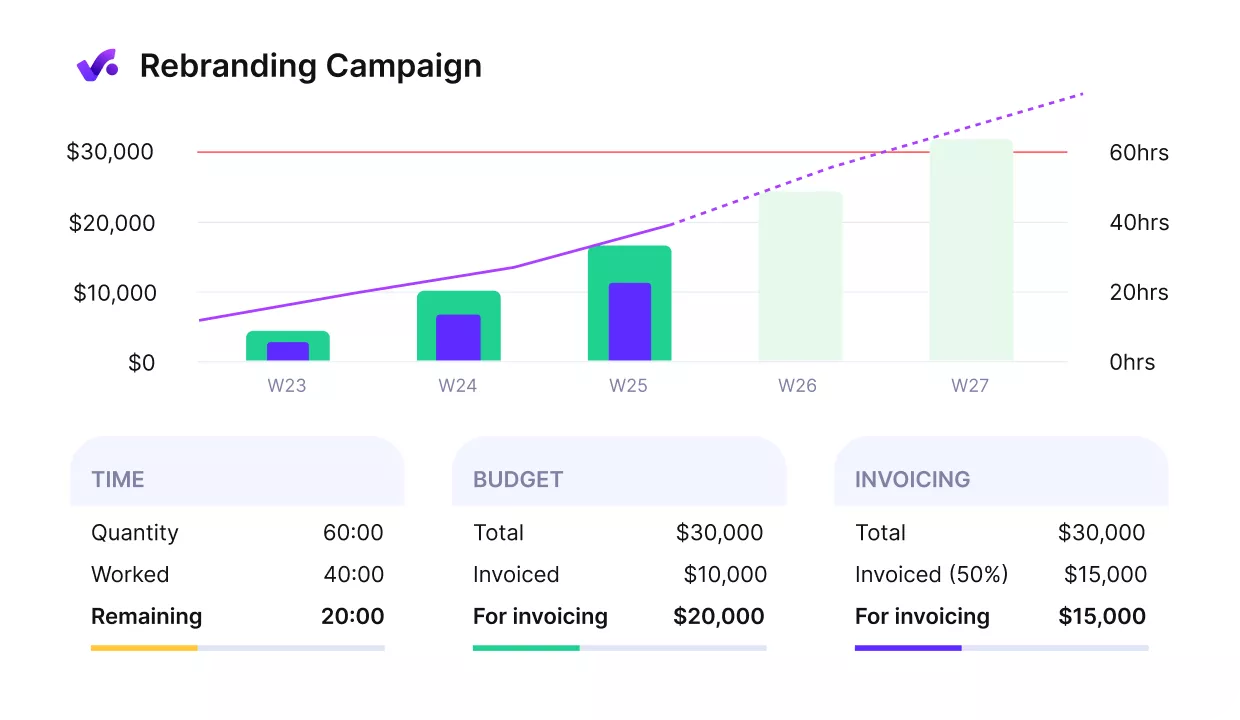
WITH PRODUCTIVE, TRACK BUDGETS AND PROFITABILITY IN REAL TIME.
Get full control of all your budgets in Productive
If you want a deeper breakdown of all the benefits, check out our list of benefits for resource enterprise planning.
ERP does have limits, though. It helps you run the business, but it is not the best system for sales pipeline management or ongoing customer relationship activity. That’s exactly where CRM comes in.
What Is CRM?
CRM is software that helps you manage leads, deals, customer history, and relationship activity in one place. In simple terms, a customer relationship management system helps you keep track of who you are talking to, what has been discussed, and what should happen next.
For professional services firms, CRM usually supports work like:
- tracking new business conversations
- managing deal follow-up
- keeping customer data and contact details organized
- providing shared account context before work starts
- supporting customer service and customer support with account history in one place
It is a system for tracking customer data, supporting client management (contact management), managing customer interactions, and keeping sales activity organized in one place. That gives teams a shared view of deals, conversations, and account history before work even begins.
To understand why that matters in practice, let’s look at the benefits of CRM.
What Are the Benefits of CRM?
The benefits of CRM are better pipeline visibility, stronger follow-up discipline, cleaner customer records, more consistent sales execution, and better support for demand generation.
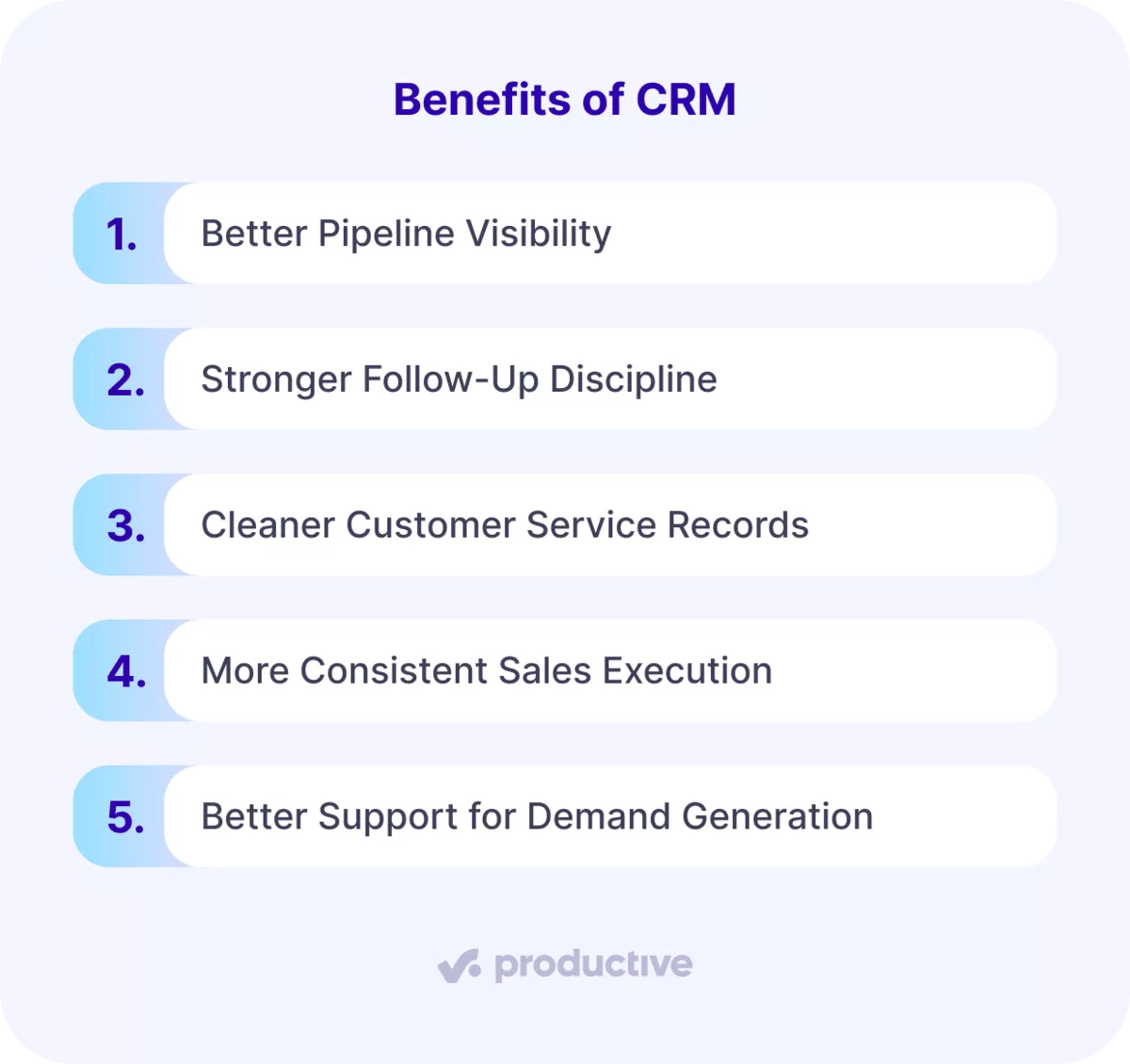
Let’s look at each one in more detail.
- Better pipeline visibility: CRM systems give you a clearer view of your sales pipeline, sales funnel, and sales activities, so you can see what is moving, what is stuck, and what needs attention.
- Stronger follow-up discipline: Good lead management depends on reliable lead tracking, clear ownership, and a record of what has already happened in the sales process.
- Cleaner customer service records: CRM systems centralize customer interactions, account notes, and contact history, making customer data analysis much easier.
- More consistent sales execution: CRM supports sales tracking, sales automation, and repeatable sales processes that help teams move deals forward faster. According to CRM.org, 34% of businesses report that CRM systems shorten their average sales cycle by 8 to 14 days.
- Better support for demand generation: CRM helps teams stay organized around lead generation, marketing automation, and marketing campaigns without losing the thread between interest and deal progress. It also makes it easier to connect responses from marketing campaigns back to the pipeline.
Taken together, these benefits help teams manage demand with fewer gaps and less guesswork. You get a clearer picture of pipeline health, a more consistent way to run sales processes, and a reliable record of customer interactions over time.
To see how this connects to delivery and operations, it helps to look at how ERP and CRM fit into your day-to-day workflow.
How Do ERP and CRM Fit Into Your Day-to-Day Business Workflow?
ERP and CRM fit into your day-to-day business workflow by covering different stages of work: CRM manages sales and relationship activity before a deal is closed, while ERP manages delivery, operations, and financials once the work begins.
To make that easier to see, let’s break it down across a typical workflow.
Typical Business Workflow
| Stage of work | CRM | ERP |
|---|---|---|
| Lead and first contact | Tracks new opportunities and early conversations | Not usually the main system here |
| Deal development | Manages deal progress, account context, and the sales pipeline | May support pricing or service structure, depending on setup |
| Handoff to delivery | Holds the deal details that should move into execution | Picks up the work once the deal becomes active |
| Delivery and resourcing | Limited role after the sale | Manages delivery planning, resourcing, budgets, and invoicing |
| Reporting | Tracks sales activity and account history | Tracks operational performance, financial data, and cash flow |
In other words, CRM helps you manage demand before the work starts, and ERP helps you manage the work once it is live. That distinction affects how teams scope projects, share customer data, handle customer service, and report on performance. When those stages live in separate tools with weak handoffs, you get friction fast.
A common problem is that the CRM holds the deal, but delivery starts somewhere else, so someone has to recreate the project by hand. That is where scope details, budget assumptions, and service context tend to slip through the cracks.
Productive’s Sales CRM helps teams build a deal with budgets and costs, then convert it into a project without manual re-entry. The result is a cleaner handoff and less room for expensive guesswork.
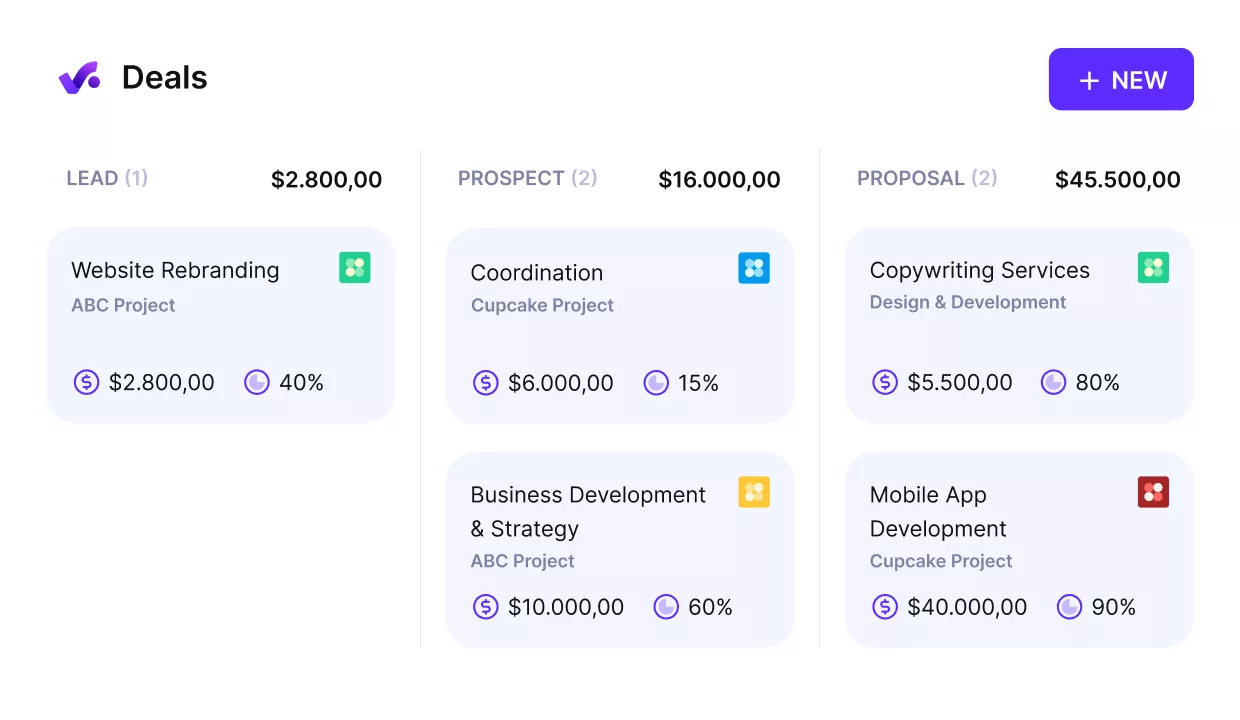
WITH PRODUCTIVE, TURN DEALS INTO PROJECTS WITHOUT RE-ENTRY.
If you want to see how this looks across different tools, check out this list of the best project management software with CRM.
Now that the workflow is clearer, the next question is which system you actually need.
How Do You Choose Between ERP, CRM, or Both?
You choose between ERP, CRM, or both based on where your main business problem sits: sales, operations, or the gap between them.
A simple way to decide is this:
- Choose CRM if your main issues are weak lead tracking, inconsistent follow-up, poor pipeline visibility, or a need to provide better customer service. You need structure on the sales side before the work even begins.
- Choose ERP if your main issues are disconnected delivery, unclear budgets, or messy financial reporting. You need better control over how the business runs day to day.
- Choose both if sales, delivery, and reporting depend on the same data, and your team keeps passing work back and forth between systems. That is usually a sign that the two sides are already tightly connected.
Implementation matters here, too. CRM tools are usually faster to roll out because they focus on a narrower part of the workflow. ERP systems take more setup and more process alignment, but they give you deeper control once they are in place.
If the answer is both, the next question is how those systems should work together.
What Changes When ERP and CRM Are Integrated?
When ERP and CRM are integrated, sales, delivery, billing, and reporting stay connected, so information does not have to be re-entered, rebuilt, or stitched together later.
The easiest way to understand it is to compare what happens when systems are connected versus when they are not.
ERP and CRM When Connected vs Disconnected
| When ERP and CRM are connected | When they are not connected |
|---|---|
| Deal details flow into delivery without re-entry | Teams recreate projects by hand |
| Scope, pricing, and services stay consistent from sale to delivery | Key details get lost in handoff |
| Billing and budget data stay aligned with live work | Finance works from delayed or incomplete inputs |
| Reporting combines sales, delivery, and financial data | Leaders piece together reports from different tools |
| Teams work from one shared source of truth | Teams work from one shared source of truth |
The value is not technical for the sake of it. It is practical. They help reduce data silos that make reporting and coordination harder than they need to be. Artificial intelligence can help surface insights faster, but it does not fix disconnected systems or messy data on its own.
A common version of the opposite is the franken-stack. Sales, resource planning, project delivery, and financial data live in separate tools, so every handoff creates another chance for errors and another round of manual reconciliation.
Productive reduces that mess by connecting project management, sales CRM, resource planning, and finances in one system.
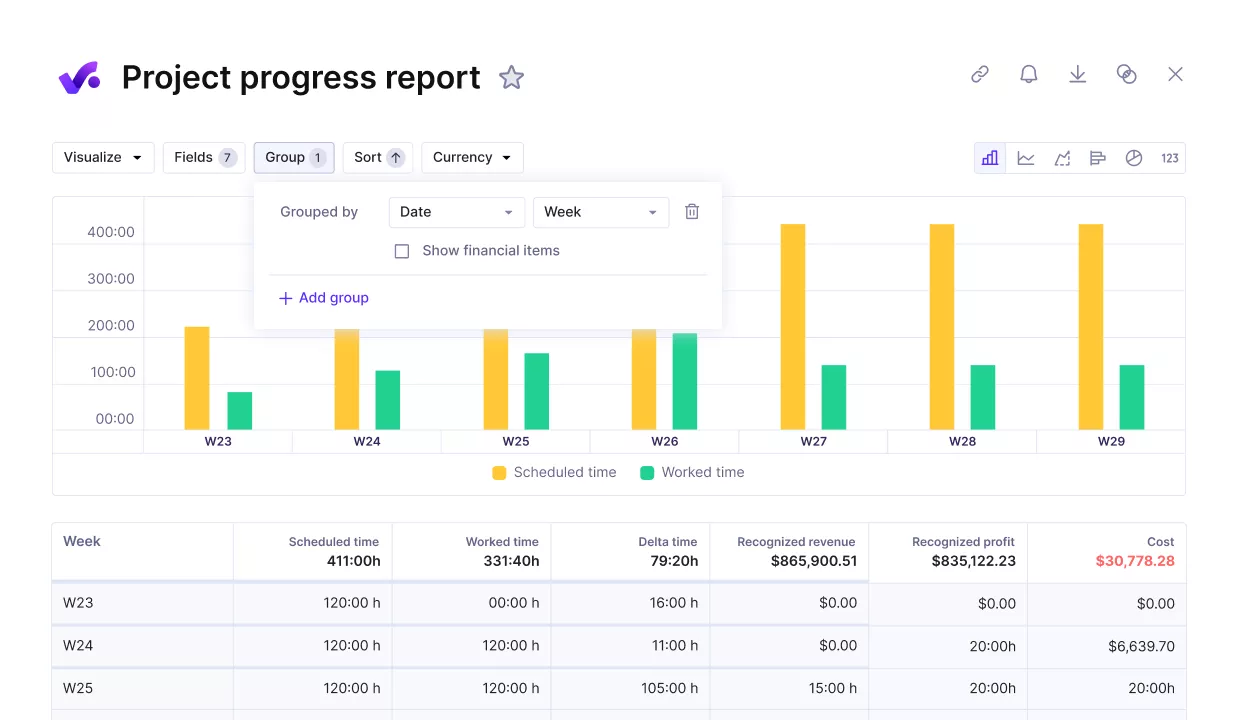
WITH PRODUCTIVE, KEEP YOUR DATA AND WORKFLOW IN ONE PLACE.
The result is one source of truth, cleaner handoffs, and fewer integration headaches.

Having a clear picture of projects, planning, and performance in one place made a huge difference. Productive reduced the time we spent on project setup and planning by roughly 25%.
Read our full customer story to see how Flatline Agency went from tool overload to control with Productive.
Why the Right Software Setup Matters
The right software setup matters because it determines whether your team can move from sale to delivery without re-entering data, losing scope details, or patching reports together by hand. Once sales, delivery, and finance start depending on the same information, disconnected tools create more work than clarity.
The best setup gives your team cleaner handoffs, more reliable reporting, and fewer gaps between what was sold and what gets delivered. Productive connects sales CRM, project management, resource planning, and financials in one place so that teams can work from the same data instead of stitching updates together by hand.
If you want to see how that works in your setup, book a demo with Productive.
FAQ
Can ERP Replace CRM, or Can CRM Replace ERP?
No. ERP cannot replace CRM, and CRM cannot replace ERP. They can overlap in a few areas, but they are built for different jobs.
A CRM system focuses on customer relationship management, tracking leads, deals, and ongoing account activity, and improves customer service. ERP focuses on operations, delivery, and financial management once the work is active. Some tools include features from both sides, but replacing one with the other often creates gaps in either sales visibility or operational control.
Which Should You Implement First: ERP or CRM?
You should implement a CRM first if your main problems are tracking leads, follow-up, and pipeline visibility. You should implement an ERP system first if your main problems are delivery control, budgets, and financial reporting.
In most cases, CRM systems are faster to roll out because they cover a narrower part of the workflow. ERP systems usually take more setup and business process alignment, so they make more sense once operational complexity becomes the bigger issue.
What Are Examples of ERP and CRM Systems?
Examples of ERP systems include tools like SAP, Oracle NetSuite, and Microsoft Dynamics. Examples of CRM systems include tools like Salesforce and HubSpot.
That does not mean every tool fits every business the same way. Some platforms, including Productive, connect sales CRM with project and operational workflows for professional services teams, which is useful when sales and delivery need to stay closely aligned.
Get One Clear View of Your Business
Productive brings together sales, projects, resources, and financials so your team works from the same data, with fewer gaps, fewer tools, and more reliable reporting.
