Project Collaboration for Services Firms: A Practical Guide

At many services firms, project collaboration runs on separate chats and spreadsheets, which is fine until something gets lost. Done well, collaboration keeps people, handoffs, and information aligned across every engagement, so nothing falls through the cracks.
The guide covers what project collaboration is, how it differs from project management, how to improve it, how it breaks down by project phase, and what feature to look for in a tool.
Key Takeaways
- Project collaboration is coordinated delivery across roles and disciplines: shared information, defined handoffs, and aligned goals keep every active engagement moving together.
- Effective collaboration speeds delivery, protects margin, and retains knowledge: fewer rework cycles, clearer scope handoffs, and context that carries between engagements all compound across a portfolio.
- Collaboration improves most from shared goals, clear handoffs, and defining specific roles: agreeing on these before work starts heads off the miscommunication that later surfaces as rework.
- The right tool keeps the whole team in one shared workspace: with the work, the conversation, and the files in one place, context stops getting lost across chats, spreadsheets, and email.
What Is Project Collaboration?
Project collaboration is the coordinated effort of people across roles to plan, execute, and deliver client work together. It runs on shared information, defined handoffs, and aligned goals.
In practice, collaboration means a strategist, a developer, and a delivery lead staying aligned on who owns what and where handoffs land. Usually each is spread across several client accounts at once. When that coordination is scattered across chat threads, email, and spreadsheets, no single place holds the whole picture.
A shared view of who is doing what, where each project stands, and what the client and stakeholders have approved is what keeps it together.
Collaboration is easy to confuse with project management, but the two are not the same.
How Does Project Collaboration Differ From Project Management?
Project management sets the plan; collaboration is how the team delivers it. One owns the timeline, milestones, and budget. The other is how people across roles carry that plan out together, aligning on who does what and where each handoff lands. The table below shows where the two differ.
Project Management vs. Project Collaboration
| Dimension | Project Management | Project Collaboration |
| Primary focus | Plan, structure, and control | Execution, coordination, and shared context |
| Key output | Timeline, budget, milestone plan | Aligned team, clear handoffs, shared decisions |
| Who drives it | Project manager | Every person on the engagement team |
| Risk when it breaks | Missed deadlines, budget overruns | Rework, scope drift, duplicated effort |
| Cadence | Set at kickoff, reviewed at milestones | Continuous throughout delivery |
The two are complementary. A consultancy can build a solid project management plan for a website migration, with clear phases, owners, and deadlines, and still run over budget. Budgets slip when the UX lead and the backend team stop sharing status, or a dependency goes unspotted until it is too late.
Strong coordination between those roles turns a solid plan into a delivered engagement, which is where the benefits show up.
What Are the Key Benefits of Effective Collaboration?
The key benefits of effective collaboration are faster client delivery and fewer rework cycles, clear scope handoffs between phases, and knowledge retained across engagements.
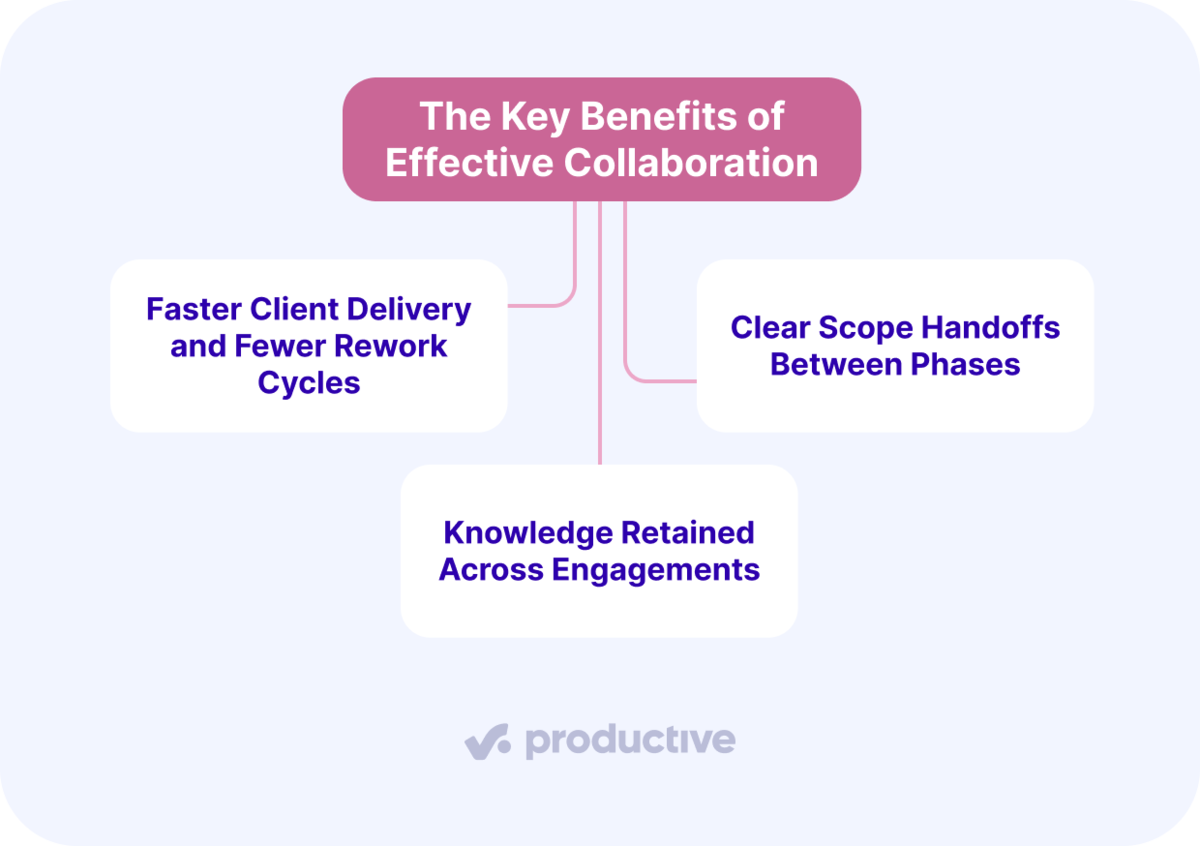
We’ll look at each one.
Faster Client Delivery and Fewer Rework Cycles
Faster delivery comes from sharing status in real time and moving feedback through one channel. When feedback stops scattering across inboxes, review cycles shorten. A design agency that cuts one round of rework per engagement recovers billable hours that would otherwise be written off against a fixed-fee budget.
Clear Scope Handoffs Between Phases
A clear scope handoff means the delivery team knows exactly what was sold before they start. When the handoff is vague, the delivery team fills the gaps with work no one scoped or billed. Over a long engagement, that unpaid work adds up fast.
The fix is a documented scope, shared at each handoff, with hours and rates both sides have agreed to. It gives the team a clear reference point for which deliverables are in scope and which are not. Anything the client asks for beyond it gives you a clear basis to raise a change request, instead of a cost you absorb silently.
Knowledge Retained Across Engagements, Not Lost Between Them
Knowledge stays with the account when decisions, client preferences, and scope history live in one place. Imagine a new team member rotating onto a project mid-way through, getting fully up to speed without a single handoff meeting.
Client calls are where much of that context is set, and where it usually gets lost. Productive’s AI Notetaker solves this by joining your Zoom, Google Meet, or Teams calls to record, transcribe, and summarize every decision.
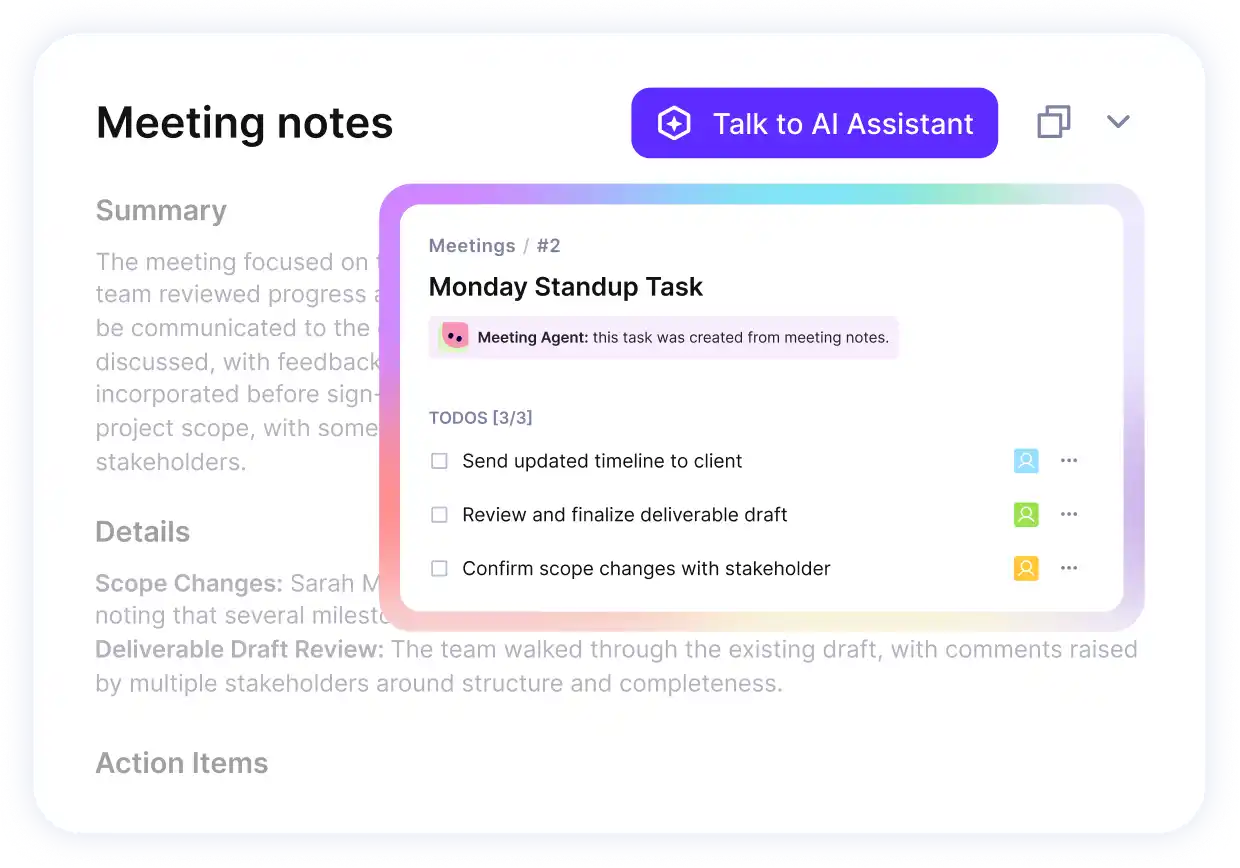
Capture notes and action points with AI Notetaker.
The notes give you a summary, key takeaways, and follow-up items pulled from the conversation. From there, you can turn action points into tasks and to-dos in Productive, so follow-up starts where the work lives.
Turn the talk into next steps
Benefits like these do not appear on their own; they follow a few specific practices.
How Do You Improve Collaboration in a Services Firm?
You improve collaboration by setting shared goals tied to client outcomes; establishing communication rhythms and channel norms; defining roles and handoffs on each client team; making capacity and workload visible before assigning work; aligning on scope in writing before delivery starts; and running a short retrospective after each engagement closes.
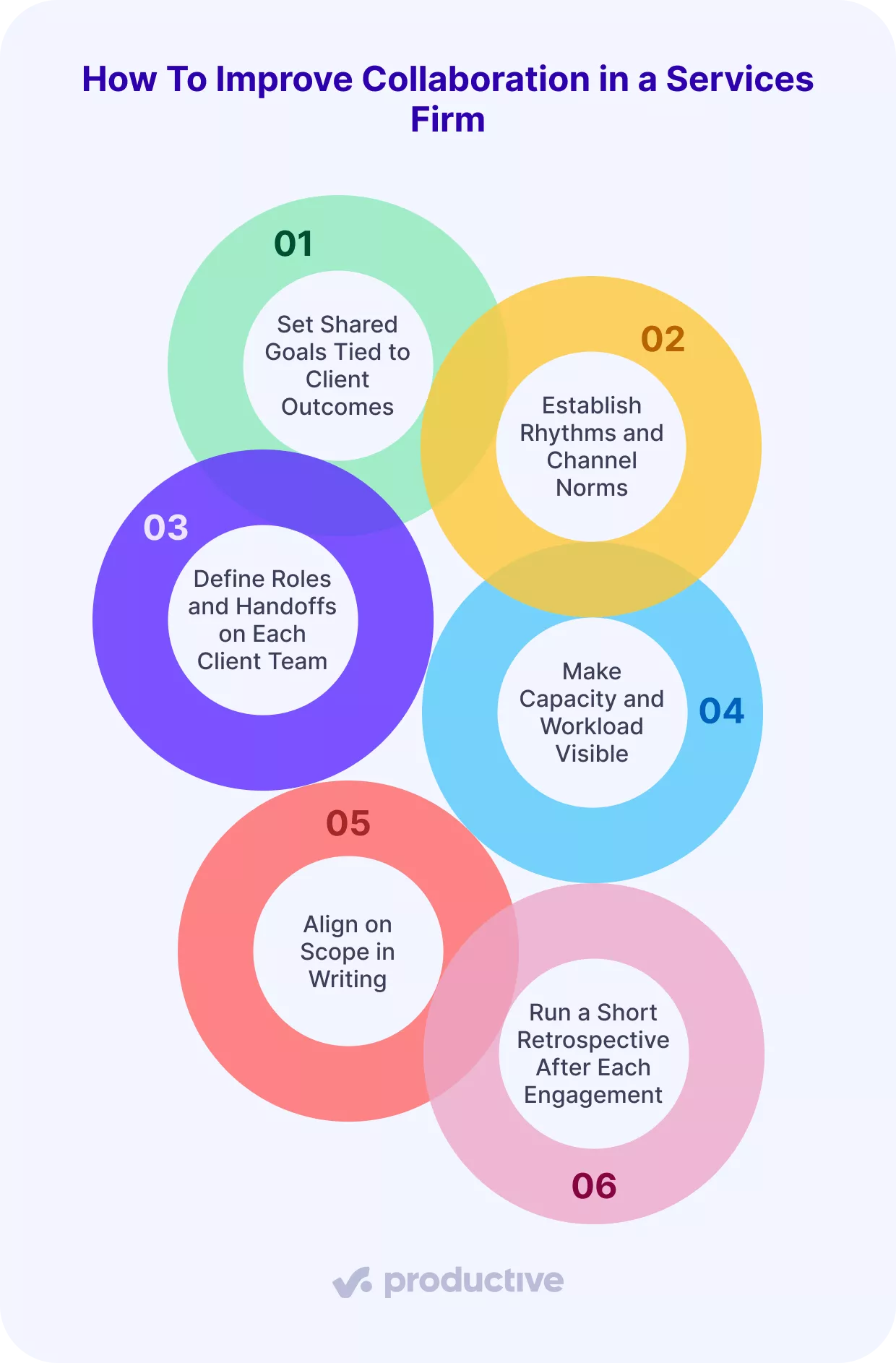
Here is what each one involves.
Set Shared Goals Tied to Client Outcomes
Set one or two delivery goals for each engagement, tied to what the client is trying to achieve. Internal milestones alone are not enough. A clear goal keeps everyone pointed in the same direction as priorities shift across the portfolio. Without it, teams optimize for their own workstream and miss the outcome the client paid for.
Establish Communication Rhythms and Channel Norms
Decide upfront which conversations happen async and which need a live call. Status updates, progress tracking, file reviews, and brief clarifications can stay async. Scope changes, blockers, and client escalations usually need a call. Without that structure, everyone defaults to their own system, and no one sees the full picture.
Microsoft’s 2025 Work Trend Index found workers interrupted every two minutes by a meeting, email, or notification. Channel norms are what contain that noise. Set these norms at kickoff, not after the first miscommunication.
Define Roles and Handoffs on Each Client Team
Name an owner for each phase, the dependencies between them, and a documented point where one role passes work to the next. Without that, two people assume the other is handling something.
The gap then shows up in the final invoice as unbillable time. A simple RACI or responsibility matrix at the start prevents most of these gaps. Roles also decide who should see what. A delivery lead needs the full budget, and a contractor needs only their tasks.
With Productive’s Permission Builder, managers can easily monitor project progress and budget usage without revealing sensitive internal cost rates. This way, each person sees the layer of data they’re entitled to.
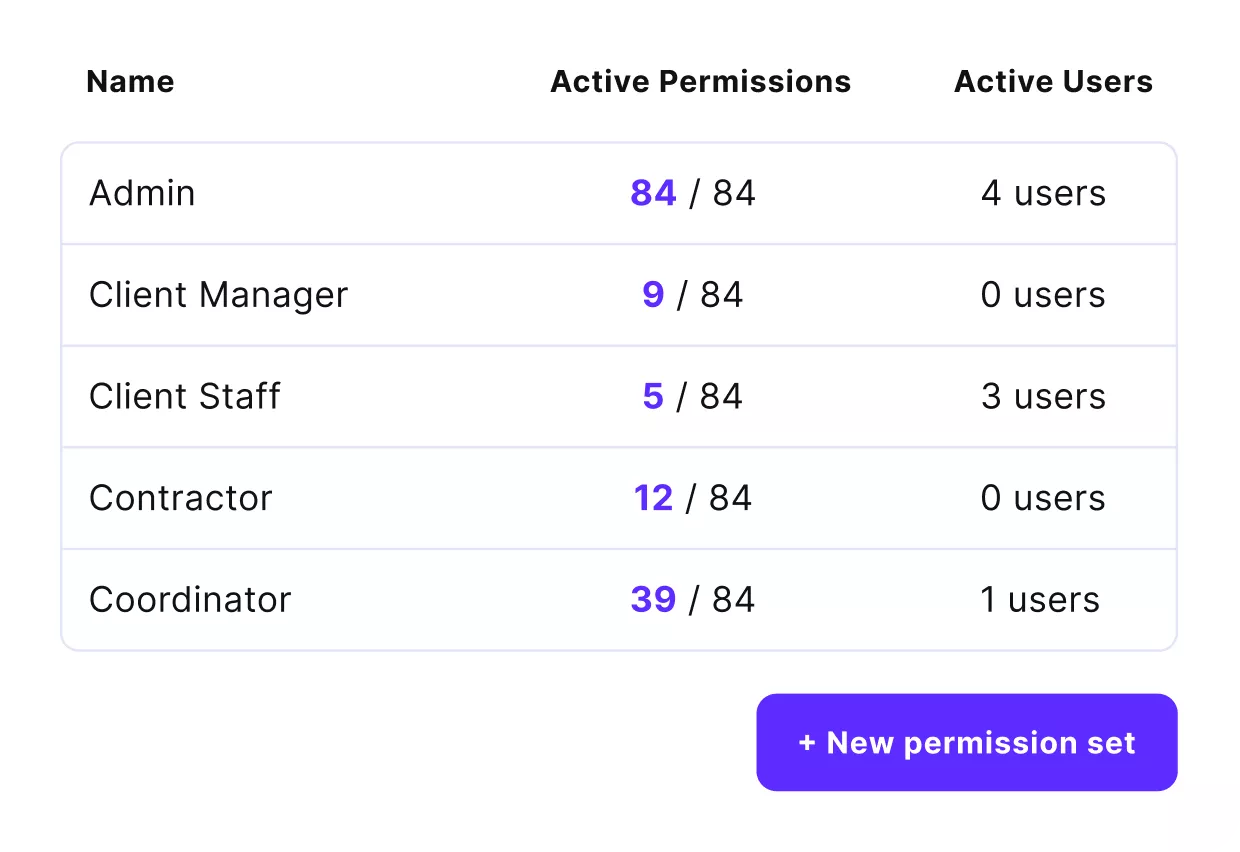
Productive Permission Builder ensures each member sees only the project data they need.
Make Capacity and Workload Visible Before Assigning Work
Confirm someone actually has availability before adding them to a new engagement. A visual schedule across all active projects gives delivery leads a live view of who is booked and at what capacity. It also shows where a shared specialist would be double-committed. Booking capacity before kickoff makes handoffs realistic rather than aspirational.
Align on Scope in Writing Before Delivery Starts
Write the scope and deliverables down and have both sides agree before work begins. A verbal brief is not a handoff. Documented scope is the reference point that keeps scope creep from eroding margin across a long engagement. When a client requests something outside that document, the team has a clear basis for a change request. It does not absorb the cost silently.
Run a Short Retrospective After Each Engagement Closes
Capture what caused delays, where estimates were off, and which handoffs broke down. The notes feed better scoping on the next similar project, where much of the margin is won or lost. A 30-minute debrief with the delivery lead and account owner is often enough to surface the patterns that matter.
The habits apply across the whole engagement, but the risk each one guards against peaks at a different phase.
Where Does Collaboration Break Down Across the Project Lifecycle?
Collaboration breaks down at three points: discovery and scoping, where misalignment starts; delivery, where progress goes unseen; and review, where lessons get lost. We’ll take a closer look at each.
Discovery and Scoping: Where Misalignment Starts
The risk in discovery is a scope only one person fully understands. A brief written in isolation looks complete until the delivery team hits the parts it never saw. By then the estimate is set, and the gap becomes unbilled work. Discovery is where the shared-goals and written-scope habits earn their keep.
Delivery: Where Progress Goes Unseen
The risk in delivery is that no one has a live, shared view of where the work stands. A blocker sits unnoticed, a client’s feedback stalls in someone’s inbox, a budget quietly runs hot, and none of it shows until the sprint closes.
When status lives in scattered updates instead of on the work, problems surface too late to fix cheaply.
Review: Where Lessons Get Lost
The risk at review is that lessons stay stuck with the people who lived them. What the team learned sits in individual inboxes and memories, not anywhere the next team can find it.
Without a shared record at project closure, the next team starts blind and repeats mistakes that were already solved once. Lessons only improve the next engagement through knowledge sharing: capturing them where the whole team can see them.
Each phase is easier with a tool built for it, which raises the question of what to look for.
What Should You Look for in Project Collaboration Tools?
The main thing to look for in project collaboration tools is a single shared workspace: one place where the whole team, every project, and the conversation live together, instead of scattered across chats, spreadsheets, and separate tools.
Comments, decisions, files, and status live on the work itself, so when a task hands off the next person sees the full history instead of chasing context.
Running delivery, time, and projects on Productive puts all of that in one place, instead of the four disconnected tools most firms stitch together.
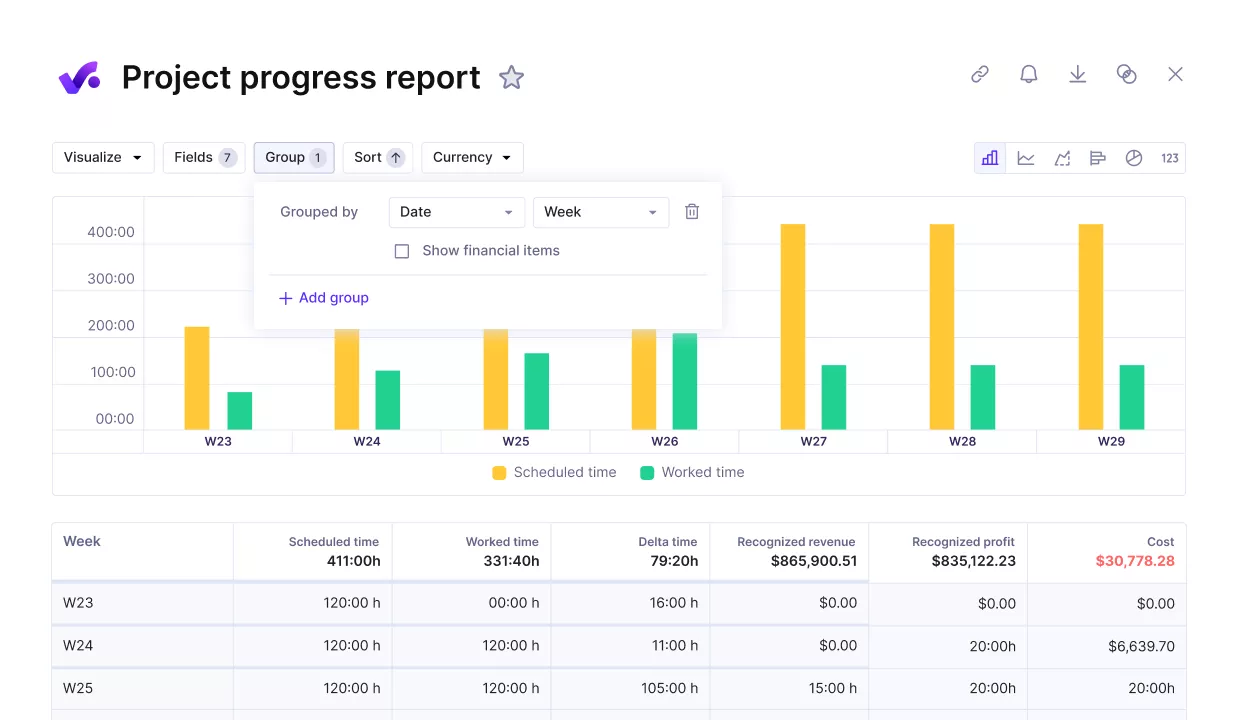
Your whole professional service can work from Productive.
Because projects, time, and budgets share one system, reports on profitability and utilization stay current without any manual exports.

You can imagine the amount of time and money we saved when we switched to using just one tool.
See the complete customer story to understand how Prolex Media made Productive the backbone of their agency operations.
Getting Collaboration Right
Collaboration holds up across several engagements when everyone works from one clear picture. Agree on goals and scope up front, keep the conversation on the work, decide who owns and who sees what, and capture the lessons at the end.
Productive keeps the goals, the conversations, the handoffs in one place, so delivery stops depending on who remembers what.
To see it running across your own projects, book a demo with Productive.
Manage Projects, Budgets, and Resources in One Platform
Productive connects the whole workflow of professional services so you catch overruns, protect scope, and keep every engagement on track.
