Top 5 ManyRequests Alternative Tools – Decision Guide(2026)

Honest opinion: searching for a ManyRequests alternative is frustrating because most pages feel like a directory, not a real comparison for an professional service or agency team.
This guide compares five true replacements and focuses on what changes inside your client portal, from day-to-day client communication to delivery visibility. Every pick includes key features plus pros and cons grounded in real user reviews, so you can spot tradeoffs quickly.
You will also get practical advice on picking the right project management setup for creative agencies, plus a migration checklist to switch without breaking delivery during the cutover.
What Are the Best ManyRequests Alternatives in 2026?
The best ManyRequests alternatives in 2026 are Productive, Assembly (Copilot), SuiteDash, Agency Handy, and Queue. They all cover the same core job in different ways, so use the shortlist and table below to pick the right portal setup, then sanity-check the tradeoffs quickly.
Shortlist of the Best ManyRequests Competitors
A Comparison of the Best Replacements (What Buyers Want to Know)
| Tool | Choose this tool if… | Skip this tool if… | Best for… | Free version? |
|---|---|---|---|---|
| Productive | You want project management tied to delivery data, including time tracking and budgets, without jumping between tools. | You only need a lightweight branded portal and nothing else. | All-in-one agency and professional service delivery and ops | Free trial (14 days) |
| Assembly (Copilot) | You want a polished portal experience with client communication, approvals, and billing touchpoints in one place. | You need deep internal project planning and resourcing inside the same system. | White-label client portal experience | Free trial (14 days) |
| SuiteDash | You want one management platform that tries to cover portal, CRM-style workflows, and internal coordination. | You want something that feels simple out of the box with minimal setup. | All-in-one portal stack for processes | Free trial (14 days) |
| Agency Handy | You want client requests plus billing tools that support packaged work and recurring revenue workflows. | You need complex reporting and customization beyond the agency portal layer. | Productized and retainer services | Free trial (7 days) |
| Queue | You want a clean request-to-delivery pipeline that keeps clients focused on what is next. | You need advanced third-party integrations or a full internal operations suite. | Productized service request flow | Free plan (until first client) |
How Did We Choose These Tools?
We picked tools that can realistically replace the ManyRequests workflow for creative agencies, not just generic task trackers. We verified core feature claims on official pages, then used real user reviews on G2 and Capterra to pressure-test the tradeoffs.
1. Productive – Best All-in-one Replacement for Agencies and Professional Service Providers
If you have outgrown ManyRequests, Productive is the option for running the internal engine of a productized agency, not just the client-facing request flow.
Instead of stacking a portal on top of spreadsheets and a separate PM tool, you get structured delivery planning, time tracking, resourcing, and financial visibility connected in one management platform.
Try the best all-in-one replacement
Replace the Request Queue With Real Project Management
A request queue works until work has phases, dependencies, and multiple owners. Then the queue becomes a thin wrapper over a second internal system.
In Productive’s project management, work lives in structured projects with phases, tasks, subtasks, dependencies, assignees, deadlines, and budgets. You can still run a Kanban view for daily flow, but you are not forced to manage everything as a flat list.
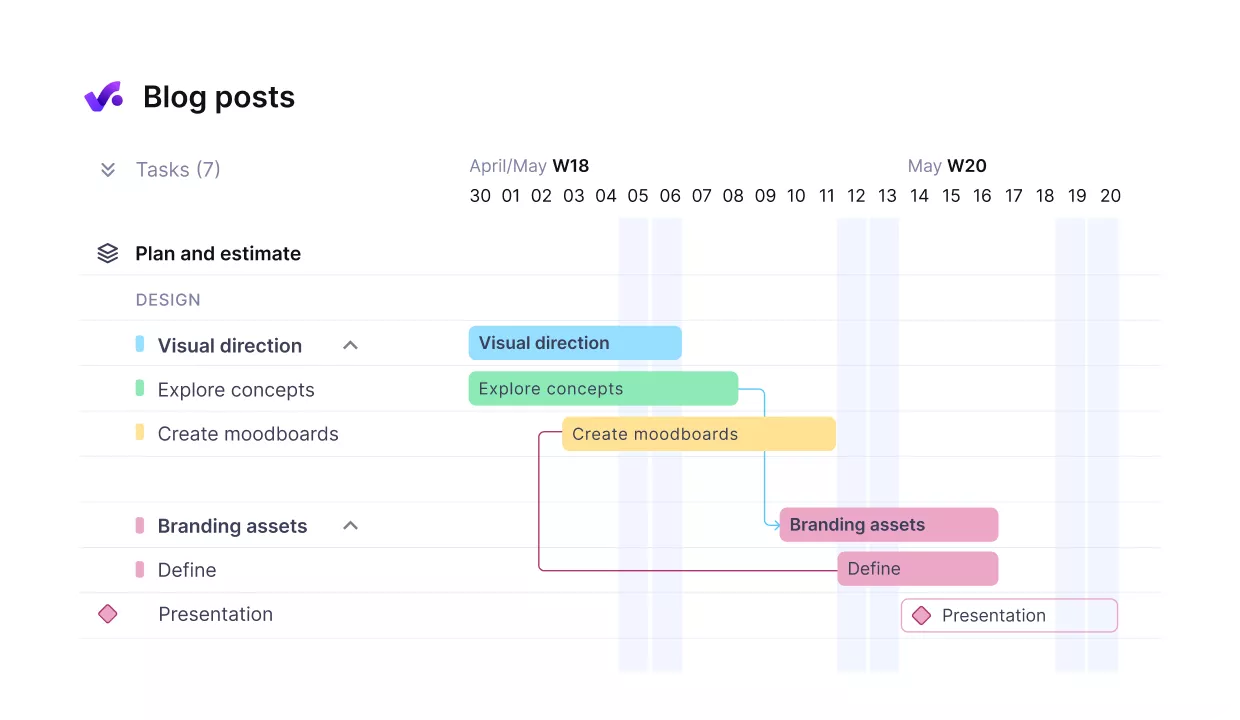
Easily break up projects into milestones with dependencies.
See Profitability for Subscription Clients, Not Just Revenue
Subscription billing is only half the model. The hard part is knowing which plans are sustainable once the delivery cost is counted.
With Productive budgeting, subscription-style engagements are budgets with revenue and cost parameters. As people log time, the cost side updates and the margin is calculated live, so you can spot loss-making clients before they quietly eat your month.
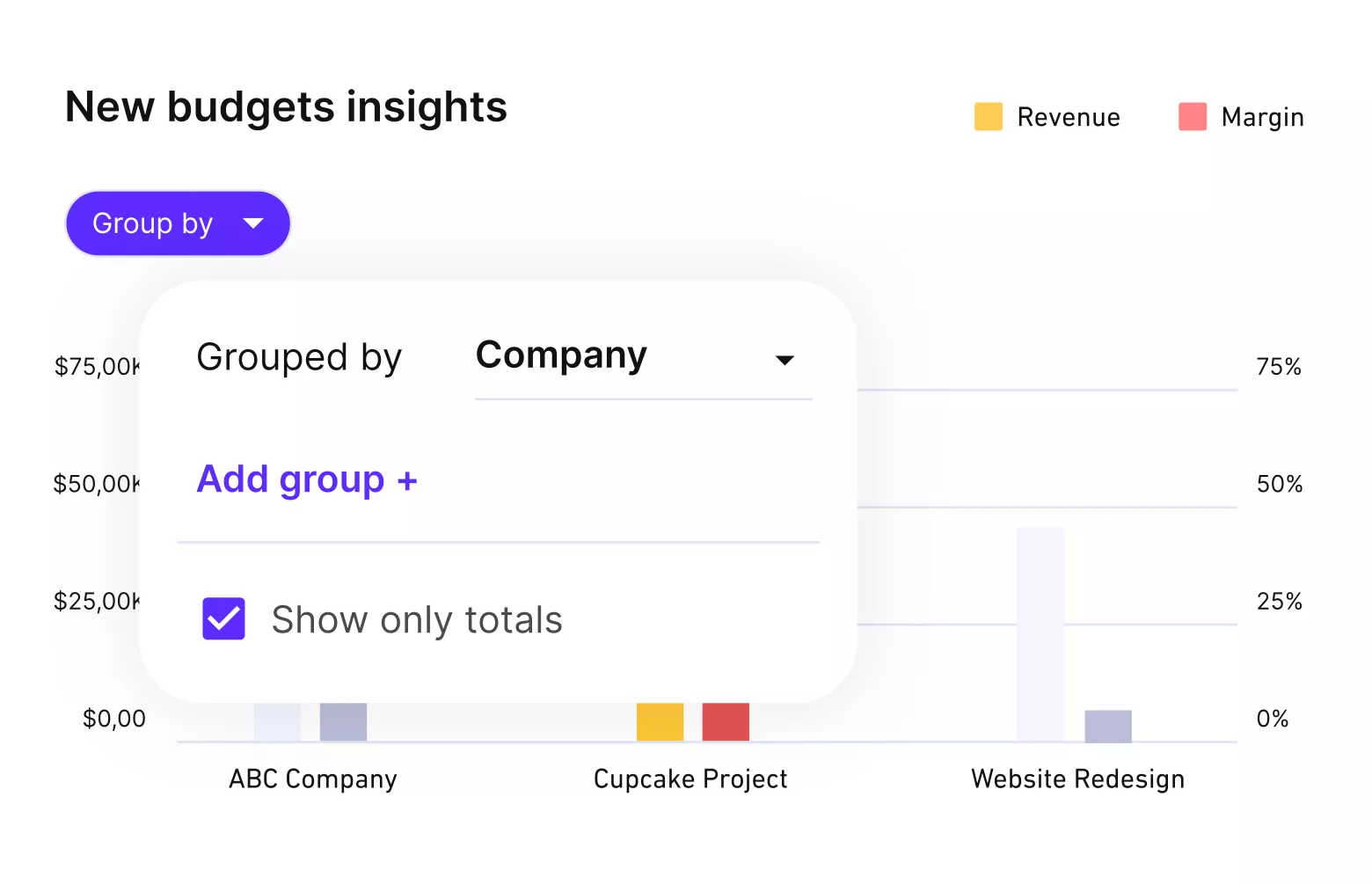
Get real-time updates on your budgets and project profitability.
Make Scope Creep Visible With Time Tracking and Alerts
In ManyRequests, scope creep often shows up as burnout, not data. Without time tracking, it is hard to link a client’s “unlimited” usage to real delivery cost.
With Productive, logged time is tied directly to budget burn and profitability. Budget alerts can warn you at thresholds like 75% or 90%, giving you a chance to reset expectations, adjust scope, or reprice before the work becomes unprofitable.
source: productive
Plan Capacity With Resource Planning and Utilization Data
Productized work is predictable. The staffing impact is also predictable, but only if you can see allocations across the team.
With Productive resource planning, you get a resourcing view across time so you can see who is over capacity, who has room, and what utilization looks like. That makes it easier to decide when to take on new subscriptions and when to hire.
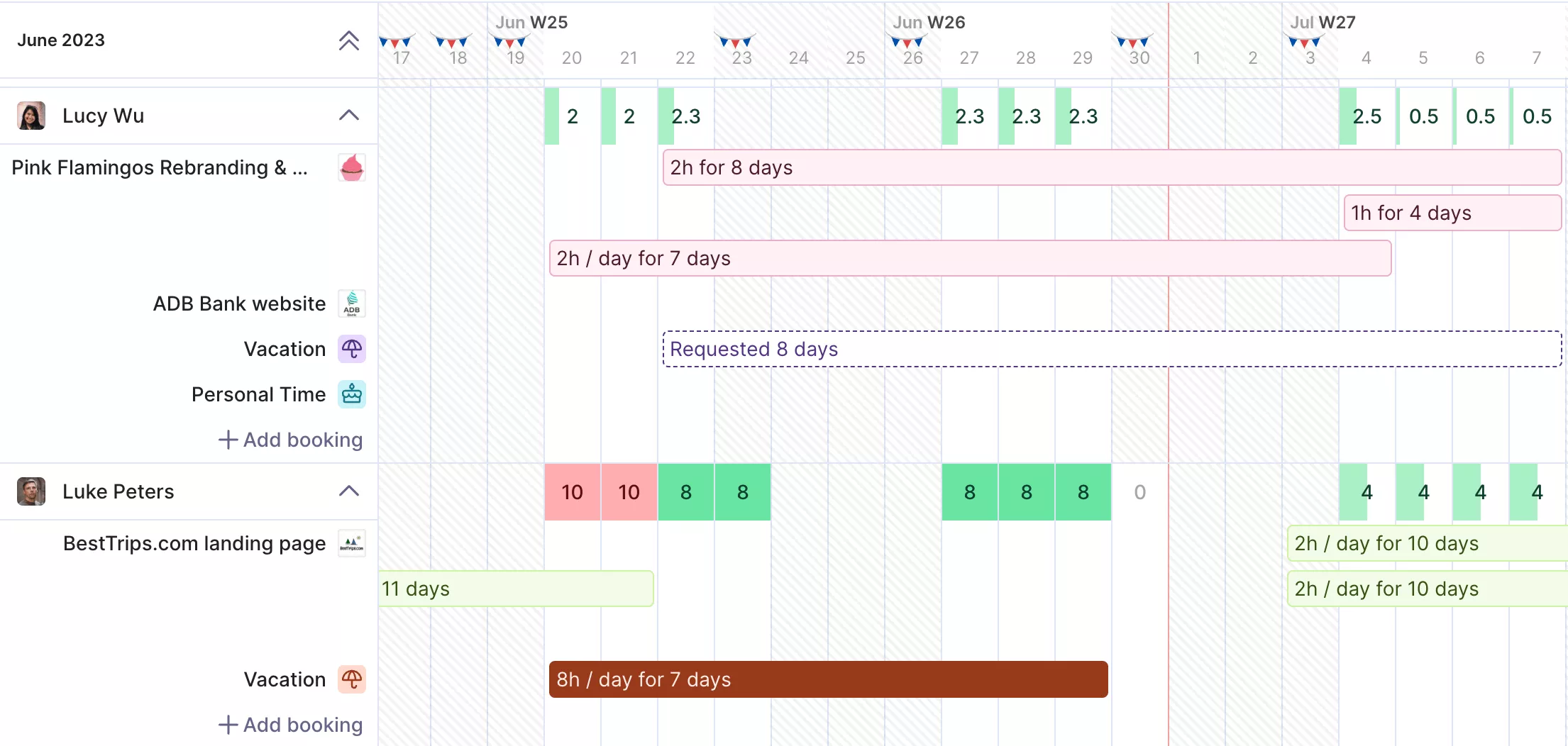
source: productive
Connect the Client Portal to Delivery Work
ManyRequests shines on the client-facing side, but the portal can sit apart from the operational reality behind it.
Productive’s client portal is a controlled window into the same project your team works on. Clients see live status tied to real tasks, and requests or feedback can create tasks inside the project structure. That reduces the gap between what clients think is happening and what is actually happening.
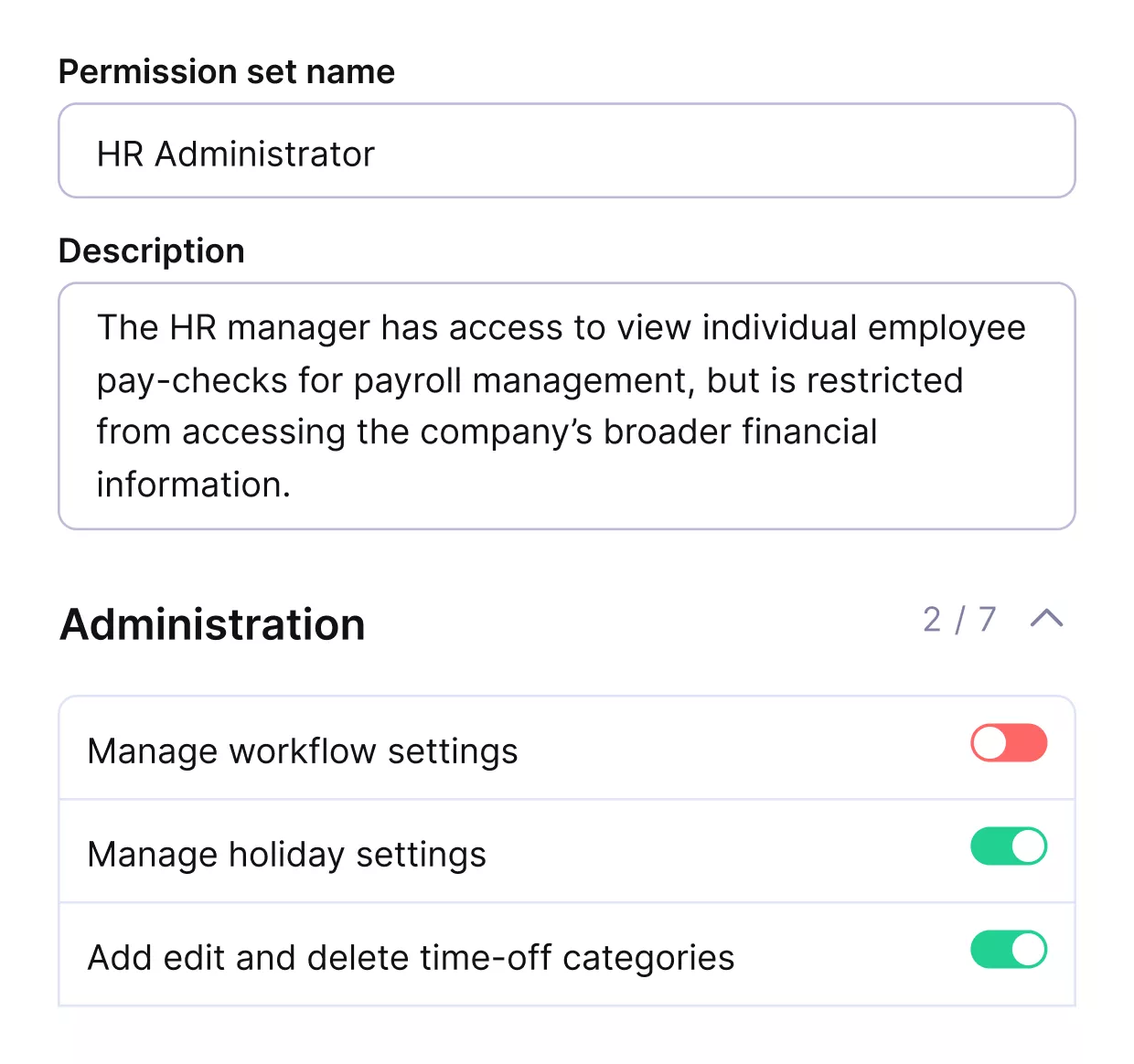
Add clients as external collaborators free of charge.
Reporting That Answers Operator Questions
Once you scale, you need answers like: which clients are profitable, where are we over-committed, and what keeps getting stuck.
Productive reporting is built around those operational questions, with live profitability, utilization, and delivery views that update as data flows in. It is less about counting requests and more about understanding whether the business is healthy.
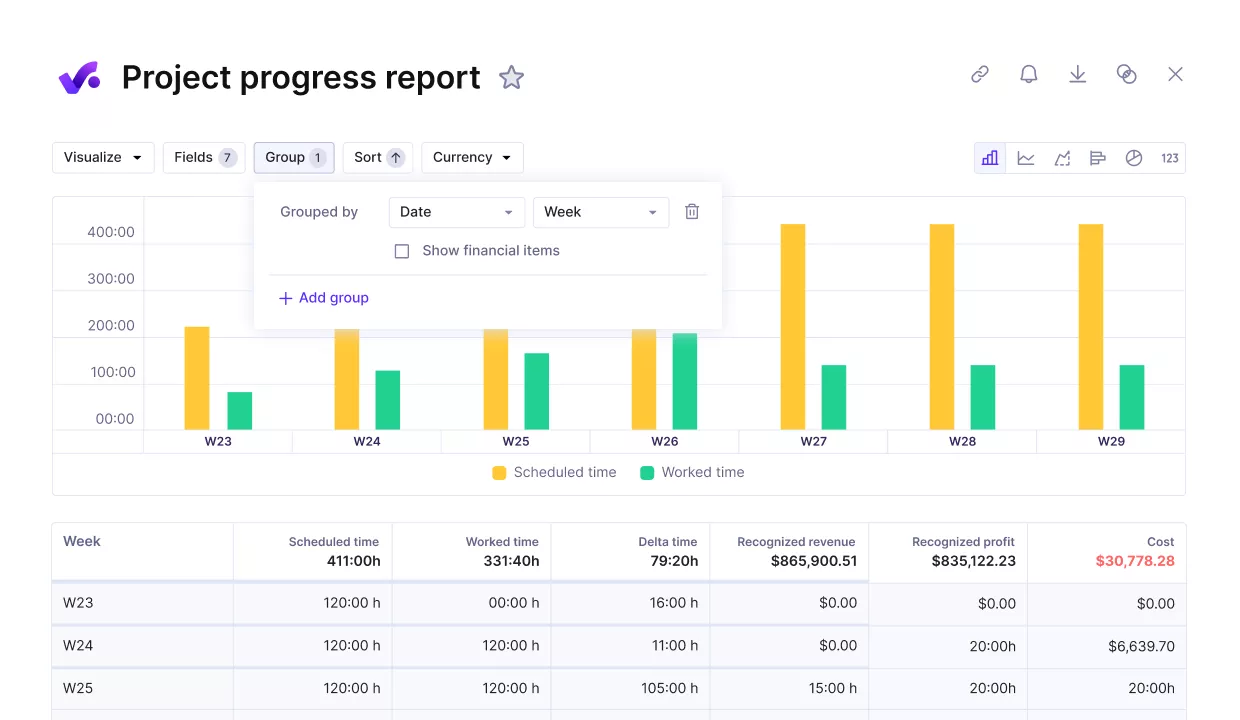
Add clients as external collaborators free of charge.
Pricing
- Plans start with the Essential plan at $10 per user per month, which includes essential features such as budgeting, project & task management, docs, time tracking, expense management, reporting, and time off management.
- The Professional plan includes custom fields, recurring budgets, advanced reports, billable time approvals, and much more for $25 per user per month.
- The Ultimate plan has everything that the Essential plan and Professional plan offer, along with the HubSpot integration, advanced forecasting, advanced custom fields, overhead calculations, and more. Book a demo or reach out to our team for the monthly price per user.
You can go for a free 14-day trial before you decide to check out a paid plan.
Move Off ManyRequests Without Breaking Delivery
Switching tools is risky when client requests keep coming. Productive is built for teams that need a controlled migration from a request portal into structured projects, clear ownership, and delivery visibility that you can run weekly.

2. Assembly (Copilot) – Best for a Modern White-Label Client Portal
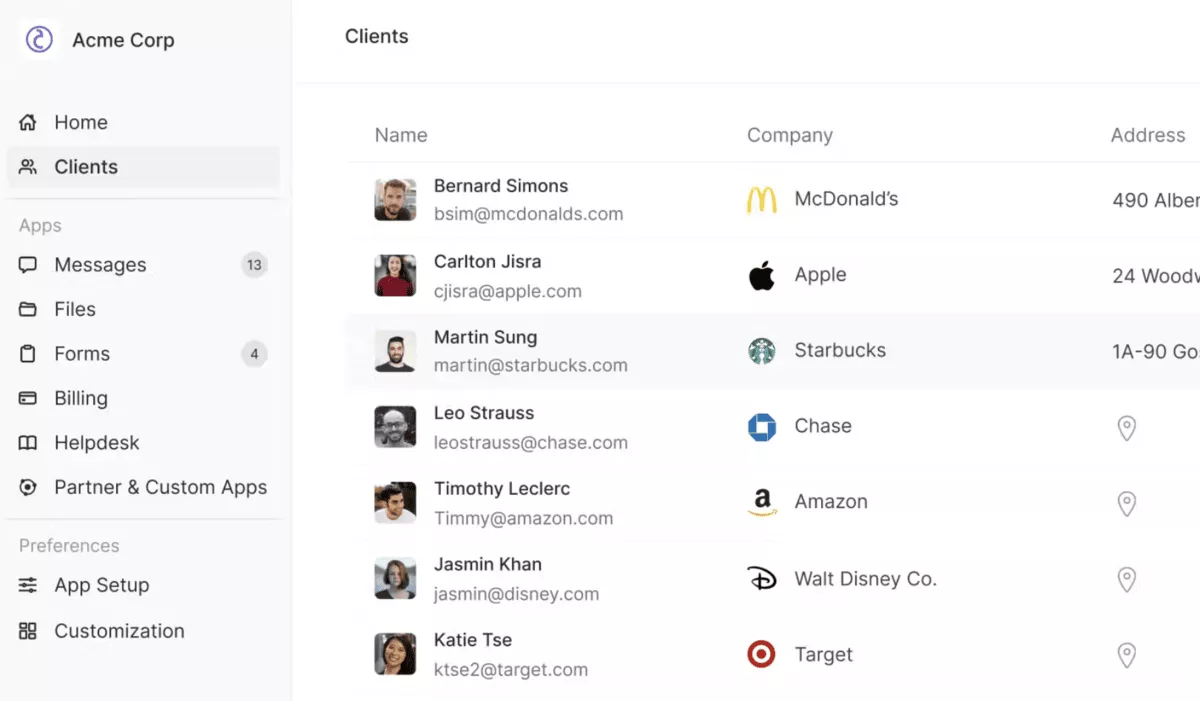
Assembly gives you a branded, white-label client portal where client messaging, files, tasks, contracts, and payments live in one place.
If you rely on a strict request queue and tight proofing loops in ManyRequests, run a quick pilot to confirm that the client feedback and annotation tools feel smooth enough.
Key Features
- White labeling with Custom Domains and user permissions
- Portal messages, files, and tasks
- Contract management with digital signatures
- Invoicing, payment processing, and Payment Requests
SOurce: Assembly (Copilot)
Pros
- Deep customization and flexibility that lets teams shape the portal to their process.
- Integrates well with other tools, including Zapier, when you need to keep your stack connected.
- Clean UI that feels easy to navigate for day-to-day messaging.
- Can replace a bundle of separate tools by keeping messaging, billing, and file sharing in one place.
Cons
- Some clients still struggle with the UX, especially around messages and tasks.
- Messaging can get messy across multiple internal users if the read status does not sync reliably.
- Automations can fail without clear errors, so you need a real pilot before committing.
- Layout and styling control can feel limited or rigid if you want a highly custom front-end.
Final Verdict
If messaging sync and automation reliability are dealbreakers for you, this is a risky pick.
But if your goal is a polished white-label client portal that covers contracts, payments, and client messaging under your brand, Assembly is a solid ManyRequests alternative.
Want a wider view of tools that combine delivery workflows with a portal? Here is our guide to project management software with a client portal.
3. SuiteDash – Best for an All-in-One White-Label Portal Stack
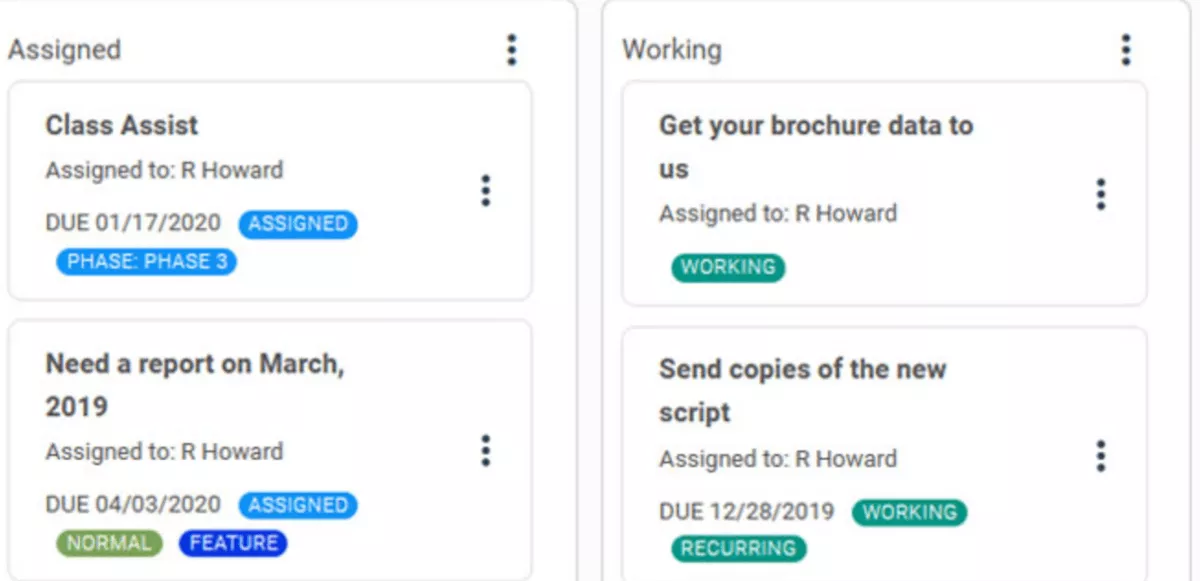
SuiteDash is a management platform that can run a full portal setup, from client profiles and delivery planning to billing. It offers deep branding controls and permissions, but setup usually takes longer than ManyRequests.
Key Features
- White labeling with Custom Domains and user permissions
- Portal with client profiles, files, and messaging
- Task delegation and internal workflows
- Automations and third-party integrations
SOurce: SuiteDash
Pros
- One portal can replace several tools, which helps teams reduce tool sprawl.
- The customization depth is a plus if your client management process is not standard.
- Automations can take repetitive admin off your plate once you set them up.
- The integrations catalog is strong for a tool in this category, so payments and calendars can stay connected.
Cons
- The learning curve is real, and the setup can feel heavy if you need to move fast.
- The UI can feel overwhelming at first because there are so many modules and settings.
- Because it is so configurable, teams can end up with inconsistent processes unless someone owns the system.
- Analytics and reports are useful, but you may need time to configure them into something you actually use.
Final Verdict
SuiteDash is not the pick if you need a lightweight portal you can roll out in a week with almost no training. If your tool change is part of a bigger handoff between sales, delivery, and billing, this overview of revenue operations (RevOps) is a useful baseline.
4. Agency Handy – Best for Agencies That Want Portal Plus Billing Workflows
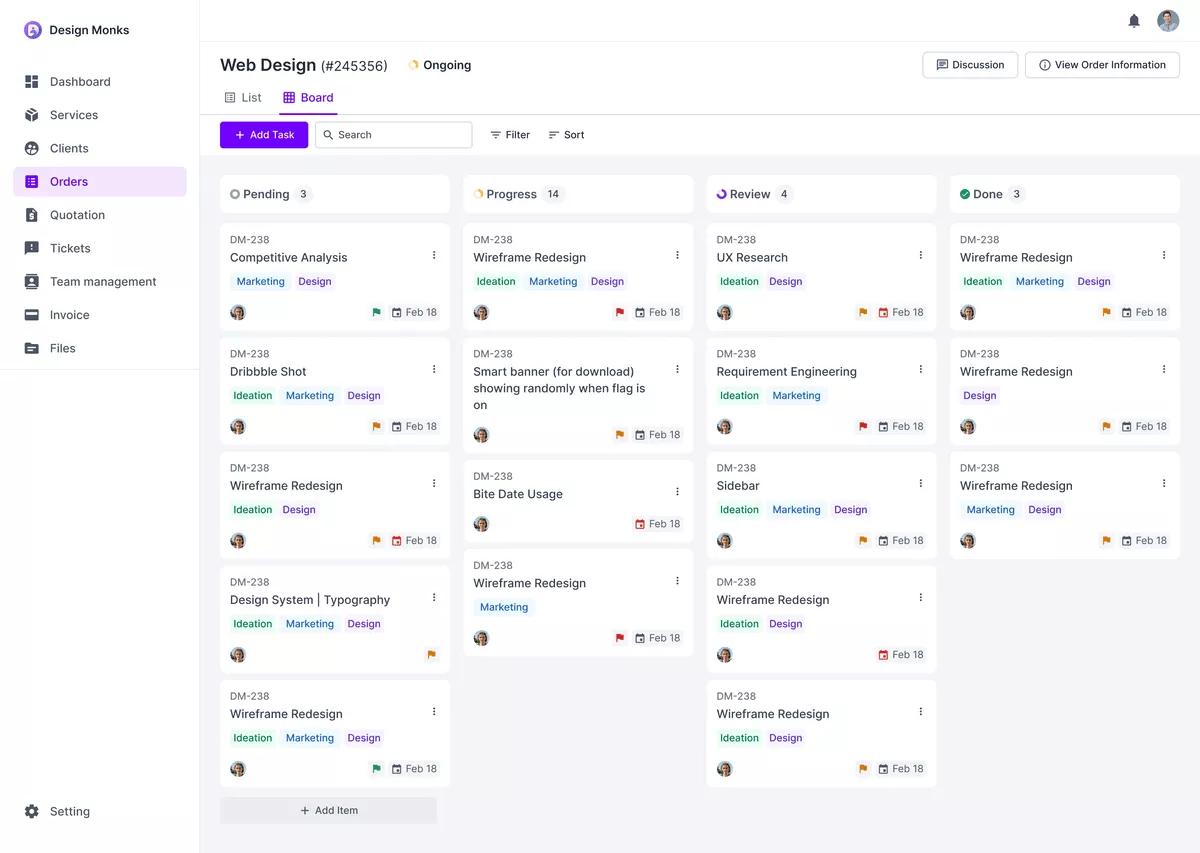
If you sell packaged services or retainers, Agency Handy is built for that moment, with a portal that connects orders, subscriptions, and billing tools.
The tradeoff is that you should test how much control you need over portal layout and client messaging before you migrate, because not every workflow will feel as polished out of the box.
Key Features
- Service catalog and Order Form for structured intake
- Subscription management for recurring services
- Invoicing, Payment Requests, and payment processing
- Tasks, approvals, and a client-facing workspace
SOurce: Agency Handy
Pros
- Keeps orders, payments, and tasks in one place, which helps reduce tool hopping.
- Clean interface that feels easy to learn, even for busy owners.
- Works well for high client volume when recurring billing and task management are connected.
- Helpful support when you hit setup issues during rollout.
Cons
- Customization can feel limited if you want a highly tailored portal layout.
- Messaging may feel incomplete if you need a unified inbox across channels.
- Invoice design has constraints, such as limited font control.
- You may run into edge-case setup friction with branding settings and display quirks.
Final Verdict
Not the right pick if you need deep portal customization and a fully unified client inbox from day one.
If your agency sells recurring packages and you want subscription billing and delivery workflows inside a single portal, Agency Handy is one of the closest ManyRequests replacements.
If CRM is part of the decision, this guide to CRM for agencies can help you map what you need before you migrate.
5. Queue – Best for Productized Service Delivery and a Client-Facing Workflow
Queue is built for productized services, with a service catalog and an order form that keep intake consistent and requests moving.
For teams coming from ManyRequests, Queue feels more opinionated, with a portal, subscriptions, and feedback tools designed around a clear delivery pipeline.
Key Features
- Service catalog and Order Form for standardized intake
- Portal with request forms and onboarding checklists
- Manage subscriptions, invoices, and Payment Requests
- Visual task tracking for basic project tracking
SOurce: queue
Pros
- Reduces tool sprawl by keeping requests, feedback, and billing in one place.
- Built-in review workflows can reduce calls by letting clients leave feedback directly on files.
- Embeds and integrations make it easier to keep client work connected to the docs and data you already use.
- Support and shipping speed stand out when you roll it out within a design agency.
Cons
- Billing history can be hard to read inside the app, so you may still rely on Stripe for clarity.
- Analytics are limited if you need deeper reporting on feedback trends or reviewer activity.
- The mobile app can feel behind the web experience, which matters for on-the-go approvals.
- Some teams will hit a learning curve as they configure the workflow and portal.
Final Verdict
Need deep analytics or a mobile-first approval flow? Queue will likely feel limiting.
If you run a productized service for creative agencies and want a client-facing pipeline that ties intake, feedback, and subscriptions together, Queue is worth considering.
Why Teams Look for Alternatives to ManyRequests?
Teams look for ManyRequests alternatives because they hit specific pain fast: branding and pricing limits, message clutter as volume grows, weak reporting for delivery decisions, and not enough integrations to reduce manual handoffs.
Across reviews and buyer discussions, these are the most common switching triggers.
- Pricing feels steep once you need basics like full branding. If removing vendor branding or unlocking core workflows pushes you into a higher tier, teams start shopping for a ManyRequests alternative that scales more predictably.
- The portal experience can break down as client volume grows. More clients mean more messages, more files, and more status questions. If client communication gets messy, buyers prioritize clearer client interactions and stronger client management.
- Reporting and visibility are not enough for delivery decisions. When owners ask “what is stuck?” or “what is burning time?”, teams look for tools with stronger project management views and reporting that does not require manual work.
- They need better integrations and automation. If work still relies on copying details across tools, agencies start prioritizing workflow automation and integrations so intake, delivery, and billing stay connected.
If you want a deeper primer on what good client ops looks like outside a portal, see our detailed guide to client management.
How to Choose a ManyRequests Replacement? (Step-by-Step Process)
You should choose a ManyRequests replacement by testing the workflows you run every week, not by comparing feature lists. Pick 2 to 3 real clients, run a short pilot, and only migrate once the portal experience, approvals, billing, and reporting all hold up.
Here is the decision path that saves most teams time: lock your intake (Order Form and service catalog), validate approvals and proofing, test the portal UX with a real client, confirm billing and subscriptions match how you sell, then check reporting and integrations.
If CRM is part of the decision, this overview of client relationship management can help you set requirements before you migrate.
Step 1: Review Intake and Request Forms
Start by building one real Order Form inside each tool and use it for a week. Good intake captures the goal, deadlines, files, and who can approve, so your team does not chase context in chat.
Before you commit, map your common request types into a service catalog. If you cannot model your work cleanly, client onboarding will feel messy, and your delivery will slow down.
Step 2: Test Approvals and Proofing
Approvals break replacements. Test them with one real deliverable, one revision, and one final approval.
Check whether clients can leave clear client feedback using annotation tools, whether you can track versions without confusion, and whether the tool supports digital signatures if you use approvals in contracts.
Step 3: Validate Portal UX and Client Experience
Invite one client into the branded client portal and ask them to do three things: submit a request, review a file, and find the current status.
A quick UX checklist: navigation is obvious, messages and files are easy to find, the status is clear, and user permissions let you control who can request, approve, and download. If you need white labeling and custom domains, verify that you can apply them without breaking the login flow.
Step 4: Confirm Billing and Subscriptions
Match billing to how you sell. If you run retainers or packaged work, you need subscription management or Subscription plans that align with your scope and renewal cycle.
Test the full loop: create an invoice, send Payment Requests, confirm payment processing works the way your finance team expects, and decide how you will handle out-of-scope requests when they happen.
Step 5: Check Project Visibility and Reporting
Even if you love the portal, you still need answers during delivery. Make sure delivery views and project tracking help you spot what is stuck, what is late, and what is waiting on a client.
Do a simple reporting test: can you pull analytics and reports for the current workload, overdue tasks, and time tracking without exporting to spreadsheets? If the tool cannot answer those questions fast, your management meetings will drift back into manual status updates.
Step 6: Verify Integrations and Automation
List the few integrations you cannot live without, then confirm they exist before you migrate. Start with third-party integrations for Slack, email, and billing, then check API integrations if you rely on custom workflows.
Finally, run a small automation test. Create one workflow automation rule (or one of the tool’s automation workflows) that triggers a notification or status change when a request is submitted. If it is hard to set up or unreliable in the pilot, it will be worse at scale.
How to Migrate from ManyRequests Without Client Churn?
You can migrate from ManyRequests by rebuilding your current flow in the new portal, piloting it with a small set of clients, then switching everyone over in a controlled cutover.
Before you jump into the checklist, treat this like a short internal project. The checklist is ordered on purpose: you first lock the process, then protect your active work, then test with real clients before you flip the switch.
Use it like this:
- Work top to bottom. Do not start building the new portal until you have exported and cleaned up your request types and statuses.
- Pilot before you migrate everyone. The point is to surface the “small” friction that causes client confusion: missing fields in intake, unclear statuses, messy approval steps, or login issues.
- Plan the client communication upfront. Write the announcement and the new submission instructions before cutover, so you are not improvising when requests are coming in.
- Keep a safety net. During the first week, run daily checks and keep one fallback channel open so nothing gets dropped while clients adjust.
Free Migration Checklist
Use this checklist as a template for a successful migration. Copy-paste it and fill in the bullet points after a migration brief.
Step 1: Prep (Decide What Changes, and What Stays the Same)
- List the workflows you must preserve: how requests come in, how you assign work, how clients approve, and how you bill.
- Decide what you will standardize during the switch (status names, request types, file naming, and who can approve).
- Pick a cutover date and a “freeze window” (for example, no process changes during the last 3 to 5 days before cutover).
- Assign owners: one person owns the migration, one person from the support team owns client comms, and one person owns billing checks.
Step 2: Inventory and Export (Capture Everything You Will Need on Day One)
- Export your client list and contact list.
- Export active requests and in-flight work, including status, owner, and due dates.
- Export templates you rely on (intake questions, standard services, recurring packages).
- Pull a list of where files live today (drive folders, attachments, links) so you can keep references intact.
- If you invoice through ManyRequests or connected tools, export the invoices and payment history you need for continuity.
Step 3: Clean Up and Map (Reduce Chaos Before You Rebuild)
- Consolidate request types into a short list you can explain to clients in one minute.
- Rename statuses so they describe an obvious next step (for example, “Needs info,” “In progress,” “Needs review,” “Approved”).
- Decide what you will migrate vs archive. A common rule: migrate active work and the last 30 to 90 days of history, archive the rest.
- Create a simple mapping sheet: old status → new status, old request type → new request type, old client → new client record.
Step 4: Rebuild the Workflow in the New Client Portal (Make It Usable Before It Is Perfect)
- Create the intake form(s) you actually use, with required fields for goal, deadline, files, and approver.
- Set up client permissions (who can submit, who can approve, who can invite others).
- Recreate the minimum portal structure clients need: where to submit, where to review, and where to see status.
- Set up automated reminders for the two moments that usually stall delivery: missing request info and pending approvals.
Step 5: Pilot With 1 to 2 Clients (Prove the Switch in Real Delivery)
- Choose one simple client and one “realistic” client (the one that tends to send messy requests).
- Run one full cycle: intake → work started → review → revision → approval → billing (if relevant).
- Track every client question you get. If you need to explain something twice, change the portal labels or the process.
- Adjust reminders so they are helpful, not spammy. This is where most tools feel great or terrible.
Step 6: Cutover (Switch Intake Without Losing Work)
- Send a short announcement with the new portal link and one clear instruction: where requests must go from now on.
- Keep the old system read-only for a fixed period (for example, 2 to 4 weeks) so clients can reference old work.
- During the first week, run a daily check: new requests submitted, approvals pending, and any clients stuck at login.
- Keep one fallback channel open (a monitored inbox) during cutover so requests do not get lost if a client hits friction.
Step 7: Stabilize (Make the New Process Stick)
- Run a 30-minute retro after week one: what confused clients, what slowed the team, what broke.
- Update your client onboarding message and add a 3-step “how to submit a request” note that clients can bookmark.
- Lock the operating rhythm: when you review new requests, when you chase approvals, when you invoice.
- If you have multiple team members in the portal, confirm internal handoffs are clear (who owns the next step at each status).
Final Thoughts
If you are choosing a manyrequests alternative, focus on the few workflows that make or break delivery: intake quality, approvals, billing fit, and whether the portal stays clear when volume grows.
The tools on this shortlist are among the most credible apps like ManyRequests. Still, the best pick depends on how much internal planning and operations visibility your agency needs day to day.
If you want fewer tools and tighter delivery reporting, an all-in-one platform is often the cleaner long-term move.
Book a demo of Productive when you are ready to see what that looks like in practice.
Connect With Agency Peers
Access agency-related Slack channels, exchange business insights, and join in on members-only live sessions.
