Top 6 Costlocker Alternatives (Paid & Free) – 2026 Review

Costlocker alternatives can mean very different things depending on what you are trying to replace: time tracking, project cost visibility, agency financial reporting, invoicing, resourcing, or a broader operations setup.
Here, we’ll compare six true replacements by best-fit use case, key features, review-backed pros and cons, and category fit.
You will also get a buyer comparison table, a step-by-step process for choosing the right tool, and a practical migration checklist for moving your projects, budgets, time data, and reports into a new system.
What Are the Best Costlocker Alternatives in 2026?
The best Costlocker alternatives in 2026 are Productive, Teamwork.com, BigTime, ClickTime, Harvest, and Toggl Track. The right choice depends on whether you want to replace time entry, cost control, profitability reporting, invoicing, resourcing, or broader agency management software.
Use the shortlist first, then scan the comparison table to see which tools fit your replacement path.
Best Costlocker Competitors Shortlist
Costlocker Replacements Compared (Buyer’s Review)
| Tool | Software type | Best fit | Choose if | Covers | Tradeoff | Free option |
|---|---|---|---|---|---|---|
| Productive | Agency operations platform | Agencies that want delivery, resourcing, finance, and reporting connected | You need one system for project work, capacity, invoicing, and financial visibility | Delivery, budgets, resourcing, reporting, invoicing, agency operations | More platform than a team needs if it only wants a basic timer | No |
| Teamwork | Client project management software | Client delivery teams that need budget context around project work | You need project execution, client collaboration, logged hours, and budget context together | Delivery workflows, client work, workload, budget visibility | Not the best fit for finance-first profitability reporting or deeper cost allocation | Yes |
| BigTime | Professional services automation software | Firms that need structured PSA workflows | You need billing, utilization, resourcing, and financial controls in one PSA setup | Billing, resourcing, utilization, project financial management | Heavier than most lightweight agency operations or timer workflows | No |
| ClickTime | Time and cost tracking software | Teams focused on labor cost and budget control | You need to connect time entries to costs, budgets, and margin visibility | Time data, labor costs, budget control, reporting | Narrower than tools built for client delivery, CRM, or full operations | No |
| Harvest | Time and invoicing software | Teams that want hours, expenses, reports, and invoices | You mainly need tracked hours and expenses to become client billing workflows | Timesheets, expense tracking, reports, invoicing | Limited if you need resourcing, agency-wide budget control, or client profitability workflows | Yes |
| Toggl Track | Time tracking software | Teams that want low-friction time capture | You need an easy timer for hours, tasks, and basic reports | Time capture, simple reporting, team adoption | Too narrow for cost control, budget control, or client profitability reporting | Yes |
How We Chose These Tools?
We chose these Costlocker competitors based on whether they can replace one or more real jobs: time tracking, cost tracking, budget visibility, profitability reporting, CRM systems, invoicing, resource planning, or agency operations.
We checked official product fit, used G2 as the primary review source where available, and avoided generic project management software unless it clearly supports a replacement path for software buyers.
1. Productive – Best All-in-One Alternative for Agencies and Service Teams
Productive is a better fit when agencies want to stop reconciling project work, time, budgets, resourcing, CRM, invoicing, and reports across separate tools.
Costlocker already gives agencies useful visibility into time, costs, budgets, profitability, billing plans, and workload, but some teams need those numbers connected to the daily workflows that shape them.
Try the best Costlocker Replacement
Connect Project Work With Financial Data
The current platform can show project financials, but agencies still need to manage the work that changes those financials every day. That is where Productive’s wider setup matters.
In Productive, budgeting work is connected with project tasks, time entries, profitability, and team workload in the same platform. Project managers can see tasks, logged hours, budget progress, and project context together, instead of checking one tool for delivery and another for financial performance.
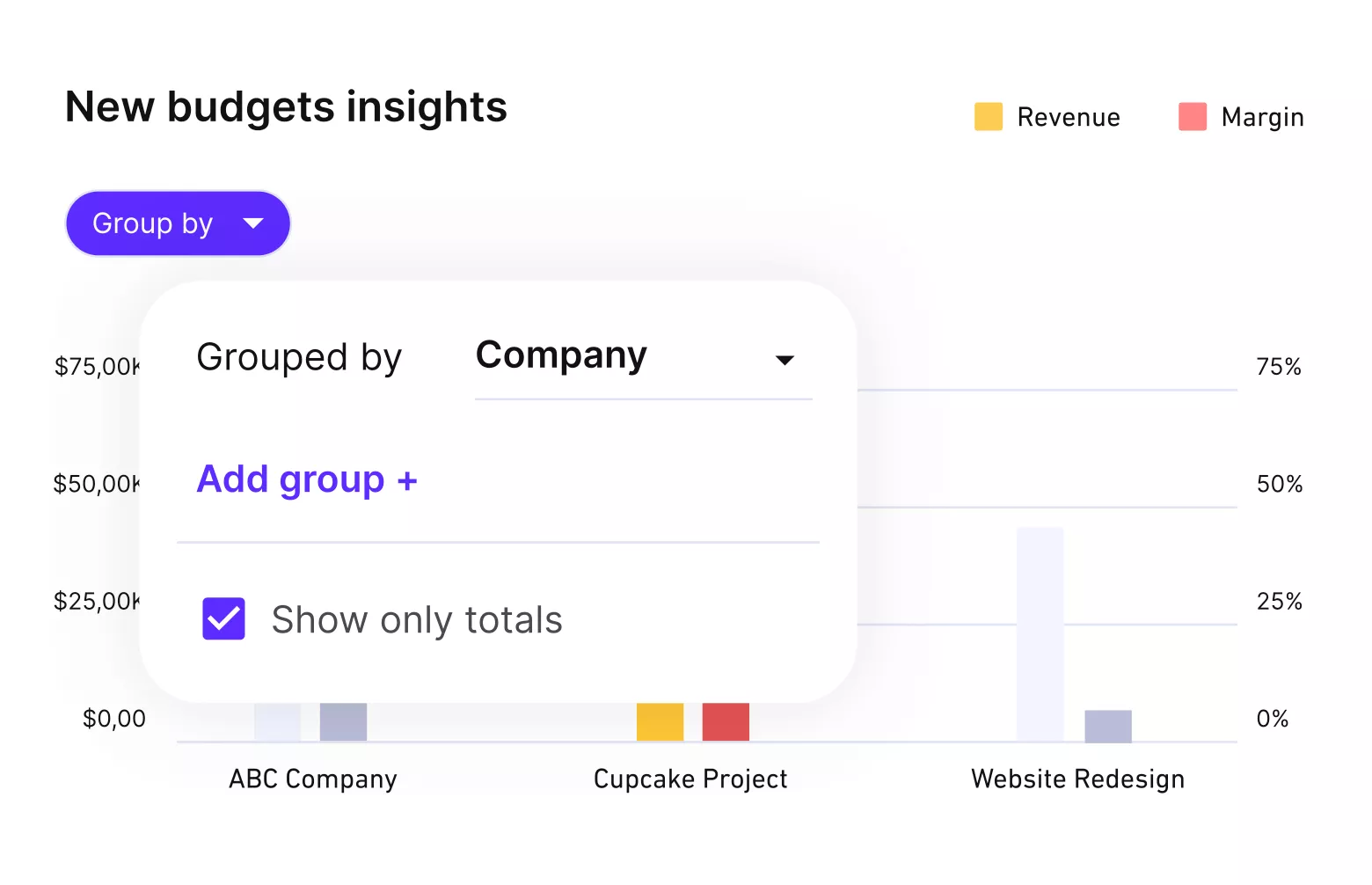
Get real-time updates on budgets and profitability.
Move From Workload Reporting to Resource Planning
Costlocker includes workload reporting, so the issue is not a lack of capacity visibility. The bigger gap appears when teams need to plan future work, adjust bookings, account for time off, and understand how resource allocation affects delivery.
Productive’s resource planning view gives teams a forward-looking look at availability, workload, scheduled work, and staffing needs. That helps operations leads plan capacity before time is spent, instead of waiting for reports after the work is done.
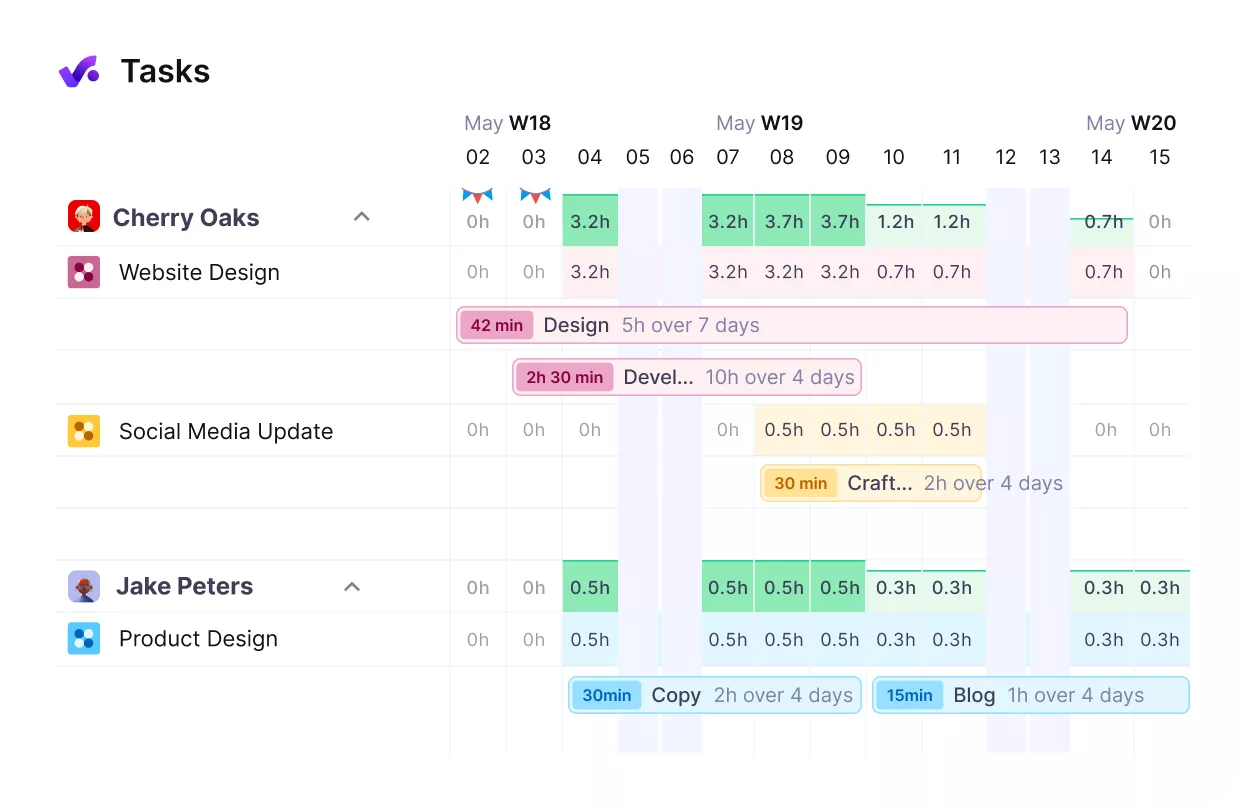
Productive connects workloads with resource planning.
Carry Sales, Budgets, and Invoices Through Delivery
Growing agencies often lose time when sales estimates, project setup, budgets, and invoices live in different tools. Costlocker supports billing planning, but invoice creation still happens outside the platform through billing tools or integrations.
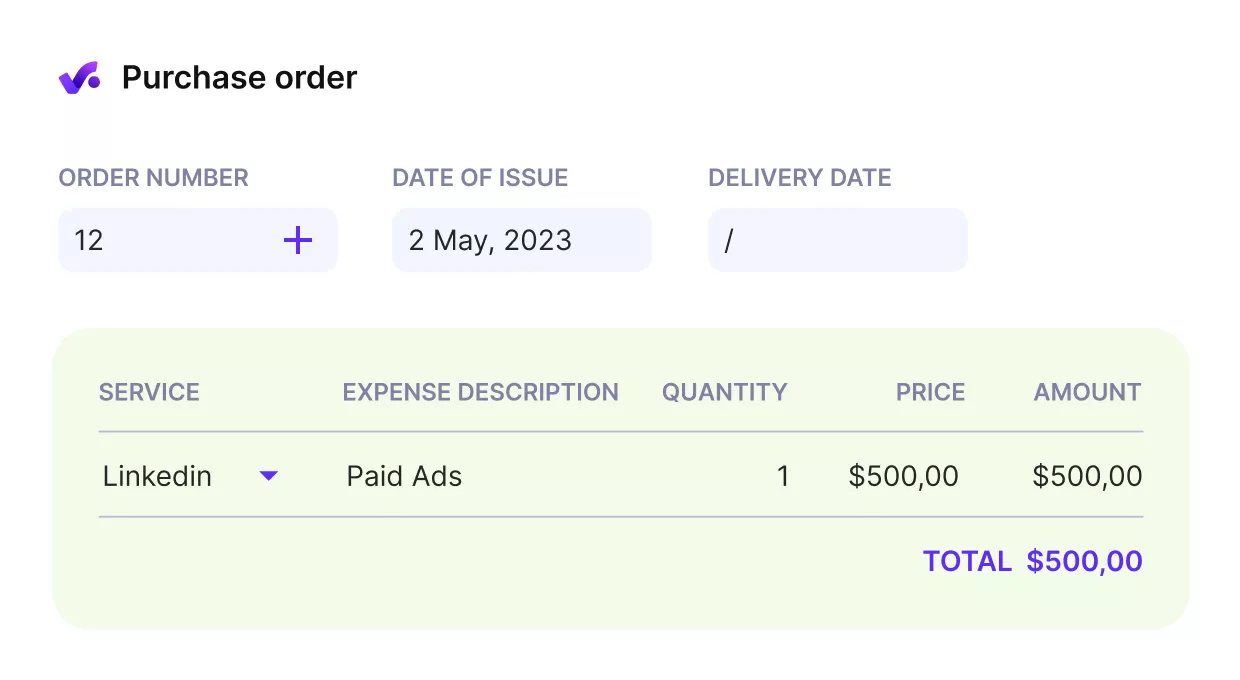
Send invoices from the same platform where you manage workloads, budgets and deliver work.
Productive connects CRM, budgets, project delivery, invoicing, reporting, and workflow automation around handoffs. With sales workflows in Productive, won deals can move into delivery with less duplicate setup, and finance can build invoices from the same operational data teams use to run the work.
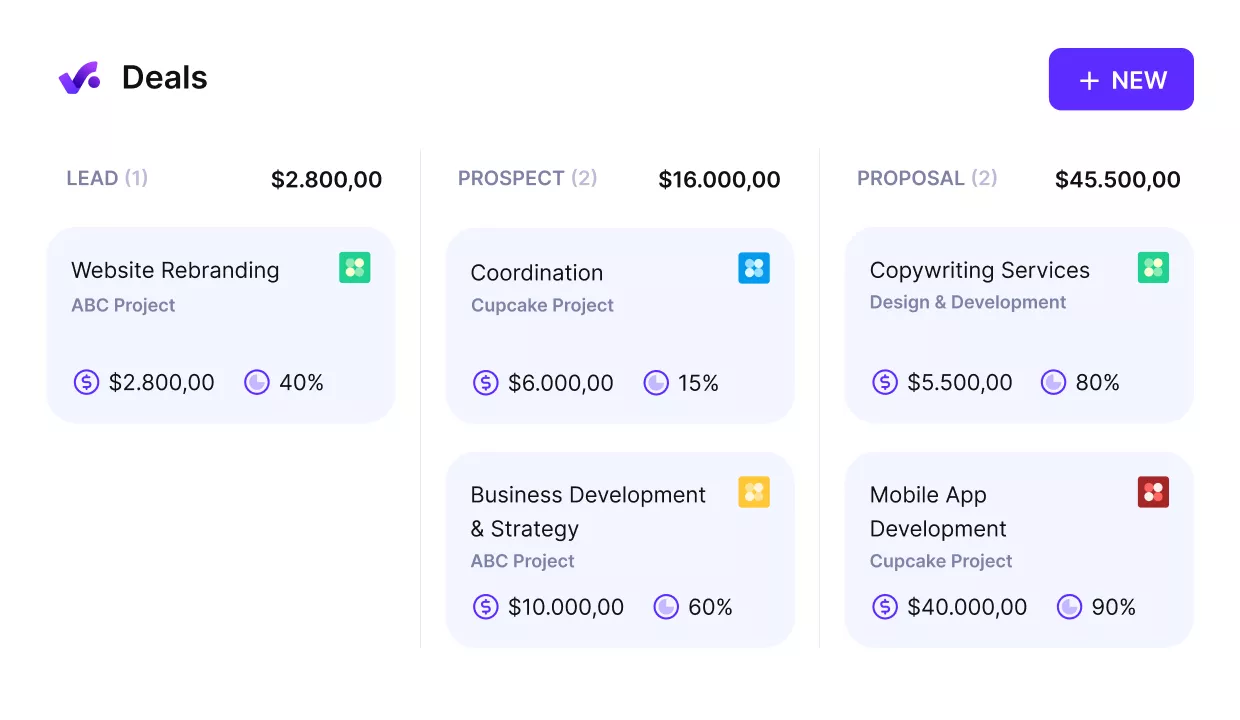
Turn won deals into started projects.
Pricing
- Plans start with the Essential plan at $10 per user per month, which includes essential features such as budgeting, project & task management, docs, time tracking, expense management, reporting, and time off management.
- The Professional plan includes custom fields, recurring budgets, advanced reports, billable time approvals, and much more for $25 per user per month.
- The Ultimate plan has everything that the Essential plan and Professional plan offer, along with the HubSpot integration, advanced forecasting, advanced custom fields, overhead calculations, and more. Book a demo or reach out to our team for the monthly price per user.
Productive has a free 14-day free trial, so you can try out what the tool can offer to your professional services firm.
Ready to Replace Costlocker with One Connected Platform?
Productive brings project delivery, budgets, resourcing, invoicing, CRM, and reporting into one place, so your team does not have to reconcile agency work across separate tools.

2. Teamwork.com – Best for Client Project Delivery With Financial Visibility
The reason to shortlist Teamwork.com is that it puts client delivery, workload, budgets, time entries, and client updates inside the same project workspace. It fits agencies that need more delivery structure than a finance-first tool provides, especially when project managers need task status and budget context before client work drifts off track.
For a deeper comparison of this category, Productive’s guide to compare Teamwork.com with other delivery platforms can help you separate project collaboration tools from broader agency operations systems.
Key Features
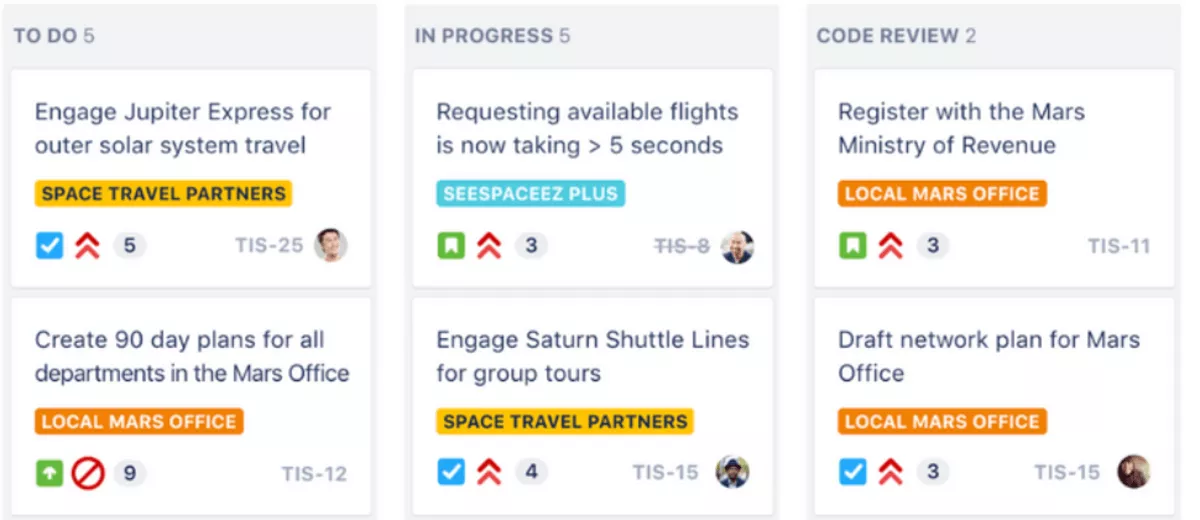
- Project tracking with tasks, milestones, clients, Kanban boards, Gantt charts, and project views
- Built-in timers for billable and non-billable work
- Budgets for tracking hours, billable amounts, costs, and profitability
- Workflow automation for recurring task updates and notifications
SOurce: teamwork.com
Pros
- Teams can manage projects, budgets, and client work in one place instead of splitting delivery context across tools.
- Workload planning helps teams see capacity, assigned tasks, and work in progress before delivery issues build up.
- Task assignment and due dates make it easier to organize client projects and keep work on schedule.
- Timers and cost management features help connect task-level work with delivery visibility.
Cons
- Reporting may feel limited for teams that need flexible, executive-level views across projects.
- The number of features can make the workspace feel messy or inconsistent if teams do not use it the same way.
- Setup can be difficult when the configuration takes longer than expected.
- Mobile and smaller-screen UX issues can slow down users who manage projects away from a full desktop setup.
Final Verdict
Choose Teamwork.com when the real gap is delivery control: task ownership, client updates, workload visibility, and budget context in the same place. If the buying question is mainly about finance-led profitability, flexible reporting, or deeper cost allocation, Teamwork.com will feel like a project layer around the problem rather than a core replacement.
3. BigTime – Best for PSA-Heavy Professional Services Teams
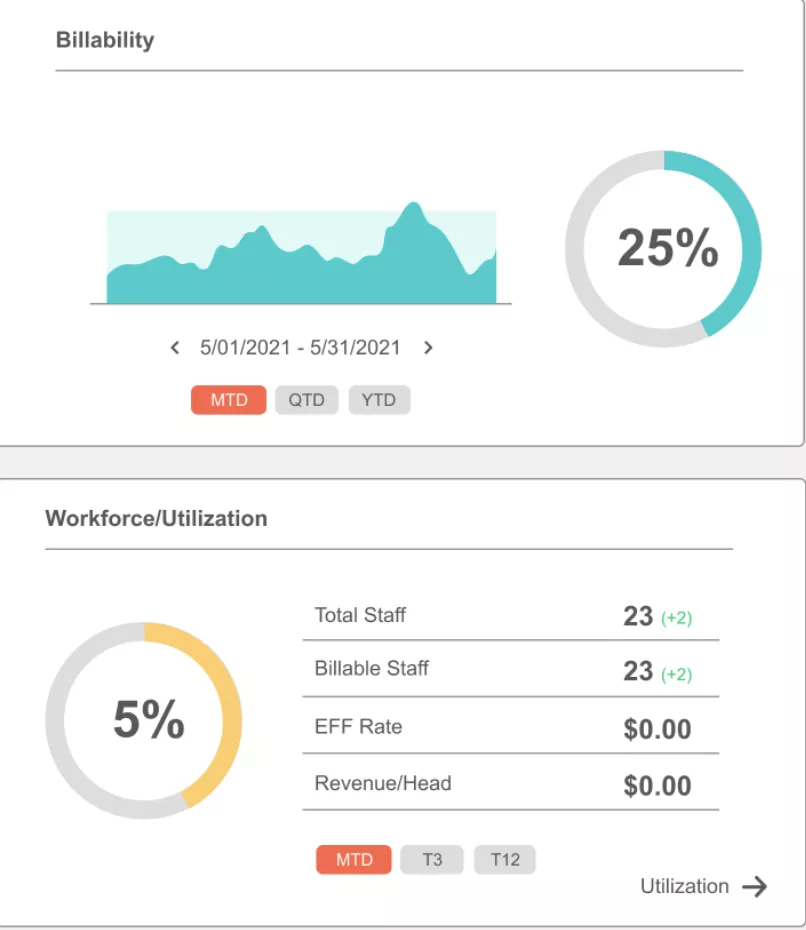
BigTime takes the PSA route: time, expenses, staffing, billing, invoicing, payments, and project financial reporting sit inside one structured operating system. It fits firms that want more control over financial performance and delivery operations, but it can be too much for smaller agencies that only need lighter visibility.
Key Features
- Time and expense tracking for billable project work
- Resource management for staff and project resources
- Reporting and analytics for project and financial visibility
- Billing, invoicing, payments, and project accounting workflows
SOurce: bigtime
Pros
- BigTime can bring invoicing, timesheets, payroll support, analytics, and project management into one operational workflow.
- Users can track hours across projects, tasks, categories, engagements, and deliverables with clear allocation visibility.
- Timesheet and reporting views can support invoicing backup and monthly client billing.
- QuickBooks integration and project dashboards can help teams connect project oversight with financial tracking.
Cons
- Rollout can feel rough if employees start logging time late or if help resources do not match the current interface.
- Expense uploads and time-entry requirements can create friction when categories or fields are unclear.
- Reporting can be polarizing, with some users praising analytics and others struggling to get useful insights.
- QuickBooks setup can be harder than expected for some teams, even when the integration is valuable after setup.
Final Verdict
BigTime is the heavier move for firms that want PSA discipline around billing, utilization, resource allocation, and project financials. Smaller agencies should be careful here, because a platform built for structured service operations can create more rollout work than a lighter replacement would.
4. ClickTime – Best for Labor Cost Tracking and Project Budget Control
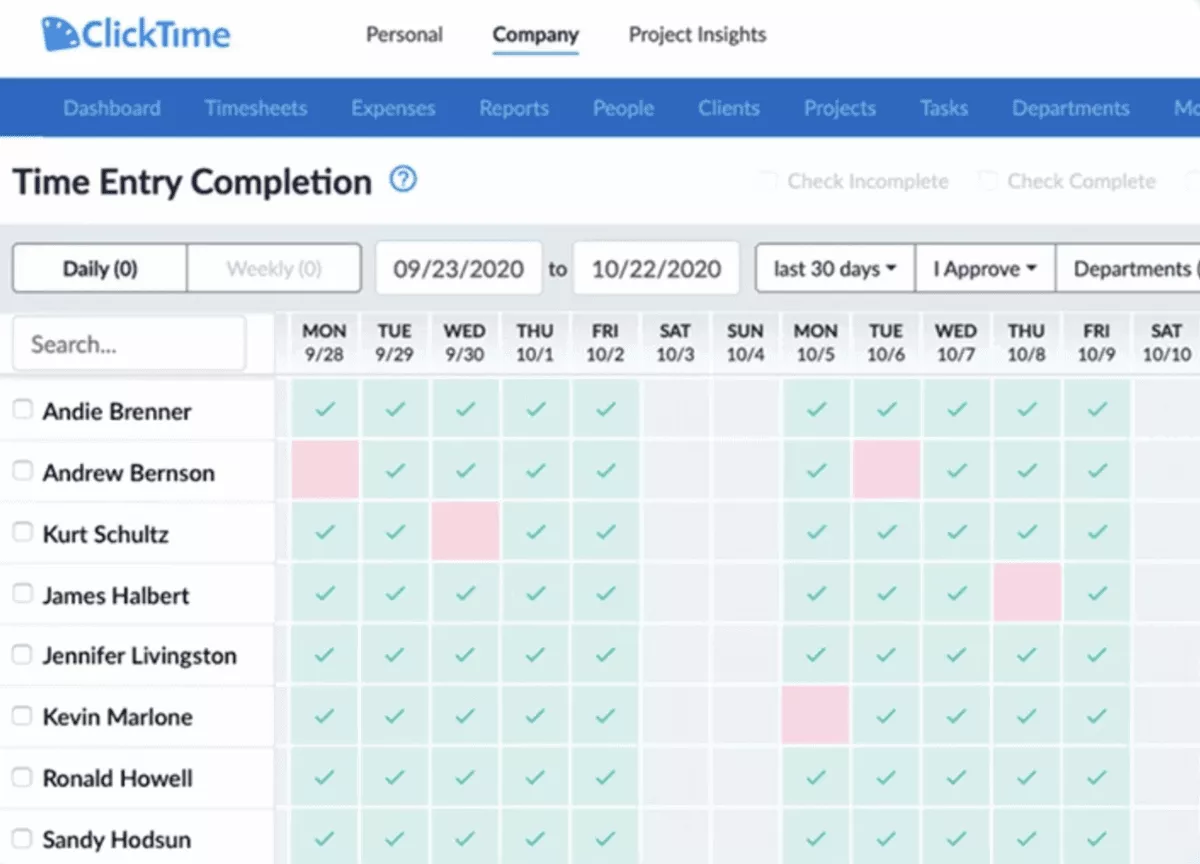
ClickTime turns timesheets into labor cost, budget, expense, and reporting data for buyers who care most about cost control. It fits the Costlocker-style use case better than a generic tracking tool, but it is not the right lane for teams that want client delivery, CRM, or full agency operations in the same system.
Key Features
- Time tracking with online timesheets, reminders, and mobile time entry
- Estimation and budget tracking for project costs
- Labor cost reporting by project, department, or custom dimension
- Expense tracking and reporting alongside time data
SOurce: clicktime
Pros
- Time entry is easy for teams that need hours tied to projects or tasks.
- Cost center and function fields help teams track project funding and department-level cost tracking.
- Reporting helps managers connect time data with budget and cost visibility.
- Labor cost data can support estimates, profitability checks, and staffing decisions.
Cons
- The interface can feel slow or dated when users switch between projects, weeks, or timesheets.
- Mobile functionality may feel more limited than the web version.
- Some workflows still require repetitive manual data entry.
- ClickTime may not be enough if buyers want billing and payroll handled in the same system.
Final Verdict
ClickTime is strongest when the decision starts with labor cost visibility, not broader agency delivery.
Once the replacement needs to cover client collaboration, CRM, resourcing, and invoicing in the same workflow, ClickTime becomes a narrower cost-control tool rather than a full operating system.
5. Harvest – Best for Time and Invoicing
Harvest keeps the replacement job narrow: track time and expenses, report on budgets, and turn billable work into invoices. It works when time-to-invoice is the main gap, but it is too limited for agencies that need deeper project margin analysis, resourcing, or budget control across the agency.
If Harvest is already on your shortlist, Productive’s guide to compare Harvest with other billing-friendly tools gives more context on when a timer-plus-invoicing setup is enough.
Key Features
- Tracking across browser, desktop, and mobile apps
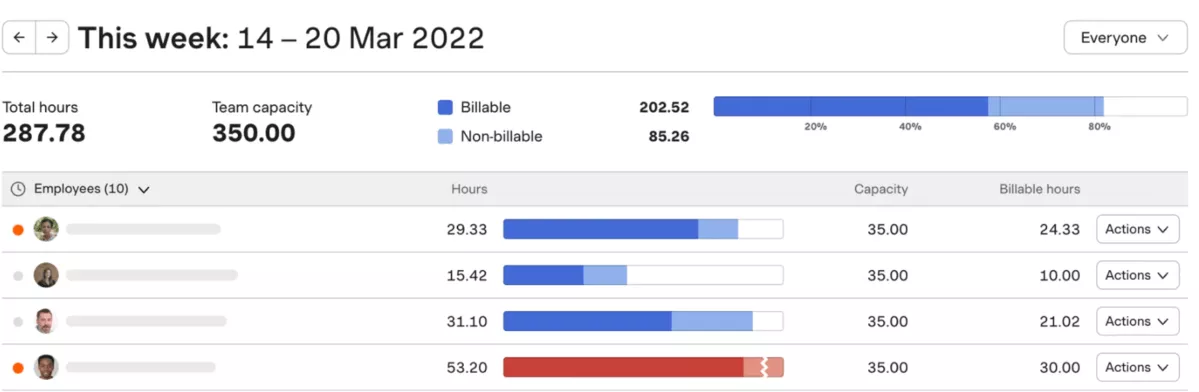
- Reports for budgets, team capacity, costs, and time spent
- Expense tracking and invoicing from tracked time and expenses
- Online payments and accounting integrations with QuickBooks Online and Xero
SOurce: harvest
Pros
- Harvest is easy to set up and use for daily tracking.
- The interface keeps time entry and invoicing clean for teams that sell billable hours.
- Project burn and budget visibility help teams connect tracked time with delivery oversight.
- Xero integration and reporting can support teams that need invoicing oversight without a heavier platform.
Cons
- Harvest can feel too basic for larger teams or complex project management needs.
- The free version may be too limited for teams that need to track more than a couple of projects.
- Teams that handle client requests or support tickets may need another tool alongside Harvest.
- API and recurring invoice documentation can create friction for teams with more technical billing workflows.
Final Verdict
It should drop lower on the list when project margin analysis, resource planning, or agency-wide budget control are part of the workflow you need to replace.
6. Toggl Track – Best Free-Friendly Timer Alternative
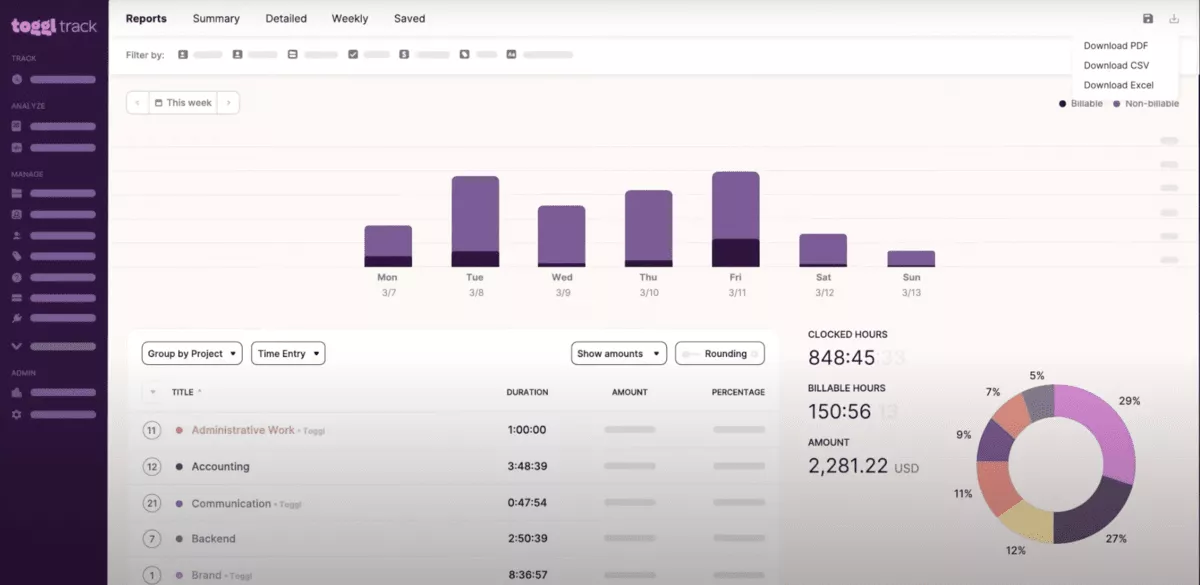
Toggl Track keeps the switch simple: make time tracking easy enough that people actually log worked hours by project, task, or client.
It can replace the current setup when time capture and adoption are the real problems, but teams that need cost allocation, budget control, or client profitability reporting should choose a more financially complete tool.
Key Features
- Automatic time tracking on desktop, plus web, mobile, and browser extension tracking
- Real-time, manual, calendar, list, and timesheet tracking views
- Reports for productivity, revenue, time logs, and project progress
- Integrations with 100+ tools, plus Google and Outlook Calendar integrations
SOurce: toggl track
Pros
- Toggl Track is easy to start using without a long setup process.
- The one-click timer makes daily tracking simple for users who switch between tasks often.
- Reports help users see where their hours go across tasks and projects.
- Project and task tracking can support basic project cost management when teams mainly need time data.
Cons
- Toggl Track can feel too simple once teams need built-in invoicing or deeper reporting.
- Editing missed or past time entries can take extra care, especially when dates and AM or PM fields matter.
- Syncing and switching between devices can feel slow for some users.
- Some advanced features sit behind paid plans, which limits the free-friendly path for growing teams.
Final Verdict
Toggl Track solves the adoption problem better than the financial control problem. Use it when the team mainly needs consistent time capture, but move to a more financially complete alternative if cost tracking, budget control, or client profitability reporting still matter.
Why Do Companies Look for Costlocker Replacements?
Companies look for Costlocker replacements because they need either a wider operating system for project financials or a simpler tool for time tracking, invoicing, and reporting. Profitability tracking can be useful, but the right replacement depends on where the workflow starts breaking down.
These are the common switching triggers to check before you shortlist tools:
- Time data does not manage the work around it. Logged hours help explain what happened, but project managers still need task status, deadlines, workload, approvals, and client context to act before delivery slips. If those workflows live elsewhere, time data becomes a report instead of a management tool.
- Profitability reporting can expose more questions than it answers. Client profitability insights are only useful when teams can connect them to project scope, staffing decisions, billable work, company overheads, and delivery changes. If those inputs are scattered, financial metrics can show the problem without making the next action clear.
- Budget visibility is weaker when resourcing happens in another system. A project can look healthy on estimated profit until the team adds senior people, extends the timeline, or moves work across departments. Agencies that plan capacity in spreadsheets often need a tool that connects salaries, budgets, workload, and financial performance. For more details on that planning layer, this guide shows how to forecast budgets from real project data.
- Finance and delivery teams need different views of the same data. Finance may care about margin, invoicing, expenses, and overhead. Project teams may care about deadlines, assignments, time entries, and scope changes. When both teams work from separate tools, month-end reporting turns into reconciliation instead of decision-making.
- Some teams only need a lighter timer. If the main issue is adoption, worked hours, or basic reports, a simple tracking tool can be a better fit than a broader cost and profitability platform. In that case, the best alternative is the one people will actually use every day.
- Growing agencies may need a broader agency operations setup. Once invoicing, capacity planning, budgets, and reporting start depending on each other, a narrow tracking tool can create extra handoffs. That is usually the point where teams compare their current setup with PSA software, agency management software, or a more complete project financial management tool.
How to Choose the Best Costlocker Alternative?
You should choose the best Costlocker alternative by mapping the workflows you use today, matching them to the right software category, and testing whether the new tool can recreate your most important reports.
A good alternative should replace the job your current setup handles for your team, not just look similar in a comparison table.
What Kind of Alternative Do You Actually Need?
The right alternative depends on the part of your workflow you are replacing. Start with the process that creates the biggest problem, then shortlist tools from that category.
- Choose time tracking software if the main problem is adoption. This fits teams that need cleaner time entry, simple reports, and less friction around logging hours.
- Choose time and invoicing software if billing is the main workflow. This fits teams that mainly need to turn billable work, expenses, and client work into invoices.
- Choose a project cost tracking tool if margins are the main concern. This fits teams that need project budget visibility, labor cost tracking, expense tracking, and clearer budget burn. If you need a broader framework before comparing tools, this guide explains how to manage project finances across delivery.
- Choose agency management software if the problem spans delivery and finance. This fits teams that need project tracking, budgets, resourcing, time entries, reporting, and invoicing connected in one system.
- Choose professional services automation software if the team needs a heavier operating model. This fits firms that need workforce management, utilization, billing, resourcing, project financial management, approvals, and structured services reporting.
Step 1: Map Your Current Baseline Before Comparing Tools
Before comparing tools, list what your current system handles for your team. Include projects, clients, people, rates, budget data, cost data, time entries, expenses, invoices, profitability reports, client profitability views, employee profitability views, and time estimates.
Then mark each workflow as must-have, nice-to-have, or safe to replace with a lighter process. This prevents a common switching mistake: choosing a tool with a cleaner interface that cannot rebuild the financial views leadership already uses.
For each must-have workflow, write down the report owner, the data fields needed, and the decision the report supports. For example, a project profitability report may need bill rates, cost rates, hours, expenses, budget type, and client data.
If expenses are one of the messy inputs, Productive’s guide on how to connect expenses to project reports can help you tighten that workflow before migration.
If the new tool cannot recreate that report, it is not a good alternative for that workflow.
Step 2: Validate Review Patterns Before You Commit
Use reviews to check the risks that matter for each tool category. Buyers should not judge every tool by the same criteria because a simple tracking tool and a PSA platform fail in different ways.
For a timer, look for repeated comments about time entry speed, reminders, mobile use, reporting, and user adoption. For a time-to-invoice tool, check whether billable work, expenses, invoices, and accounting integrations work cleanly.
For a PSA or agency operations platform, focus on setup effort, reporting flexibility, workflow automation, resourcing workflows, reporting metrics, and how well teams connect delivery work with budgets.
Do not rely on one positive or negative review. Look for patterns across several recent reviews, then compare those patterns with your own workflow risk. A complaint about advanced setup may not matter for a small team, but it matters a lot if you need finance, operations, and project managers to use the same management tool.
Step 3: Test Reporting Before You Test Everything Else
Test reporting first because replacement projects often fail when the new tool cannot recreate the financial views the team depends on. Pick two or three active projects, rebuild their cost tracking, budget burn, client profitability views, and financial reports in the new system, then compare the outputs with your current reports.
This test should answer specific questions. Which projects are over budget? Which clients are profitable? Which work is billable or non-billable? Which team members are assigned to work that affects the margin? Which expenses change the project result?
If the new tool cannot answer those questions with data your team trusts, pause the rollout. A polished interface does not fix missing reporting logic.
Teams that need to tighten budget ownership before switching can also use this guide to keep project budgets under control before they migrate the workflow into a new system.
How to Migrate to a New Tool?
You should migrate from Costlocker by mapping financial data first, exporting the records your reports depend on, rebuilding budget and profitability views, and testing the new workflow on live projects before the full rollout. Treat this as a reporting and operations migration, not just a tool switch.
Migration Checklist
- Export active and recently completed projects, clients, people, time entries, budgets, expenses, and invoices if applicable. Keep the raw exports unchanged, so finance has a backup if the mapped fields do not transfer cleanly.
- Document the reports leadership uses today. Include project profitability, client profitability, employee profitability, budget burn, billable versus non-billable work, worked hours, expenses, and any reports that include company overheads.
- Map current fields to the new tool before importing data. Cover clients, projects, roles, bill rates, cost rates, budget types, services, time categories, and expense categories.
- Decide which historical data needs to move. Recent projects may need full detail, while older projects can often stay archived if the team only needs them for reference.
- Rebuild two or three active projects in the new tool before moving everything. Choose projects with different billing models, team sizes, and expense tracking needs so the test reflects real work.
- Recreate budget and profitability reports first. Check whether finance, operations, and project managers trust the numbers before asking the whole team to change workflows.
- Test time entry with a small team. Confirm that logged hours flow into the right projects, budgets, reports, and invoices before you expand the rollout.
- Define ownership for approvals, reporting, and month-end checks. Someone should own time-entry hygiene, someone should own financial reporting, and someone should own project data quality.
- Run the old and new systems in parallel for one reporting cycle if your team depends on the current platform for financial decisions. Use that period to compare budget, cost, and profitability outputs.
- Create a cutover plan with owners, dates, data checks, and rollback steps. Include who signs off on imported data, who trains users, and who approves the first month-end report from the new system.
Final Thoughts: Are These Costlocker Alternatives Worth the Switch?
Yes, alternatives to Costlocker are worth the switch when your team needs clearer project financials, simpler time tracking adoption, or a broader system that connects delivery work with budgets, capacity, invoicing, and reporting.
A narrower tool can be a good alternative if you only need cleaner timesheets or time-to-invoice workflows. But agency owners who have outgrown separate time, cost, project, and reporting tools should look closely at all-in-one management software like Productive.
If you want to see how Productive connects agency work, budgets, resourcing, and reporting, book a demo and test it against your current Costlocker workflow.
Connect With Agency Peers
Access agency-related Slack channels, exchange business insights, and join in on members-only live sessions.
