Top 10 AI Project Management Tools (Free & Paid) 2026 Guide

Every project management tool now claims to be AI. The label stretches from a writing assistant to agents that reassign live work. This makes finding the right AI project management tool for the right problem extra hard.
Here went through the best 10 AI project management software solutions. For each one you get what the AI actually does, and where it stops being useful. You also get a comparison table, a choosing process with pass marks, and a rollout checklist.
What Are the Best AI Tools for Project Management?
The best AI tools for project management: Productive, ClickUp, Wrike, Asana, monday, Jira, Motion, HubSpot, Taskade and ProProfs Project. The shortlist comes first, then the full comparison.
Shortlist of the best AI-Powered PM Software
Top 10 AI Project Management Tools Compared
| Tool | Best For | Standout AI Feature | AI Included or Extra | Who Should Skip |
|---|---|---|---|---|
| Productive | Agencies needing AI across delivery, budgets and resourcing | Answers on business data in plain language | Included, agents on the top plan | Teams that only need a task list |
| ClickUp | Teams wanting one AI workspace for tasks, docs and knowledge | Brain answers from your own workspace data | Separate tier, billed per paid seat | Teams whose AI budget must follow usage |
| Wrike | Large organizations keeping AI inside existing permissions | AI acts inside your roles and permissions | Included, agents on higher plans | Teams buying primarily for the AI |
| Asana | Ops teams putting AI to work inside their workflows | Smart Status drafts updates from live data | Higher tier, plus credits for AI Studio | Work that regularly needs two owners |
| monday | Teams building their own boards and workflows | Agents that suggest the next action | Included, metered by credits | Daily AI use rather than occasional |
| Jira | Software and IT teams already in Atlassian | Search across every connected Atlassian tool | Paid plans only, metered by credits | Teams without settled access control |
| Motion | Individuals whose day changes constantly | Rebuilds your calendar when plans move | Included, metered since 2026 | Managers needing a team workload view |
| HubSpot | CRM-first teams wanting AI across go-to-market | Breeze reasons over your customer records | Assistant free, agents on credits | Anyone wanting AI on project delivery |
| Taskade | Small teams building agents without enterprise pricing | Genesis builds a working app from a prompt | Included, metered by credits | Buyers who want project depth first |
| ProProfs Project | Micro teams billing clients where they plan work | Builds a project structure from a description | Included on every plan | Teams needing AI that acts across tools |
Prefer to watch first? The video below walks through a shortlist of five tools we mention in this guide.
How We Chose These Tools?
We read individual reviews of these AI project management tools from the past year on G2 and Capterra. Every capability claim was checked against the vendor’s own documentation. Where a tool’s AI has no review coverage, the section says so.
1. Productive – Best for Agencies Whose AI Needs to See Delivery, Budgets and Resourcing at Once
Productive is an agency management platform where its AI reads delivery, time, budgets and resourcing together. Ask which projects are over budget and the answer comes from the data that produced the invoice.
Manage projects with Productive’s AI
Get an Answer Without Building the Report First
You need one number before a client call, and getting it means building a report first. Report Intelligence answers the question instead. Ask what is running over and it hands back the interpretation in plain language.
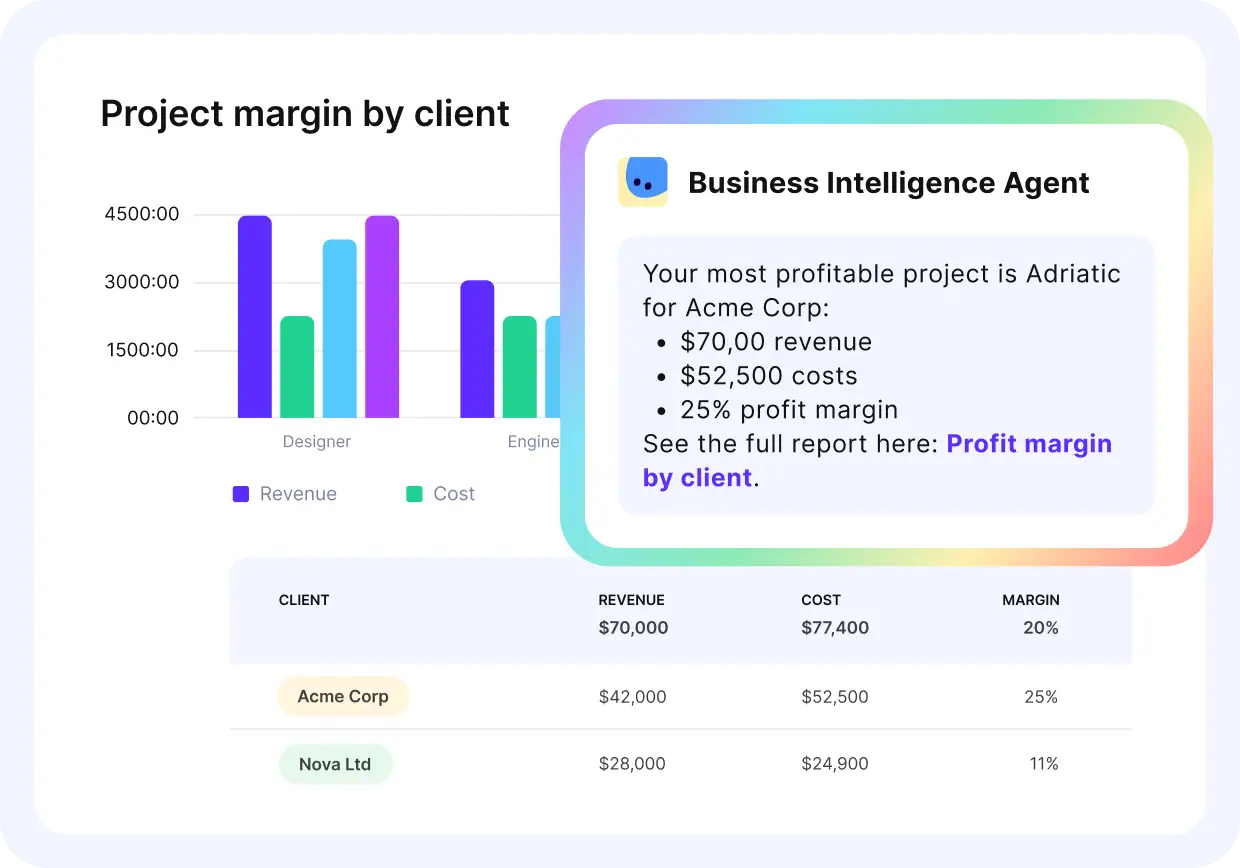
Get instant and 100% reliable updates on finance and performance.
Smart Search handles the hunting. Describe the doc, project, task or budget in your own words, even when the name escapes you.
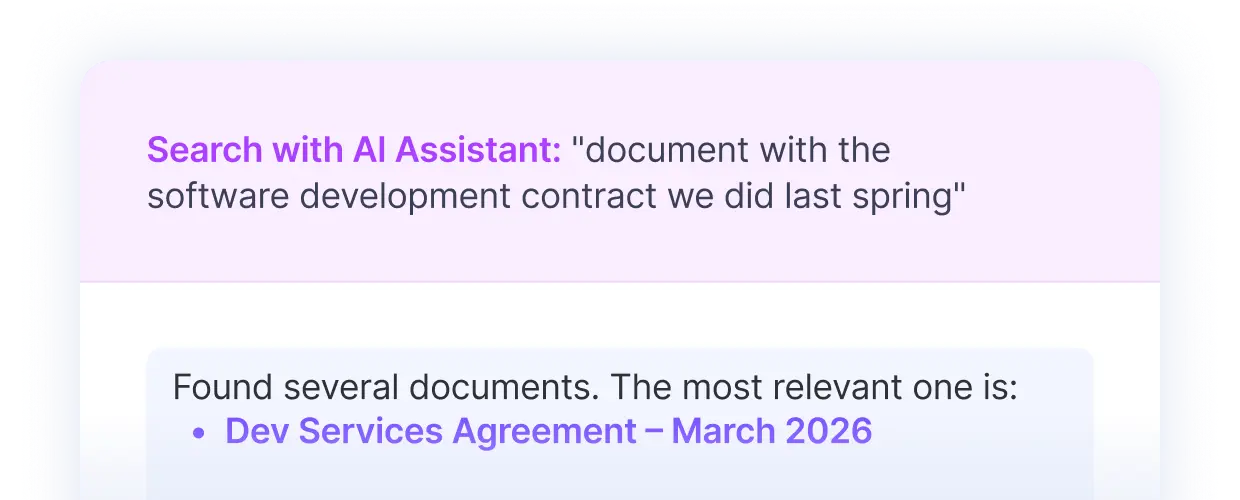
Find key information with plain questions.
Hand Over the Work Nobody Wants to Do Twice
Standup reminders. Budget thresholds nobody watches. Timesheets chased every Friday. Agents are custom assistants you instruct and assign to one area, then they run that work on a schedule.
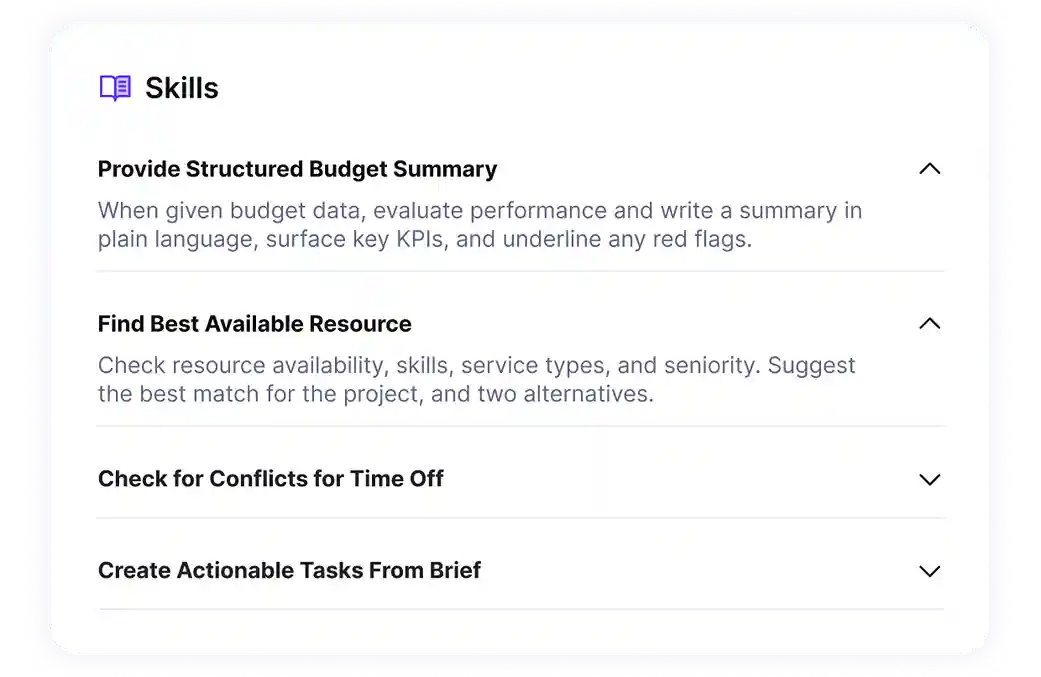
Skills hold your company’s instructions so every agent follows the same rules.
AI Time Tracking reads your calendar, matches events against your previous entries and fills the timesheet. In a business where logged time becomes an invoice, that is the step everyone puts off.
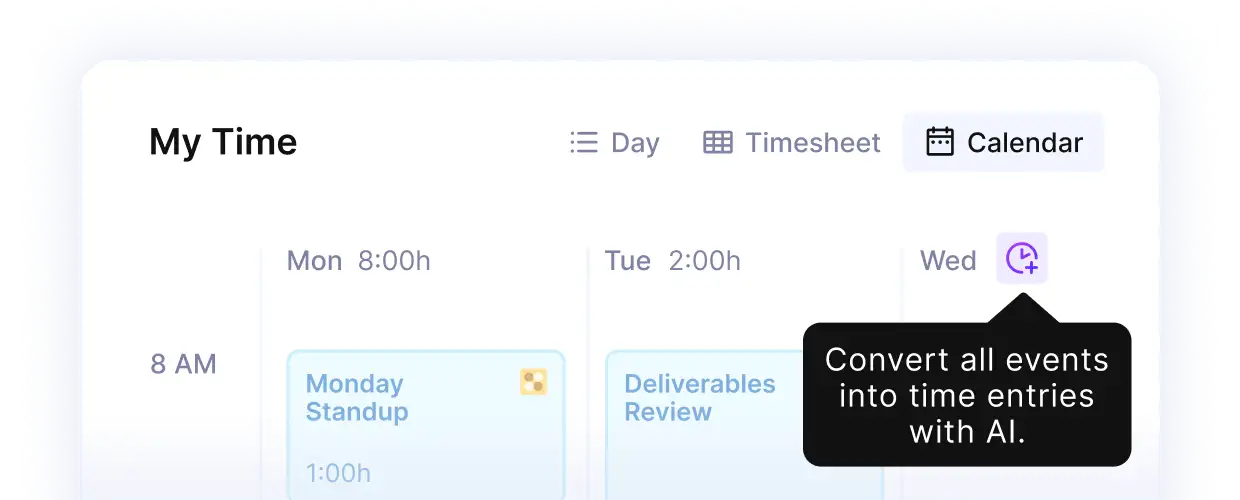
Convert calendar entries into filled timesheets.
Turn a Client Call Into Tracked Work
The AI Notetaker joins Zoom, Google Meet or Teams calls. It turns meeting transcripts into summaries, then into tasks attached to the right project and deal. Our guide to meeting transcription tools compares the main ones.
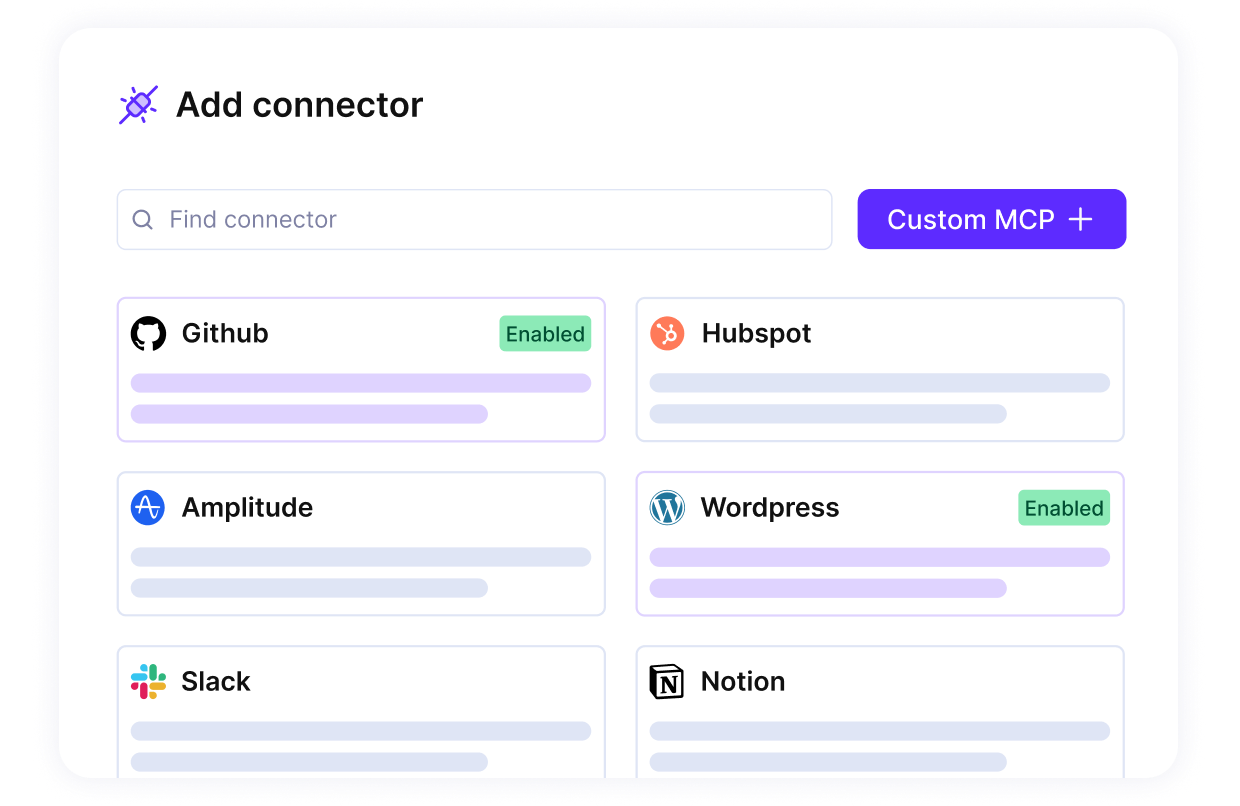
Connectors pull in HubSpot, Slack, Jira and GitHub data, so the AI works across your connected apps, not one.
Through the MCP Server you can do the same work from Claude or ChatGPT without opening Productive. You can also build AI agents with custom skills.
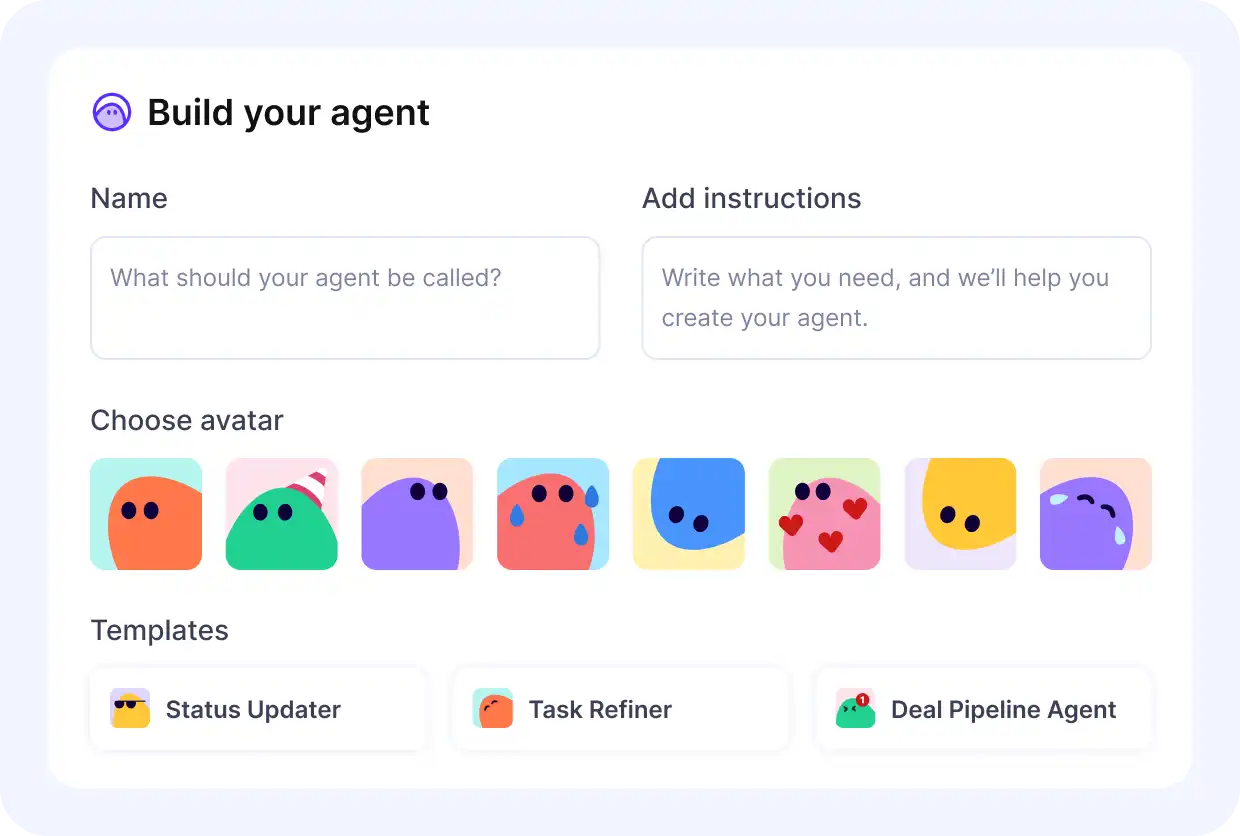
Connect your tech stack with Productive’s AI toolkit.
Pricing
- Plans start with the Essential plan at $10 per user per month, which includes essential features such as budgeting, project & task management, docs, time tracking, expense management, reporting, and time off management.
- The Professional plan includes custom fields, recurring budgets, advanced reports, billable time approvals, and much more for $25 per user per month.
- The Ultimate plan has everything that the Essential plan and Professional plan offer, along with the HubSpot integration, advanced forecasting, advanced custom fields, overhead calculations, and more. Book a demo or reach out to our team for the monthly price per user.
A free 14-day trial runs before any paid plan.
The Only All-in-One AI Tool Here
Productive connects delivery, resourcing, time tracking, budgets and invoicing, and the AI works on top of all of it.

2. ClickUp – Best for Teams That Want One AI Workspace Across Tasks, Docs, and Company Knowledge
ClickUp is a work management platform that holds tasks, docs, collaboration and dashboards in one workspace. Brain, its AI layer, indexes that workspace, so questions about a project get answered from your own data.
Key Features
- Brain, conversational AI with workspace memory
- Super Agents that act as workspace members
- Meeting capture across Zoom, Teams and Meet
- Connected Search across Gmail, Google Sheets and GitHub

SOurce: CLICKUP
Pros
- Brain turns rough notes into a working plan. Hand it an unstructured backlog and it returns AI-powered task summaries with checklists attached.
- Agents move work between phases without being asked. Finish one stage and the agent assigns the next team their own tasks.
- Brain builds dashboards from a description. Ask for a view and the widgets assemble themselves.
- Custom skills absorb recurring admin. Morning briefings, email triage and project check-ins run inside the workspace on a schedule.
Cons
- Brain answers from the wrong material. It pulls the wrong records even when the prompt is specific and detailed.
- Agents cannot trigger other agents. One automation cannot hand off to another, which caps what you can build.
- AI usage is capped unless you pay per seat. The add-on bills every paid member, whether that person touches AI or not.
- Credit consumption is hard to predict. High task volumes drain credits with no warning before the limit arrives.
Who Should Skip ClickUp?
Skip ClickUp if your AI budget has to follow actual usage. The add-on bills every paid seat, so five people using AI cost the same as fifty.
3. Wrike – Best for Large Organizations Keeping AI Inside Existing Permissions
Wrike handles project delivery for organizations running many teams and approval chains at once. Its AI acts inside the same roles and permissions as your people, not around them.
Key Features
- AI Agents for risk, triage and intake
- Wrike Copilot for in-project questions and summaries
- Wrike MCP Server for outside AI assistants
- Work Intelligence Graph as the AI context layer

SOurce: wrike
Pros
- Summarizing and automating workflows is quicker than in comparable platforms. Both run inside the project itself.
- AI insights arrive through Microsoft Copilot. Wrike project data connects to Copilot, so answers appear where your team already works.
- Generative AI handles the blank page. Brainstorming and first drafts happen inside the task.
Cons
- AI coverage falls short of the marketing. Workflow automation and starter templates still arrive without much AI behind them.
- Meetings get no automated capture at all. Follow-ups get typed up by hand and pasted into tasks afterwards.
- Only an admin can switch the AI on. Large enterprise accounts can run for months with it disabled.
- Reporting and workload views have no AI behind them. Portfolio managers still build a cross-project view by hand.
Who Should Skip Wrike?
Skip Wrike if the AI is your reason for buying. Its published capabilities run far ahead of what customers describe having switched on.
4. Asana – Best for Ops Teams Putting AI to Work Inside Their Own Workflows
Asana is task management software with an AI layer built into its workflows and reporting. Ask what is blocking a task and it answers from live project data.
Key Features
- Smart Chat for plain-language questions about projects
- Smart Status drafting updates from live data
- AI Studio, a no-code AI workflow builder
- AI Teammates, in beta on the top AI tier

SOurce: ASANA
Pros
- Smart Chat answers project questions without a human. Ask what is blocking a launch and it pulls the answer from task data.
- Weekly status updates draft themselves. Smart Status works from live project data and flags questions that went unanswered.
- Prebuilt teammates handle named jobs. One turns scattered notes and strategy docs into structured project briefs.
- You can describe a setup and have it built. The AI assembles the project and its rules, and you edit from there.
Cons
- The useful AI sits behind an upgrade. Smart features arrive only with a higher tier.
- AI Studio use burns credits that cost extra. Building custom workflows adds to the bill on top of the seats.
- AI Teammates are still in beta. General availability is signposted for the start of the next financial year.
- The AI does not fix the weak search. Finding an older task still means remembering its name or its project.
Who Should Skip Asana?
Skip Asana if work regularly needs more than one owner. The AI routes and triages, then hands off to a task that still takes a single assignee.
5. monday – Best for Teams Who Build Their Own Workflows and Want AI Inside Them
monday is a work platform where teams build their own boards, workflows and dashboards. Its AI reads whatever you have built, so summaries and agents run on the boards themselves.
Key Features
- Sidekick, a personal AI assistant per user
- AI agents working inside boards and workflows
- Board summaries drafted from live item data
- A natural language workflow builder for automations
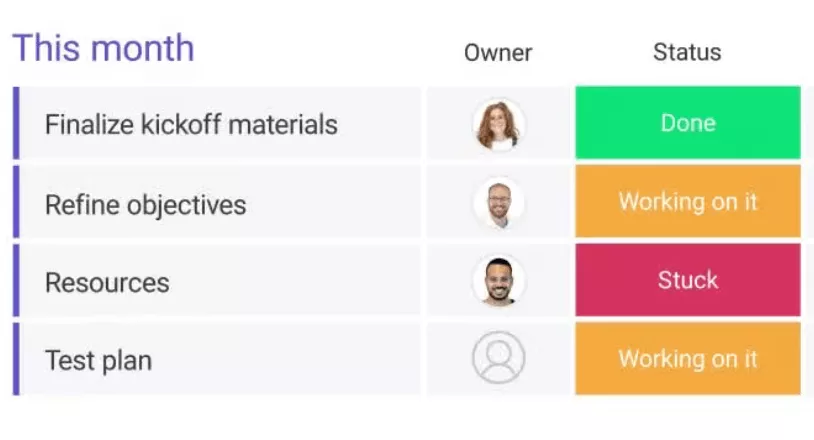
SOurce: monday
Pros
- Board updates turn into next steps. Long threads get summarized and broken into tasks by AI-powered automations on the board.
- Agents take on research and clean-up work. They populate a pipeline from outside sources, tidy data and read through piles of reports.
- Agents suggest actions nobody programmed. They anticipate the next step often enough to be worth acting on.
- The AI reaches past the platform. Follow-up mail goes out through the inbox integration.
Cons
- The credit limit arrives fast. Regular use of the most valuable feature stops partway through the month.
- You cannot see what the AI is spending. The usage counter is buried, so overspending shows up after the fact.
- Agents have no central home. An admin hunts through each workspace’s settings to find which agents exist.
- Waiting for an answer can cost more time than doing it. Pulling the file yourself is sometimes quicker than the insight.
Who Should Skip monday?
Skip monday if AI is going to be a daily habit. The credit pool empties mid-month, and the counter is hard to find before it does.
6. Jira – Best for Software and IT Teams Already Running Work in Atlassian
Jira is issue tracking software used by software and IT teams to run work in sprints. Rovo, its AI, adds search and agents that read across every Atlassian tool you have connected.
Key Features
- Rovo search across connected Atlassian tools
- Plain language turned into JQL queries
- Workflow Builder Agent driving workflow automation
- Work Readiness Checker Agent for incomplete work
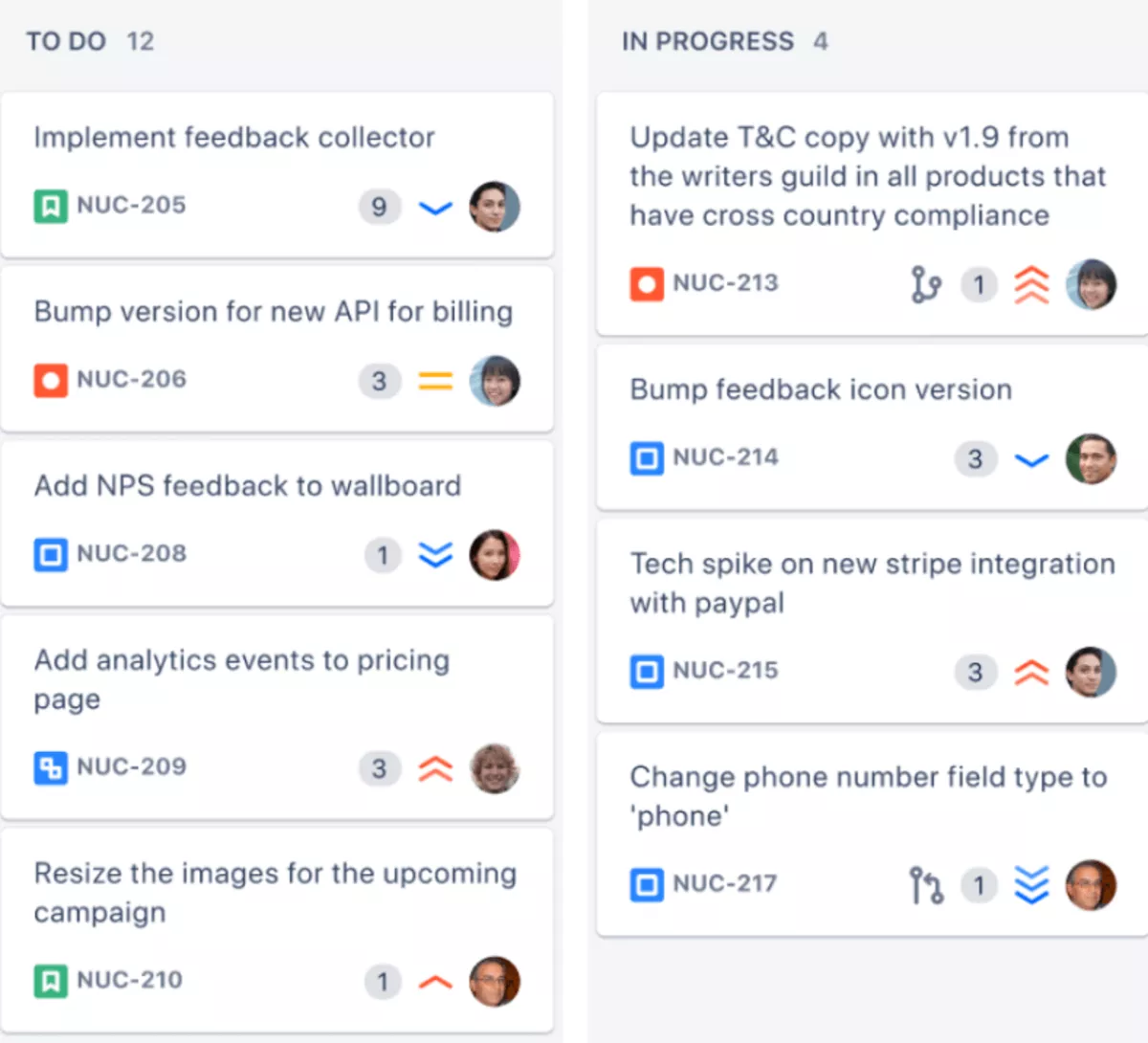
SOurce: jira
Pros
- Search reaches across every connected tool. A module name or an issue ID pulls matching results from separate systems into one view.
- Answers draw on the whole issue history. Rovo knows the Jira database well enough to resolve technical queries in detail.
- Plain language replaces query syntax. Describe the work you are hunting for and skip the JQL.
- Agents build workflows from a description. Say what the process should do and the agent assembles it in Jira.
Cons
- Answers are only as good as the documentation. Outdated or scattered pages produce results that miss the point entirely.
- Common keywords return loose matches. Broad queries need refining two or three times before the right document appears.
- Permissions across connected tools take real setup. Getting access right is a project of its own before the AI is usable.
- Usage reporting is thin. There is little data analysis on who is using the AI, or how much.
Who Should Skip Jira?
Skip Jira if you cannot settle access control first. Rovo reads across every connected tool, so any permission set wrongly becomes visible to whoever asks.
7. Motion – Best for Individuals Who Need Their Day Rebuilt Around Every Change
Motion is a calendar and task tool that puts your work into the day itself. The AI places every task in a real time slot, then rebuilds the plan when something moves.
Key Features
- AI scheduling across connected calendars
- AI Employees for email and meeting prep
- Meeting notetaker with auto-generated action items
- AI Chat for questions about your own work

SOurce: motion
Pros
- The AI rebuilds your day when plans change. Miss something and it moves every affected task without you touching the calendar.
- AI Employees absorb the first hour of admin. They sort email, draft replies and assemble a meeting overview before you start.
- The notetaker turns calls into work, not notes. Meeting transcripts, summaries and action items arrive already attached to tasks.
- You can ask where your time went. The AI answers questions about your own hours and what to prioritize next.
Cons
- The AI was sold as included, then metered. Teams that had already adopted it were moved to token-based use with no grandfathered option.
- AI agents produce work nobody asked for. Irrelevant email replies and empty projects turn up alongside the useful output.
- Documentation trails the AI releases. Help centre coverage for the agents and assistants is thin enough to slow setup.
- The AI task list drops its project links. Copy a template and tasks stop showing which project they belong to.
Who Should Skip Motion?
Skip Motion if you need to see what the whole team is carrying. It plans one person’s day extremely well and leaves managers without a workload picture.
8. HubSpot – Best for CRM-First Teams Needing AI Across Sales, Marketing, and Service
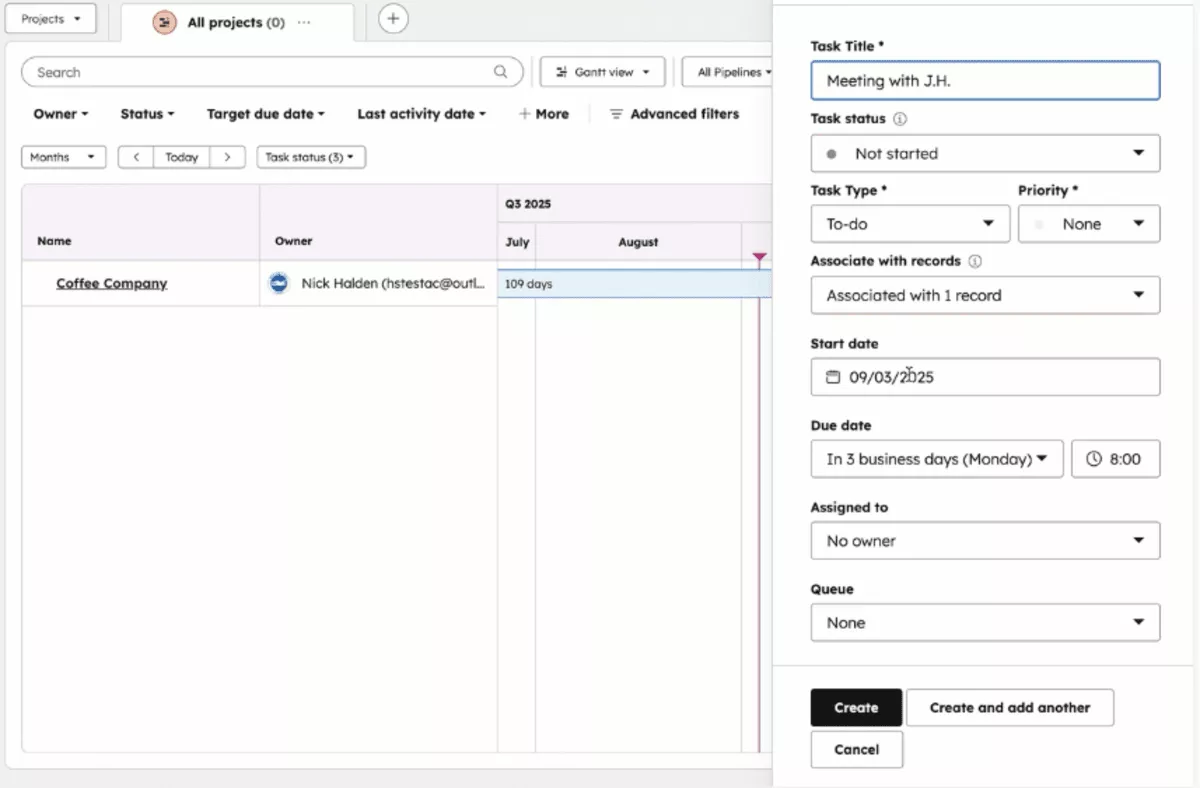
HubSpot is a CRM platform with task management built around customer records. Breeze, its AI layer, reads those records and drafts, summarizes and enriches across sales, marketing and service.
Key Features
- Breeze Assistant for content generation and CRM summaries
- Breeze Agents for support, prospecting and enrichment
- Breeze Studio for building custom assistants
- Breeze Intelligence for enrichment and buyer intent
SOurce: hubspot
Pros
- The AI reads your actual customer records. Answers come from your own contacts, deals and tickets.
- The assistant is available on every tier, including the free CRM. Most tools here put their AI behind a paid upgrade.
- Admins control what the AI can reach. Access to AI features and the data they use is configured in account settings.
Cons
- The outputs are narrower than standalone AI tools. It will not produce the range of document types a general assistant handles.
- Some capabilities consume credits or require extra seats. HubSpot’s own documentation flags both as conditions on specific Breeze features.
- There is no delivery data for the AI to read. It reasons over customer records, so questions about budgets or schedules have no source.
Who Should Skip HubSpot?
Skip HubSpot if you want AI working on project delivery. Breeze reads customer records, so nothing about budgets, schedules or people exists for it to reason over.
9. Taskade – Best for Small Teams Building AI Agents Without Enterprise Pricing
Taskade is a collaboration and project workspace built around its AI from the start. You describe an agent or an app, and Genesis builds it with a database, automations and workflows attached.
Key Features
- Custom AI agents with persistent memory
- Genesis, a prompt-driven app builder
- Multi-model access across frontier models
- Workflow automation across 100+ integrations

SOurce: taskade
Pros
- Genesis turns a description into a working micro-app. Say what you need and the database, agents and logic get built behind it.
- Agents are set up by describing them. There is no configuration screen to learn, you say what the agent should do.
- The AI keeps context across projects and notes. You spend less time re-explaining what you are working on.
- Automations are quicker to build than in a dedicated automation tool. Workflows that would need a separate connector get assembled inside the workspace.
Cons
- Free credits arrive once and never refill. Once they are spent the AI stops until you upgrade.
- Heavy use drains the credit limit quickly. Frequent agent runs exhaust an allowance that looks generous on paper.
- New AI features arrive faster than teams absorb them. The pace of additions leaves the workspace feeling unfamiliar.
- The planning layer has not kept up with the AI. No dependency mapping and no portfolio view sit underneath the agents.
Who Should Skip Taskade?
Skip Taskade if you are buying a project management tool first. Recent development has gone into AI app building, and the planning layer has not kept pace.
10. ProProfs Project – Best for Planning, Collaborating & Delivering Projects on Time
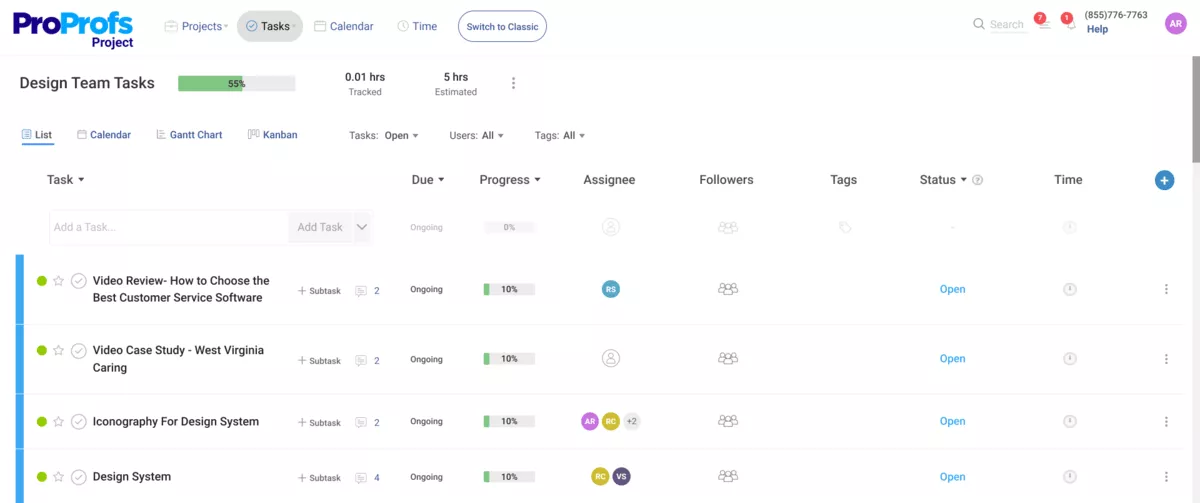
ProProfs Project handles task management for very small teams that plan, track and invoice in one tool. Its AI Project Designer turns a plain description of a project into tasks, stages and assignments.
Key Features
- AI Project Designer building full project structures
- AI Project Assistant flagging blockers on request
- AI Reports and Insights answering questions on live data
- AI Report Summary highlighting what is at risk
SOurce: ProProfs project
Pros
- Onboarding needs no training session. New people find their way around and start running daily workflows the same day.
- Collaboration holds a distributed team together. Instant messaging and task comments keep feedback attached to the work.
- Invoicing and time tracking come built in. Billing a client does not mean exporting hours into a second tool.
Cons
- Task automation options are limited. Recurring work still gets set up by hand every time.
- Reporting is too shallow for real analysis. Dashboards cover progress and stop short of the detail a review needs.
- The review pool is the thinnest here. Fewer ratings than any other tool covered, and none of them mention its AI.
Who Should Skip ProProfs Projects?
Skip ProProfs Project if the AI needs to act across your stack. Its assistant stays inside the tool and answers only when asked.
Five Extra Tools with AI for Managing Projects
| Tool | Key AI feature | How it helps | Best fit |
|---|---|---|---|
| Notion | Writing, content generation and database autofill in one workspace | The AI sits on your docs and wikis, not on a delivery schedule | Teams whose work is documentation first and projects second |
| Smartsheet | Insight generation and agents over spreadsheet-style data | Brings data analysis to a grid finance and ops teams understand | Portfolio managers running work out of spreadsheets |
| Trello | Atlassian Intelligence applied to boards and cards | Light AI on a Kanban board with almost nothing to configure | Small teams wanting task tracking without a setup project |
| Teamwork.com | AI across project and resource management built for client work | Ties AI to billable hours, budgets and client portals | Agencies running many client accounts with separate billing |
| Accelo | AI across the client lifecycle from quote to invoice | Covers the commercial side most project tools leave out | Professional services firms that quote, deliver and bill in one place |
What AI for Project Management Can and Cannot Do?
Artificial intelligence handles the repeatable parts of a project: writing the update, finding the answer, creating tasks, filling timesheets. It cannot decide what the update means, fix a broken process, or make sense of data nobody maintains.
Which half you get depends on the layer you buy. Rules fire when something changes. A generative AI assistant writes, summarizes or answers when you ask.
Agents act without being asked, on a schedule or a trigger you set once. AI-powered automations sit between the two, and AI project management tools now mix all three under one label.
Four limits hold whichever layer you buy: data quality, what the label covers, oversight, and the process underneath.
- Predictions inherit your data quality. Machine learning on project timelines you never updated produces forecasts nobody should act on.
- Most AI labels cover a writing assistant. An AI writing assistant that summarizes a thread is useful, and it is not software acting on your behalf.
- Agents need boundaries before they run. Decide what an agent may change and who approves it. Treat AI security as a setup task.
- AI accelerates whatever process you already have. If handoffs are unclear today, automation makes them unclear faster.
What AI for Project Management Handles, and What It Does Not
| Tasks | What the AI handles | What still needs you | Tools here that do it |
|---|---|---|---|
| Status reporting | Drafts the update from task and time data | Deciding what the status means and what to do about it | Productive, Asana, monday, ClickUp |
| Finding information | Answers questions across projects, docs and connected apps | Judging whether the answer is current | Productive, Jira, ClickUp |
| Scheduling | Places work in real time slots and moves it when plans change | Overriding when a client emergency outranks the plan | Productive, Motion |
| Project setup | Turns a brief or a description into tasks and stages | Checking the generated structure against the actual scope | ProProfs Project, Taskade, ClickUp, Asana, Productive |
| Meetings | Transcribes, summarizes and creates tasks from action items | Deciding which commitments are real and who owns them | Productive, Motion, ClickUp |
| Writing and editing | Drafts, summarizes and adjusts tone | Verifying the claims before anything reaches a client | Productive, HubSpot, ClickUp, monday |
How to Choose the Right AI Project Management Software
Choose AI project management software by measuring where your week actually goes. Each step here ends with a number you either hit or miss. Project planning starts with measurement.
Step 1: Measure One Week of Non-Delivery Time
Export last week’s time entries for everyone on the team. Sort every hour into four buckets: client delivery, internal meetings, project status and admin, and tool switching or re-entry.
Add the last three buckets together.
- Under 15 percent of the week and AI will not pay for itself, so stop here.
- Above 25 percent you have a target, and the largest bucket tells you which capability to shortlist.
Step 2: Trace One Finished Project From Sale to Invoice
Pick a project you invoiced in the last month. Write down every step from signed deal to sent invoice, and name the tool each step happened in.
Count the distinct tools. Three or fewer and your problem is capability. Four or more and your problem is handoffs. No AI inside one tool closes a gap between two.
Step 3: Write Three Outcome Statements Your Leads Can Confirm
Write three sentences describing what the AI should produce during project planning, each containing a number or a name. “The weekly status report writes itself from task and time data” can be tested. “Better visibility” cannot.
Send all three to your team leads. If fewer than two come back confirmed as real problems, rewrite them before you book a demo.
Step 4: Model the Monthly Cost at Your Real Headcount
Take your seat count and add three lines. The AI charge per seat, the credit allowance, and onboarding hours at your blended rate.
Against that total, set the hours from step one that the AI would actually remove. If those hours do not cover the cost within three months, the tool has not made its case.
Step 5: Pilot on a Live Project for Two Weeks
Run the trial on a live client project with a real deadline. Staff it with three to five people from delivery, ops and billing. Write one number down first, such as ninety minutes for the weekly report.
Check that number on day fourteen. If it has not moved, the tool is misconfigured or wrong for you. A longer trial will not tell you which.
How to Evaluate AI Features During a Free Trial?
Test on your own messy data, never the vendor’s demo workspace. Every check here produces a number or it does not count.
- Feed it one of your real project briefs. Compare the generated plan against what your manager actually built. If more than half the tasks need editing, the feature costs you time.
- Run a summary on your worst-documented project. Clean data always looks good. If it cannot predict project risks you already know about, the search is not ready.
- Ask a financial question from an account without finance permissions. On enterprise plans especially, any number it returns is a governance failure.
- Time one weekly task with and without the AI, three runs each. Triaging overdue tasks works well for this. Under five minutes saved per run, the charge does not pay.
How to Roll Out AI for Project Management Across Your Team
Roll it out by cleaning the workspace data, then running one team on it for four weeks. Set who can build agents, check one metric at thirty days, and publish what the AI cannot do.
None of that is technical work, which is why most teams skip it and switch the tool on instead. Give every move an owner and a date you check it on.
- Clean the workspace before you switch anything on. Close whatever has sat untouched for ninety days, fill empty fields, and disconnect apps nobody uses.
- Start with one team for four weeks. Their permission problems and user experience complaints surface while the blast radius is small.
- Decide who can build agents and who can only run them. Automations with branching logic need an owner before the first one runs.
- Set one metric and a thirty-day date. If the average status report still takes as long, look at the configuration.
- Publish one page on what the AI can and cannot do. Any question about AI for project management that you answer twice belongs on it.
Frequently Asked Questions
Does AI for project management train on our project data?
That depends on the vendor and the plan. The AI terms answer this. The marketing page will not. Check where processing happens if data residency matters, and whether data residency is configurable at all. Most enterprise AI plans let an admin configure what the AI reaches, and some offer on-premise solutions or a choice of cloud providers.
Who can see what when the AI summarizes financial data?
Good implementations keep the AI inside the same roles and permissions as the person asking. Weak ones surface whatever is connected, which turns your security policies into a suggestion. Test it during the trial from an account that should not see finance data.
What does AI for project management actually cost per month?
You need one page, not a policy document. Write down which agents may change data and who approves them. Note which compliance measures apply to the projects they touch. AI governance strategies get complicated at scale, and a small team can start with that page.
Do we need an AI governance policy before we roll this out?
You need one page, not a policy document. Write down which agents may change data and who approves them. Note which compliance measures apply to the projects they touch. AI governance strategies get complicated at scale, and a small team can start with that page.
What happens to our AI configuration if we migrate away?
Agents, skills and custom workflows do not export. Treat anything you build inside one platform as work you will rebuild elsewhere. Keep the process documented outside the tool. Migration costs are mostly rebuild time, not data transfer.
Which AI features actually save time day to day?
The ones that take a recurring task off your week. An AI writing assistant that drafts the project status update. Agents that automate routine tasks, like chasing overdue tasks. Search that answers a question without opening three tools.
Final Thoughts
The gap that matters is not between AI project management tools and the rest. It is between AI that reads one surface and AI that reads work, time and money together. Measure where your week goes, pick the tool that closes that specific gap, and ignore the feature counts.
If you want AI across delivery, budgets and resourcing in one place, book a demo with Productive.
Connect With Agency Peers
Access agency-related Slack channels, exchange business insights, and join in on members-only live sessions.
