Top 10 Agency Workflow Software (Paid & Free) in 2026

Choosing the right agency workflow software that fits your team and clients can get really hard (and stressful).
To make this big choice easier for you, we’ve written this decision guide that shortlists the top 10 options for agencies, and explains what each one is actually good for (without a feature dump).
You will also get a quick buyer’s comparison table, plus key features, pros, and cons based on recurring feedback from G2 and Capterra reviews, so you can scan the tradeoffs fast.
At the end, there is a step-by-step process to help you pick the tool that fits how your agency works.
What Is the Best Agency Workflow Software in 2026?
The best agency workflow software in 2026 is Productive, Wrike, Float, Kantata, Teamwork, Hive, ClickUp, Make, Smartsheet, and monday.com.
Use the jump links in the shortlist to go straight to the software platform that fits your workflow, then scan its key features, pros, cons, and final verdict.
Shortlist of the Best Agency Workflow Tools
Use this as the publish-ready shortlist. Keep each “best for” specific to an agency workflow problem, not a generic audience label.
Comparison Table (What Buyers Want To Know)
This table is a buyer-style snapshot for quick project tracking and shortlisting. Use it to find the workflow management platform that matches how your agency runs delivery, then jump to the tool section for deeper pros, cons, and key features.
| Tool | Best for | Choose this tool if… | Skip this tool if… | Free plan | Workflow strengths | Main limitation |
|---|---|---|---|---|---|---|
| Productive | End-to-end agency delivery workflows | You want projects, time, budgets, resourcing, and reporting connected in one place, without stitching tools together | You only need one narrow layer (just resourcing or just automation) and do not want an all-in-one setup | No (free trial) | Unified delivery + financial visibility + resourcing | May not be the best option for freelancers or very small teams |
| Wrike | Complex workflows at scale | You need strict structure and strong cross-team visibility | You want minimal setup and low admin overhead | Yes | Structured workflows and reporting | Can feel heavy for smaller teams or simpler workflows |
| Float | Capacity planning and scheduling visibility | You need clear scheduling and capacity visibility across projects | You expect it to run your full project workflow end to end | No (free trial) | Capacity planning and staffing visibility | Not a full workflow hub for tasks, budgets, and billing |
| Kantata | Services delivery oversight | You need stronger delivery oversight tied to services operations | You want a lightweight tool for simple project coordination | No | PSA-style services visibility | Setup and change management can be heavier |
| Teamwork | Client-facing delivery workflows | You run lots of client projects and want clearer handoffs | You need deep financial ops or heavy automation as the core | Yes | Client delivery organization and visibility | Advanced ops may require more tooling or process |
| Hive | Lightweight workflows with multiple views | You want to stand up workflows quickly with familiar views | You need deep governance, complex workflows, or strict controls | Yes | Fast setup and flexible work views | Can feel limiting as workflows become complex |
| ClickUp | Highly customizable workflows | You want one workspace you can tailor heavily across teams | You need consistent workflows without ongoing upkeep | Yes | Flexibility and customization | Maintenance and inconsistency risk at scale |
| Make | Automating handoffs between tools | You need automation between tools to reduce manual updates | You do not have someone to own and maintain automations | Yes | Strong automation layer across apps | Debugging and ownership overhead when scenarios break |
| Smartsheet | Spreadsheet-style workflow tracking | Your team thinks in tables and wants more control than a basic spreadsheet | You want a classic PM tool experience without sheet-style setup | No (free trial) | Sheet-style tracking and rollups | Can drift into “spreadsheet sprawl” without standards |
| monday.com | Simple, visual workflows | You want a visual workflow hub with fast setup and clear ownership | You need very complex delivery governance out of the box | Yes | Clear, visual workflows with quick adoption | Can feel limited for complex, multi-layer workflows |
How We Chose These Tools?
We built this list for small business owners, agencies, professional service teams, and product businesses who want clear tradeoffs, not vague descriptions and feature lists.
For each tool, we reviewed repeated themes in user reviews on trusted software review sites like G2 and Capterra.
We also used Reddit and YouTube to sanity-check switching experiences and day-to-day workflows, without treating them as feature proof.
Finally, we cross-checked key claims, including customization options and plan limits, against vendor documentation so the article reflects what the tools actually support.
1. Productive – Best for End-to-End Agency Delivery Workflows
If your agency is tired of patching together project management, time tracking, resourcing, reporting, and separate client management software, Productive is designed to run those workflows end-to-end. If you want to see how it would map to your setup, book a demo.
Manage your workflows with Productive
Stop Stitching Together Disconnected Tools
Most agencies do not have a “workflow problem.” They have a tool stack problem. Project data is in one place, time in another, resourcing in a spreadsheet, and finance in yet another tool.
Productive pulls the core agency workflow into one system, so projects, people, time entries, budgets, and reporting stay connected.
That means fewer handoffs, less double entry, and fewer “which spreadsheet is the real one” moments.
See Budget Burn While There Is Still Time to Fix It
Budget surprises usually happen because budgeting is not connected to daily delivery work. In Productive, time entries and budgets sit on the same project structure, so project management stays tied to budget reality.
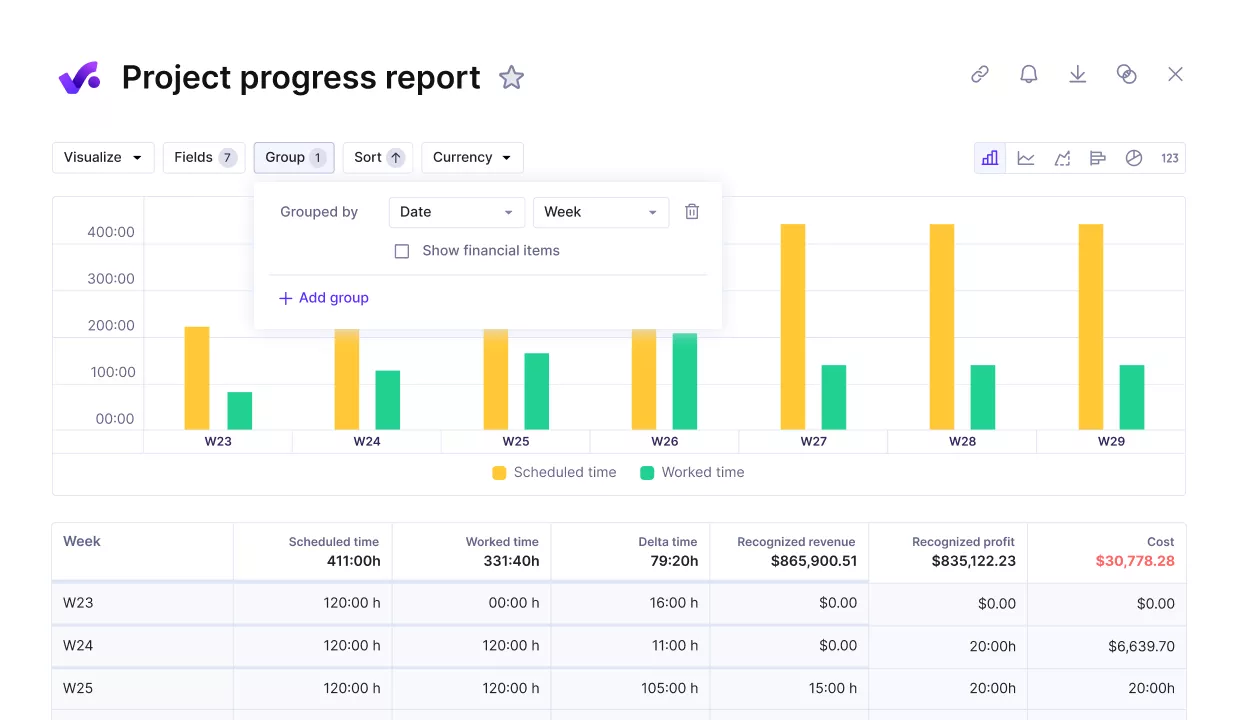
Review the project progress against key performance metrics.
Project owners can check progress and budget burn without exporting files or rebuilding reports in Excel. That changes the day-to-day behavior: you can spot risk early, adjust scope, or change staffing before you lose the margin.
Make Time Tracking Usable and Safe to Bill From
Teams resist logging time when it feels like admin and when nobody trusts the output. Productive makes it easier to track and log time close to the work, then route it through an approval workflow so it is client-ready.
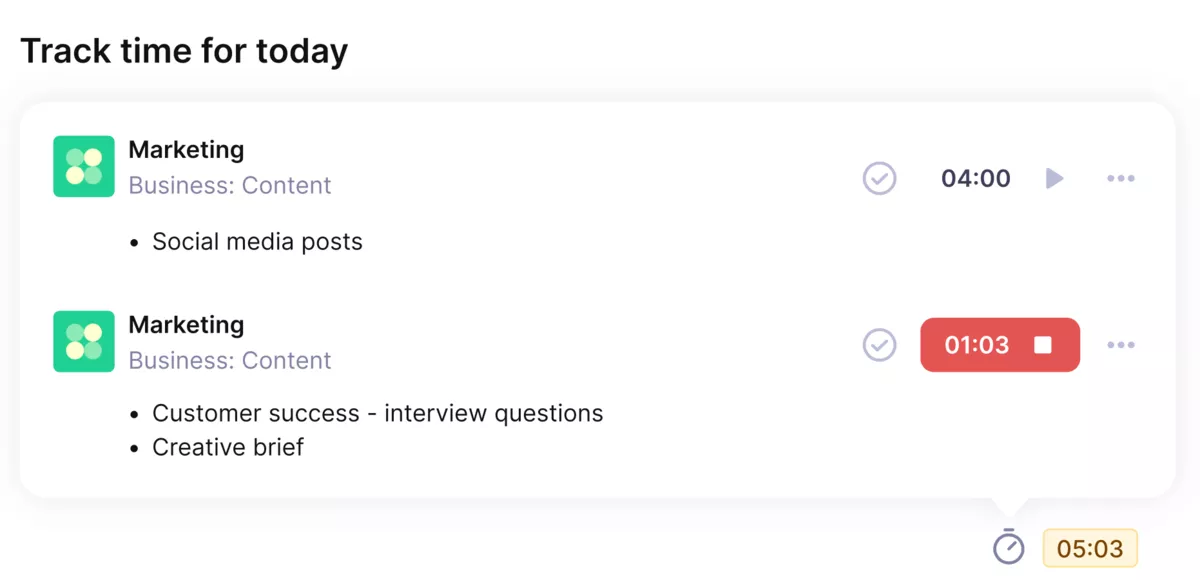
Use Productive’s automatic time trackers to track time directly on tasks, without any extra friction.
Time approval lets budget owners review entries before they become official for reporting or client-facing use. If you need expense approval, too, budget owners can review and manage expenses. This is how agencies reduce billing mistakes without adding another tool.
Plan Capacity Without Spreadsheets
Resourcing gets messy when you do not have clear visibility into availability, workload, and upcoming demand. This is where resource management stops being a spreadsheet exercise.
Productive’s resource planning and time off approval are built for that reality. When time off is approved, it is reflected in the Resource Planner, so availability is not a separate calendar.
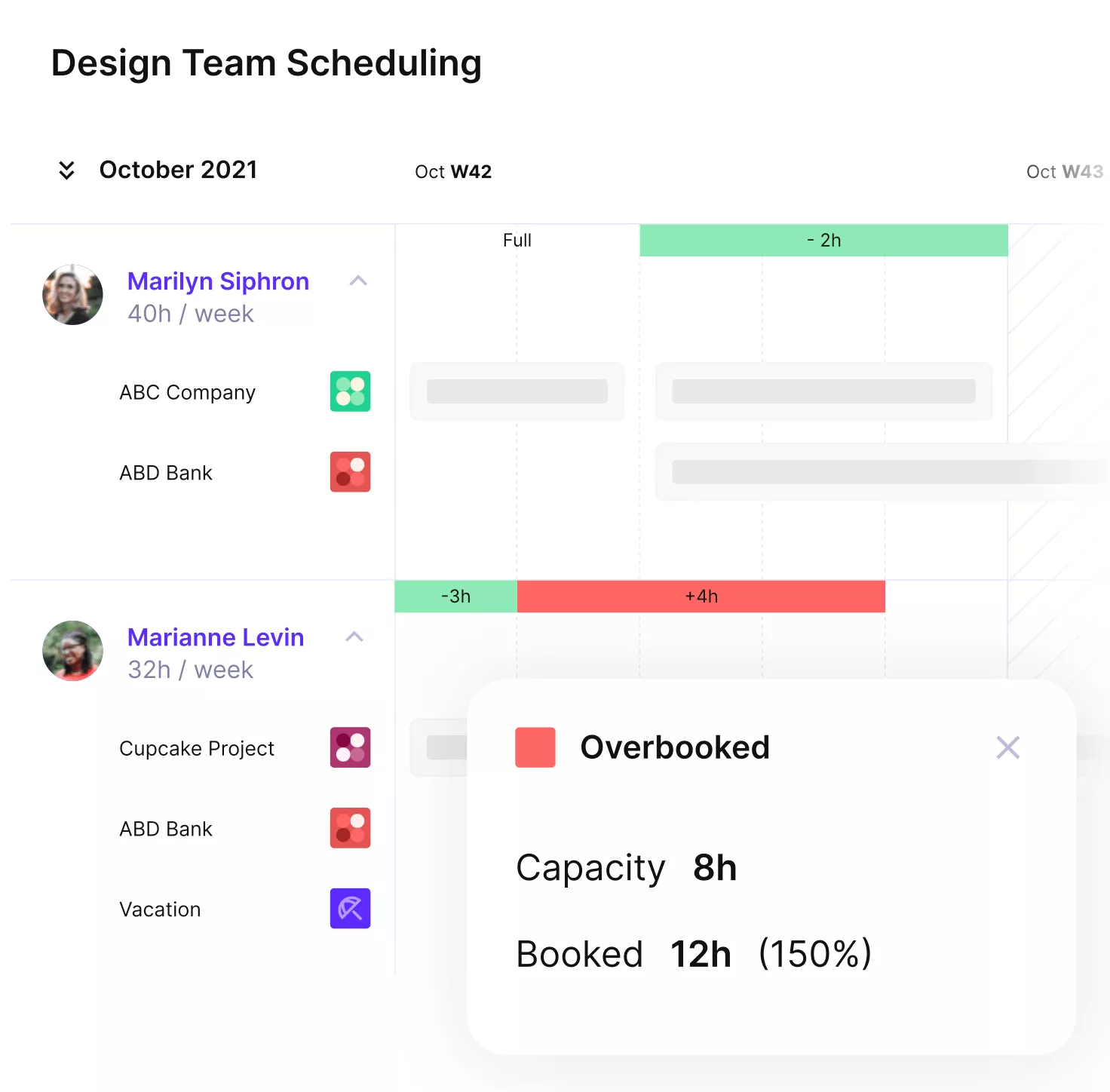
See your team’s availability in real time.
You can plan workloads with real visibility, not assumptions, which helps teams avoid burnout and helps leads make better delivery commitments.
Keep Client Work Visible Without Creating a Second System
A common workflow failure is “status work.” Productive includes client portals, so you can share the right level of visibility without copying updates into emails or separate trackers.
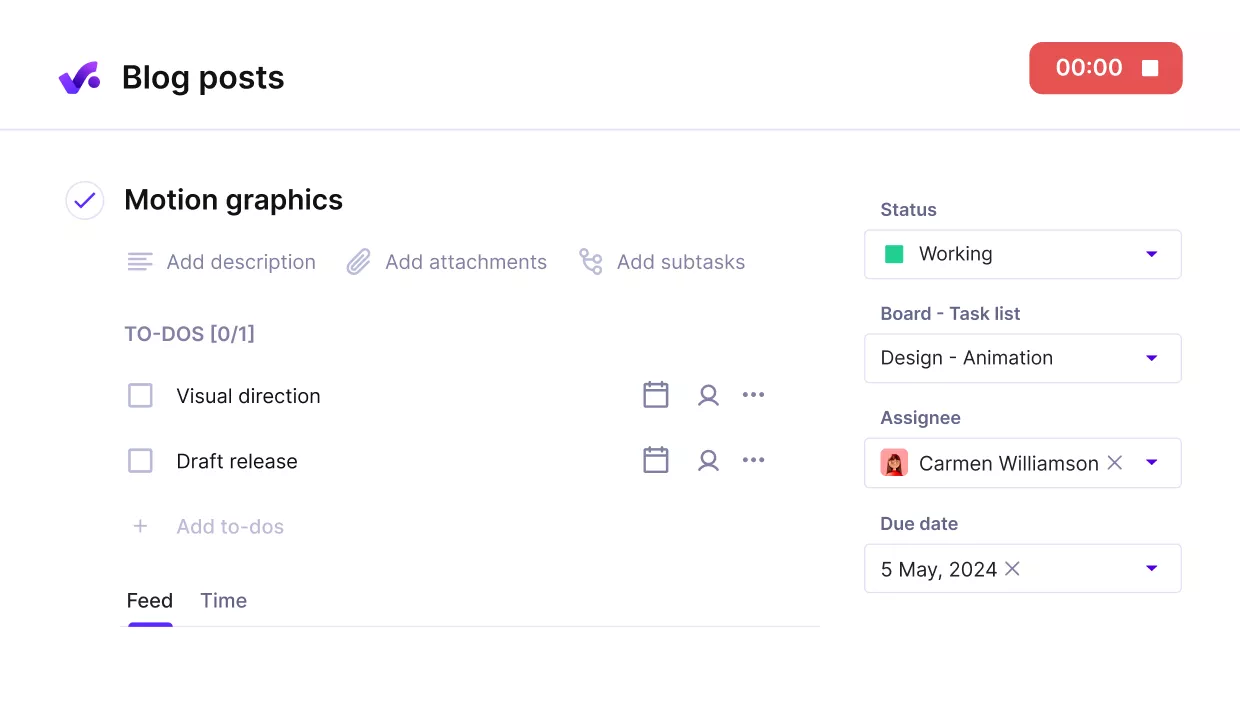
Add clients as external collaborators free of charge.
It is a simple way to reduce the endless “where are we at” loop and keep client communication anchored to actual project progress.
Get Reporting That Is Connected to Delivery, Not Retroactive
When data is split across tools, reporting becomes retroactive. You only learn what happened after the month is over.
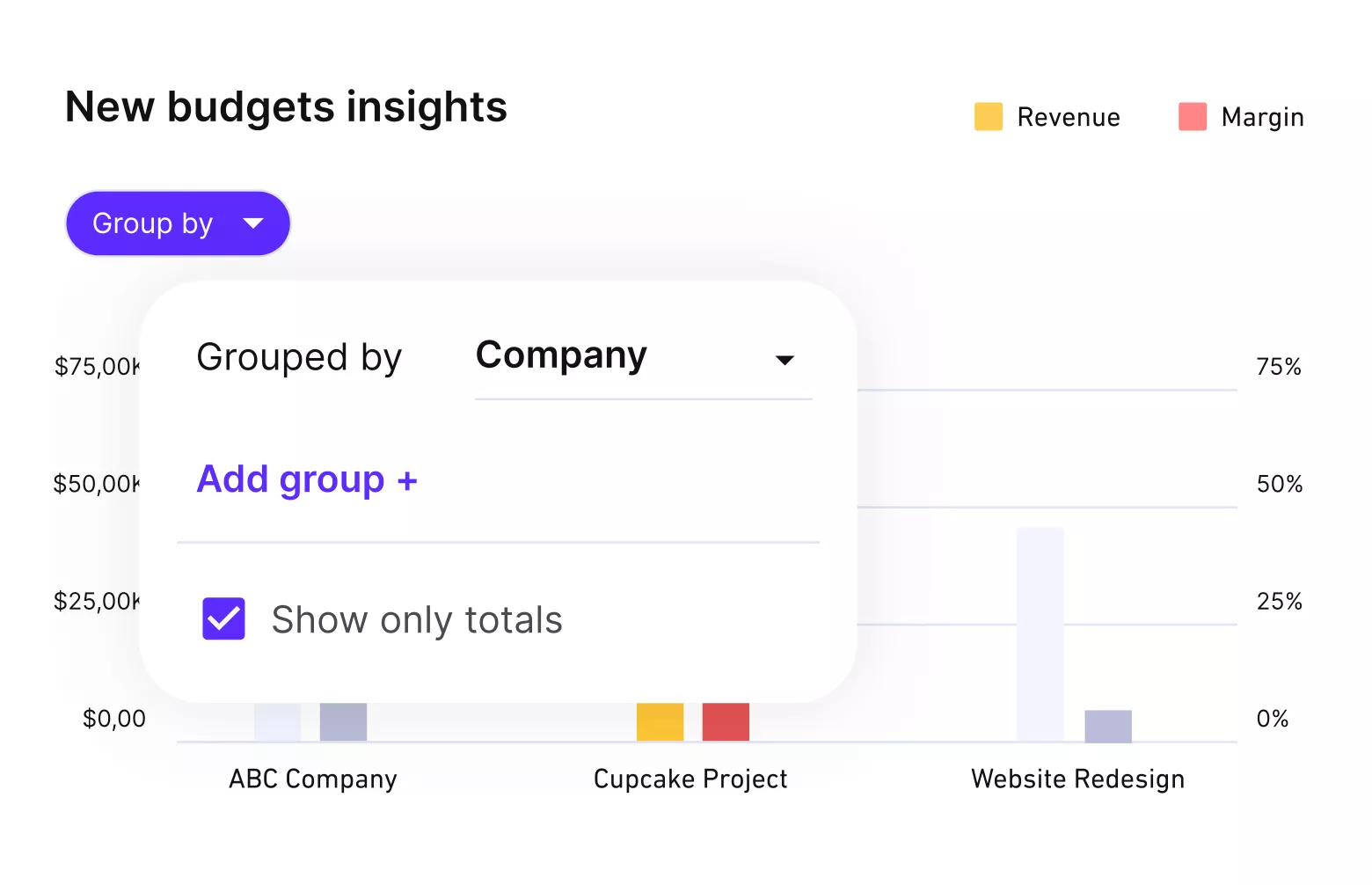
Get real time profitability updates.
Productive keeps delivery data connected, so reporting can reflect what is happening now: time logged, budget usage, workload, and project status in one place. That is the difference between reporting that drives decisions and reporting that just explains yesterday.
Pricing
- Plans start with the Essential plan at $10 per user per month, which includes essential features such as budgeting, project & task management, docs, time tracking, expense management, reporting, and time off management.
- The Professional plan includes custom fields, recurring budgets, advanced reports, billable time approvals, and much more for $25 per user per month.
- The Ultimate plan has everything that the Essential plan and Professional plan offer, along with the HubSpot integration, advanced forecasting, advanced custom fields, overhead calculations, and more. Book a demo or reach out to our team for the monthly price per user.
Run Your Agency Workflow in One Place
Productive connects projects, time, budgets, resourcing, and reporting so handoffs stay clean and decisions are based on the same data.

2. Wrike – Best for Complex Workflows at Scale
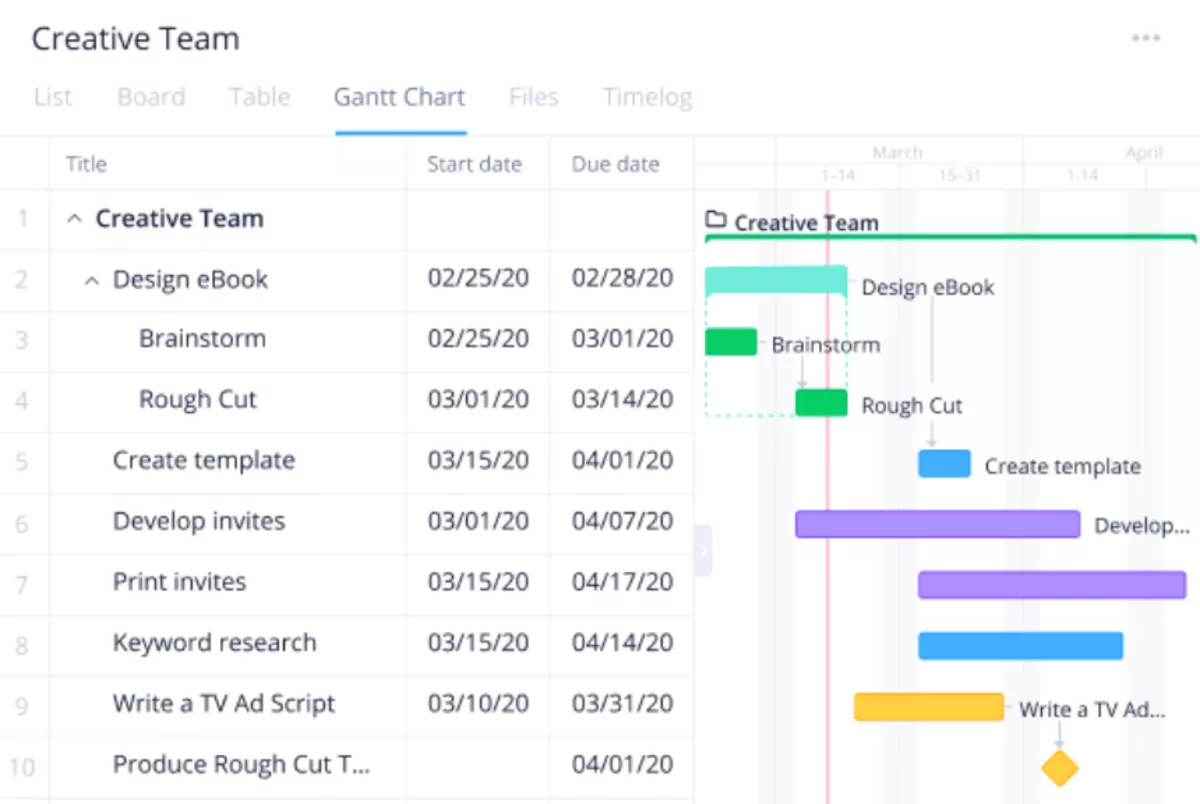
Wrike works well for agencies that need tight workflow management across many projects, with clear ownership, approvals, and reporting that stays consistent across teams.
It is a strong pick when you are trying to replace a messy mix of boards, spreadsheets, and status meetings with one structured way of running delivery.
Key Features
- Custom workflows and statuses to standardize handoffs
- Request forms to capture work intake consistently
- Approvals to manage reviews and sign-offs within the work
- Dashboards and reports for portfolio-level visibility
SOurce: wrike
Pros
- Reviewers often mention that it can handle complex workflows without falling apart as the project count grows.
- Reviewers often call out flexible structure, including workflows and custom setup options.
- Reviewers often like that Wrike keeps intake, approvals, and reporting in one place once it’s set up well.
Cons
- A steep learning curve often comes up, especially for new users and non-technical teams.
- Reviewers frequently say the interface is not intuitive at first and takes time to set up well.
- Teams can end up with inconsistent usage if they do not standardize workflows and train people properly.
Final Verdict
If you want something you can adopt in a day and keep consistent with almost no admin, Wrike will likely feel like work. Reviewers regularly mention a learning curve, especially when teams try to customize Wrike heavily or roll it out without a clear workflow owner.
Just to let you know, there are amazing Wrike alternatives.
3. Float – Best for Capacity Planning and Scheduling Visibility
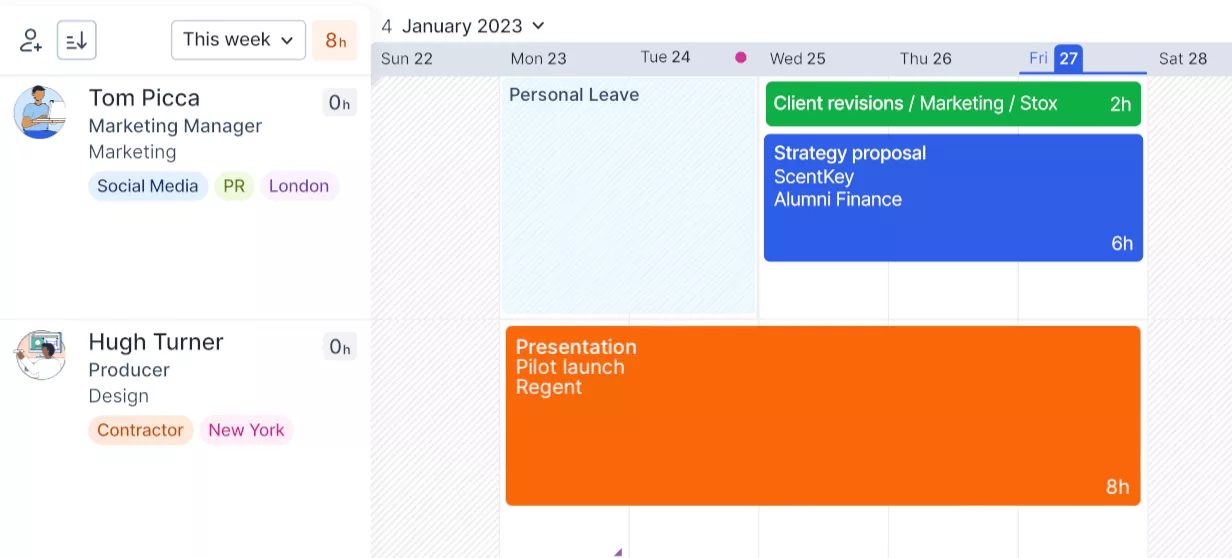
Float is a focused scheduling tool for agencies that want a clear view of who is booked, who has space, and where the week is already overloaded. It is not where most teams run the full agency workflow, like tasks, budgets, billing, and client reporting.
Key Features
- Visual schedules for people and projects
- Capacity and workload views to spot overbooking
- Allocation planning across weeks and months
- Time off and availability planning
SOurce: float
Pros
- Reviewers often mention that the interface is clean and easy to use for day-to-day planning.
- Reviewers often like how quickly you can adjust plans when priorities change.
- Many reviews point to clearer visibility into team workload once schedules are kept up to date.
Cons
- Reviewers often want deeper reporting, especially when they need more than a scheduling snapshot.
- Some teams mention UI friction on large plans, like scrolling and navigation.
- It can feel limited if you expect one tool to cover both delivery work and financial ops.
Final Verdict
Float makes the most sense when your main pain is resource allocation and keeping schedules realistic week to week. If your team wants deep reporting and financial visibility in the same place as planning, it will feel like another layer you have to connect.
4. Kantata – Best for Services Delivery Oversight
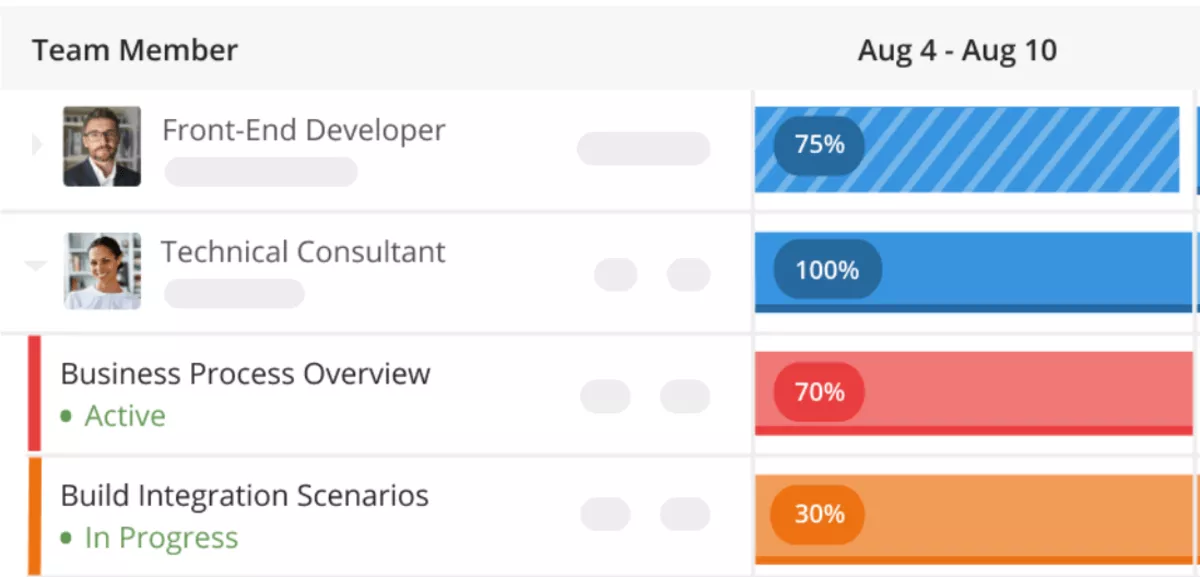
Kantata is a solid fit for agencies that want more control over delivery, especially when leadership needs reliable visibility into time, resourcing, and margin drivers. Reviewers often describe it as powerful once the system is set up, but not something you roll out casually without a clear owner.
Key Features
- Time and expense tracking tied to projects and phases
- Resource planning and utilization visibility
- Job costing and margin reporting for service work
- Invoice generation based on approved work
SOurce: kantata
Pros
- Reviewers often mention stronger visibility across projects and resourcing once teams use it consistently.
- Many reviews call out useful reporting for services teams that need oversight beyond task completion.
- Reviewers frequently mention responsive support during onboarding and ongoing questions.
Cons
- A learning curve comes up, especially for admins and new teams.
- Reviewers regularly describe parts of the UI as non-intuitive, which can slow down adoption.
- Some reviewers want more flexibility in customization and everyday workflows.
Final Verdict
Kantata can feel like too much software for very small agencies that mainly need a simple task layer. It is a better match when you want one system to connect delivery oversight to job costing, and keep client relationships supported by consistent reporting, not ad hoc spreadsheets.
5. Teamwork – Best for Client-Facing Delivery Workflows
Teamwork fits agencies that run lots of client projects and need a clean way to manage handoffs, approvals, and ongoing client communication without rebuilding status updates in emails. It has a lot of depth, so the best results usually come when you standardize templates and keep a close eye on how your team uses it.
Key Features
- Workflows and stages to standardize task handoffs across projects
- Forms to turn requests and feedback into tasks
- Proofs for client review and approval cycles
- Native time tracking and timesheets
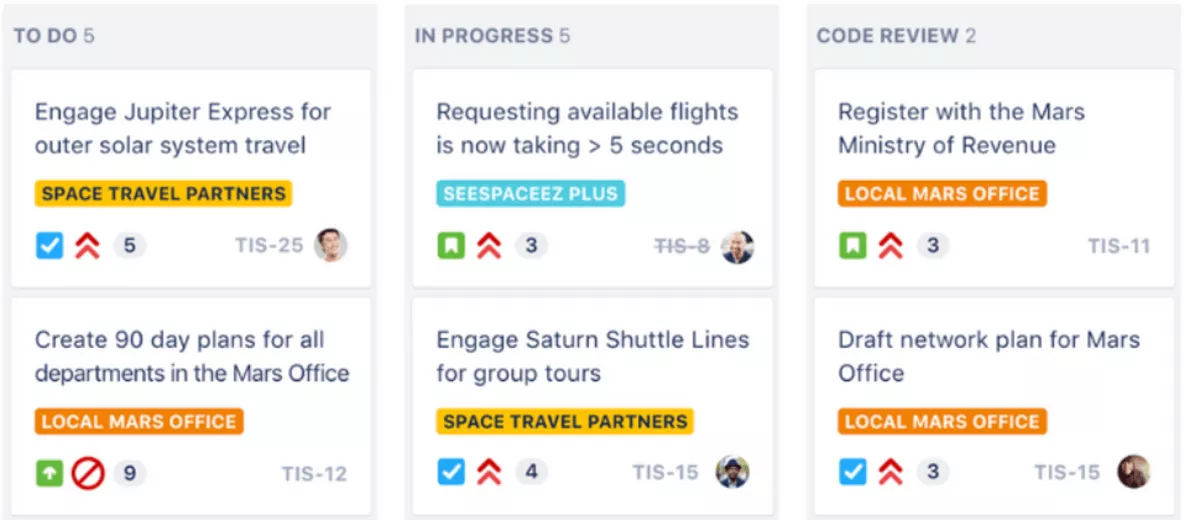
SOurce: teamwork
Pros
- Reviewers often mention that it brings clarity to project planning, ownership, and deadlines when you are juggling many client deliverables.
- Reviewers frequently call out useful capacity and workload visibility once teams keep plans up to date.
- Many users like having time tracking and project work in one place, which reduces end-of-month admin work.
Cons
- Reviewers mention that it can feel overwhelming at first, especially when you are trying to roll it out across multiple teams and workflows.
- Notification settings can take some tuning, and reviewers sometimes describe reminders as noisy until they are configured properly.
- Some Capterra reviewers report occasional glitches or downtime that can disrupt day-to-day delivery.
Final Verdict
Teamwork is a strong choice when you want client portals as part of the workflow, meaning client users can access the right projects, proofs, and updates without living in your inbox.
If you need highly flexible reporting or you cannot afford occasional reliability issues, the review patterns suggest you should shortlist a more stable, analytics-first option.
6. Hive – Best for Lightweight Workflows With Multiple Views
Hive is a work management option for agencies that want to set up projects quickly, keep tasks organized, and switch between views without turning the tool into a full-time job. Reviews tend to be positive on day-to-day usability, but some teams flag gaps and rough edges that matter once Hive becomes the single source of truth.
Key Features
- Flexible project views (Gantt, Kanban, and more)
- Intake forms to capture requests consistently
- Proofing and approvals for creative feedback cycles
- Time tracking by task
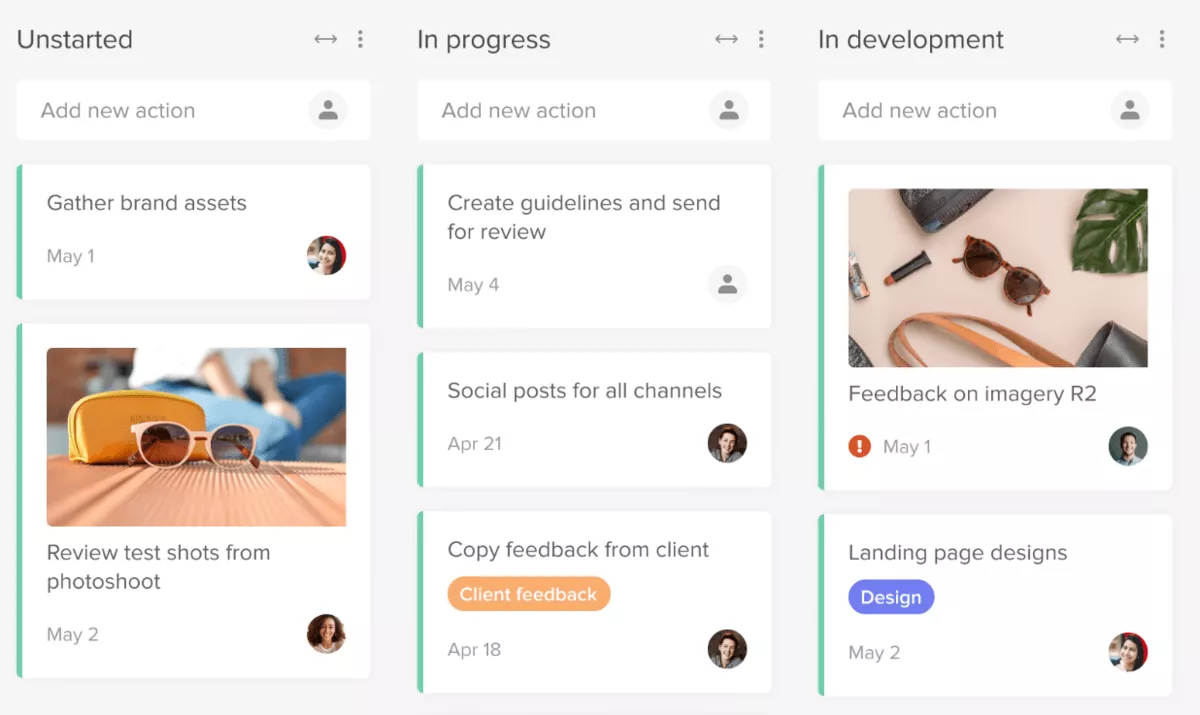
SOurce: hive
Pros
- Reviewers often highlight that it keeps projects and tasks organized in a way that feels straightforward for the whole team.
- Many users mention that it is easy to pick up, with a low barrier to adoption for non-technical teams.
- Reviewers like having multiple views so different roles can work the way they prefer without losing shared visibility.
Cons
- Some reviewers want stronger email or calendar connections, especially when they are trying to reduce copy-paste between systems.
- A few reviews describe product rough edges, like bugs or UI friction that make it hard to tell whether an issue is user error or a glitch.
- Some reviewers feel features can ship before they are fully polished, which can be frustrating in a client-facing workflow.
Final Verdict
Hive works best when you want flexible views and solid team collaboration without investing weeks into setup and governance. If your agency needs a tool that feels fully mature, with tight integrations and minimal glitches, the review record suggests you should be cautious.
7. ClickUp – Best for Highly Customizable Agency Workflows
ClickUp is a project management workspace agencies choose when they want one place to run different service workflows, without forcing every team into the same process. Reviews praise the flexibility, but they also warn that workspaces can get messy fast if no one owns standards for statuses, templates, and permissions.
Key Features
- Flexible task management with custom statuses, templates, and views
- Forms for consistent work intake and briefs
- Automations to reduce manual handoffs and reminders
- Dashboards for cross-project visibility
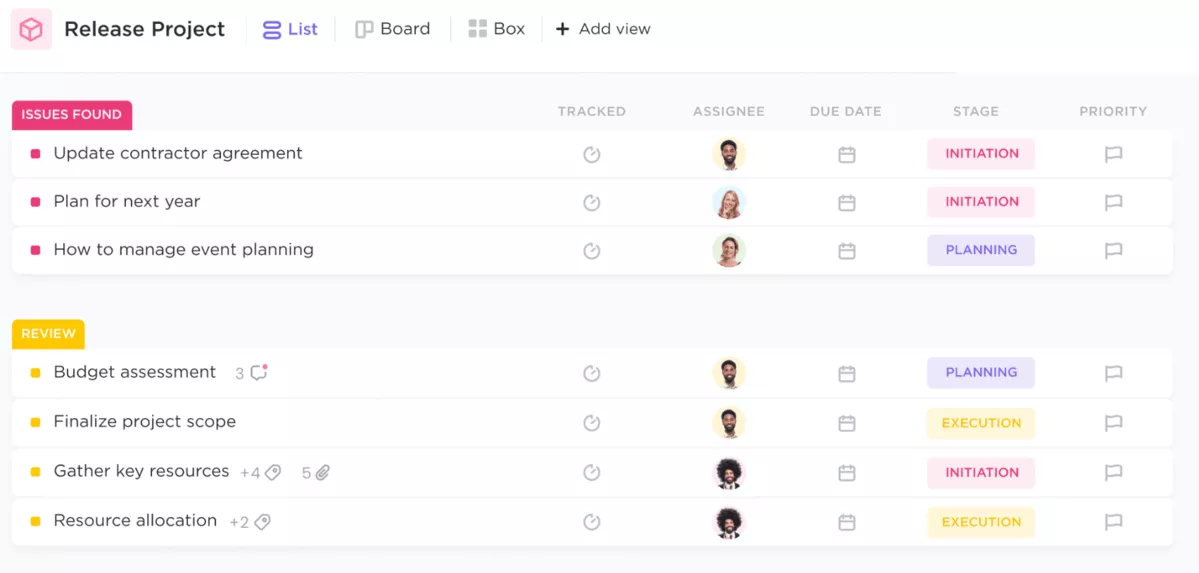
SOurce: clickup
Pros
- On G2, customization and flexibility are constant positives for teams with mixed workflows.
- Many reviewers like having multiple views and a single place for work, which cuts down context switching.
- Dashboards and reporting come up as useful once teams agree on a consistent structure.
Cons
- Reviewers frequently mention performance issues or bugs, especially in larger workspaces.
- Notification noise is a common complaint until teams tune settings and workflows.
- Some teams struggle with inconsistent usage when every team customizes differently.
Final Verdict
ClickUp makes sense for agencies that want one tool to cover a lot of workflow types and are willing to keep the system tidy. If your team has low tolerance for noisy notifications and occasional performance issues mentioned in reviews, it can become a distraction instead of a workflow hub.
8. Make – Best for Automating Handoffs Between Tools
Make is one of the more powerful automation tools for connecting the apps your agency already uses, so routine updates do not rely on manual copy-paste. Reviews highlight how much workflow automation you can build without code, but they also make it clear you still need someone to monitor it.
Key Workflow Features
- App integrations and templates to move data between tools
- Scenario builder to automate multi-step handoffs
- Scheduling and triggers to run workflows on time or on events
- Error handling and logs to catch and retry failures
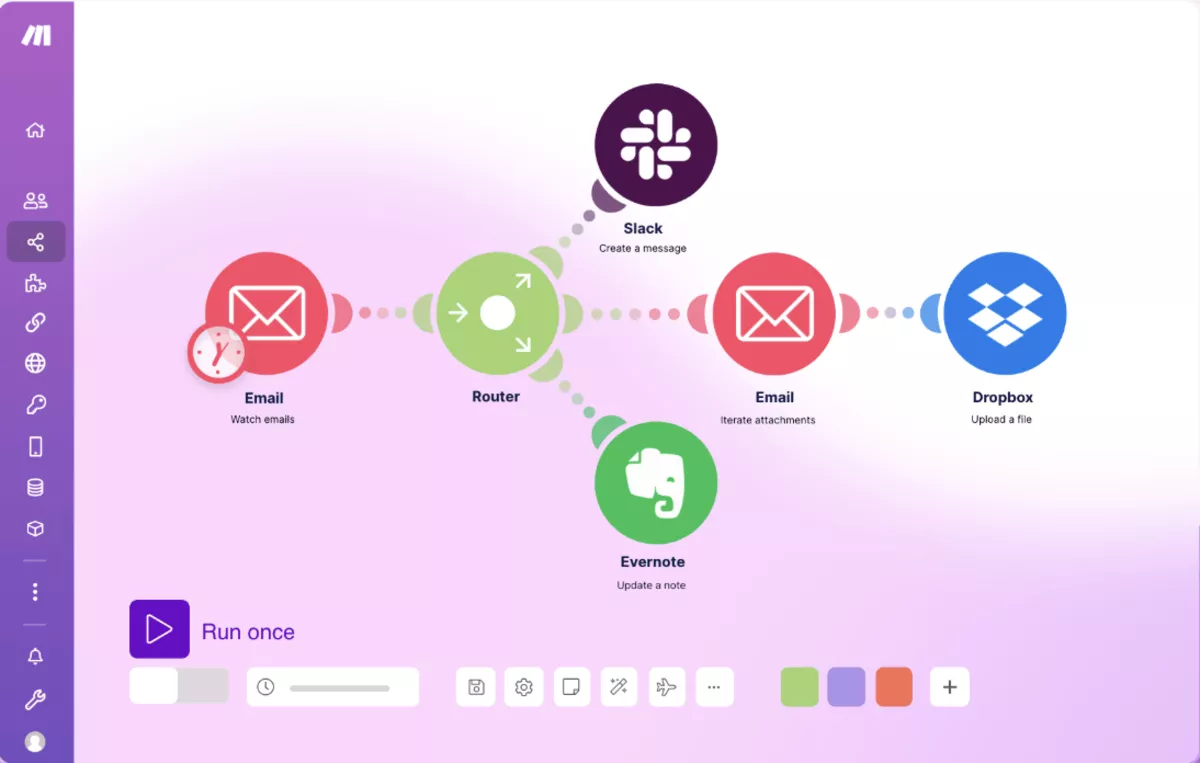
SOurce: Make
Pros
- G2 reviewers regularly point to the range of integrations and the control you get over complex workflows.
- Many users like that you can start simple and build more advanced scenarios as needs grow.
- Reviewers often mention that it helps reduce repetitive admin work once core scenarios are stable.
Cons
- Debugging is a common pain point, and reviewers often describe error messages as hard to interpret.
- Non-technical teams mention a learning hurdle when scenarios involve filters, routes, and edge cases.
- Some reviewers report that scenarios can become hard to maintain when automations grow without documentation.
Final Verdict
Make is a strong add-on when you need to keep critical steps in sync across tools, like turning intake into tasks and pushing updates to the right place automatically. If you want automation software that runs with no maintenance, Make can pull you into the troubleshooting loop that shows up in reviews.
9. Smartsheet – Best for Spreadsheet-Style Workflow Tracking
Smartsheet is one of the software platforms agencies choose when they want spreadsheet control, but with more structure, sharing, and rollups than a basic sheet.
Reviews praise the flexibility, but they also show a consistent theme: if you do not set naming, ownership, and standards early, it can turn into a pile of sheets that nobody trusts. If you prefer spreadsheets, you should head over to our Smartsheet alternatives article.
Key Features
- Sheet-based project plans with owners, dates, and status
- Forms for consistent intake and request capture
- Dashboards to roll up project tracking across multiple sheets
- Automated workflows for reminders and status changes
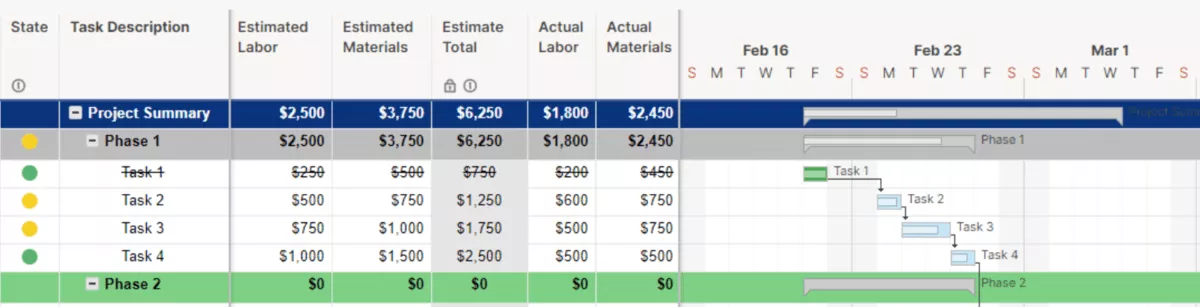
SOurce: smartsheet
Pros
- Reviewers often mention how flexible it is for building workflows that match how a team already works.
- Many users like the spreadsheet-like interface for tracking work without forcing a board-first setup.
- Dashboards come up as a strong point once teams invest time in reporting and analytics.
Cons
- Reviewers often say the real effort is in setup and maintenance, especially when workflows span many sheets.
- Some teams struggle with governance, like keeping permissions, naming, and sheet sprawl under control.
- Reviewers mention that advanced formulas and cross-sheet logic can be hard to troubleshoot when something breaks.
Final Verdict
Smartsheet is a strong option for workflow optimization when your agency already thinks in tables and needs better structure than spreadsheets alone. If you want project tracking that feels simple and visual with little admin, the sheet model can feel like too much upkeep.
10. monday.com – Best for Simple, Visual Workflows
monday.com is a visual project management tool agencies use when they want workflow management that is easy to adopt and easy to see at a glance.
Reviews tend to be positive on the speed of setup and day-to-day clarity, but some teams hit limits when they try to run complex dependencies, strict governance, or advanced reporting through the same board model.
Key Features
- Boards and views to organize work by owner, status, and timeline
- Forms for intake, briefs, and request routing
- Automations for updates, reminders, and handoffs
- Dashboards for cross-project visibility
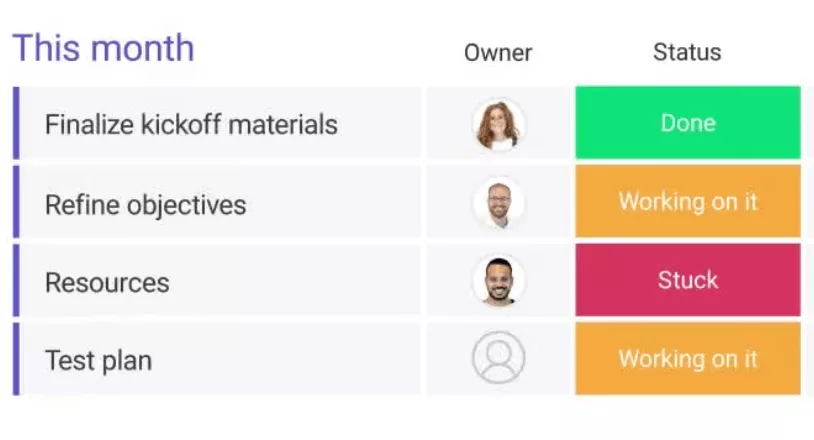
SOurce: monday.com
Pros
- Reviewers often mention fast setup and a clean interface that teams actually use day to day.
- Many users like how customizable boards are for different workflows without feeling technical.
- Automations are a common way to reduce manual follow-ups and status chasing.
Cons
- Reviewers often mention notification noise until teams tune automations and board settings.
- Complex dependencies and Gantt-style planning can feel clunky compared to more structured tools.
- Some teams describe reporting as limited for portfolio-level questions without extra workarounds.
Final Verdict
monday.com is a good choice when your priority is broad adoption and simple visibility across projects. Agencies that need strict workflow governance and deep portfolio reporting may find the board approach limiting over time.
If you’re considering this tool, you might want to head over to our deep dive on Monday vs Asana vs Clickup.
What Are the Key Features of Agency Workflow Software to Look For?
The key features of agency workflow tools include intake forms that capture briefs consistently, workflow stages with owners and handoff rules, built-in feedback and approval steps for reviews, workload visibility so you can spot overbooking, and dashboards that answer weekly delivery questions without exporting to spreadsheets.
If you are comparing tools, start by checking these basics first, so you do not end up buying a second tool to fill the gaps.
Feature 1: Work Intake and Request Routing
Check whether you can capture briefs the same way every time, not in email threads. Look for forms or request templates that turn a client’s ask into a task with an owner, due date, and context.
Feature 2: Project Workflow Stages and Ownership
Verify you can define stages that match how your agency actually works and assign ownership at each stage. The tool should make handoffs obvious, so work does not drift back into chat.
We talk much more about workflow efficiency in our agency workflows master-guide.
Feature 3: Feedback, Proofing, and Approvals
If your team ships creative, check how feedback loops work in practice. Can a stakeholder leave feedback on the right item, and can your team track what is approved versus still in review?
An approval workflow is only useful if it is fast and leaves a clean trail of what changed. Feedback play a huge role in your overall processes, we touch base on the basics in our all-you-need-to-know agency process guide.
Feature 4: Visibility and Reporting
Open the dashboards and confirm you can answer the weekly questions without exports: what is late, what is at risk, and where the team is overloaded. If reporting is hard to trust, the workflow will always feel reactive.
Feature 5: Integration and Automation
Open the dashboards and confirm you can answer the weekly questions without exports: what is late, what is at risk, and where the team is overlConfirm the tool connects to the apps you cannot replace and whether basic automation can reduce manual handoffs.
The goal is fewer copy-paste steps, not building a fragile system that needs constant babysitting. If reporting is hard to trust, the workflow will always feel reactive.
And yes, there’s a detailed guide on project management reports.
How to Choose Software for Agency Workflows? (Step-by-Step Process)
You should choose software for agency workflows by testing whether it fixes one broken workflow end-to-end and whether the reporting answers your weekly delivery questions without manual exports.
Step 1: Start With the Workflow That Is Currently Breaking
Pick one workflow that causes the most friction today, like work intake, delivery handoffs, resourcing visibility, or weekly reporting. Write a one-sentence definition of success, such as “Every new request becomes a scoped task with an owner and a due date within 24 hours.” Use that sentence as your filter during trials.
Step 2: Map Stages, Owners, and Handoffs
Map the workflow into stages and assign an owner for each stage. Then define what triggers the handoff, and what information must be visible to the next person, like brief, due date, files, and approval status.
If the tool cannot keep this information in one place, your workflow optimization effort will collapse back into chat and spreadsheets.
Step 3: Test Whether Reporting Answers the Weekly Questions
Before you commit, test the reporting features with real data. Can a PM answer “What is late?”, “What is at risk this week?” “Where are we over capacity?”, and “Which projects are burning more time than planned?” If the answer requires exporting to Excel, you are buying extra admin work.
Bonus Migration Checklist
Use this checklist to move without pausing delivery:
- List the workflows you will move first (intake, delivery, resourcing, reporting) and pick one to pilot.
- Clean up statuses and stage names so you do not import chaos into a new tool.
- Assign owners for templates, permissions, and reporting so someone is accountable.
- Build one project template that matches your project workflow, then duplicate it.
- Pilot on one real client project for two to four weeks and collect issues weekly.
- Plan the cutover date, freeze changes in the old tool, and migrate in one controlled pass.
- Run a two-week support window where questions go to one channel and fixes are tracked.
Final Thoughts
Good agency workflow tools take pressure off the day. Handoffs are clearer, reviews move faster, and PMs can spot risk early instead of chasing updates across chat and spreadsheets.
If your biggest issue is that your work is split across too many tools, an all-in-one platform can make a bigger difference than another standalone app. Productive is built for agencies that want projects, time, budgets, resourcing, and reporting connected, so decisions are based on the same data.
If you want to see how Productive would fit your workflow, book a demo.
Connect With Agency Peers
Access agency-related Slack channels, exchange business insights, and join in on members-only live sessions.
