Operations Manager Role Explained – Responsibilities & Skills

The operations manager’s role becomes really tough when you don’t have projects, budgets, and resource capacity connected in one place. This lack of data connection leads to outdated spreadsheets, which results in bad decisions or overdue course corrections (no one wants that).
The first step to solving that problem is to invest 10 minutes in reading this guide. Here, we’ll explain what an operations manager does and how this role differs from a project manager. We’ll also cover the must-have skills, describe a typical week, and explain how software supports day-to-day operations.
Key Takeaways
- The operations manager’s job is to keep work organized and moving: they monitor daily operations and performance, improve workflows, and coordinate teams and resources.
- Operations managers and project managers solve different problems: operations managers improve how the entire business runs over time, while project managers focus on delivering a specific project within scope and deadline.
- The role depends on practical management skills: strong communication, leadership, analytical thinking, organization, financial awareness, and prioritization help keep work clear and under control.
- Software reduces manual work and helps teams spot risks early and act faster: the right system keeps workflows consistent, shows budgets and workloads in one place, and helps managers respond to problems before they grow.
What Is an Operations Manager?
An operations manager is a key manager responsible for overseeing a company’s day-to-day operations and ensuring work remains efficient, productive, and consistent.
In professional services, this role focuses on staffing client work properly, keeping delivery on track, protecting profitability, and supporting consistent customer service by helping teams deliver work reliably. In larger teams, it sits below the director of operations role and takes more day-to-day ownership of capacity, workflows, and delivery systems.
You will sometimes see the role described more broadly across management, business administration, and business operations. Depending on the industry, it can overlap with areas such as:
- Supply chain management
- Asset management
- Production flows
- Logistical processes
- Quality control and quality assurance
- Safety standards
In those environments, the supply chain is often one of the main areas the role helps oversee. That broader definition is a useful context, but this article focuses on professional services.
The next section looks at what this role actually does in practice.
What Does the Operations Manager Role Do?
The operations manager role monitors daily operations and performance, improves workflows and removes bottlenecks, and coordinates teams, resources, and priorities across the business.
Those responsibilities can still feel a bit abstract, so it helps to look at what they mean in practice.
- Monitor daily operations and performance: keep track of whether work is moving as it should. They review delivery status, spot delays early, and assess whether day-to-day administrative processes are helping the business hit its strategic goals rather than creating extra friction.
- Improve workflows and remove bottlenecks: fix slow handoffs, reduce manual follow-up, and remove process issues that delay work. This is often where a practical operations strategy starts to take shape.
- Coordinate teams, resources, and priorities: make sure the right people are working on the right things at the right time. In practice, that includes balancing workloads, adjusting priorities, and making sensible use of time and financial resources when plans change.
Many managers get stuck when projects, time tracking, resourcing, budgeting, invoicing, and CRM all live in separate tools. The operational picture then has to be pieced together by hand, which only gets harder as the business grows.
That challenge is common: a McKinsey survey found that only 7% of organizations perform well across all elements of operational excellence.
Productive brings those functions into a single platform, which removes the manual reconciliation work for agency operations.
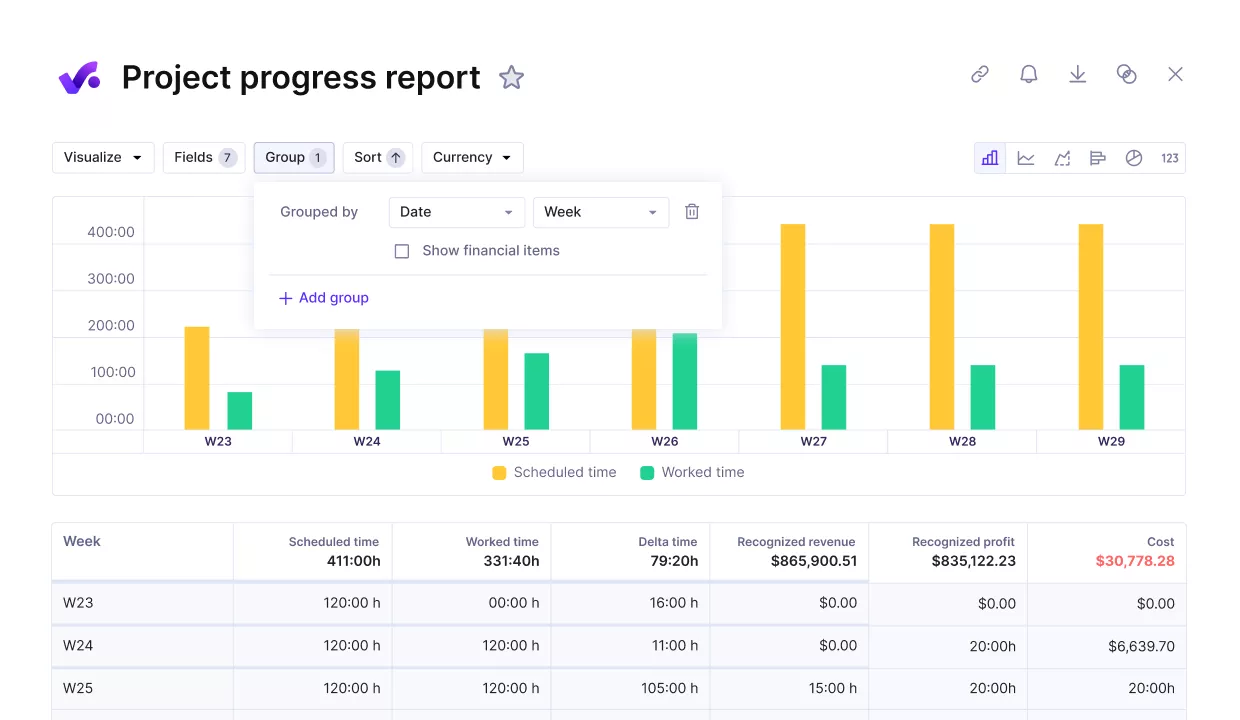
Bring project data, budgets, resourcing, and profitability into one operational view with Productive
When someone logs time, it updates the project budget, resource schedule, and profitability view right away, so there is no export-import cycle, no spreadsheet layer, and no conflicting data between systems.
Run your operations in one place with Productive
Next, we’ll look at how this role differs from the project manager role.
How Is an Operations Manager Different From a Project Manager?
An operations manager is different from a project manager because the operations manager improves how the business runs over time, while the project manager delivers a specific piece of work on time and within scope.
These two managerial roles often sit close to each other, especially in smaller teams, so the overlap can look bigger than it really is. A quick comparison makes the distinction easier to see.
Quick Comparison Table
| Comparison point | Operations manager | Project manager |
|---|---|---|
| Main focus | Oversees ongoing operations across the business | Oversees a defined project from start to finish |
| What the role is optimizing | Focuses on process efficiency, team coordination, and operational stability | Focuses on scope, deadlines, deliverables, and stakeholder expectations |
| Where the role works | Supports work across departments and client delivery | Supports the success of one project or account at a time |
| Time horizon | Looks at long-term business health and how work gets done | Looks at short-term project success and day-to-day execution |
The confusion usually happens because both roles solve problems, coordinate people, and keep work moving. In many service businesses, both roles may also use the same tools or project management platforms, which can blur the boundary between them.
Once that distinction is clear, the next question is what makes someone good at the role in the first place. That comes down to skills.
What Manager Skills Does an Operations Manager Need?
The manager skills an operations manager needs are leadership, communication, analytical thinking, organization, problem-solving, financial awareness, and planning and prioritization.
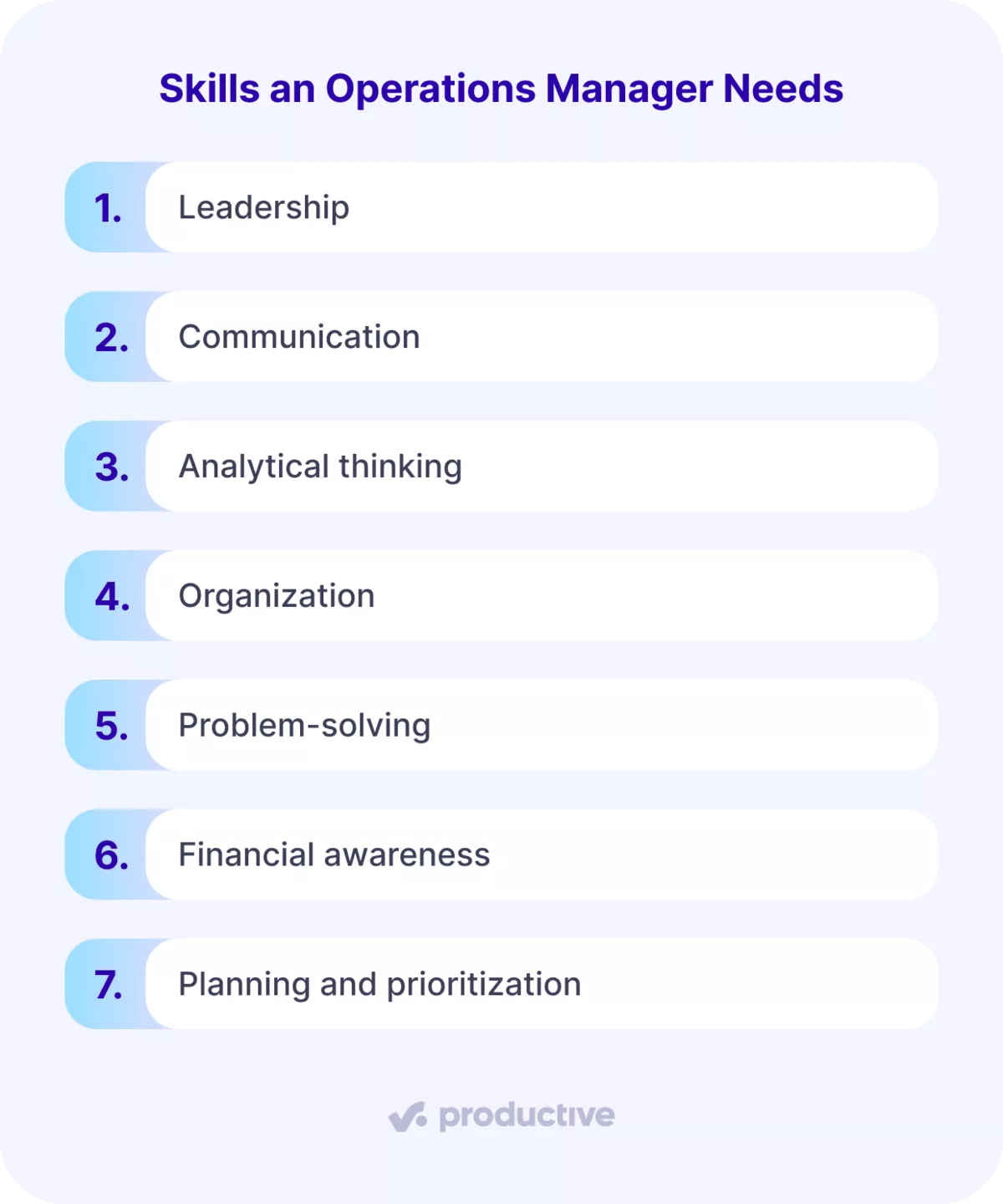
We will look at each skill in more detail.
- Leadership. This is less about big speeches and more about keeping people aligned. Leadership skills help teams stay focused, follow clear best practices, and keep work moving when plans change.
- Communication. The role sits between departments, so clear communication is crucial. A good manager can explain priorities, flag risks early, and keep teams from working off three different versions of the truth.
- Analytical thinking. Managers need to look at what is happening, spot patterns, and make sensible decisions based on real information. That includes reading delivery signals, judging trade-offs, and using data to support strategic planning.
- Organization. There are usually many moving parts at once, so the role needs structure. Strong organization helps managers keep timelines, owners, and follow-ups clear without turning the business into a spreadsheet museum.
- Problem-solving. Operational issues rarely arrive one at a time. Good problem-solving means finding the real cause of a slowdown, not just reacting to the loudest symptom.
- Financial awareness. Operations decisions affect margin, utilization, and delivery health, so this role needs a solid grasp of the numbers. That does not mean doing a finance manager’s job, but it does mean understanding the impact of everyday choices.
- Planning and prioritization. A strong manager has to decide what needs attention now, what can wait, and how to balance short-term fixes with long-term planning. That includes setting priorities, making space for training programs when teams need support, and thinking ahead to prevent small issues from becoming bigger HR issues.
These are the skills that turn the role from reactive coordination into real operational leadership. Next, let’s look at what that work actually looks like over the course of a normal week.
What Does a Typical Week Look Like for an Operations Manager?
A typical week for an operations manager looks like reviewing workload, priorities, and performance at the start of the week, solving bottlenecks and coordinating teams during the week, and updating capacity plans and preparing for upcoming demand at the end of the week.
We’ll explore each part in more detail below.
Review Workload, Priorities, and Performance at the Start of the Week
At the start of the week, an operational manager reviews the workload, priorities, and performance to help the team catch problems early rather than clean them up later.
This usually means a few things:
- checking project status to see what is on track and what is starting to slip
- looking at team capacity to spot overload before it turns into a staffing issue
- reviewing priorities so the week starts from a realistic plan, not last week’s leftovers
- flagging delivery risks early, before they affect deadlines
Good KPI-based reporting helps the manager spot slipping work, overloaded teams, and unrealistic plans early. It works best when it is based on current performance data and useful performance metrics, not guesswork.
Solve Bottlenecks and Coordinate Teams During the Week
Midweek usually looks like active problem-solving. This is when an operational manager steps in to unblock work, reassign priorities, and keep delivery moving when the original plan starts to wobble.
In practice, that often includes:
- checking dependencies to make sure one delay is not quietly blocking three other tasks
- shifting work between teammates to balance load and avoid burnout
- adjusting priorities when timelines or client needs change
- making sure staff work schedules still match what the business actually needs
It is also the point where small issues can turn into bigger ones if nobody takes ownership, so the manager often becomes the person connecting the dots.
A lot of this work is less dramatic than people think. It is not constant firefighting. It is more about making smart adjustments before a delay turns into a client problem or a team overload issue.
Update Capacity Plans and Prepare for Upcoming Demand at the End of the Week
At the end of the week, the manager reviews capacity and upcoming demand to avoid surprises next week. They check who is overbooked, who has room, and whether the team can absorb more work without adding pressure.
This is also where spreadsheets start to break down. By the time Excel or Google Sheets are updated, someone is often already overloaded, or a hiring gap has already opened.
Productive’s Resource Planner shows scheduled versus actual utilization in real time and lets teams layer in tentative pipeline work, so managers can spot pressure earlier and plan with more confidence.
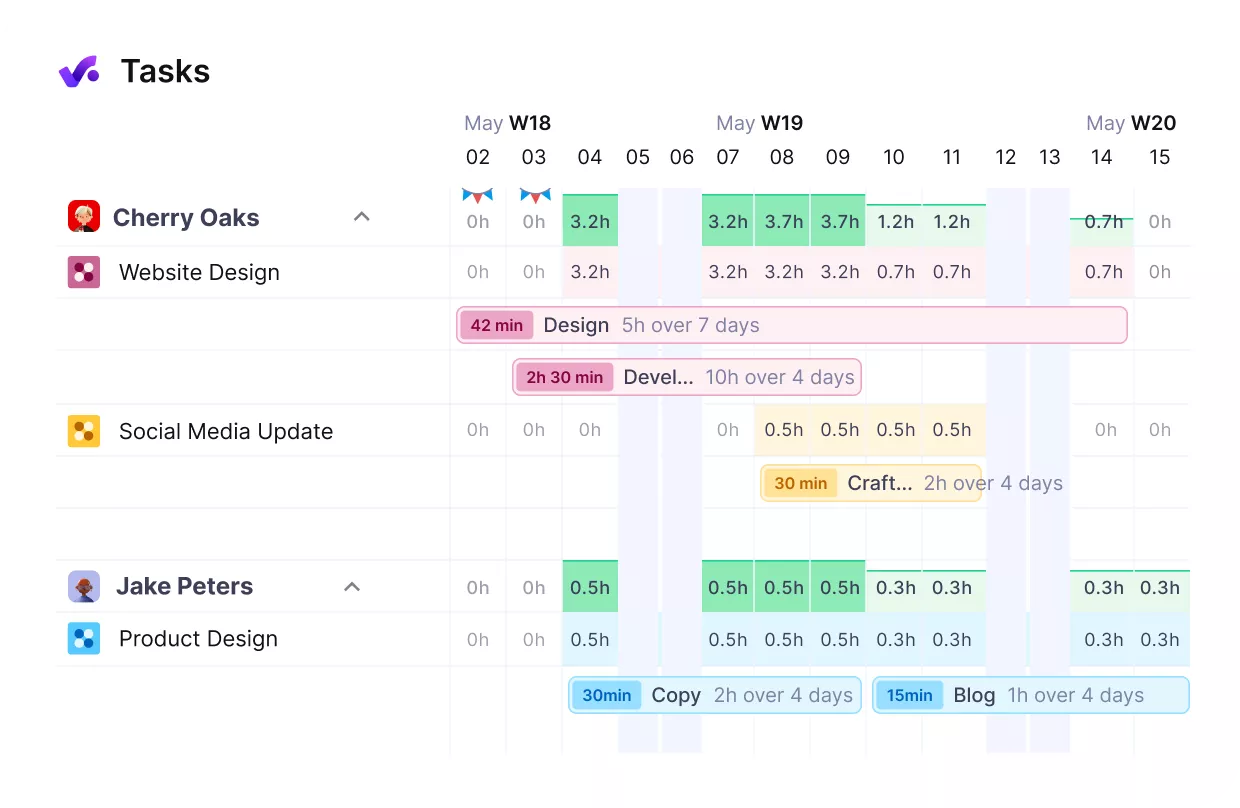
VISUALIZE TEAM RESOURCES AND PREVENT BOTTLENECKS WITH PRODUCTIVE’S RESOURCE PLANNER.

At a glance, the resource planner provides a snapshot of allocated hours across teams, making it simple to spot and prevent resource gaps.
Read the full customer story to see how wild Streamlined Operations with Productive.
How Does Software Support Operations Management Day-to-Day?
Software supports operations management day-to-day by helping spot risks early and by reducing manual admin.
We’ll explore each part in more detail below.
Software Helps Spot Risks Early
Software helps spot risks early by showing what is changing across budgets, workloads, and delivery before the problem gets expensive.
We already touched on why having everything in one place matters. When work, time, budgets, and resourcing live in different systems, the operational picture blurs quickly, and decisions come later than they should.
Good software helps teams:
- spot delivery risks before they turn into missed deadlines or client issues
- see who is overbooked, who has room, and where priorities need to shift
- review workload, utilization, and budget health in one view
- give leadership a clearer picture of what is happening across projects and teams
- understand the financial data behind delivery without stitching reports together by hand
That is what makes the difference. The real value is not just seeing more information. It is being able to act on it while there is still time to fix the problem.
Software Reduces Manual Admin
Software reduces manual admin by standardizing routine work, automating repetitive steps, and making handoffs easier to manage.
A lot of operational work is still more manual than it should be. Agencies often end up:
- building invoices from exported spreadsheets
- reassigning tasks by hand
- noticing budget issues too late because nobody got an alert
None of that is especially strategic. It is just an admin wearing a fake mustache.
Good software cuts that drag. It sets clear stages, automates handoffs, and keeps routine work moving with less manual follow-up. That kind of process automation creates more consistent business practices and makes delivery easier to scale.
With Productive’s Automations, teams can build custom workflows, automate handoffs, generate recurring invoices, set budget threshold alerts, and send time tracking reminders automatically.
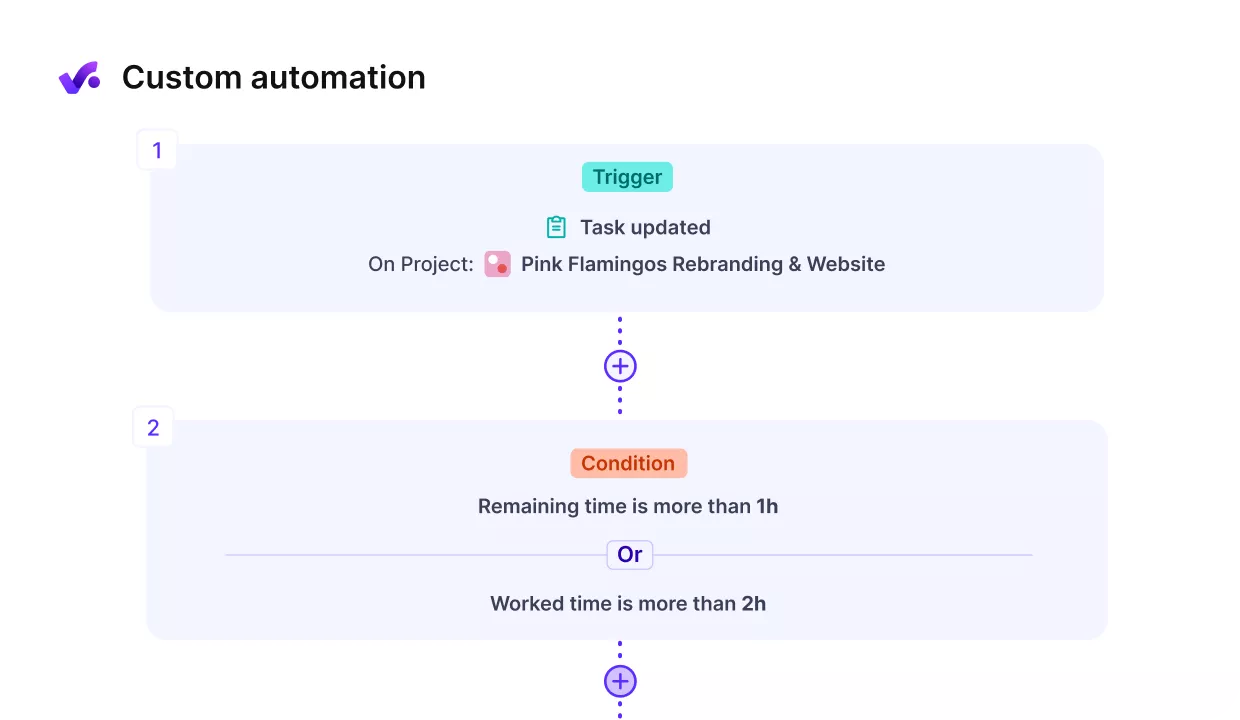
STANDARDIZE OPERATIONAL PROCESSES BY CREATING CUSTOM WORKFLOWS IN PRODUCTIVE.
The result is less manual follow-up, fewer missed steps, and more time for actual management rather than admin cleanup.
If you want to check out different tools, you should take a look at our operations management software list.
What Operations Managers Enable in a Growing Business
What operations managers enable in a growing business is steadier delivery, better staffing, and tighter budget control as complexity increases. The role creates real value by catching issues early, balancing workloads, and keeping the business running on a clear, up-to-date picture instead of guesswork.
Without the right tools, managers end up stitching together data and reacting to problems too late. With a platform like Productive, teams can connect delivery, budgets, and resource planning in one place, spot issues earlier, and make decisions with confidence instead of guesswork.
If you want to see how that works in practice, book a demo with Productive.
Get a clear view of your operations in one place
Stop switching between tools to understand what’s happening. Productive connects delivery, budgets, and team workload so you can see the full picture and act before problems grow.
