Cost Estimation in Project Management: A 7-Step Guide

You commit to a price before you know what the work will cost. Cost estimation in project management is predicting what an engagement will cost before you quote it, making it the first decision that affects your margin.
This guide covers how an estimate differs from a budget and a quote, and which costs belong in the number. It then covers which method fits your engagement, how to estimate a project step by step, how software supports it, and where the number goes wrong.
Key Takeaways
- Cost estimation in project management predicts the hours, the rates behind them, and a buffer for scope you cannot yet size: the total becomes the fee you quote, so your margin is set before anyone logs an hour.
- A cost estimate holds six cost categories, not just the billable ones: account management, QA, and reviews are paid hours with no client line behind them, so an estimate that skips them promises more than the project can deliver.
- Building the estimate runs from a written scope to a recorded baseline: you size hours by role, apply a fully burdened cost rate and a billable rate, add non-labor costs and contingency, then check the margin before the number goes to the client.
- Software’s job is to keep cost rates current and help you model the options before you quote: an out-of-date rate quietly distorts the margin you report, and scenarios compare staffing choices on profit rather than instinct.
What Is Cost Estimation in Project Management?
Cost estimation in project management is the process of predicting what a client engagement will cost before work begins. Every input is a forecast: the hours the work will take, the rates behind those hours, and the buffer for scope nobody has pinned down yet.
An estimate is not a calculation. Two people can size the same scope differently and both be defensible. The method you use and the data behind it determine how close you land. For a services firm, that number is not only a delivery plan. It sets the fee you quote and the margin you keep.
Estimating, budgeting, and quoting are easy to blur together, so first, the differences.
What Is the Difference Between a Cost Estimate, a Budget, and a Quote?
The difference between a cost estimate, a budget, and a quote is who each number is for. The estimate is your internal projection of delivery cost. A budget is the approved spending baseline your team tracks logged costs against. A quote is the price the client sees.
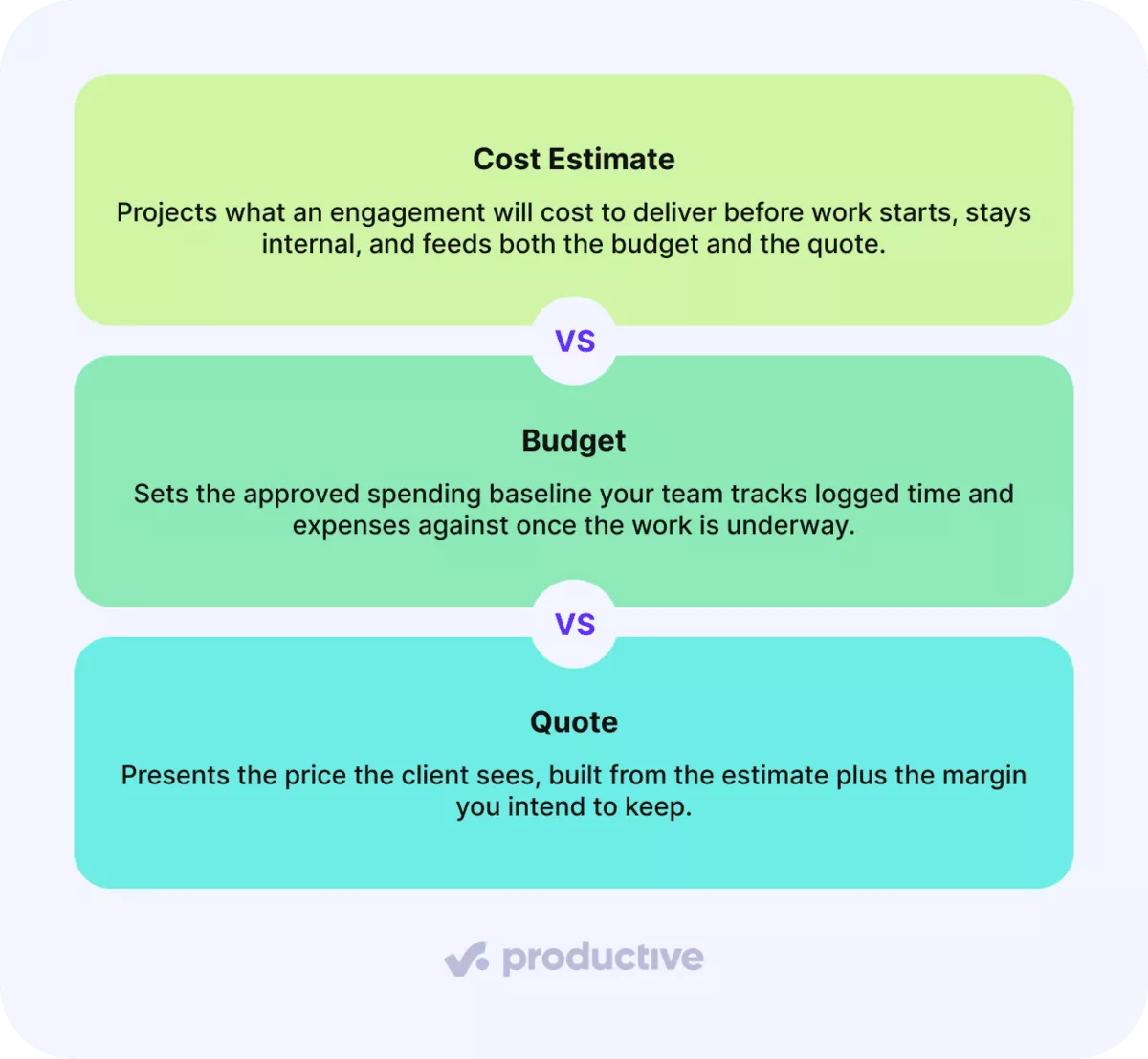
Project budgets and cost estimates get confused because they are built from the same figures. The order is what separates them, because the estimate feeds the other two. Get it wrong, and both the budget and the quote inherit the error, which surfaces later as cost variance during delivery.
That inheritance is what makes the estimate a margin decision rather than a planning step.
Why Does Cost Estimation Decide Your Margin?
Cost estimation decides your margin because the estimate is what you price against. Your margin is the gap between that price and the actual cost of delivering the work. Misjudge the hours, and you have already agreed to the smaller margin.
Two figures give a sense of the stakes. In PMI’s 2025 Pulse of the Profession report, project professionals with high business acumen adhered to budget on 73% of projects, against 68% for their peers. Even in the stronger group, roughly a quarter of projects missed the budget. That sample spans projects of all kinds rather than services firms, so read it as guidance rather than a benchmark.
The second figure is closer to home. Promethean Research’s 2026 agency survey reports that “in 2025, the average digital agency earned a 13% after-tax net margin,” and that “agencies with 50 or more FTEs averaged 8%.” At those margins, accurate cost estimation is one of the few levers a firm fully controls.
So the first question is what actually goes into that number.
Which Costs Belong in a Services Cost Estimate?
The costs that belong in a services cost estimate are billable labor, non-billable internal time, subcontractors, software and tooling, travel, and contingency reserve. Each behaves as a direct or indirect cost, and as a fixed or variable one. Non-billable internal time generates no invoice or client line, so nothing prompts you to price it.
With a services example for each, the six look like this.
Cost categories in a services estimate
| Category | Services Example | Direct or Indirect | Fixed or Variable |
|---|---|---|---|
| Billable labor | Senior strategist hours on a retainer | Direct | Variable |
| Non-billable internal time | Account management, QA, internal reviews | Indirect | Variable |
| Subcontractors | Freelance developer on a fixed-fee build | Direct | Variable |
| Software and tooling | Per-seat licenses for the project team | Indirect | Fixed |
| Travel | On-site client workshops | Direct | Variable |
| Contingency reserve | Buffer for identified scope risks | Direct | Variable |
The six categories are our own grouping. An estimate that counts only billable hours at the rate card reports a margin the delivered project will not match. The account manager’s coordination and the QA pass still consumed paid hours.
Non-billable time comes up regularly in our conversations with services firms. It usually arrives as a question about how to attribute internal hours that incur costs but generate no revenue.
Direct, Indirect, Fixed, Variable, and Contingency Costs
These five labels describe how a cost behaves, not what it buys. A direct cost is tied to a single engagement, such as a designer’s billable hours. An indirect cost supports delivery but spans the firm, such as project manager oversight or tooling.
Fixed costs remain steady regardless of hours worked, such as a monthly license fee. Variable costs vary with effort, such as the hours a copywriter logs. Contingency is the buffer you set against scope you cannot yet size, and on a complex project it covers the potential risk you can name but not yet price.
Management reserve is a related term that does not belong in the six. Contingency sits inside the cost baseline, because you can name the risks behind it. Management reserve sits outside, held by the firm for work nobody foresaw, and it belongs above the estimate rather than in it.
With the categories set, the next question is which method turns them into a number.
Which Estimation Technique Fits Which Engagement?
The technique that fits depends on the commercial shape of the engagement. Repeat retainers suit analogous estimating, fixed-fee work suits bottom-up, and parametric, three-point, and expert judgment cover volume-based, uncertain, and first-of-kind scopes.
With what each one produces, the five compare like this.
Which Estimation Technique Fits Which Engagement?
| Technique | Best Fit | What It Produces |
|---|---|---|
| Analogous estimating | Repeat client retainers | A starting point taken from a comparable past engagement |
| Bottom-up estimating | Fixed-fee engagements | Role hours priced at cost and billable rates |
| Parametric estimating | Repeatable deliverables | A rate per unit multiplied by expected volume |
| Three-point estimating | Uncertain scope | A weighted figure from optimistic, likely, and pessimistic hours |
| Expert judgment | First-of-kind work | A senior lead’s sizing where no comparable data exists |
The mapping to engagement types is our own reading. Analogous estimating inherits whatever the previous project got wrong, and it only works if those hours were logged. Our breakdown of all six cost estimating methods covers the formulas and the trade-offs.
For services work, bottom-up estimating is what produces a defensible fixed fee, because pricing role by role shows which staffing mix you committed to. That method has its own walkthrough in our guide to how bottom-up estimating works.
Whichever you pick, the sequence that turns it into a number is the same.
How Do You Build a Cost Estimate Step by Step?
You build a cost estimate in seven steps: confirm the project scope in writing, break that scope into tasks you can size, size the effort by role, apply cost rates and billable rates, add non-labor costs and contingency, review the margin before you quote, and record the estimate as a cost baseline. The sequence is our own.
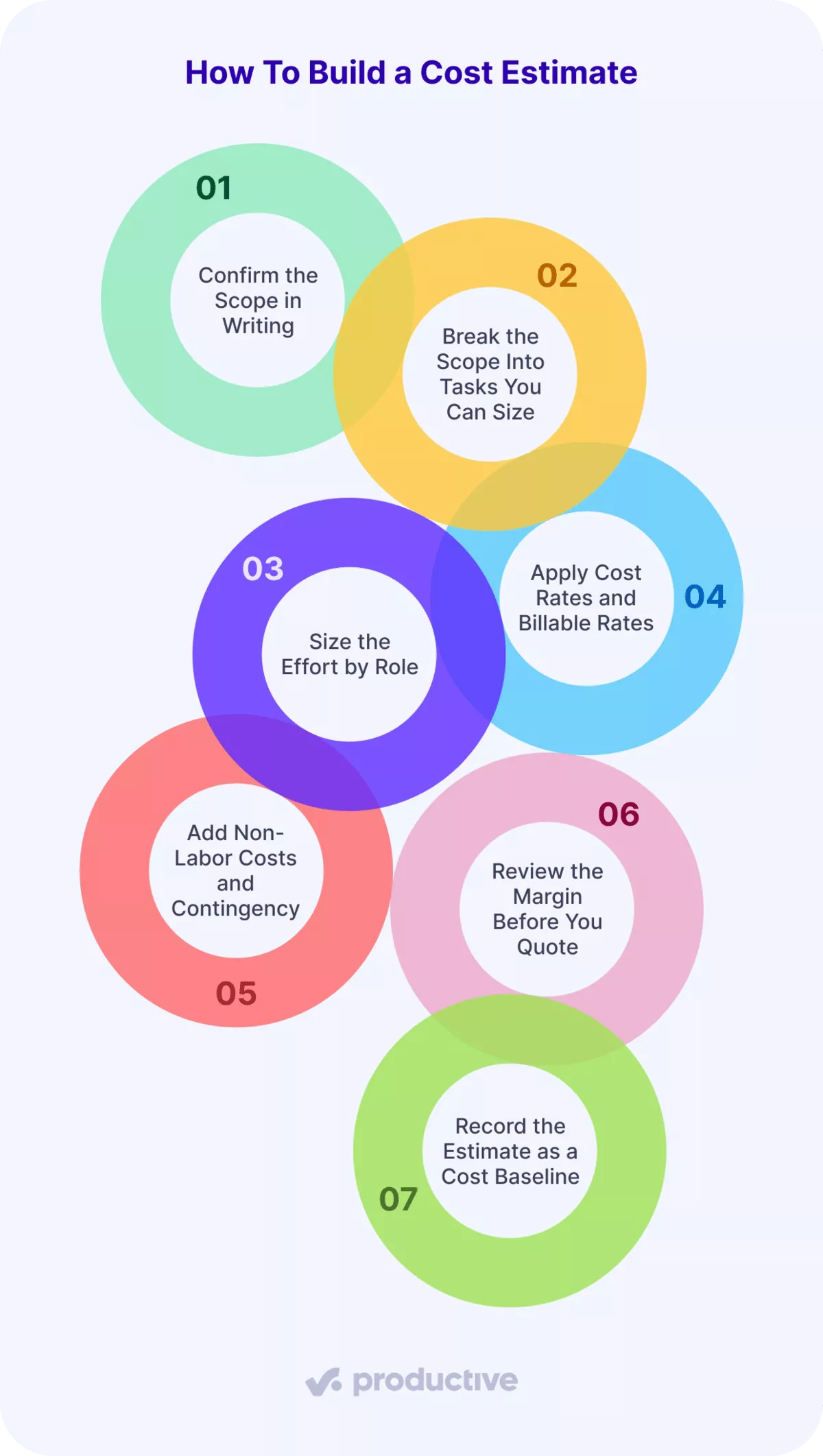
Let’s look at each.
Step 1: Confirm the Scope in Writing
An accurate estimate starts with a written scope. Write down the deliverables, the boundaries, and the assumptions before sizing anything. The assumptions matter most. They define what the project scope does and does not cover when the client asks for something extra in week three.
An estimate without written assumptions has no line to defend. Extra rounds of work then land as unbilled hours.
Step 2: Break the Scope Into Tasks You Can Size
Split the project scope into pieces small enough to size in hours. Project management literature calls this a work breakdown structure, though the practical test is simpler: can someone name the hours for this piece without guessing?
Keep the breakdown at the level you would actually staff. Going deeper adds precision the estimate cannot support.
Step 3: Size the Effort by Role
Assign hours to each task by the role that will do the work, not by an average team member. A senior developer and a junior developer on the same task produce different costs and different fees.
Size the internal roles too. The account manager’s coordination and the QA pass are paid hours no client line covers, and non-labor costs will not pick them up later.
Role-based sizing turns the estimate into a staffing plan. Firms tell us they need that level because their teams span several seniority bands, and a blended figure hides which mix they priced.
Step 4: Apply Cost Rates and Billable Rates
Multiply each role’s hours twice. Hours x cost rate gives the delivery cost. Hours x billable rate gives revenue. The gap between the two is the margin you are about to quote.
The cost rate has to be fully burdened: salary plus benefits, payroll taxes, and the overhead associated with each working hour. Gross hourly pay on its own leaves the estimate optimistic before you have made a single judgment call.
Take one line from a fixed-fee discovery phase: 40 designer hours. At a fully burdened cost rate of 50 per hour, delivering those hours costs 2,000. At a billable rate of 120, the same hours bill 4,800. Repeat that for every role, then total both columns.
On that line, the margin before non-labor costs and contingency sits near 58%. The rates here are illustrative, not benchmarks.
Step 5: Add Non-Labor Costs and Contingency
Add the subcontractors, tooling, and travel from the cost table, then size a contingency against the parts of scope you could not break into tasks. Contingency should reflect the uncertainty in front of you, not a habitual percentage.
Estimating costs that sit outside labor is the easiest part to skip, because nobody logs hours against them and nothing flags their absence.
Back to the designer line. A 10% contingency adds 200, so cost becomes 2,200 against 4,800 in revenue, and the projected margin lands near 54%.
Step 6: Review the Margin Before You Quote
Check the margin against what the firm needs from this kind of work, and sense-check the hours with the project manager or delivery lead who will own them. This is the last point at which the number is free to change.
Reviewing the margin, rather than only the total, is what makes the estimate a pricing decision. If it lands below target, the options are a different staffing mix, a narrower scope, or a higher fee
Step 7: Record the Estimate as a Cost Baseline
Store the agreed number where logged time and expenses will later be compared against it. Without a recorded baseline, actual cost has nothing to be measured against, and an overrun only surfaces once the account is reconciled.
In Productive’s Budgeting, that place is the Estimated Cost field on each service. You record what you expect a service to cost before any time or expenses are logged, either by typing it in or by applying a scenario.
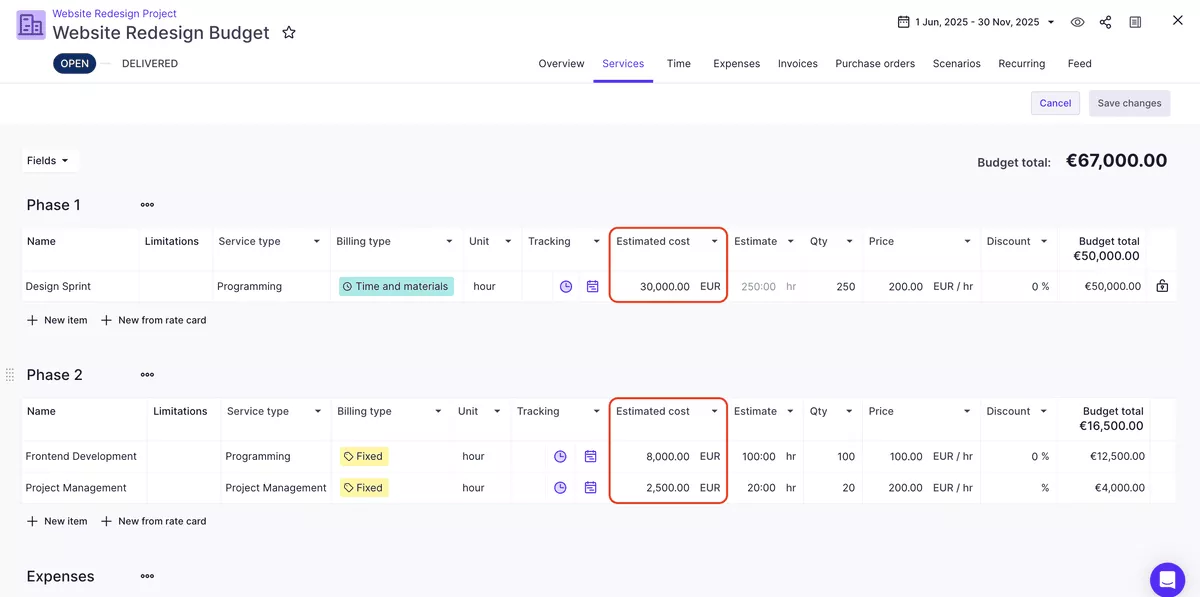
Provide an estimated cost in Productive.
Next, let’s look at how software can support estimation.
How Does Software Support Cost Estimation?
Software supports cost estimation by holding a current cost rate for every person and by modeling staffing options against margin. We’ll take a closer look at each.
Hold a Current Cost Rate for Every Person
Every cost figure in the estimate depends on the rate being right, which makes the rate card a financial control rather than a settings question. One still listing last year’s salaries understates delivery cost, and the margin it reports comes out too high.
Two things matter in whatever tool holds the rates. A raise should take effect from a date, without rewriting the history behind old project estimates. The same person should also be able to carry a different cost on different work.
Model Staffing Options Against Margin
You model staffing options by pricing the same scope two or three ways, then comparing what each one earns. The whole sequence runs before the quote goes out. You assign provisional resourcing, then check profitability against the people and their cost rates. Only then do you decide what the client sees.
Productive’s Scenario Builder exists for that question. You build scenarios by adjusting who does the work, when they start, and what it costs, then compare those outcomes side by side.
Because each person is costed at their own rate, each scenario has its own revenue, costs, and profit margin. A junior-heavy mix and a senior-heavy mix then get judged on margin rather than instinct.
Weighing up which tool should hold this? We compared the options in our roundup of the top project budget management tools.
Better tooling makes the number easier to build. It does not stop the estimate itself from failing in familiar ways.
Where Does Cost Estimation Go Wrong?
Cost estimation goes wrong in three recurring ways: optimism bias in effort estimates, an estimate that nobody compares to the actual cost, and non-billable time left out of the total. The three are our own selection. We’ll take a closer look at each.
Optimism Bias in Effort Estimates
Effort estimates can skew low because the person sizing the work pictures the version without revisions. Client feedback, a second review round, and a handover all take hours that rarely appear in the first pass.
A low estimate lands on other projects too. When one runs light, the extra hours come from wherever the team is already booked, and those hours were priced into another client’s fee. Capacity questions come up regularly in our conversations with services firms, and an under-scoped project makes it harder to answer “who has room for this?”
The structural fix is to force the pessimistic case into the number. Three-point estimating does that by weighting three figures, and it works best when you anchor the likely case in logged hours from a comparable closed project.
The Estimate Nobody Compares to Actual Cost
A baseline only pays off if somebody checks it, and a variance report nobody builds is a variance nobody sees. One firm described the gap in a call with us. Their spreadsheet handled the planning and their time tracker handled the hours. Joining the two, to see how well they had planned, was the part they struggled with.
Productive’s Report Intelligence removes the build step. You describe what you want to see in plain language, and it builds the report from your project, budget, and time data.
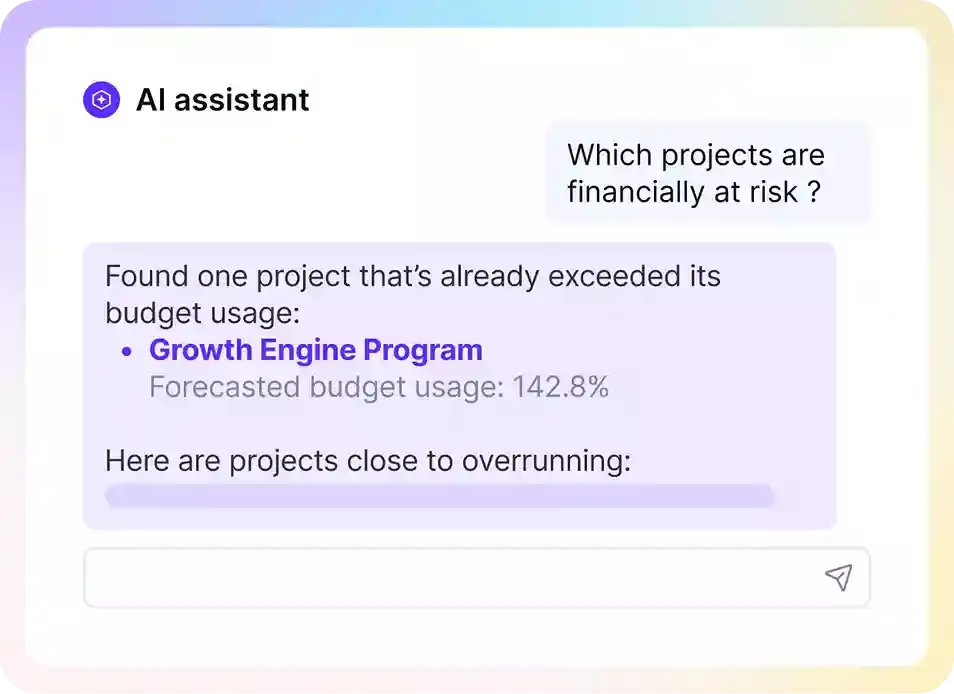
Ask AI to build reports in plain language in Productive
You can also ask one question that spans several reports at once, such as which projects and client companies were most profitable last year.
Ask AI for business insights in Productive.
Non-Billable Internal Time Left Out of the Number
Coordination, QA, and internal review are work you pay for, and nobody bills you for them. Left out of the estimate, they still get done, so the delivered margin comes in below the quoted one without anything obviously going wrong.
The fix is to price the category rather than absorb it. That means an internal line in the estimate, or billable rates high enough to carry the overhead the work generates.
Check Every Estimate Against What the Work Costs
You commit to a price before you know what the work will cost. Nothing changes that. What you control is the size of the gap between the two. Three things decide it: which costs you counted, which method you used, and whether the rates behind the number were current.
Software matters because the next estimate gets better when you can see how the last one turned out. Productive keeps budgets, cost rates, logged time, and reporting in one place, allowing you to compare your estimate to the actual cost.
To see that in your own projects, book a demo with Productive.
Keep Your Estimates and Actuals in One Place
Budgets, cost rates, and logged hours sit in the same system in Productive, so nobody exports one into the other to find out how a project went.
