Resource Requests: Turn Resource Needs Into Structured Staffing

Have you ever needed a specific person for a high-priority project, only to realize they’re already booked tens of hours deep on something else?
We built Resource Requests to fix exactly that. Here’s how it works:
- Project managers submit a request, resource managers decide how to best resolve it.
- Productive recommends the best-fit team members and shows previews of capacity.
- Once a request is approved, bookings are created automatically.
- Track every request with clear statuses, updates, and activity history in Productive.
Product Updates, Delivered
Get monthly updates in your inbox and be the first to find out the latest news in Productive.

Clear Ownership: PMs Request, Resource Managers Decide
Project managers need speed, especially when a project suddenly needs extra hands. Resource managers, on the other hand, need visibility and control to make the right staffing decisions.
Those priorities don’t always align, which is where friction usually starts.
Resource Requests introduce a clear, structured process, where everyone owns their responsibilities:
- Project managers create a resource request
- Resource managers review it and assign a resource
For shared resources like designers or QA, this is a big shift. RMs can take needs into account, while reviewing capacity and requirements to make sure that everyone’s assigned where they’re needed most.
Structured, Visible Requests Instead of Slack Messages
Instead of pinging a resource manager on Slack or sending an email that gets buried, PMs can now submit a Resource Request directly in Productive.
This keeps requests standardized, and makes sure all resourcing needs are visible in one place.
Every request answers two simple questions:
- What do you need the person for? This includes date ranges, allocation, and (option) max hourly cost info.
- What kind of person do you need? This is the profile of the employee needed, such as skills, teams, or seniority.
Since Productive has fully customizable Employee Fields, you can include virtually any criteria your organization uses to define resource needs.
Resolving Requests With Productive’s Smart Suggestions
Once a request is logged, Productive uses the defined requirements to suggest the best possible matches from your team.
This becomes especially valuable as teams grow, and resourcing knowledge can no longer live in one person’s head. Instead of relying on memory, resolvers can make decisions based on data that’s in Productive.
While assigning a person and timeline, resolvers see a preview booking (note that it’s purple), allowing them to understand the impact on capacity before making anything permanent.
When the request is resolved, Productive automatically creates the booking.
Each request also includes a dedicated comment thread. Resolvers can tag requesters to ask follow-up questions or clarify requirements, keeping all discussion in one relevant place.
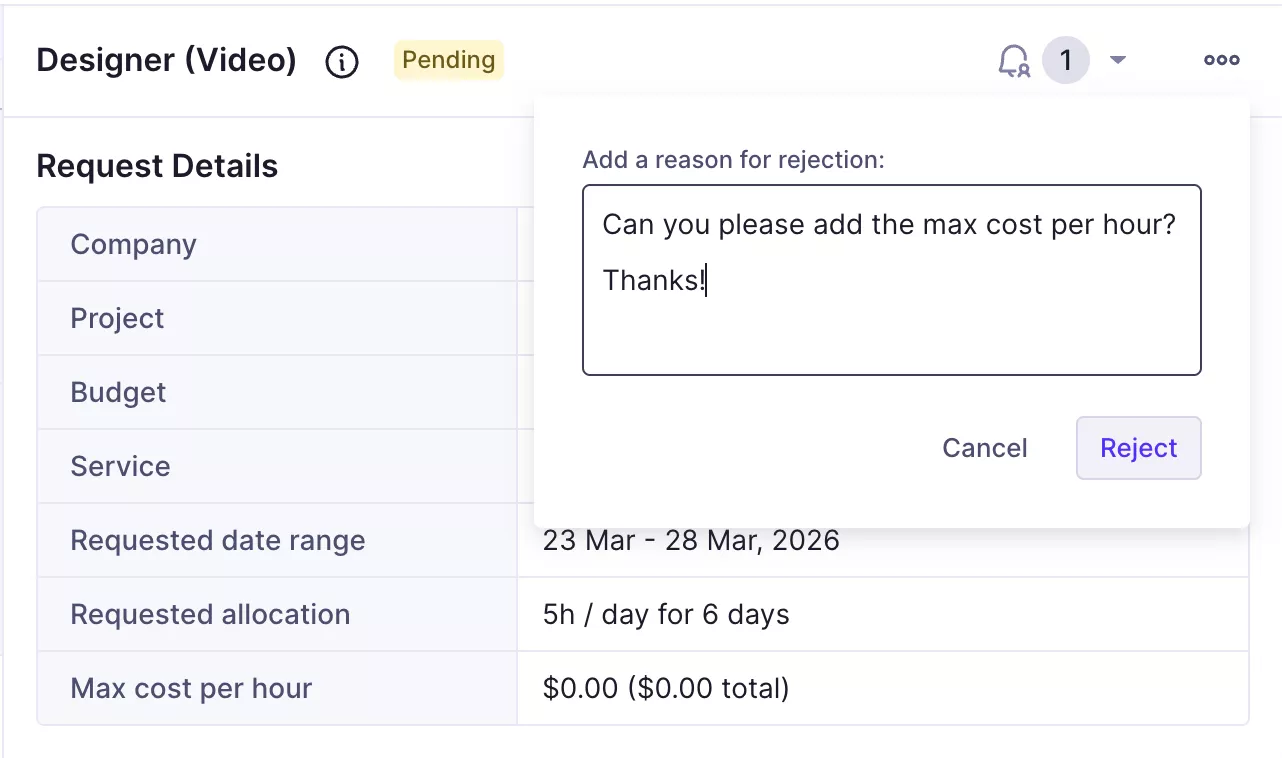
If a request is rejected, the resolver provides a specific reason—so the requester understands why, and future requests can be improved.
Track All Requests in One Place
All Resource Requests live under Resourcing > Resource Requests, where you can view every request and its current status, from pending to resolved or rejected.
You can also subscribe to individual requests. Subscribers receive notifications when a request is updated, making it easy for more stakeholders to stay informed without chasing updates.
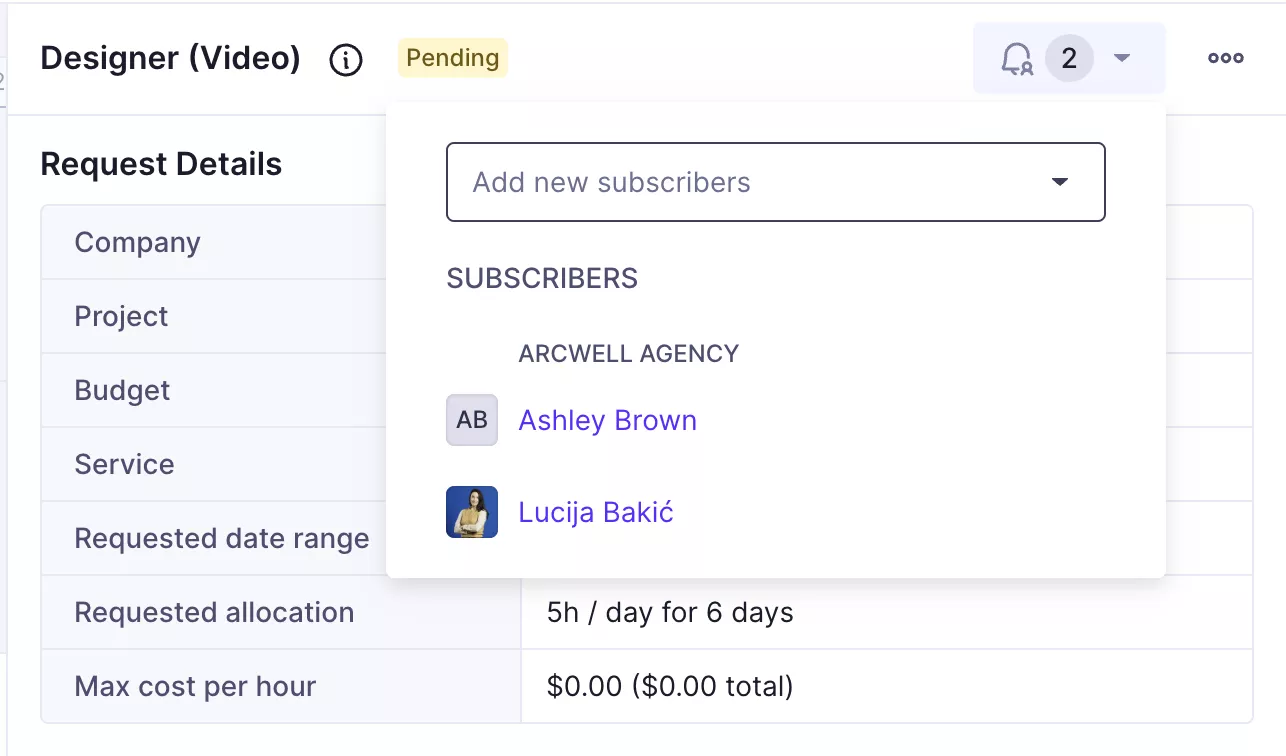
But it’s important to note that notification sets for Resource Requests are fully customizable — so you can decide when you’re notified, and where.

Analyze Resource Requests with Reports
Resource Requests also come with their own data source, so you can see exactly how requests move through the organization.
A great field you can use is Time to close, which shows how long it took for a request to be closed (and the resources assigned).
It’s a simple way to ensure that the resourcing process is running smoothly, and project managers are getting what they need.
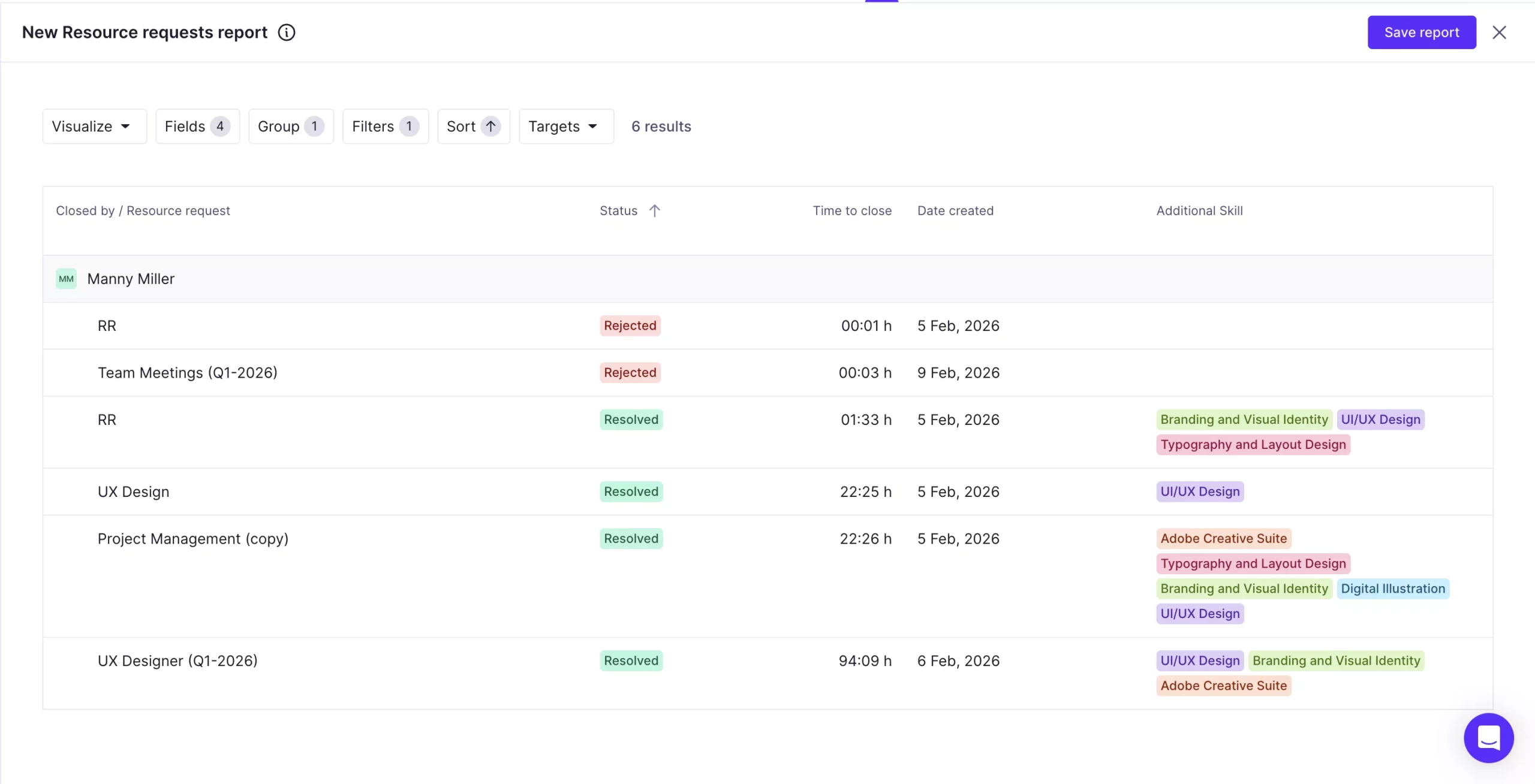
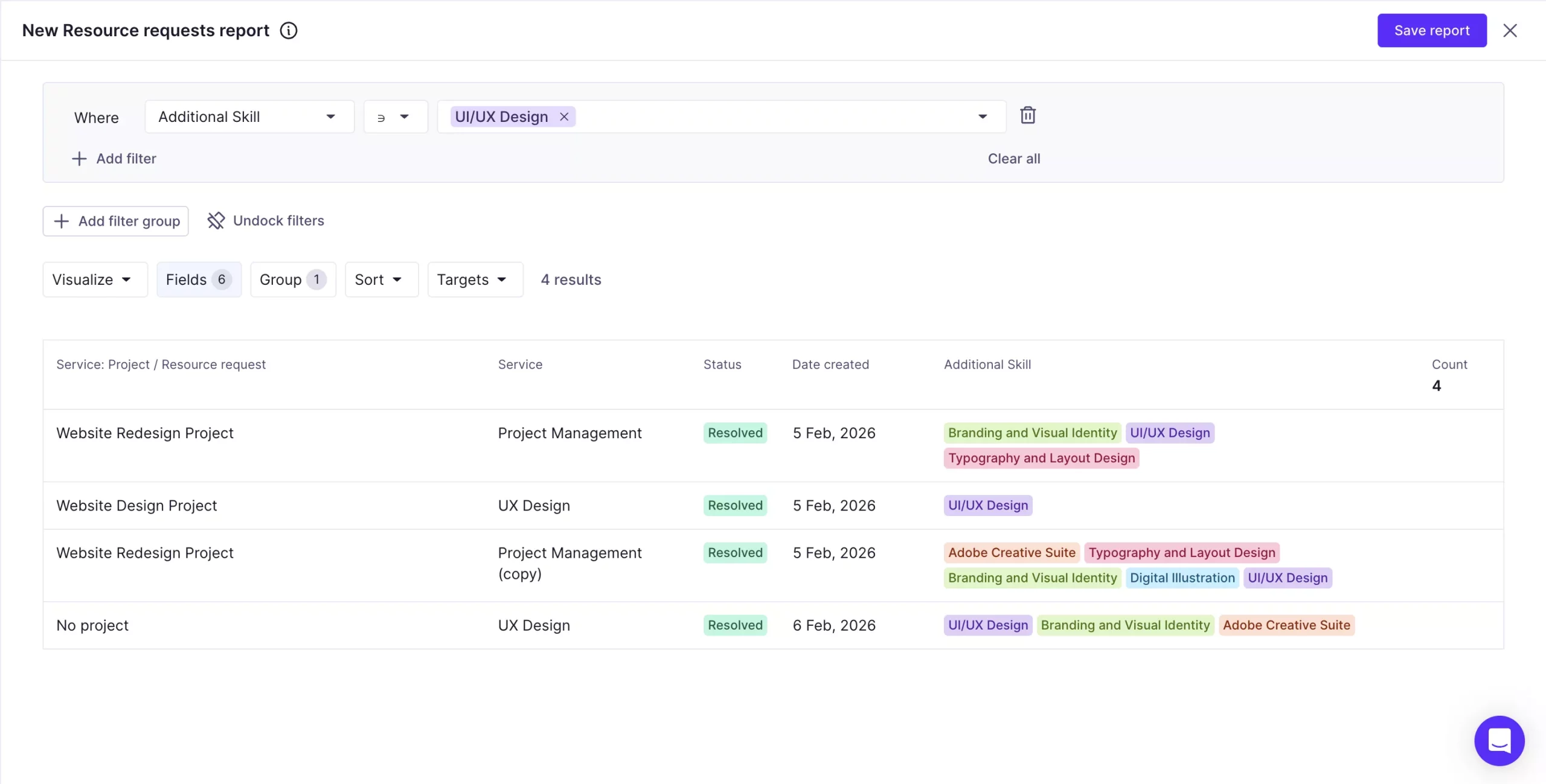
Another useful thing you can do is filter or group reports by Employee Fields like Skill or Seniority, to see what types of roles are requested most often.
If the same roles keep appearing across time, it can be a sign that your team may need more capacity in those areas.
Resource Requests: The Link Between Projects & Resources
Instead of scattered messages, manual handoffs, and unclear ownership, resourcing workflows now live in Productive, with full context and history.
We hope that, as a result, you see fewer conflicts, better staffing decisions, and a process that scales as your team grows.
If you’d like to dive deeper into setup details and specific workflows, you can find everything you need in our Help Center.
Get Up to Speed In Minutes
Every week we deliver new features, fixes, and updates.
