Agency Client Onboarding Guide: A 7-Step Process

A signed contract is not a running project. Agency client onboarding is how a won deal becomes a running project, with confirmed scope, a budget baseline, and a booked delivery team.
This onboarding guide covers what the process is, why it matters, and a recommended step-by-step process. We also include the mistakes to avoid and the practices that personalize and scale it.
Key Takeaways
- Onboarding has an internal half and a client-facing half, and they interleave: one turns what was sold into a budget and a booked team, the other sets up goals, stakeholders, and access with the client.
- Before anything ships, onboarding is all a client has to judge you on: it is their first impression of you, it is where assumptions become agreements, and whatever you do not collect now, you chase later.
- Seven steps can take you from a won deal to a running project: transfer the deal record, confirm the contract and billing, send the welcome pack, set the budget, book the team, run the kickoff, and agree the cadence.
- Standardize the workflow and personalize only what the client sees: a reusable project template keeps the tenth onboarding as quick as the first, while the welcome pack and the questionnaire still read as though they were written for them.
What Is Agency Client Onboarding?
Agency client onboarding is the process of turning a won deal into an active client engagement. It has two halves. The internal half turns what was sold into a plan: the agreed scope and rates handed to delivery, an hours estimate, a budget, and people booked to do the work. The client-facing half sets up the relationship: goals, stakeholders, access, and how the work will run.
It starts when the deal is won and can end when the work is running and the first review is on the calendar. The kickoff meeting is a checkpoint, not the finish line. The same sequence carries a marketing agency onboarding process, a consultancy handing an engagement to a delivery lead, or an IT services firm provisioning an account.
Most of it happens before anything has shipped, which is what makes it worth getting right.
Why Does Agency Client Onboarding Matter?
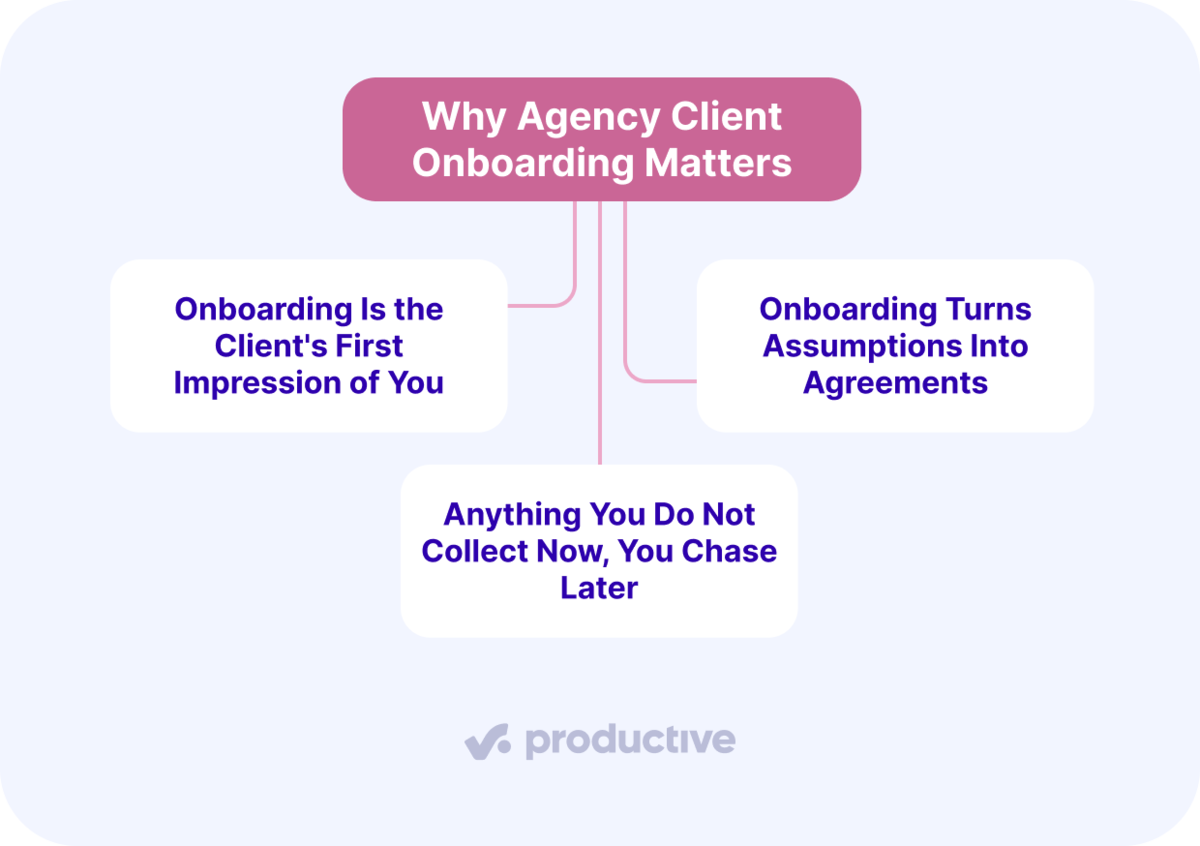
Agency client onboarding matters because it is the client’s first impression of you; it turns assumptions into agreements, and anything you don’t collect now, you chase later. There are other reasons, but these are our picks, and we think they shape the relationship.
We’ll take a closer look at each.
Onboarding Is the Client’s First Impression of You
The client has just spent money on a decision they cannot easily reverse, and nothing has shipped yet. For the first few weeks, the only thing they can judge is what it feels like to work with you.
Running those weeks well is not extra work, only the same work in a better order. What you get for it is the benefit of the doubt the first time something slips, which sooner or later it will.
An 2025 joint study by the ANA and 4As put average agency-of-record tenure at approximately seven years, more than double the 3.2-year average reported in 2016. Seven years is what a good start is protecting.
Onboarding Turns Assumptions Into Agreements
Both sides walk in with assumptions, and the ones that cause trouble are the ones nobody says out loud. Take approval. You assume the marketing lead signs it off. They assume their CEO sees it first. Neither of you is wrong, and neither of you finds out until the first deliverable is a week late.
A contract can say the client approves within five days without saying that three people have to see it first. The internal chain can be invisible from the outside, and nobody describes it because, to them, it is just how things work.
The same can be true of the rest: who to contact, how often you will talk, what counts as urgent, and what you will report on. A gap between two assumptions is where friction starts.
Anything You Do Not Collect Now, You Chase Later
Every answer, login, and asset you fail to get in the first week is one somebody chases in the third. Everything downstream waits on it. You cannot size the estimate without knowing who approves the work, and you cannot book the team until the estimate exists.
Asking the same question twice tells the client the first answer went nowhere, and it undoes whatever a potential welcome pack achieved.
Next, lets look at the actual onboarding process.
What Are the Steps in the Agency Client Onboarding Process?
The steps of the agency client onboarding process are: transfer the deal record to the delivery team; confirm the contract, SOW, and billing terms; send the welcome pack, questionnaire, and access requests; set up the budget; check availability then book the delivery team; brief the team then run the client kickoff; and agree the cadence, the reporting, and the first review.
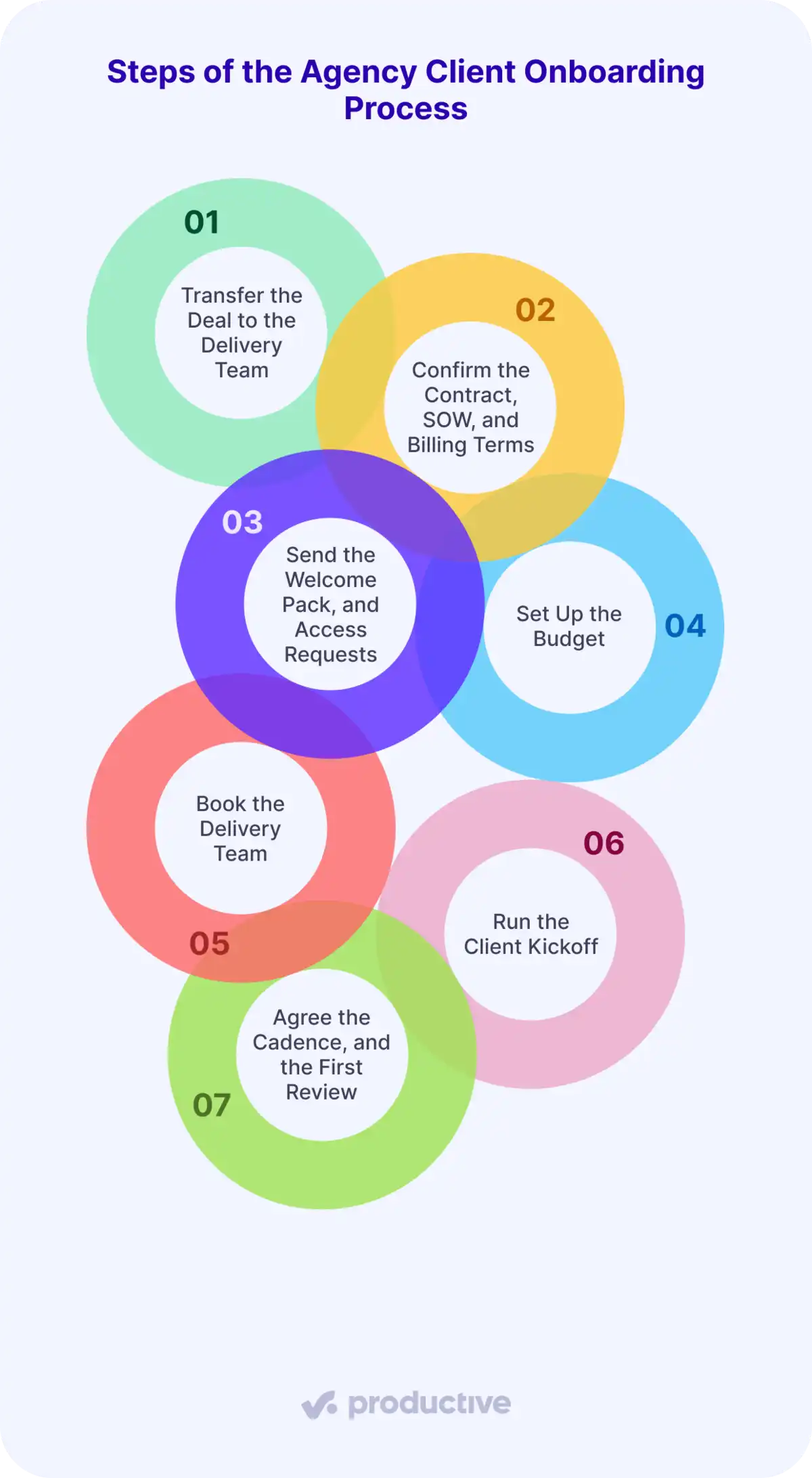
This is our sequence, not a standard. Firms split the steps differently depending on service mix, contract type, and how much the client hands over, so treat the order as a starting point and move things to fit. Let’s look at each.
Step 1: Transfer the Deal Record to the Delivery Team
Produce one record that carries deal value, agreed rates, estimated hours, and the promises made in the pitch. It has to travel from the person who sold the work to the team delivering it. Without it, delivery re-prices work the client already agreed to.
The failure here is mechanical. When the won deal sits in a CRM, and someone re-enters it by hand, the negotiated discount or the capped-hours clause can be lost in the retyping.
Name one person accountable for onboarding reaching completion. This is the first step, so it is the right place to decide who owns the rest of them.
Productive’s Sales CRM keeps that transition inside one workflow. You build the estimate on the deal as services and rates, and winning it turns the deal into a project with those same numbers already in the budget.
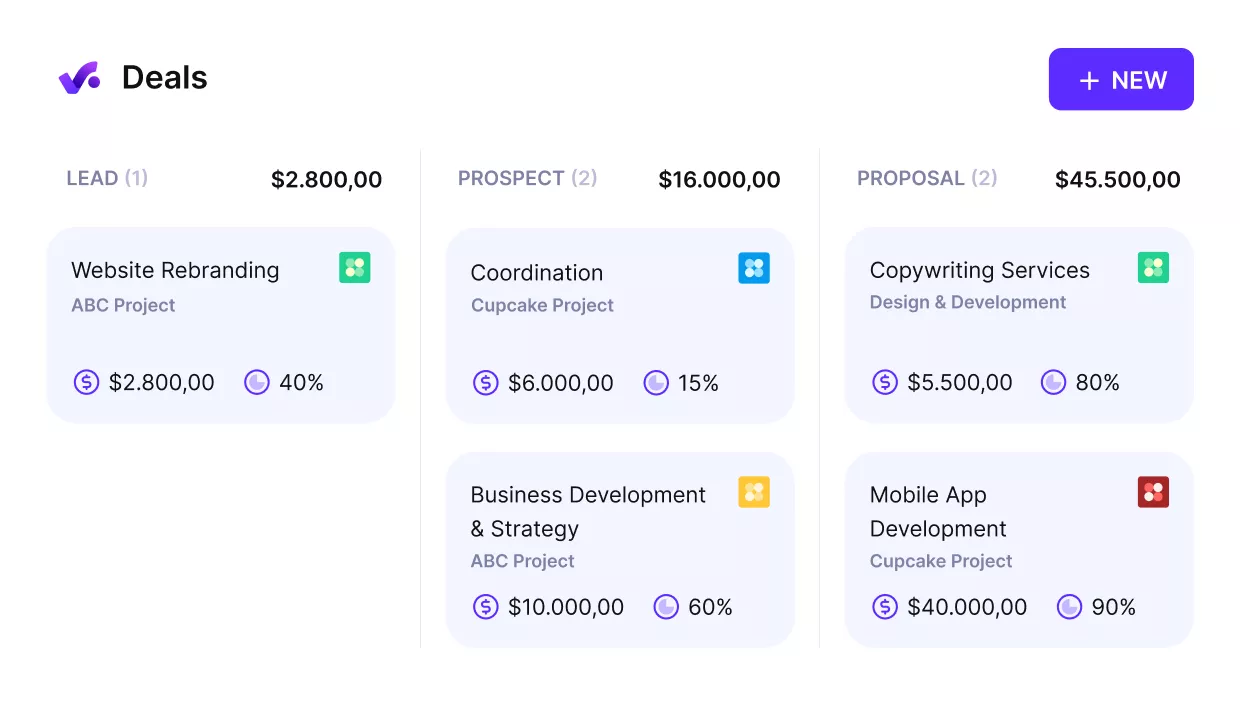
Go from Deal to Project in Productive.
If you are comparing options, we have a list of project management software with CRM built in.
Step 2: Confirm the Contract, SOW, and Billing Terms
Produce a signed SOW, a payment schedule, and any PO requirements before delivery work begins. The SOW is what you fall back on when project scope is disputed.
Put deliverables, project milestones, and exclusions in writing, and keep them in the contract itself rather than in an email thread. Set the invoice schedule and net terms now, so your first invoice matches the client’s accounts payable process instead of bouncing back and delaying cash by a month.
Step 3: Send the Welcome Pack, Questionnaire, and Access Requests
Produce a completed client questionnaire covering client goals, audience, competitors, success metrics, stakeholders, and approval workflow, plus the accounts and assets you need: ad accounts, analytics, CMS logins, social profiles, and brand files. Send all of it inside a welcome pack that introduces the team and names their day-to-day contact.
This comes after the contract on purpose. The SOW captures the commercial scope agreed during the sale. The questionnaire gathers the operational detail needed to deliver it, which is a different job and rarely available before signature.
Send the essentials as one request, not five, and send them before the kickoff. Deeper context can wait for a scheduled follow-up.
One answer matters more than the rest. Find out who has to approve the work, because a deliverable that passes three people costs more to produce than the same deliverable signed off by one. Price that into the estimate you build next, rather than discovering it in month two.
Step 4: Set Up the Budget
Produce a budget with estimated hours per service, the rate card applied, and the resulting cost and margin. Confirm the rates before anyone logs a billable hour.
The commercial number was agreed during the sale. What this step produces is the delivery version of it: the same total, broken into hours and rates per service that the team can actually be measured against.
A fixed-fee job still needs that breakdown. Without one, you find out what the work really cost after it is finished, when nothing can be done about it.
Break the estimate down by service, not into one number for the project. Give design its own hours and rate, development its own, and group the work the same way so logged time lands against the right line. Then when design is at 90 percent of its hours in week two, and development has barely started, you can see it and act. For a deeper dive, check out our project budget management guide.
Step 5: Check Availability, Then Book the Delivery Team
Produce confirmed bookings for named people, checked against their availability across every live project. You are onboarding into a portfolio of active work, not a blank calendar.
Ask who has room for this client without tipping past their target utilization. Booking a senior specialist who is already at capacity can delay two projects instead of one.
You can also hand the first pass over. Productive’s Resourcing Agent can read a project’s resource needs, suggest and match the best available person, and draft a schedule from current capacity.
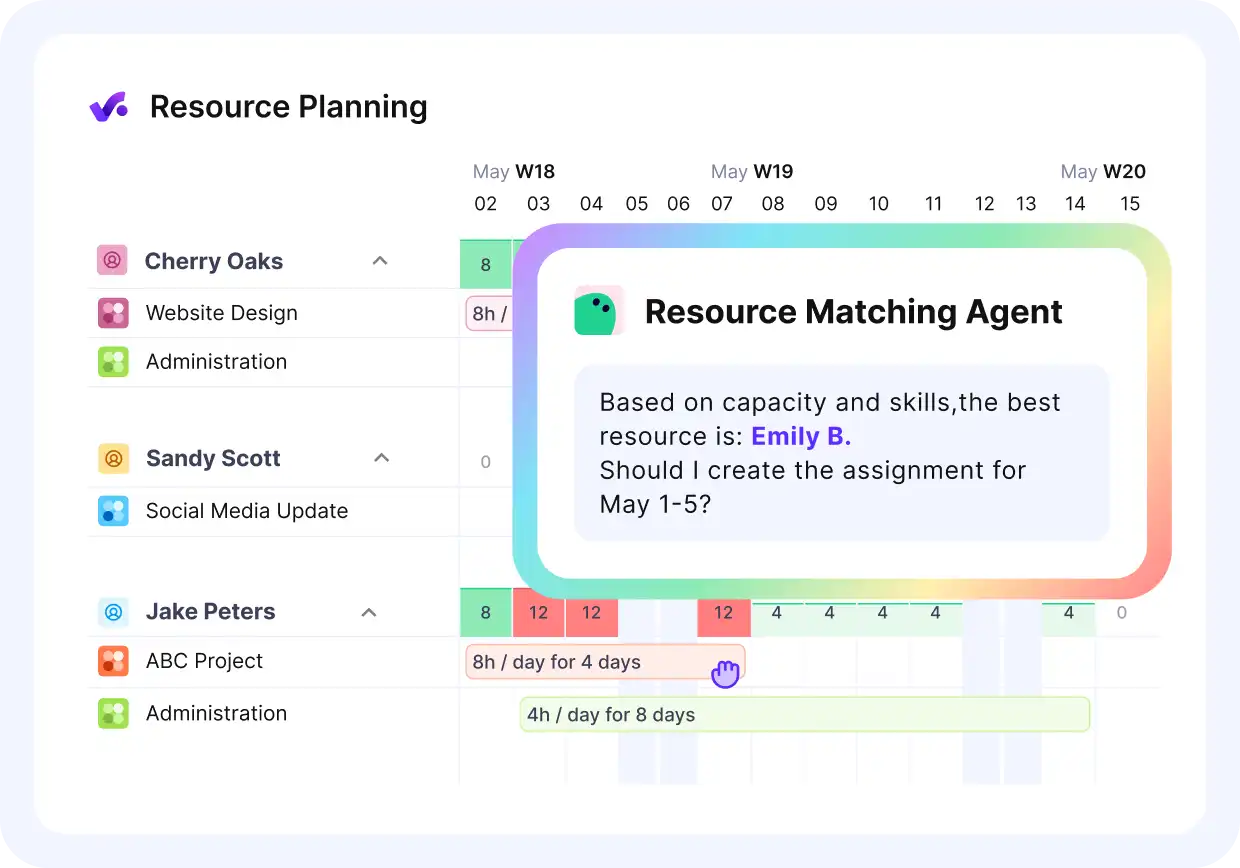
Let Agents match people to work, in Productive.
Try out Agents in Productive.
Step 6: Brief the Team, Then Run the Client Kickoff
Produce an internally aligned team, then a client kickoff and a written recap. Brief the team on client context, scope boundaries, the stakeholder map, and their own roles and responsibilities.
The client kickoff is where you present the plan built in steps 4 and 5 and get explicit agreement on it. Cover deliverables, the project timeline, the people involved, and how you will work together. The contract bought the scope; the kickoff confirms the plan for delivering it.
A kickoff where the team already knows the client’s business signals that step 3 worked. Send a short recap with agreed next steps the same day.
Step 7: Agree the Cadence, the Reporting, and the First Review
Produce a written client communication plan, a reporting view you build once rather than rebuild every month, and a first review already in the calendar. The plan names the channels, the response times, the escalation path, and the meeting rhythm, and it is the document people will actually refer back to. The report covers the metrics you agreed in step 3. Cap the standing-meeting load while you are at it.
Use the first review to check whether the budget is pacing to plan and to catch the early signals: slow approvals, quiet stakeholders, and scope questions that hint at unbilled change requests. A budget burning faster than the schedule at the first review is cheaper to fix than a blown margin at month six.
Next, the mistakes that undo a solid sequence.
What Mistakes Do Agencies Make During Client Onboarding?
The mistakes agencies make during onboarding are committing the team before checking availability, retyping the numbers between systems, burying the client in the opening request, and leaving the sequence unowned. They are not the only ways onboarding goes wrong, and your list may look different.
Each one is the failure mode of a specific step, named below, so the fix is usually to do that step properly rather than to bolt on a new process:
- Committing the team before checking availability, step 5. A common problem agencies tell us is that resourcing lives in a spreadsheet next to the project tool, so nobody can check who is free in real time.
- Retyping the numbers between systems, step 1. Each hop between a CRM, a spreadsheet, and a project tool is a chance for the rate card to arrive stale.
- Burying the client in the first request, step 3. Ask for the essentials in one message. A dense day-one document set delays the answers you need for the estimate.
- Leaving the sequence unowned, step 1. Without one name accountable for onboarding being finished, phases quietly stay half-done, and nobody notices until it matters.
Next, the practices that make onboarding more efficient and effective.
Which Practices Help You Personalize and Scale Onboarding?
The practices that help you personalize and scale onboarding are to use project templates to launch new clients and personalize the client-facing touchpoints rather than the workflow.
These are our picks, and there are plenty of others worth adding. We’ll take a closer look at each.
Use Project Templates to Launch New Clients
A reusable onboarding template means the task list, folders, and role assignments already exist when a new client lands, instead of someone copying an old project and editing it. It is an onboarding checklist that lives inside the project rather than in a document nobody opens.
In Productive’s Project Management, a project template saves the task lists, folders, and dependencies and carries them into each new project.
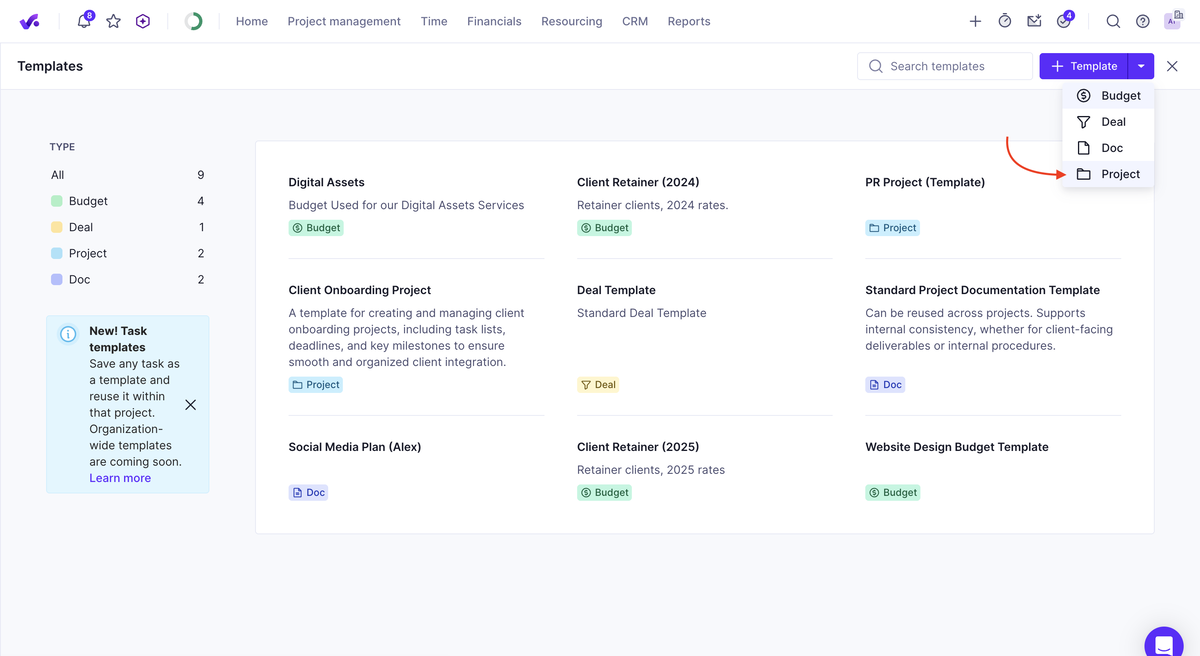
Use project templates in Productive.
Budgets are not stored there, so pair it with a budget template as well.

The one thing that we never had before that I really like is the ability to almost templatize our projects. We created a sample project that has all of our standard processes built into it. Whenever we start a new project, it’s something we can clone. That’s a huge advancement in terms of trying to have a consistent process across the company, and one that everybody follows.
Read the full customer story to learn how Clear Launch gained predictability and consistency with Productive.
Personalize the Client-Facing Touchpoints Rather Than the Workflow
Tailor the welcome pack, the questionnaire wording, and the kickoff prep. Leave the underlying onboarding workflow fixed. The client sees a bespoke start, and your team runs the same process at the same setup cost.
Swap in the client’s goals, industry context, and stakeholder names where it changes the conversation. A consultancy engagement and a digital marketing retainer need different discovery questions but can possibly have the same budget-and-resourcing sequence underneath.
Getting Onboarding Right
Onboarding is the first few weeks of a new client relationship, and most of it is ordinary work done in the right order. Do it well and the client stops wondering whether they chose right.
A tool will not do that for you, but it can keep the pieces from drifting apart. In Productive, the budget, the bookings, and the tasks sit on one project, so the plan your team works from is the one you agreed.
Book a demo with Productive to see how it fits your firm.
Go From Deal to a Running Project
Productive turns a won deal into a project with the agreed services and rates already in the budget. Delivery starts from what sales actually sold, not from a figure someone retyped from a spreadsheet.
